change wheel FIAT 124 SPIDER ABARTH 2017 2.G User Guide
[x] Cancel search | Manufacturer: FIAT, Model Year: 2017, Model line: 124 SPIDER ABARTH, Model: FIAT 124 SPIDER ABARTH 2017 2.GPages: 292, PDF Size: 121.25 MB
Page 158 of 292
2. Move the gear selector.
3. Take the vehicle to an Authorized
Dealer.
Manual Shift Mode
The manual shift mode gives you the
feel of driving a manual transmission
vehicle by allowing you to operate the
gear selector manually.
This allows you to control engine rpm
and torque to the drive wheels much
like a manual transmission when more
control is desired.
To change to MANUAL (M) shift mode,
shift the gear selector from DRIVE (D) to
MANUAL (M). To return to automatic
shift mode, shift the gear selector from
MANUAL (M) to DRIVE (D).
You can shift between DRIVE (D) and
MANUAL (M) mode at any time, without
taking your foot off the accelerator.Note:
If you change to manual shift mode
when the vehicle is stopped, the gear
will shift to M1.
If you change to manual shift mode
while the vehicle is moving it will remain
in the current gear until a manual shift
request is made.
Indicators
Manual Shift Mode Indication
In manual shift mode, the “M” of the
shift position indication in the
instrument panel illuminates.
Gear Position Indication
The numeral for the selected gear
illuminates. Manually Shifting Up/Down
To shift up
to a higher gear, tap the
gear selector rearward once (or tap the
[+] shift paddle on the steering wheel, if
equipped).
To shift down to a lower gear, tap the
gear selector forward once (or tap the
[-] shift paddle on the steering wheel, if
equipped).
Note:
If a requested downshift would
cause the engine to over-speed, that
shift will not occur.
The system will ignore attempts to
upshift at too low of a vehicle speed.
The transmission will switch to
automatic shift mode while the
accelerator pedal is completely
depressed (unless Dynamic Stability
Control is turned off).
Do not drive the vehicle with the
tachometer needle in the red zone
while in manual shift mode. If the
vehicle is continuously driven at a high
rpm, the transmission may
automatically shift up to protect the
engine.
During deceleration, the
transmission may automatically shift
down depending on vehicle speed.
005210206-122-001Shift - Lock Override
05210207-12A-002Instrument Panel
1 — Manual Shift Mode Indication
2 — Gear Position Indication
156
STARTING AND OPERATING
Page 159 of 292
You can start out, from a stop, in
first or second gear. Tapping the gear
selector rearward (+) (at a stop) will
allow starting in second gear. Starting
out in second gear can be helpful in
snowy or icy conditions.
Paddle Mode — If
Equipped
Tapping one of the steering
wheel-mounted shift paddles (+/-), if
equipped, while the gear selector is in
DRIVE (D), will activate Paddle Mode (a
temporary manual mode). The current
gear will be displayed in the instrument
cluster, with the "M" also illuminated.
The transmission will revert back to
normal operation (if the gear selector
remains in DRIVE) after a period of time,
depending on accelerator pedal activity.
Note: Because Paddle mode is only
temporary, use of the MANUAL (M)
position is recommended if you need to
drive the vehicle in a particular gear for
long periods.
Driving Tips
Overtaking
For extra power when passing another
vehicle or climbing steep grades, press
the accelerator fully. The transmission
will shift to a lower gear, depending on
vehicle speed. Note:
The accelerator pedal may initially
feel heavy as it is being pressed, then
feel lighter as it is pressed further. This
change in pedal force controls whether
or not kickdown should be performed.
While the gear selector is in the
MANUAL (M) position and the Dynamic
Stability Control (DSC) is turned off,
manual shift mode does not switch to
automatic shift mode even if the
accelerator pedal is completely
pressed. Tap the gear selector forward
or rearward to select the appropriate
gear.
Climbing steep grades from a stop
To climb a steep grade from a stopped
position:
1. Press the brake pedal.
2. Shift to DRIVE (D) or M1, depending
on the load weight and grade
steepness.
3. Release the brake pedal while
gradually accelerating.
Descending steep grades
When descending a steep grade, shift
to lower gears, depending on load
weight and grade steepness.
Descend slowly, using the brakes only
occasionally to prevent them from
overheating.
ELECTRONIC SPEED
CONTROL
Electronic Speed
Control
This is an electronically controlled
driving assistance feature that allows
the desired vehicle speed to be
maintained, without having to press the
accelerator pedal.
This feature can be used at a speed
above 25 mph (40 km/h) on long
stretches of dry, straight roads with few
variations (e.g. motorways).
It is therefore not recommended to use
this feature on city roads with traffic. Do
not use it in town.
Warning!
Do not use the cruise control under the
following conditions:
hilly terrain
steep inclines
heavy or unsteady traffic
slippery or winding roads
similar restrictions that require
inconsistent speed
Using the cruise control under the following
conditions is dangerous and could result in
loss of vehicle control.
157
Page 163 of 292
Caution!
If the rear bumper receives a severe
impact, the system may no longer operate
normally. Stop the system immediately and
contact an authorized dealer.
The detection ability of the radar
sensors has limitations. In the following
cases, the detection ability may lower
and the system may not operate
normally:
The rear bumper near the radar
sensors has become deformed.
Snow, ice or mud adheres to the
radar sensors on the rear bumper.
Under bad weather conditions such
as rain, snow and fog.
Note: Under the following conditions,
the radar sensors cannot detect target
objects or it may be difficult to detect
them:
Stationary objects on a road or a
road side such as small, two-wheeled
vehicles, bicycles, pedestrians,
animals, and shopping carts.
Vehicle shapes which do not reflect
radar waves well such as empty trailers
with a low vehicle height and sports
cars. Vehicles are shipped with the direction
of the radar sensors adjusted for each
vehicle to a loaded vehicle condition so
that the radar sensors detect
approaching vehicles correctly. If the
direction of the radar sensors has
changed, contact an authorized dealer.
The radar sensors are regulated by the
relevant radio wave laws of the country
in which the vehicle is driven. If the
vehicle is driven abroad, authorization
from the country in which the vehicle is
driven may be required.
Note:
For repairs or replacement of the
radar sensors, bumper repairs, paint
work, or replacement near the radar
sensors, consult an authorized dealer.
Turn off the system while pulling a
trailer or while an accessory such as a
bicycle carrier is installed to the rear of
the vehicle. Otherwise, the radio waves
emitted by the radar will be blocked
causing the system to not operate
normally.
REAR PARK ASSIST
— IF EQUIPPED
Rear Park Assist
Warning!
Do not rely completely on the parking
sensor system and be sure to confirm the
safety around your vehicle visually when
driving. This system can assist the driver in
operating the vehicle in the forward and
backward directions while parking. The
detection ranges of the sensors are limited,
therefore, driving the vehicle while relying
only on the system may cause an accident.
Always confirm the safety around your
vehicle visually when driving.
Parking and other potentially dangerous
manoeuvres are, however, always the
driver’s responsibility. When performing
these operations, always make sure that
there are no other people (especially
children) or animals on the route you want
to drive into. The parking sensors are an
aid for the driver, but the driver must never
allow their attention to lapse during
potentially dangerous manoeuvres, even
those executed at low speeds.
The rear park assist system uses four
ultrasonic sensors (two rear sensors
and two rear corner sensors) to detect
obstructions around the vehicle while
parking the vehicle in a garage or
during parallel parking when the gear
selector is in REVERSE (R).
161
Page 168 of 292
PARKVIEW REAR
BACKUP CAMERA —
IF EQUIPPED
Operation
The camera is located on the trunk.
Switching the display to rear-view
monitor mode
Put the gear selector in the REVERSE
(R) position when the ignition is
switched to ON to switch the display to
rear-view camera mode.
Note:
When the gear selector is moved
from the REVERSE (R) position and put
in any other position, the screen
returns to the previous display mode.
When parking, take the utmost care
over obstacles that may be above or
under the camera’s display range.
When the display is cold, the
images could scroll on the monitor or
the screen and could be more blurred
than usual, making it difficult to check
the conditions of the area around the
vehicle. Always use extreme caution
and verify the real conditions of the
area behind the vehicle with you own
eyes.
If water, snow or mud is deposited
on the camera lens, clean it with a soft
cloth. If this does not clean it, use a
mild detergent.
If the camera is subjected to abrupt
temperature changes (from hot to cold
or vice versa), the rear-view monitor
may not work properly.
When replacing tires, contact an
authorized dealer. Replacing the tires
can cause the guide lines that appear
on the display to be diverted.
Warning!
Always use extreme caution and verify
the real conditions of the area behind the
vehicle. Backing up while looking only at
the screen is dangerous and can lead to an
accident or collision with an object. The
rear-view monitor is simply a system to aid
reversing. The view on the display can
show a situation that differs from the real
one.
Do not use the rear-view monitor under
the following conditions:
Roads covered in ice or snow.
When snow chains are mounted or the
temporary space saver spare wheel is
fitted.
The rear trunk is not completely closed.
The vehicle is on a sloping road.
Using the rear-view monitor under the
conditions listed above is dangerous and
can cause damage to persons and/or the
vehicle.
Caution!
Do not apply excessive force to the
camera. You could alter the position and
angle of the camera. Do not disassemble,
modify or remove it as this could
compromise the seal.
The camera’s cover is made of plastic.
Do not apply degreasers, organic solvents,
wax or glass polish to the camera’s cover.
If some substance ends up on the cover,
clean it off immediately with a soft cloth.
Do not rub the cover too much, nor
polish it with abrasive compounds or hard
brushes. The cover could be damaged and
create image problems.
07040110-124-008Rear Camera Location
166
STARTING AND OPERATING
Page 178 of 292
Curb Weight
The curb weight of a vehicle is defined
as the total weight of the vehicle with all
fluids, including vehicle fuel, at full
capacity conditions, and with no
occupants or cargo loaded into the
vehicle. The front and rear curb weight
values are determined by weighing your
vehicle on a commercial scale before
any occupants or cargo are added.
Loading
The actual total weight and the weight
of the front and rear of your vehicle at
the ground can best be determined by
weighing it when it is loaded and ready
for operation.
The entire vehicle should first be
weighed on a commercial scale to
insure that the GVWR has not been
exceeded. The weight on the front and
rear of the vehicle should then be
determined separately to be sure that
the load is properly distributed over the
front and rear axle. Weighing the vehicle
may show that the GAWR of either the
front or rear axles has been exceeded
but the total load is within the specified
GVWR. If so, weight must be shifted
from front to rear or rear to front as
appropriate until the specified weight
limitations are met. Store the heavier
items down low and be sure that the
weight is distributed equally. Stow all
loose items securely before driving.Improper weight distributions can have
an adverse effect on the way your
vehicle steers and handles and the way
the brakes operate.
Caution!
Do not load your vehicle any heavier than
the GVWR or the maximum front and rear
GAWR. If you do, parts on your vehicle can
break, or it can change the way your
vehicle handles. This could cause you to
lose control. Also overloading can shorten
the life of your vehicle.
TOWING TRAILERS
Trailer Towing
Your car is not designed for towing.
Recreational Towing
An example of "recreational towing" is
towing your vehicle behind a
motorhome.
The transmission is not designed for
towing this vehicle on all four wheels.
Caution!
DO NOT flat tow this vehicle. Damage to
the drivetrain will result. If this vehicle
requires towing, make sure the drive
wheels are OFF the ground.
Ensure that the Parking Brake is
released, and remains released, while
being towed.
Towing this vehicle in violation of the
above requirements can cause severe
transmission damage. Damage from
improper towing is not covered under the
New Vehicle Limited Warranty.
176
STARTING AND OPERATING
Page 180 of 292
Warning!
An improperly attached, damaged, folded,
or stacked floor mat, or damaged floor mat
fasteners may cause your floor mat to
interfere with the accelerator, brake, or
clutch pedals and cause a loss of vehicle
control. To prevent SERIOUS INJURY or
DEATH:
ALWAYS securely attachyour floor
mat using the floor mat fasteners. DO NOT
install your floor mat upside down or turn
your floor mat over. Lightly pull to confirm
mat is secured using the floor mat
fasteners on a regular basis.
ALWAYS REMOVE THE EXISTING
FLOOR MAT FROM THE VEHICLE
before installing any other floor mat.
NEVER install or stack an additional floor
mat on top of an existing floor mat.
ONLY install floor mats designed to fit
your vehicle. NEVER install a floor mat that
cannot be properly attached and secured
to your vehicle. If a floor mat needs to be
replaced, only use a FCA approved floor
mat for the specific make, model, and year
of your vehicle.
ONLY use the driver’s side floor mat on
the driver’s side floor area. To check for
interference, with the vehicle properly parked
with the engine off, fully depress the
accelerator, the brake, and the clutch pedal
(if present) to check for interference. If your
floor mat interferes with the operation of any
pedal, or is not secure to the floor, remove
the floor mat from the vehicle and place the
floor mat in your trunk.
ONLY use the passenger’s side floor
mat on the passenger’s side floor area.
ALWAYS make sure objects cannot fall
or slide into the driver’s side floor area
when the vehicle is moving. Objects can
become trapped under accelerator, brake,
or clutch pedals and could cause a loss of
vehicle control.
NEVER place any objects under the
floor mat (e.g., towels, keys, etc.). These
objects could change the position of the
floor mat and may cause interference with
the accelerator, brake, or clutch pedals.
If the vehicle carpet has been removed
and re-installed, always properly attach
carpet to the floor and check the floor mat
fasteners are secure to the vehicle carpet.
Fully depress each pedal to check for
interference with the accelerator, brake, or
clutch pedals then re-install the floor mats.
It is recommended to only use mild
soap and water to clean your floor mats.
After cleaning, always check your floor mat
has been properly installed and is secured
to your vehicle using the floor mat
fasteners by lightly pulling mat.
Rocking The Vehicle
Note: Too much rocking may cause
engine overheating, transmission failure,
and tire damage.
If you must rock the vehicle to free it
from snow, sand or mud, depress the
accelerator slightly and slowly move the
gear selector from 1 (D) to R.
Warning!
Fast spinning tires can be dangerous.
Forces generated by excessive wheel
speeds may cause damage, or even
failure, of the axle and tires. A tire could
explode and injure someone. Do not spin
your vehicle's wheels faster than 30 mph
(48 km/h) or for longer than 30 seconds
continuously without stopping when you
are stuck and do not let anyone near a
spinning wheel, no matter what the speed.
Caution!
When “rocking” a stuck vehicle by
shifting between DRIVE and REVERSE, do
not spin the wheels faster than 15 mph
(24 km/h), or drivetrain damage may result.
Revving the engine or spinning the
wheels too fast may lead to transmission
overheating and failure. It can also damage
the tires. Do not spin the wheels above
30 mph (48 km/h) while in gear (no
transmission shifting occurring).
Winter Driving
Carry emergency gear, including tire
chains, window scraper, flares, a small
shovel, jumper leads, and a small bag
of sand or salt.
178
STARTING AND OPERATING
Page 204 of 292
CHANGING A WHEEL
Warning!
Do not attempt to change a tire on the
side of the vehicle close to moving traffic.
Pull far enough off the road to avoid the
danger of being hit when operating the jack
or changing the wheel.
Being under a jacked-up vehicle is
dangerous. The vehicle could slip off the
jack and fall on you. You could be crushed.
Never put any part of your body under a
vehicle that is on a jack. If you need to get
under a raised vehicle, take it to a service
center where it can be raised on a lift.
The jack is designed to be used as a
tool for changing tires only. The jack should
not be used to lift the vehicle for service
purposes. The vehicle should be jacked on
a firm level surface only. Avoid ice or
slippery areas.
Tools Location
Your vehicle may be equipped with a
spare tire, jack, lug wrench, and tow
eyes. For details, contact an authorized
dealer.
Tools are stored in the trunk.
Jacking Instructions — If
Equipped
To Remove The Jack
Proceed as follows:
1. In the right side of the trunk, pull on
indentation on side of cover to remove. 2. Turn the wing bolt and jack screw
counterclockwise.
08020100-122-002Jack Tools
1 — Jack Lever
2 — Lug Wrench (If Equipped)
3 — Tow Eyes (If Equipped)
08020101-124-001Jack Location
1 — Indentation On Cover
2 — Jack And Tools Cover
08020101-122-001Jack Components
3 — Wing Bolt
4 — Jack Screw
202
IN CASE OF EMERGENCY
Page 205 of 292
To Secure The Jack
Proceed as follows:
1. Insert the wing bolt into the jack with
the jack screw pointing back, and turn
the wing bolt clockwise to temporarily
tighten it.
2. Turn the jack screw clockwise.
3. Turn the wing bolt completely to
secure the jack.
4. Insert the cover tabs and install the
cover.
Warning!
A loose tire or jack thrown forward in a
collision or hard stop could endanger the
occupants of the vehicle. Always stow the
jack parts and the spare tire in the places
provided. Have the deflated (flat) tire
repaired or replaced immediately.
Maintenance
Always keep the jack clean.
Make sure the moving parts are kept
free from dirt or rust.
Make sure the screw thread is
adequately lubricated.
Conditions Of Non-Use
Temperatures below -40°F (−40°C)
On sandy or muddy ground
On uneven ground
On steep roads
In extreme weather conditions
In direct contact with the engine or
for repairs under the vehicle
On boats
Changing Procedure
Note: Make sure the jack is well
lubricated before using it.
Warning!
Do not attempt to change a tire on the side
of the vehicle close to moving traffic, pull
far enough off the road to avoid being hit
when operating the jack or changing the
wheel.
Proceed as follows:
1. Stop the vehicle in a position that
does not cause any danger to traffic
and lets you change the tire in safety, as
far as possible from the edge of the
driving lane. The ground must be flat
and sufficiently compact.
2. Turn on the hazard warning lights
and engage the parking brake. 3. For vehicles with automatic
transmission, place the gear selector in
Park (P). For vehicles with manual
transmission, place gear selector in
Reverse (R) and turn off the engine.
4. Stop the engine. The motor must be
kept off as long as the vehicle is lifted
off the ground.
5. Remove the jack and tools.
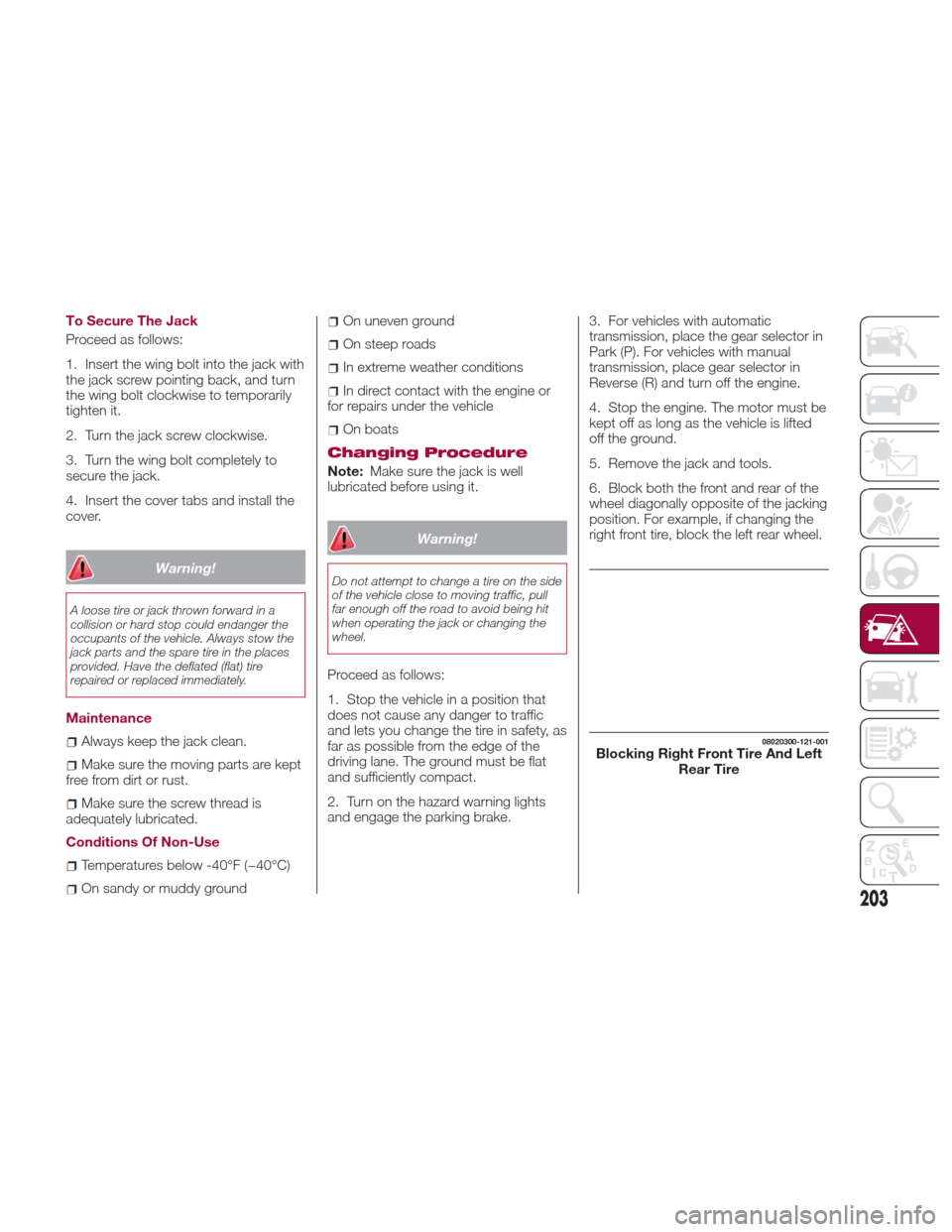
6. Block both the front and rear of the
wheel diagonally opposite of the jacking
position. For example, if changing the
right front tire, block the left rear wheel.
08020300-121-001Blocking Right Front Tire And Left
Rear Tire
203
Page 206 of 292
Removing A Tire
Warning!
Carefully follow these tire changing
warnings to help prevent personal injury or
damage to your vehicle:
Always park on a firm, level surface as
far from the edge of the roadway as
possible before raising the vehicle.
Turn on the Hazard Warning flasher.
Block the wheel diagonally opposite the
wheel to be raised.
Set the parking brake firmly and set the
transmission in PARK.
Do not let any passenger sit in the
vehicle when it is on a jack.
Do not get under the vehicle when it is
on a jack. If you need to get under a raised
vehicle, take it to a service center where it
can be raised on a lift.
Only use the jack in the positions
indicated and for lifting this vehicle during a
tire change.
If working on or near a roadway, be
extremely careful of motor traffic.
Proceed as follows:
1. Loosen the lug nuts by turning them
counterclockwise one turn each, but do
not remove any lug nuts until the tire
has been raised off the ground. 2. Place the jack under the lift point
closest to the tire being changed with
the jack head squarely under the
jack-up point.
3. Turn the jack screw in the direction
shown and adjust the jack head so that
it is close to the jack-up position.
4. Continue raising the jack head
gradually by rotating the screw with
your hand until the jack head is inserted
into the lift point.
Caution!
Do not attempt to raise the vehicle by
jacking on locations other than those
indicated in the Jacking Instructions for this
vehicle.
08020301-123-001-high.jpgLoosen Lug Nuts Counterclockwise08020301-ALL-003Raising The Jack
1 — Jack Head
204
IN CASE OF EMERGENCY
Page 210 of 292
Tire Service Usage
Precautions
The tire sealant cannot be reused. If the
sealant has been used, or is expired,
purchase new tire sealant at an
authorized dealer.
Note:The Tire Service Kit cannot be
used in the following cases. Consult an
authorized dealer if any of these
conditions exist:
The period of effective use for the
tire sealant has expired (the period of
effectiveness is indicated on the bottle
label)
The tear or puncture in the tire
exceeds about 0.16 inches (4 mm)
The damage has occurred to an
area of the tire other than the tread
The vehicle has been driven with
nearly no air remaining in the tire
The tire has come off the wheel rim
Damage to the wheel rim has
occurred
The tire has two or more punctures
Sealing A Tire With Tire
Service
Warning!
Do not attempt to seal a tire on the side
of the vehicle closest to traffic. Pull far
enough off the road to avoid the danger of
being hit when using the Tire Service Kit.
Do not use Tire Service Kit or drive the
vehicle under the following circumstances:
If the puncture in the tire tread is
approximately 1/4 inch (6 mm) or larger.
If the tire has any sidewall damage.
If the tire has any damage from driving
with extremely low tire pressure.
If the tire has any damage from driving
on a flat tire.
If the wheel has any damage.
If you are unsure of the condition of the
tire or the wheel.
Keep Tire Service Kit away from open
flames or heat source.
A loose Tire Service Kit thrown forward
in a collision or hard stop could endanger
the occupants of the vehicle. Always stow
the Tire Service Kit in the place provided.
Failure to follow these warnings can result
in injuries that are serious or fatal to you,
your passengers, and others around you.
Take care not to allow the contents of
Tire Service Kit to come in contact with
hair, eyes, or clothing. Tire Service Kit
sealant is harmful if inhaled, swallowed, or
absorbed through the skin. It causes skin,
eye, and respiratory irritation. Flush
immediately with plenty of water if there is
any contact with eyes or skin. Change
clothing as soon as possible, if there is any
contact with clothing.
Tire Service Kit Sealant solution contains
latex. In case of an allergic reaction or rash,
consult a physician immediately. Keep Tire
Service Kit out of reach of children. If
swallowed, rinse mouth immediately with
plenty of water and drink plenty of water.
Do not induce vomiting! Consult a
physician immediately.
U.S.A. And CANADA Markets:
Proceed as follows:
1. Pull over to a safe location and turn
on the vehicle’s hazard warning lights.
2. Verify that the valve stem (on the
wheel with the deflated tire) is in a
position that is near to the ground. This
will allow the Tire Service Kit hoses to
reach the valve stem and keep the Tire
Service Kit flat on the ground. This will
provide the best positioning of the kit
when injecting the sealant into the
deflated tire and running the air pump.
Move the vehicle as necessary to place
the valve stem in this position before
proceeding.
208
IN CASE OF EMERGENCY