warning light FIAT 124 SPIDER ABARTH 2017 2.G Owner's Manual
[x] Cancel search | Manufacturer: FIAT, Model Year: 2017, Model line: 124 SPIDER ABARTH, Model: FIAT 124 SPIDER ABARTH 2017 2.GPages: 292, PDF Size: 121.25 MB
Page 63 of 292
Operating The System
Press the programmed HomeLink
button to operate a programmed
device.
The code will continue being
transmitted for a maximum of
20 seconds.
Reprogramming The
System
To program a device to HomeLink using
a HomeLink button previously trained,
follow these steps:
1. Press and hold the desired
HomeLink button.DO NOTrelease the
button;
2. The indicator light will begin to flash
after 20 seconds. Without releasing the
HomeLink button, proceed with
“Programming” - step one.
Erasing Programmed
Homelink Buttons
To erase the existing programming from
all three operating channels, press and
hold the two outside buttons 1 and
3 on the auto-dimming mirror until the
HomeLink indicator light begins to flash
after approximately 10 seconds.
Verify that the programming has been
erased when you resell the vehicle.
INTERNAL
EQUIPMENT
Storage Compartments
Center Console
The center console is located between
the driver and passenger seats.
Warning!
Keep storage compartments closed when
driving. Driving with the storage
compartments open is dangerous. To
reduce the possibility of injury in an
accident or a sudden stop, keep the
storage compartments closed when
driving.
Caution!
Do not leave lighters or eyeglasses in the
storage compartments while parked under
the sun. A lighter could explode or the
plastic material in eyeglasses could deform
and crack from high temperature.
Seat Side Compartment
The seat side compartment is located
between the seats above the cupholder
slots.
06040706-12A-001Center Console Lid
06040717-121-001Seat Side Compartment
1 — Release Handle
2 — Key Hole
61
Page 66 of 292
ignition is switched off (interior lights
turn off a few seconds).
In addition, if the following operations
are performed after turning the interior
lights off, they will turn on again:
The ignition is switched to a position
other than OFF.
A door is opened.
A door is unlocked.
The operation of the illuminated entry
system can be changed.
Accessory Socket
The accessory socket is located deep
in the back of the footwell on the
passenger side.
Only use genuine FCA accessories or
the equivalent requiring no greater than
12V (120 W, 10A). The ignition must be switched to ACC
or ON.
To prevent accessory socket damage
or electrical failure, pay attention to the
following:
Do not use accessories that require
more than 12V (120 W, 10A).
Do not use accessories that are not
genuine FCA accessories or the
equivalent.
Close the cover when the accessory
socket is not in use to prevent foreign
objects and liquids from getting into the
accessory socket.
Correctly insert the plug into the
accessory socket.
Do not insert the cigarette lighter into
the accessory socket.
Noise may occur on the audio
playback depending on the device
connected to the accessory socket.
Depending on the device connected
to the accessory socket, the vehicle's
electrical system may be affected,
which could cause the warning light to
illuminate. Disconnect the connected
device and make sure that the problem
is resolved. If the problem is resolved,
disconnect the device from the socket
and switch the ignition off. If the
problem is not resolved, contact an
Authorized Dealership. Note:
To prevent discharging of the
battery, do not use the socket for long
periods with the engine off or idling.
Warning!
To avoid serious injury or death:Only devices designed for use in this
type of outlet should be inserted into any
12 Volt outlet.
Do not touch with wet hands.
Close the lid when not in use and while
driving the vehicle.
If this outlet is mishandled, it may cause
an electric shock and failure.
06040400-L12-002Accessory Socket
64
GETTING TO KNOW YOUR VEHICLE
Page 76 of 292
Secure all loose objects inside before
driving with the convertible top down.
To help prevent theft or vandalism
and to ensure that the passenger
compartment stays dry, close the
convertible top securely and lock both
doors when leaving the vehicle.
The soft top is made of high quality
material and if it is not maintained
correctly, the material could harden,
becomes stained, or have an uneven
gloss.
Lowering the convertible top while
it's wet can also cause water to drip
into the cabin.
The power windows go down
automatically in conjunction with the
convertible top opening/closing.
However, this is a function for improving
the operability, and it does not mean
there is a problem. If the vehicle battery
is disconnected for vehicle maintenance
or other reasons, the power windows
will not go down automatically. If the
power windows do not go down, the
automatic open/close mechanism for
the windows must be reset.
The windblocker reduces the amount
of wind coming into the cabin from
behind when driving with the
convertible top opened.
Before starting the vehicle make sure
the convertible top is correctly locked.
Caution!
Before opening the convertible top,
make sure the rear window defroster
switch is turned off. Otherwise the heat
generated from the window defroster
could damage the convertible top and the
internal material.
Make sure nothing is on the convertible
top or near the back window when raising
or lowering the convertible top. Even small
objects may interfere and cause damage.
Do not drive through an automatic car
wash; it may damage the convertible top.
Do not raise or lower the convertible top
when the temperature is below 41 °F
(5 °C); this will damage the convertible top
material.
Do not lower the convertible top when
it's wet. If the convertible top dries while
folded, it will deteriorate and mold.
Do not raise or lower the convertible top
in a strong wind as it could damage the
convertible top or cause an unexpected
accident.
ELECTRIC POWER
STEERING
Power Steering
Electric power steering is only operable
when the engine is running.
If the engine is off or if the power
steering system is inoperable, you can
still steer, but it requires more physical
effort.
If the steering feels stiffer than usual
during normal driving or the steering
vibrates, contact your Authorized
Dealer.
The
warning light notifies the driver
of system abnormalities and operation
conditions.
Note: Never hold the steering wheel to
the extreme left or right for more than
five seconds with the engine running.
This could damage the power steering
system.
74
GETTING TO KNOW YOUR VEHICLE
Page 78 of 292
GETTING TO KNOW YOUR INSTRUMENT PANEL
ONBOARD DIAGNOSTIC
SYSTEM — OBD II...........77
CONTROL PANEL AND
INSTRUMENTS..............78
MAINTENANCE MONITOR —
IF EQUIPPED ...............85
FUEL ECONOMY MONITOR —
IF EQUIPPED ...............87
WARNING LIGHTS AND
MESSAGES ................89
PERSONALIZATION FEATURES . .107
76
GETTING TO KNOW YOUR INSTRUMENT PANEL
Page 79 of 292
ONBOARD
DIAGNOSTIC
SYSTEM — OBD II
Your vehicle is equipped with a
sophisticated Onboard Diagnostic
system called OBD II. This system
monitors the performance of the
emissions, engine, and automatic
transmission control systems. When
these systems are operating properly,
your vehicle will provide excellent
performance and fuel economy, as well
as engine emissions well within current
government regulations.
If any of these systems require service,
the OBD II system will turn on the
Malfunction Indicator Light (MIL). It will
also store diagnostic codes and other
information to assist your service
technician in making repairs. Although
your vehicle will usually be drivable and
not need towing, see your authorized
dealer for service as soon as possible.
Caution!
Prolonged driving with the MIL on could
cause further damage to the emission
control system. It could also affect fuel
economy and driveability. The vehicle must
be serviced before any emissions tests can
be performed.
If the MIL is flashing while the engine is
running, severe catalytic converter damage
and power loss will soon occur. Immediate
service is required.
Onboard Diagnostic
System (OBD II)
Cybersecurity
Your vehicle is required to have an
Onboard Diagnostic system (OBD II)
and a connection port to allow access
to information related to the
performance of your emissions
controls. Authorized service technicians
may need to access this information to
assist with the diagnosis and service of
your vehicle and emissions system.
Warning!
ONLY an authorized service technician
should connect equipment to the OBD II
connection port in order to diagnose or
service your vehicle.
If unauthorized equipment is connected
to the OBD II connection port, such as a
driver-behavior tracking device, it may:
Be possible that vehicle systems,
including safety related systems, could be
impaired or a loss of vehicle control could
occur that may result in an accident
involving serious injury or death.
Access, or allow others to access,
information stored in your vehicle systems,
including personal information.
For further information, refer to “Privacy
Practices” and “Uconnect
CyberSecurity” in “All About Uconnect
Access” in your Owner’s Manual Radio
Supplement and “Cybersecurity” in
“Multimedia”.
77
Page 81 of 292
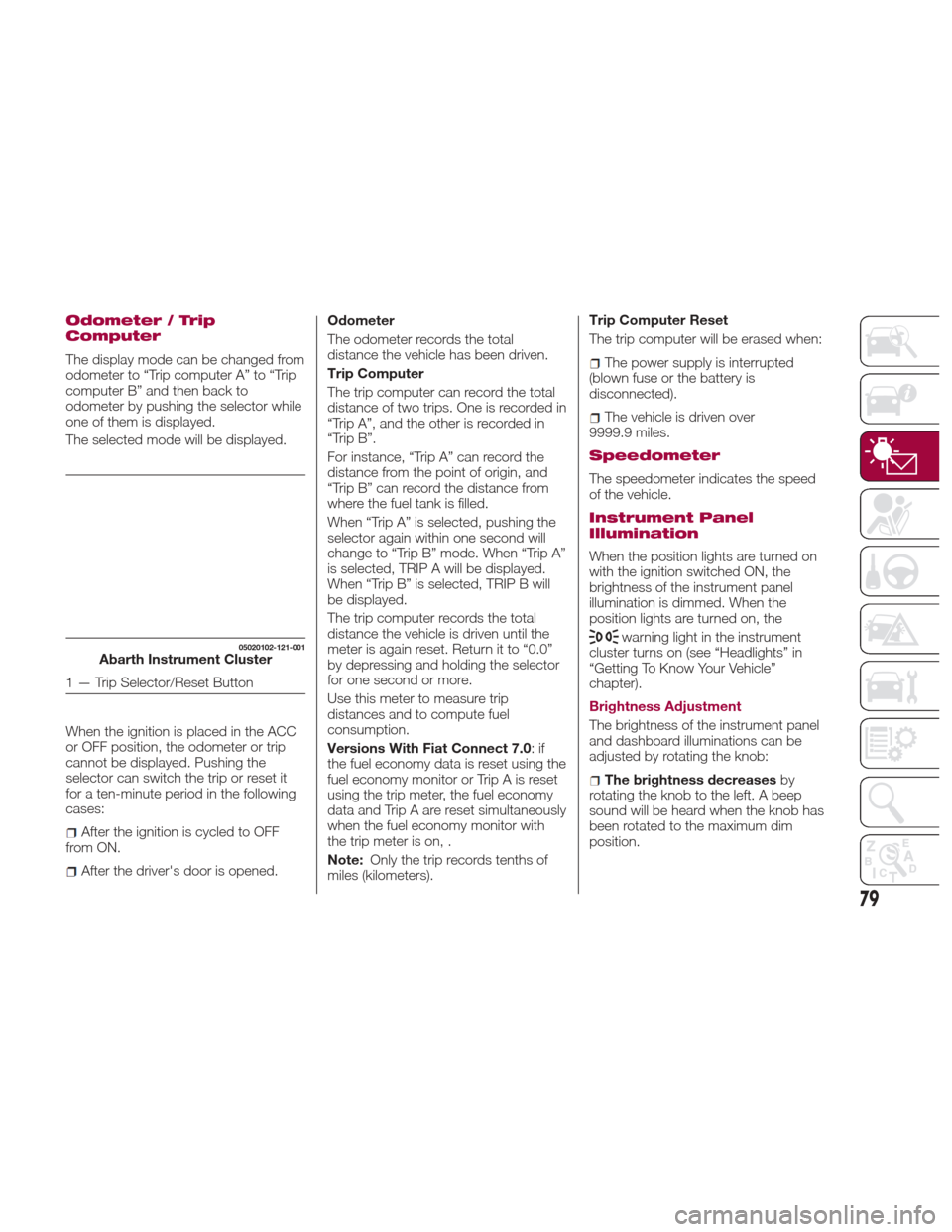
Odometer / Trip
Computer
The display mode can be changed from
odometer to “Trip computer A” to “Trip
computer B” and then back to
odometer by pushing the selector while
one of them is displayed.
The selected mode will be displayed.
When the ignition is placed in the ACC
or OFF position, the odometer or trip
cannot be displayed. Pushing the
selector can switch the trip or reset it
for a ten-minute period in the following
cases:
After the ignition is cycled to OFF
from ON.
After the driver's door is opened. Odometer
The odometer records the total
distance the vehicle has been driven.
Trip Computer
The trip computer can record the total
distance of two trips. One is recorded in
“Trip A”, and the other is recorded in
“Trip B”.
For instance, “Trip A” can record the
distance from the point of origin, and
“Trip B” can record the distance from
where the fuel tank is filled.
When “Trip A” is selected, pushing the
selector again within one second will
change to “Trip B” mode. When “Trip A”
is selected, TRIP A will be displayed.
When “Trip B” is selected, TRIP B will
be displayed.
The trip computer records the total
distance the vehicle is driven until the
meter is again reset. Return it to “0.0”
by depressing and holding the selector
for one second or more.
Use this meter to measure trip
distances and to compute fuel
consumption.
Versions With Fiat Connect 7.0
:if
the fuel economy data is reset using the
fuel economy monitor or Trip A is reset
using the trip meter, the fuel economy
data and Trip A are reset simultaneously
when the fuel economy monitor with
the trip meter is on, .
Note: Only the trip records tenths of
miles (kilometers). Trip Computer Reset
The trip computer will be erased when:
The power supply is interrupted
(blown fuse or the battery is
disconnected).
The vehicle is driven over
9999.9 miles.
Speedometer
The speedometer indicates the speed
of the vehicle.
Instrument Panel
Illumination
When the position lights are turned on
with the ignition switched ON, the
brightness of the instrument panel
illumination is dimmed. When the
position lights are turned on, the
warning light in the instrument
cluster turns on (see “Headlights” in
“Getting To Know Your Vehicle”
chapter).
Brightness Adjustment
The brightness of the instrument panel
and dashboard illuminations can be
adjusted by rotating the knob:
The brightness decreases by
rotating the knob to the left. A beep
sound will be heard when the knob has
been rotated to the maximum dim
position.
05020102-121-001Abarth Instrument Cluster
1 — Trip Selector/Reset Button
79
Page 83 of 292
Note:
Even though the distance-to-empty
display may indicate a sufficient
amount of remaining driving distance
before refueling is required, refuel as
soon as possible if the fuel level is very
low or the low fuel warning light
illuminates.
The display may not change unless
you add more than approximately
2.3 gallons (9 liters) of fuel.
The distance-to-empty is the
approximate remaining distance the
vehicle can be driven until all the
graduation marks in the fuel gauge
(indicating the remaining fuel supply)
disappear.
If there is no past fuel economy
information such as after first
purchasing your vehicle or the
information is deleted when the battery
cables are disconnected, the actual
distance-to empty/range may differ
from the amount indicated. Average Fuel Economy Mode
This mode displays the average fuel
economy by calculating the total fuel
consumption and the total traveled
distance since purchasing the vehicle,
reconnecting the battery after
disconnection, or resetting the data.
The average fuel economy is calculated
and displayed every minute. To clear
the data being displayed, push the
INFO switch for more than 1.5 seconds.
After pushing the INFO switch, “- - -
mpg” (“- - - L/100 km”) will be
displayed for about 1 minute before the
fuel economy is recalculated and
displayed.
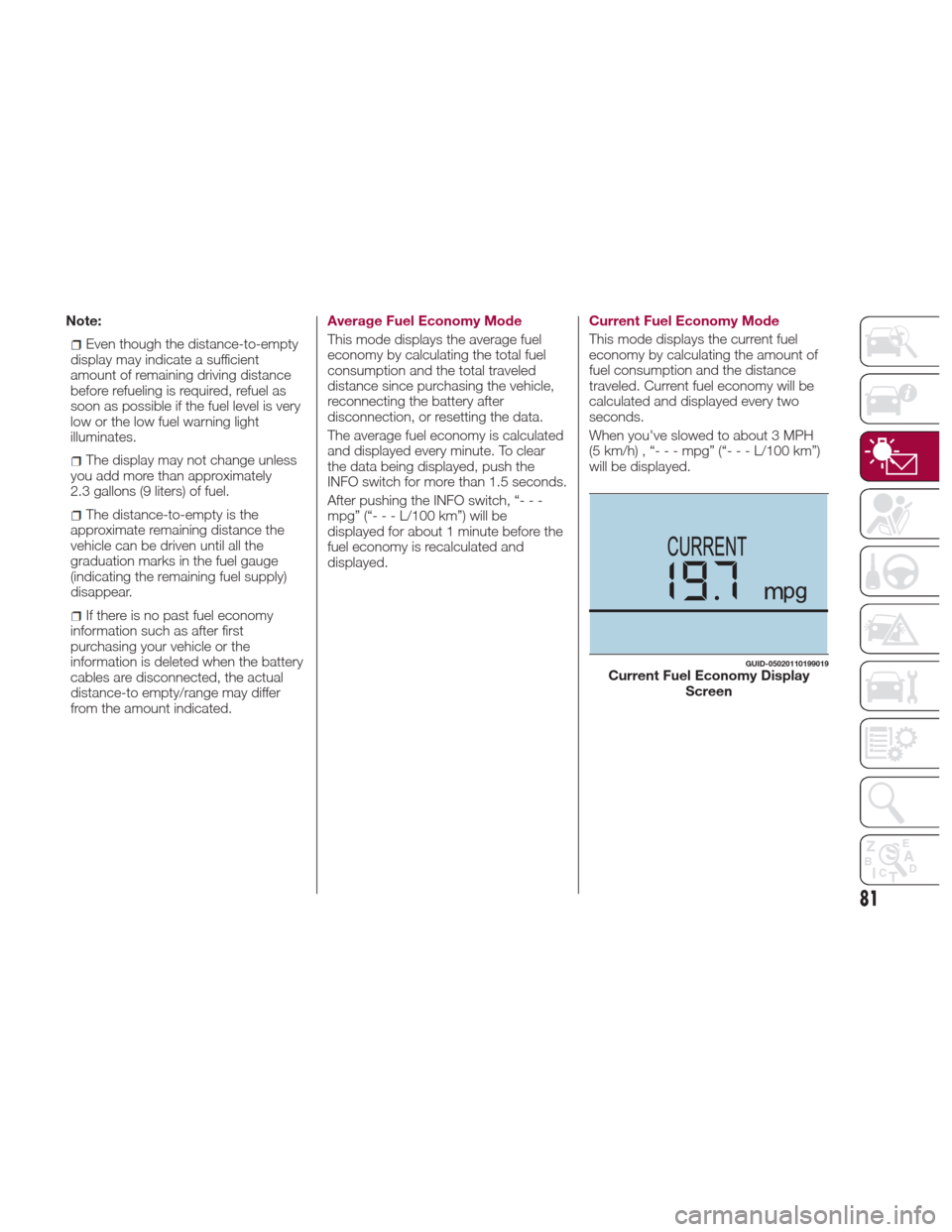
Current Fuel Economy Mode
This mode displays the current fuel
economy by calculating the amount of
fuel consumption and the distance
traveled. Current fuel economy will be
calculated and displayed every two
seconds.
When you've slowed to about 3 MPH
(5km/h),“---mpg”(“---L/100km”)
will be displayed.
GUID-05020110199019Current Fuel Economy Display
Screen
81
Page 84 of 292
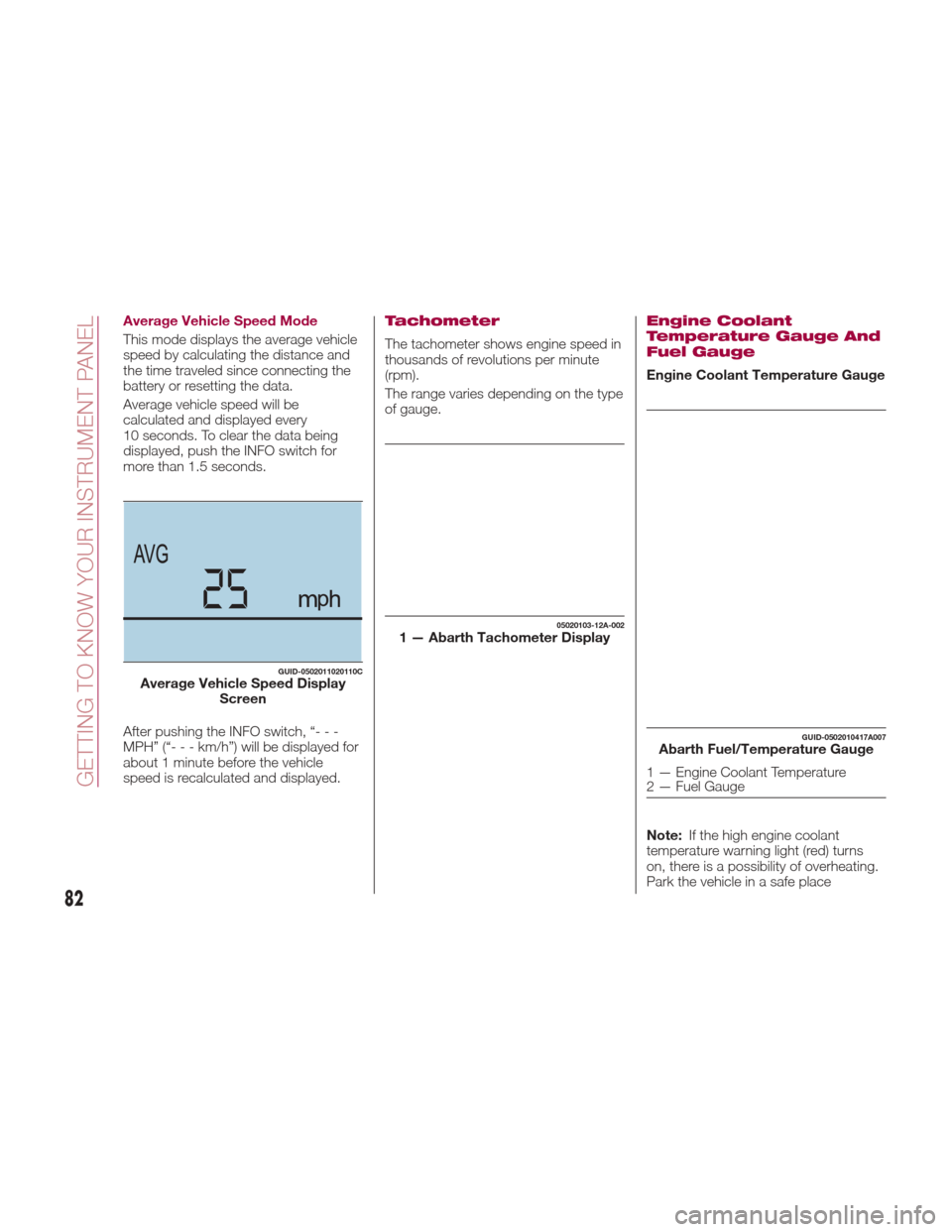
Average Vehicle Speed Mode
This mode displays the average vehicle
speed by calculating the distance and
the time traveled since connecting the
battery or resetting the data.
Average vehicle speed will be
calculated and displayed every
10 seconds. To clear the data being
displayed, push the INFO switch for
more than 1.5 seconds.
After pushing the INFO switch, “- - -
MPH” (“---km/h”)willbedisplayedfor
about 1 minute before the vehicle
speed is recalculated and displayed.Tachometer
The tachometer shows engine speed in
thousands of revolutions per minute
(rpm).
The range varies depending on the type
of gauge.
Engine Coolant
Temperature Gauge And
Fuel Gauge
Engine Coolant Temperature Gauge
Note:If the high engine coolant
temperature warning light (red) turns
on, there is a possibility of overheating.
Park the vehicle in a safe place
GUID-0502011020110CAverage Vehicle Speed Display Screen
05020103-12A-0021 — Abarth Tachometer Display
GUID-0502010417A007Abarth Fuel/Temperature Gauge
1 — Engine Coolant Temperature
2 — Fuel Gauge
82
GETTING TO KNOW YOUR INSTRUMENT PANEL
Page 85 of 292
immediately and take appropriate
measures. If the vehicle continues to be
driven, it could cause damage to the
engine.
Fuel Gauge
The fuel gauge 2 shows approximately
how much fuel is remaining in the tank
when the ignition is in the ON position.
We recommend keeping the tank over
1/4 full.
E= Empty
F= Full
If the low fuel warning light illuminates
or the fuel level is very low, refuel as
soon as possible.
Note:
After refueling, it may require some
time for the indicator to stabilize. In
addition, the indicator may deviate
while driving on a slope or curve since
the fuel moves in the tank.
The display indicating a quarter or
less remaining fuel has more segments
to show the remaining fuel level in
greater detail.
The direction of the arrow on the
fuel gauge indicates that the fuel door
lid is on the left side of the vehicle.
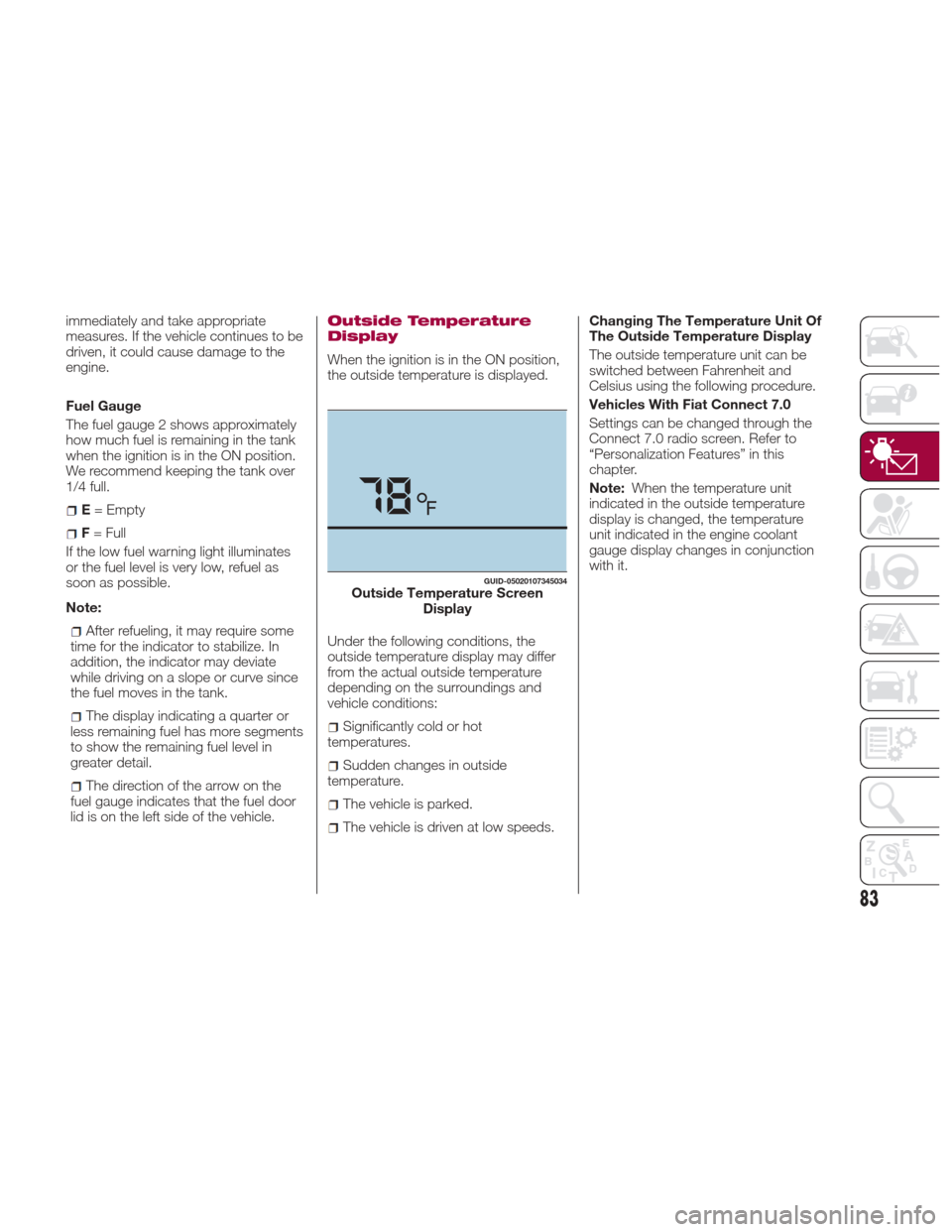
Outside Temperature
Display
When the ignition is in the ON position,
the outside temperature is displayed.
Under the following conditions, the
outside temperature display may differ
from the actual outside temperature
depending on the surroundings and
vehicle conditions:
Significantly cold or hot
temperatures.
Sudden changes in outside
temperature.
The vehicle is parked.
The vehicle is driven at low speeds. Changing The Temperature Unit Of
The Outside Temperature Display
The outside temperature unit can be
switched between Fahrenheit and
Celsius using the following procedure.
Vehicles With Fiat Connect 7.0
Settings can be changed through the
Connect 7.0 radio screen. Refer to
“Personalization Features” in this
chapter.
Note:
When the temperature unit
indicated in the outside temperature
display is changed, the temperature
unit indicated in the engine coolant
gauge display changes in conjunction
with it.
GUID-05020107345034Outside Temperature Screen Display
83
Page 91 of 292
WARNING LIGHTS
AND MESSAGES
Warning Lights And
Messages
Note:
The warning light in the instrument
panel appears together with a
dedicated message and/or acoustic
signal when applicable. These
indications are indicative and
precautionary and as such must not be
considered as exhaustive and/or
alternative to the information contained
in the Owner’s Manual, which you are
advised to read carefully in all cases.
Always refer to the information in this
chapter in the event of a failure
indication.
Failure indications displayed are
divided into two categories: serious
and less serious failures. Serious
failures are indicated by a repeated
and prolonged warning "cycle". Less
serious failures are indicated by a
warning "cycle" with a shorter duration.
The display cycle of both categories
can be interrupted. The instrument
panel warning light will stay on until the
cause of the failure is eliminated. Vehicles With Fiat Connect 7.0
The warning contents can be verified
on the audio system.
Proceed as follows:
If the warning light is turned on,
selecticon on the home screen to
display the application screen.
Select “ Warning Guidance ”to
display the current warnings.
Select the applicable warning to view
the warning details.
For the following warning/indicator
lights:
Master Warning Light
Brake System Warning Light
ABS Warning Light
Charging System Warning Light
Engine Oil Warning Light
Electric Throttle Warning Light
Cold Start Warning Light
Check Engine Warning Light
Coolant Temperature Warning Light
Automatic Transmission Warning
Light
Power Steering Malfunction Indicator
Light
Air Bag/Seat Belt Pretensioner
System Warning Light
Check Fuel Cap Warning Light
Low Fuel Warning Light
Seat Belt Warning Light
Door Ajar Warning Light
Low Washer Fluid Level Warning
Light
Tire Pressure Monitoring System
Warning Light
KEY Warning Light
LED Headlight KEY Warning Light
BSM (Blind Spot Monitoring) OFF
Indicator Light
Wrench Indicator Light
TCS/DSC Indicator Light
DSC OFF Indicator Light
Security Indicator Light
Indicator Light
Passenger Air Bag Deactivation
Warning Light
The light turns on when the ignition is
switched on for an operation check,
and turns off a few seconds later or
when the engine is started. If the light
does not turn on or remains turned on,
have the vehicle inspected at an
Authorized Dealership.
Note:
Only for “Brake System Warning Light”:
the light turns on continuously when the
parking brake is applied.
89