wheel FIAT 124 SPIDER ABARTH 2017 2.G Owner's Guide
[x] Cancel search | Manufacturer: FIAT, Model Year: 2017, Model line: 124 SPIDER ABARTH, Model: FIAT 124 SPIDER ABARTH 2017 2.GPages: 292, PDF Size: 121.25 MB
Page 163 of 292
Caution!
If the rear bumper receives a severe
impact, the system may no longer operate
normally. Stop the system immediately and
contact an authorized dealer.
The detection ability of the radar
sensors has limitations. In the following
cases, the detection ability may lower
and the system may not operate
normally:
The rear bumper near the radar
sensors has become deformed.
Snow, ice or mud adheres to the
radar sensors on the rear bumper.
Under bad weather conditions such
as rain, snow and fog.
Note: Under the following conditions,
the radar sensors cannot detect target
objects or it may be difficult to detect
them:
Stationary objects on a road or a
road side such as small, two-wheeled
vehicles, bicycles, pedestrians,
animals, and shopping carts.
Vehicle shapes which do not reflect
radar waves well such as empty trailers
with a low vehicle height and sports
cars. Vehicles are shipped with the direction
of the radar sensors adjusted for each
vehicle to a loaded vehicle condition so
that the radar sensors detect
approaching vehicles correctly. If the
direction of the radar sensors has
changed, contact an authorized dealer.
The radar sensors are regulated by the
relevant radio wave laws of the country
in which the vehicle is driven. If the
vehicle is driven abroad, authorization
from the country in which the vehicle is
driven may be required.
Note:
For repairs or replacement of the
radar sensors, bumper repairs, paint
work, or replacement near the radar
sensors, consult an authorized dealer.
Turn off the system while pulling a
trailer or while an accessory such as a
bicycle carrier is installed to the rear of
the vehicle. Otherwise, the radio waves
emitted by the radar will be blocked
causing the system to not operate
normally.
REAR PARK ASSIST
— IF EQUIPPED
Rear Park Assist
Warning!
Do not rely completely on the parking
sensor system and be sure to confirm the
safety around your vehicle visually when
driving. This system can assist the driver in
operating the vehicle in the forward and
backward directions while parking. The
detection ranges of the sensors are limited,
therefore, driving the vehicle while relying
only on the system may cause an accident.
Always confirm the safety around your
vehicle visually when driving.
Parking and other potentially dangerous
manoeuvres are, however, always the
driver’s responsibility. When performing
these operations, always make sure that
there are no other people (especially
children) or animals on the route you want
to drive into. The parking sensors are an
aid for the driver, but the driver must never
allow their attention to lapse during
potentially dangerous manoeuvres, even
those executed at low speeds.
The rear park assist system uses four
ultrasonic sensors (two rear sensors
and two rear corner sensors) to detect
obstructions around the vehicle while
parking the vehicle in a garage or
during parallel parking when the gear
selector is in REVERSE (R).
161
Page 168 of 292
PARKVIEW REAR
BACKUP CAMERA —
IF EQUIPPED
Operation
The camera is located on the trunk.
Switching the display to rear-view
monitor mode
Put the gear selector in the REVERSE
(R) position when the ignition is
switched to ON to switch the display to
rear-view camera mode.
Note:
When the gear selector is moved
from the REVERSE (R) position and put
in any other position, the screen
returns to the previous display mode.
When parking, take the utmost care
over obstacles that may be above or
under the camera’s display range.
When the display is cold, the
images could scroll on the monitor or
the screen and could be more blurred
than usual, making it difficult to check
the conditions of the area around the
vehicle. Always use extreme caution
and verify the real conditions of the
area behind the vehicle with you own
eyes.
If water, snow or mud is deposited
on the camera lens, clean it with a soft
cloth. If this does not clean it, use a
mild detergent.
If the camera is subjected to abrupt
temperature changes (from hot to cold
or vice versa), the rear-view monitor
may not work properly.
When replacing tires, contact an
authorized dealer. Replacing the tires
can cause the guide lines that appear
on the display to be diverted.
Warning!
Always use extreme caution and verify
the real conditions of the area behind the
vehicle. Backing up while looking only at
the screen is dangerous and can lead to an
accident or collision with an object. The
rear-view monitor is simply a system to aid
reversing. The view on the display can
show a situation that differs from the real
one.
Do not use the rear-view monitor under
the following conditions:
Roads covered in ice or snow.
When snow chains are mounted or the
temporary space saver spare wheel is
fitted.
The rear trunk is not completely closed.
The vehicle is on a sloping road.
Using the rear-view monitor under the
conditions listed above is dangerous and
can cause damage to persons and/or the
vehicle.
Caution!
Do not apply excessive force to the
camera. You could alter the position and
angle of the camera. Do not disassemble,
modify or remove it as this could
compromise the seal.
The camera’s cover is made of plastic.
Do not apply degreasers, organic solvents,
wax or glass polish to the camera’s cover.
If some substance ends up on the cover,
clean it off immediately with a soft cloth.
Do not rub the cover too much, nor
polish it with abrasive compounds or hard
brushes. The cover could be damaged and
create image problems.
07040110-124-008Rear Camera Location
166
STARTING AND OPERATING
Page 170 of 292
Looking At The Display
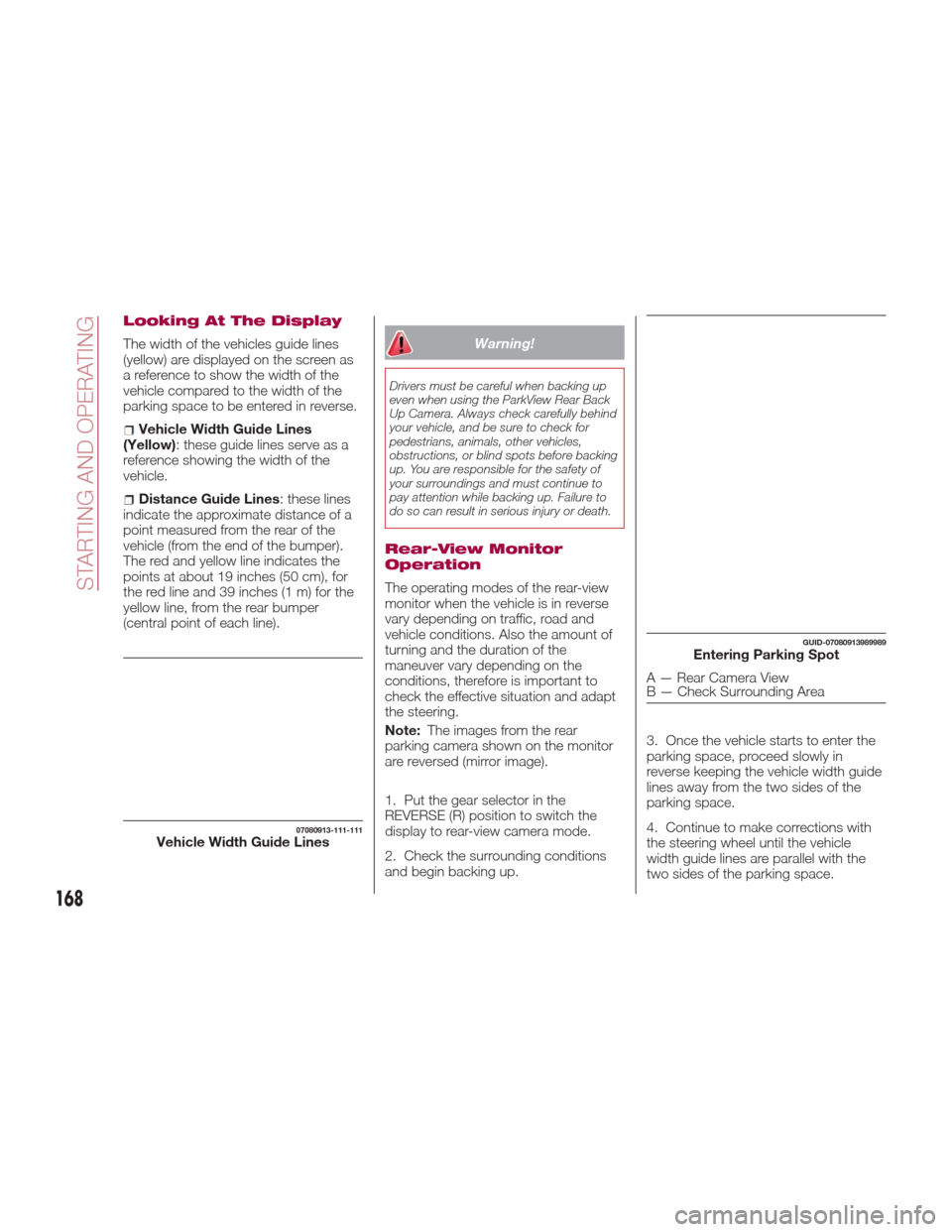
The width of the vehicles guide lines
(yellow) are displayed on the screen as
a reference to show the width of the
vehicle compared to the width of the
parking space to be entered in reverse.
Vehicle Width Guide Lines
(Yellow): these guide lines serve as a
reference showing the width of the
vehicle.
Distance Guide Lines : these lines
indicate the approximate distance of a
point measured from the rear of the
vehicle (from the end of the bumper).
The red and yellow line indicates the
points at about 19 inches (50 cm), for
the red line and 39 inches (1 m) for the
yellow line, from the rear bumper
(central point of each line).
Warning!
Drivers must be careful when backing up
even when using the ParkView Rear Back
Up Camera. Always check carefully behind
your vehicle, and be sure to check for
pedestrians, animals, other vehicles,
obstructions, or blind spots before backing
up. You are responsible for the safety of
your surroundings and must continue to
pay attention while backing up. Failure to
do so can result in serious injury or death.
Rear-View Monitor
Operation
The operating modes of the rear-view
monitor when the vehicle is in reverse
vary depending on traffic, road and
vehicle conditions. Also the amount of
turning and the duration of the
maneuver vary depending on the
conditions, therefore is important to
check the effective situation and adapt
the steering.
Note: The images from the rear
parking camera shown on the monitor
are reversed (mirror image).
1. Put the gear selector in the
REVERSE (R) position to switch the
display to rear-view camera mode.
2. Check the surrounding conditions
and begin backing up. 3. Once the vehicle starts to enter the
parking space, proceed slowly in
reverse keeping the vehicle width guide
lines away from the two sides of the
parking space.
4. Continue to make corrections with
the steering wheel until the vehicle
width guide lines are parallel with the
two sides of the parking space.
07080913-111-111Vehicle Width Guide Lines
GUID-07080913989989Entering Parking Spot
A — Rear Camera View
B — Check Surrounding Area
168
STARTING AND OPERATING
Page 171 of 292
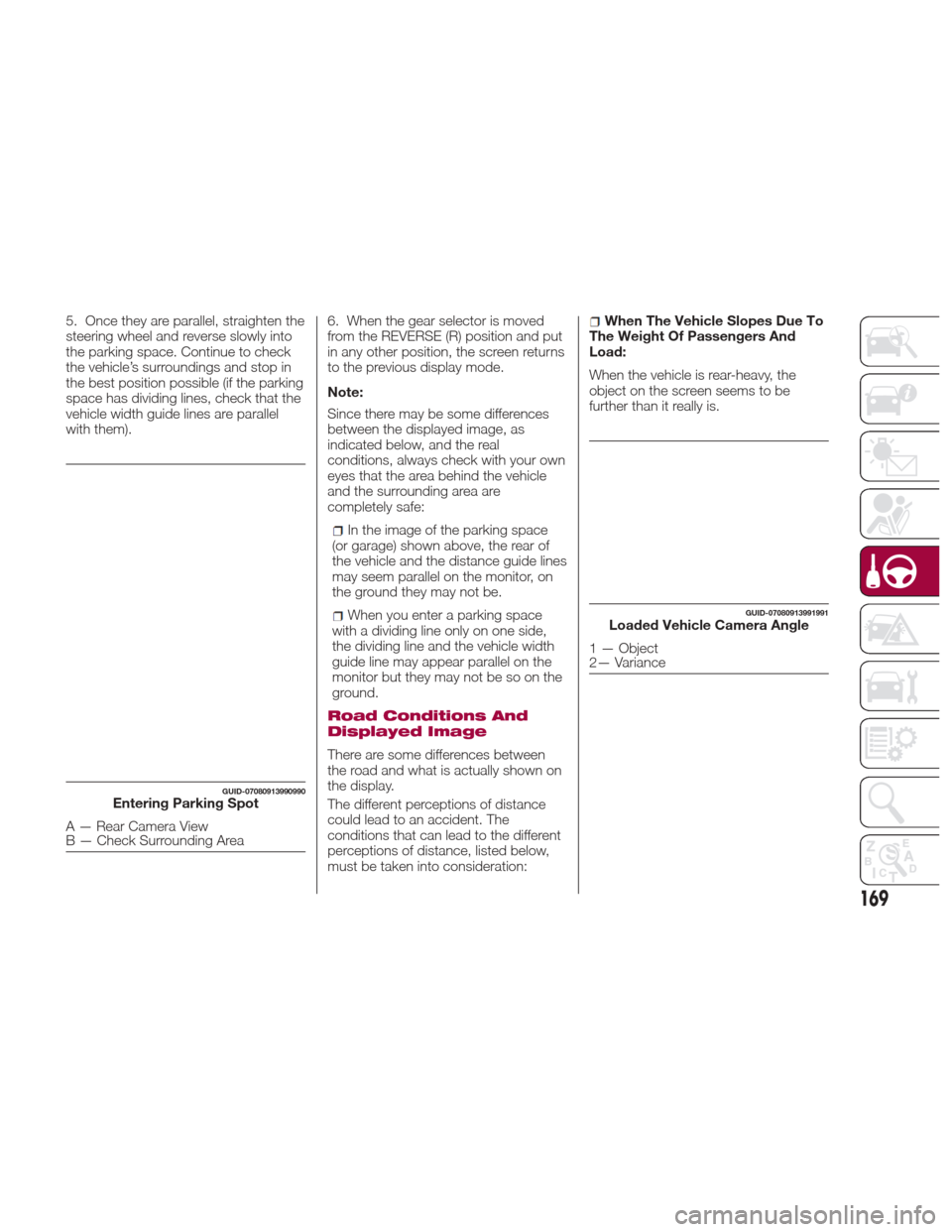
5. Once they are parallel, straighten the
steering wheel and reverse slowly into
the parking space. Continue to check
the vehicle’s surroundings and stop in
the best position possible (if the parking
space has dividing lines, check that the
vehicle width guide lines are parallel
with them).6. When the gear selector is moved
from the REVERSE (R) position and put
in any other position, the screen returns
to the previous display mode.
Note:
Since there may be some differences
between the displayed image, as
indicated below, and the real
conditions, always check with your own
eyes that the area behind the vehicle
and the surrounding area are
completely safe:
In the image of the parking space
(or garage) shown above, the rear of
the vehicle and the distance guide lines
may seem parallel on the monitor, on
the ground they may not be.
When you enter a parking space
with a dividing line only on one side,
the dividing line and the vehicle width
guide line may appear parallel on the
monitor but they may not be so on the
ground.
Road Conditions And
Displayed Image
There are some differences between
the road and what is actually shown on
the display.
The different perceptions of distance
could lead to an accident. The
conditions that can lead to the different
perceptions of distance, listed below,
must be taken into consideration:
When The Vehicle Slopes Due To
The Weight Of Passengers And
Load:
When the vehicle is rear-heavy, the
object on the screen seems to be
further than it really is.
GUID-07080913990990Entering Parking Spot
A — Rear Camera View
B — Check Surrounding Area
GUID-07080913991991Loaded Vehicle Camera Angle
1 — Object
2— Variance
169
Page 177 of 292
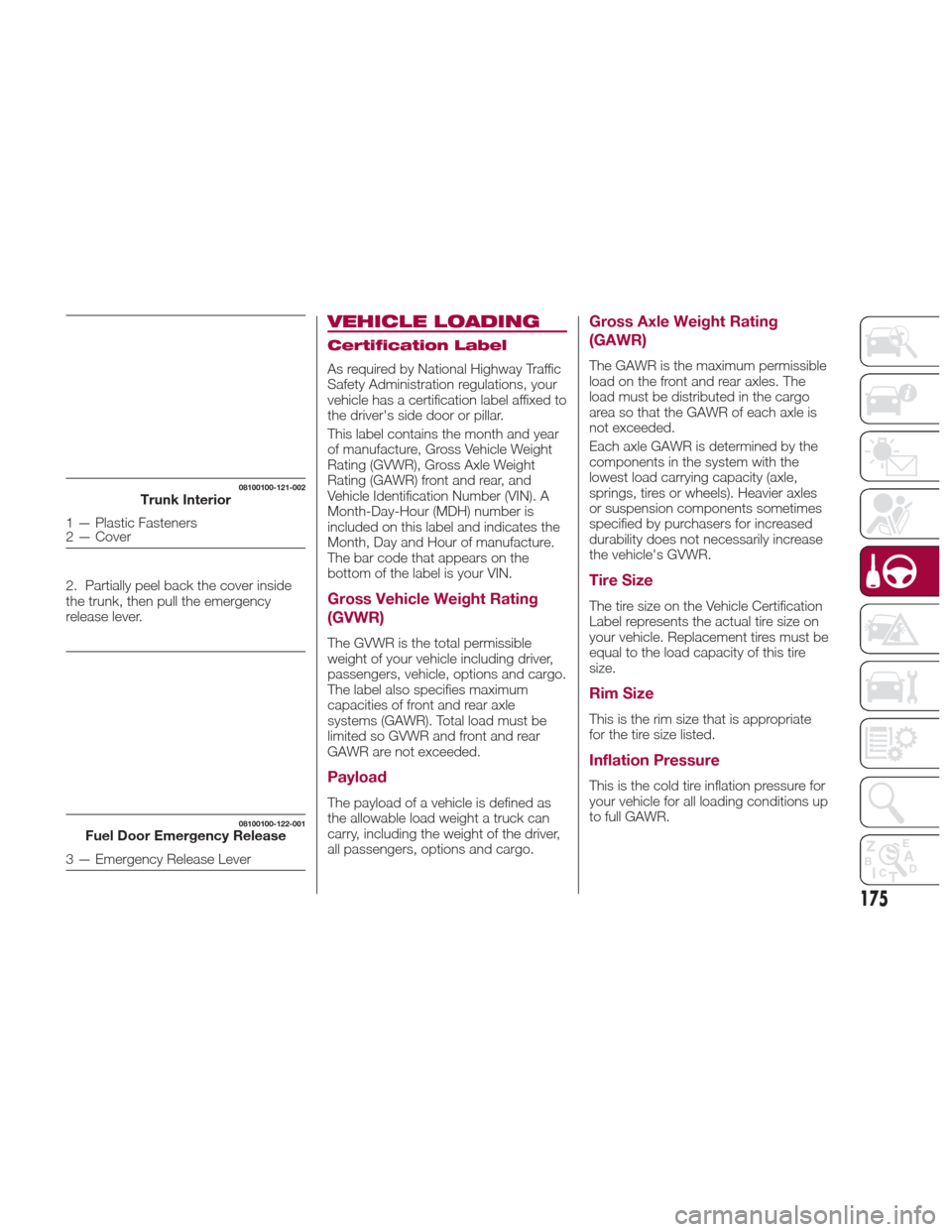
2. Partially peel back the cover inside
the trunk, then pull the emergency
release lever.
VEHICLE LOADING
Certification Label
As required by National Highway Traffic
Safety Administration regulations, your
vehicle has a certification label affixed to
the driver's side door or pillar.
This label contains the month and year
of manufacture, Gross Vehicle Weight
Rating (GVWR), Gross Axle Weight
Rating (GAWR) front and rear, and
Vehicle Identification Number (VIN). A
Month-Day-Hour (MDH) number is
included on this label and indicates the
Month, Day and Hour of manufacture.
The bar code that appears on the
bottom of the label is your VIN.
Gross Vehicle Weight Rating
(GVWR)
The GVWR is the total permissible
weight of your vehicle including driver,
passengers, vehicle, options and cargo.
The label also specifies maximum
capacities of front and rear axle
systems (GAWR). Total load must be
limited so GVWR and front and rear
GAWR are not exceeded.
Payload
The payload of a vehicle is defined as
the allowable load weight a truck can
carry, including the weight of the driver,
all passengers, options and cargo.
Gross Axle Weight Rating
(GAWR)
The GAWR is the maximum permissible
load on the front and rear axles. The
load must be distributed in the cargo
area so that the GAWR of each axle is
not exceeded.
Each axle GAWR is determined by the
components in the system with the
lowest load carrying capacity (axle,
springs, tires or wheels). Heavier axles
or suspension components sometimes
specified by purchasers for increased
durability does not necessarily increase
the vehicle's GVWR.
Tire Size
The tire size on the Vehicle Certification
Label represents the actual tire size on
your vehicle. Replacement tires must be
equal to the load capacity of this tire
size.
Rim Size
This is the rim size that is appropriate
for the tire size listed.
Inflation Pressure
This is the cold tire inflation pressure for
your vehicle for all loading conditions up
to full GAWR.
08100100-121-002Trunk Interior
1 — Plastic Fasteners
2 — Cover
08100100-122-001Fuel Door Emergency Release
3 — Emergency Release Lever
175
Page 178 of 292
Curb Weight
The curb weight of a vehicle is defined
as the total weight of the vehicle with all
fluids, including vehicle fuel, at full
capacity conditions, and with no
occupants or cargo loaded into the
vehicle. The front and rear curb weight
values are determined by weighing your
vehicle on a commercial scale before
any occupants or cargo are added.
Loading
The actual total weight and the weight
of the front and rear of your vehicle at
the ground can best be determined by
weighing it when it is loaded and ready
for operation.
The entire vehicle should first be
weighed on a commercial scale to
insure that the GVWR has not been
exceeded. The weight on the front and
rear of the vehicle should then be
determined separately to be sure that
the load is properly distributed over the
front and rear axle. Weighing the vehicle
may show that the GAWR of either the
front or rear axles has been exceeded
but the total load is within the specified
GVWR. If so, weight must be shifted
from front to rear or rear to front as
appropriate until the specified weight
limitations are met. Store the heavier
items down low and be sure that the
weight is distributed equally. Stow all
loose items securely before driving.Improper weight distributions can have
an adverse effect on the way your
vehicle steers and handles and the way
the brakes operate.
Caution!
Do not load your vehicle any heavier than
the GVWR or the maximum front and rear
GAWR. If you do, parts on your vehicle can
break, or it can change the way your
vehicle handles. This could cause you to
lose control. Also overloading can shorten
the life of your vehicle.
TOWING TRAILERS
Trailer Towing
Your car is not designed for towing.
Recreational Towing
An example of "recreational towing" is
towing your vehicle behind a
motorhome.
The transmission is not designed for
towing this vehicle on all four wheels.
Caution!
DO NOT flat tow this vehicle. Damage to
the drivetrain will result. If this vehicle
requires towing, make sure the drive
wheels are OFF the ground.
Ensure that the Parking Brake is
released, and remains released, while
being towed.
Towing this vehicle in violation of the
above requirements can cause severe
transmission damage. Damage from
improper towing is not covered under the
New Vehicle Limited Warranty.
176
STARTING AND OPERATING
Page 179 of 292
DRIVING TIPS
Engine Break-In
Recommendation
No special break-in is necessary, but a
few precautions in the first 620 miles
(1000 km) may add to the performance,
economy, and life of the vehicle:
Do not race the engine.
Do not maintain one constant speed,
either slow or fast, for a long period of
time.
Do not drive constantly at full-throttle
or high engine rpm for extended
periods of time.
Avoid unnecessary hard stops.
Avoid full-throttle starts.
Saving Fuel And
Protection Of The
Environment
How you operate your vehicle
determines how far it will travel on a
tankoffuel.
Use these suggestions to help save fuel
and reduce CO
2:
Avoid long warm-ups. Once the
engine runs smoothly, begin driving.
Avoid fast starts.
Drive at lower speeds.
Anticipate when to apply the brakes
(avoid sudden braking).
Follow the maintenance schedule
and contact your Authorized Dealer.
Use the air conditioner only when
necessary.
Slow down on rough roads.
Keep the tires properly inflated.
Do not carry unnecessary weight.
Do not rest your foot on the brake
pedal while driving.
Keep the wheels in correct
alignment.
Keep windows closed at high
speeds.
Slow down when driving in
crosswinds and headwinds.
Hazardous Driving
When driving on ice or in water, snow,
mud, sand, or similar hazards:
Be cautious and allow extra distance
for braking.
Avoid sudden braking and sudden
maneuvering.
Do not pump the brakes. Continue to
press down on the brake pedal.
If you get stuck, select a lower gear
and accelerate slowly. Do not spin the
rear wheels.
For more traction in starting on
slippery surfaces such as ice or packed
snow, use sand, rock salt, chains, carpeting, or other nonslip material
under the rear wheels.
Note:
Use snow chains only on the
rear wheels.
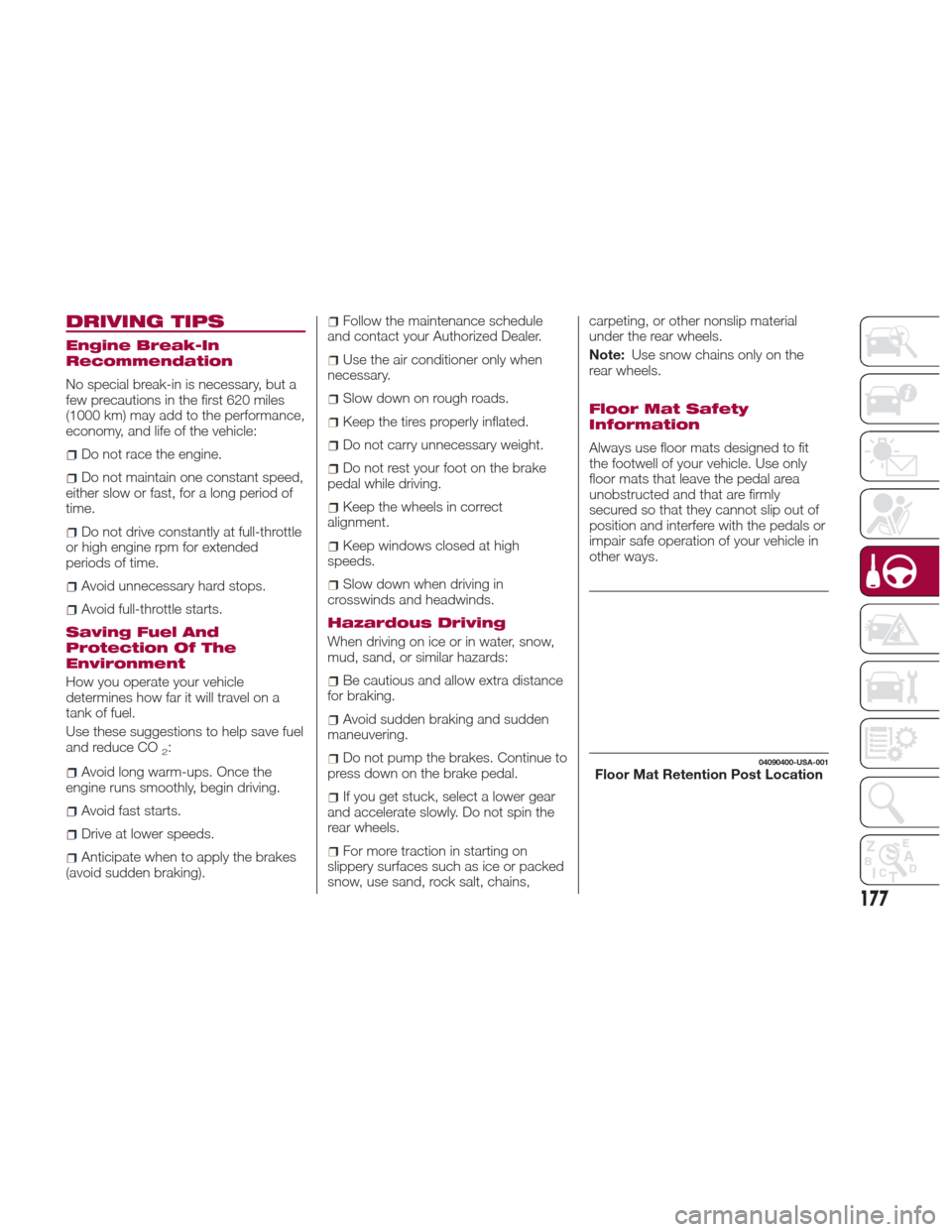
Floor Mat Safety
Information
Always use floor mats designed to fit
the footwell of your vehicle. Use only
floor mats that leave the pedal area
unobstructed and that are firmly
secured so that they cannot slip out of
position and interfere with the pedals or
impair safe operation of your vehicle in
other ways.
04090400-USA-001Floor Mat Retention Post Location
177
Page 180 of 292
Warning!
An improperly attached, damaged, folded,
or stacked floor mat, or damaged floor mat
fasteners may cause your floor mat to
interfere with the accelerator, brake, or
clutch pedals and cause a loss of vehicle
control. To prevent SERIOUS INJURY or
DEATH:
ALWAYS securely attachyour floor
mat using the floor mat fasteners. DO NOT
install your floor mat upside down or turn
your floor mat over. Lightly pull to confirm
mat is secured using the floor mat
fasteners on a regular basis.
ALWAYS REMOVE THE EXISTING
FLOOR MAT FROM THE VEHICLE
before installing any other floor mat.
NEVER install or stack an additional floor
mat on top of an existing floor mat.
ONLY install floor mats designed to fit
your vehicle. NEVER install a floor mat that
cannot be properly attached and secured
to your vehicle. If a floor mat needs to be
replaced, only use a FCA approved floor
mat for the specific make, model, and year
of your vehicle.
ONLY use the driver’s side floor mat on
the driver’s side floor area. To check for
interference, with the vehicle properly parked
with the engine off, fully depress the
accelerator, the brake, and the clutch pedal
(if present) to check for interference. If your
floor mat interferes with the operation of any
pedal, or is not secure to the floor, remove
the floor mat from the vehicle and place the
floor mat in your trunk.
ONLY use the passenger’s side floor
mat on the passenger’s side floor area.
ALWAYS make sure objects cannot fall
or slide into the driver’s side floor area
when the vehicle is moving. Objects can
become trapped under accelerator, brake,
or clutch pedals and could cause a loss of
vehicle control.
NEVER place any objects under the
floor mat (e.g., towels, keys, etc.). These
objects could change the position of the
floor mat and may cause interference with
the accelerator, brake, or clutch pedals.
If the vehicle carpet has been removed
and re-installed, always properly attach
carpet to the floor and check the floor mat
fasteners are secure to the vehicle carpet.
Fully depress each pedal to check for
interference with the accelerator, brake, or
clutch pedals then re-install the floor mats.
It is recommended to only use mild
soap and water to clean your floor mats.
After cleaning, always check your floor mat
has been properly installed and is secured
to your vehicle using the floor mat
fasteners by lightly pulling mat.
Rocking The Vehicle
Note: Too much rocking may cause
engine overheating, transmission failure,
and tire damage.
If you must rock the vehicle to free it
from snow, sand or mud, depress the
accelerator slightly and slowly move the
gear selector from 1 (D) to R.
Warning!
Fast spinning tires can be dangerous.
Forces generated by excessive wheel
speeds may cause damage, or even
failure, of the axle and tires. A tire could
explode and injure someone. Do not spin
your vehicle's wheels faster than 30 mph
(48 km/h) or for longer than 30 seconds
continuously without stopping when you
are stuck and do not let anyone near a
spinning wheel, no matter what the speed.
Caution!
When “rocking” a stuck vehicle by
shifting between DRIVE and REVERSE, do
not spin the wheels faster than 15 mph
(24 km/h), or drivetrain damage may result.
Revving the engine or spinning the
wheels too fast may lead to transmission
overheating and failure. It can also damage
the tires. Do not spin the wheels above
30 mph (48 km/h) while in gear (no
transmission shifting occurring).
Winter Driving
Carry emergency gear, including tire
chains, window scraper, flares, a small
shovel, jumper leads, and a small bag
of sand or salt.
178
STARTING AND OPERATING
Page 181 of 292
Contact an Authorized Dealer to check
the following:
Have the proper ratio of antifreeze in
the radiator.
Inspect the battery and its leads.
Cold reduces battery capacity.
Use an engine oil appropriate for the
lowest ambient temperatures that the
vehicle will be driven in.
Inspect the ignition system for
damage and loose connections.
Use winter windshield washer fluid
that will not freeze.
Note:
Remove snow before driving. Snow
left on the windshield is dangerous as
it could obstruct vision.
Drive slowly. Braking performance
can be adversely affected if snow or
ice adheres to the brake components.
If this situation occurs, drive the vehicle
slowly, releasing the accelerator pedal
and lightly applying the brakes several
times until the brake performance
returns to normal.
Do not open or close the soft top when
the temperature is 41 °F (5 °C) or less.
The material of the soft top could be
damaged by freezing.
Do not apply excessive force to a
window scraper when removing ice or
frozen snow on the mirror glass and
windshield. Never use warm or hot water for
removing snow or ice from windows
and mirrors as it could result in the
glass cracking.
Snow Tires
If your vehicle is equipped with the tire
pressure monitoring system (vehicle
with run-flat tires), the system may not
function correctly when using tires with
steel wire reinforcement in the
sidewalls.
Use Snow Tires on all Four Wheels
:
Do not exceed the maximum
permissible speed for your snow tires or
legal speed limits.
When snow tires are used, select the
specified size and pressure.
Tire Chains
Check local regulations before using tire
chains.
If your vehicle is equipped with the
TPMS system, the system may not
function correctly when using tire
chains.
Install the chains on the rear tires only.
Do not use chains on the front tires.
Note:
Chains may affect handling.
Do not go faster than 30 mph
(50 km/h) or the chain manufacturer's
recommended limit, whichever is lower.
Drive carefully and avoid bumps,
holes, and sharp turns.
Avoid locked-wheel braking.
Do not use chains on roads that are
free of snow or ice. The tires and
chains could be damaged.
Chains may scratch or chip
aluminium wheels.
Warning!
Using tires of different size and type (M+S,
Snow) between front and rear axles can
cause unpredictable handling. You could
lose control and have a collision.
179
Page 183 of 292
Overloading
Note:Be careful not to overload your
vehicle. The gross axle weight rating
(GAWR) and the gross vehicle weight
rating (GVWR) of the vehicle are on the
Motor Vehicle Safety Standard Label on
the driver's door frame. Exceeding
these ratings can cause an accident or
vehicle damage. You can estimate the
weight of the load by weighing the
items (or people) before putting them in
the vehicle.
Driving On Uneven Road
Your vehicle's suspension and
underbody can be damaged if driven
on rough/uneven roads or over speed
bumps at excessive speeds.
Use care and reduce speed when
traveling on rough/uneven roads or over
speed bumps.
Use care not to damage the vehicle's
underbody, bumpers or muffler(s) when
driving under the following conditions:
Ascending or descending a slope
with a sharp transition angle.
Ascending or descending a driveway
or trailer ramp with a sharp transition
angle.
This vehicle is equipped with low profile
tires allowing class-leading performance
and handling. As a result, the sidewall
of the tires are very thin and the tires
and wheels can be damaged if driven through potholes or on rough/uneven
roads at excessive speeds.
Use care and reduce speed when
traveling on rough/uneven roads or
through potholes.
181