evic FIAT 500 2013 2.G Owner's Manual
[x] Cancel search | Manufacturer: FIAT, Model Year: 2013, Model line: 500, Model: FIAT 500 2013 2.GPages: 423, PDF Size: 9.86 MB
Page 166 of 423
3. Briefly press theSET ESCbutton to select the dis-
played submenu option and to open the relevant setup
menu.
4. Press the UPor DOWNbutton (by single
presses) to select the new setting for this submenu
option.
5. Briefly press theSET ESCbutton to store the new
setting and go back to the previously selected sub-
menu option.
6. Press and hold theSET ESCbutton to return to the
main menu (short hold) or the main screen (longer
hold).
Change Engine Oil Indicator System
Change Engine Oil
Your vehicle is equipped with an engine oil change
indicator system. The “Change Engine Oil” message will
flash in the EVIC display for approximately 10 seconds
after a single chime has sounded to indicate the next
scheduled oil change interval. The engine oil change
indicator system is duty cycle based, which means the
engine oil change interval may fluctuate, dependent
upon your personal driving style.
Unless reset, this message will continue to display each
time you turn the ignition switch to the ON/RUN
position. To turn off the message temporarily, press and
release theSET ESCbutton. To reset the oil change
indicator system (after performing the scheduled main-
tenance), refer to the following procedure.
1. Turn the ignition switch to the ON position.(Do not
start the engine.)
2. Fully depress the accelerator pedal slowly, three times
within 10 seconds.
3. Turn the ignition switch to the OFF/LOCK position.
164 UNDERSTANDING YOUR INSTRUMENT PANEL
Page 170 of 423
Personal Settings (Customer-Programmable
Features)
Dimmer
The EVIC display is provided with a light sensor capable
of detecting environmental light conditions and adjust-
ing the brightness of the instruments accordingly.
NOTE:The brightness of the instrument panel may
change while travelling following an event that causes
switching from “day” to “night” conditions (or vice
versa) in the passenger compartment (e.g. in a tunnel, on
avenues in shadows, under bridges, etc.).
To adjust the brightness, proceed as follows:
1. Press the UPor DOWNbutton to set the
required brightness level.
2. Briefly press theSET ESCbutton to go back to the
menu screen or press and hold theSET ESC(approxi-
mately one second) to go back to the main screen
without storing settings.
Speed Beep (Speed Limit)
With this function it is possible to set the car speed limit
(mph or km/h); when this limit is exceeded the driver is
immediately alerted.
To set the speed limit, proceed as follows:
1. Briefly press theSET ESCbutton. The display will
show the message (Speed Beep).
2. Press the UPor DOWNbutton to select speed
limit activation (On) or deactivation (Off).
168 UNDERSTANDING YOUR INSTRUMENT PANEL
Page 174 of 423
•Briefly press theSET ESCbutton to go back to the
menu screen, or press and hold theSET ESCbutton
(approximately one second) to go back to the main
screen without storing the settings.
See Radio (Repeat Audio Information)
With this function active, the EVIC display shows infor-
mation relevant to the sound system.
•Radio: tuned radio station frequency, automatic tuning
activation or AutoSTore.
•CD audio, CD MP3: track number.
To activate (On) or to deactivate (Off) the sound system
info displaying proceed as follows:
1. Briefly press theSET ESCbutton “On” or “Off” will
flash on the display (according to the previous set-
ting).
2. Press the UPor DOWNbutton for setting.
3. Briefly press theSET ESCbutton to go back to the
menu screen, or press and hold theSET ESCbutton
(approximately one second) to go back to the main
screen without storing the settings.
If the radio has BLUE&ME™, refer to the appropriate
“BLUE&ME™ User ’s Manual” for further information.
Speed Display
When this function is activated the cluster will display
the vehicle speed (MPH or km/h).
To activate (On) or to deactivate (Off) the speed display
feature, proceed as follows:
1. Briefly press theSET ESCbutton. “MPH”, “km/h”,
then “Off” will flash on the display (according to
previous setting).
2. Press the UPor DOWNbutton to select
display deactivation “Off”, “MPH” or “km/h”.
172 UNDERSTANDING YOUR INSTRUMENT PANEL
Page 206 of 423
Operating Instructions — Hands-Free Phone
(If Equipped)
Refer to the appropriate “BLUE&ME™ User ’s Manual”
for further information.
Personal/Portable Navigation Device (PND) —
If Equipped
A Personal/Portable Navigation Device (PND) is avail-
able as optional equipment for this vehicle, refer to the
Navigation User Guide for further information.
iPod®/USB/MEDIA PLAYER CONTROL —
IF EQUIPPED
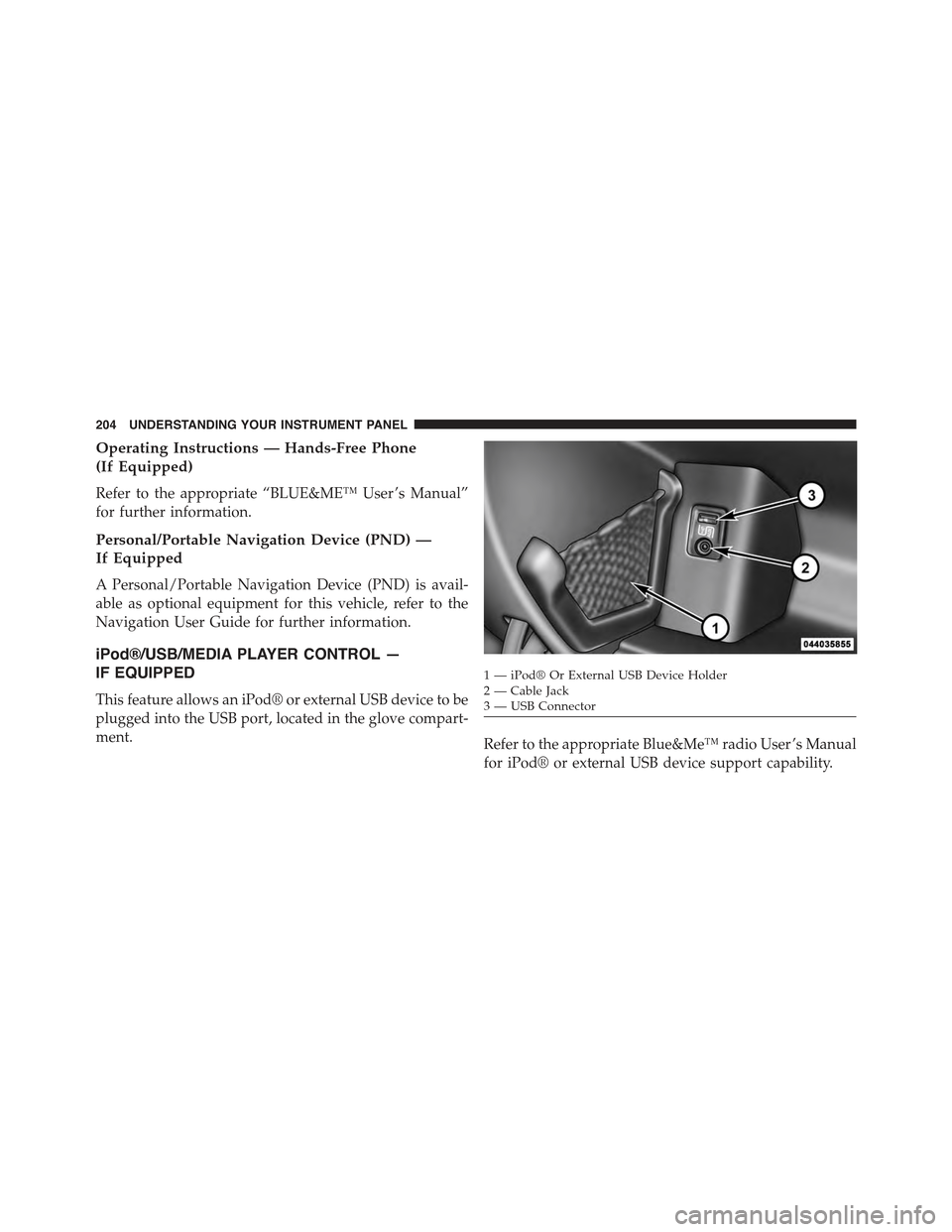
This feature allows an iPod® or external USB device to be
plugged into the USB port, located in the glove compart-
ment.Refer to the appropriate Blue&Me™ radio User ’s Manual
for iPod® or external USB device support capability.
1 — iPod® Or External USB Device Holder2 — Cable Jack3—USBConnector
204 UNDERSTANDING YOUR INSTRUMENT PANEL
Page 215 of 423
NOTE:
•When in Defrost mode, the Recirculation button will
flash if pressed. This indicates that you can not
proceed to this mode due to fogging risk.
•When the Auto indicator is on and the Recirculation
indicator is off, the Recirculation is in AUTO mode. If
the Recirculation indicator is on, the Recirculation
setting is manual and Recirculation is on.
Automatic Operation
1. Press the AUTO button on the Automatic Temperature
Control (ATC) Panel, the indicator will illuminate
when on.
2. Next, adjust the temperature you would like the
system to maintain by adjusting the temperature con-
trol buttons. Once the desired temperature is dis-
played, the system will achieve and automatically
maintain that comfort level.
3. When the system is set up for your comfort level, it is
not necessary to change the settings. You will experi-
ence the greatest efficiency by simply allowing the
system to function automatically.
NOTE:
•It is not necessary to move the temperature settings for
cold or hot vehicles. The system automatically adjusts
the temperature, mode and fan speed to provide
comfort as quickly as possible.
•The temperature can be displayed in U.S. or Metric
units by selecting the US/M customer-programmable
feature. Refer to the “Electronic Vehicle Information
Center (EVIC) — Customer-Programmable Features”
in this section of the manual.
To provide you with maximum comfort in the Automatic
mode during cold start-ups, the blower fan will remain
4
UNDERSTANDING YOUR INSTRUMENT PANEL 213
Page 245 of 423
If the Steering icon is displayed and the “POWER STEER-
ING SYSTEM OVER TEMP” message is displayed on the
EVIC screen, they indicate that extreme steering maneu-
vers may have occurred which caused an over tempera-
ture condition in the power steering system. Once driv-
ing conditions are safe, pull over and let the vehicle idle
for a few moments until the icon and message turn off.
Refer to “Electronic Vehicle Information (EVIC)” in “Un-
derstanding Your Instrument Panel” for further informa-
tion.
If the Steering icon is displayed and the “SERVICE
POWER STEERING – ASSIST OFF” message is displayed
the EVIC screen, they indicate the vehicle needs to be
taken to an authorized studio for service. Refer to “Elec-
tronic Vehicle Information (EVIC)” in “Understanding
Your Instrument Panel” for further information.
NOTE:
•Even if the power steering assistance is no longer
operational, it is still possible to steer the vehicle.
Under these conditions there will be a substantial
increase in steering effort, especially at low speeds and
during parking maneuvers.
•If the condition persists, see your authorized studio for
service.5
STARTING AND OPERATING 243
Page 254 of 423
WARNING!
There may be situations on minor hills (i.e., less than
8%), with a loaded vehicle, or while pulling a trailer,
when the system will not activate and slight rolling may
occur. This could cause a collision with another vehicle
or object. Always remember the driver is responsible for
braking the vehicle.
Disabling/Enabling HSA
If you wish to turn the HSA system on or off, it can be done
using the Customer Programmable Features in the Elec-
tronic Vehicle Information Center (EVIC). Refer to “Elec-
tronic Vehicle Information Center (EVIC)” in “Understand-
ing Your Instrument Panel” for further information.
Electronic Stability Control (ESC)
This system enhances directional control and stability of
the vehicle under various driving conditions. ESC cor-
rects for oversteering or understeering of the vehicle by
applying the brake of the appropriate wheel to assist in
counteracting the oversteering or understeering condi-
tion. Engine power may also be reduced to help the
vehicle maintain the desired path. ESC uses sensors in
the vehicle to determine the vehicle path intended by the
driver and compares it to the actual path of the vehicle.
When the actual path does not match the intended path,
ESC applies the brake of the appropriate wheel to assist
in counteracting the oversteer or understeer condition.
•Oversteer - when the vehicle is turning more than
appropriate for the steering wheel position.
252 STARTING AND OPERATING
Page 280 of 423
NOTE:Do not use tire chains on a compact spare tire.
CAUTION!
To avoid damage to your vehicle or tires, observe the
following precautions:
•Use Security Chain Company (SCC) SCC Z6 low
profile or equivalent chains on 185/55R15 tires only.
•Because of restricted chain clearance between tires
and other suspension components, it is important
that only chains in good condition are used. Broken
chains can cause serious damage. Stop the vehicle
immediately if noise occurs that could indicate
chain breakage. Remove the damaged parts of the
chain before further use.
•Do not exceed 45 mph (70 km/h).
•Drive cautiously and avoid severe turns and large
bumps, especially with a loaded vehicle.
(Continued)
CAUTION!(Continued)
•Install chains on the front wheels as tightly as
possible and then retighten after driving about
0.5 mile (0.8 km).
•Do not drive for prolonged periods of time on dry
pavement.
•Observe the tire chain manufacturer’s instructions
on the method of installation, operating speed, and
conditions for use. Always use the lower suggested
operating speed of the chain manufacturer, if dif-
ferent from the speed recommended by the vehicle
manufacturer.
Always use the lower suggested operating speed if the
chain manufacturer and vehicle manufacturer suggest
different maximum speeds. This notice applies to all
chain traction devices, including link and cable (radial)
chains.
278 STARTING AND OPERATING
Page 285 of 423
The TPMS consists of the following components:
•Receiver Module
•Four Tire Pressure Monitoring Sensors
•Tire Pressure Monitoring Telltale Light
Tire Pressure Monitoring Low Pressure Warnings
The Tire Pressure Monitoring Telltale Light will illumi-
nate in the instrument cluster, an audible chime will be
activated, and the “Check left or right front/rear tire
xxx.x psi” text message will display when one or more of
the four active road tire pressures are low. Should this
occur, you should stop as soon as possible, check the
inflation pressure of each tire on your vehicle, and inflate
each tire to the vehicle’s recommended cold placard
pressure value. The system will automatically update
and the Tire Pressure Monitoring Light will extinguish
once the updated tire pressures have been received. The
vehicle may need to be driven for up to 20 minutes above
15 mph (24 km/h) to receive this information.
Check TPMS Warnings
The Tire Pressure Monitoring Telltale Light will flash on
and off for 75 seconds and remain on solid when a system
fault is detected, an audible chime will be activated and
the “Tire Pressure Monitoring Unavailable” text message
will display. If the ignition key is cycled, this sequence
will repeat providing the system fault still exists. The Tire
Pressure Monitoring Telltale Light will turn off when the
fault condition no longer exists. A system fault can occur
with any of the following scenarios:
1. Jamming due to electronic devices or driving next to
facilities emitting the same radio frequencies as the
TPM sensors.
2. Installing some form of aftermarket window tinting
that affects radio wave signals.
5
STARTING AND OPERATING 283
Page 287 of 423
Enhanced System– If Equipped
When the vehicle is equipped with an enhanced TPM
system, the driver can view text messages showing the
actual tire pressure value by position by selecting the tire
pressure menu command in the instrument cluster. Refer
to the instrument panel features section of the owners
manual.
General Information
This device complies with Part 15 of the FCC rules and
RSS 210 of Industry Canada. Operation is subject to the
following conditions:
•This device may not cause harmful interference.
•This device must accept any interference received,
including interference that may cause undesired op-
eration.
The tire pressure sensors are covered under one of the
following licenses:
United StatesMRXC4W4MA4
Canada2546A-C4W4MA4
(Single)
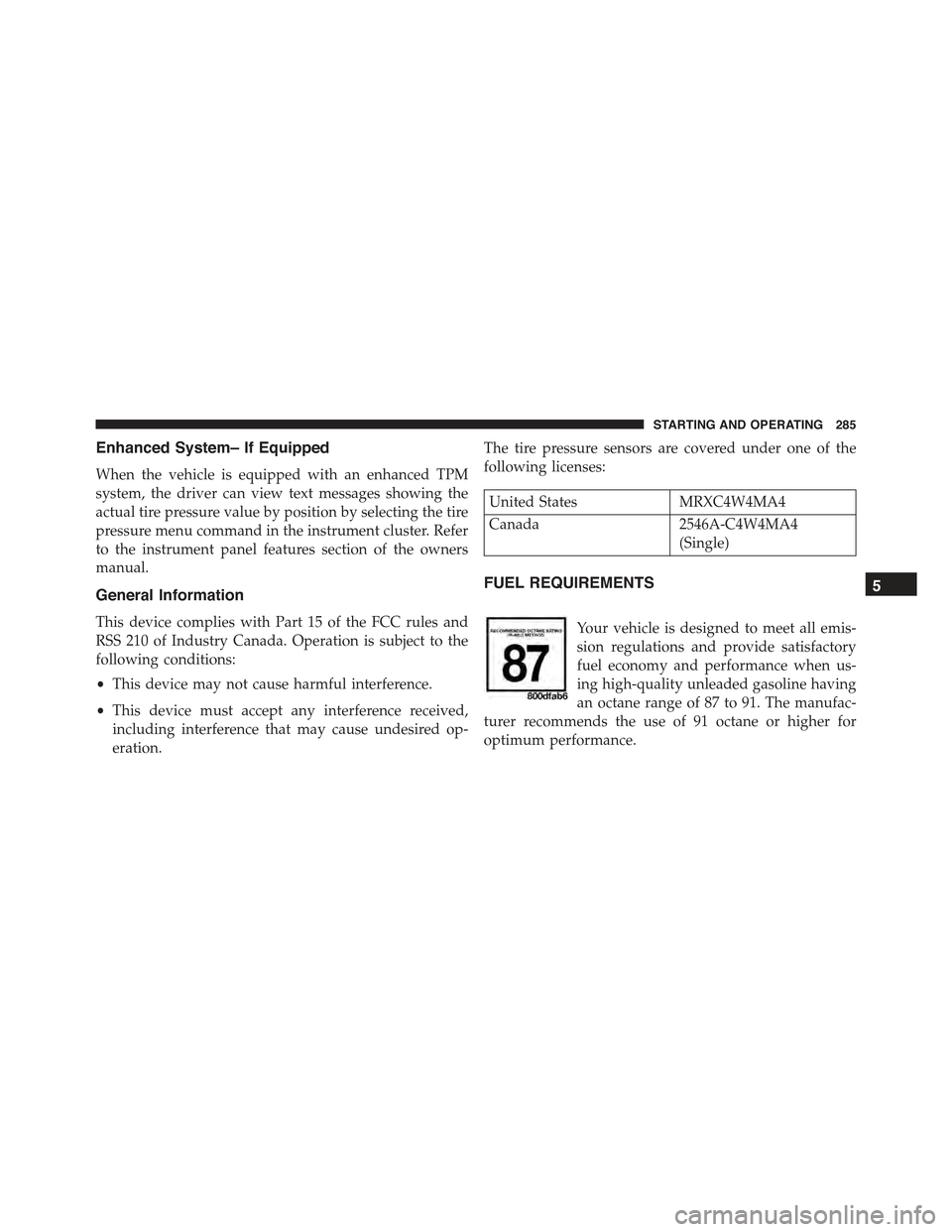
FUEL REQUIREMENTS
Your vehicle is designed to meet all emis-
sion regulations and provide satisfactory
fuel economy and performance when us-
ing high-quality unleaded gasoline having
an octane range of 87 to 91. The manufac-
turer recommends the use of 91 octane or higher for
optimum performance.
5
STARTING AND OPERATING 285