radio FIAT 500 2017 2.G Owner's Manual
[x] Cancel search | Manufacturer: FIAT, Model Year: 2017, Model line: 500, Model: FIAT 500 2017 2.GPages: 350, PDF Size: 3.01 MB
Page 168 of 350
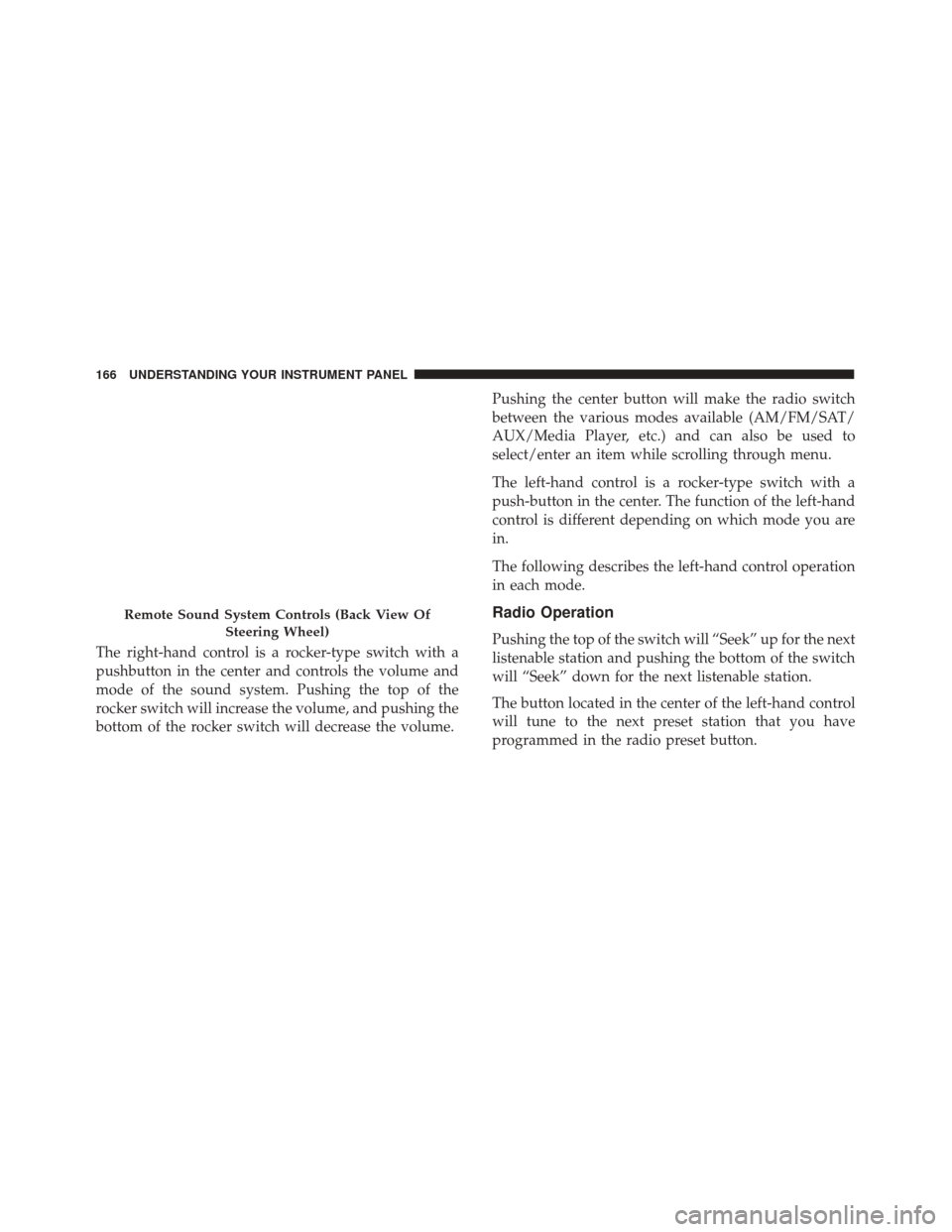
The right-hand control is a rocker-type switch with a
pushbutton in the center and controls the volume and
mode of the sound system. Pushing the top of the
rocker switch will increase the volume, and pushing the
bottom of the rocker switch will decrease the volume.Pushing the center button will make the radio switch
between the various modes available (AM/FM/SAT/
AUX/Media Player, etc.) and can also be used to
select/enter an item while scrolling through menu.
The left-hand control is a rocker-type switch with a
push-button in the center. The function of the left-hand
control is different depending on which mode you are
in.
The following describes the left-hand control operation
in each mode.
Radio Operation
Pushing the top of the switch will “Seek” up for the next
listenable station and pushing the bottom of the switch
will “Seek” down for the next listenable station.
The button located in the center of the left-hand control
will tune to the next preset station that you have
programmed in the radio preset button.
Remote Sound System Controls (Back View Of
Steering Wheel)
166 UNDERSTANDING YOUR INSTRUMENT PANEL
Page 169 of 350
RADIO OPERATION AND MOBILE PHONES
Under certain conditions, the mobile phone being on in
your vehicle can cause erratic or noisy performance
from your radio. This condition may be lessened or
eliminated by relocating the mobile phone antenna.
This condition is not harmful to the radio. If your radio
performance does not satisfactorily “clear” by the repo-
sitioning of the antenna, it is recommended that the
radio volume be turned down or off during mobile
phone operation.
CLIMATE CONTROLS
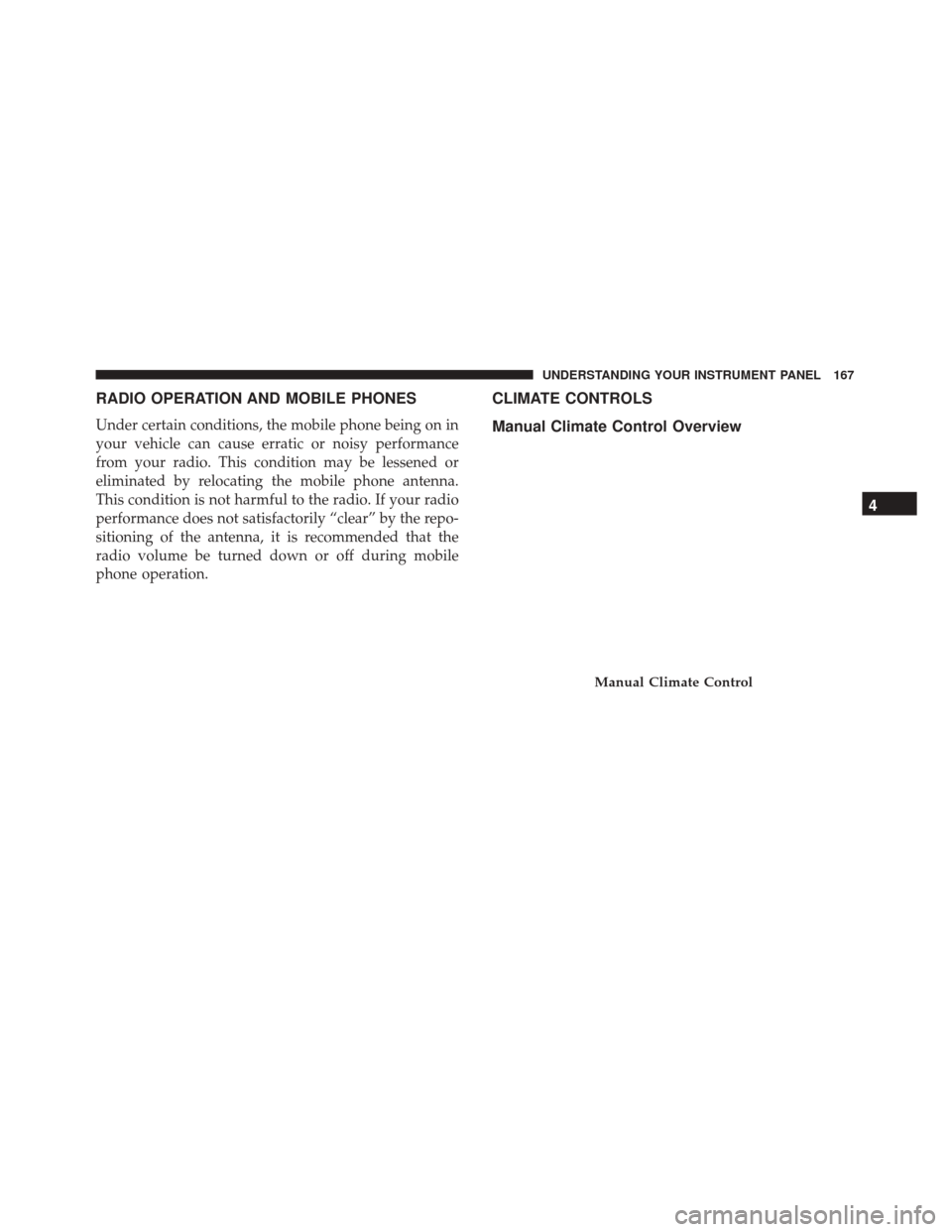
Manual Climate Control Overview
Manual Climate Control
4
UNDERSTANDING YOUR INSTRUMENT PANEL 167
Page 237 of 350
TPMS Warnings
The Tire Pressure Monitoring Telltale Light will flash on
and off for 75 seconds and remain on solid when a
system fault is detected, an audible chime will be
activated and the “Service Tire Pressure Monitoring
System” text message will display. If the ignition key is
cycled, this sequence will repeat providing the system
fault still exists. The Tire Pressure Monitoring Telltale
Light will turn off when the fault condition no longer
exists. A system fault can occur with any of the follow-
ing scenarios:
•Jamming due to electronic devices or driving next to
facilities emitting the same radio frequencies as the
TPM sensors.
• Installing some form of aftermarket window tinting
that affects radio wave signals.
• Snow or ice around the wheels or wheel housings.
• Using tire chains on the vehicle.
• Using wheels/tires not equipped with TPM sensors.
NOTE: Your vehicle may be equipped with a compact
spare wheel and tire assembly. •
The compact spare tire does not have a tire pressure
monitoring sensor. Therefore, the TPMS will not
monitor the tire pressure in the compact spare tire.
• If you install the compact spare tire in place of a road
tire that has a pressure below the low-pressure
warning limit, upon the next ignition key cycle, a
chime will sound, the Tire Pressure Monitoring Tell-
tale Light and the Low inflation pressure left or right
front / rear tire message will still turn ON due to the
low tire.
• However, after driving the vehicle for up to 20
minutes above 15 mph (24 km/h), the Tire Pressure
Monitoring Telltale Light will flash on and off for
75 seconds and then remain on solid and the “Service
Tire Pressure Monitoring System” message will be
displayed.
• This occurs for each subsequent ignition key cycle, a
chime will sound and the Tire Pressure Monitoring
Telltale Light will flash on and off for 75 seconds and
then remain on solid and the “Service Tire Pressure
Monitoring System” message will be displayed.
• Once you repair or replace the original road tire and
reinstall it on the vehicle in place of the compact
5
STARTING AND OPERATING 235
Page 239 of 350
will automatically update and the “Tire Pressure Moni-
toring Telltale Light” will turn off. The vehicle may
need to be driven for up to 20 minutes above 15 mph
(24 km/h) in order for the TPMS to receive this infor-
mation.
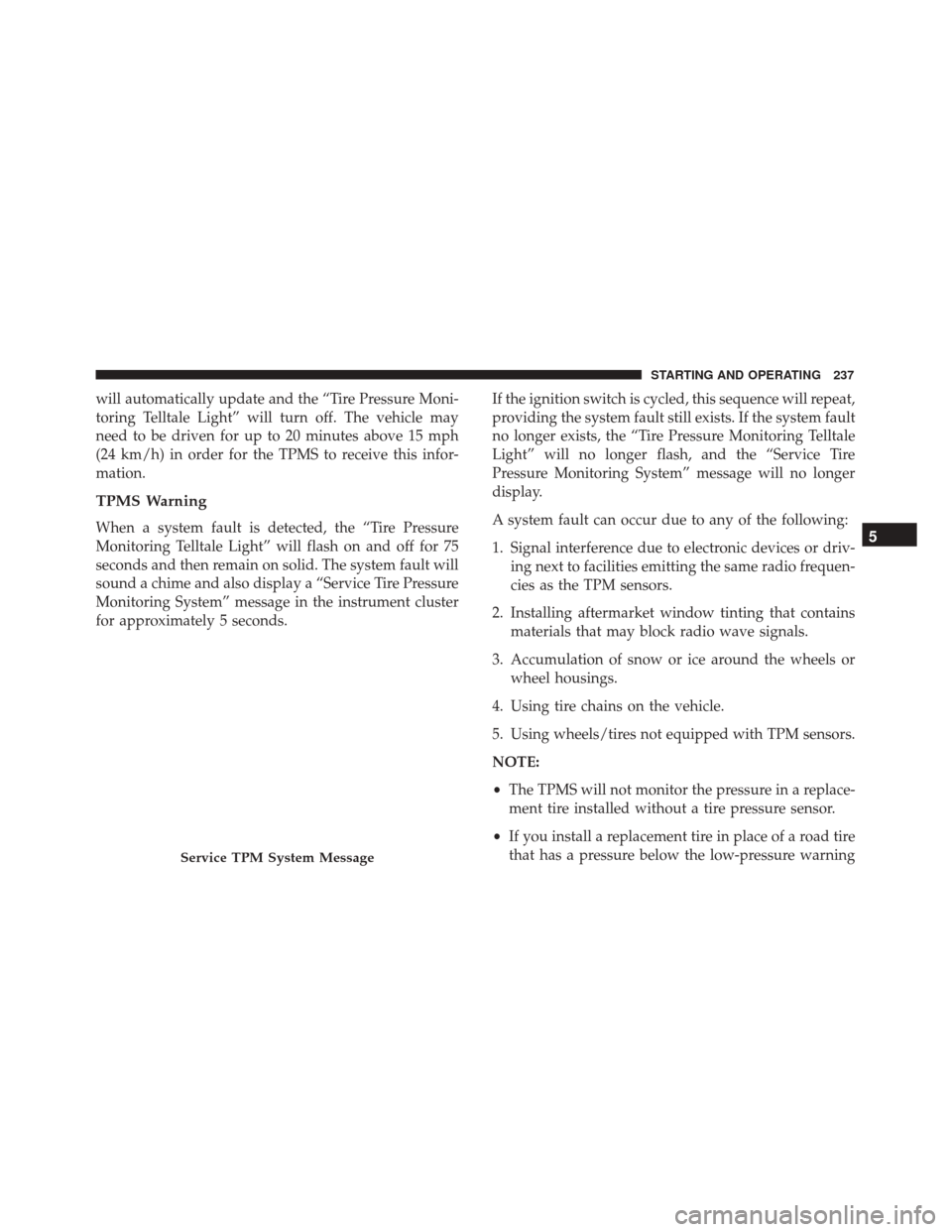
TPMS Warning
When a system fault is detected, the “Tire Pressure
Monitoring Telltale Light” will flash on and off for 75
seconds and then remain on solid. The system fault will
sound a chime and also display a “Service Tire Pressure
Monitoring System” message in the instrument cluster
for approximately 5 seconds.If the ignition switch is cycled, this sequence will repeat,
providing the system fault still exists. If the system fault
no longer exists, the “Tire Pressure Monitoring Telltale
Light” will no longer flash, and the “Service Tire
Pressure Monitoring System” message will no longer
display.
A system fault can occur due to any of the following:
1. Signal interference due to electronic devices or driv-
ing next to facilities emitting the same radio frequen-
cies as the TPM sensors.
2. Installing aftermarket window tinting that contains materials that may block radio wave signals.
3. Accumulation of snow or ice around the wheels or wheel housings.
4. Using tire chains on the vehicle.
5. Using wheels/tires not equipped with TPM sensors.
NOTE:
• The TPMS will not monitor the pressure in a replace-
ment tire installed without a tire pressure sensor.
• If you install a replacement tire in place of a road tire
that has a pressure below the low-pressure warning
Service TPM System Message
5
STARTING AND OPERATING 237
Page 249 of 350
HAZARD WARNING FLASHERS
The Hazard Warning flasher switch is located on the
instrument panel below the radio.Push the switch to turn on the Hazard Warning
flashers. When the switch is activated, all direc-
tional turn signals will flash on and off to warn oncom-
ing traffic of an emergency. Push the switch a second
time to turn off the Hazard Warning flashers.
Do not use this emergency warning system when the
vehicle is in motion. Use it when your vehicle is
disabled and it is creating a safety hazard for other
motorists.
If it is necessary to leave the vehicle to go for service, the
Hazard Warning flashers will continue to operate with
the ignition key removed and the vehicle locked.
NOTE: With extended use, the Hazard Warning flash-
ers may wear down your battery.
IF YOUR ENGINE OVERHEATS
In any of the following situations, you can reduce the
potential for overheating by taking the appropriate action.
• On the highways — slow down. •
In city traffic — while stopped, place the transmis-
sion in NEUTRAL, but do not increase engine idle
speed.
NOTE: There are steps that you can take to slow down
an impending overheat condition:
• If your air conditioner (A/C) is on, turn it off. The
A/C system adds heat to the engine cooling system
and turning the A/C off can help remove this heat.
• You can also turn the temperature control to maxi-
mum heat, the mode control to floor and the blower
control to high. This allows the heater core to act as a
supplement to the radiator and aids in removing heat
from the engine cooling system.
WARNING!
You or others can be badly burned by hot engine
coolant (antifreeze) or steam from your radiator. If
you see or hear steam coming from under the hood,
do not open the hood until the radiator has had time
to cool. Never try to open a cooling system pressure
cap when the radiator or coolant bottle is hot.
6
WHAT TO DO IN EMERGENCIES 247
Page 271 of 350
Preparations For Jump-Start
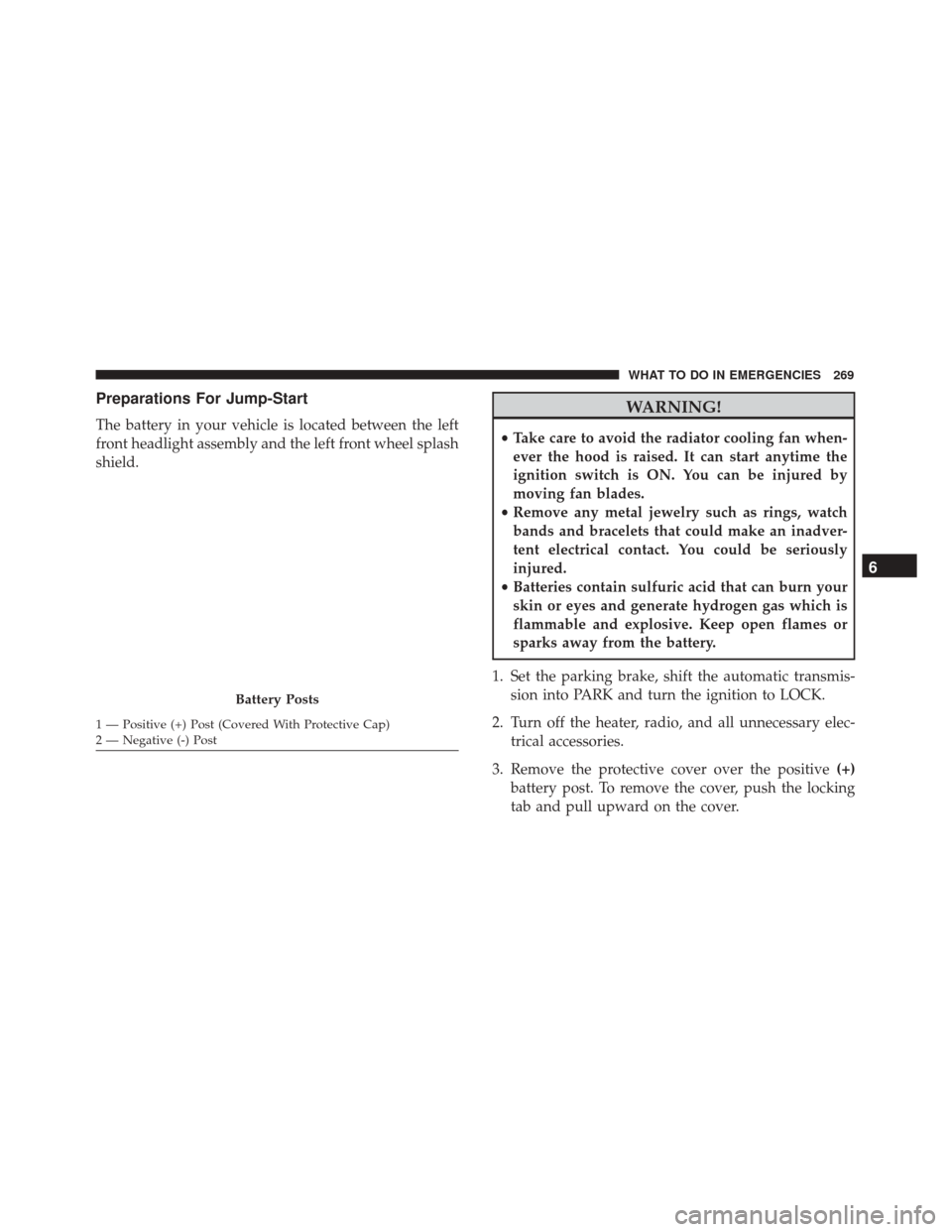
The battery in your vehicle is located between the left
front headlight assembly and the left front wheel splash
shield.
WARNING!
•Take care to avoid the radiator cooling fan when-
ever the hood is raised. It can start anytime the
ignition switch is ON. You can be injured by
moving fan blades.
• Remove any metal jewelry such as rings, watch
bands and bracelets that could make an inadver-
tent electrical contact. You could be seriously
injured.
• Batteries contain sulfuric acid that can burn your
skin or eyes and generate hydrogen gas which is
flammable and explosive. Keep open flames or
sparks away from the battery.
1. Set the parking brake, shift the automatic transmis- sion into PARK and turn the ignition to LOCK.
2. Turn off the heater, radio, and all unnecessary elec- trical accessories.
3. Remove the protective cover over the positive (+)
battery post. To remove the cover, push the locking
tab and pull upward on the cover.
Battery Posts
1 — Positive (+) Post (Covered With Protective Cap)
2 — Negative (-) Post
6
WHAT TO DO IN EMERGENCIES 269
Page 309 of 350
WARNING!
Do not use volatile solvents for cleaning purposes.
Many are potentially flammable, and if used in
closed areas they may cause respiratory harm.
CAUTION!
Direct contact of air fresheners, insect repellents,
suntan lotions, or hand sanitizers to the plastic,
painted, or decorated surfaces of the interior may
cause permanent damage. Wipe away immediately.
CAUTION!
Damage caused by these type of products may not
be covered by your New Vehicle Limited Warranty.
CAUTION!
Do not use Alcohol and Alcohol-based and/or Ke-
ton based cleaning products to clean leather seats,
as damage to the seat may result.
Cleaning Headlights
Your vehicle has plastic headlights that are lighter and
less susceptible to stone breakage than glass headlights.
Plastic is not as scratch resistant as glass and therefore
different lens cleaning procedures must be followed.
To minimize the possibility of scratching the lenses and
reducing light output, avoid wiping with a dry cloth. To
remove road dirt, wash with a mild soap solution
followed by rinsing.
Do not use abrasive cleaning components, solvents,
steel wool or other aggressive material to clean the
lenses.
Glass Surfaces
All glass surfaces should be cleaned on a regular basis
with MOPAR Glass Cleaner, or any commercial
household-type glass cleaner. Never use an abrasive
type cleaner. Use caution when cleaning the inside rear
window equipped with electric defrosters or windows
equipped with radio antennas. Do not use scrapers or
other sharp instrument that may scratch the elements.
7
MAINTAINING YOUR VEHICLE 307
Page 313 of 350
WARNING!(Continued)
•If the replaced fuse blows again, contact an au-
thorized dealer.
• If a general protection fuse for safety systems (air
bag system, braking system), power unit systems
(engine system, gearbox system) or steering sys-
tem blows, contact an authorized dealer.
Interior Fuses
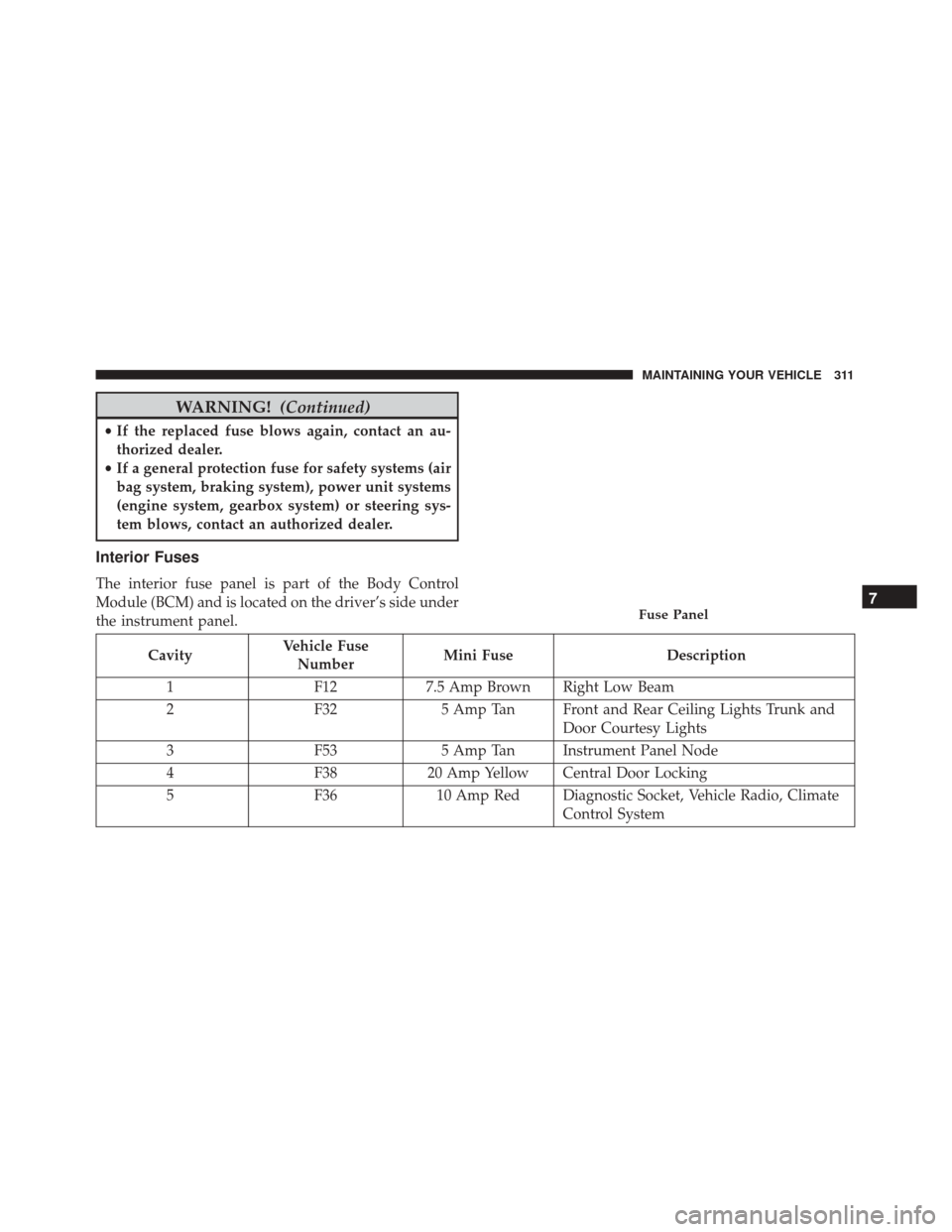
The interior fuse panel is part of the Body Control
Module (BCM) and is located on the driver’s side under
the instrument panel.
Cavity Vehicle Fuse
Number Mini Fuse
Description
1 F127.5 Amp Brown Right Low Beam
2 F325 Amp Tan Front and Rear Ceiling Lights Trunk and
Door Courtesy Lights
3 F535 Amp Tan Instrument Panel Node
4 F3820 Amp Yellow Central Door Locking
5 F3610 Amp Red Diagnostic Socket, Vehicle Radio, Climate
Control System
Fuse Panel7
MAINTAINING YOUR VEHICLE 311
Page 314 of 350
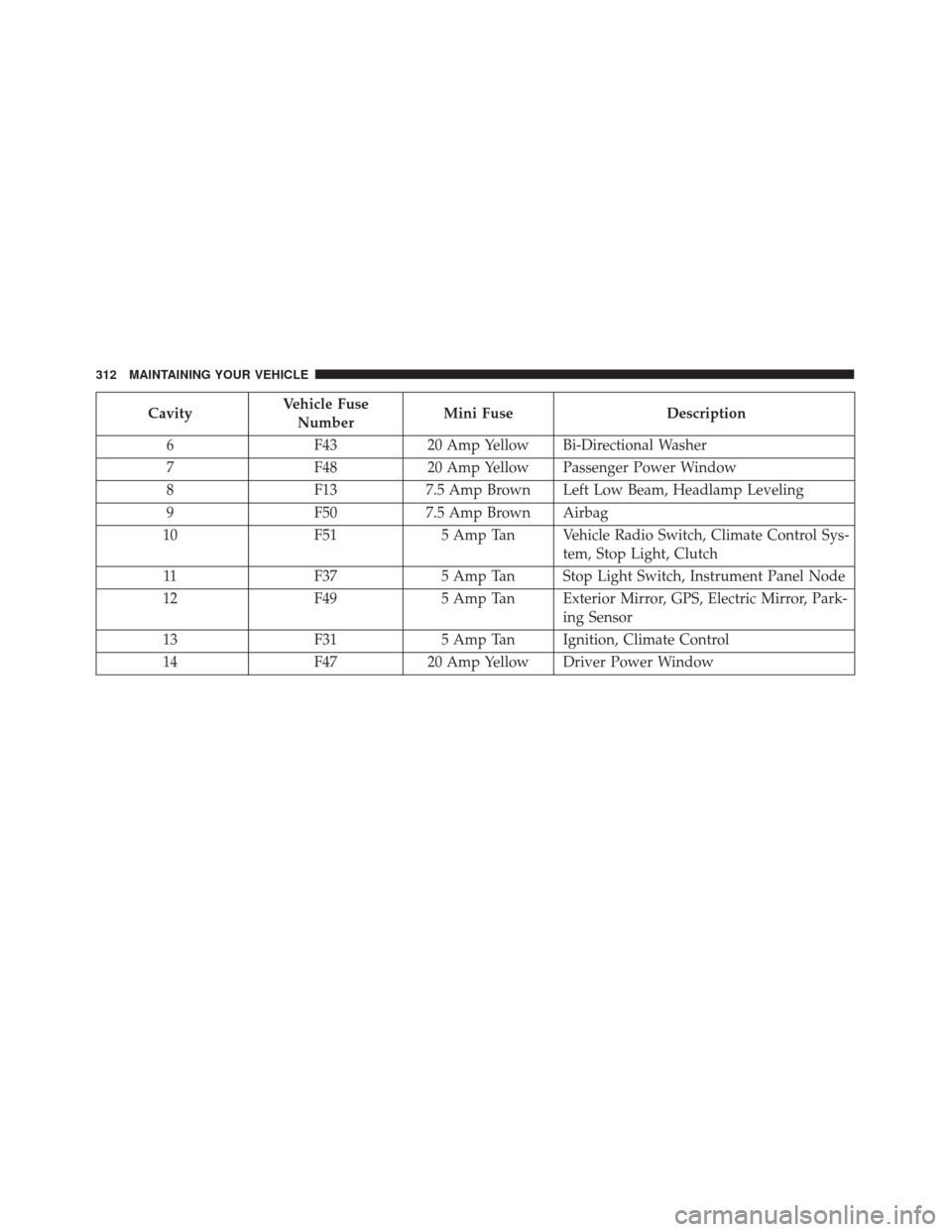
CavityVehicle Fuse
Number Mini Fuse
Description
6 F4320 Amp Yellow Bi-Directional Washer
7 F4820 Amp Yellow Passenger Power Window
8 F137.5 Amp Brown Left Low Beam, Headlamp Leveling
9 F507.5 Amp Brown Airbag
10 F515 Amp Tan Vehicle Radio Switch, Climate Control Sys-
tem, Stop Light, Clutch
11 F375 Amp Tan Stop Light Switch, Instrument Panel Node
12 F495 Amp Tan Exterior Mirror, GPS, Electric Mirror, Park-
ing Sensor
13 F315 Amp Tan Ignition, Climate Control
14 F4720 Amp Yellow Driver Power Window
312 MAINTAINING YOUR VEHICLE
Page 338 of 350
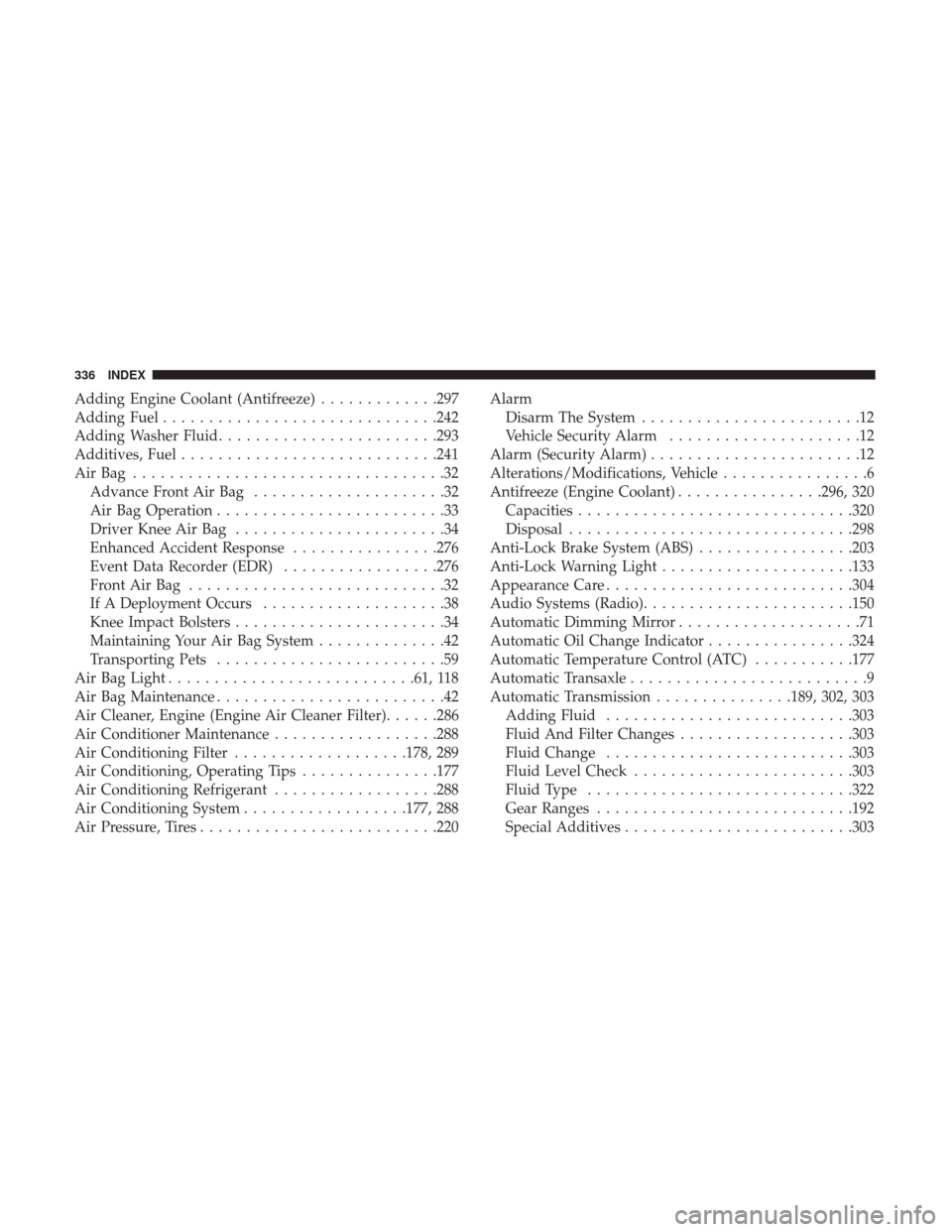
Adding Engine Coolant (Antifreeze).............297
Adding Fuel ............................. .242
Adding Washer Fluid ....................... .293
Additives, Fuel ........................... .241
AirBag ..................................32 Advance Front Air Bag .....................32
Air Bag Operation .........................33
Driver Knee Air Bag .......................34
Enhanced Accident Response ................276
Event Data Recorder (EDR) .................276
FrontAirBag ............................32
If A Deployment Occurs ....................38
Knee Impact Bolsters .......................34
Maintaining Your Air Bag System ..............42
Transporting Pets .........................59
Air Bag Light .......................... .61, 118
Air Bag Maintenance .........................42
Air Cleaner, Engine (Engine Air Cleaner Filter) ......286
Air Conditioner Maintenance ..................288
Air Conditioning Filter ...................178, 289
Air Conditioning, Operating Tips ...............177
Air Conditioning Refrigerant ..................288
Air Conditioning System ..................177, 288
Air Pressure, Tires ......................... .220Alarm
Disarm The System ........................12
Vehicle Security Alarm .....................12
Alarm (Security Alarm) .......................12
Alterations/Modifications, Vehicle ................6
Antifreeze (Engine Coolant) ................296, 320
Capacities ............................. .320
Disposal .............................. .298
Anti-Lock Brake System (ABS) .................203
Anti-Lock Warning Light .....................133
Appearance Care .......................... .304
Audio Systems (Radio) ...................... .150
Automatic Dimming Mirror ....................71
Automatic Oil Change Indicator ................324
Automatic Temperature Control (ATC) ...........177
Automatic Transaxle ..........................9
Automatic Transmission ...............189, 302, 303
Adding
Fluid .......................... .303
Fluid And Filter Changes ...................303
Fluid Change .......................... .303
Fluid Level Check ....................... .303
Fluid Type ............................ .322
Gear Ranges ........................... .192
Special Additives ........................ .303
336 INDEX