lock FIAT 500 ABARTH 2012 2.G Owner's Manual
[x] Cancel search | Manufacturer: FIAT, Model Year: 2012, Model line: 500 ABARTH, Model: FIAT 500 ABARTH 2012 2.GPages: 358, PDF Size: 2.59 MB
Page 54 of 358
Air Bag Warning Light
You will want to have the air bags ready to
inflate for your protection in a collision. The
Air Bag Warning Light monitors the internal
circuits and interconnecting wiring associated
with air bag system electrical components. While the air
bag system is designed to be maintenance free, if any of
the following occurs, have an authorized dealer service
the air bag system immediately.
•The Air Bag Warning Light does not come on during
the four to eight seconds when the ignition switch is
first turned to the ON/RUN position.
•The Air Bag Warning Light remains on after the four to
eight-second interval.
•The Air Bag Warning Light comes on intermittently or
remains on while driving. NOTE:
If the speedometer, tachometer, or any engine
related gauges are not working, the Occupant Restraint
Controller (ORC) may also be disabled. The air bags may
not be ready to inflate for your protection. Promptly
check the Body Control Module (BCM) fuse block inside
the vehicle for blown fuses. Refer to the label located on
the inside of the fuse block cover for the proper air bag
fuses. See your authorized dealer if the fuse is good.
Event Data Recorder (EDR)
This vehicle is equipped with an event data recorder
(EDR). The main purpose of an EDR is to record, in
certain crash or near crash-like situations, such as an air
bag deployment or hitting a road obstacle, data that will
assist in understanding how a vehicle’s systems per-
formed. The EDR is designed to record data related to
vehicle dynamics and safety systems for a short period of
time, typically 30 seconds or less. The EDR in this vehicle
is designed to record such data as:
52 THINGS TO KNOW BEFORE STARTING YOUR VEHICLE
Page 62 of 358
head restraint posts underneath the head restraint. Fi-
nally, tighten all three straps as you push the child
restraint rearward and downward into the seat, remov-
ing slack in the straps according to the child restraint
manufacturer ’s instructions.
NOTE:
•Ensure that the tether strap does not slip into the
opening between the seatbacks as you remove the
slack in the strap.
•When using the LATCH attaching system to install a
child restraint, please ensure that all seat belts not
being used for occupant restraints are stowed and out
of reach of children. It is recommended that before
installing the child restraint, buckle the seat belt so the
seat belt is tucked behind the child restraint. This
should stow the seat belt out of the reach of an
inquisitive child. Remind all children in the vehiclethat the seat belts are not toys and that they should not
play with them. In addition, never leave unattended
children in the vehicle.
WARNING!
Improper installation of a child restraint to the
LATCH anchorages can lead to failure of an infant or
child restraint. The child could be badly injured or
killed. Follow the manufacturer’s directions exactly
when installing an infant or child restraint.
Installing Child Restraints Using The Vehicle Seat
Belt
The seat belts in the passenger seating positions are
equipped with an Automatic Locking Retractor (ALR) to
secure a Child Restraint System (CRS). These types of
seat belts are designed to keep the lap portion of the seat
belt tight around the child restraint so that it is not
necessary to use a locking clip. The ALR will make a
60 THINGS TO KNOW BEFORE STARTING YOUR VEHICLE
Page 63 of 358
ratcheting noise if you extract the entire belt from the
retractor and then allow the belt to retract into the
retractor. For additional information on ALR, refer to
“Automatic Locking Mode” description under “Occu-
pant Restraints.”
The chart below defines the seating positions with an
Automatic Locking Retractor (ALR) or a cinching latch
plate.
Driver Passenger
CRS Lock CRS Lock
First Row N/A ALR
Second Row ALR ALR
Installing a Child Restraint with an ALR:
1. To install a child restraint with ALR, first, pull enough
of the seat belt webbing from the retractor to route it
through the belt path of the child restraint. Slide the latch
plate into the buckle until you hear a “click.” Next, extract all the seat belt webbing out of the retractor and
then allow the belt to retract into the retractor. As the belt
retracts, you will hear a ratcheting sound. This indicates
the safety belt is now in the Automatic Locking mode.
2. Finally, pull on any excess webbing to tighten the lap
portion around the child restraint. Any seat belt system
will loosen with time, so check the belt occasionally, and
pull it tight if necessary.•In the rear seat, you may have trouble tightening the
lap/shoulder belt on the child restraint because the
buckle or latch plate is too close to the belt path
opening on the restraint. Disconnect the latch plate
from the buckle and twist the short buckle-end belt
several times to shorten it. Insert the latch plate into
the buckle with the release button facing out.
•If the belt still can’t be tightened, or if pulling and
pushing on the restraint loosens the belt, disconnect
the latch plate from the buckle, turn the buckle
2
THINGS TO KNOW BEFORE STARTING YOUR VEHICLE 61
Page 70 of 358
Periodic Safety Checks You Should Make Outside
The Vehicle
Tires
Examine tires for excessive tread wear and uneven wear
patterns. Check for stones, nails, glass, or other objects
lodged in the tread or sidewall. Inspect the tread for cuts
and cracks. Inspect sidewalls for cuts, cracks and bulges.
Check the wheel bolts for tightness. Check the tires for
proper cold inflation pressure.
Lights
Have someone observe the operation of exterior lights
while you work the controls. Check turn signal and high
beam indicator lights on the instrument panel.
Door Latches
Check for positive closing, latching, and locking.
Fluid Leaks
Check area under vehicle after overnight parking for fuel,
engine coolant, oil, or other fluid leaks. Also, if gasoline
fumes are detected or if fuel, power steering fluid, or
brake fluid leaks are suspected, the cause should be
located and corrected immediately.
68 THINGS TO KNOW BEFORE STARTING YOUR VEHICLE
Page 89 of 358
Lift the seatback upright and push the seat rearward to
its locked position once the rear passengers are seated.
Memory Feature
The driver seat also has a memory feature, which can
operate in two ways:
Memory Function Option 1) — Full Seat Back And
Track Fore/Aft Position Memory:
After using the EZ entry function, the seatback angle and
the Track fore/aft adjuster can both re-lock into the
position they were most recently adjusted to. This is
accomplished if the seat is moved fully rearward to its
last fore/aft position on the tracks before the seat back is
returned upright.
Memory Function Option 2) — Seat Back Only
Memory:
After using the EZ entry function, the seat back may first
be returned upright prior to going back to the last
fore/aft (memory) position on the tracks. This results inthe seat back memory being set only – The track will then
be locked forward of its last set fore/aft memory posi-
tion. To then reset the fore/aft track memory feature (to
reestablish memory function option 1), the seat has to be
returned fully rearward to its last fore/aft memory track
position as described in Memory function option 1).
Heated Seats — If Equipped
On some models, the front driver and passenger seats
may be equipped with heaters in both the seat cushions
and seatbacks. The controls for the front heated seats are
located on the center instrument panel area.
Press the switch once to turn on the heated
seats. Press the switch a second time to shut the
heating elements off.
NOTE: Once a heat setting is selected, heat will be felt
within two to five minutes.
3
UNDERSTANDING THE FEATURES OF YOUR VEHICLE 87
Page 93 of 358
WARNING!
Be sure the hood is fully latched before driving your
vehicle. If the hood is not fully latched, it could open
when the vehicle is in motion and block your vision.
Failure to follow this warning could result in serious
injury or death.
CAUTION!
To prevent possible damage, do not slam the hood to
close it. Lower the hood until it is open approxi-
mately 8 in (20 cm) and then drop it. This should
secure both latches. Never drive your vehicle unless
the hood is fully closed, with both latches engaged.
LIGHTS
Multifunction Lever
The multifunction lever, located on the left side of the
steering wheel, controls the operation of the headlights,
headlight beam selection, passing light and turn signals.
NOTE:The external lights can only be turned on with
the ignition in the ON/RUN position.
3
UNDERSTANDING THE FEATURES OF YOUR VEHICLE 91
Page 94 of 358
Headlights
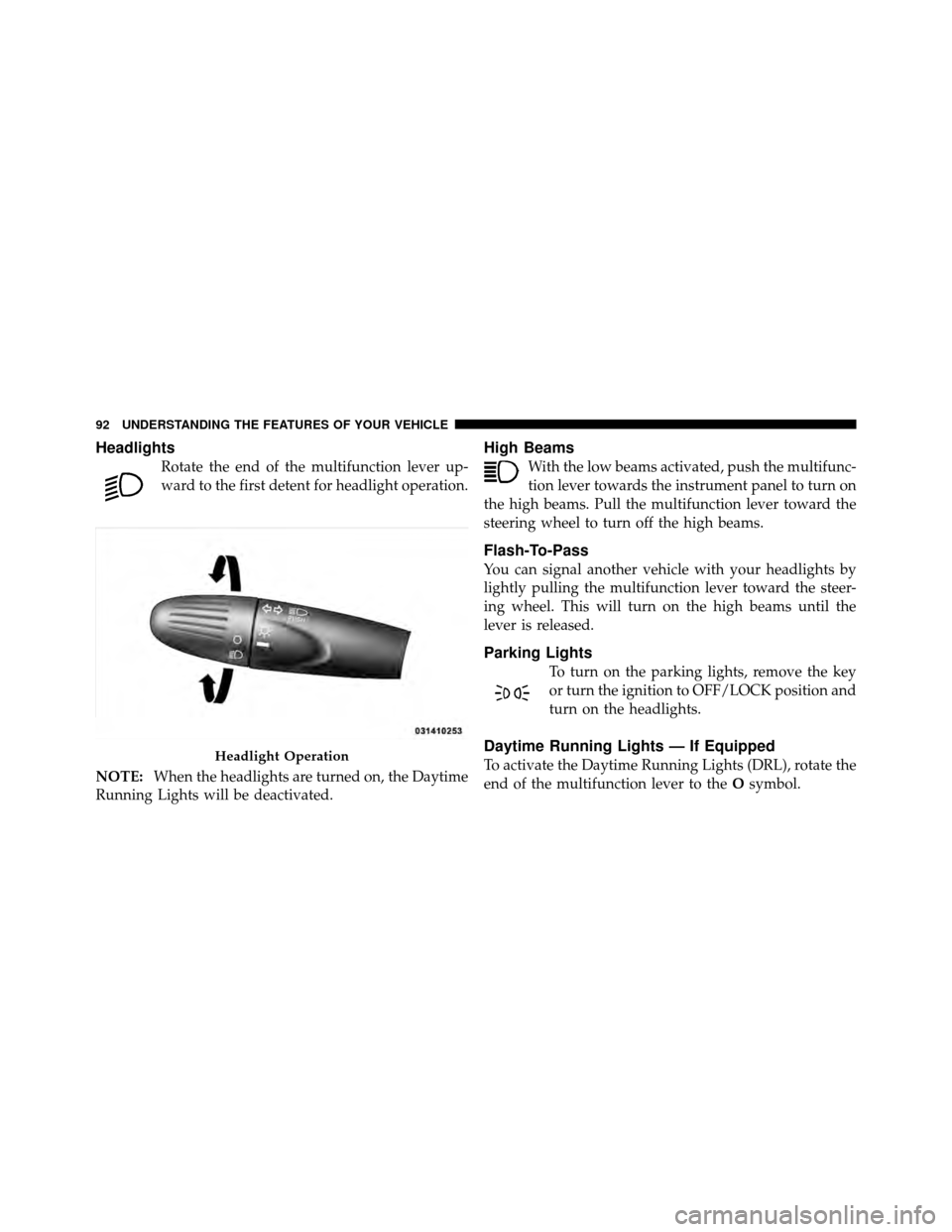
Rotate the end of the multifunction lever up-
ward to the first detent for headlight operation.
NOTE: When the headlights are turned on, the Daytime
Running Lights will be deactivated.
High Beams
With the low beams activated, push the multifunc-
tion lever towards the instrument panel to turn on
the high beams. Pull the multifunction lever toward the
steering wheel to turn off the high beams.
Flash-To-Pass
You can signal another vehicle with your headlights by
lightly pulling the multifunction lever toward the steer-
ing wheel. This will turn on the high beams until the
lever is released.
Parking Lights
To turn on the parking lights, remove the key
or turn the ignition to OFF/LOCK position and
turn on the headlights.
Daytime Running Lights — If Equipped
To activate the Daytime Running Lights (DRL), rotate the
end of the multifunction lever to the Osymbol.Headlight Operation
92 UNDERSTANDING THE FEATURES OF YOUR VEHICLE
Page 96 of 358
Lane Change Assist
Tap the lever up or down once, without moving beyond
the detent, and the turn signal (right or left) will flash
three times then automatically turn off.
Follow Me Home/Headlight Delay
When this feature is selected the driver can choose to
have the headlights remain on for a preset period of time.
Activation
Remove the key or turn the ignition to the OFF/LOCK
position, and pull the multifunction lever toward the
steering wheel, within two minutes. Each time the lever
is pulled, the activation of the lights will be extended by
30 seconds. The activation of the lights can be extended to
a maximum of 210 seconds.
Deactivation
Pull the multifunction lever toward the steering wheel
and hold it for more than two seconds.
Interior Lights
The interior light switches are located in the overhead
console. The interior lights can be set to three different
positions (Off/Left Position, Center Position, On/Right
Position).
Using the switch on the left overhead, press the switch to
the right from its center position and the lights are always
on. Press the switch to the left from its center position and
the lights are always off. Leave the switch in the center
position, and the lights are turned on and off when the
doors are opened or closed. The switch on the right side
of the overhead console controls the map or reading
function of the lights. Press the switch to the right to turn
on the right light and press the switch to the left to turn
on the left light.
94 UNDERSTANDING THE FEATURES OF YOUR VEHICLE
Page 97 of 358
CAUTION!
Before getting out of the vehicle be sure that the
switch is in the center position or that the lights are
off to avoid draining the battery.
Interior Light Timing (Center Position)
There are four different modes of operation that can be
activated in this position:
•When one door is opened a 3 minute timer is acti-
vated.
•When the key is removed from the ignition (within
two minutes of the ignition being turned off), a
10 second timer is activated.
•When the doors are unlocked with Key Fob a 10 sec-
ond timer is activated.
•When the doors are locked with the Key Fob the lights
will turn off.
Interior Light Timing (On/Right Position)
•
When all doors are closed a 15 minute timer is
activated.
NOTE: The timer is deactivated when the key is moved
into the ON/RUN position.
3
UNDERSTANDING THE FEATURES OF YOUR VEHICLE 95
Page 102 of 358
TILT STEERING COLUMN — IF EQUIPPED
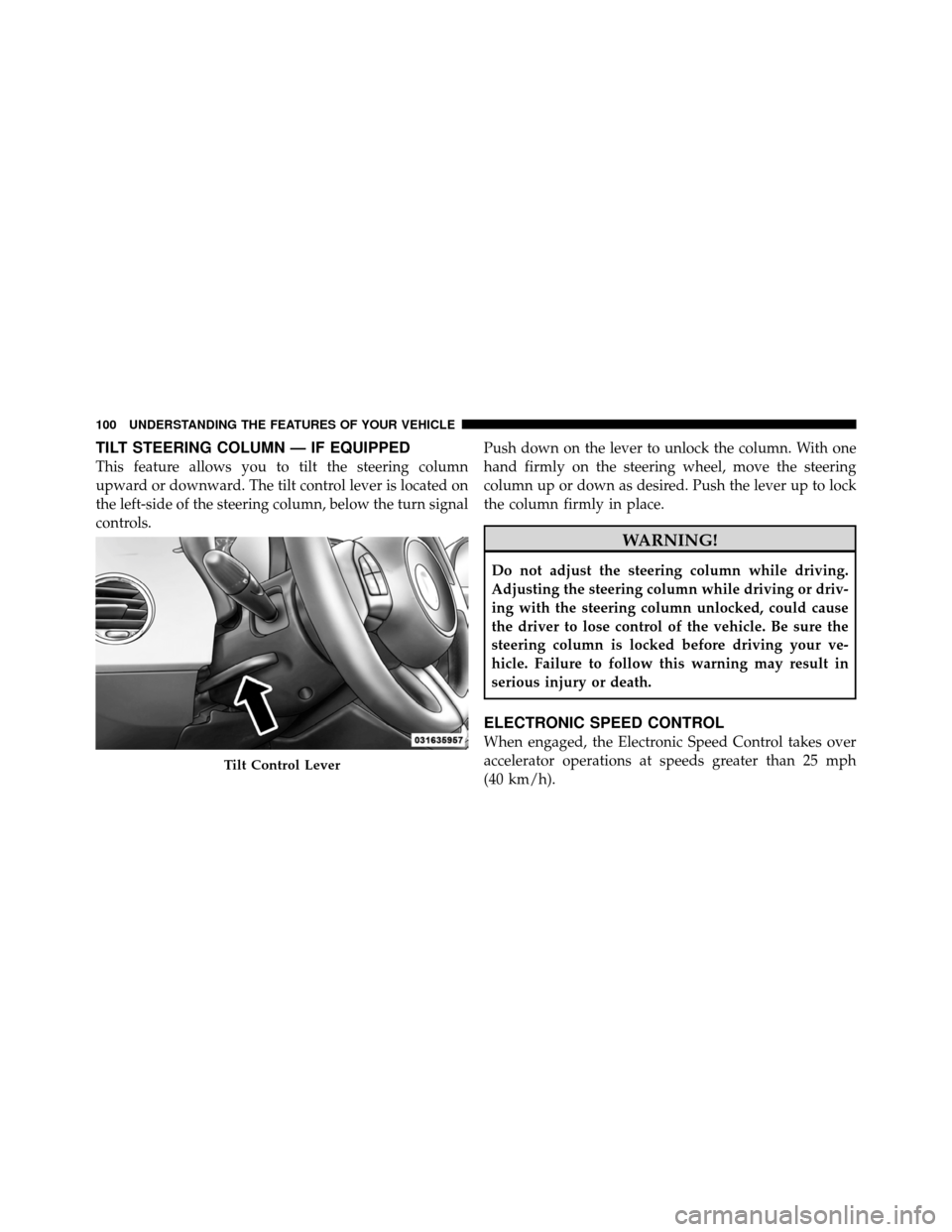
This feature allows you to tilt the steering column
upward or downward. The tilt control lever is located on
the left-side of the steering column, below the turn signal
controls.Push down on the lever to unlock the column. With one
hand firmly on the steering wheel, move the steering
column up or down as desired. Push the lever up to lock
the column firmly in place.
WARNING!
Do not adjust the steering column while driving.
Adjusting the steering column while driving or driv-
ing with the steering column unlocked, could cause
the driver to lose control of the vehicle. Be sure the
steering column is locked before driving your ve-
hicle. Failure to follow this warning may result in
serious injury or death.
ELECTRONIC SPEED CONTROL
When engaged, the Electronic Speed Control takes over
accelerator operations at speeds greater than 25 mph
(40 km/h).
Tilt Control Lever
100 UNDERSTANDING THE FEATURES OF YOUR VEHICLE