steering wheel FIAT 500 ABARTH 2014 2.G Owner's Manual
[x] Cancel search | Manufacturer: FIAT, Model Year: 2014, Model line: 500 ABARTH, Model: FIAT 500 ABARTH 2014 2.GPages: 392, PDF Size: 8.74 MB
Page 142 of 392
▫Quick Guide.........................177
▫General Information....................180
▫Functions And Adjustments..............182
▫Radio..............................189
▫SiriusXM Satellite Radio — If Equipped......190
▫CD Player...........................193
▫CD MP3 Player.......................196
▫Troubleshooting.......................198
!iPod®/USB/MEDIA PLAYER CONTROL — IF
EQUIPPED...........................199
!STEERING WHEEL AUDIO CONTROLS......200
▫Radio Operation......................201
▫CD Player Operation...................201
▫Operating Instructions — Hands-Free Phone (If
Equipped)...........................202
!CD/DVD DISC MAINTENANCE...........202
!RADIO OPERATION AND MOBILE PHONES . .203
!CLIMATE CONTROLS...................203
▫Manual Heating And Air Conditioning......203
▫Operating Tips Chart...................207
▫Automatic Temperature Control (ATC) — If
Equipped...........................208
▫Operating Tips Chart...................215
140 UNDERSTANDING YOUR INSTRUMENT PANEL
Page 202 of 392
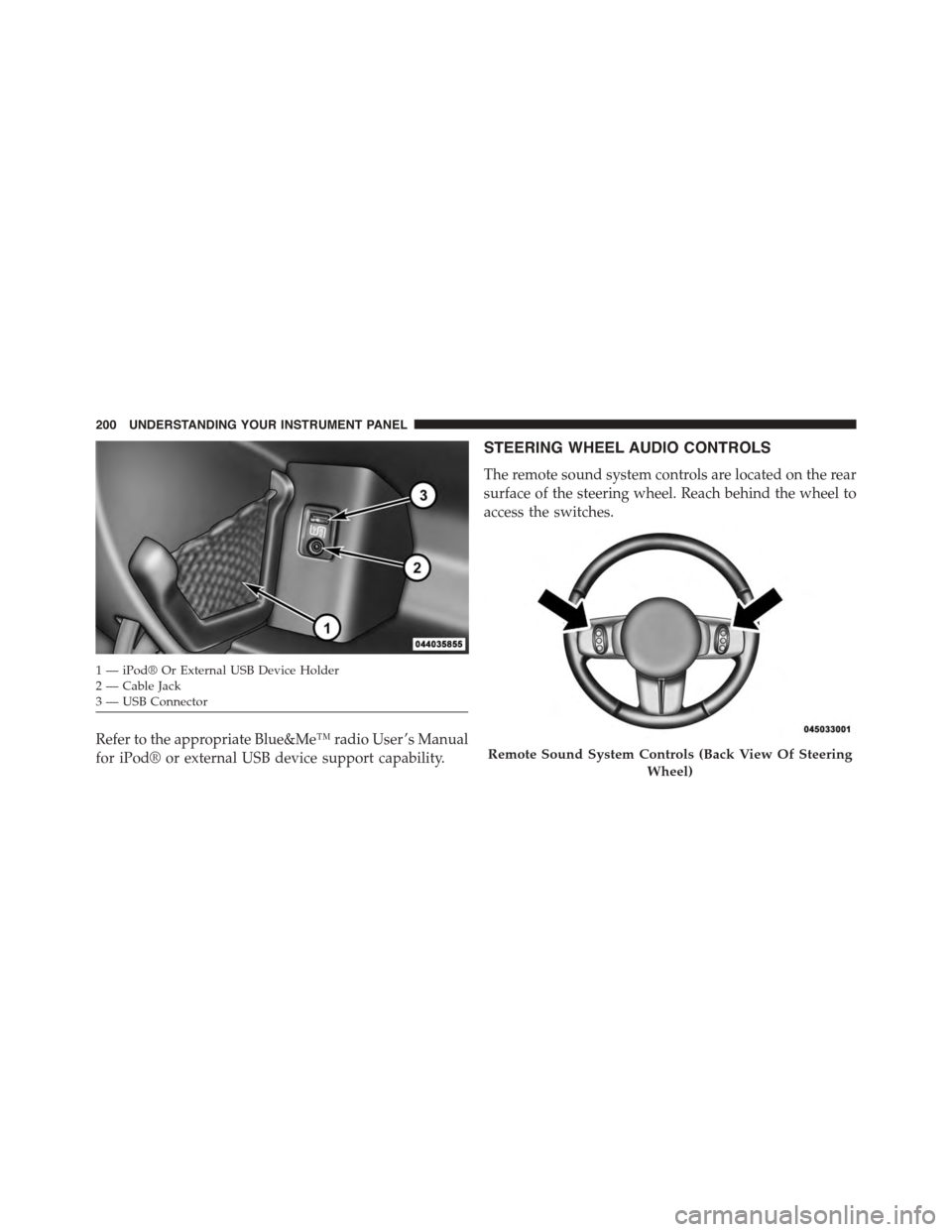
Refer to the appropriate Blue&Me™ radio User ’s Manual
for iPod® or external USB device support capability.
STEERING WHEEL AUDIO CONTROLS
The remote sound system controls are located on the rear
surface of the steering wheel. Reach behind the wheel to
access the switches.
1—iPod®OrExternalUSBDeviceHolder2 — Cable Jack3—USBConnector
Remote Sound System Controls (Back View Of Steering
Wheel)
200 UNDERSTANDING YOUR INSTRUMENT PANEL
Page 241 of 392
facing uphill is in forward gear; vehicle backing uphill
is in REVERSE gear).
WARNING!
There may be situations on minor hills with a loaded
vehicle, or while pulling a trailer, when the system
will not activate and slight rolling may occur. This
could cause a collision with another vehicle or object.
Always remember the driver is responsible for brak-
ing the vehicle.
Disabling/Enabling HSA
If you wish to turn the HSA system on or off, it can be
done using the Customer Programmable Features in the
Electronic Vehicle Information Center (EVIC). Refer to
“Electronic Vehicle Information Center (EVIC)” in “Un-
derstanding Your Instrument Panel” for further informa-
tion.
Electronic Stability Control (ESC)
This system enhances directional control and stability of
the vehicle under various driving conditions. ESC cor-
rects for oversteering or understeering of the vehicle by
applying the brake of the appropriate wheel to assist in
counteracting the oversteering or understeering condi-
tion. Engine power may also be reduced to help the
vehicle maintain the desired path. ESC uses sensors in
the vehicle to determine the vehicle path intended by the
driver and compares it to the actual path of the vehicle.
When the actual path does not match the intended path,
ESC applies the brake of the appropriate wheel to assist
in counteracting the oversteer or understeer condition.
•Oversteer - when the vehicle is turning more than
appropriate for the steering wheel position.
•Understeer - when the vehicle is turning less than
appropriate for the steering wheel position.
5
STARTING AND OPERATING 239
Page 264 of 392
WARNING!
•Do not use a tire, wheel size or rating other than
that specified for your vehicle. Some combinations
of unapproved tires and wheels may change sus-
pension dimensions and performance characteris-
tics, resulting in changes to steering, handling, and
braking of your vehicle. This can cause unpredict-
able handling and stress to steering and suspen-
sion components. You could lose control and have
a collision resulting in serious injury or death. Use
only the tire and wheel sizes with load ratings
approved for your vehicle.
•Never use a tire with a smaller load index or
capacity, other than what was originally equipped
on your vehicle. Using a tire with a smaller load
index could result in tire overloading and failure.
You could lose control and have a collision.
(Continued)
WARNING!(Continued)
•Failure to equip your vehicle with tires having
adequate speed capability can result in sudden tire
failure and loss of vehicle control.
CAUTION!
Replacing original tires with tires of a different size
may result in false speedometer and odometer read-
ings.
TIRE CHAINS (TRACTION DEVICES)
Due to limited clearance, tire chains or traction devices
are not recommended.
262 STARTING AND OPERATING
Page 306 of 392
If frequent jump-starting is required to start your vehicle,
you should have the battery and charging system in-
spected at your authorized dealer.
CAUTION!
Accessories plugged into the vehicle power outlets
draw power from the vehicle’s battery, even when not
in use (i.e., cellular phones, etc.). Eventually, if
plugged in long enough without engine operation,
the vehicle’s battery will discharge sufficiently to
degrade battery life and/or prevent the engine from
starting.
FREEING A STUCK VEHICLE
If your vehicle becomes stuck in mud, sand or snow, it
can often be moved using a rocking motion. Turn the
steering wheel right and left to clear the area around the
front wheels. Then shift back and forth between 2nd gear
and REVERSE while gently pressing the accelerator. Use
the least amount of accelerator pedal pressure that will
maintain the rocking motion, without spinning the
wheels or racing the engine.
CAUTION!
Racing the engine or spinning the wheels may lead to
transmission overheating and failure. Allow the en-
gine to idle with the transmission in NEUTRAL for at
least one minute after every five rocking-motion
cycles. This will minimize overheating and reduce
the risk of clutch or transmission failure during
prolonged efforts to free a stuck vehicle.
304 WHAT TO DO IN EMERGENCIES
Page 355 of 392
Headlamps Low Beam and High Beam
1. Remove the plastic cap from the back of the headlamp
housing.
2. Rotate the bulb counter-clockwise.
3. Remove the bulb and replace as needed.
4. Install the bulb and rotate clockwise to lock in place.
5. Reinstall the plastic cap.
Front Turn Signal, Parking And Daytime Running
Lamps
1. Turn the steering wheel completely to the left or right.
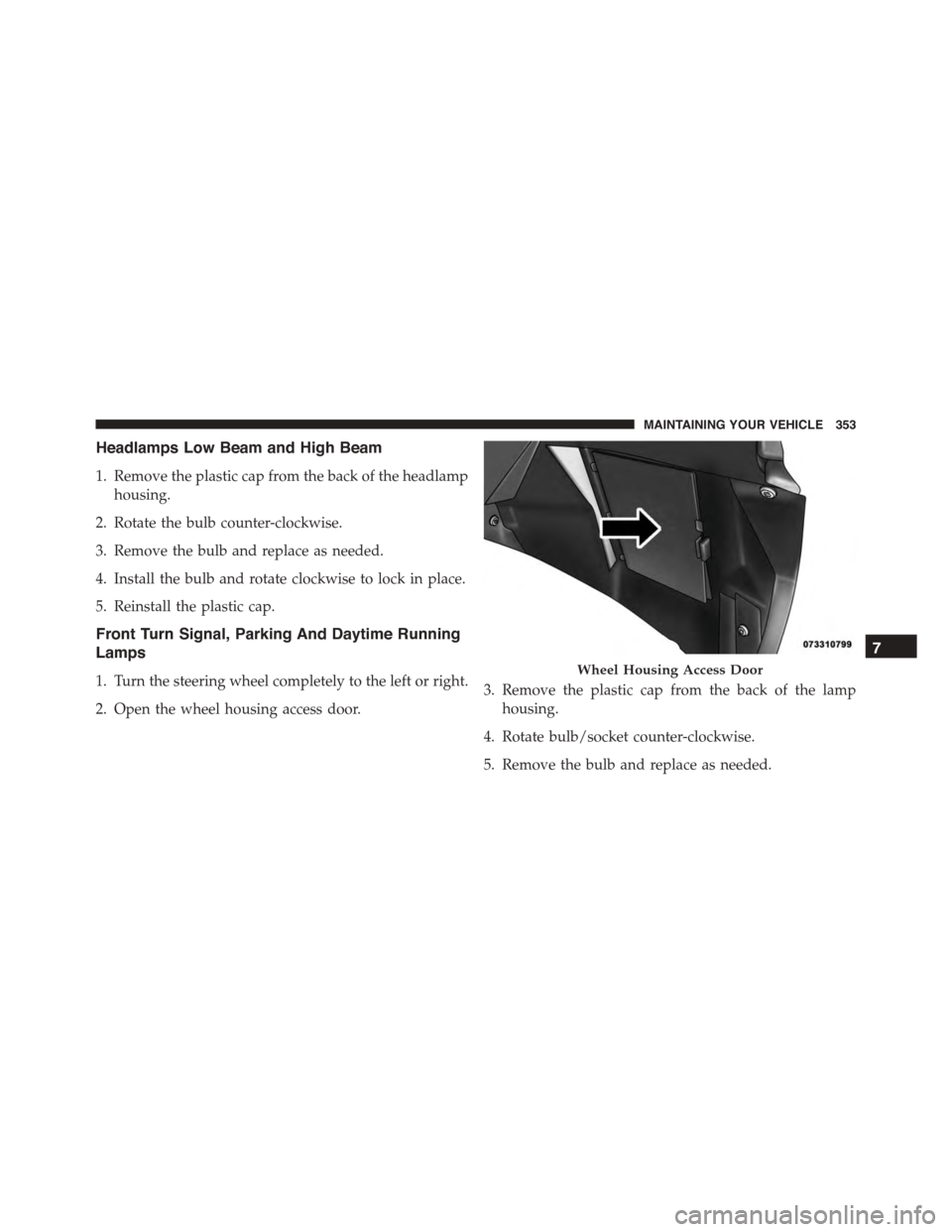
2. Open the wheel housing access door.
3. Remove the plastic cap from the back of the lamp
housing.
4. Rotate bulb/socket counter-clockwise.
5. Remove the bulb and replace as needed.
Wheel Housing Access Door
7
MAINTAINING YOUR VEHICLE 353
Page 388 of 392
Shoulder Belts............................29
Side Airbag..............................49
Signals, Turn.............................83
Snow Chains (Tire Chains)...................262
Snow Tires..............................258
Specifications
Oil . . . . . . . . . . . . . . . . . . . . . . . . . . . . . . . . ..317
Speed Control (Cruise Control)................120
Speedometer.............................156
Sport Mode.............................234
Starting................................222
Cold Weather..........................223
Engine Fails to Start.....................224
Steering
Power...............................230
Tilt Column...........................119
Wheel, Tilt............................119
Steering Wheel Audio Controls...............200
Steering Wheel Mounted Sound System Controls . . .200
Storage................................351
Storage, Vehicle...........................217
Storing Your Vehicle.......................351
Stuck, Freeing............................304
Sun Roof...............................129
Supplemental Restraint System - Airbag..........39
Tachometer..............................155
Temperature Control, Automatic (ATC)..........208
Temperature Gauge, Engine Coolant............153
Tilt Steering Column.......................119
Tire and Loading Information Placard...........250
TIREFIT................................281
Tire Markings............................243
Ti re s . . . . . . . . . . . . . . . . . . . . . . . . . . . . . . . . . . . 8 3
Aging (Life of Tires).....................260
Air Pressure...........................254
Chains...............................262
Changing.............................293
386 INDEX