clock FIAT 500 ABARTH 2014 2.G Owners Manual
[x] Cancel search | Manufacturer: FIAT, Model Year: 2014, Model line: 500 ABARTH, Model: FIAT 500 ABARTH 2014 2.GPages: 392, PDF Size: 8.74 MB
Page 159 of 392
•Outside Temperature Display
•Trip Computer Functions
EVIC Control Buttons
Press theMENUbutton briefly to access the menu
and/or go to next screen or to confirm the required menu
option. Press and hold theMENUbutton (approximately
one second) to return to the main screen.
Press the UPbutton to scroll upward through the
displayed menu and the related options or to increase
the displayed value.
Press the DOWNbutton to scroll downward
through the displayed menu and the related options
or to decrease the value displayed.
NOTE:UPand DOWNbuttons activate differ-
ent functions according to the following situations:
•To scroll the menu options upwards or downwards.
•To increase or decrease values during settings.
NOTE:When opening one of the front doors, the EVIC
display will turn on the clock and the miles or kilometers
covered (for versions/markets, where provided) for a
few seconds.
Electronic Vehicle Information Center (EVIC)
Setup Menu
The menu comprises a series of functions arranged in a
cycle. Press the UPand DOWNbuttons to access
the different options and settings (setup).
The setup menu can be activated by pressing theMENU
button. Single presses on the UPor DOWNbut-
tons will scroll through the setup menu options. The
menu includes the following functions:
•Speed Beep
•Trip B Data
4
UNDERSTANDING YOUR INSTRUMENT PANEL 157
Page 167 of 392
3. Briefly press theMENUbutton to go back to the menu
screen, or press and hold theMENUbutton (approxi-
mately one second) to go back to the main screen
without storing the settings.
Set Time (Clock)
This function may be used to set the clock through two
sub-menu items: “Time” and “Mode.”
Proceed as follows:
1. Briefly press theMENUbutton. The display will show
the two sub-menu items “Time” and “Mode.”
2. Press the UPor DOWNbutton to navigate
the two sub-menu items.
3. Select the required option and then press theMENU
button.
4. When accessing the “Time” sub-menu item, briefly
press theMENUbutton and “hours” will flash on the
display.
5. Press the UPor DOWNbutton for setting.
6. Briefly press theMENUbutton and “minutes” will
flash on the display.
7. Press the UPor DOWNbutton for setting.
NOTE:
•The setting will increase or decrease by one unit each
time the UPor DOWNbutton is pressed.
Press and hold the button to increase/decrease the
setting rapidly. Save the setting by briefly pressing
the button when you approach the required set-
ting.
•Briefly press theMENUbutton to return to the
“Time” sub-function.
4
UNDERSTANDING YOUR INSTRUMENT PANEL 165
Page 355 of 392
Headlamps Low Beam and High Beam
1. Remove the plastic cap from the back of the headlamp
housing.
2. Rotate the bulb counter-clockwise.
3. Remove the bulb and replace as needed.
4. Install the bulb and rotate clockwise to lock in place.
5. Reinstall the plastic cap.
Front Turn Signal, Parking And Daytime Running
Lamps
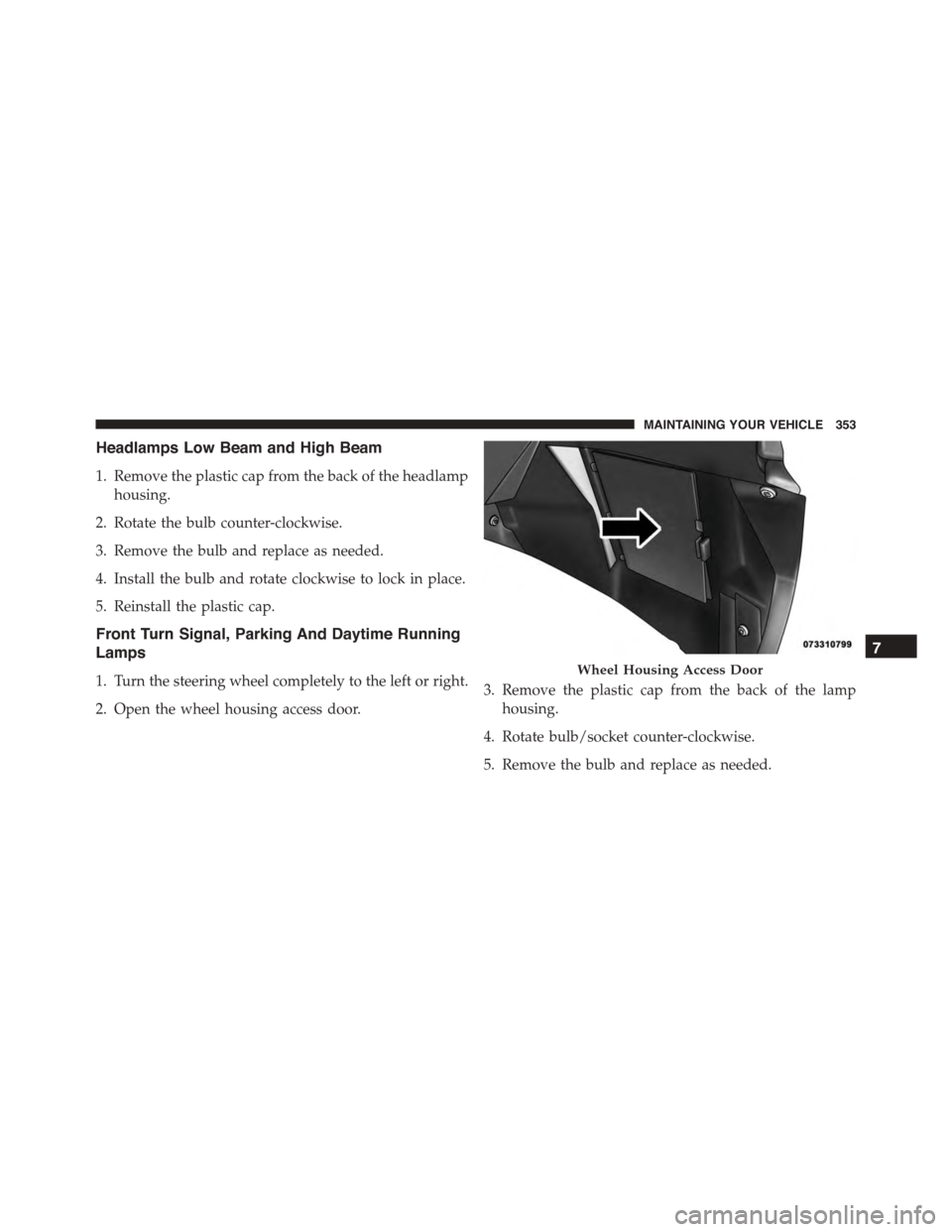
1. Turn the steering wheel completely to the left or right.
2. Open the wheel housing access door.
3. Remove the plastic cap from the back of the lamp
housing.
4. Rotate bulb/socket counter-clockwise.
5. Remove the bulb and replace as needed.
Wheel Housing Access Door
7
MAINTAINING YOUR VEHICLE 353
Page 356 of 392
6. Install the bulb into socket, and rotate bulb/socket
clockwise into lamp locking it in place.
7. Reinstall the plastic cap.
Front Fog Lamps
To replace the front fog lights, see your authorized dealer.
Front/Rear Side Marker Lamps
1. Remove portion of the wheel liner to allow hand
access to side marker lamp.
2. Rotate the bulb socket counterclockwise, and remove
the bulb and socket assembly from the housing.
3. Pull the bulb from the socket and insert the replace-
ment bulb.
4. Install the bulb and socket assembly into the housing,
and rotate the socket clockwise to lock it in place.
5. Reinstall the wheel liner.
Rear Tail, Stop, Backup And Turn Signal Lamps
1. Open the liftgate.
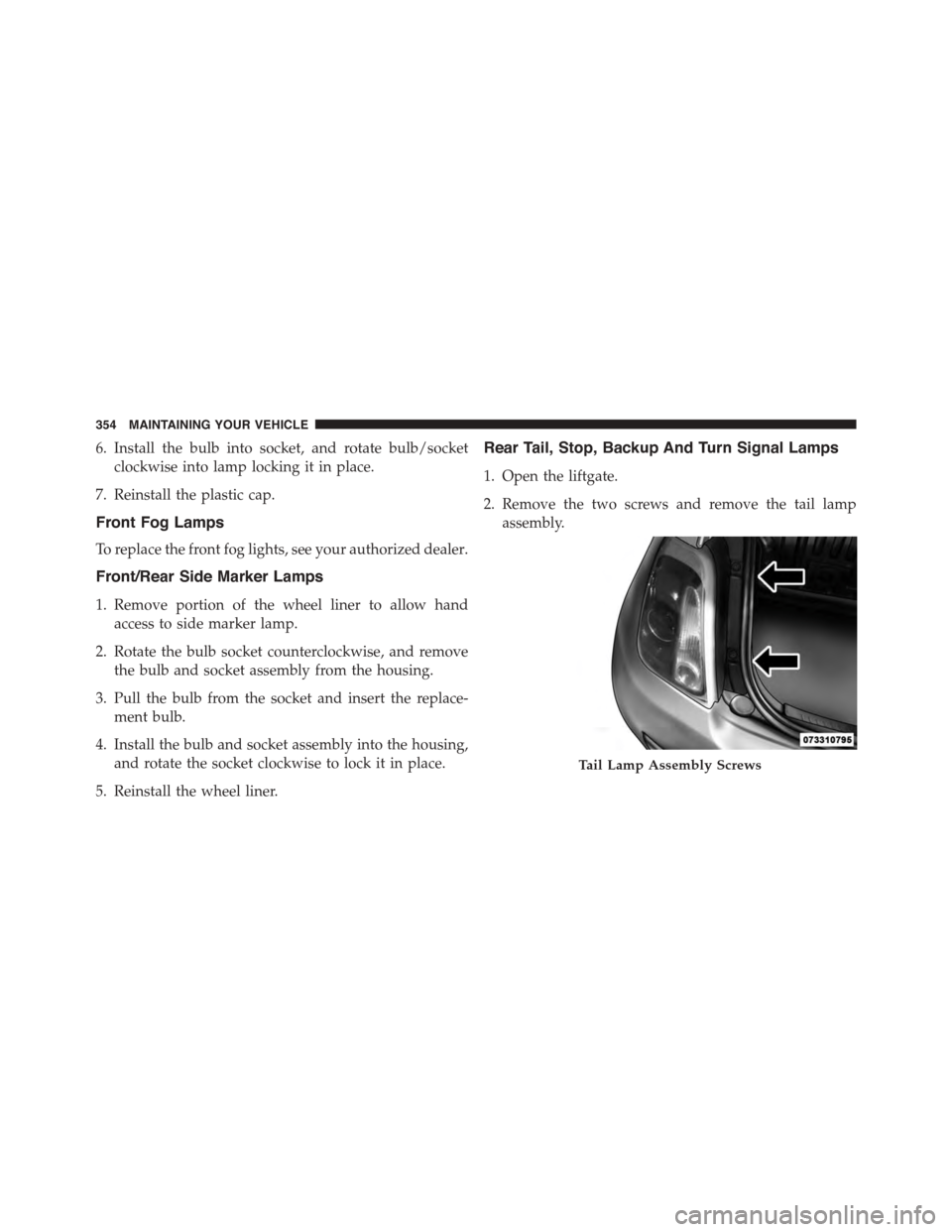
2. Remove the two screws and remove the tail lamp
assembly.
Tail Lamp Assembly Screws
354 MAINTAINING YOUR VEHICLE
Page 357 of 392
3. Remove the four screws (using a T20 driver) and
separate the backplate from the lamp housing.
4. Remove the tail, stop, or turn signal bulbs by pushing
them slightly and turning counter-clockwise.
5. Remove the backup lamp bulb by pulling straight out.
6. Replace lamps as required and reinstall lamp.
Center High Mounted Stop Lamp (CHMSL)
1. Remove the two guard caps and the two fastening
screws.
2. Remove the center high mounted stop lamp assembly.
3. Disconnect the electric connector.
4. Press the retaining device and open the bulb holder.
5. Remove the snap-fitted bulb to be replaced and re-
place it.
6. Close the back cap locking it properly.
7. Reinstall the two fastening screws and reinstall the
guard caps.
7
MAINTAINING YOUR VEHICLE 355