heating FIAT 500 ABARTH 2015 2.G Owners Manual
[x] Cancel search | Manufacturer: FIAT, Model Year: 2015, Model line: 500 ABARTH, Model: FIAT 500 ABARTH 2015 2.GPages: 426, PDF Size: 9.89 MB
Page 80 of 426
Exhaust Gas
WARNING!
Exhaust gases can injure or kill. They contain carbon
monoxide (CO), which is colorless and odorless.
Breathing it can make you unconscious and can
eventually poison you. To avoid breathing (CO),
follow these safety tips:
•Do not run the engine in a closed garage or in
confined areas any longer than needed to move
your vehicle in or out of the area.
•If you are required to drive with the trunk/liftgate/
rear doors open, make sure that all windows are
closed and the climate control BLOWER switch is
set at high speed. DO NOT use the recirculation
mode.
(Continued)
WARNING!(Continued)
•If it is necessary to sit in a parked vehicle with the
engine running, adjust your heating or cooling
controls to force outside air into the vehicle. Set the
blower at high speed.
The best protection against carbon monoxide entry into
the vehicle body is a properly maintained engine exhaust
system.
Whenever a change is noticed in the sound of the exhaust
system, when exhaust fumes can be detected inside the
vehicle, or when the underside or rear of the vehicle is
damaged, have a competent mechanic inspect the com-
plete exhaust system and adjacent body areas for broken,
damaged, deteriorated, or mispositioned parts. Open
seams or loose connections could permit exhaust fumes
to seep into the passenger compartment. In addition,
inspect the exhaust system each time the vehicle is raised
for lubrication or oil change. Replace as required.
78 THINGS TO KNOW BEFORE STARTING YOUR VEHICLE
Page 107 of 426
fore/aft (memory) position on the tracks. This results in
the seat back memory being set only – The track will then
be locked forward of its last set fore/aft memory posi-
tion. To then reset the fore/aft track memory feature (to
reestablish Memory Function Option 1), the seat has to be
returned fully rearward to its last fore/aft memory track
position as described in Memory Function Option 1.
Heated Seats — If Equipped
On some models, the front driver and passenger seats
may be equipped with heaters in both the seat cushions
and seatbacks. The controls for the front heated seats are
located on the center instrument panel area.
Press the switch once to turn on the heated
seats. Press the switch a second time to shut the
heating elements off.
NOTE:Once a heat setting is selected, heat will be felt
within two to five minutes.
WARNING!
•Persons who are unable to feel pain to the skin
because of advanced age, chronic illness, diabetes,
spinal cord injury, medication, alcohol use, exhaus-
tion or other physical condition must exercise care
when using the seat heater. It may cause burns
even at low temperatures, especially if used for
long periods of time.
•Do not place anything on the seat or seatback that
insulates against heat, such as a blanket or cushion.
This may cause the seat heater to overheat. Sitting
in a seat that has been overheated could cause
serious burns due to the increased surface tempera-
ture of the seat.
3
UNDERSTANDING THE FEATURES OF YOUR VEHICLE 105
Page 134 of 426
ELECTRICAL POWER OUTLETS
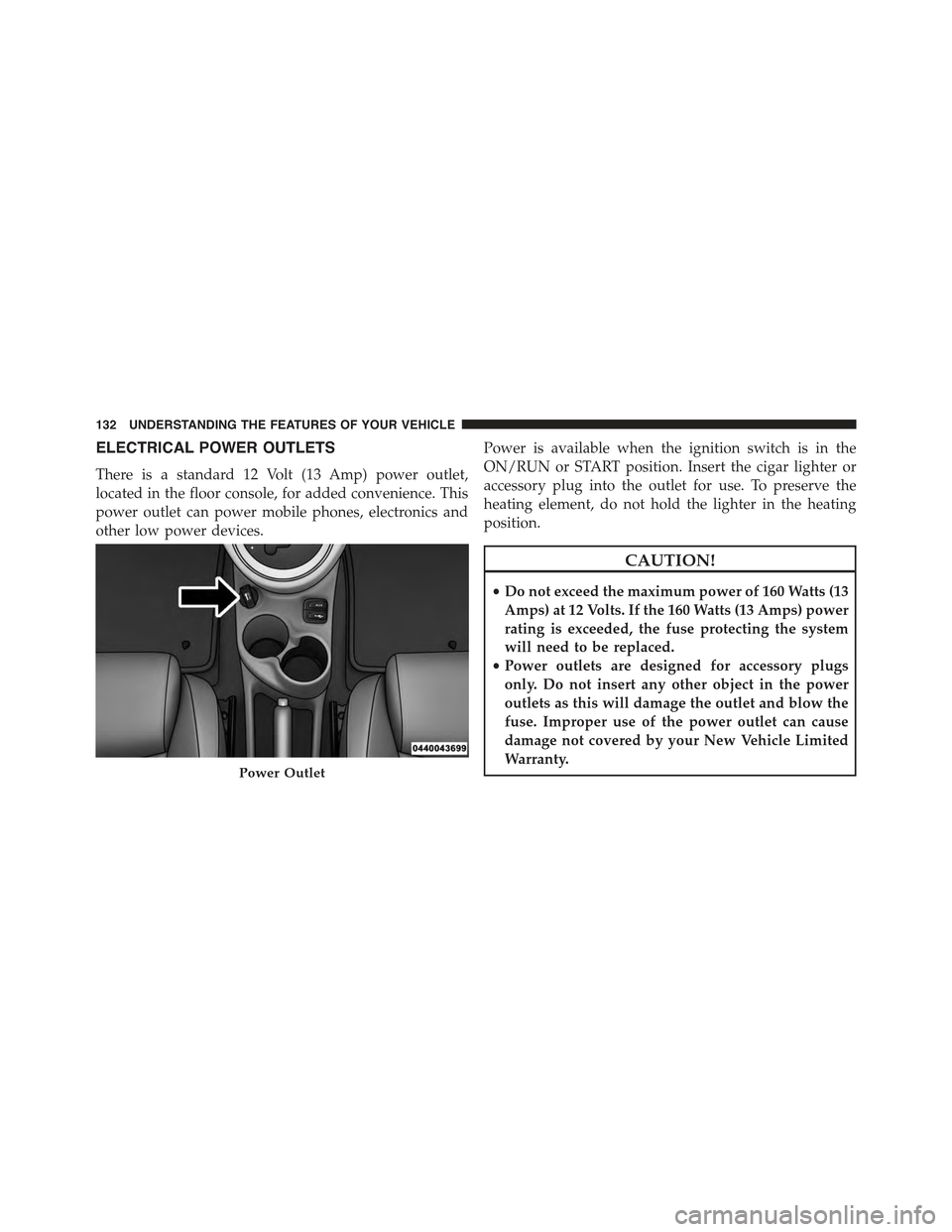
There is a standard 12 Volt (13 Amp) power outlet,
located in the floor console, for added convenience. This
power outlet can power mobile phones, electronics and
other low power devices.
Power is available when the ignition switch is in the
ON/RUN or START position. Insert the cigar lighter or
accessory plug into the outlet for use. To preserve the
heating element, do not hold the lighter in the heating
position.
CAUTION!
•Do not exceed the maximum power of 160 Watts (13
Amps) at 12 Volts. If the 160 Watts (13 Amps) power
rating is exceeded, the fuse protecting the system
will need to be replaced.
•Power outlets are designed for accessory plugs
only. Do not insert any other object in the power
outlets as this will damage the outlet and blow the
fuse. Improper use of the power outlet can cause
damage not covered by your New Vehicle Limited
Warranty.Power Outlet
132 UNDERSTANDING THE FEATURES OF YOUR VEHICLE
Page 141 of 426
CAUTION!
Failure to follow these cautions can cause damage to
the heating elements:
•Use care when washing the inside of the rear
window. Do not use abrasive window cleaners on
the interior surface of the window. Use a soft cloth
and a mild washing solution, wiping parallel to the
heating elements. Labels can be peeled off after
soaking with warm water.
•Do not use scrapers, sharp instruments, or abrasive
window cleaners on the interior surface of the
window.
•Keep all objects a safe distance from the window.
3
UNDERSTANDING THE FEATURES OF YOUR VEHICLE 139
Page 144 of 426
!SALES CODE (RAB) RADIO..............182
▫Introduction.........................182
▫Suggestions..........................182
▫Technical Specifications.................185
▫Quick Guide.........................186
▫General Information....................189
▫Functions And Adjustments..............190
▫Radio..............................197
▫SiriusXM Satellite Radio — If Equipped......199
▫CD Player...........................202
▫CD MP3 Player.......................204
▫Troubleshooting.......................206
!iPod®/USB/MEDIA PLAYER CONTROL — IF
EQUIPPED...........................208
!STEERING WHEEL AUDIO CONTROLS......209
▫Radio Operation......................210
▫CD Player Operation...................210
▫Operating Instructions — Hands-Free Phone
(If Equipped).........................210
!CD/DVD DISC MAINTENANCE...........210
!RADIO OPERATION AND MOBILE PHONES . .211
!CLIMATE CONTROLS...................211
▫Manual Heating And Air Conditioning......212
▫Automatic Temperature Control (ATC)......215
▫Operating Tips.......................220
142 UNDERSTANDING YOUR INSTRUMENT PANEL
Page 155 of 426
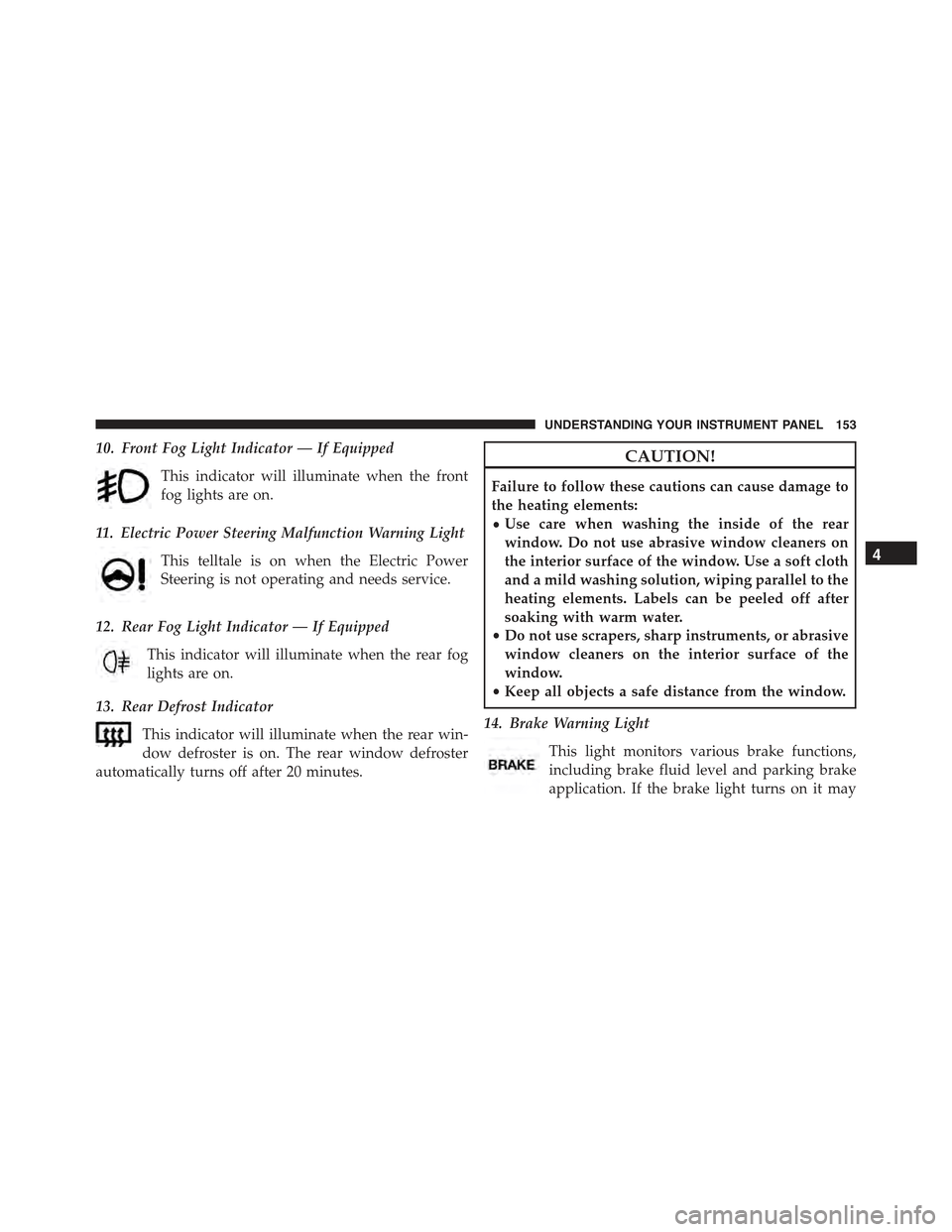
10. Front Fog Light Indicator — If Equipped
This indicator will illuminate when the front
fog lights are on.
11. Electric Power Steering Malfunction Warning Light
This telltale is on when the Electric Power
Steering is not operating and needs service.
12. Rear Fog Light Indicator — If Equipped
This indicator will illuminate when the rear fog
lights are on.
13. Rear Defrost Indicator
This indicator will illuminate when the rear win-
dow defroster is on. The rear window defroster
automatically turns off after 20 minutes.
CAUTION!
Failure to follow these cautions can cause damage to
the heating elements:
•Use care when washing the inside of the rear
window. Do not use abrasive window cleaners on
the interior surface of the window. Use a soft cloth
and a mild washing solution, wiping parallel to the
heating elements. Labels can be peeled off after
soaking with warm water.
•Do not use scrapers, sharp instruments, or abrasive
window cleaners on the interior surface of the
window.
•Keep all objects a safe distance from the window.
14. Brake Warning Light
This light monitors various brake functions,
including brake fluid level and parking brake
application. If the brake light turns on it may
4
UNDERSTANDING YOUR INSTRUMENT PANEL 153
Page 213 of 426
5. Store the disc in its case after playing.
6. Do not expose the disc to direct sunlight.
7. Do not store the disc where temperatures may become
too high.
NOTE:If you experience difficulty in playing a particular
disc, it may be damaged (e.g., scratched, reflective coat-
ing removed, a hair, moisture or dew on the disc)
oversized, or have protection encoding. Try a known
good disc before considering disc player service.
RADIO OPERATION AND MOBILE PHONES
Under certain conditions, the mobile phone being on in
your vehicle can cause erratic or noisy performance from
your radio. This condition may be lessened or eliminated
by relocating the mobile phone antenna. This condition is
not harmful to the radio. If your radio performance does
not satisfactorily “clear” by the repositioning of the
antenna, it is recommended that the radio volume be
turned down or off during mobile phone operation.
CLIMATE CONTROLS
The air conditioning and heating system is designed to
make you comfortable in all types of weather.
4
UNDERSTANDING YOUR INSTRUMENT PANEL 211
Page 214 of 426
Manual Heating And Air Conditioning
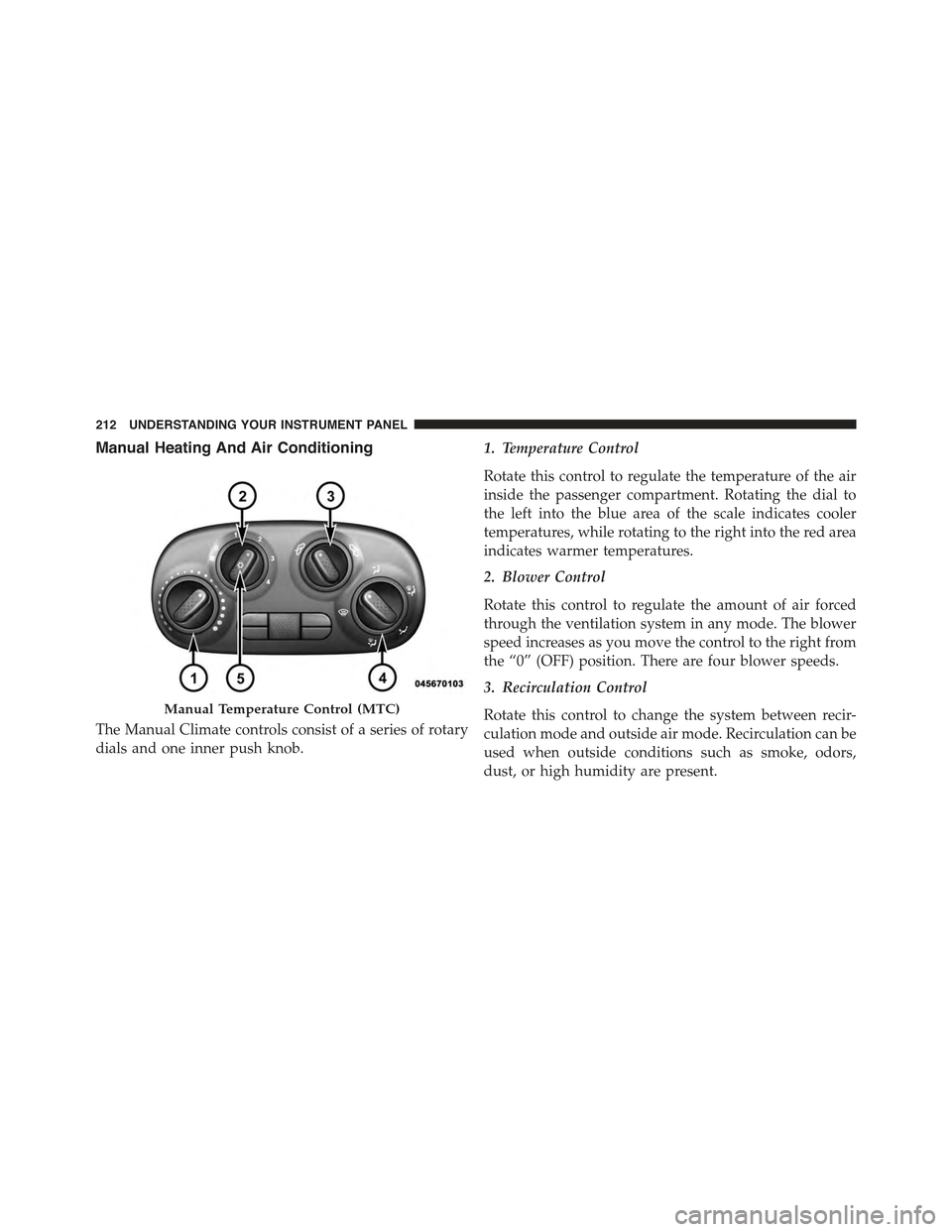
The Manual Climate controls consist of a series of rotary
dials and one inner push knob.
1. Temperature Control
Rotate this control to regulate the temperature of the air
inside the passenger compartment. Rotating the dial to
the left into the blue area of the scale indicates cooler
temperatures, while rotating to the right into the red area
indicates warmer temperatures.
2. Blower Control
Rotate this control to regulate the amount of air forced
through the ventilation system in any mode. The blower
speed increases as you move the control to the right from
the “0” (OFF) position. There are four blower speeds.
3. Recirculation Control
Rotate this control to change the system between recir-
culation mode and outside air mode. Recirculation can be
used when outside conditions such as smoke, odors,
dust, or high humidity are present.
Manual Temperature Control (MTC)
212 UNDERSTANDING YOUR INSTRUMENT PANEL
Page 219 of 426
and side window demist outlets. When the defrost but-
ton is selected, the blower level will increase. Use Defrost
mode with maximum temperature settings for best wind-
shield and side window defrosting and defogging. Per-
forming this function will cause the ATC to switch into
manual mode. If the front defrost mode is turned off the
climate system will return the previous setting.
7. Floor Mode
Air is directed through the floor outlets with a
small amount flowing through the defrost and
side window demister outlets. Performing this function
will cause the ATC to switch into manual mode.
8. Panel Mode
Air is directed through the outlets in the instru-
ment panel. These outlets can be adjusted to direct
airflow. Performing this function will cause the ATC to
switch into manual mode.
NOTE:The center instrument panel outlets can be aimed
so that they are directed toward the rear seat passengers
for maximum airflow to the rear.
9. Bi-Level
Air is directed through the panel and floor outlets.
Press and release the Panel mode button and Floor
mode button to enter Bi-Level mode, the indicators
illuminate when ON. Performing this function will cause
the ATC to switch into manual mode.
10. Temperature Control Down Button
Provides temperature down control. Push the button for
cooler temperature settings.
NOTE:If the temperature is lowered until#Lo#is dis-
played, all high voltage Heating, Ventilation, and Air
Conditioning (HVAC) systems are deactivated and am-
bient air is circulated according to the Heating, Ventila-
tion, and Air Conditioning (HVAC) control settings.
4
UNDERSTANDING YOUR INSTRUMENT PANEL 217
Page 243 of 426
If the transmission temperature exceeds normal operating
limits, the transmission controller will expand the range of
torque converter clutch engagement. This is done to pre-
vent transmission damage due to overheating.
During cold temperatures, transmission operation may
be modified depending on engine coolant temperature.
Normal operation will resume once the engine tempera-
ture has risen to a suitable level.
Transmission Limp Home Mode
Transmission function is monitored electronically for
abnormal conditions. If a condition is detected that could
result in transmission damage, Transmission Limp Home
Mode is activated. In this mode, the transmission remains
in third gear regardless of which forward gear is selected.
PARK, REVERSE, and NEUTRAL will continue to operate.
The Malfunction Indicator Light (MIL) may be illuminated.
Limp Home Mode allows the vehicle to be driven to an
authorized dealer for service without damaging the trans-
mission.
In the event of a momentary problem, the transmission
can be reset to regain all forward gears by performing the
following steps:
1. Stop the vehicle.
2. Shift the transmission into PARK.
3. Turn the ignition switch to the OFF position.
4. Wait approximately 10 seconds.
5. Restart the engine.
6. Shift into the desired gear range. If the problem is no
longer detected, the transmission will return to normal
operation.
5
STARTING AND OPERATING 241