key FIAT 500C 2015 2.G User Guide
[x] Cancel search | Manufacturer: FIAT, Model Year: 2015, Model line: 500C, Model: FIAT 500C 2015 2.GPages: 438, PDF Size: 2.96 MB
Page 23 of 438
WARNING!
•Do not leave children or animals inside parked
vehicles in hot weather. Interior heat build-up may
cause serious injury or death.
(Continued)
WARNING! (Continued)
•For personal security and safety in the event of a
collision, lock the vehicle doors as you drive as
well as when you park and leave the vehicle.
• Before exiting a vehicle, always turn the ignition to
the OFF/LOCK position, apply the parking brake,
shift the transmission into REVERSE gear, and
remove the Key Fob from the vehicle. When leav-
ing the vehicle, always lock your vehicle.
• Never leave children alone in a vehicle, or with
access to an unlocked vehicle.
• Allowing children to be in a vehicle unattended is
dangerous for a number of reasons. A child or
others could be seriously or fatally injured. Chil-
dren should be warned not to touch the parking
brake, brake pedal or the gear selector.
(Continued)
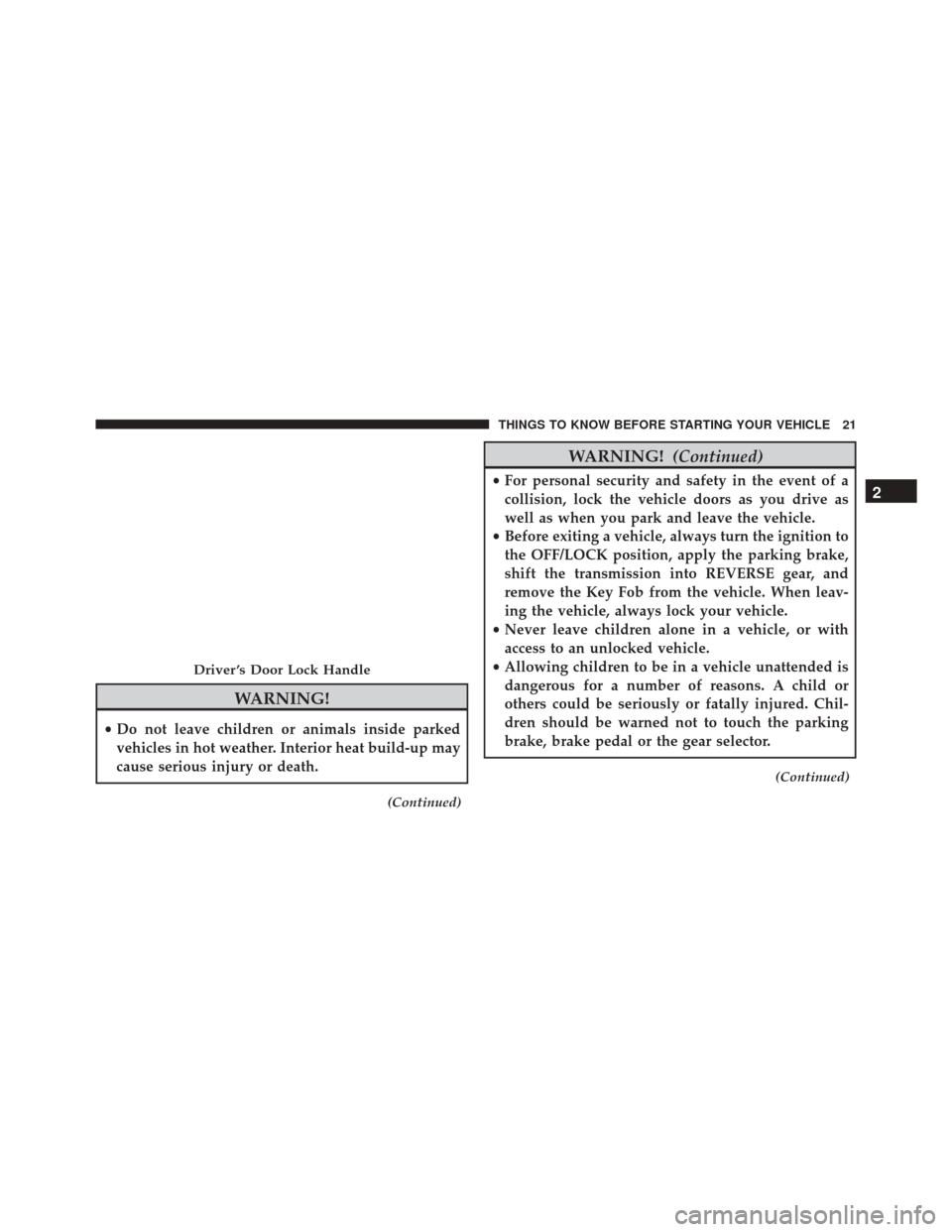
Driver ’s Door Lock Handle
2
THINGS TO KNOW BEFORE STARTING YOUR VEHICLE 21
Page 24 of 438
WARNING!(Continued)
•Do not leave the Key Fob in or near the vehicle, or
in a location accessible to children. A child could
operate power windows, other controls, or move
the vehicle.
CAUTION!
An unlocked vehicle is an invitation to thieves.
Always remove the key from the ignition and lock all
of the doors when leaving the vehicle unattended.
Power Door Locks — If Equipped
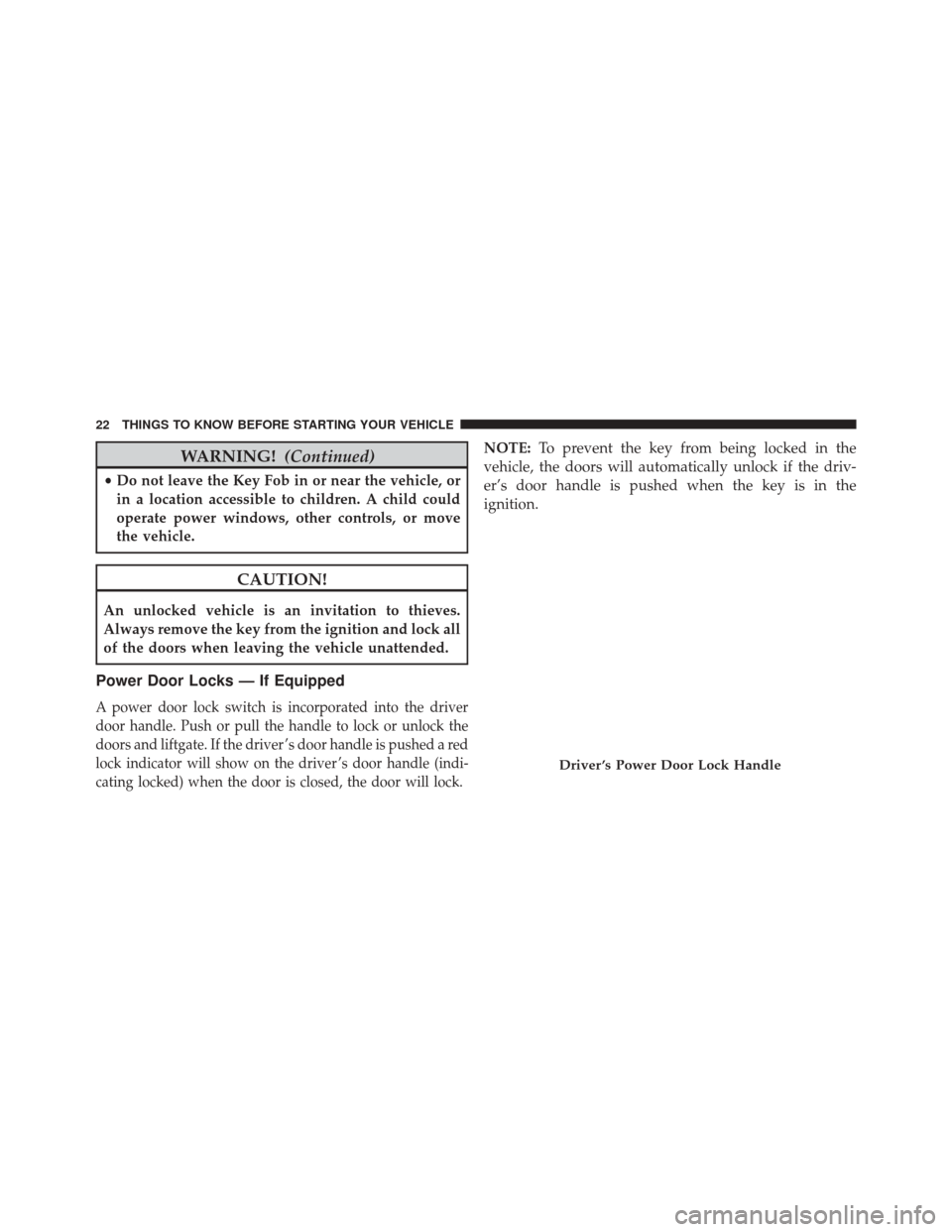
A power door lock switch is incorporated into the driver
door handle. Push or pull the handle to lock or unlock the
doors and liftgate. If the driver ’s door handle is pushed a red
lock indicator will show on the driver ’s door handle (indi-
cating locked) when the door is closed, the door will lock.
NOTE: To prevent the key from being locked in the
vehicle, the doors will automatically unlock if the driv-
er’s door handle is pushed when the key is in the
ignition.
Driver ’s Power Door Lock Handle
22 THINGS TO KNOW BEFORE STARTING YOUR VEHICLE
Page 26 of 438
POWER WINDOWS
Power Window Switches
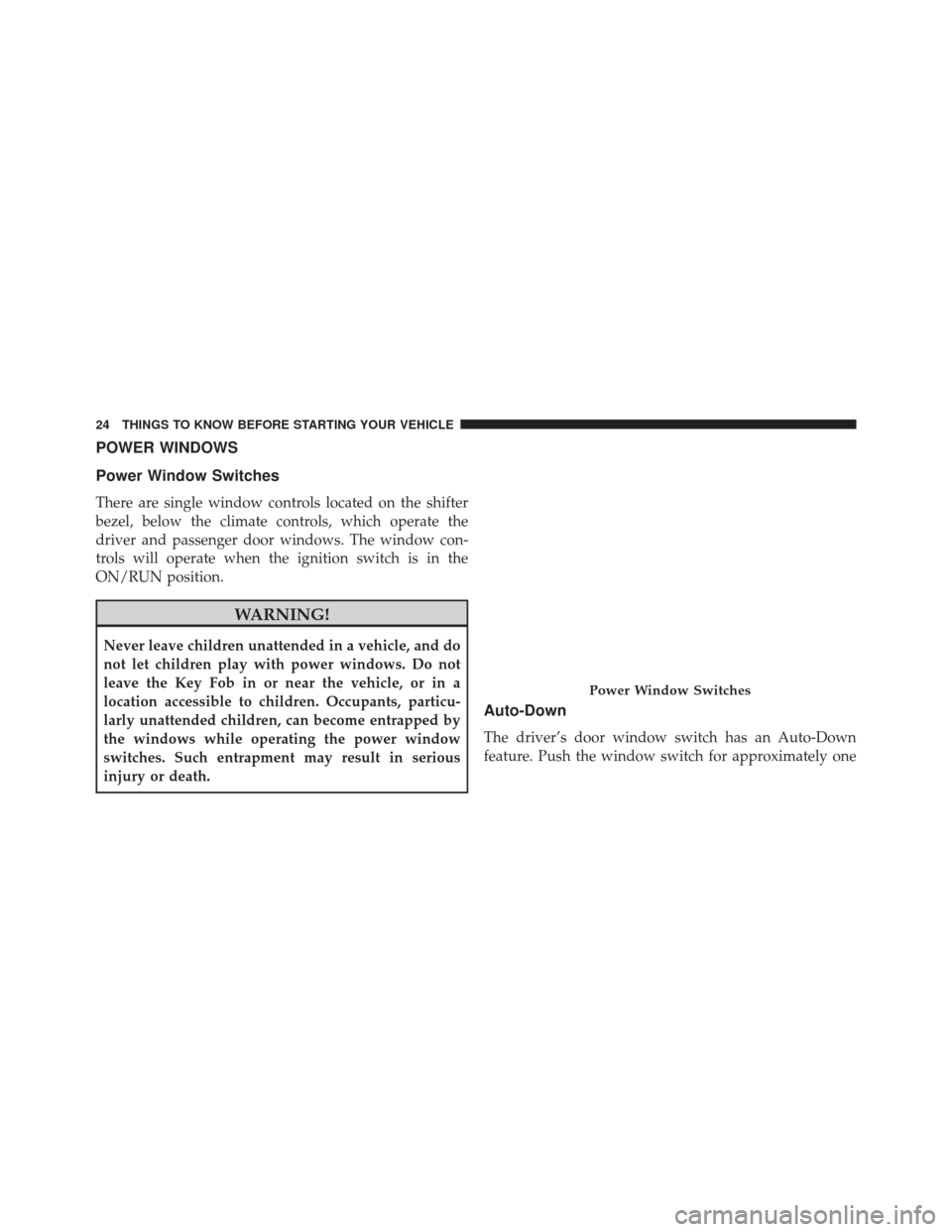
There are single window controls located on the shifter
bezel, below the climate controls, which operate the
driver and passenger door windows. The window con-
trols will operate when the ignition switch is in the
ON/RUN position.
WARNING!
Never leave children unattended in a vehicle, and do
not let children play with power windows. Do not
leave the Key Fob in or near the vehicle, or in a
location accessible to children. Occupants, particu-
larly unattended children, can become entrapped by
the windows while operating the power window
switches. Such entrapment may result in serious
injury or death.
Auto-Down
The driver’s door window switch has an Auto-Down
feature. Push the window switch for approximately one
Power Window Switches
24 THINGS TO KNOW BEFORE STARTING YOUR VEHICLE
Page 27 of 438
second, release, and the window will go down automati-
cally. To cancel the Auto-Down movement, operate the
switch in either the up or down direction and release the
switch.
Wind Buffeting
Wind buffeting can be described as the perception of
pressure on the ears or a helicopter-type sound in the
ears. Your vehicle may exhibit wind buffeting with the
windows down, or the sunroof (if equipped) in certain
open or partially open positions. This is a normal occur-
rence and can be minimized. If the buffeting occurs with
the sunroof open, adjust the sunroof opening to minimize
the buffeting or open any window.
LIFTGATE
To unlock the liftgate, use the Remote Keyless Entry
(RKE) transmitter or activate the power door lock
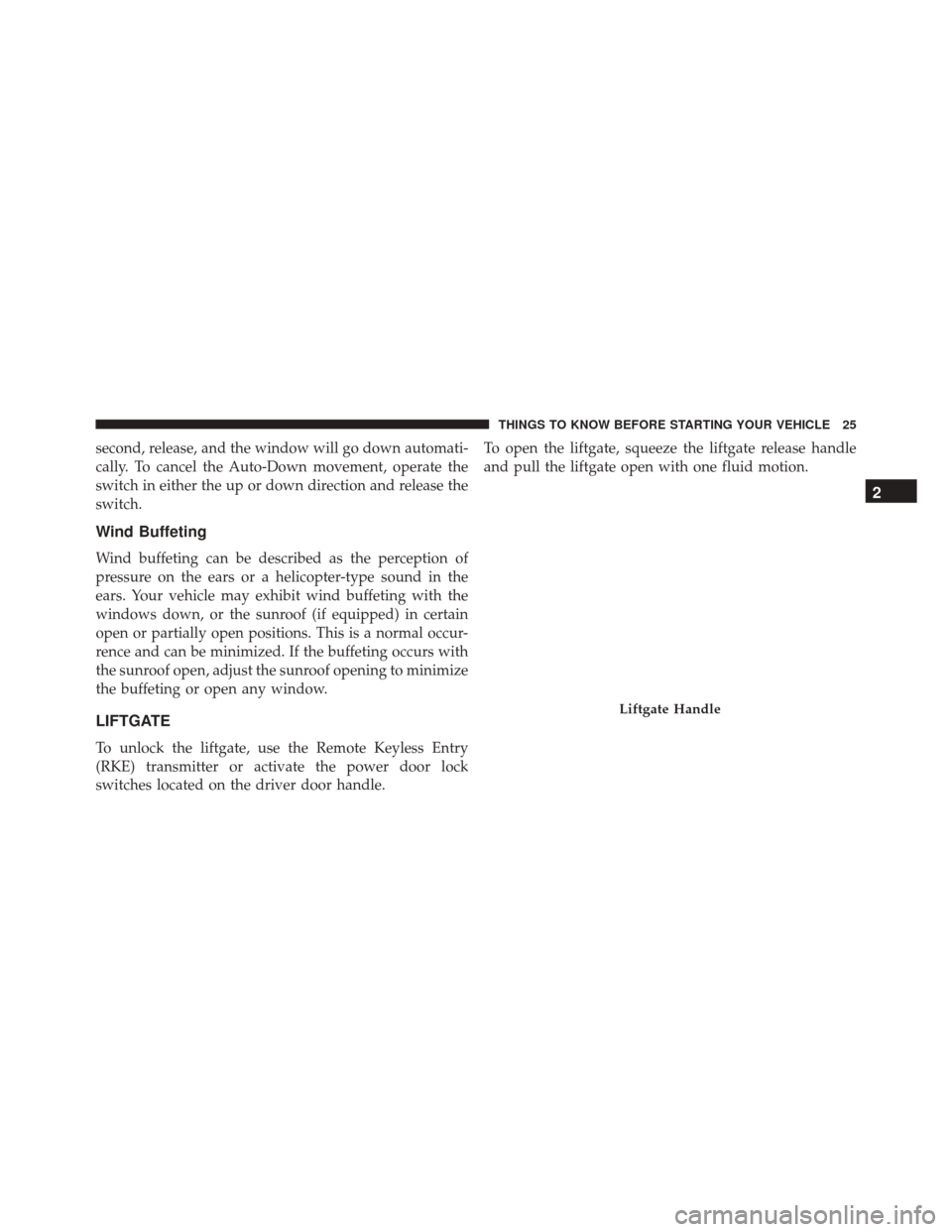
switches located on the driver door handle.To open the liftgate, squeeze the liftgate release handle
and pull the liftgate open with one fluid motion.
Liftgate Handle
2
THINGS TO KNOW BEFORE STARTING YOUR VEHICLE 25
Page 84 of 438
POWER CONVERTIBLE TOP — IF EQUIPPED
On vehicles equipped with a power convertible top, the
power convertible top switch is located on the overhead
console. The switch contains two buttons. The passenger
side button, is used to open the power top, and the driver
side button, is used to close the power top.NOTE:
•
The power top buttons will operate when the ignition
switch is turned to the ACC/ON/RUN position.
• The power top can be remotely operated with the key
fob. Refer to “Opening Power Top Remote Function”
in “Things To Know Before Starting” for more infor-
mation.
Lowering The Power Top
Auto Open
Push the top open button approximately one second for
the three-quarter open/spoiler position. Push the top
open button for approximately one second a second time
to fully open the convertible top.
Manual Open
For manual open, push and hold the open button until
desired roof position or until spoiler position.
Power Convertible Top Switch
82 UNDERSTANDING THE FEATURES OF YOUR VEHICLE
Page 86 of 438
CAUTION!(Continued)
•Use care when washing the vehicle, water pressure
directed at the weather strip seals may cause water
to leak into the vehicle’s interior.
WARNING!
The convertible top does not provide the structural
protection that a reinforced metal roof does and the
fabric top cannot be expected to prevent the ejection
of the occupants in a collision. Therefore, it is impor-
tant that all occupants wear their seat belts at all
times. Death or serious injuries could occur if you are
ejected from the vehicle during a collision.
Power Convertible Top Relearn Procedure
If your power convertible top does not operate in the
Auto Opening/Closing mode (automatically opening/
closing to the one-quarter open and three-quarter open
comfort stops), or if the remote keyless power top
function is inoperable, or if the trunk lid does not open -
the following relearn procedure may be necessary.
1. Confirm that the door/trunk lid are closed.
2. Begin with the top in the fully closed position (using manual mode).
3. Hold the OPEN button to move the top to the fully open position.
4. CONTINUE to hold the OPEN button for an addi- tional three seconds.
84 UNDERSTANDING THE FEATURES OF YOUR VEHICLE
Page 87 of 438
5. Release the OPEN button.
6. Hold the CLOSED button to move the top to the fullyclosed position.
7. CONTINUE to hold the CLOSED button until the top begins to cycle fully open, then release the CLOSED
button.
At the end of step 7 the top will automatically cycle to the
fully open position, and then close to the 1/4 open
position.
This will confirm that the relearn procedure was success-
ful.
Auto Open/Close will now be functional. Trunk lid
operation will be functional. Remote Keyless Power Top
Function will be functional. NOTE: DO NOT interrupt this activity.
If the power convertible top does not relearn repeat the
procedure a second time.
Wind Stop
The Wind Stop installs in the backseat area of the vehicle.
The Wind Stop will not interfere with power top opera-
tion. Therefore, it can remain installed when the top is up.
MIRRORS
Inside Day/Night Mirror
The mirror can be adjusted up, down, left, and right for
various drivers. The mirror should be adjusted to center
on the view through the rear window.
Headlight glare from vehicles behind you can be reduced
by moving the small control under the mirror to the night
3
UNDERSTANDING THE FEATURES OF YOUR VEHICLE 85
Page 94 of 438
To get started with BLUE&ME™ hands-free kit with
voice recognition, you have to simply pair your
Bluetooth® wireless technology enabled mobile phone
with the system.
Pairing is an operation that has to be made only once.
NOTE:
•During the mobile phone pairing procedure,
BLUE&ME™ attempts to detect a phone equipped
with Bluetooth® wireless technology within range and
then establishes the connection using a Personal Iden-
tification Number (PIN).
• Once your phone is paired, you have the option to
transfer your mobile phone contacts to the hands-free
kit, to make a phone call either by using the contacts
list or directly pronouncing the phone number, to
answer a call and also to answer another incoming
phone call. •
To interact with BLUE&ME™ you can use either the
buttons on the steering wheel or voice commands.
With voice recognition, you can perform system func-
tions by speaking voice commands, also identified as
“keywords”. When the system recognizes a keyword,
it will respond with the appropriate action. Voice
recognition is an easy and convenient way to use
BLUE&ME™.
All the system functions are available within the
BLUE&ME™ Main Menu. When the car is not moving,
you can scroll through the complete menu by using either
the buttons on the steering wheel or the voice commands.
When you are traveling, you can interact with
BLUE&ME™ by using the buttons on the steering wheel
or voice commands relevant only to phone functions
(LAST CALLS and PHONEBOOK) and the media player.
To activate settings when travelling you can only use
voice commands.
92 UNDERSTANDING THE FEATURES OF YOUR VEHICLE
Page 95 of 438
The hands-free kit enables the following operations:
•Contact Calling By Voice — You can call a contact in
your mobile phone phonebook using your voice. You
can also call a contact in your phonebook by scanning
through the entries on the multifunction display. (To
use this option you have to transfer your mobile phone
contacts to the hands-free kit phonebook).
• Digit Dialing By Voice — You can dial a phone
number by pushing the VR button on the steering
wheel and speaking the digits to be dialed.
• To Call The SMS Text Sender — Call directly the last
SMS text sender or the sender of a message received
and stored in the BLUE&ME™ inbox.
• To Answer A Call — You can answer an incoming call
by pushing the MAIN/Phone button on the steering
wheel. •
Conference Call — You can call another contact while
you are engaged in a phone conversation (with
Bluetooth® phones supporting this option).
• Call Waiting — While engaged in a phone conversa-
tion, you can receive notification of another incoming
phone call, answer the other incoming phone call, and
switch between two ongoing phone conversations.
(Call waiting is only supported by a subset of compat-
ible mobile phones).
• Refusing Incoming Call Or Ending A Call — You can
refuse an incoming call or end a current call by
pushing the Phone Hang-up button on the steering
wheel.
After pairing and connecting your phone with the
BLUE&ME™ system, you can make phone calls by
speaking keywords or pushing buttons on the steering
3
UNDERSTANDING THE FEATURES OF YOUR VEHICLE 93
Page 98 of 438
NOTE:
•The media player does not support audio files com-
pressed with other formats and DRM (Digital Rights
Management) protected audio files. Non-supported
audio files that may be present on the USB device will
be ignored.
• To use the media player, you have to simply connect
(directly or by an extension lead) your USB device to
the center console USB port. After turning the ignition
key to ON, BLUE&ME™ will start building your
media library. At the end of this operation you can surf
the complete library and scroll its categories as re-
quired using the buttons on the steering wheel or voice
commands. BLUE&ME™ will then play your selection
via the car sound system.WARNING!
• Driving while distracted can result in loss of ve-
hicle control, accident and injury. It is strongly
recommended that you use extreme caution when
using any device or feature that may take your
focus off the road or your hands off the steering
wheel. Your primary responsibility is the safe op-
eration of your vehicle.
• The use of any handheld device while driving is
not recommended. Use voice-operated systems
when possible. Follow all applicable laws that may
affect the use of electronic devices while driving.
(Continued)
96 UNDERSTANDING THE FEATURES OF YOUR VEHICLE