ESP FIAT 500E 2015 2.G User Guide
[x] Cancel search | Manufacturer: FIAT, Model Year: 2015, Model line: 500E, Model: FIAT 500E 2015 2.GPages: 367, PDF Size: 9.42 MB
Page 139 of 367
If several obstacles are detected, the Rear Park Assist
system indicates the nearest obstacle.
The minimum height of a detectable obstacle corresponds
to the maximum height of an obstacle that would clear the
underside of the car during the parking maneuver.
Rear Park Assist Warning Display
The Rear Park Assist Warning screen is located within the
Electronic Vehicle Information Center (EVIC). It provides
audible and visual warnings to indicate the distance
between the rear fascia/bumper and the detected ob-
stacle. Refer to#Electronic Vehicle Information Center
(EVIC)#in “Understanding Your Instrument Panel#for
further information.
Rear Park Assist Audible Alerts
If an obstacle is behind the vehicle when the transmission
is placed into REVERSE, an audible alert is activated.
The tones emitted by the loudspeaker inform the driver
that the vehicle is approaching an obstacle. The pauses
between the tones are directly proportional to the dis-
tance from the obstacle. Pulses emitted in quick succes-
sion indicate the presence of a very close obstacle. A
continuous tone indicates that the obstacle is less than
12 in (30 cm) away.
3
UNDERSTANDING THE FEATURES OF YOUR VEHICLE 137
Page 143 of 367
WARNING!
•Drivers must be careful when backing up even
when using the Rear Park Assist system. Always
check carefully behind your vehicle, look behind
you, and be sure to check for pedestrians, animals,
other vehicles, obstructions, and blind spots before
backing up. You are responsible for safety and
must continue to pay attention to your surround-
ings. Failure to do so can result in serious injury or
death.
(Continued)
WARNING!(Continued)
•Before using the Rear Park Assist System, it is
strongly recommended that the ball mount and
hitch ball assembly is disconnected from the ve-
hicle when the vehicle is not used for towing.
Failure to do so can result in injury or damage to
vehicles or obstacles because the hitch ball will be
much closer to the obstacle than the rear fascia
when the warning display turns on the single
flashing arc and sounds the continuous tone. Also,
the sensors could detect the ball mount and hitch
ball assembly, depending on its size and shape,
giving a false indication that an obstacle is behind
the vehicle.
3
UNDERSTANDING THE FEATURES OF YOUR VEHICLE 141
Page 167 of 367
As an added safety feature, your vehicle has been
equipped with a Tire Pressure Monitoring System
(TPMS) that illuminates a low tire pressure telltale when
one or more of your tires is significantly under-inflated.
Accordingly, when the low tire pressure telltale illumi-
nates, you should stop and check your tires as soon as
possible, and inflate them to the proper pressure. Driving
on a significantly under-inflated tire causes the tire to
overheat and can lead to tire failure. Under-inflation also
reduces driving range and tire tread life, and may affect
the vehicle’s handling and stopping ability.
Please note that the TPMS is not a substitute for proper
tire maintenance, and it is the driver ’s responsibility to
maintain correct tire pressure, even if under-inflation has
not reached the level to trigger illumination of the TPMS
low tire pressure telltale.
Your vehicle has also been equipped with a TPMS
malfunction indicator to indicate when the system is not
operating properly. The TPMS malfunction indicator is
combined with the low tire pressure telltale. When the
system detects a malfunction, the telltale will flash for
approximately one minute and then remain continuously
illuminated. This sequence will continue upon subse-
quent vehicle start-ups as long as the malfunction exists.
When the malfunction indicator is illuminated, the sys-
tem may not be able to detect or signal low tire pressure
as intended. TPMS malfunctions may occur for a variety
of reasons, including the installation of replacement or
alternate tires or wheels on the vehicle that prevent the
TPMS from functioning properly. Always check the
TPMS malfunction telltale after replacing one or more
tires or wheels on your vehicle, to ensure that the
replacement or alternate tires and wheels allow the TPMS
to continue to function properly.
4
UNDERSTANDING YOUR INSTRUMENT PANEL 165
Page 181 of 367
BUTTONRADIO FUNCTIONSMODE
Radio Station Search:
•Automatic Search
•Manual Search
Automatic search: push buttonsor
(long push for fast forward)
Manual search: push buttonsor
(long push for fast forward)
12345Current radio station storing Long button push for memory
preset 1 to 5 respectively
Stored station recall Short button push for memory
preset 1 to 5 respectively
BUTTONCD FUNCTIONSMODE
CD ejectionShort button push
Previous/next track playShort button pushor
CD track fast forward/rewind Long button pushor
Previous/next folder play
(for CD-MP3)
Short button pushor
4
UNDERSTANDING YOUR INSTRUMENT PANEL 179
Page 191 of 367
Each time the button is pressed the following bands are
selected cyclically:
•AM, FM or SAT (if equipped)
Each band is highlighted by the corresponding wordings
on the display. The radio will be tuned to last station
selected on the respective frequency band.
Preset Buttons
The buttons numbered from 1 to 5 are used to set the
following pre-selections:
•15 in the FM band (5 in FMA, 5 in FMB, 5 in FMC)
•10 in the AM band (5 in AMA, 5 in AMB)
•15 in SAT (if so equipped) (5 SATA, 5 SATB, 5 SATC)
To listen to a preset station, select the desired frequency
band and then briefly push the corresponding preset
button (from 1 to 5).
By pushing the preset button for more than two seconds,
the tuned station will be stored. Pushing the A-B-C
button will change between the preset memory group in
the current frequency band.
Automatic Tuning
Briefly push theorbutton to start the automatic
tuning search for the next station that can be received
in the selected direction.
If theorbutton is pushed for longer, the rapid
search is started. When the button is released, the
tuner will stop on the next station that can be received.
4
UNDERSTANDING YOUR INSTRUMENT PANEL 189
Page 194 of 367
CAUTION!
Neither SIRIUS nor FIAT is responsible for any
errors in accuracies in the SIRIUS data services or its
use in vehicles.
SiriusXM and all related marks and logos are trademarks of
SiriusXM Radio Inc. and its subsidiaries. SiriusXM Radio
requires a subscription, sold separately after trial subscrip-
tion included with vehicle purchase. Prices and program-
ming are provided by SiriusXM and are subject to change.
Subscriptions governed by Terms & Conditions available at
www.siriusxm.com/customeragreement. SiriusXM Radio
U.S. service only available to those at least 18 years of
age in the 48 contiguous United States, D.C., & PR.
www.siriusxm.com.
Sirius Subscription Issues When Replacing A
Sirius Radio
When a radio needs to be replaced, the Dealer will need
the SIRIUS information to order a new radio (even if the
SIRIUS subscription has lapsed). The ESN number con-
tains 12 digits.
The following are instructions for retrieving the Elec-
tronic Serial Number (ESN) from FIAT 500 NAFTA model
radios:
To retrieve the ESN of SIRIUS Satellite Receiver Module
tune to Channel 0. Make sure that when the order is
placed, the ESN are correct. If any of the ESN numbers
are not entered correctly, then the SIRIUS subscription
will not be able to be transferred to the new radio and
will not be active when installed in the customer ’s
vehicle.
192 UNDERSTANDING YOUR INSTRUMENT PANEL
Page 222 of 367
WARNING!(Continued)
•Never leave children alone in a vehicle, or with
access to an unlocked vehicle. Allowing children to
be in a vehicle unattended is dangerous for a
number of reasons. A child or others could be
seriously or fatally injured. Children should be
warned not to touch the parking brake, brake pedal
or the transmission range buttons.
•Do not leave the ignition key in or near the vehicle
(or in a location accessible to children). A child
could operate power windows, other controls, or
move the vehicle.
REVERSE (R)
This gear is for moving the vehicle backward. Shift into
REVERSE only after the vehicle has come to a complete
stop.
NEUTRAL (N)
The vehicle may be started in this gear. Apply the
parking brake and place the transmission into PARK if
you must leave the vehicle.
WARNING!
Do not coast in NEUTRAL and never turn off the
ignition to coast down a hill. These are unsafe
practices that limit your response to changing traffic
or road conditions. You might lose control of the
vehicle and have a collision.
220 STARTING AND OPERATING
Page 227 of 367
CAUTION!(Continued)
•Driving through standing water limits your vehi-
cle’s braking capabilities, which increases stopping
distances. Therefore, after driving through stand-
ing water, drive slowly and lightly press on the
brake pedal several times to dry the brakes.
•Failure to follow these warnings may result in
injuries that are serious or fatal to you, your pas-
sengers, and others around you.
POWER STEERING
The electric power steering system will give you good
vehicle response and increased ease of maneuverability
in tight spaces. The system will vary its assist to provide
light efforts while parking and good feel while driving. If
the electric steering system experiences a fault that
prevents it from providing assist, you will still have the
ability to steer the vehicle manually.
WARNING!
Continued operation with reduced or no power steer-
ing assist could pose a safety risk to yourself and
others. Service should be obtained as soon as possible.
If the Steering icon is flashing, it indicates that the vehicle
needs to be taken to an authorized dealer for service. It is
likely the vehicle has lost power steering assistance.
If the Steering icon is displayed and the “SERVICE
POWER STEERING” message is displayed on the EVIC
screen, they indicate that extreme steering maneuvers
may have occurred which caused an over temperature
condition in the power steering system. Once driving
conditions are safe, pull over and let the vehicle idle for
a few moments until the icon and message turn off. Refer
to “Electronic Vehicle Information (EVIC)” in “Under-
standing Your Instrument Panel” for further information.
5
STARTING AND OPERATING 225
Page 228 of 367
If the Steering icon, and the#SERVICE POWER STEER-
ING - ASSIST OFF#message is displayed on the EVIC
screen, the vehicle needs to be taken to an authorized
dealer for service. Refer to “Electronic Vehicle Informa-
tion (EVIC)” in “Understanding Your Instrument Panel”
for further information.
NOTE:
•Even if the power steering assistance is no longer
operational, it is still possible to steer the vehicle.
Under these conditions there will be a substantial
increase in steering effort, especially at low speeds and
during parking maneuvers.
•If the condition persists, see your authorized dealer for
service.
PARKING BRAKE
Before leaving the vehicle, make sure that the parking
brake is fully applied.
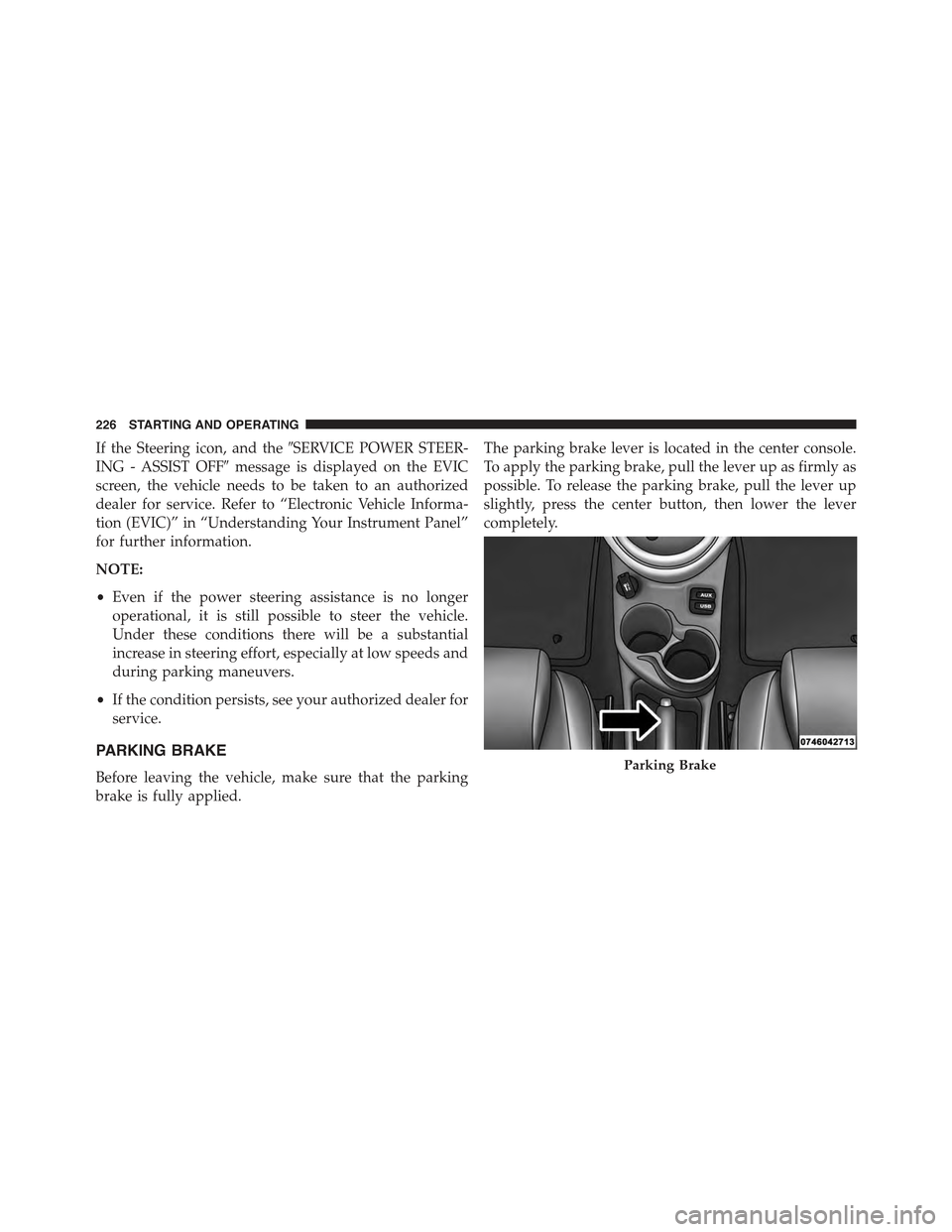
The parking brake lever is located in the center console.
To apply the parking brake, pull the lever up as firmly as
possible. To release the parking brake, pull the lever up
slightly, press the center button, then lower the lever
completely.
Parking Brake
226 STARTING AND OPERATING
Page 240 of 367
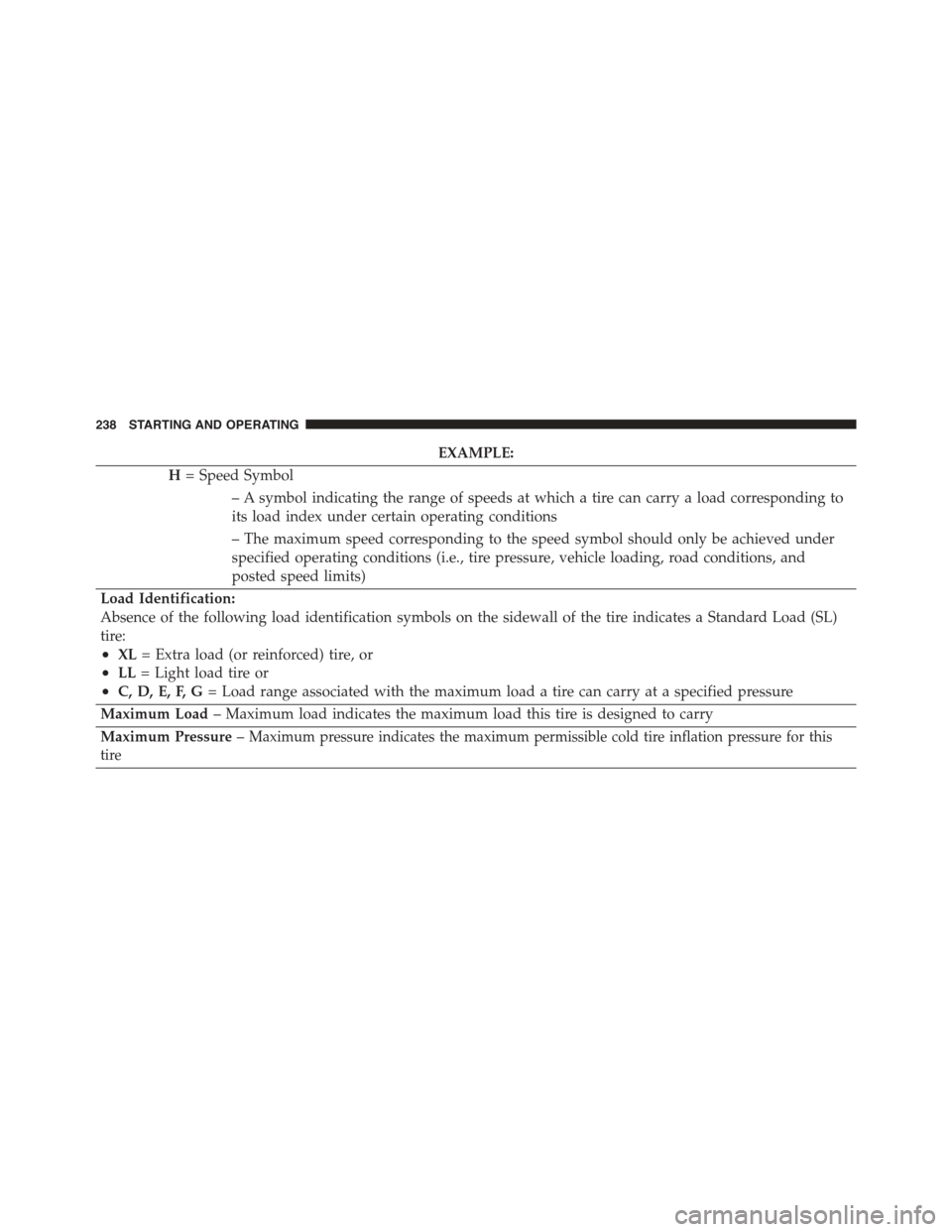
EXAMPLE:
H= Speed Symbol
– A symbol indicating the range of speeds at which a tire can carry a load corresponding to
its load index under certain operating conditions
– The maximum speed corresponding to the speed symbol should only be achieved under
specified operating conditions (i.e., tire pressure, vehicle loading, road conditions, and
posted speed limits)
Load Identification:
Absence of the following load identification symbols on the sidewall of the tire indicates a Standard Load (SL)
tire:
•XL= Extra load (or reinforced) tire, or
•LL= Light load tire or
•C, D, E, F, G= Load range associated with the maximum load a tire can carry at a specified pressure
Maximum Load– Maximum load indicates the maximum load this tire is designed to carry
Maximum Pressure–Maximum pressure indicates the maximum permissible cold tire inflation pressure for this
tire
238 STARTING AND OPERATING