charging FIAT 500E 2015 2.G User Guide
[x] Cancel search | Manufacturer: FIAT, Model Year: 2015, Model line: 500E, Model: FIAT 500E 2015 2.GPages: 367, PDF Size: 9.42 MB
Page 29 of 367
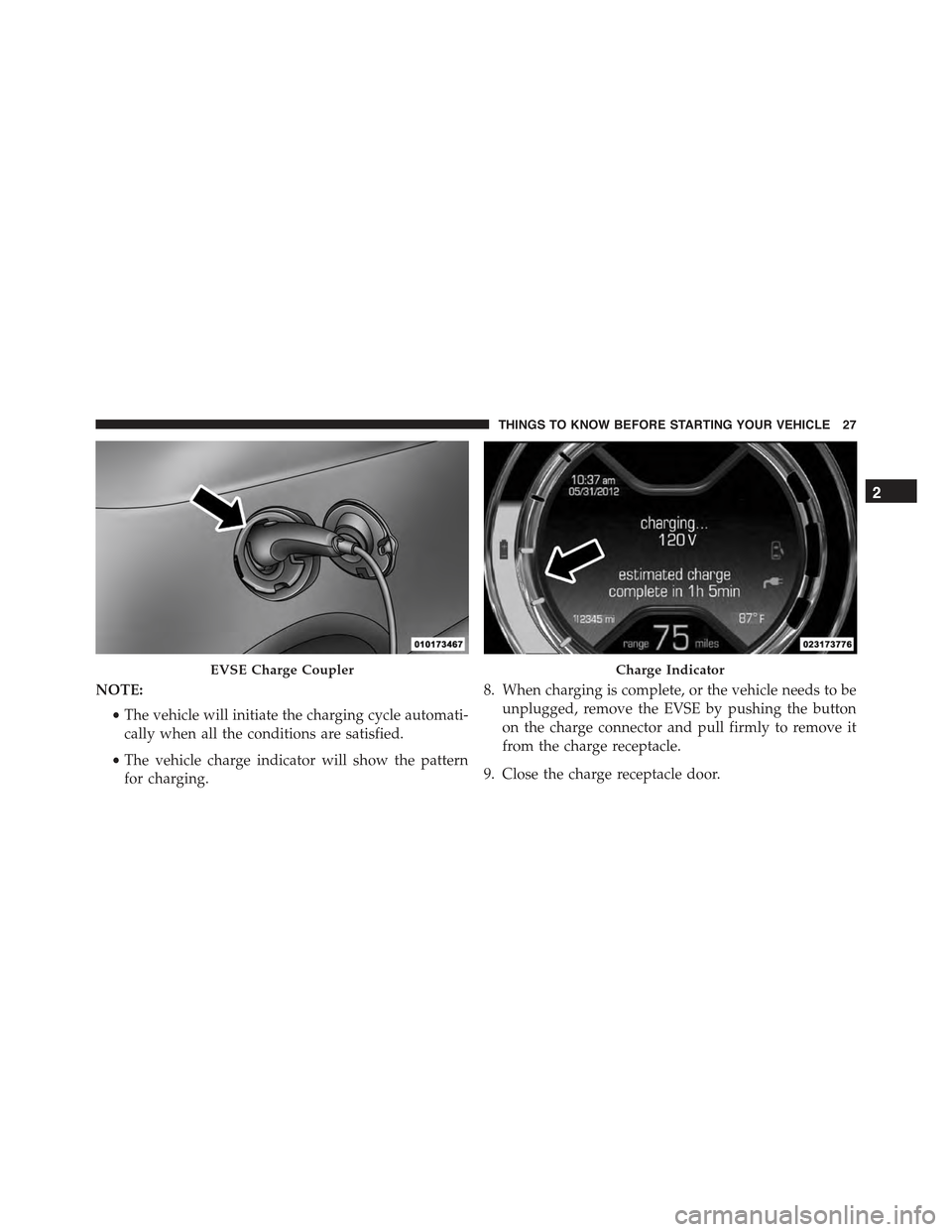
NOTE:
•The vehicle will initiate the charging cycle automati-
cally when all the conditions are satisfied.
•The vehicle charge indicator will show the pattern
for charging.
8. When charging is complete, or the vehicle needs to be
unplugged, remove the EVSE by pushing the button
on the charge connector and pull firmly to remove it
from the charge receptacle.
9. Close the charge receptacle door.
EVSE Charge CouplerCharge Indicator
2
THINGS TO KNOW BEFORE STARTING YOUR VEHICLE 27
Page 30 of 367
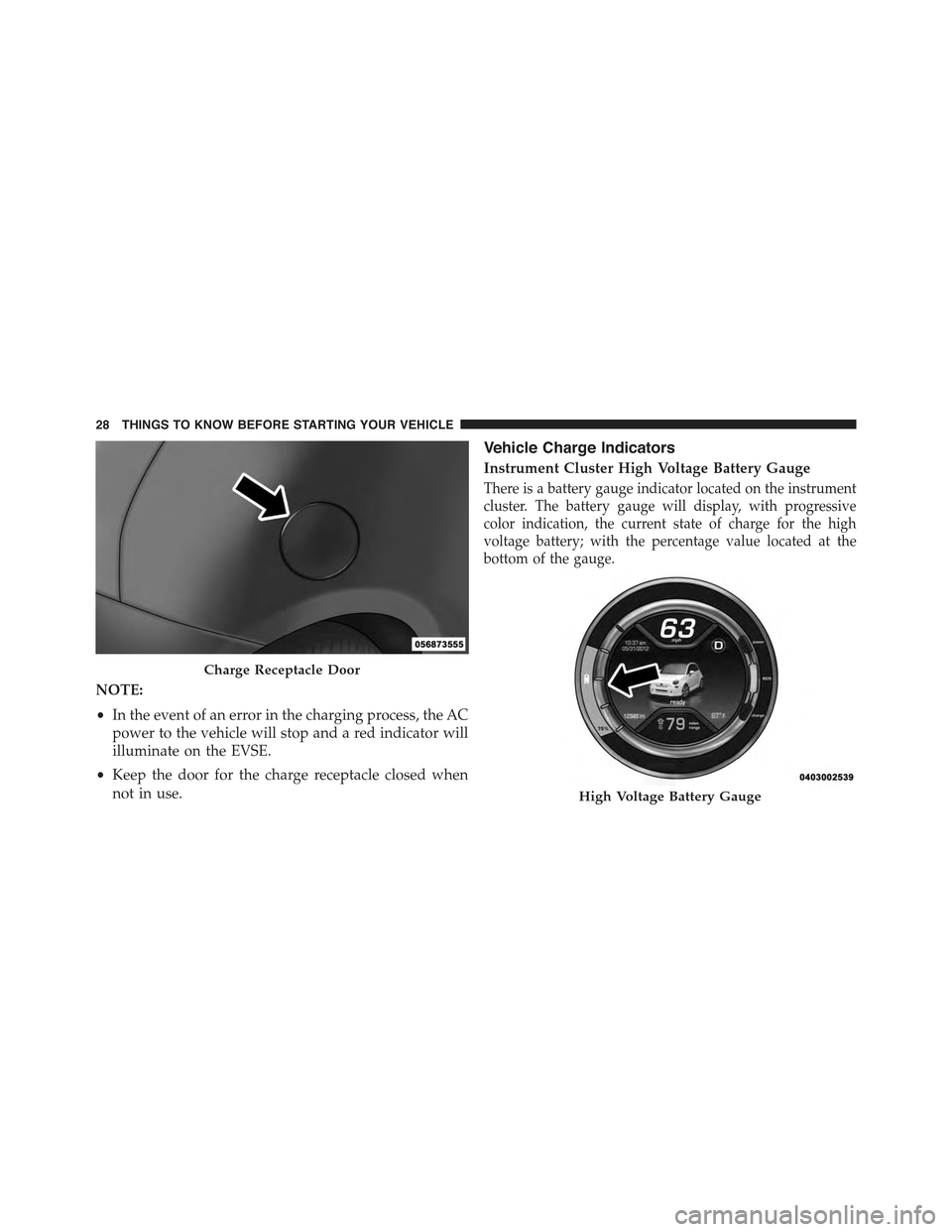
NOTE:
•In the event of an error in the charging process, the AC
power to the vehicle will stop and a red indicator will
illuminate on the EVSE.
•Keep the door for the charge receptacle closed when
not in use.
Vehicle Charge Indicators
Instrument Cluster High Voltage Battery Gauge
There is a battery gauge indicator located on the instrument
cluster. The battery gauge will display, with progressive
color indication, the current state of charge for the high
voltage battery; with the percentage value located at the
bottom of the gauge.
Charge Receptacle Door
High Voltage Battery Gauge
28 THINGS TO KNOW BEFORE STARTING YOUR VEHICLE
Page 33 of 367
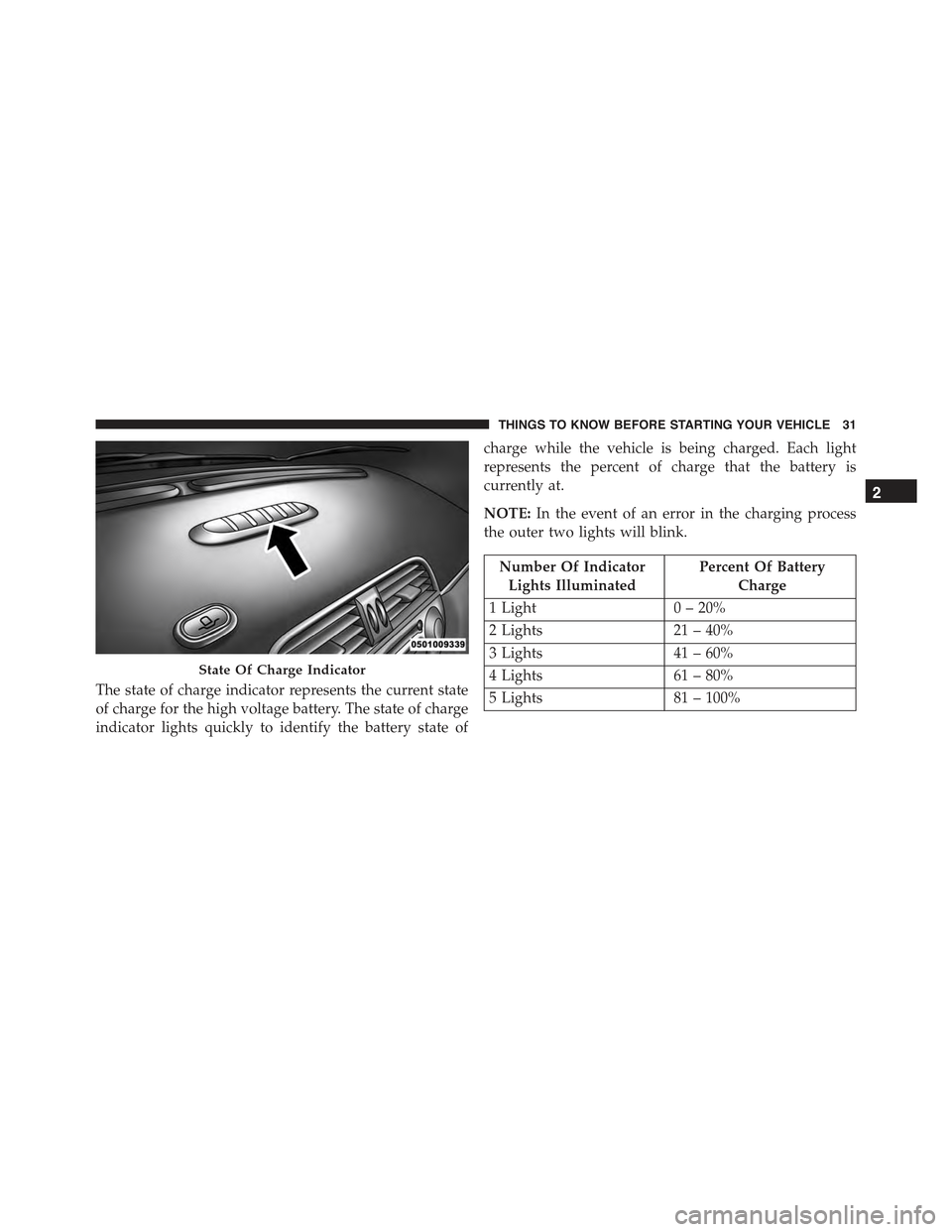
The state of charge indicator represents the current state
of charge for the high voltage battery. The state of charge
indicator lights quickly to identify the battery state of
charge while the vehicle is being charged. Each light
represents the percent of charge that the battery is
currently at.
NOTE:In the event of an error in the charging process
the outer two lights will blink.
Number Of Indicator
Lights Illuminated
Percent Of Battery
Charge
1 Light0 – 20%
2 Lights21 – 40%
3 Lights41 – 60%
4 Lights61 – 80%
5 Lights81 – 100%
State Of Charge Indicator
2
THINGS TO KNOW BEFORE STARTING YOUR VEHICLE 31
Page 113 of 367
Message reader functions are managed by the control
buttons on the steering wheel or by the BLUE&ME™
voice commands.
The BLUE&ME™ message reader enables the following
operations:
•To display an indicator on the instrument panel that
indicates you have received a new SMS text. It will
display the sender’s number/name and will ask you
whether to read the text of the message to you.
•To manage the list of SMS texts received on your
BLUE&ME™ paired mobile phone.
•To read the messages received and stored. Messages
can be read multiple times.
•To call the SMS text sender using the buttons on the
steering wheel or voice commands.
•To delete individual messages or the entire inbox using
the buttons on the steering wheel or voice commands.
The BLUE&ME™ system can also recognize and read
abbreviations, if any (e.g. “ILUVU” will be read like “I
love you”) and interpret the most usual emoticons (e.g. :-)
will be read like “Smile”), that are currently used to write
SMS texts.
Media Player
With the BLUE&ME™ media player you can play the
digital audio files stored on a USB device by simply
connecting it to the USB port located in the center console
of the car. A second USB port, used for charging only, is
located in the glovebox.
In this way, while you are driving you can play your
favorite music collections.
•iPod® Player— See dedicated paragraph under Me-
dia Player Functions.
3
UNDERSTANDING THE FEATURES OF YOUR VEHICLE 111
Page 163 of 367
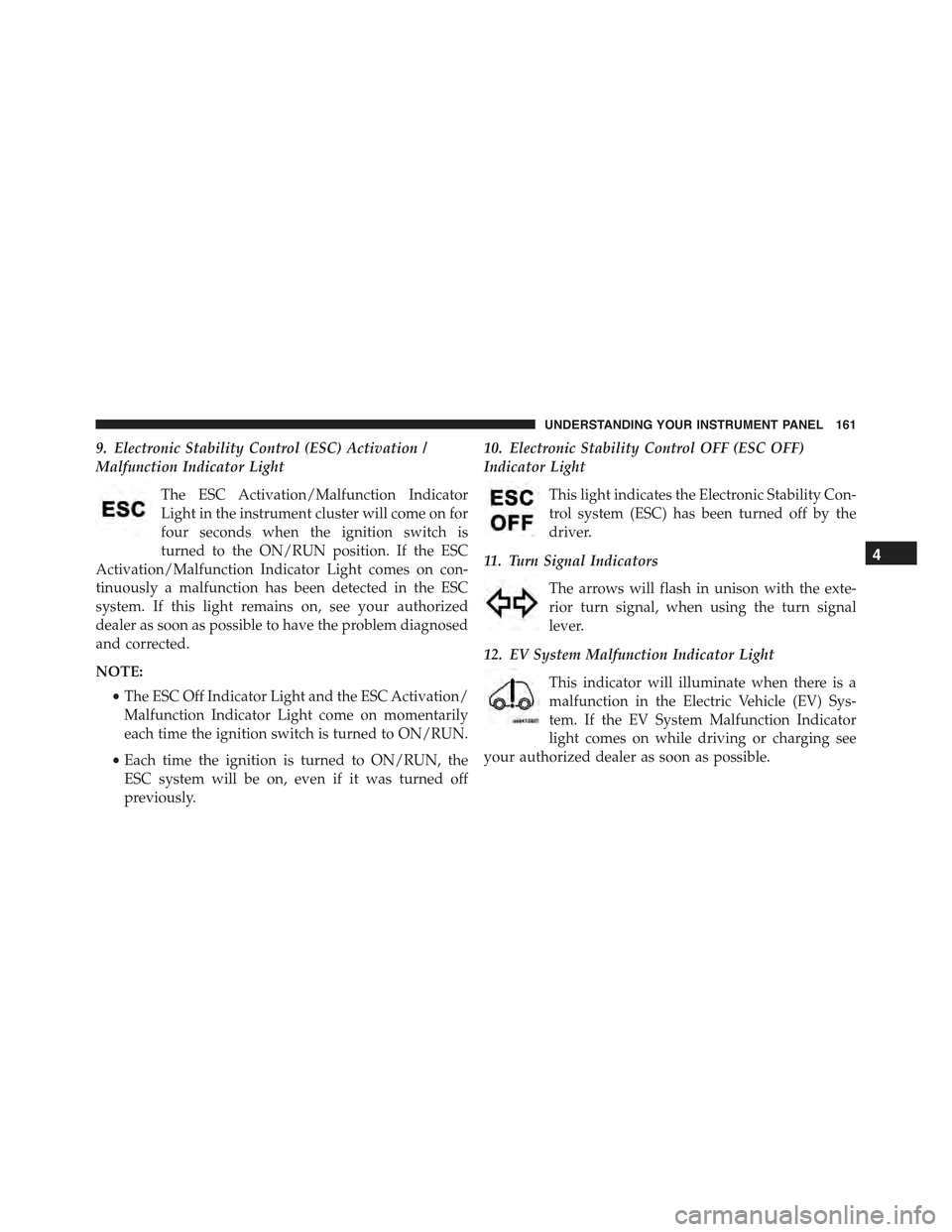
9. Electronic Stability Control (ESC) Activation /
Malfunction Indicator Light
The ESC Activation/Malfunction Indicator
Light in the instrument cluster will come on for
four seconds when the ignition switch is
turned to the ON/RUN position. If the ESC
Activation/Malfunction Indicator Light comes on con-
tinuously a malfunction has been detected in the ESC
system. If this light remains on, see your authorized
dealer as soon as possible to have the problem diagnosed
and corrected.
NOTE:
•The ESC Off Indicator Light and the ESC Activation/
Malfunction Indicator Light come on momentarily
each time the ignition switch is turned to ON/RUN.
•Each time the ignition is turned to ON/RUN, the
ESC system will be on, even if it was turned off
previously.
10. Electronic Stability Control OFF (ESC OFF)
Indicator Light
This light indicates the Electronic Stability Con-
trol system (ESC) has been turned off by the
driver.
11. Turn Signal Indicators
The arrows will flash in unison with the exte-
rior turn signal, when using the turn signal
lever.
12. EV System Malfunction Indicator Light
This indicator will illuminate when there is a
malfunction in the Electric Vehicle (EV) Sys-
tem. If the EV System Malfunction Indicator
light comes on while driving or charging see
your authorized dealer as soon as possible.
4
UNDERSTANDING YOUR INSTRUMENT PANEL 161
Page 164 of 367
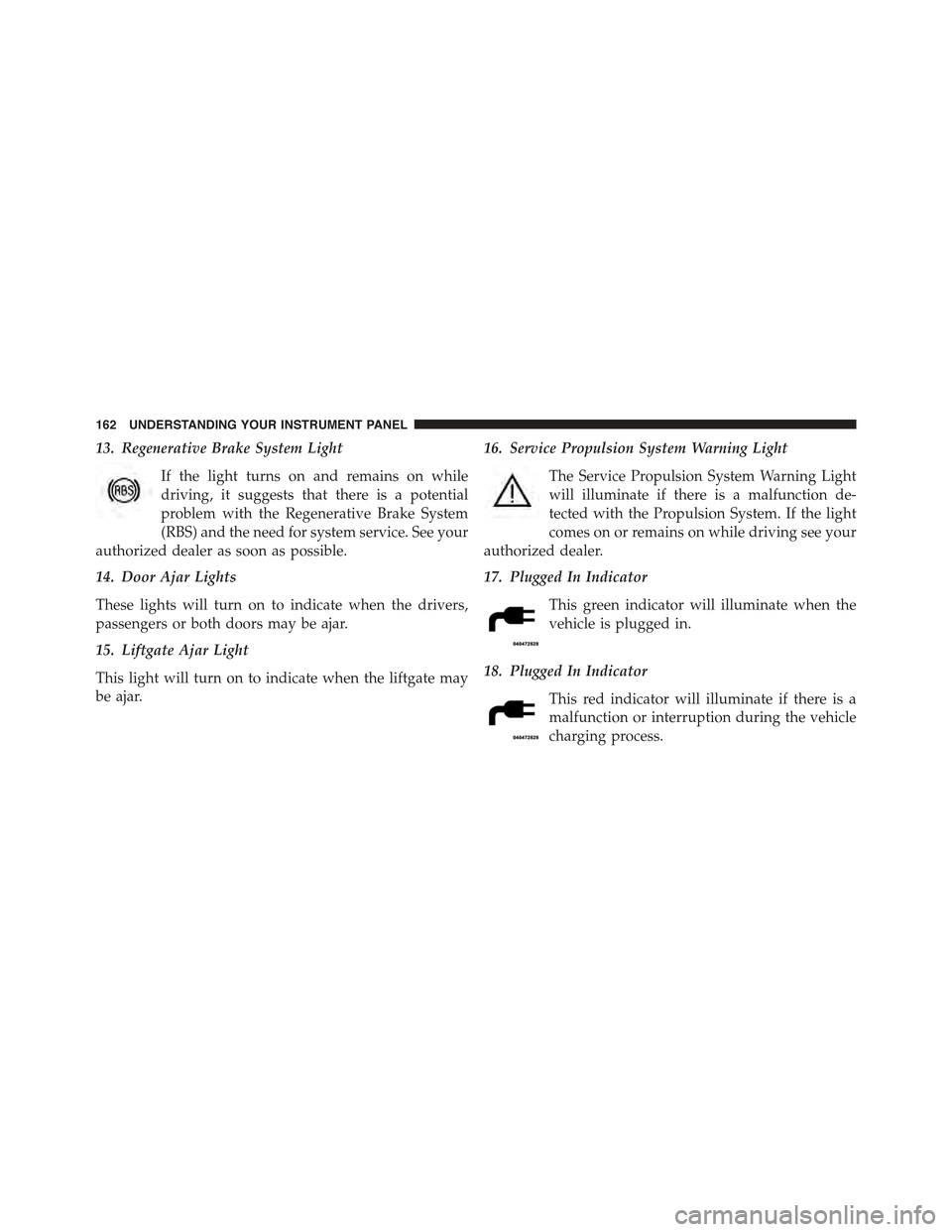
13. Regenerative Brake System Light
If the light turns on and remains on while
driving, it suggests that there is a potential
problem with the Regenerative Brake System
(RBS) and the need for system service. See your
authorized dealer as soon as possible.
14. Door Ajar Lights
These lights will turn on to indicate when the drivers,
passengers or both doors may be ajar.
15. Liftgate Ajar Light
This light will turn on to indicate when the liftgate may
be ajar.
16. Service Propulsion System Warning Light
The Service Propulsion System Warning Light
will illuminate if there is a malfunction de-
tected with the Propulsion System. If the light
comes on or remains on while driving see your
authorized dealer.
17. Plugged In Indicator
This green indicator will illuminate when the
vehicle is plugged in.
18. Plugged In Indicator
This red indicator will illuminate if there is a
malfunction or interruption during the vehicle
charging process.
162 UNDERSTANDING YOUR INSTRUMENT PANEL
Page 165 of 367
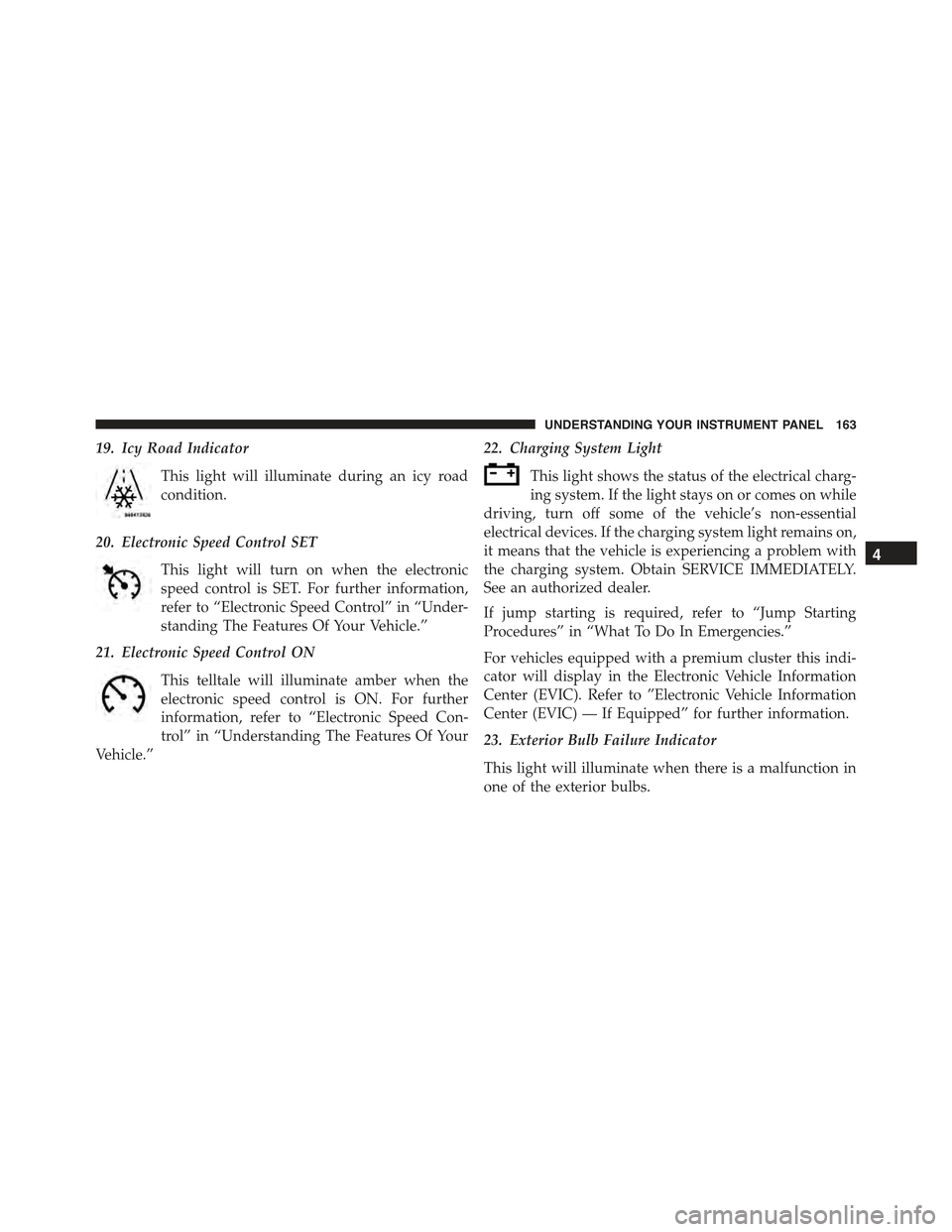
19. Icy Road Indicator
This light will illuminate during an icy road
condition.
20. Electronic Speed Control SET
This light will turn on when the electronic
speed control is SET. For further information,
refer to “Electronic Speed Control” in “Under-
standing The Features Of Your Vehicle.”
21. Electronic Speed Control ON
This telltale will illuminate amber when the
electronic speed control is ON. For further
information, refer to “Electronic Speed Con-
trol” in “Understanding The Features Of Your
Vehicle.”
22. Charging System Light
This light shows the status of the electrical charg-
ing system. If the light stays on or comes on while
driving, turn off some of the vehicle’s non-essential
electrical devices. If the charging system light remains on,
it means that the vehicle is experiencing a problem with
the charging system. Obtain SERVICE IMMEDIATELY.
See an authorized dealer.
If jump starting is required, refer to “Jump Starting
Procedures” in “What To Do In Emergencies.”
For vehicles equipped with a premium cluster this indi-
cator will display in the Electronic Vehicle Information
Center (EVIC). Refer to ”Electronic Vehicle Information
Center (EVIC) — If Equipped” for further information.
23. Exterior Bulb Failure Indicator
This light will illuminate when there is a malfunction in
one of the exterior bulbs.
4
UNDERSTANDING YOUR INSTRUMENT PANEL 163
Page 171 of 367
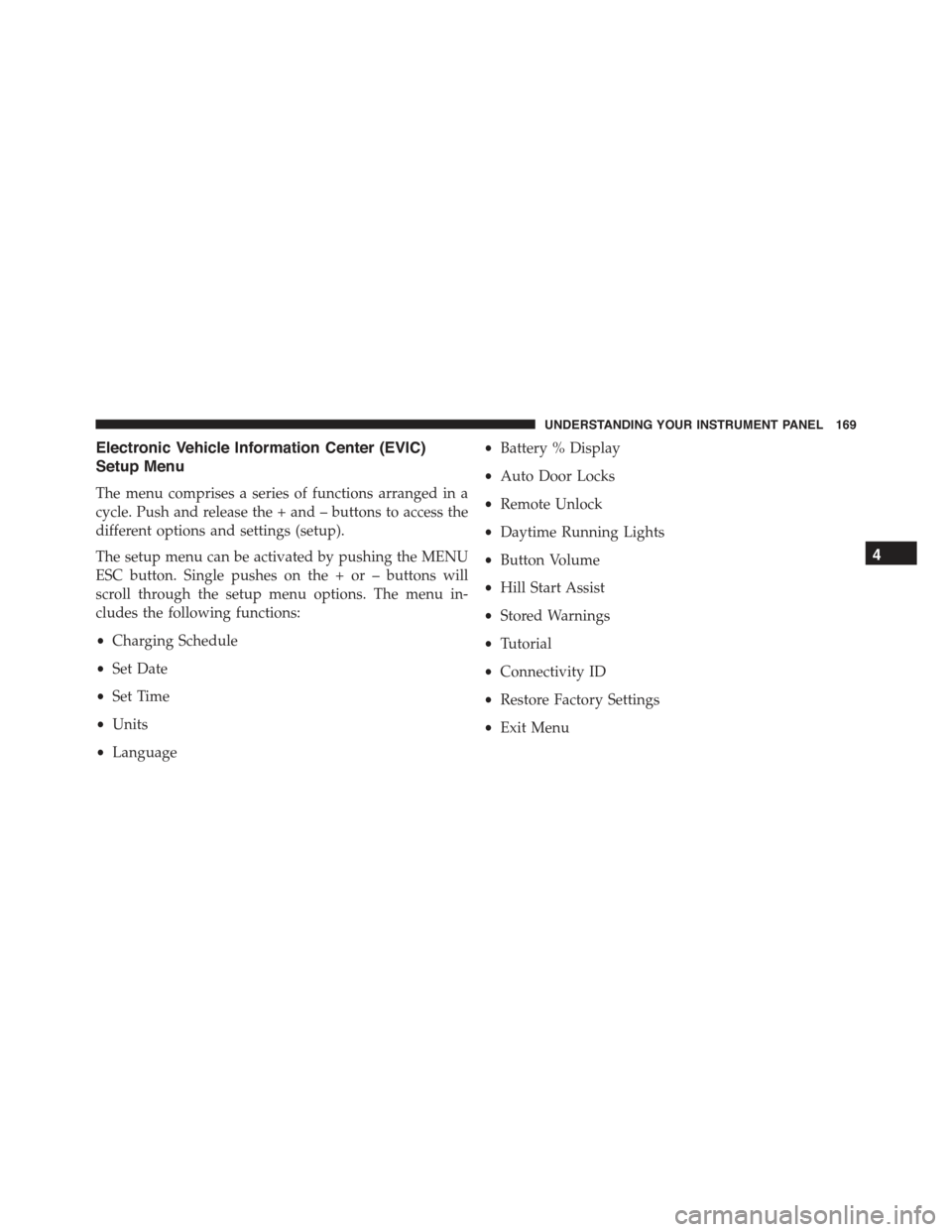
Electronic Vehicle Information Center (EVIC)
Setup Menu
The menu comprises a series of functions arranged in a
cycle. Push and release the + and – buttons to access the
different options and settings (setup).
The setup menu can be activated by pushing the MENU
ESC button. Single pushes on the + or – buttons will
scroll through the setup menu options. The menu in-
cludes the following functions:
•Charging Schedule
•Set Date
•Set Time
•Units
•Language
•Battery % Display
•Auto Door Locks
•Remote Unlock
•Daytime Running Lights
•Button Volume
•Hill Start Assist
•Stored Warnings
•Tutorial
•Connectivity ID
•Restore Factory Settings
•Exit Menu
4
UNDERSTANDING YOUR INSTRUMENT PANEL 169
Page 273 of 367
The 500e uses high voltage components to heat and cool
the cabin, so when using automatic climate control,
consider setting temperatures a few degrees higher or
lower during hot and cold days. If your 500e has been
soaking in hot or cold temperatures for an extended
period, it is recommended that the car be preconditioned
using the FIAT Access smartphone app while still
plugged into a charging source. This will allow 500e to
use external power to establish a comfortable cabin
temperature before the drive and allow the battery to
maintain the temperature at significantly lower energy
levels.
Additional tips:
•Keep tires properly inflated
•When practical, choose surface streets over the high-
way, and work to maintain a steady speed
•Avoid carrying nonessential cargo
•Be mindful of adding external accessories that may
increase aerodynamic drag
•Perform all scheduled maintenance at recommended
intervals
Driver Behavior Gauge
To help the driver extend the driving range of the high
voltage battery your vehicle is equipped with a Driver
Behavior Gauge. The Driver Behavior Gauge is located
on the right side of the instrument cluster and contains
three driving ranges:
•Power
The needle will move into the Power range when under
acceleration.
•ECO
The needle will move into the ECO range when you are
maximizing the driving range of the high voltage battery.
5
STARTING AND OPERATING 271
Page 291 of 367
3. Remove the protective cover over the positive(+)
battery post.
4. If using another vehicle to jump-start the battery, park
the vehicle within the jumper cables reach, set the
parking brake and make sure the ignition is OFF.
WARNING!
Do not allow vehicles to touch each other as this
could establish a ground connection and personal
injury could result.
Jump-Starting Procedure
WARNING!
Failure to follow this jump-starting procedure could
result in personal injury or property damage due to
battery explosion.
CAUTION!
Failure to follow these procedures could result in
damage to the charging system of the booster vehicle
or the discharged vehicle.
Connecting The Jumper Cables
1. Connect the positive(+)end of the jumper cable to the
positive(+)post of the discharged vehicle.
2. Connect the opposite end of the positive(+)jumper
cable to the positive(+)post of the booster battery.
3. Connect the negative end(-)of the jumper cable to the
negative(-)post of the booster battery.
6
WHAT TO DO IN EMERGENCIES 289