ignition FIAT 500E 2015 2.G User Guide
[x] Cancel search | Manufacturer: FIAT, Model Year: 2015, Model line: 500E, Model: FIAT 500E 2015 2.GPages: 367, PDF Size: 9.42 MB
Page 45 of 367
Auto Door Locks
When enabled, the door locks will lock automatically
when the vehicles speed exceeds 15 mph (24 km/h).
To change the setting proceed as follows:
1. Briefly push theMENUbutton to enter theMENU
screen.
2. Push the UPor DOWNbutton to highlight
“Auto Door Locks”. Push the MENU button, use
the UPor DOWNbuttons to turn setting ON
or OFF
3. Briefly push theMENUbutton to go back to the menu
screen, or push and hold theMENUbutton (approxi-
mately one second) to go back to the main screen
without storing the settings.
NOTE:Use the Automatic Door Locks feature in accor-
dance with local laws.
Refer to “Electronic Vehicle Information Center (EVIC)”
in “Understanding Your Instrument Panel” in your
owner manual on your DVD for further information.
POWER WINDOWS
Power Window Switches
There are single window controls located on the shifter
bezel, below the climate controls, which operate the
driver and passenger door windows. The window con-
trols will operate when the ignition switch is in the
ON/RUN position.
2
THINGS TO KNOW BEFORE STARTING YOUR VEHICLE 43
Page 50 of 367
Research has shown that seat belts save lives, and they
can reduce the seriousness of injuries in a collision. Some
of the worst injuries happen when people are thrown
from the vehicle. Seat belts reduce the possibility of
ejection and the risk of injury caused by striking the
inside of the vehicle. Everyone in a motor vehicle should
be belted at all times.
Enhanced Seat Belt Use Reminder System
(BeltAlert)
BeltAlert is a feature intended to remind the driver
and outboard front passenger (if equipped with out-
board front passenger BeltAlert) to buckle their seat
belts. The feature is active whenever the ignition
switch is in the START or ON/RUN position. If the
driver or outboard front seat passenger is unbelted,
the Seat Belt Reminder Light will turn on and remain
on until both outboard front seat belts are buckled.
The BeltAlert warning sequence begins after the vehicle
speed is over 5 mph (8 km/h) by blinking the Seat Belt
Reminder Light and sounding an intermittent chime. Once
the sequence starts, it will continue for the entire duration
or until the respective seat belts are buckled. After the
sequence completes, the Seat Belt Reminder Light remains
illuminated until the respective seat belts are buckled. The
driver should instruct all other occupants to buckle their
seat belts. If an outboard front seat belt is unbuckled while
traveling at speeds greater than 5 mph (8 km/h), BeltAlert
will provide both audio and visual notification.
The outboard front passenger seat BeltAlert is not active
when the outboard front passenger seat is unoccupied.
BeltAlert may be triggered when an animal or heavy
object is on the outboard front passenger seat or when the
seat is folded flat (if equipped). It is recommended that
pets be restrained in the rear seat (if equipped) in pet
harnesses or pet carriers that are secured by seat belts,
and cargo is properly stowed.
48 THINGS TO KNOW BEFORE STARTING YOUR VEHICLE
Page 71 of 367
WARNING!
Deployed air bags and seat belt pretensioners cannot
protect you in another collision. Have the air bags,
seat belt pretensioners, and the seat belt retractor
assemblies replaced by an authorized dealer imme-
diately. Also, have the Occupant Restraint Controller
System serviced as well.
NOTE:
•Air bag covers may not be obvious in the interior trim,
but they will open during air bag deployment.
•After any collision, the vehicle should be taken to an
authorized dealer immediately.
Enhanced Accident Response System
In the event of an impact, if the communication network
remains intact, and the power remains intact, depending
on the nature of the event, the ORC will determine
whether to have the Enhanced Accident Response Sys-
tem perform the following functions:
•Cut off fuel to the engine.
•Flash hazard lights as long as the battery has power or
until the ignition is placed in the “OFF” position.
•Turn on the interior lights, which remain on as long as
the battery has power or until the ignition is placed in
the “OFF” position.
•Unlock the doors automatically.
2
THINGS TO KNOW BEFORE STARTING YOUR VEHICLE 69
Page 72 of 367
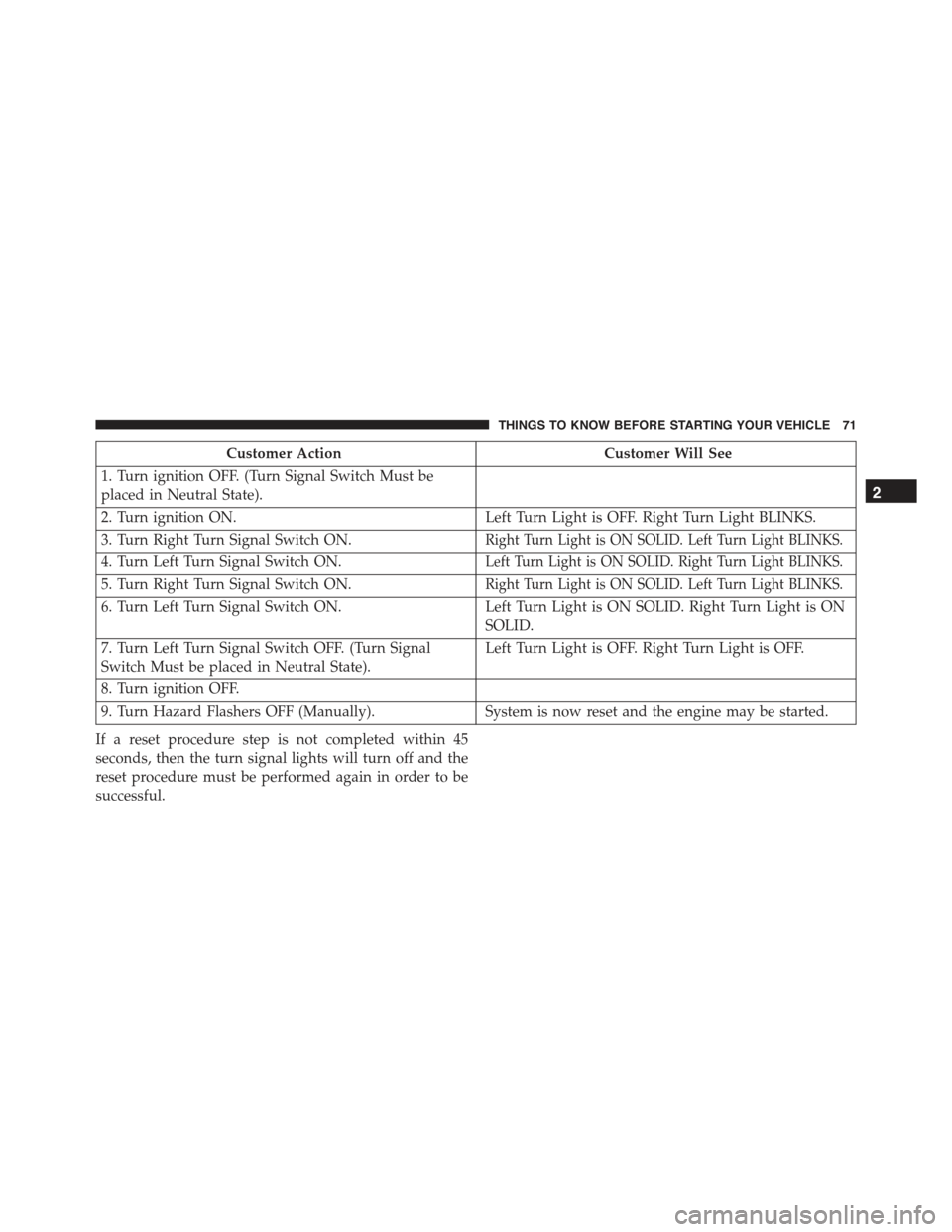
System Reset Procedure
Depending on the nature of the event the left and right
turn signal lights, located in the instrument panel cluster,
may both be blinking and will continue to blink until the
ignition switch is turned to the OFF position. In order to
move your vehicle to the side of the road, you must
follow the system reset procedure.
70 THINGS TO KNOW BEFORE STARTING YOUR VEHICLE
Page 73 of 367
Customer ActionCustomer Will See
1. Turn ignition OFF. (Turn Signal Switch Must be
placed in Neutral State).
2. Turn ignition ON.Left Turn Light is OFF. Right Turn Light BLINKS.
3. Turn Right Turn Signal Switch ON.Right Turn Light is ON SOLID. Left Turn Light BLINKS.
4. Turn Left Turn Signal Switch ON.Left Turn Light is ON SOLID. Right Turn Light BLINKS.
5. Turn Right Turn Signal Switch ON.Right Turn Light is ON SOLID. Left Turn Light BLINKS.
6. Turn Left Turn Signal Switch ON.Left Turn Light is ON SOLID. Right Turn Light is ON
SOLID.
7. Turn Left Turn Signal Switch OFF. (Turn Signal
Switch Must be placed in Neutral State).
Left Turn Light is OFF. Right Turn Light is OFF.
8. Turn ignition OFF.
9. Turn Hazard Flashers OFF (Manually).System is now reset and the engine may be started.
If a reset procedure step is not completed within 45
seconds, then the turn signal lights will turn off and the
reset procedure must be performed again in order to be
successful.
2
THINGS TO KNOW BEFORE STARTING YOUR VEHICLE 71
Page 74 of 367
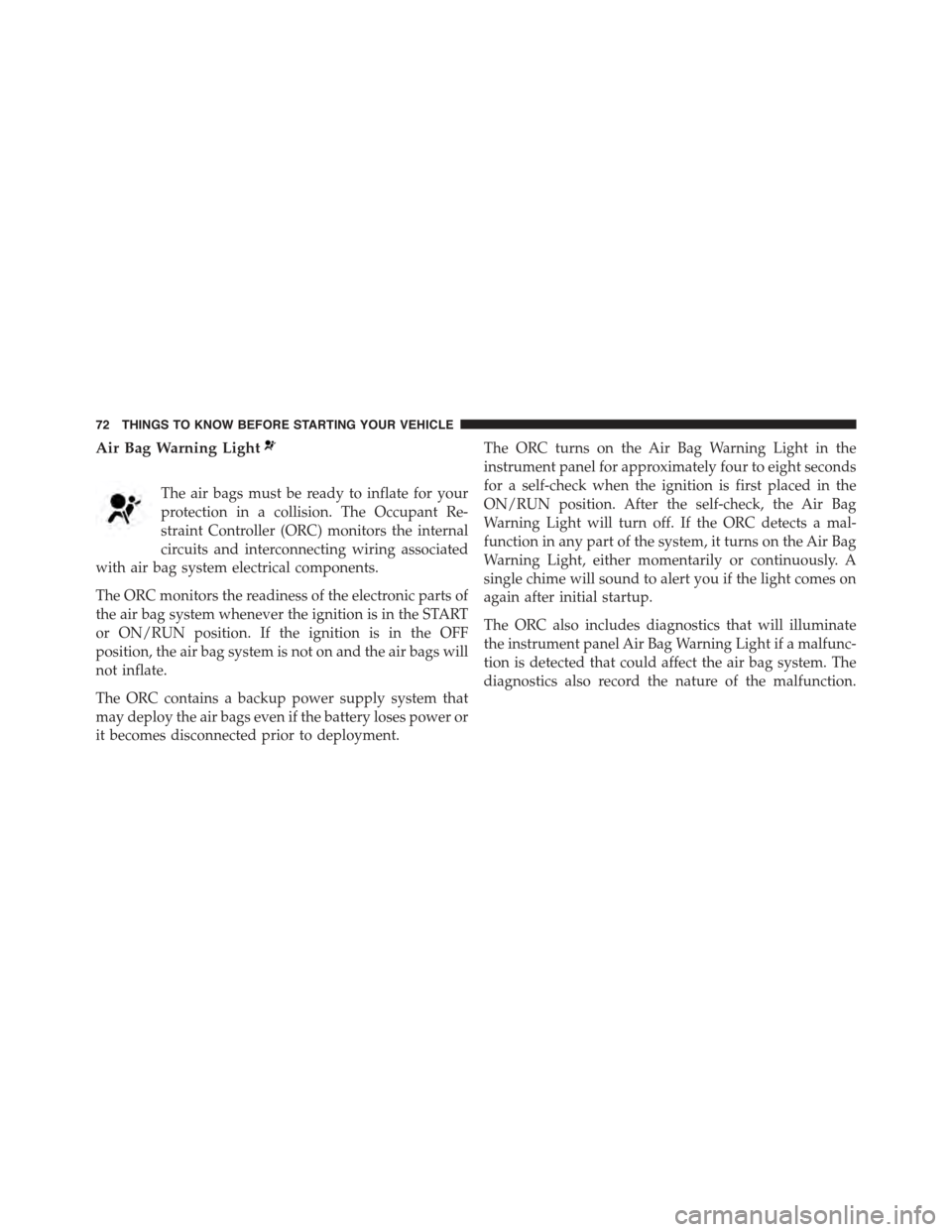
Air Bag Warning Light
The air bags must be ready to inflate for your
protection in a collision. The Occupant Re-
straint Controller (ORC) monitors the internal
circuits and interconnecting wiring associated
with air bag system electrical components.
The ORC monitors the readiness of the electronic parts of
the air bag system whenever the ignition is in the START
or ON/RUN position. If the ignition is in the OFF
position, the air bag system is not on and the air bags will
not inflate.
The ORC contains a backup power supply system that
may deploy the air bags even if the battery loses power or
it becomes disconnected prior to deployment.
The ORC turns on the Air Bag Warning Light in the
instrument panel for approximately four to eight seconds
for a self-check when the ignition is first placed in the
ON/RUN position. After the self-check, the Air Bag
Warning Light will turn off. If the ORC detects a mal-
function in any part of the system, it turns on the Air Bag
Warning Light, either momentarily or continuously. A
single chime will sound to alert you if the light comes on
again after initial startup.
The ORC also includes diagnostics that will illuminate
the instrument panel Air Bag Warning Light if a malfunc-
tion is detected that could affect the air bag system. The
diagnostics also record the nature of the malfunction.
72 THINGS TO KNOW BEFORE STARTING YOUR VEHICLE
Page 75 of 367
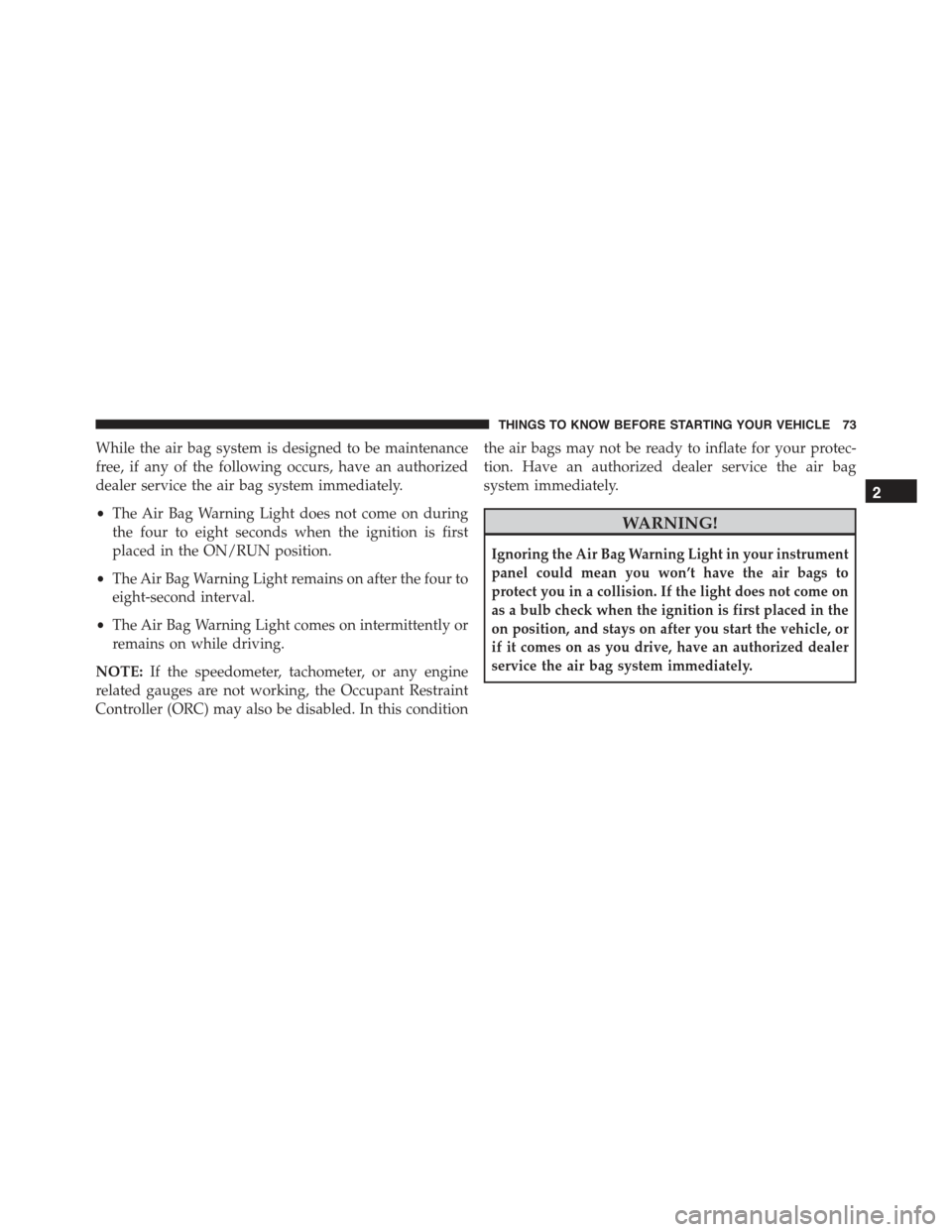
While the air bag system is designed to be maintenance
free, if any of the following occurs, have an authorized
dealer service the air bag system immediately.
•The Air Bag Warning Light does not come on during
the four to eight seconds when the ignition is first
placed in the ON/RUN position.
•The Air Bag Warning Light remains on after the four to
eight-second interval.
•The Air Bag Warning Light comes on intermittently or
remains on while driving.
NOTE:If the speedometer, tachometer, or any engine
related gauges are not working, the Occupant Restraint
Controller (ORC) may also be disabled. In this condition
the air bags may not be ready to inflate for your protec-
tion. Have an authorized dealer service the air bag
system immediately.
WARNING!
Ignoring the Air Bag Warning Light in your instrument
panel could mean you won’t have the air bags to
protect you in a collision. If the light does not come on
as a bulb check when the ignition is first placed in the
on position, and stays on after you start the vehicle, or
if it comes on as you drive, have an authorized dealer
service the air bag system immediately.
2
THINGS TO KNOW BEFORE STARTING YOUR VEHICLE 73
Page 98 of 367
Safety Checks You Should Make Inside The
Vehicle
Seat Belts
Inspect the seat belt system periodically, checking for cuts,
frays, and loose parts. Damaged parts must be replaced
immediately. Do not disassemble or modify the system.
Front seat belt assemblies must be replaced after a
collision. Rear seat belt assemblies must be replaced after
a collision if they have been damaged (i.e., bent retractor,
torn webbing, etc.). If there is any question regarding seat
belt or retractor condition, replace the seat belt.
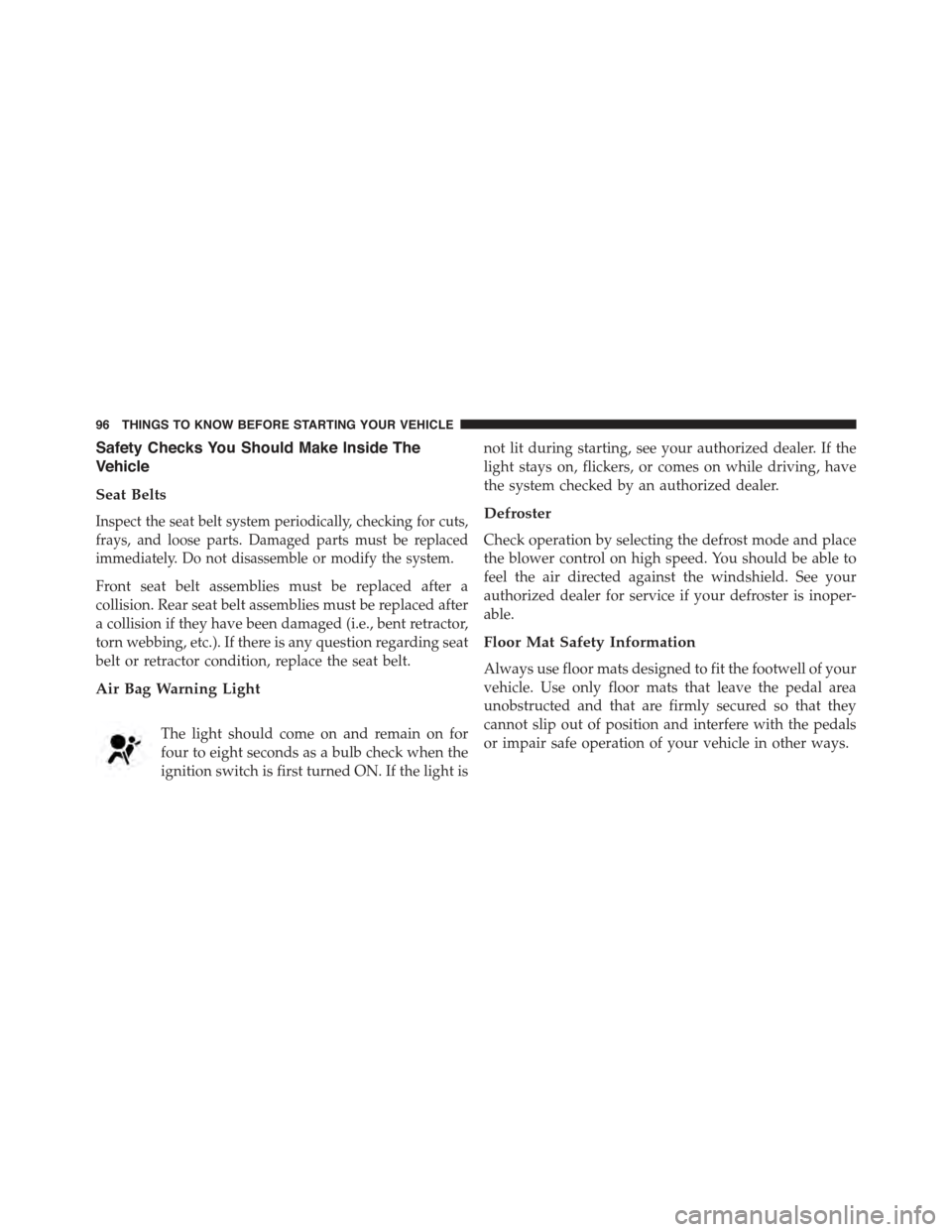
Air Bag Warning Light
The light should come on and remain on for
four to eight seconds as a bulb check when the
ignition switch is first turned ON. If the light is
not lit during starting, see your authorized dealer. If the
light stays on, flickers, or comes on while driving, have
the system checked by an authorized dealer.
Defroster
Check operation by selecting the defrost mode and place
the blower control on high speed. You should be able to
feel the air directed against the windshield. See your
authorized dealer for service if your defroster is inoper-
able.
Floor Mat Safety Information
Always use floor mats designed to fit the footwell of your
vehicle. Use only floor mats that leave the pedal area
unobstructed and that are firmly secured so that they
cannot slip out of position and interfere with the pedals
or impair safe operation of your vehicle in other ways.
96 THINGS TO KNOW BEFORE STARTING YOUR VEHICLE
Page 114 of 367
The media player enables the following operations:
•Digital Audio Playback— You can play all your
digital audio files (.mp3, .wma, .wav, .aac) or play a
customized playlist (.m3u or .wpl format).
•Audio File Selection By Category— You can play all
audio files of a certain category, e.g.: album, artist or
genre.
•Playback Options— While playing tracks you can
select the following options: Play, Stop, Next track,
Previous track, Shuffle and Loop track.
NOTE:
•The media player does not support audio files com-
pressed with other formats and DRM (Digital Rights
Management) protected audio files. Non-supported
audio files that may be present on the USB device will
be ignored.
•To use the media player, you have to simply connect
(directly or by an extension lead) your USB device to the
center console USB port. After turning the ignition key
to ON, BLUE&ME™ will start building your media
library. At the end of this operation you can surf the
complete library and scroll its categories as required
using the buttons on the steering wheel or voice com-
mands. BLUE&ME™ will then play your selection via
the car sound system.
WARNING!
•Driving while distracted can result in loss of ve-
hicle control, accident and injury. It is strongly
recommended that you use extreme caution when
using any device or feature that may take your
focus off the road or your hands off the steering
wheel. Your primary responsibility is the safe op-
eration of your vehicle.
(Continued)
11 2 U N D E R S TA N D I N G T H E F E AT U R E S O F Y O U R V E H I C L E
Page 124 of 367
CAUTION!
To prevent possible damage, do not slam the hood to
close it. Lower the hood until it is open approxi-
mately 6 inches (15 cm), and then drop it. This should
secure both latches. Never drive your vehicle unless
the hood is fully closed, with both latches engaged.
WARNING!
Be sure the hood is fully latched before driving your
vehicle. If the hood is not fully latched, it could open
when the vehicle is in motion and block your vision.
Failure to follow this warning could result in serious
injury or death.
LIGHTS
Multifunction Lever
The multifunction lever, located on the left side of the
steering wheel, controls the operation of the headlights,
headlight beam selection, passing light and turn signals.
NOTE:The external lights can only be turned on with
the ignition in the ON/RUN position.
Headlights
Rotate the end of the multifunction lever up-
ward to the first detent for headlight operation.
122 UNDERSTANDING THE FEATURES OF YOUR VEHICLE