lights FIAT 500E 2015 2.G User Guide
[x] Cancel search | Manufacturer: FIAT, Model Year: 2015, Model line: 500E, Model: FIAT 500E 2015 2.GPages: 367, PDF Size: 9.42 MB
Page 125 of 367
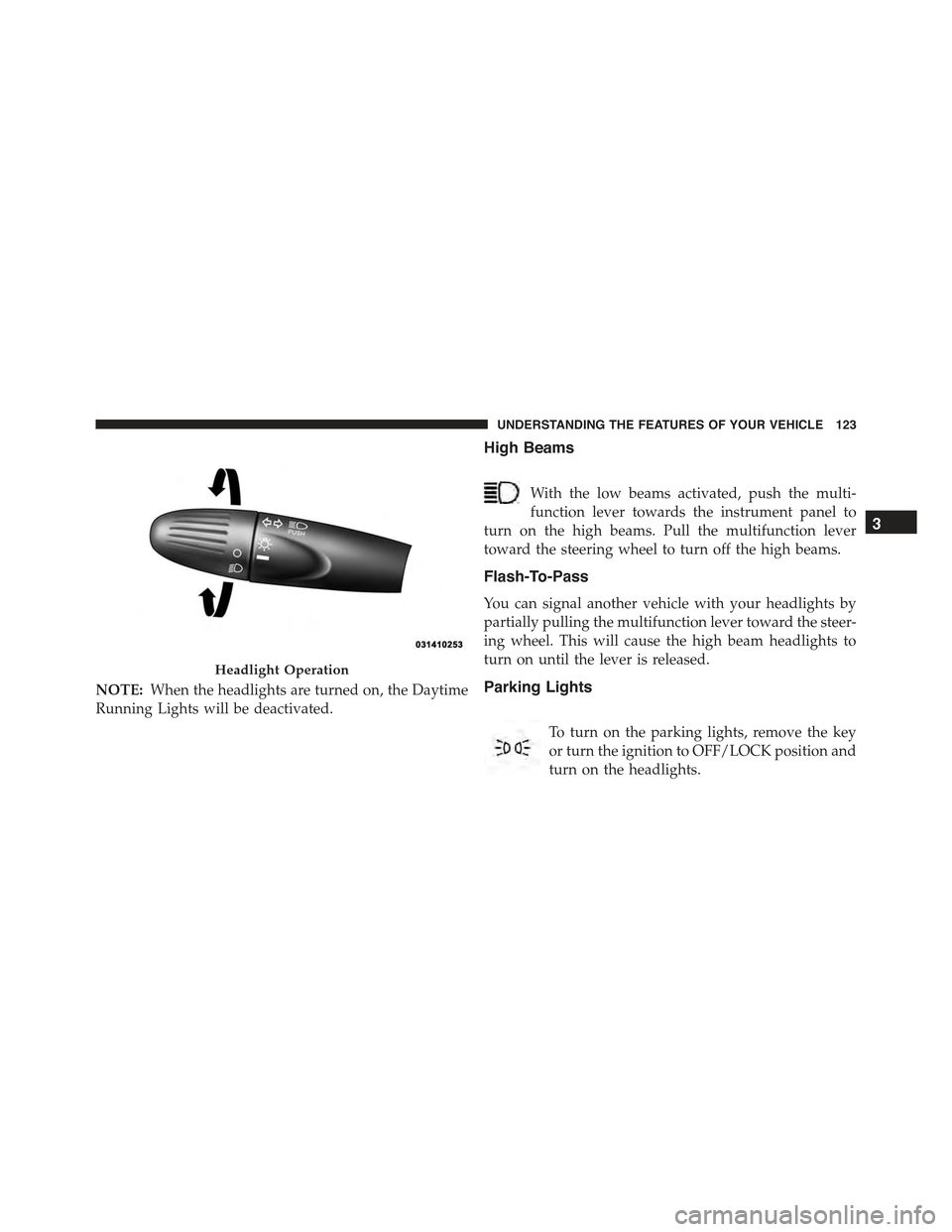
NOTE:When the headlights are turned on, the Daytime
Running Lights will be deactivated.
High Beams
With the low beams activated, push the multi-
function lever towards the instrument panel to
turn on the high beams. Pull the multifunction lever
toward the steering wheel to turn off the high beams.
Flash-To-Pass
You can signal another vehicle with your headlights by
partially pulling the multifunction lever toward the steer-
ing wheel. This will cause the high beam headlights to
turn on until the lever is released.
Parking Lights
To turn on the parking lights, remove the key
or turn the ignition to OFF/LOCK position and
turn on the headlights.
Headlight Operation
3
UNDERSTANDING THE FEATURES OF YOUR VEHICLE 123
Page 126 of 367
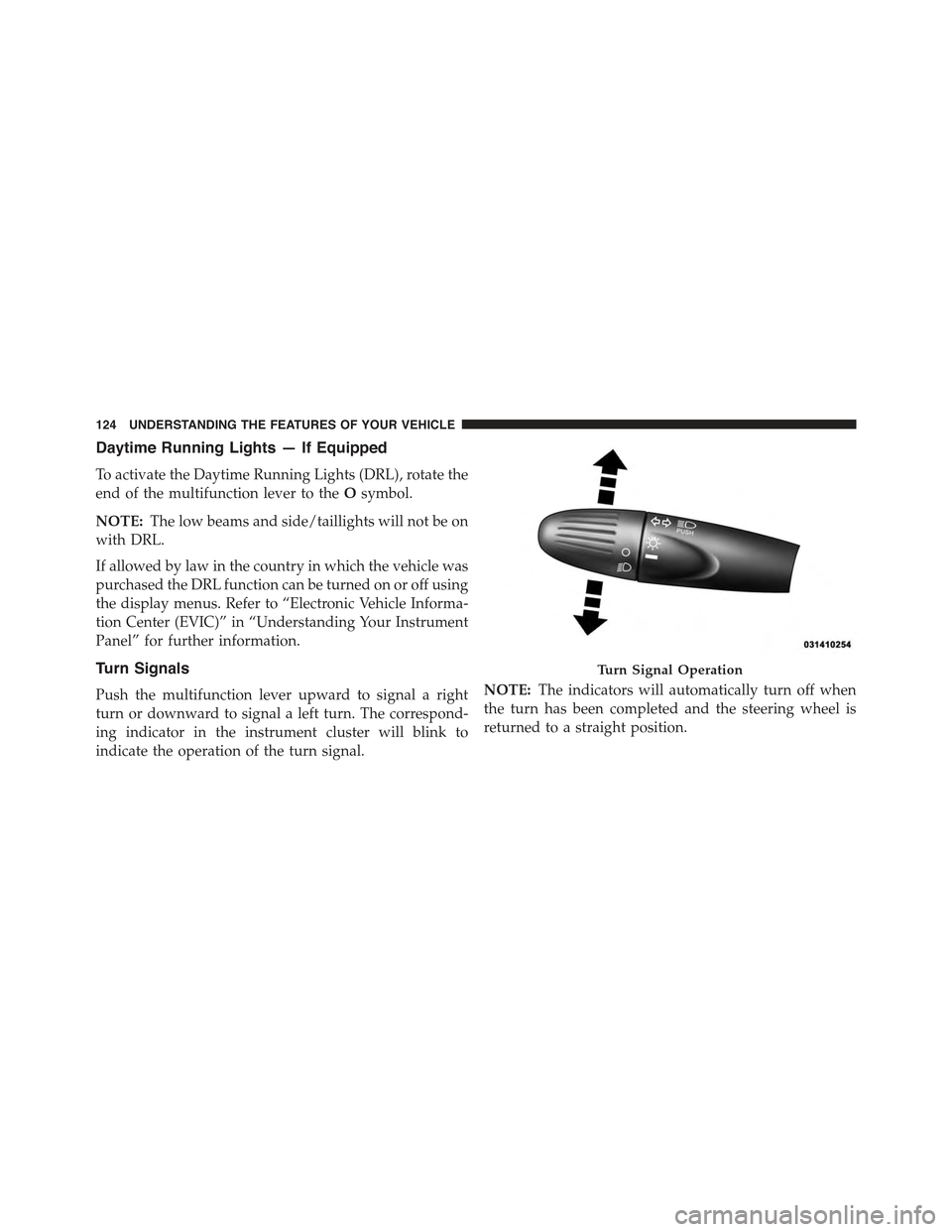
Daytime Running Lights — If Equipped
To activate the Daytime Running Lights (DRL), rotate the
end of the multifunction lever to theOsymbol.
NOTE:The low beams and side/taillights will not be on
with DRL.
If allowed by law in the country in which the vehicle was
purchased the DRL function can be turned on or off using
the display menus. Refer to “Electronic Vehicle Informa-
tion Center (EVIC)” in “Understanding Your Instrument
Panel” for further information.
Turn Signals
Push the multifunction lever upward to signal a right
turn or downward to signal a left turn. The correspond-
ing indicator in the instrument cluster will blink to
indicate the operation of the turn signal.
NOTE:The indicators will automatically turn off when
the turn has been completed and the steering wheel is
returned to a straight position.
Turn Signal Operation
124 UNDERSTANDING THE FEATURES OF YOUR VEHICLE
Page 127 of 367
Lane Change Assist
Tap the lever up or down once, without moving beyond
the detent, and the turn signal (right or left) will flash
three times then automatically turn off.
Follow Me Home/Headlight Delay
When this feature is selected the driver can choose to
have the headlights remain on for a preset period of time.
Activation
Remove the key or turn the ignition to the OFF/LOCK
position, and pull the multifunction lever toward the
steering wheel, within two minutes. Each time the lever
is pulled, the activation of the lights will be extended by
30 seconds. The activation of the lights can be extended to
a maximum of 210 seconds.
Deactivation
Pull the multifunction lever toward the steering wheel
and hold it for more than two seconds.
Interior Lights
The interior light switches are located in the overhead
console. The interior lights can be set to three different
positions (Off/Left Position, Center Position, On/Right
Position).
Using the switch on the left overhead, push the switch to the
right from its center position and the lights are always on.
Push the switch to the left from its center position and the
lights are always off. Leave the switch in the center position,
and the lights are turned on and off when the doors are
opened or closed. The switch on the right side of the
overhead console controls the map or reading function of the
lights. Push the switch to the right to turn on the right light
and push the switch to the left to turn on the left light.
3
UNDERSTANDING THE FEATURES OF YOUR VEHICLE 125
Page 128 of 367
CAUTION!
Before getting out of the vehicle be sure that the
switch is in the center position or that the lights are
off to avoid draining the battery.
Interior Light Timing (Center Position)
There are four different modes of operation that can be
activated in this position:
•When one door is opened a three minute timer is
activated.
•When the key is removed from the ignition (within
two minutes of the ignition being turned off), a
10 second timer is activated.
•When the doors are unlocked with the Key Fob a
10 second timer is activated.
•When the doors are locked with the Key Fob the lights
will turn off.
Interior Light Timing (On/Right Position)
•When all doors are closed a 15 minute timer is
activated.
NOTE:The timer is deactivated when the key is moved
into the ON/RUN position.
126 UNDERSTANDING THE FEATURES OF YOUR VEHICLE
Page 129 of 367
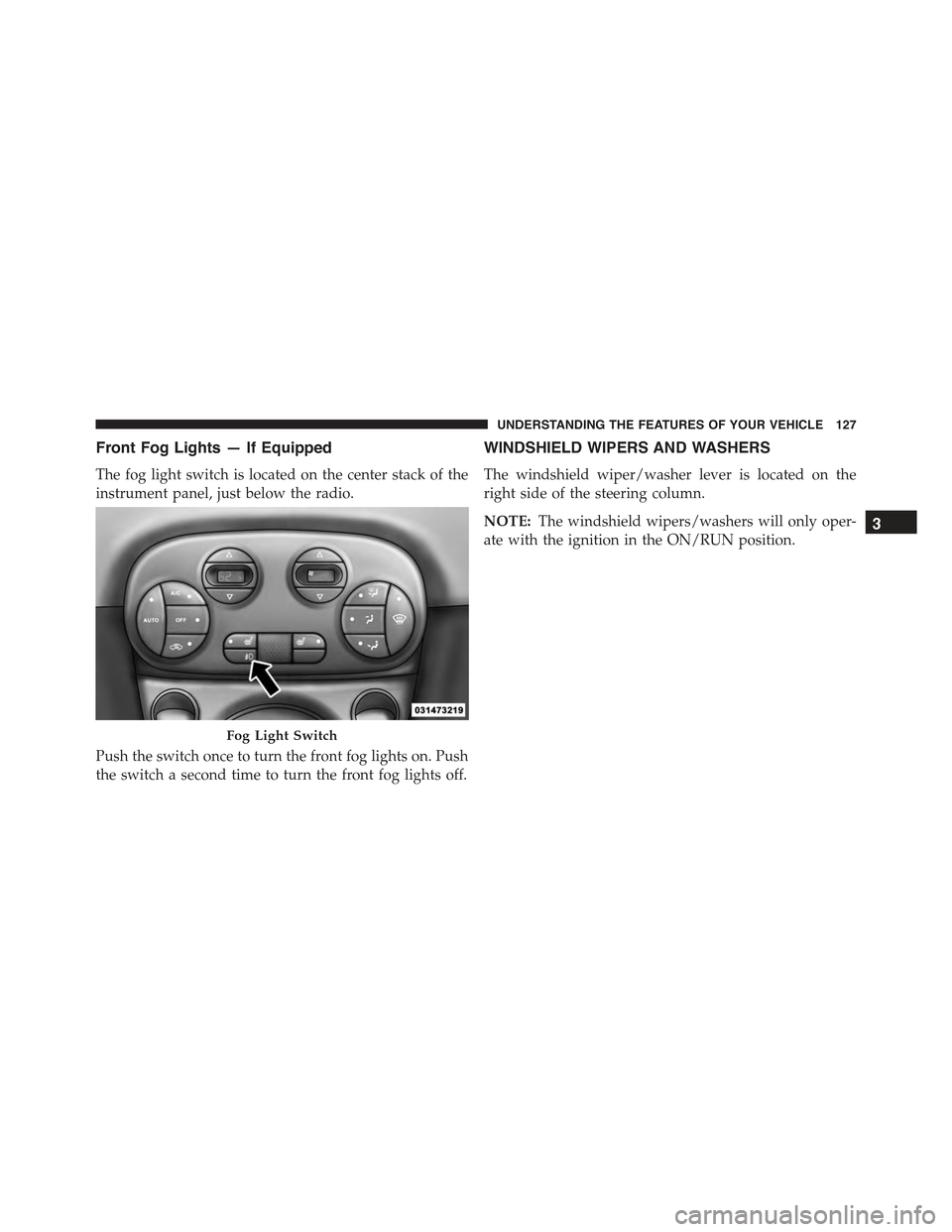
Front Fog Lights — If Equipped
The fog light switch is located on the center stack of the
instrument panel, just below the radio.
Push the switch once to turn the front fog lights on. Push
the switch a second time to turn the front fog lights off.
WINDSHIELD WIPERS AND WASHERS
The windshield wiper/washer lever is located on the
right side of the steering column.
NOTE:The windshield wipers/washers will only oper-
ate with the ignition in the ON/RUN position.
Fog Light Switch
3
UNDERSTANDING THE FEATURES OF YOUR VEHICLE 127
Page 149 of 367
CAUTION!
•Many accessories that can be plugged in draw
power from the vehicle’s battery, even when not in
use (i.e., cellular phones, etc.). Eventually, if
plugged in long enough, the vehicle’s battery will
discharge sufficiently to degrade battery life and/or
prevent the engine from starting.
•Accessories that draw higher power (i.e., coolers,
vacuum cleaners, lights, etc.) will degrade the bat-
tery even more quickly. Only use these intermit-
tently and with great caution.
•After the use of high power draw accessories, or
long periods of the vehicle not being started (with
accessories still plugged in), the vehicle must be
driven a sufficient length of time to allow the
generator to recharge the vehicle’s battery.
CIGAR LIGHTER — IF EQUIPPED
This is located on the center console, in front of the cup
holders. To activate the cigar lighter, push and release the
knob. After a few seconds the knob automatically returns
to its initial position, and the cigar lighter is ready for use.
WARNING!
When the cigar lighter is in use it becomes very hot.
To avoid serious injury, handle the cigar lighter with
care. Always check that the cigar lighter has turned
off.
3
UNDERSTANDING THE FEATURES OF YOUR VEHICLE 147
Page 162 of 367
CAUTION!(Continued)
•Do not use scrapers, sharp instruments, or abrasive
window cleaners on the interior surface of the
window.
•Keep all objects a safe distance from the window.
5. Park/Headlight ON Indicator / Follow Me Home
(Headlight Delay) Indicator
This indicator will illuminate when the park
lights or headlights are turned on. If the Follow
Me Home feature is activated this indicator
will illuminate and the EVIC will show how
long the function remains active. For further information,
refer to “Follow Me Home” in “Understanding The
Features of Your Vehicle.”
6. Vehicle Break-in/Indicator
This indicator will illuminate when the Vehicle
Theft Alarm system has detected an attempt
was made to break into the vehicle.
7. Front Fog Light Indicator — If Equipped
This indicator will illuminate when the front fog
lights are on.
8. High Beam Indicator
This light indicates that the headlights are on high
beam. Pull the turn signal lever toward the steer-
ing wheel to switch the headlights to low beam.
160 UNDERSTANDING YOUR INSTRUMENT PANEL
Page 164 of 367
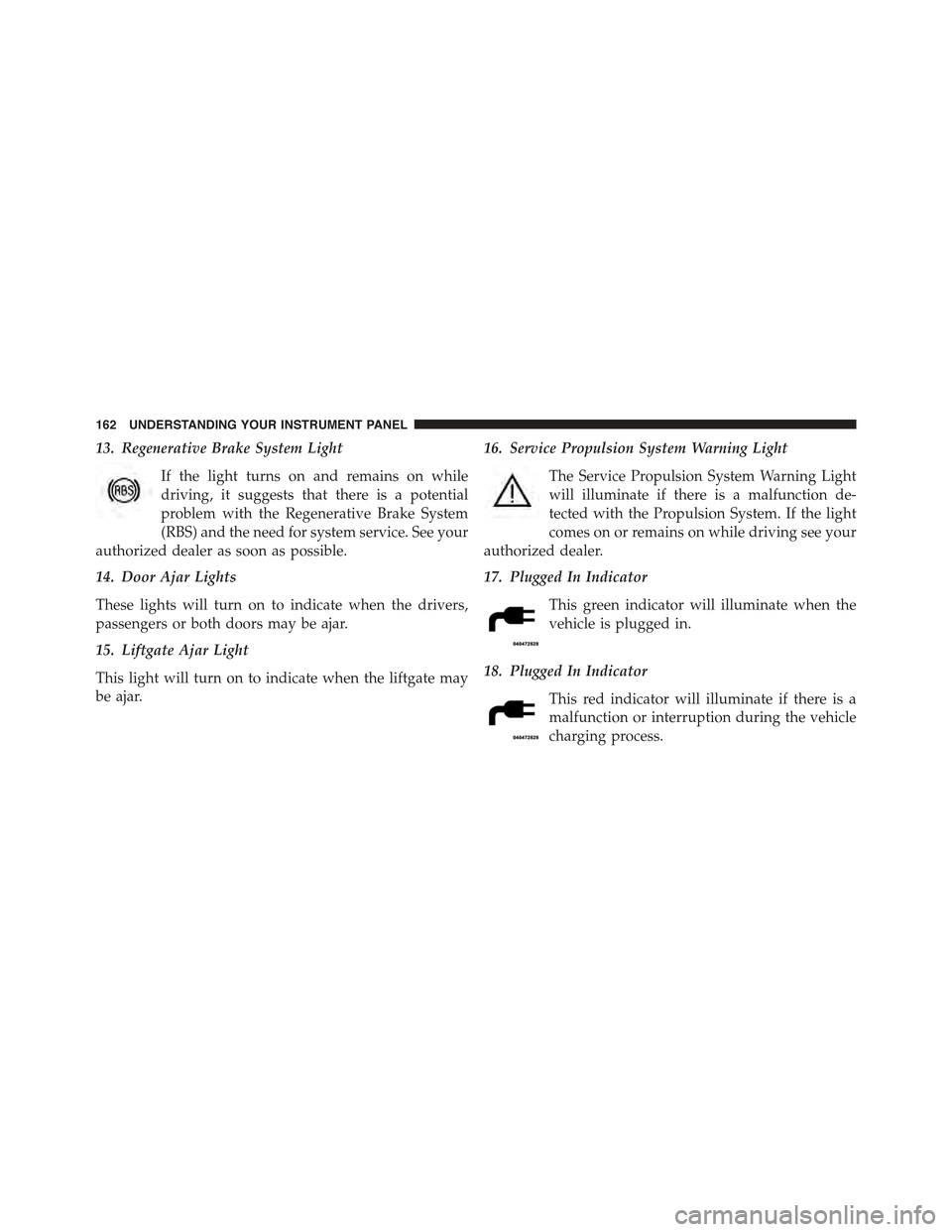
13. Regenerative Brake System Light
If the light turns on and remains on while
driving, it suggests that there is a potential
problem with the Regenerative Brake System
(RBS) and the need for system service. See your
authorized dealer as soon as possible.
14. Door Ajar Lights
These lights will turn on to indicate when the drivers,
passengers or both doors may be ajar.
15. Liftgate Ajar Light
This light will turn on to indicate when the liftgate may
be ajar.
16. Service Propulsion System Warning Light
The Service Propulsion System Warning Light
will illuminate if there is a malfunction de-
tected with the Propulsion System. If the light
comes on or remains on while driving see your
authorized dealer.
17. Plugged In Indicator
This green indicator will illuminate when the
vehicle is plugged in.
18. Plugged In Indicator
This red indicator will illuminate if there is a
malfunction or interruption during the vehicle
charging process.
162 UNDERSTANDING YOUR INSTRUMENT PANEL
Page 171 of 367
Electronic Vehicle Information Center (EVIC)
Setup Menu
The menu comprises a series of functions arranged in a
cycle. Push and release the + and – buttons to access the
different options and settings (setup).
The setup menu can be activated by pushing the MENU
ESC button. Single pushes on the + or – buttons will
scroll through the setup menu options. The menu in-
cludes the following functions:
•Charging Schedule
•Set Date
•Set Time
•Units
•Language
•Battery % Display
•Auto Door Locks
•Remote Unlock
•Daytime Running Lights
•Button Volume
•Hill Start Assist
•Stored Warnings
•Tutorial
•Connectivity ID
•Restore Factory Settings
•Exit Menu
4
UNDERSTANDING YOUR INSTRUMENT PANEL 169
Page 187 of 367
Preset/User/Classic/Rock/Jazz Functions — If Equipped
The built-in equalizer can be activated/deactivated.
When the equalizer function is off, the audio settings can
only be changed by adjusting the “Bass” and “Treble”
settings, whereas when the function is on, the acoustic
curves can be adjusted. To deactivate the equalizer, select
the “EQ Preset” function in the audio menu.
To activate the equalizer, use the AUDIO button to select
one of the adjustments:
•“EQ User” (adjustment of 7 equalizer bands that can
be changed by the user)
•“Classic” (equalizer preset for optimal classic music
sound)
•“Rock” (equalizer preset for optimal rock and pop
music sound)
•“Jazz” (equalizer preset for optimal jazz music sound)
When one of the equalizer adjustments is activated the
wording “EQ” lights up.
User EQ Settings Function — If Equipped
To set a personalized equalizer adjustment:
1. Push the AUDIO button.
2. Use theorbuttons to set EQ function.
3. Useorbuttons to select#EQ User.#
4. Push the MENU button to start adjusting equalizer.
5. On the display a seven bar graph will appear, in which
each bar represents a frequency. Select the bar to be
adjusted by using theorbuttons. The selected
bar will start to flash and it can be adjusted using
orbuttons.
6. To store the setting, push the MENU or AUDIO
buttons.
4
UNDERSTANDING YOUR INSTRUMENT PANEL 185