service FIAT 500E 2015 2.G User Guide
[x] Cancel search | Manufacturer: FIAT, Model Year: 2015, Model line: 500E, Model: FIAT 500E 2015 2.GPages: 367, PDF Size: 9.42 MB
Page 108 of 367
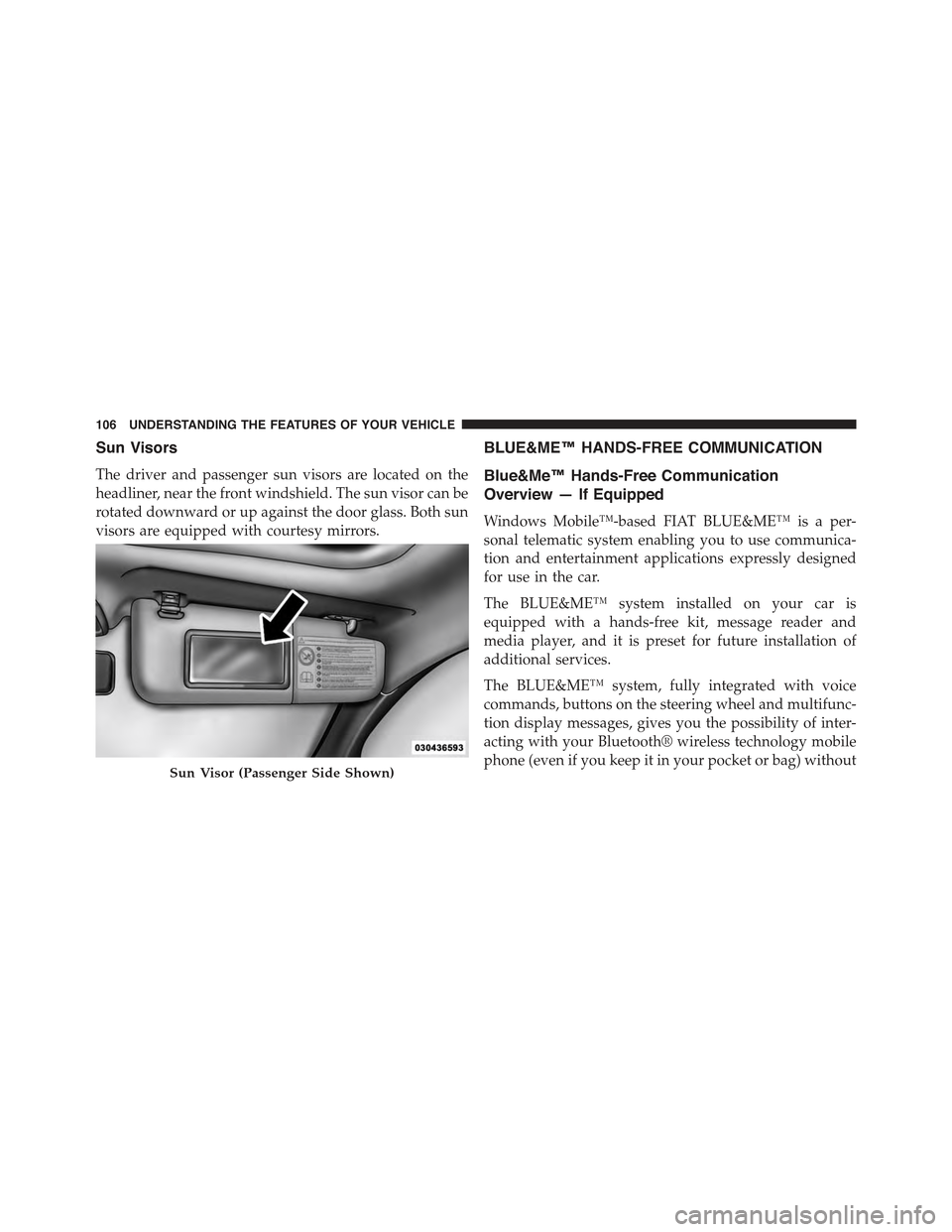
Sun Visors
The driver and passenger sun visors are located on the
headliner, near the front windshield. The sun visor can be
rotated downward or up against the door glass. Both sun
visors are equipped with courtesy mirrors.
BLUE&ME™ HANDS-FREE COMMUNICATION
Blue&Me™ Hands-Free Communication
Overview — If Equipped
Windows Mobile™-based FIAT BLUE&ME™ is a per-
sonal telematic system enabling you to use communica-
tion and entertainment applications expressly designed
for use in the car.
The BLUE&ME™ system installed on your car is
equipped with a hands-free kit, message reader and
media player, and it is preset for future installation of
additional services.
The BLUE&ME™ system, fully integrated with voice
commands, buttons on the steering wheel and multifunc-
tion display messages, gives you the possibility of inter-
acting with your Bluetooth® wireless technology mobile
phone (even if you keep it in your pocket or bag) withoutSun Visor (Passenger Side Shown)
106 UNDERSTANDING THE FEATURES OF YOUR VEHICLE
Page 121 of 367
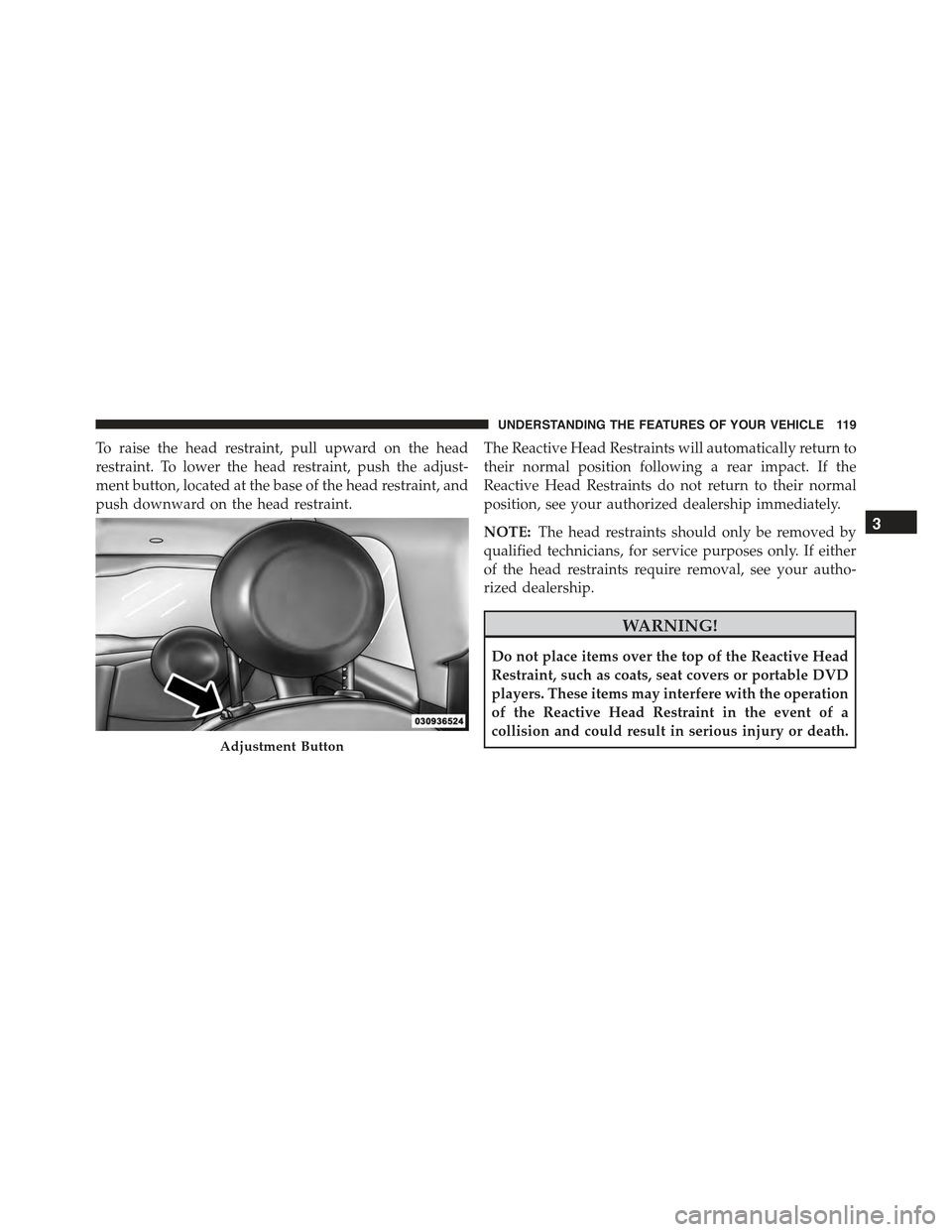
To raise the head restraint, pull upward on the head
restraint. To lower the head restraint, push the adjust-
ment button, located at the base of the head restraint, and
push downward on the head restraint.
The Reactive Head Restraints will automatically return to
their normal position following a rear impact. If the
Reactive Head Restraints do not return to their normal
position, see your authorized dealership immediately.
NOTE:The head restraints should only be removed by
qualified technicians, for service purposes only. If either
of the head restraints require removal, see your autho-
rized dealership.
WARNING!
Do not place items over the top of the Reactive Head
Restraint, such as coats, seat covers or portable DVD
players. These items may interfere with the operation
of the Reactive Head Restraint in the event of a
collision and could result in serious injury or death.Adjustment Button
3
UNDERSTANDING THE FEATURES OF YOUR VEHICLE 119
Page 164 of 367
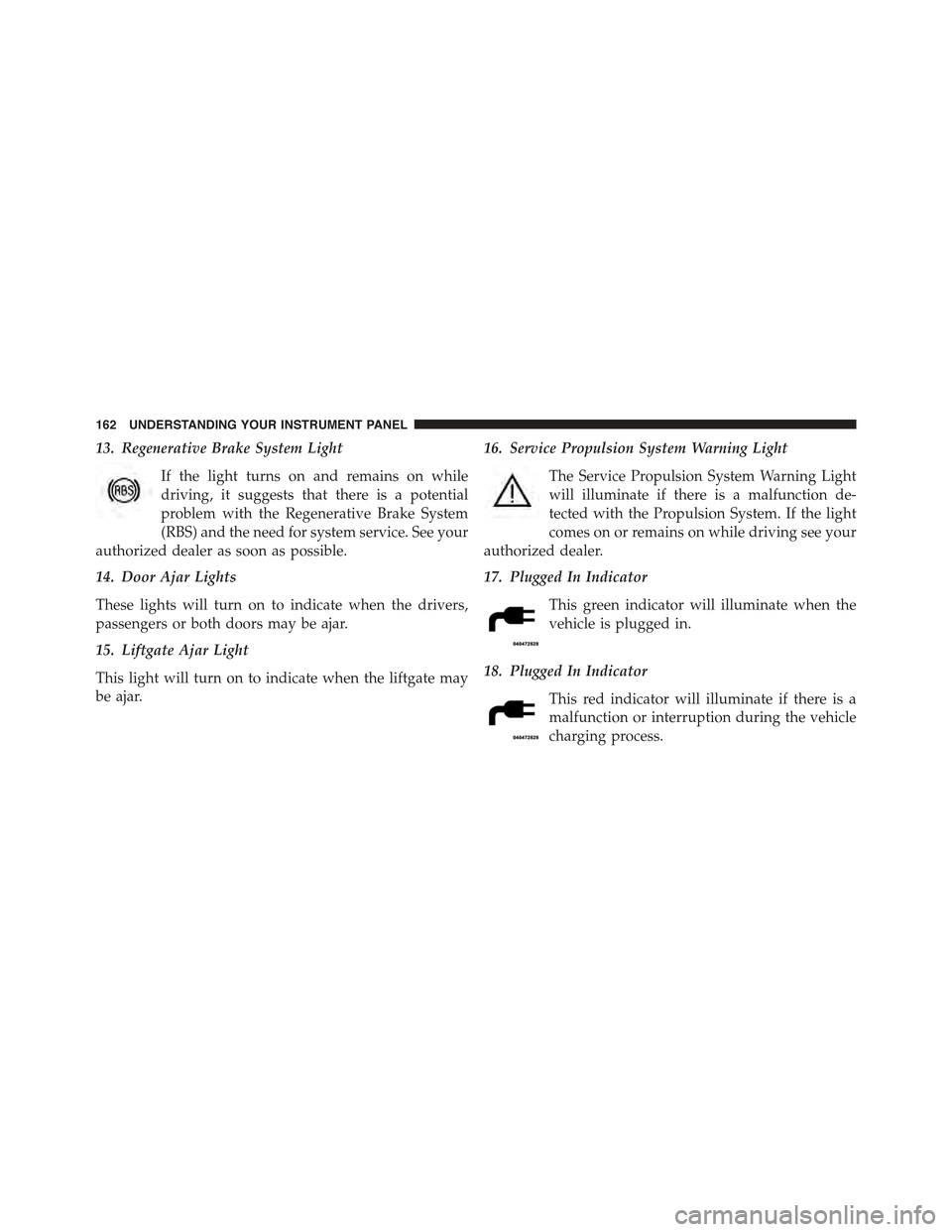
13. Regenerative Brake System Light
If the light turns on and remains on while
driving, it suggests that there is a potential
problem with the Regenerative Brake System
(RBS) and the need for system service. See your
authorized dealer as soon as possible.
14. Door Ajar Lights
These lights will turn on to indicate when the drivers,
passengers or both doors may be ajar.
15. Liftgate Ajar Light
This light will turn on to indicate when the liftgate may
be ajar.
16. Service Propulsion System Warning Light
The Service Propulsion System Warning Light
will illuminate if there is a malfunction de-
tected with the Propulsion System. If the light
comes on or remains on while driving see your
authorized dealer.
17. Plugged In Indicator
This green indicator will illuminate when the
vehicle is plugged in.
18. Plugged In Indicator
This red indicator will illuminate if there is a
malfunction or interruption during the vehicle
charging process.
162 UNDERSTANDING YOUR INSTRUMENT PANEL
Page 165 of 367
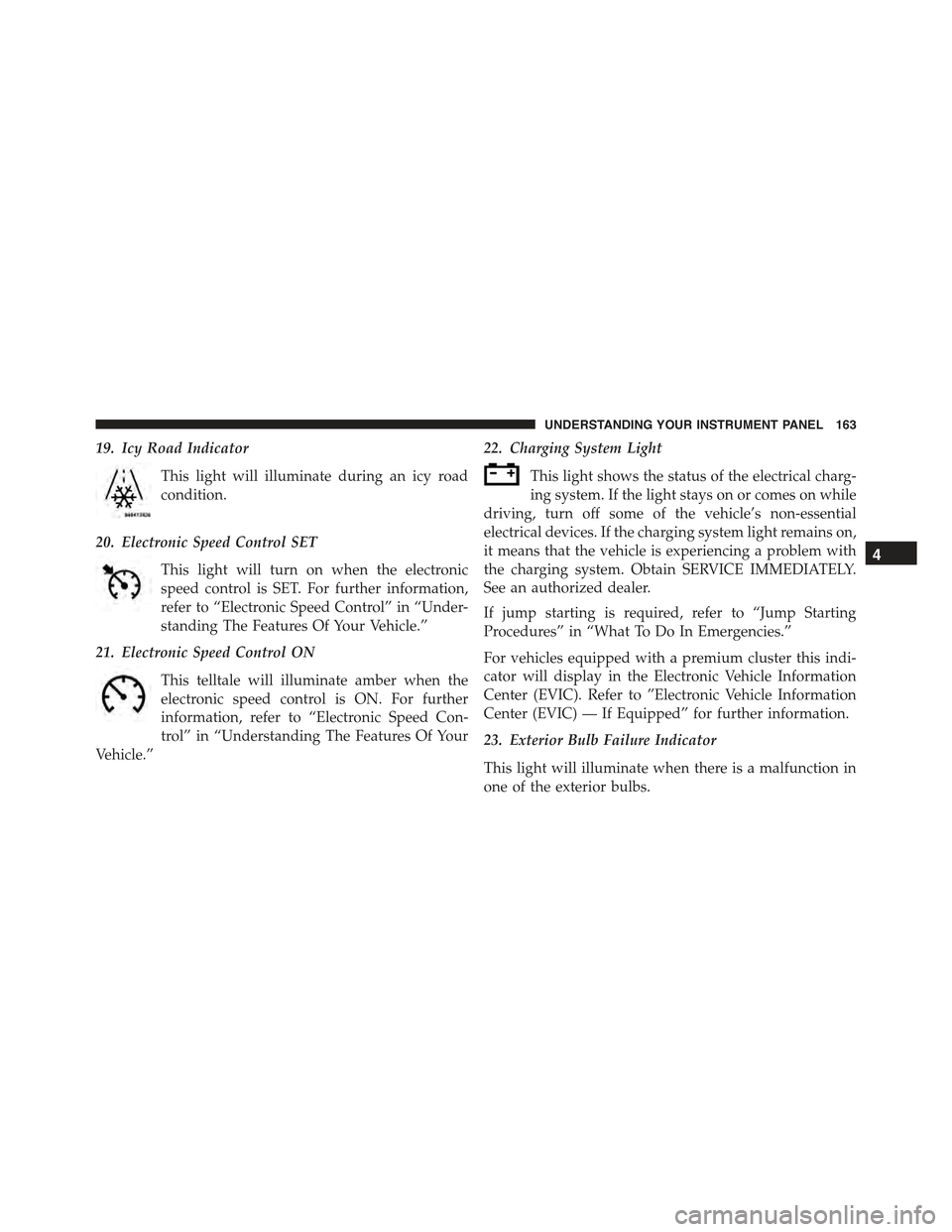
19. Icy Road Indicator
This light will illuminate during an icy road
condition.
20. Electronic Speed Control SET
This light will turn on when the electronic
speed control is SET. For further information,
refer to “Electronic Speed Control” in “Under-
standing The Features Of Your Vehicle.”
21. Electronic Speed Control ON
This telltale will illuminate amber when the
electronic speed control is ON. For further
information, refer to “Electronic Speed Con-
trol” in “Understanding The Features Of Your
Vehicle.”
22. Charging System Light
This light shows the status of the electrical charg-
ing system. If the light stays on or comes on while
driving, turn off some of the vehicle’s non-essential
electrical devices. If the charging system light remains on,
it means that the vehicle is experiencing a problem with
the charging system. Obtain SERVICE IMMEDIATELY.
See an authorized dealer.
If jump starting is required, refer to “Jump Starting
Procedures” in “What To Do In Emergencies.”
For vehicles equipped with a premium cluster this indi-
cator will display in the Electronic Vehicle Information
Center (EVIC). Refer to ”Electronic Vehicle Information
Center (EVIC) — If Equipped” for further information.
23. Exterior Bulb Failure Indicator
This light will illuminate when there is a malfunction in
one of the exterior bulbs.
4
UNDERSTANDING YOUR INSTRUMENT PANEL 163
Page 166 of 367
24. Power Steering System Warning
This light is used to manage the electrical
warning of the EPS (Power Steering System).
Refer to “Power Steering” in “Starting and
Operating” for further information.
25. Speedometer
The Speedometer shows the vehicle speed in miles per
hour (mph) and/or kilometers per hour (km/h).
26. Anti-Lock Brake (ABS) Light
This light monitors the Anti-Lock Brake System
(ABS). The light will turn on when the ignition
switch is turned to the ON/RUN position and
may stay on for as long as four seconds.
If the ABS light remains on or turns on while driving, it
indicates that the Anti-Lock portion of the brake system
is not functioning and that service is required. However,
the conventional brake system will continue to operate
normally if the BRAKE warning light is not on.
If the ABS light is on, the brake system should be serviced
as soon as possible to restore the benefits of Anti-Lock
brakes. If the ABS light does not turn on when the
ignition switch is turned to the ON/RUN position, have
the light inspected by an authorized dealer.
27. Tire Pressure Monitoring Telltale Light
Each tire, including the spare (if provided),
should be checked monthly when cold and
inflated to the inflation pressure recommended
by the vehicle manufacturer on the vehicle
placard or tire inflation pressure label. (If your vehicle
has tires of a different size than the size indicated on the
vehicle placard or tire inflation pressure label, you should
determine the proper tire inflation pressure for those
tires.)
164 UNDERSTANDING YOUR INSTRUMENT PANEL
Page 192 of 367
Manual Tuning
This is used to manually search for stations in the
preselected band.
Select the desired frequency band and then push briefly
and repeatedly theorbutton to start the search in
the desired direction. If theorbutton is pushed
longer, the fast search starts and then stops when the
button is released.
Stereophonic Broadcasters
If the incoming signal is weak, the reproduction is
automatically switched from Stereo to Mono.
SiriusXM Satellite Radio — If Equipped
SiriusXM Satellite Radio
With over 130 channels, SiriusXM Satellite Radio brings you
more of what you love. Get 69 channels of 100% commercial-
free music, plus all of your favorite sports, news, talk and
entertainment. Hear every NFL game, every NASCAR race,
college sports and more. The biggest and most compelling
names in talk with Howard Stern and Martha Stewart,
laugh-out-loud comedy with Jamie Foxx’s The Foxxhole and
Blue Collar Comedy, plus kids’ programming, world-class
news, local traffic and weather. All of this with crystal clear,
coast-to-coast coverage. Everything worth listening to is
now on SiriusXM. A one-year SiriusXM Satellite Radio
subscription is included. SiriusXM and all related marks and
logos are trademarks of SiriusXM Radio Inc. and its subsid-
iaries. SiriusXM Radio requires a subscription, sold sepa-
rately after trial subscription included with vehicle pur-
chase. Prices and programming are provided by SiriusXM
and are subject to change. Subscriptions governed by
Terms & Conditions available at www.siriusxm.com/
customeragreement. SiriusXM Radio U.S. service only avail-
able to those at least 18 years of age in the 48 contiguous
United States, D.C., and PR. Service available in Canada; see
www.siriusxm.ca.
190 UNDERSTANDING YOUR INSTRUMENT PANEL
Page 193 of 367
SiriusXM Satellite Radio Program Types
Program Types can be selected by pushing theor
buttons. The Program Type will change to the next
category and the radio will then tune to first station in
that program type. Pushingorbuttons will tune
to only the stations in that program type.
Pushing theorbuttons until#All#is displayed
will allow normal tuning to all stations.
The Program Types available are: All, Pop, Rock,
Electronic/Dance, Hip-Hop/R&B, Country, Christian,
Jazz/Standards, Classical, Latin/World, Sports, Enter-
tainment, Talk, News, NPR, Comedy, Family & Health,
Religion, Traffic/Weather.
You can find the SiriusXM current terms and conditions
at www.siriusxm.com.
Re-Subscribe To SiriusXM Satellite Radio
New vehicle purchasers or lessees will receive a free
limited time subscription to SiriusXM Satellite Radio
with their radio. Following expiration of the free services,
it will be necessary to access the information on the
Subscription Information screen in order to re-subscribe.
Press the UP/DOWN button to scroll through the Menu
Functions, and the Left/Right button to change the
selected Set-up Menu function.
Write down the Electronic Serial Number (ESN) for your
receiver. To retrieve the Electronic Serial Number of Siri-
usXM Satellite Receiver Module tune to Channel 0. Make
sure that when the order is placed, the ESN are correct. If
any of the ESN numbers are not entered correctly, then the
SiriusXM subscription will not be able to be transferred to
the new radio and will not be active when installed in the
customer ’s vehicle. To reactivate your service, either call
the number listed on the display or visit the provider
online.
4
UNDERSTANDING YOUR INSTRUMENT PANEL 191
Page 194 of 367
CAUTION!
Neither SIRIUS nor FIAT is responsible for any
errors in accuracies in the SIRIUS data services or its
use in vehicles.
SiriusXM and all related marks and logos are trademarks of
SiriusXM Radio Inc. and its subsidiaries. SiriusXM Radio
requires a subscription, sold separately after trial subscrip-
tion included with vehicle purchase. Prices and program-
ming are provided by SiriusXM and are subject to change.
Subscriptions governed by Terms & Conditions available at
www.siriusxm.com/customeragreement. SiriusXM Radio
U.S. service only available to those at least 18 years of
age in the 48 contiguous United States, D.C., & PR.
www.siriusxm.com.
Sirius Subscription Issues When Replacing A
Sirius Radio
When a radio needs to be replaced, the Dealer will need
the SIRIUS information to order a new radio (even if the
SIRIUS subscription has lapsed). The ESN number con-
tains 12 digits.
The following are instructions for retrieving the Elec-
tronic Serial Number (ESN) from FIAT 500 NAFTA model
radios:
To retrieve the ESN of SIRIUS Satellite Receiver Module
tune to Channel 0. Make sure that when the order is
placed, the ESN are correct. If any of the ESN numbers
are not entered correctly, then the SIRIUS subscription
will not be able to be transferred to the new radio and
will not be active when installed in the customer ’s
vehicle.
192 UNDERSTANDING YOUR INSTRUMENT PANEL
Page 204 of 367
5. Store the disc in its case after playing.
6. Do not expose the disc to direct sunlight.
7. Do not store the disc where temperatures may become
too high.
NOTE:If you experience difficulty in playing a particular
disc, it may be damaged (e.g., scratched, reflective coat-
ing removed, a hair, moisture or dew on the disc)
oversized, or have protection encoding. Try a known
good disc before considering disc player service.
RADIO OPERATION AND MOBILE PHONES
Under certain conditions, the mobile phone being on in
your vehicle can cause erratic or noisy performance from
your radio. This condition may be lessened or eliminated
by relocating the mobile phone antenna. This condition is
not harmful to the radio. If your radio performance does
not satisfactorily “clear” by the repositioning of the an-
tenna, it is recommended that the radio volume be turned
down or off during mobile phone operation.
CLIMATE CONTROLS
The air conditioning and heating system is designed to
make you comfortable in all types of weather.
Automatic Temperature Control (ATC)
•The Automatic Temperature Control (ATC) allows the
occupant to select a comfort settings.
•The system provides set-and-forget operation for op-
timum comfort and convenience.
•The system can be controlled manually, if desired.
The ATC system automatically maintains the interior
comfort level desired by the occupant.
202 UNDERSTANDING YOUR INSTRUMENT PANEL
Page 211 of 367
Summer Operation
NOTE:In some cases during high temperature opera-
tion, the air conditioning system performance may be
reduced. This is to help protect the engine from overheat-
ing during the high load condition.
Your air conditioning system is also equipped with an
automatic recirculation system. When the system senses
a heavy load or high heat conditions, it may use Recir-
culation A/C mode to provide additional comfort while
in automatic mode.
Winter Operation
When operating the system during the winter months,
make sure the air intake, located directly in front of the
windshield, is free of ice, slush, snow, or other obstruc-
tions.
Vacation Storage
Anytime you store your vehicle, or keep it out of service
(i.e., vacation) for two weeks or more, run the air
conditioning system at idle for about five minutes in the
fresh air using the high blower setting. This will ensure
adequate system lubrication to minimize the possibility
of compressor damage when the air conditioning system
is started again.
4
UNDERSTANDING YOUR INSTRUMENT PANEL 209