steering FIAT 500E 2015 2.G Owner's Manual
[x] Cancel search | Manufacturer: FIAT, Model Year: 2015, Model line: 500E, Model: FIAT 500E 2015 2.GPages: 367, PDF Size: 9.42 MB
Page 131 of 367
Manual High Speed/Mist
Push the lever upward from the off position. The wipers
will operate at high speed to clear off road mist or spray
from a passing vehicle. This operation will continue until
the lever is released. When the lever is released, the
wipers will return to the off position and automatically
shut off.
Front Windshield Washer Operation
Pull the windshield wiper/washer lever toward the
steering wheel to activate the washers. The wipers will
activate automatically for three cycles after the lever is
released.
CAUTION!
•Turn the windshield wipers off when driving
through an automatic car wash. Damage to the
windshield wipers may result if the wiper control
is left in any position other than off.
•In cold weather, always turn off the wiper switch
and allow the wipers to return to the “Park” posi-
tion before turning off the vehicle. If the wiper
switch is left on and the wipers freeze to the
windshield, damage to the wiper motor may occur
when the vehicle is restarted.
•Always remove any buildup of snow that prevents
the windshield wiper blades from returning to the
off position. If the windshield wiper control is
turned off and the blades cannot return to the off
position, damage to the wiper motor may occur.
3
UNDERSTANDING THE FEATURES OF YOUR VEHICLE 129
Page 133 of 367
Rear Windshield Washer Operation
Push the windshield wiper/washer lever toward the
instrument panel to activate the rear washer. Push and
hold the lever for more than a half second and the wipers
will activate automatically for three cycles after the lever
is released.
TILT STEERING COLUMN — IF EQUIPPED
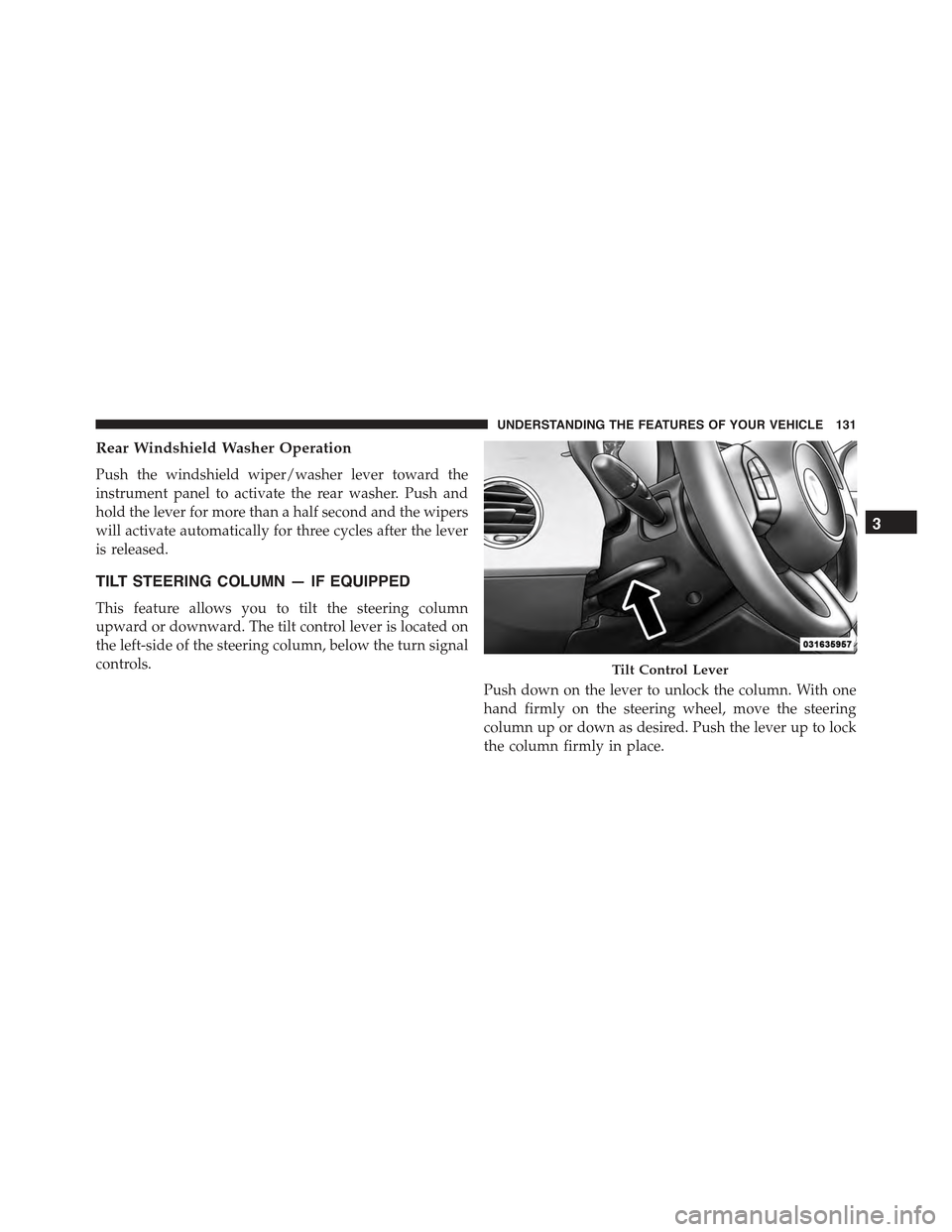
This feature allows you to tilt the steering column
upward or downward. The tilt control lever is located on
the left-side of the steering column, below the turn signal
controls.
Push down on the lever to unlock the column. With one
hand firmly on the steering wheel, move the steering
column up or down as desired. Push the lever up to lock
the column firmly in place.
Tilt Control Lever
3
UNDERSTANDING THE FEATURES OF YOUR VEHICLE 131
Page 134 of 367
WARNING!
Do not adjust the steering column while driving.
Adjusting the steering column while driving or driv-
ing with the steering column unlocked, could cause
the driver to lose control of the vehicle. Failure to
follow this warning may result in serious injury or
death.
ELECTRONIC SPEED CONTROL
When engaged, the Electronic Speed Control takes over
accelerator operations at speeds greater than 25 mph
(40 km/h).
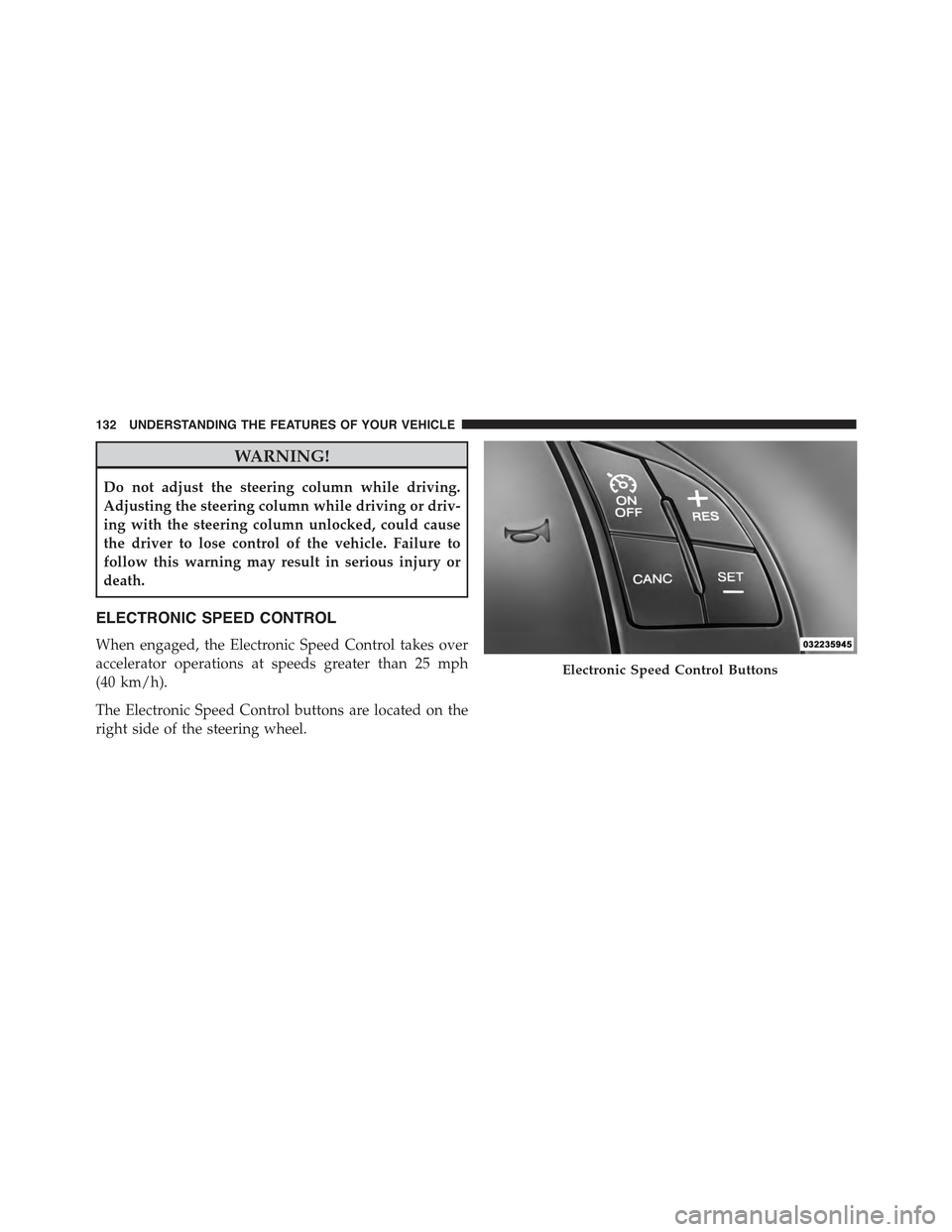
The Electronic Speed Control buttons are located on the
right side of the steering wheel.
Electronic Speed Control Buttons
132 UNDERSTANDING THE FEATURES OF YOUR VEHICLE
Page 156 of 367
▫Troubleshooting.......................198
!iPod®/USB/MEDIA PLAYER CONTROL — IF
EQUIPPED...........................199
!STEERING WHEEL AUDIO CONTROLS......200
▫Radio Operation......................201
▫CD Player Operation...................201
▫Operating Instructions — Hands-Free Phone
(If Equipped).........................201
!CD/DVD DISC MAINTENANCE...........201
!RADIO OPERATION AND MOBILE PHONES . .202
!CLIMATE CONTROLS...................202
▫Automatic Temperature Control (ATC)......202
▫Operating Tips.......................208
154 UNDERSTANDING YOUR INSTRUMENT PANEL
Page 166 of 367
24. Power Steering System Warning
This light is used to manage the electrical
warning of the EPS (Power Steering System).
Refer to “Power Steering” in “Starting and
Operating” for further information.
25. Speedometer
The Speedometer shows the vehicle speed in miles per
hour (mph) and/or kilometers per hour (km/h).
26. Anti-Lock Brake (ABS) Light
This light monitors the Anti-Lock Brake System
(ABS). The light will turn on when the ignition
switch is turned to the ON/RUN position and
may stay on for as long as four seconds.
If the ABS light remains on or turns on while driving, it
indicates that the Anti-Lock portion of the brake system
is not functioning and that service is required. However,
the conventional brake system will continue to operate
normally if the BRAKE warning light is not on.
If the ABS light is on, the brake system should be serviced
as soon as possible to restore the benefits of Anti-Lock
brakes. If the ABS light does not turn on when the
ignition switch is turned to the ON/RUN position, have
the light inspected by an authorized dealer.
27. Tire Pressure Monitoring Telltale Light
Each tire, including the spare (if provided),
should be checked monthly when cold and
inflated to the inflation pressure recommended
by the vehicle manufacturer on the vehicle
placard or tire inflation pressure label. (If your vehicle
has tires of a different size than the size indicated on the
vehicle placard or tire inflation pressure label, you should
determine the proper tire inflation pressure for those
tires.)
164 UNDERSTANDING YOUR INSTRUMENT PANEL
Page 173 of 367
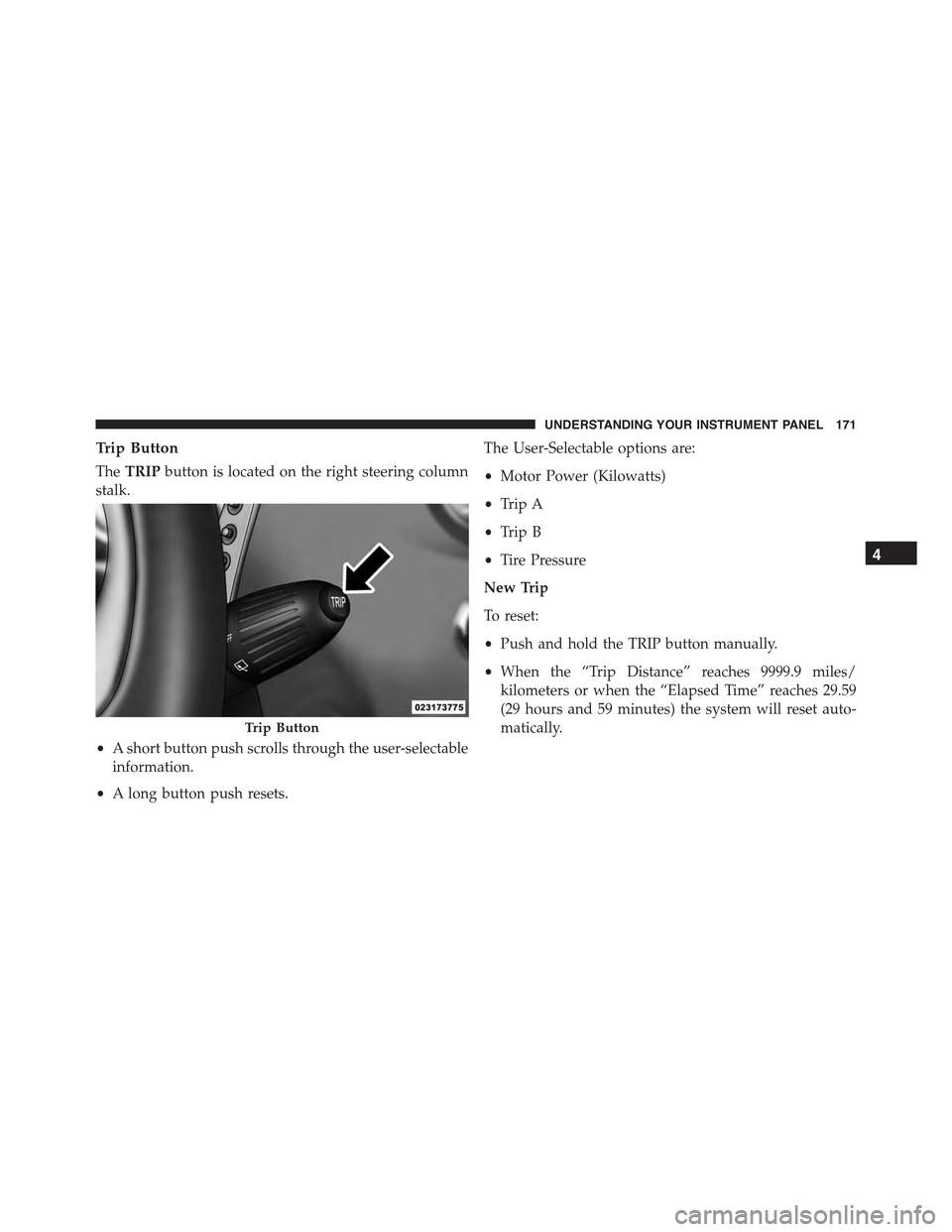
Trip Button
TheTRIPbutton is located on the right steering column
stalk.
•A short button push scrolls through the user-selectable
information.
•A long button push resets.
The User-Selectable options are:
•Motor Power (Kilowatts)
•Trip A
•Trip B
•Tire Pressure
New Trip
To reset:
•Push and hold the TRIP button manually.
•When the “Trip Distance” reaches 9999.9 miles/
kilometers or when the “Elapsed Time” reaches 29.59
(29 hours and 59 minutes) the system will reset auto-
matically.Trip Button
4
UNDERSTANDING YOUR INSTRUMENT PANEL 171
Page 202 of 367
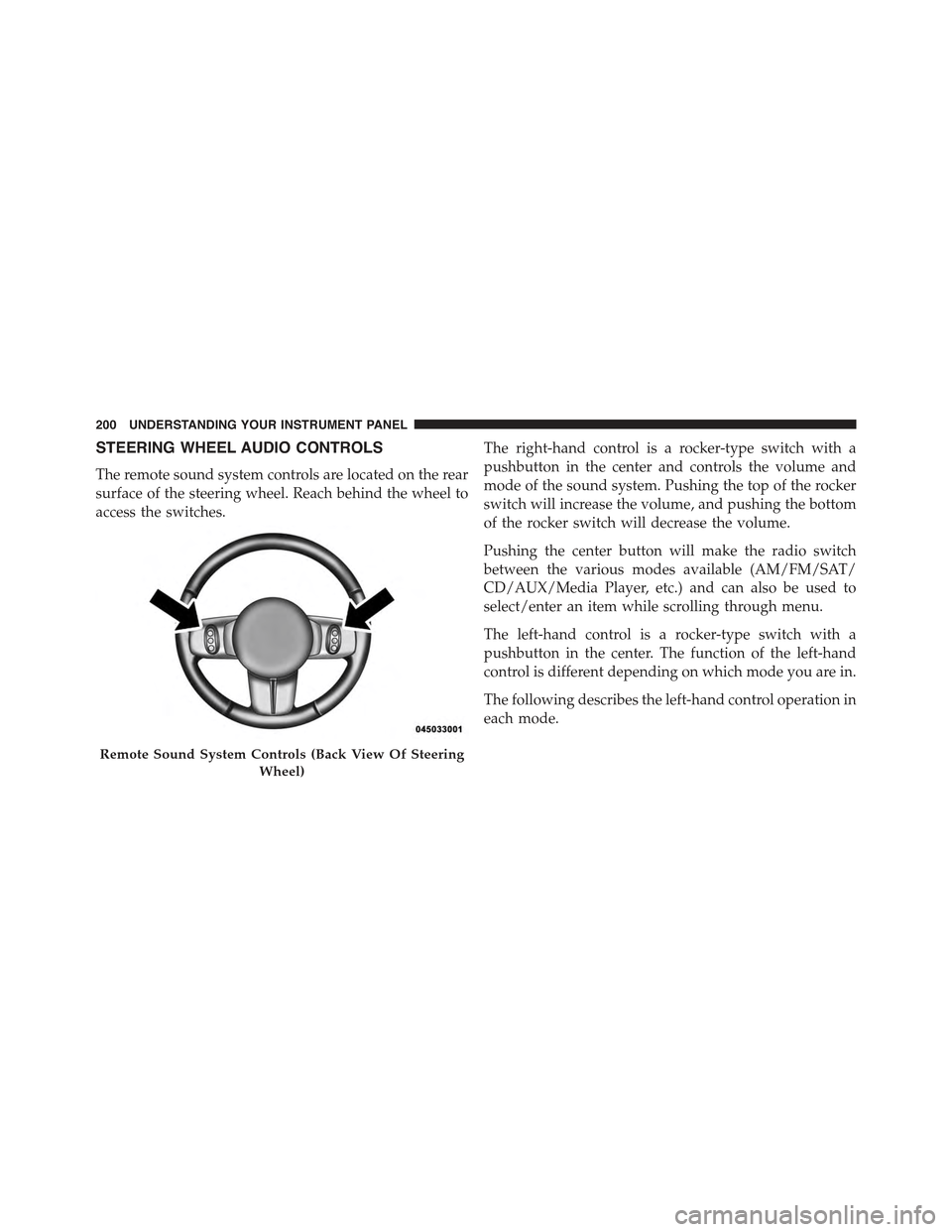
STEERING WHEEL AUDIO CONTROLS
The remote sound system controls are located on the rear
surface of the steering wheel. Reach behind the wheel to
access the switches.
The right-hand control is a rocker-type switch with a
pushbutton in the center and controls the volume and
mode of the sound system. Pushing the top of the rocker
switch will increase the volume, and pushing the bottom
of the rocker switch will decrease the volume.
Pushing the center button will make the radio switch
between the various modes available (AM/FM/SAT/
CD/AUX/Media Player, etc.) and can also be used to
select/enter an item while scrolling through menu.
The left-hand control is a rocker-type switch with a
pushbutton in the center. The function of the left-hand
control is different depending on which mode you are in.
The following describes the left-hand control operation in
each mode.
Remote Sound System Controls (Back View Of Steering
Wheel)
200 UNDERSTANDING YOUR INSTRUMENT PANEL
Page 213 of 367
STARTING AND OPERATING
CONTENTS
!STARTING PROCEDURES................214
▫Single-Speed Transmission...............214
▫Normal Starting.......................214
!SINGLE–SPEED TRANSMISSION...........215
▫Key Ignition Park Interlock...............218
▫Gear Ranges.........................218
▫Auto Park...........................221
!DRIVING ON SLIPPERY SURFACES.........222
▫Acceleration.........................222
▫Traction............................223
!DRIVING THROUGH WATER.............223
▫Flowing/Rising Water..................223
▫Shallow Standing Water.................224
!POWER STEERING.....................225
!PARKING BRAKE......................226
!BRAKE SYSTEM.......................228
!ELECTRONIC BRAKE CONTROL SYSTEM . . . .228
▫Four-Wheel Anti-Lock Brake System (ABS) . . .228
▫Brake Assist System (BAS)...............230
▫Traction Control System (TCS)............231
5
Page 227 of 367
CAUTION!(Continued)
•Driving through standing water limits your vehi-
cle’s braking capabilities, which increases stopping
distances. Therefore, after driving through stand-
ing water, drive slowly and lightly press on the
brake pedal several times to dry the brakes.
•Failure to follow these warnings may result in
injuries that are serious or fatal to you, your pas-
sengers, and others around you.
POWER STEERING
The electric power steering system will give you good
vehicle response and increased ease of maneuverability
in tight spaces. The system will vary its assist to provide
light efforts while parking and good feel while driving. If
the electric steering system experiences a fault that
prevents it from providing assist, you will still have the
ability to steer the vehicle manually.
WARNING!
Continued operation with reduced or no power steer-
ing assist could pose a safety risk to yourself and
others. Service should be obtained as soon as possible.
If the Steering icon is flashing, it indicates that the vehicle
needs to be taken to an authorized dealer for service. It is
likely the vehicle has lost power steering assistance.
If the Steering icon is displayed and the “SERVICE
POWER STEERING” message is displayed on the EVIC
screen, they indicate that extreme steering maneuvers
may have occurred which caused an over temperature
condition in the power steering system. Once driving
conditions are safe, pull over and let the vehicle idle for
a few moments until the icon and message turn off. Refer
to “Electronic Vehicle Information (EVIC)” in “Under-
standing Your Instrument Panel” for further information.
5
STARTING AND OPERATING 225
Page 228 of 367
If the Steering icon, and the#SERVICE POWER STEER-
ING - ASSIST OFF#message is displayed on the EVIC
screen, the vehicle needs to be taken to an authorized
dealer for service. Refer to “Electronic Vehicle Informa-
tion (EVIC)” in “Understanding Your Instrument Panel”
for further information.
NOTE:
•Even if the power steering assistance is no longer
operational, it is still possible to steer the vehicle.
Under these conditions there will be a substantial
increase in steering effort, especially at low speeds and
during parking maneuvers.
•If the condition persists, see your authorized dealer for
service.
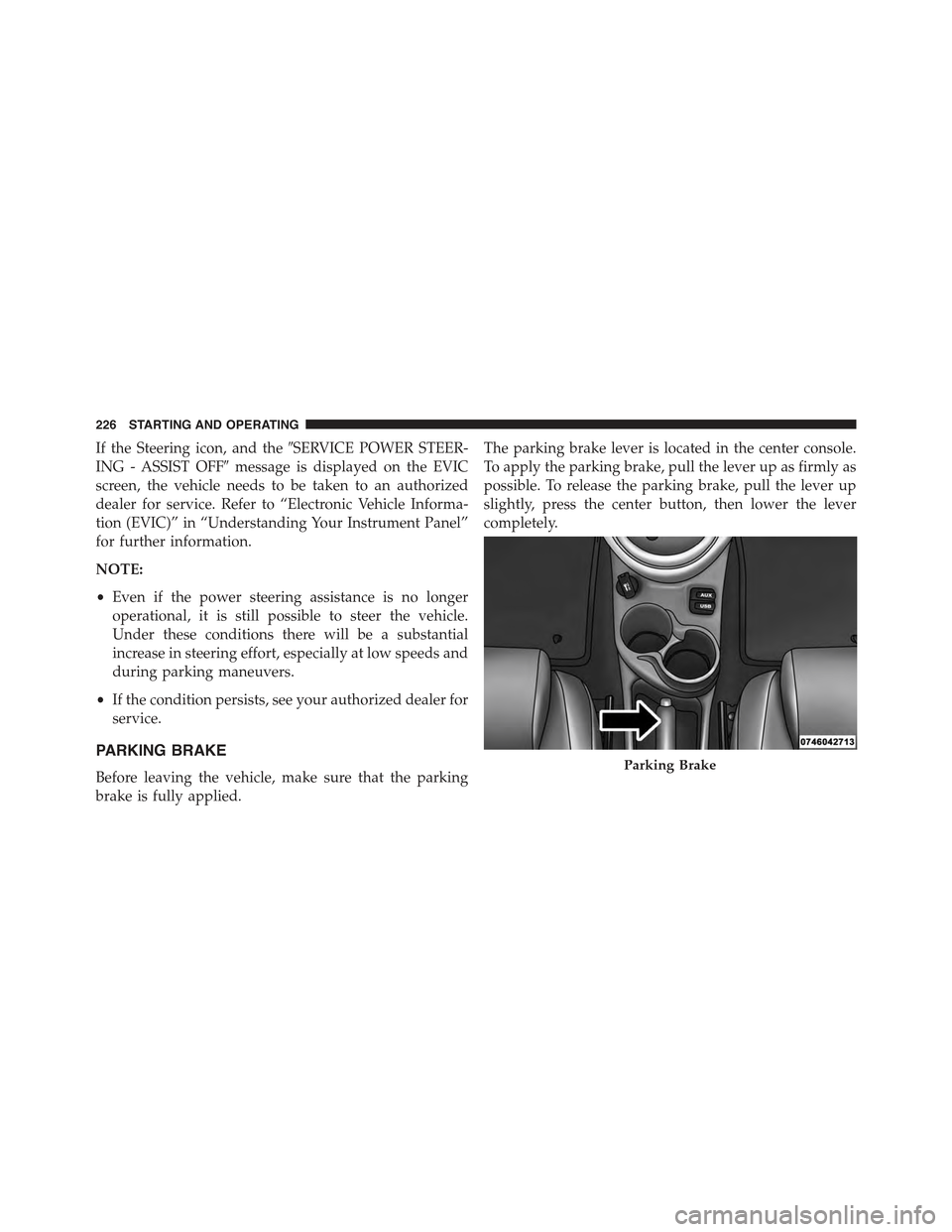
PARKING BRAKE
Before leaving the vehicle, make sure that the parking
brake is fully applied.
The parking brake lever is located in the center console.
To apply the parking brake, pull the lever up as firmly as
possible. To release the parking brake, pull the lever up
slightly, press the center button, then lower the lever
completely.
Parking Brake
226 STARTING AND OPERATING