buttons FIAT 500E 2018 User Guide
[x] Cancel search | Manufacturer: FIAT, Model Year: 2018, Model line: 500E, Model: FIAT 500E 2018Pages: 302, PDF Size: 3.32 MB
Page 165 of 302
cluster screen, the vehicle needs to be taken to an autho-
rized dealer for service. Refer to “Instrument Cluster
Display” in “Getting To Know Your Instrument Panel” for
further information.
NOTE:
•Even if the power steering assistance is no longer
operational, it is still possible to steer the vehicle. Under
these conditions there will be a substantial increase in
steering effort, especially at low speeds and during
parking maneuvers.
• If the condition persists, see an authorized dealer for
service.
SPEED CONTROL
When engaged, the Speed Control takes over accelerator
operations at speeds greater than 25 mph (40 km/h).
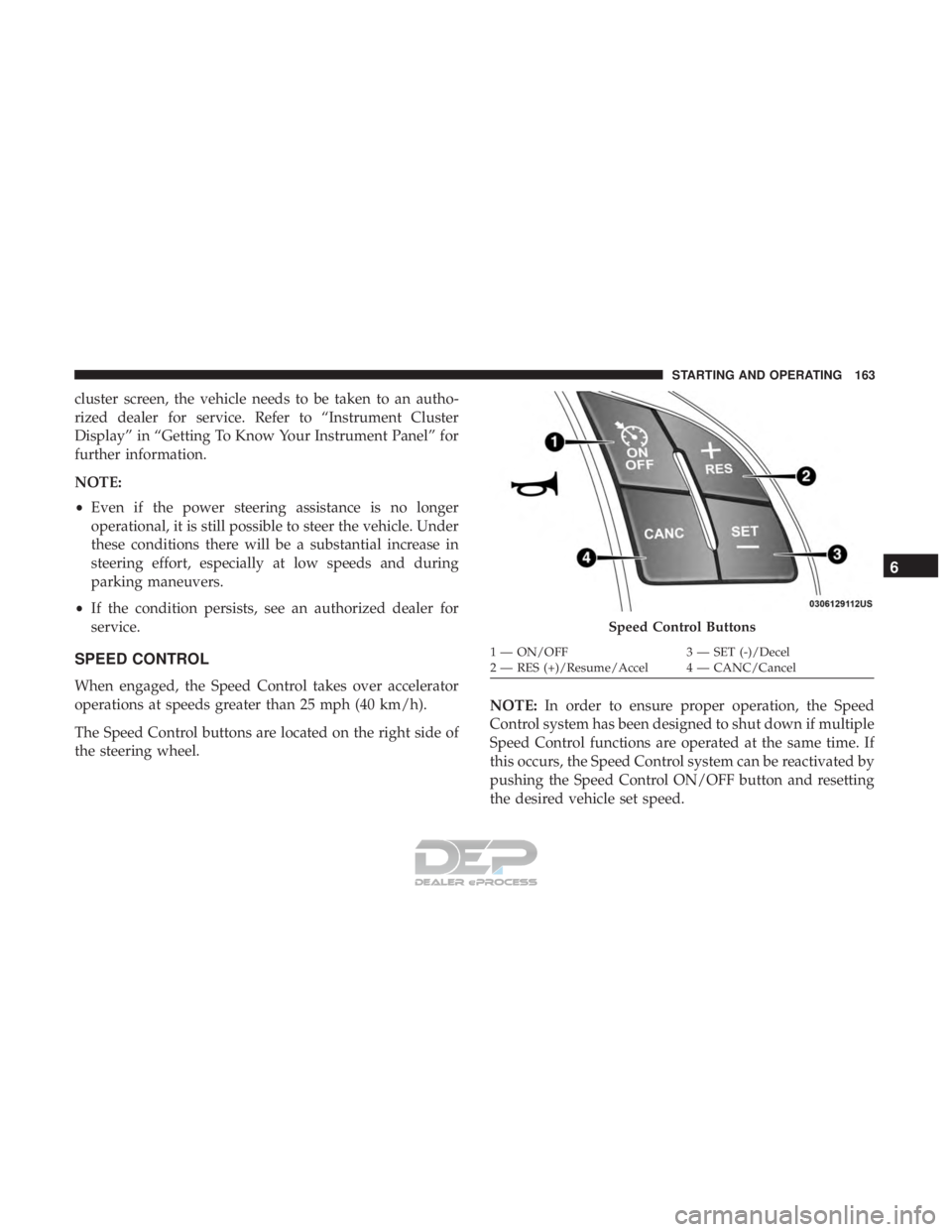
The Speed Control buttons are located on the right side of
the steering wheel. NOTE:
In order to ensure proper operation, the Speed
Control system has been designed to shut down if multiple
Speed Control functions are operated at the same time. If
this occurs, the Speed Control system can be reactivated by
pushing the Speed Control ON/OFF button and resetting
the desired vehicle set speed.
Speed Control Buttons
1 — ON/OFF 3 — SET (-)/Decel
2 — RES (+)/Resume/Accel 4 — CANC/Cancel
6
STARTING AND OPERATING 163
Page 265 of 302
NOTE:
•FCA US LLC or your dealer may contact you directly
regarding software updates.
• To help further improve vehicle security and minimize
the potential risk of a security breach, vehicle owners
should:
• Routinely check www.driveuconnect.com/support/
software-update.html (U.S. Residents) or
www.driveuconnect.ca (Canadian Residents) to learn
about available Uconnect software updates.
• Only connect and use trusted media devices (e.g.
personal mobile phones, USBs, CDs).
Privacy of any wireless and wired communications cannot
be assured. Third parties may unlawfully intercept infor-
mation and private communications without your consent.
For further information, refer to “Onboard Diagnostic
System (OBD II) Cybersecurity” in “Getting To Know Your
Instrument Panel”.UCONNECT SETTINGS
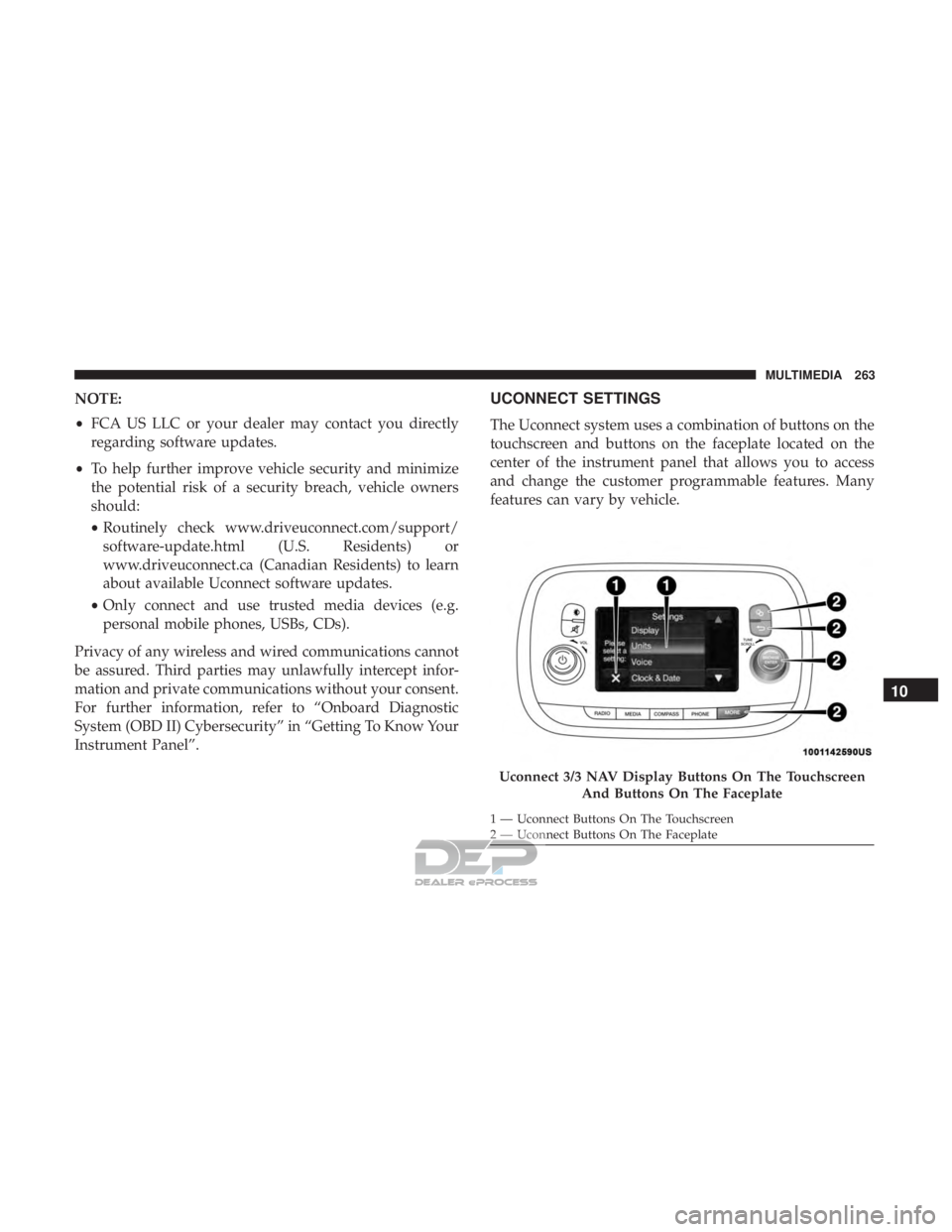
The Uconnect system uses a combination of buttons on the
touchscreen and buttons on the faceplate located on the
center of the instrument panel that allows you to access
and change the customer programmable features. Many
features can vary by vehicle.
Uconnect 3/3 NAV Display Buttons On The Touchscreen And Buttons On The Faceplate
1 — Uconnect Buttons On The Touchscreen
2 — Uconnect Buttons On The Faceplate
10
MULTIMEDIA 263
Page 266 of 302
Customer Programmable Features — Uconnect 3/3
NAV Display Settings
Push the Settingsbutton on the faceplate, to display
the settings menu screen. In this mode the Uconnect
system allows you to access programmable feature
settings.
NOTE: Only one touchscreen area may be selected at a
time.
When making a selection, press the button on the touch-
screen to enter the desired mode. Once in the desired mode, press and release the preferred setting and make
your selection. Once the setting is complete, either press
the back arrow button on the touchscreen or push the back
button on the faceplate to return to the previous menu. Or
press the “X” button on the touchscreen to close out of the
settings screen. Pressing the up or down arrow buttons on
the right side of the screen allows you to toggle up or down
through the available settings.
NOTE:
All settings should be changed with the ignition in
the “AVV/MAR” position.
Display
After pressing the “Display” button on the touchscreen, the
following settings will be available:
Setting Name Selectable Options
Display Mode Auto Manual
NOTE:
When the “Display Mode” feature is set to “Auto” the radio touchscreen’s brightness will be adjusted with all other
instrument panel displays and lights when they are adjusted using the instrument cluster display buttons on the
right-hand side of the instrument cluster display. When the “Display Mode” feature is set to “Manual” the radio
screen brightness can be adjusted independently using the “Brightness” feature below.
264 MULTIMEDIA
Page 279 of 302
Get Started
1. Visit UconnectPhone.com to check mobile device andfeature compatibility and to find phone pairing instruc-
tions.
2. Reduce background noise. Wind and passenger conver- sations are examples of noise that may impact recogni-
tion.
3. Speak clearly at a normal pace and volume while facing straight ahead. The microphone is positioned on the
rearview mirror and aimed at the driver.
4. Each time you give a Voice Command, you must first push either the VR or PHONE button, wait until after
the beep, then say your Voice Command.
5. You can interrupt the help message or system prompts by pushing the VR or PHONE button and saying a Voice
Command from current category.
All you need to control your Uconnect system with your
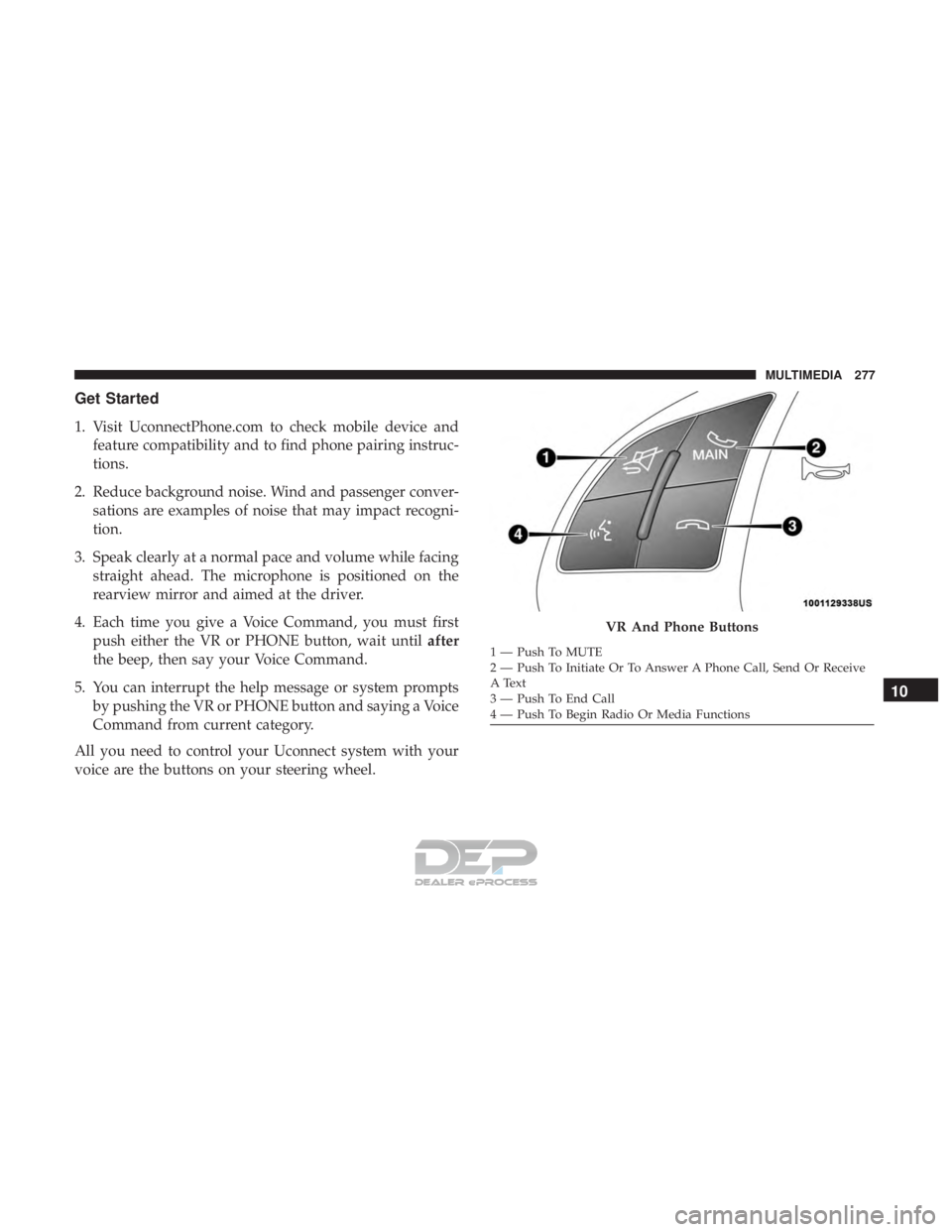
voice are the buttons on your steering wheel.
VR And Phone Buttons
1 — Push To MUTE
2 — Push To Initiate Or To Answer A Phone Call, Send Or Receive
A Text
3 — Push To End Call
4 — Push To Begin Radio Or Media Functions
10
MULTIMEDIA 277