instrument cluster FIAT 500E 2018 User Guide
[x] Cancel search | Manufacturer: FIAT, Model Year: 2018, Model line: 500E, Model: FIAT 500E 2018Pages: 302, PDF Size: 3.32 MB
Page 89 of 302
Push and release theMENUbutton briefly to access the
instrument cluster display. Push and hold the MENU
button (approximately one second) to return to the main
screen.
Push and release the Up button to scroll upward through
the displayed menu and the related options or to increase
the displayed value.
Push and release the Down button to scroll downward
through the displayed menu and the related options or to
decrease the value displayed.
NOTE: The Up and Down buttons activate different func-
tions according to the following situations:
• To scroll the menu options upwards or downwards.
• To increase or decrease values during settings.
NOTE: When opening one of the front doors, the instru-
ment cluster display will turn on the clock and the miles or
kilometers covered (if equipped) for a few seconds.
NOTE: When the Uconnect “Display Mode” feature is set
to “Auto”, the instrument cluster display Up and Down
control buttons may be used to adjust the brightness of the
entire Instrument Panel (e.g. Instrument Cluster, Radio, and Climate Controls). Refer to “Uconnect Settings” in
“Multimedia” for further information.
Display Menu Set-Up
The menu comprises a series of functions arranged in a
cycle. Push and release the
uparrow and downarrow to
access the different options and settings (setup).
The setup menu can be activated by pushing the MENU
button. Single pushes on the uparrow or downarrow will
scroll through the setup menu options. The menu includes
the following functions:
• Battery % Display
• Button Volume
• Stored Warnings
• Tutorial
• Connectivity ID
• Restore Factory Settings
• Exit Menu
4
GETTING TO KNOW YOUR INSTRUMENT PANEL 87
Page 90 of 302
Selecting An Option Of The Main Menu Without Sub-
menu:
1. Briefly push and release theMENUbutton to select the
main menu option to set.
2. Push and release the uparrow and downarrow (by
single pushes) to select the new setting.
3. Briefly push and release the MENUbutton to store the
new setting and go back to the main menu option
previously selected.
Selecting An Option Of The Main Menu With Submenu:
1. Briefly push and release the MENUbutton to display
the first submenu option.
2. Push and release the uparrow and downarrow (by
single pushes) to scroll through all the submenu options.
3. Briefly push and release the MENUbutton to select the
displayed submenu option and to open the relevant
setup menu. 4. Push and release the
uparrow and downarrow (by
single pushes) to select the new setting for this submenu
option.
5. Briefly push and release the MENUbutton to store the
new setting and go back to the previously selected
submenu option.
6. Push and hold the MENUbutton to return to the main
menu (short hold) or the main screen (longer hold).
TRIP COMPUTER
The Trip Computer is located in the instrument cluster. It
displays trip information such as: average speed, distance
traveled, average energy, time traveled, motor power, and
tire pressure.
Trip Button
The TRIP button is located on the right steering column
stalk.
88 GETTING TO KNOW YOUR INSTRUMENT PANEL
Page 94 of 302
The light also will turn on when the parking brake is
applied with the ignition switch in the ON/RUN position.
NOTE:This light shows only that the parking brake is
applied. It does not show the degree of brake application.
— Battery Charge Warning Light
This light illuminates when the battery is not charging
properly. If it stays on while the vehicle is running, there
may be a malfunction with the charging system. Contact
your authorized dealer as soon as possible.
This indicates a possible problem with the electrical system
or a related component.
— Door Open Warning Light
This indicator will illuminate when one or more door(s) are
not fully closed.
NOTE: If the vehicle is moving and a door is opened, there
will also be a single chime.
— Electric Power Steering Fault Warning Light
This warning light will turn on when there’s a fault with
the EPS (Electric Power Steering) system. Refer to “Power
Steering” in “Starting And Operating” for further informa-
tion.
WARNING!
Continued operation with reduced assist could pose a
safety risk to yourself and others. Service should be
obtained as soon as possible.
— Hood Open Warning Light — If Equipped
This warning light will illuminate when the hood is left
open and not fully closed.
— Liftgate Open Warning Light
This indicator will illuminate when the liftgate is open and
not fully closed.
— Plugged In Malfunction Indicator Light
This warning light will illuminate red if there is a malfunc-
tion or interruption during the vehicle charging process.
This warning light will also appear red alongside a “Charg-
ing Interrupted” message in the Instrument Cluster Dis-
play.
— Seat Belt Reminder Warning Light
This warning light indicates when the driver or passenger
seat belt is unbuckled. When the ignition is first placed in
the ON/RUN or ACC/ON/RUN position and if the
92 GETTING TO KNOW YOUR INSTRUMENT PANEL
Page 95 of 302
driver ’s seat belt is unbuckled, a chime will sound and the
light will turn on. When driving, if the driver or front
passenger seat belt remains unbuckled, the Seat Belt Re-
minder Light will flash or remain on continuously and a
chime will sound.
Refer to “Occupant Restraint Systems” in “Safety” for
further information.
— Service Propulsion System Warning Light
The Service Propulsion System Warning Light will illumi-
nate if there is a malfunction detected with the Propulsion
System. If the light comes on or remains on while driving
see your authorized dealer.
Yellow Warning Lights
— Anti-Lock Brake (ABS) Warning Light
This warning light monitors the Anti-Lock Brake System
(ABS). The light will turn on when the ignition is placed in
the ON/RUN or ACC/ON/RUN position and may stay on
for as long as four seconds.
If the ABS light remains on or turns on while driving, then
the Anti-Lock portion of the brake system is not function-
ing and service is required as soon as possible. However,the conventional brake system will continue to operate
normally, assuming the Brake Warning Light is not also on.
If the ABS light does not turn on when the ignition is
placed in the ON/RUN or ACC/ON/RUN position, have
the brake system inspected by an authorized dealer.
— Electronic Park Brake Warning Light
This warning light will illuminate to indicate the Electronic
Park Brake is not functioning properly and service is
required. Contact an authorized dealer.
— Electronic Stability Control (ESC) Active
Warning Light — If Equipped
This light will indicate when the Electronic Stability Con-
trol system is Active. The “ESC Indicator Light” in the
instrument cluster will come on when the ignition is placed
in the ON/RUN or ACC/ON/RUN position, and when
ESC is activated. It should go out with the vehicle running.
If the “ESC Indicator Light” comes on continuously with
the vehicle running, a malfunction has been detected in the
ESC system. If this light remains on after several ignition
cycles, and the vehicle has been driven several miles
(kilometers) at speeds greater than 30 mph (48 km/h), see
your authorized dealer as soon as possible to have the
problem diagnosed and corrected.
4
GETTING TO KNOW YOUR INSTRUMENT PANEL 93
Page 106 of 302
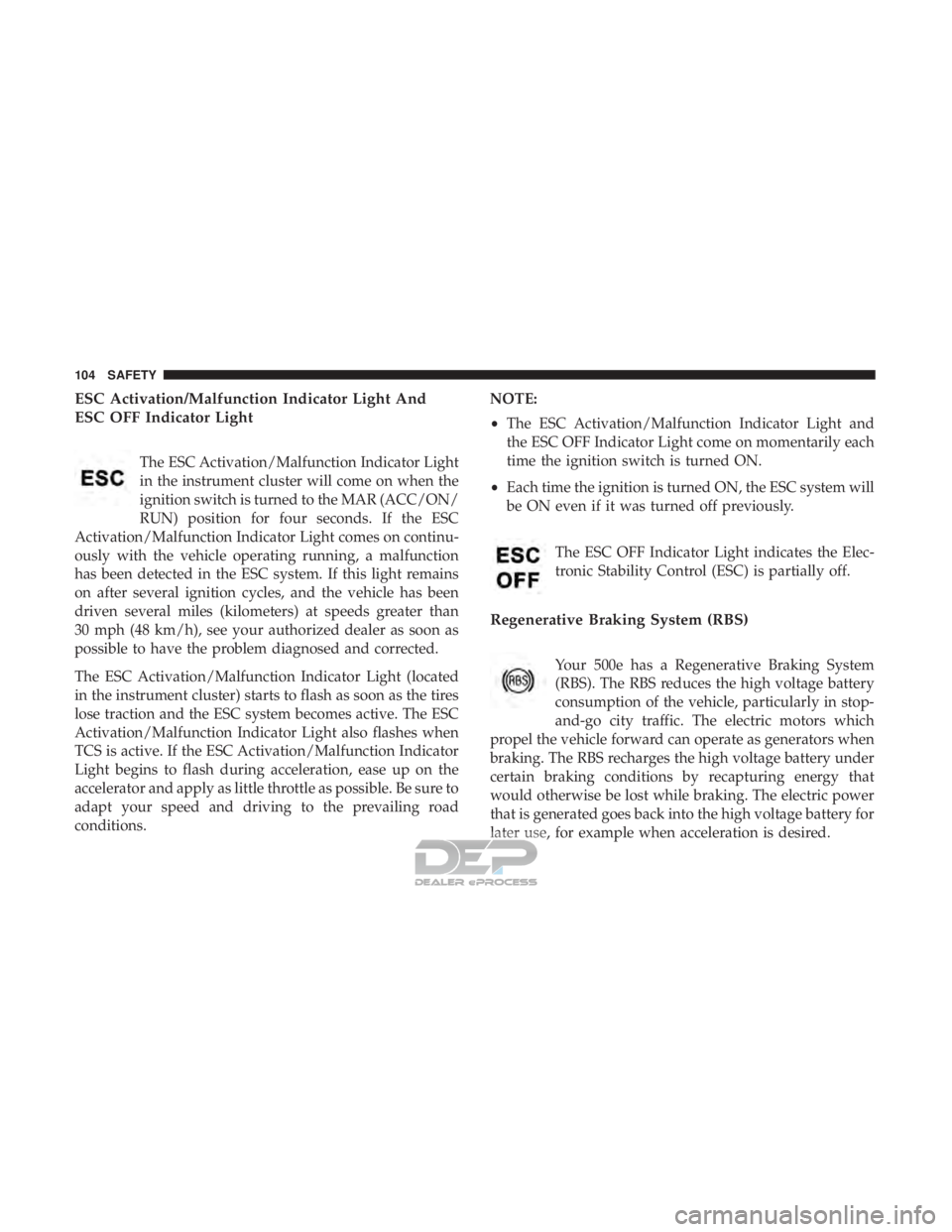
ESC Activation/Malfunction Indicator Light And
ESC OFF Indicator Light
The ESC Activation/Malfunction Indicator Light
in the instrument cluster will come on when the
ignition switch is turned to the MAR (ACC/ON/
RUN) position for four seconds. If the ESC
Activation/Malfunction Indicator Light comes on continu-
ously with the vehicle operating running, a malfunction
has been detected in the ESC system. If this light remains
on after several ignition cycles, and the vehicle has been
driven several miles (kilometers) at speeds greater than
30 mph (48 km/h), see your authorized dealer as soon as
possible to have the problem diagnosed and corrected.
The ESC Activation/Malfunction Indicator Light (located
in the instrument cluster) starts to flash as soon as the tires
lose traction and the ESC system becomes active. The ESC
Activation/Malfunction Indicator Light also flashes when
TCS is active. If the ESC Activation/Malfunction Indicator
Light begins to flash during acceleration, ease up on the
accelerator and apply as little throttle as possible. Be sure to
adapt your speed and driving to the prevailing road
conditions. NOTE:
•
The ESC Activation/Malfunction Indicator Light and
the ESC OFF Indicator Light come on momentarily each
time the ignition switch is turned ON.
• Each time the ignition is turned ON, the ESC system will
be ON even if it was turned off previously.
The ESC OFF Indicator Light indicates the Elec-
tronic Stability Control (ESC) is partially off.
Regenerative Braking System (RBS)
Your 500e has a Regenerative Braking System
(RBS). The RBS reduces the high voltage battery
consumption of the vehicle, particularly in stop-
and-go city traffic. The electric motors which
propel the vehicle forward can operate as generators when
braking. The RBS recharges the high voltage battery under
certain braking conditions by recapturing energy that
would otherwise be lost while braking. The electric power
that is generated goes back into the high voltage battery for
later use, for example when acceleration is desired.
104 SAFETY
Page 109 of 302
•Under-inflation also reduces the high voltage battery
range and tire tread life, and may affect the vehicle’s
handling and stopping ability.
• It is particularly important for you to check the tire
pressure in all of the tires on your vehicle monthly and
to maintain the proper pressure.
• The TPMS is not a substitute for proper tire mainte-
nance, and it is the driver ’s responsibility to maintain
correct tire pressure using an accurate tire pressure
gauge, even if under-inflation has not reached the level
to trigger illumination of the Tire Pressure Monitoring
System Warning Light.
• Seasonal temperature changes will affect tire pressure,
and the TPMS will monitor the actual tire pressure in the
tire.
TPM System
The Tire Pressure Monitor System (TPMS) uses wireless
technology with wheel rim mounted electronic sensors to
monitor tire pressure levels. Sensors, mounted to each
wheel as part of the valve stem, transmit tire pressure
readings to the receiver module. The TPMS consists of the following components:
•
Receiver module
• Four Tire Pressure Monitoring Sensors
• Various Tire Pressure Monitoring System messages,
which display in the instrument cluster
• Tire Pressure Monitoring System Warning Light
Tire Pressure Monitoring Low Pressure Warnings
The Tire Pressure Monitoring System Warning Light
will illuminate in the instrument cluster and a
chime will sound when tire pressure is low in one or more
of the four active road tires. In addition, the instrument
cluster will display a low pressure graphic showing the
low tire pressure tire highlighted in a different color.
5
SAFETY 107
Page 110 of 302
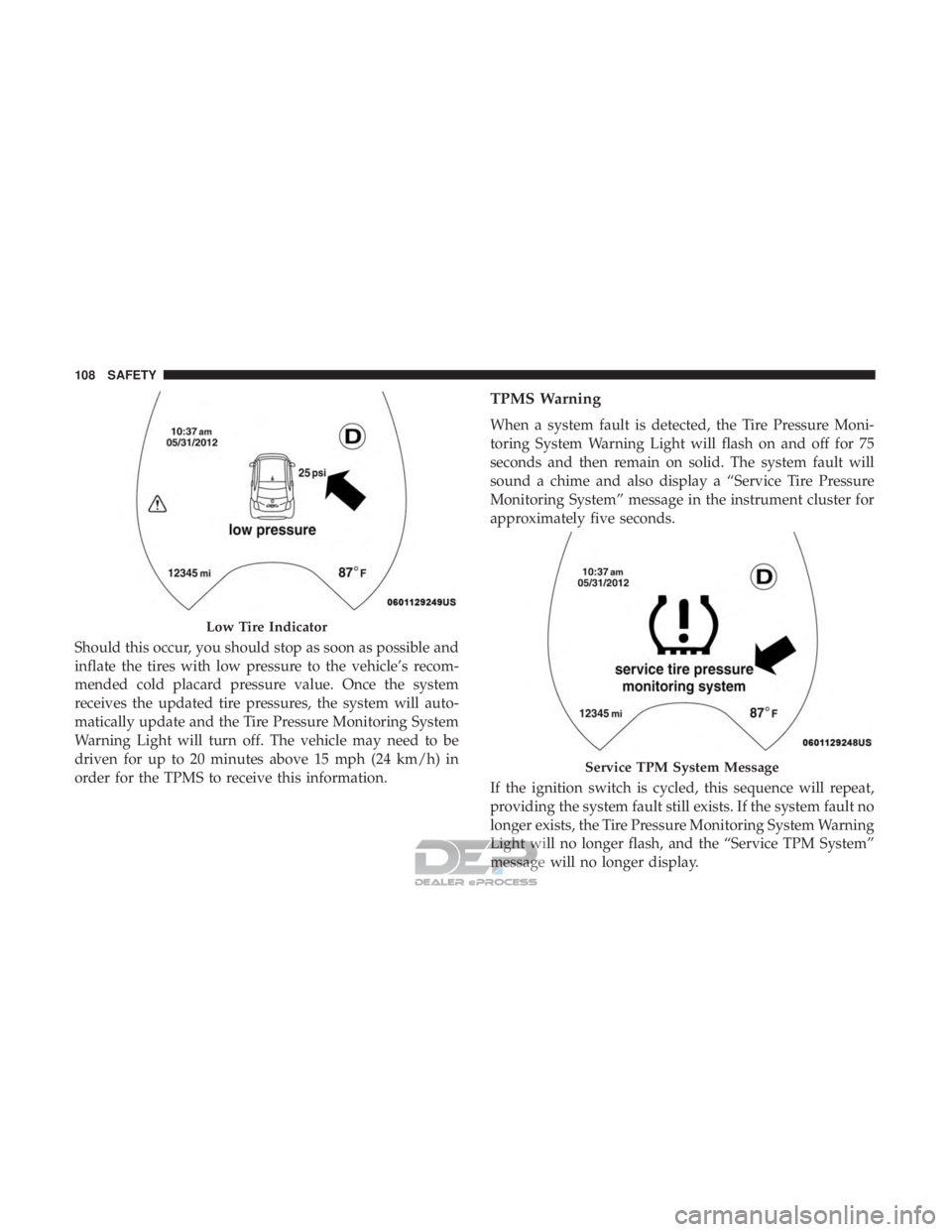
Should this occur, you should stop as soon as possible and
inflate the tires with low pressure to the vehicle’s recom-
mended cold placard pressure value. Once the system
receives the updated tire pressures, the system will auto-
matically update and the Tire Pressure Monitoring System
Warning Light will turn off. The vehicle may need to be
driven for up to 20 minutes above 15 mph (24 km/h) in
order for the TPMS to receive this information.
TPMS Warning
When a system fault is detected, the Tire Pressure Moni-
toring System Warning Light will flash on and off for 75
seconds and then remain on solid. The system fault will
sound a chime and also display a “Service Tire Pressure
Monitoring System” message in the instrument cluster for
approximately five seconds.
If the ignition switch is cycled, this sequence will repeat,
providing the system fault still exists. If the system fault no
longer exists, the Tire Pressure Monitoring System Warning
Light will no longer flash, and the “Service TPM System”
message will no longer display.
Low Tire Indicator
Service TPM System Message
108 SAFETY
Page 111 of 302
A system fault can occur due to any of the following:
1. Signal interference due to electronic devices or drivingnext to facilities emitting the same radio frequencies as
the TPM sensors.
2. Installing aftermarket window tinting that contains ma- terials that may block radio wave signals.
3. Accumulation of snow or ice around the wheels or wheel housings.
4. Using tire chains on the vehicle.
5. Using wheels/tires not equipped with TPM sensors.
NOTE:
• The TPMS will not monitor the pressure in a replace-
ment tire installed without a tire pressure sensor.
• If you install a replacement tire in place of a road tire
that has a pressure below the low-pressure warning
limit, upon the next ignition switch cycle, the Tire
Pressure Monitoring System Warning Light will remain
on and a chime will sound. In addition, the highlighted
graphic in the instrument cluster will still display a low
pressure text message and a pressure value in a different
color. •
After driving the vehicle for up to 20 minutes above
15 mph (24 km/h), the Tire Pressure Monitoring System
Warning Light will flash on and off for 75 seconds and
then remain on solid. In addition, the instrument cluster
will display a “Service Tire Pressure Monitoring System”
message.
• For each subsequent ignition switch cycle, a chime will
sound, the Tire Pressure Monitoring System Warning
Light will flash on and off for 75 seconds and then
remain on solid, and the instrument cluster will display
a “Service TPM System” message.
Once you repair or replace the original road tire and
reinstall it, the TPMS will update automatically. In addi-
tion, the Tire Pressure Monitoring System Warning Light
will turn off, as long as no tire pressure is below the
low-pressure warning limit in any of the four active road
tires. The vehicle may need to be driven for up to 20
minutes above 15 mph (24 km/h) in order for the TPMS to
receive this information.
5
SAFETY 109
Page 133 of 302
•Electric power steering
• Brake booster
• Electric park brake
• Automatic transmission gear selector
• Horn
• Front wiper
• Headlamp washer pump
NOTE: After an accident, remember to cycle the ignition
to the STOP (OFF/LOCK) position and remove the key
from the ignition switch to avoid draining the battery.
Carefully check the vehicle for fuel leaks in the engine
compartment and on the ground near the engine compart-
ment and fuel tank before resetting the system and starting
the engine. If there are no fuel leaks or damage to the
vehicle electrical devices (e.g. headlights) after an accident,
reset the system by following the procedure described
below. If you have any doubt, contact an authorized dealer.
Enhanced Accident Response System Reset
Procedure
After an event occurs requiring activation of the Enhanced
Accident Response System, when the system is active, a
“Service Electrical System” message will be displayed on
the instrument cluster. The vehicle is not drivable in this state and must be towed to an authorized dealer immedi-
ately to be inspected and have the Enhanced Accident
Response System reset.
Maintaining Your Air Bag System
WARNING!
•
Modifications to any part of the air bag system could
cause it to fail when you need it. You could be
injured if the air bag system is not there to protect
you. Do not modify the components or wiring, in-
cluding adding any kind of badges or stickers to the
steering wheel hub trim cover or the upper passenger
side of the instrument panel. Do not modify the front
bumper, vehicle body structure, or add aftermarket
side steps or running boards.
• It is dangerous to try to repair any part of the air bag
system yourself. Be sure to tell anyone who works on
your vehicle that it has an air bag system.
• Do not attempt to modify any part of your air bag
system. The air bag may inflate accidentally or may
not function properly if modifications are made.
Take your vehicle to an authorized dealer for any air
bag system service. If your seat, including your trim
(Continued)
5
SAFETY 131
Page 157 of 302
STARTING PROCEDURES
Before starting your vehicle, adjust your seat, adjust both
inside and outside mirrors, and fasten your seat belts.
WARNING!
•Never leave children alone in a vehicle, or with
access to an unlocked vehicle.
• Allowing children to be in a vehicle unattended is
dangerous for a number of reasons. A child or others
could be seriously or fatally injured. Children
should be warned not to touch the parking brake,
brake pedal or the transmission gear selector.
• Do not leave the key fob in or near the vehicle (or in
a location accessible to children). A child could
operate power windows, other controls, or move the
vehicle.
Single-Speed Transmission
The transmission must be in the PARK or NEUTRAL
position before you can start the vehicle. Apply the brakes
when selecting a transmission gear from Park.
NOTE: You must press the brake pedal before selecting a
transmission gear.
Normal Starting
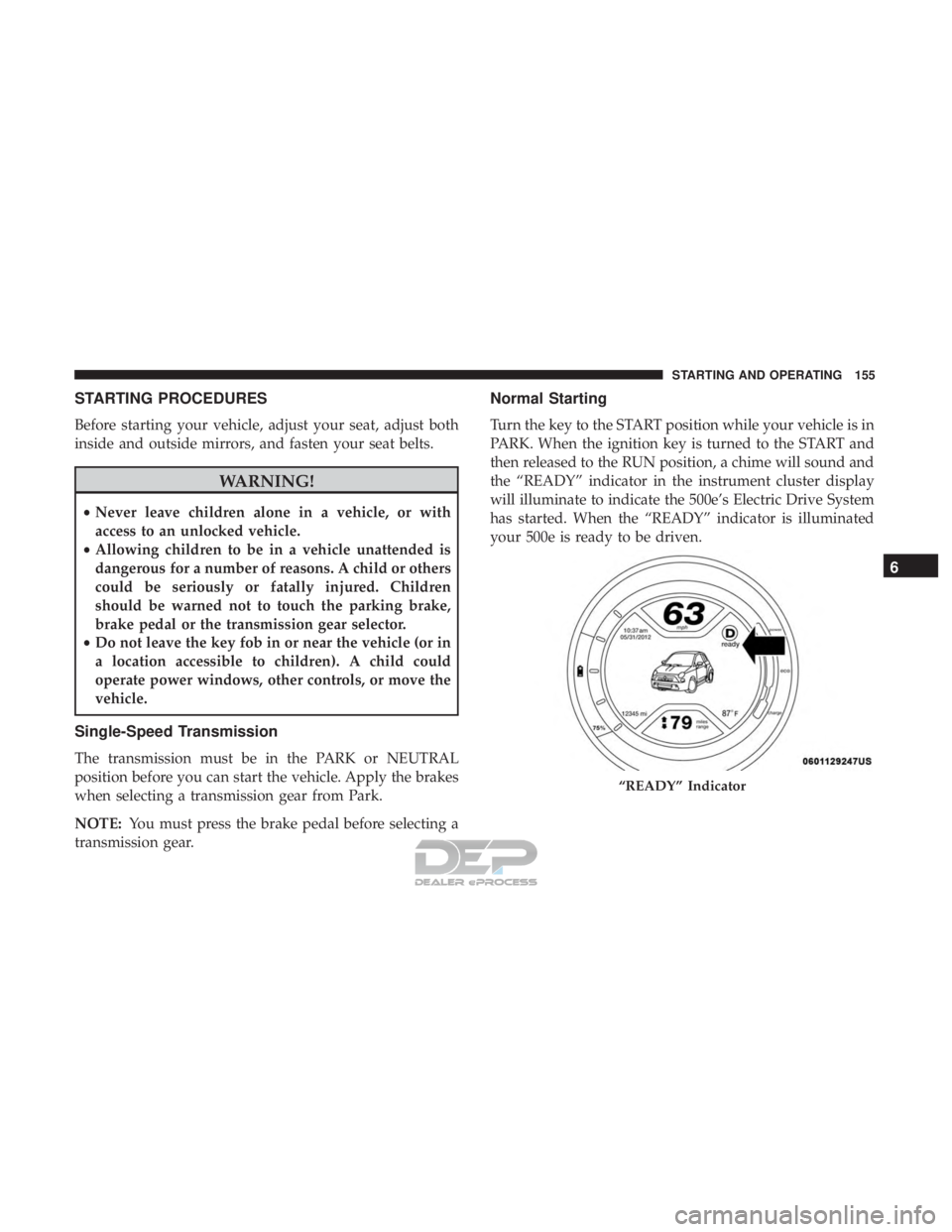
Turn the key to the START position while your vehicle is in
PARK. When the ignition key is turned to the START and
then released to the RUN position, a chime will sound and
the “READY” indicator in the instrument cluster display
will illuminate to indicate the 500e’s Electric Drive System
has started. When the “READY” indicator is illuminated
your 500e is ready to be driven.
“READY” Indicator
6
STARTING AND OPERATING 155