key FIAT 500E 2018 User Guide
[x] Cancel search | Manufacturer: FIAT, Model Year: 2018, Model line: 500E, Model: FIAT 500E 2018Pages: 302, PDF Size: 3.32 MB
Page 45 of 302
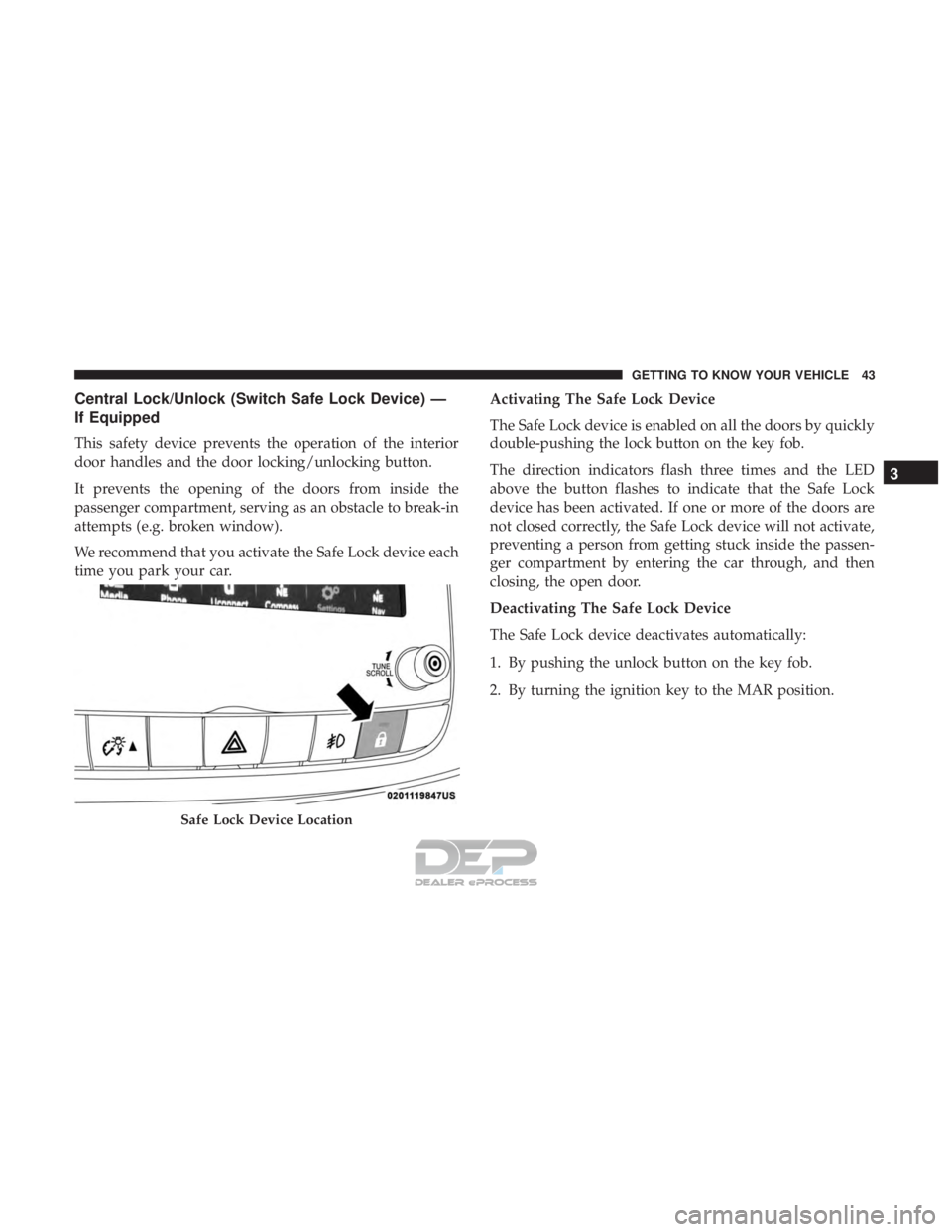
Central Lock/Unlock (Switch Safe Lock Device) —
If Equipped
This safety device prevents the operation of the interior
door handles and the door locking/unlocking button.
It prevents the opening of the doors from inside the
passenger compartment, serving as an obstacle to break-in
attempts (e.g. broken window).
We recommend that you activate the Safe Lock device each
time you park your car.Activating The Safe Lock Device
The Safe Lock device is enabled on all the doors by quickly
double-pushing the lock button on the key fob.
The direction indicators flash three times and the LED
above the button flashes to indicate that the Safe Lock
device has been activated. If one or more of the doors are
not closed correctly, the Safe Lock device will not activate,
preventing a person from getting stuck inside the passen-
ger compartment by entering the car through, and then
closing, the open door.
Deactivating The Safe Lock Device
The Safe Lock device deactivates automatically:
1. By pushing the unlock button on the key fob.
2. By turning the ignition key to the MAR position.
Safe Lock Device Location
3
GETTING TO KNOW YOUR VEHICLE 43
Page 46 of 302
DOORS
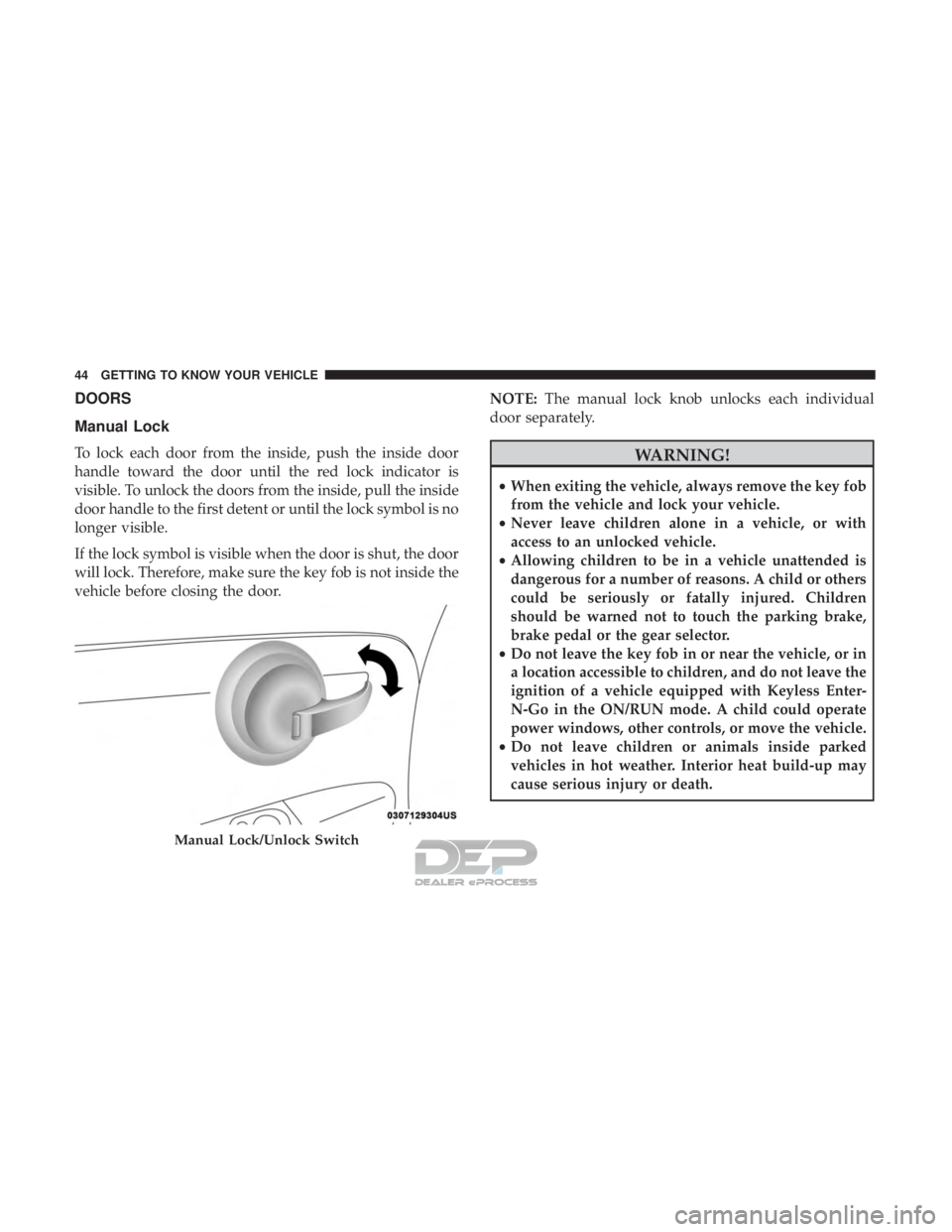
Manual Lock
To lock each door from the inside, push the inside door
handle toward the door until the red lock indicator is
visible. To unlock the doors from the inside, pull the inside
door handle to the first detent or until the lock symbol is no
longer visible.
If the lock symbol is visible when the door is shut, the door
will lock. Therefore, make sure the key fob is not inside the
vehicle before closing the door.NOTE:
The manual lock knob unlocks each individual
door separately.WARNING!
• When exiting the vehicle, always remove the key fob
from the vehicle and lock your vehicle.
• Never leave children alone in a vehicle, or with
access to an unlocked vehicle.
• Allowing children to be in a vehicle unattended is
dangerous for a number of reasons. A child or others
could be seriously or fatally injured. Children
should be warned not to touch the parking brake,
brake pedal or the gear selector.
• Do not leave the key fob in or near the vehicle, or in
a location accessible to children, and do not leave the
ignition of a vehicle equipped with Keyless Enter-
N-Go in the ON/RUN mode. A child could operate
power windows, other controls, or move the vehicle.
• Do not leave children or animals inside parked
vehicles in hot weather. Interior heat build-up may
cause serious injury or death.
Manual Lock/Unlock Switch
44 GETTING TO KNOW YOUR VEHICLE
Page 47 of 302
CAUTION!
An unlocked car is an invitation. Always remove the
key from the ignition and lock all doors when leaving
the vehicle unattended.
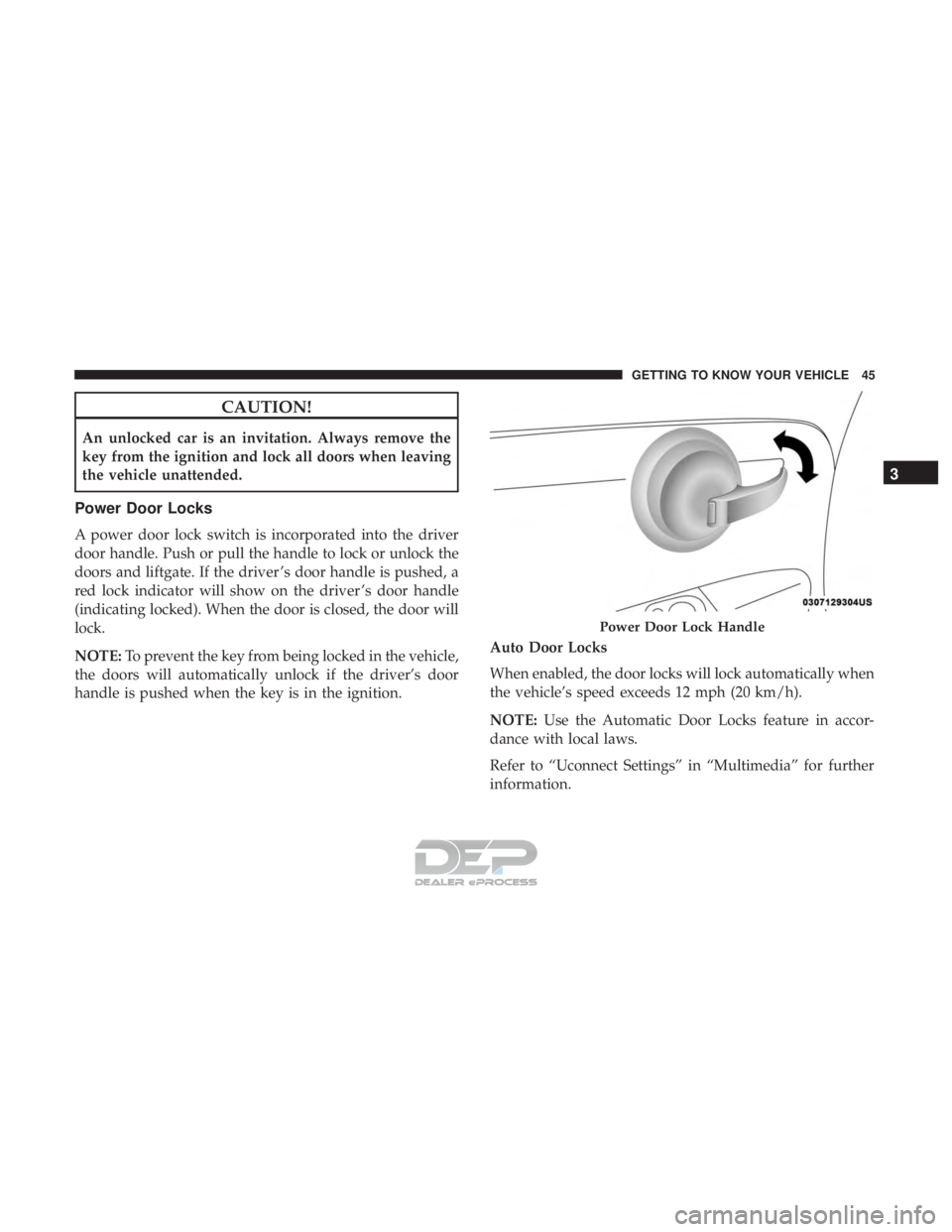
Power Door Locks
A power door lock switch is incorporated into the driver
door handle. Push or pull the handle to lock or unlock the
doors and liftgate. If the driver ’s door handle is pushed, a
red lock indicator will show on the driver ’s door handle
(indicating locked). When the door is closed, the door will
lock.
NOTE:To prevent the key from being locked in the vehicle,
the doors will automatically unlock if the driver’s door
handle is pushed when the key is in the ignition. Auto Door Locks
When enabled, the door locks will lock automatically when
the vehicle’s speed exceeds 12 mph (20 km/h).
NOTE:
Use the Automatic Door Locks feature in accor-
dance with local laws.
Refer to “Uconnect Settings” in “Multimedia” for further
information.
Power Door Lock Handle
3
GETTING TO KNOW YOUR VEHICLE 45
Page 59 of 302
NOTE:When the headlights are turned on, the Daytime
Running Lights will be deactivated.
Daytime Running Lights
To activate the Daytime Running Lights (DRL), rotate the
end of the multifunction lever to the Osymbol.
NOTE: The low beams and side/taillights will not be on
with DRL.
If allowed by law in the country in which the vehicle was
purchased the DRL function can be turned on or off using
the display menus. Refer to “Uconnect Settings” in “Mul-
timedia” for further information.
High Beams
With the low beams activated, push the multifunc-
tion lever towards the instrument panel to turn on
the high beams. Pull the multifunction lever toward the
steering wheel to turn off the high beams.
Flash-To-Pass
You can signal another vehicle with your headlights by
partially pulling the multifunction lever toward the steer-
ing wheel. This will cause the high beam headlights to turn
on until the lever is released.
Parking Lights
To turn on the parking lights, remove the key or
turn the ignition to OFF/LOCK position and
turn on the headlights.
Follow Me Home/Headlight Delay
When this feature is selected, the driver can choose to have
the headlights remain on for a preset period of time.
Activation
Remove the key or turn the ignition to the STOP (OFF/
LOCK) position, and pull the multifunction lever toward
the steering wheel within two minutes. Each time the lever
is pulled, the activation of the lights will be extended by 30
seconds. The activation of the lights can be extended to a
maximum of 210 seconds.
Deactivation
Pull the multifunction lever toward the steering wheel and
hold it for more than two seconds.
Fog Lights — If Equipped
The fog light switch is located on the center stack of the
instrument panel, just below the radio.
3
GETTING TO KNOW YOUR VEHICLE 57
Page 61 of 302
INTERIOR LIGHTS
The interior light switches are located in the overhead
console. The interior lights can be set to three different
positions (Off/Left Position, Center Position, On/Right
Position).
Using the switch on the left overhead, push the switch to
the right from its center position and the lights are always
on. Push the switch to the left from its center position and
the lights are always off. Leave the switch in the center
position, and the lights are turned on and off when the
doors are opened or closed. The switch on the right side of
the overhead console controls the map or reading function
of the lights. Push the switch to the right to turn on the
right light and push the switch to the left to turn on the left
light.
CAUTION!
Before getting out of the vehicle be sure that the switch
is in the center position or that the lights are off to
avoid draining the battery.
Interior Light Timing (Center Position)
There are four different modes of operation that can be
activated in this position:
•When one door is opened, a three minute timer is
activated.
• When the key is removed from the ignition (within two
minutes of the ignition being turned OFF), a 10 second
timer is activated.
• When the doors are unlocked with the key fob, a 10
second timer is activated.
• When the doors are locked with the key fob, the lights
will turn off.
Interior Light Timing (On/Right Position)
When all doors are closed a 15-minute timer is activated.
NOTE: The timer is deactivated when the key is moved
into the ON/RUN position.
3
GETTING TO KNOW YOUR VEHICLE 59
Page 75 of 302
WARNING!
Never leave children unattended in a vehicle, and do
not let children play with power windows. Do not
leave the key fob in or near the vehicle, or in a location
accessible to children. Occupants, particularly unat-
tended children, can become entrapped by the win-
dows while operating the power window switches.
Such entrapment may result in serious injury or death.
Auto-Down
The window switches have an Auto-Down feature. Push
the window switch for approximately one second, release,
and the window will go down automatically. To cancel the
Auto-Down movement, operate the switch in either the up
or down direction and release the switch. To open the
window part way, pull the window switch briefly, and
release the switch when the window is in the desired
position.
Wind Buffeting
Wind buffeting can be described as the perception of
pressure on the ears or a helicopter-type sound in the ears.
Your vehicle may exhibit wind buffeting with the windows
down, or the sunroof (if equipped) in certain open orpartially open positions. This is a normal occurrence and
can be minimized. If the buffeting occurs with the rear
windows open, open the front and rear windows together
to minimize the buffeting. If the buffeting occurs with the
sunroof open, adjust the sunroof opening to minimize the
buffeting or open any window.
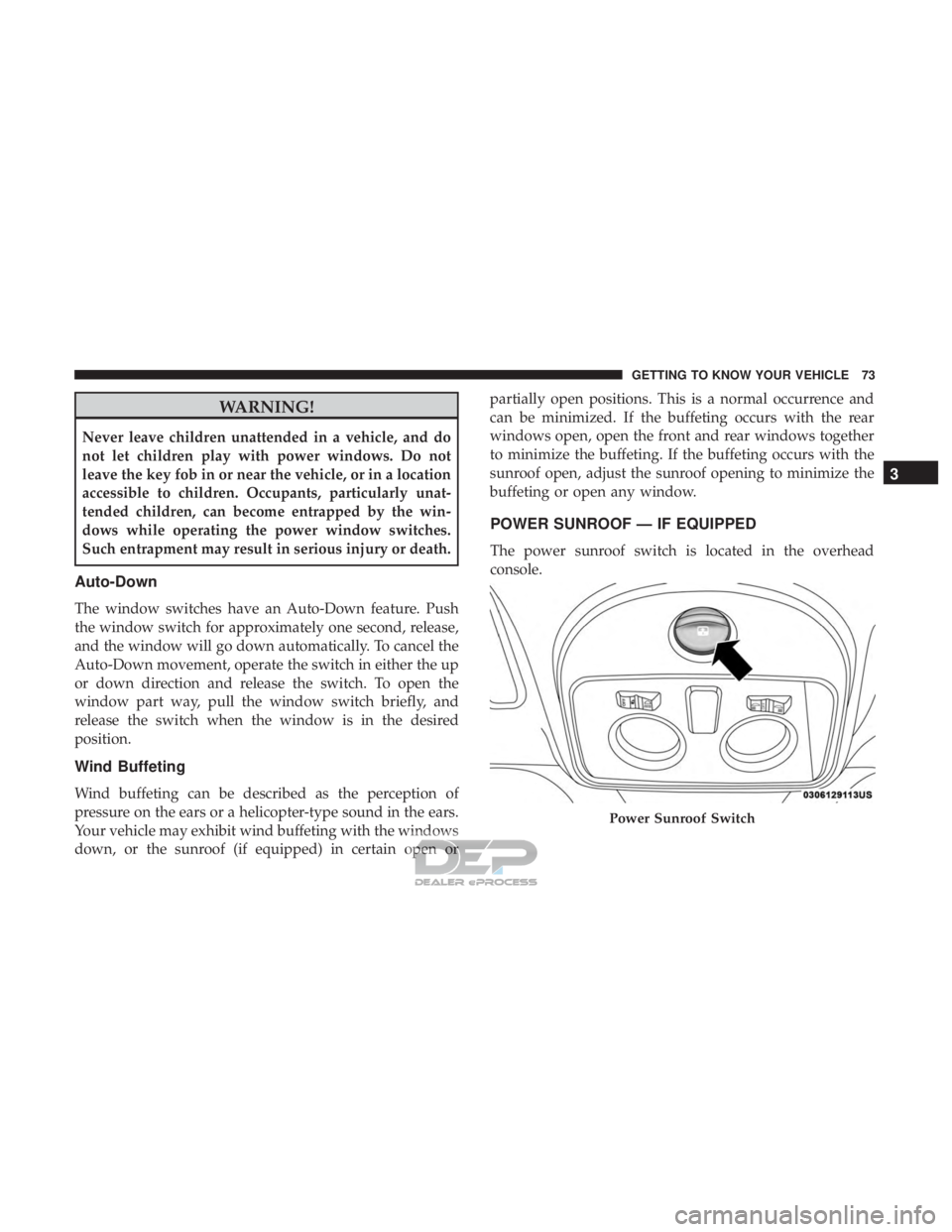
POWER SUNROOF — IF EQUIPPED
The power sunroof switch is located in the overhead
console.
Power Sunroof Switch
3
GETTING TO KNOW YOUR VEHICLE 73
Page 76 of 302
WARNING!
•Never leave children alone in a vehicle, or with
access to an unlocked vehicle. Never leave the key
fob in or near the vehicle or in a location accessible to
children. Occupants, particularly unattended chil-
dren, can become entrapped by the power sunroof
while operating the power sunroof switch. Such
entrapment may result in serious injury or death.
• In a collision, there is greater risk of being thrown
from a vehicle with an open sunroof. You could also
be seriously injured or killed. Always fasten your
seat belt properly and make sure all passengers are
properly secured too.
• Do not allow small children to operate the sunroof.
Never allow your fingers, other body parts, or any
object to project through the sunroof opening. Injury
may result.
To Open
Push and hold the power sunroof switch rearward for
approximately one second and the sunroof will stop at the
vented position. Push the switch a second time and hold
for approximately one second and release, the sunroof will open fully, then stop automatically. This is called “Express
Open”. During Express Open operation, any movement of
the sunroof switch will stop the sunroof.
To Close
With the sunroof in the full open position, pull the power
sunroof button and hold it for approximately one second,
the sunroof will return to the vented position. Pull the
switch a second time and hold for approximately one
second to completely close the sunroof.
Wind Buffeting
Wind buffeting can be described as the perception of
pressure on the ears or a helicopter-type sound in the ears.
Your vehicle may exhibit wind buffeting with the windows
down, or the sunroof (if equipped) in certain open or
partially open positions. This is a normal occurrence and
can be minimized. If the buffeting occurs with the rear
windows open, open the front and rear windows together
to minimize the buffeting. If the buffeting occurs with the
sunroof open, adjust the sunroof opening to minimize the
buffeting or open any window.
74 GETTING TO KNOW YOUR VEHICLE
Page 80 of 302
LIFTGATE
Opening
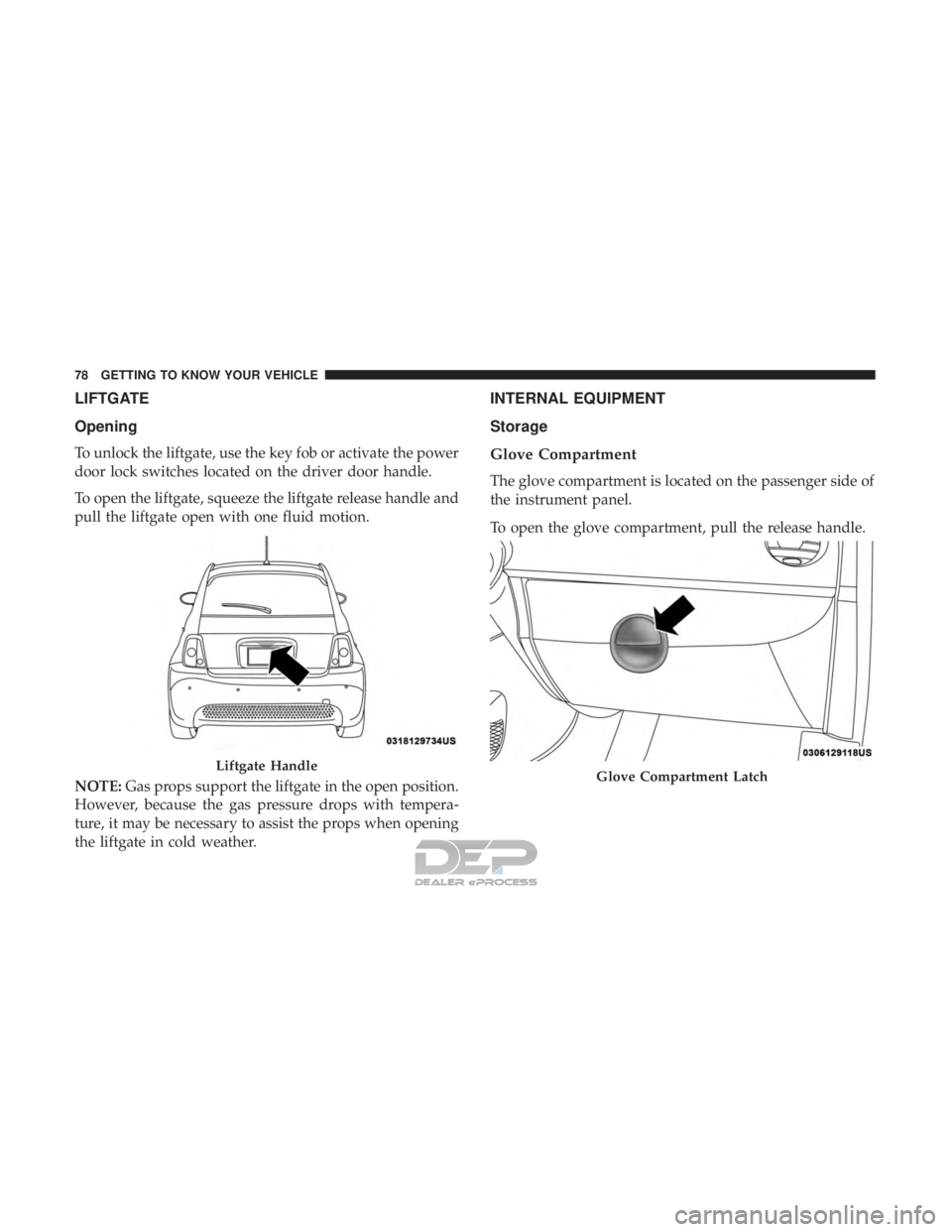
To unlock the liftgate, use the key fob or activate the power
door lock switches located on the driver door handle.
To open the liftgate, squeeze the liftgate release handle and
pull the liftgate open with one fluid motion.
NOTE:Gas props support the liftgate in the open position.
However, because the gas pressure drops with tempera-
ture, it may be necessary to assist the props when opening
the liftgate in cold weather.
INTERNAL EQUIPMENT
Storage
Glove Compartment
The glove compartment is located on the passenger side of
the instrument panel.
To open the glove compartment, pull the release handle.
Liftgate HandleGlove Compartment Latch
78 GETTING TO KNOW YOUR VEHICLE
Page 133 of 302
•Electric power steering
• Brake booster
• Electric park brake
• Automatic transmission gear selector
• Horn
• Front wiper
• Headlamp washer pump
NOTE: After an accident, remember to cycle the ignition
to the STOP (OFF/LOCK) position and remove the key
from the ignition switch to avoid draining the battery.
Carefully check the vehicle for fuel leaks in the engine
compartment and on the ground near the engine compart-
ment and fuel tank before resetting the system and starting
the engine. If there are no fuel leaks or damage to the
vehicle electrical devices (e.g. headlights) after an accident,
reset the system by following the procedure described
below. If you have any doubt, contact an authorized dealer.
Enhanced Accident Response System Reset
Procedure
After an event occurs requiring activation of the Enhanced
Accident Response System, when the system is active, a
“Service Electrical System” message will be displayed on
the instrument cluster. The vehicle is not drivable in this state and must be towed to an authorized dealer immedi-
ately to be inspected and have the Enhanced Accident
Response System reset.
Maintaining Your Air Bag System
WARNING!
•
Modifications to any part of the air bag system could
cause it to fail when you need it. You could be
injured if the air bag system is not there to protect
you. Do not modify the components or wiring, in-
cluding adding any kind of badges or stickers to the
steering wheel hub trim cover or the upper passenger
side of the instrument panel. Do not modify the front
bumper, vehicle body structure, or add aftermarket
side steps or running boards.
• It is dangerous to try to repair any part of the air bag
system yourself. Be sure to tell anyone who works on
your vehicle that it has an air bag system.
• Do not attempt to modify any part of your air bag
system. The air bag may inflate accidentally or may
not function properly if modifications are made.
Take your vehicle to an authorized dealer for any air
bag system service. If your seat, including your trim
(Continued)
5
SAFETY 131
Page 153 of 302
WARNING!(Continued)
•ALWAYS make sure objects cannot fall or slide into
the driver ’s side floor area when the vehicle is
moving. Objects can become trapped under accelera-
tor, brake, or clutch pedals and could cause a loss of
vehicle control.
• NEVER place any objects under the floor mat (e.g.,
towels, keys, etc.). These objects could change the
position of the floor mat and may cause interference
with the accelerator, brake, or clutch pedals.
• If the vehicle carpet has been removed and re-
installed, always properly attach carpet to the floor
and check the floor mat fasteners are secure to the
vehicle carpet. Fully depress each pedal to check for
interference with the accelerator, brake, or clutch
pedals then re-install the floor mats.
• It is recommended to only use mild soap and water
to clean your floor mats. After cleaning, always check
your floor mat has been properly installed and is
secured to your vehicle using the floor mat fasteners
by lightly pulling mat.
Periodic Safety Checks You Should Make Outside
The Vehicle
Tires
Examine tires for excessive tread wear and uneven wear
patterns. Check for stones, nails, glass, or other objects
lodged in the tread or sidewall. Inspect the tread for cuts
and cracks. Inspect sidewalls for cuts, cracks, and bulges.
Check the wheel nuts for tightness. Check the tires (includ-
ing spare) for proper cold inflation pressure.
Lights
Have someone observe the operation of brake lights and
exterior lights while you work the controls. Check turn
signal and high beam indicator lights on the instrument
panel.
Door Latches
Check for proper closing, latching, and locking.
Fluid Leaks
Check area under vehicle after overnight parking for
coolant or other fluid leaks. If fluid leaks are suspected, the
cause should be located and corrected immediately.
5
SAFETY 151