instrument panel FIAT 500E 2018 Workshop Manual
[x] Cancel search | Manufacturer: FIAT, Model Year: 2018, Model line: 500E, Model: FIAT 500E 2018Pages: 302, PDF Size: 3.32 MB
Page 207 of 302
If tire pressure is less than 19 psi (1.3 Bar):
The tire is too badly damaged. Do not attempt to drive the
vehicle further. Call for assistance.
If the tire pressure is 19 psi (1.3 Bar) or higher:
1. Push the Power Button (1) to turn on Tire Service Kitand inflate the tire to the pressure indicated on the tire
and loading information label on the driver-side door
opening.
NOTE: If the tire becomes over-inflated, push the Deflation
Button to reduce the tire pressure to the recommended
inflation pressure before continuing.
2. Disconnect the Tire Service Kit from the valve stem, reinstall the cap on the valve stem and unplug from 12
Volt outlet.
3. Place the Tire Service Kit in its proper storage area in the vehicle.
4. Have the tire inspected and repaired or replaced at the earliest opportunity at an authorized dealer or tire
service center.
5. Remove the Speed Limit sticker from the instrument panel after the tire has been repaired. 6. Replace the Sealant Bottle (4) and Sealant Hose (3)
assembly at an authorized dealer as soon as possible.
Refer to “(F) Sealant Bottle And Hose Replacement”.
NOTE: When having the tire serviced, advise the autho-
rized dealer or service center that the tire has been sealed
using the Tire Service Kit.
(F) Sealant Bottle And Hose Replacement:
1. Uncoil the Sealant Hose (3) (clear in color).
2. Locate the red colored round Sealant Bottle release button at the lower right hand corner of the kit.
3. Push and hold the Sealant Bottle release button, then pull out the bottle holding the button.
4. Clean any remaining sealant from the Tire Service Kit housing.
5. Position the new Sealant Bottle (4) in the housing so that the Sealant Hose (3) aligns with the hose slot in the front
of the housing. Push and hold the Sealant Bottle release
button, then push the bottle into the housing by holding
the button. An audible click will be heard indicating the
bottle is locked into place. Release the button.
7
IN CASE OF EMERGENCY 205
Page 258 of 302
VEHICLE IDENTIFICATION NUMBER
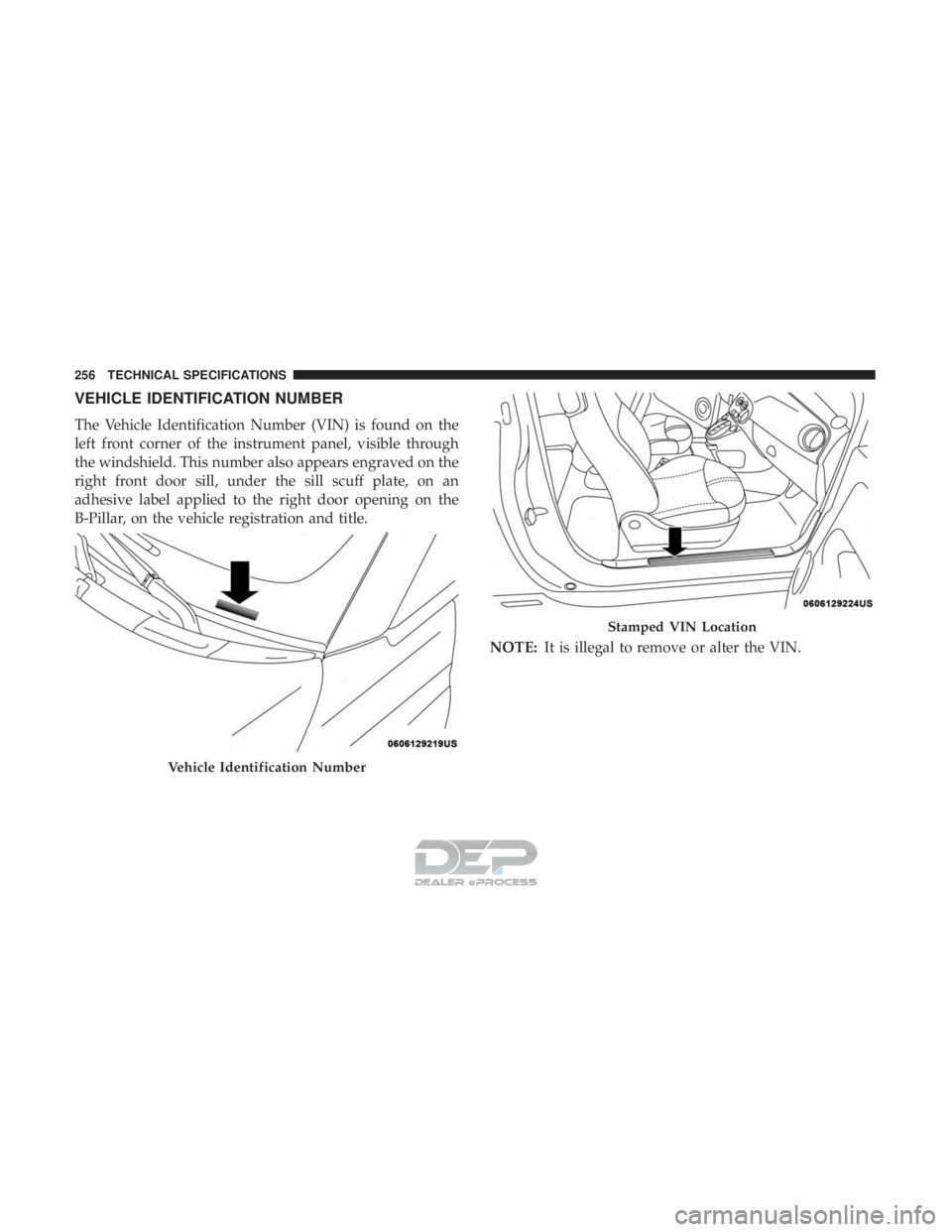
The Vehicle Identification Number (VIN) is found on the
left front corner of the instrument panel, visible through
the windshield. This number also appears engraved on the
right front door sill, under the sill scuff plate, on an
adhesive label applied to the right door opening on the
B-Pillar, on the vehicle registration and title.NOTE:It is illegal to remove or alter the VIN.
Vehicle Identification Number
Stamped VIN Location
256 TECHNICAL SPECIFICATIONS
Page 265 of 302
NOTE:
•FCA US LLC or your dealer may contact you directly
regarding software updates.
• To help further improve vehicle security and minimize
the potential risk of a security breach, vehicle owners
should:
• Routinely check www.driveuconnect.com/support/
software-update.html (U.S. Residents) or
www.driveuconnect.ca (Canadian Residents) to learn
about available Uconnect software updates.
• Only connect and use trusted media devices (e.g.
personal mobile phones, USBs, CDs).
Privacy of any wireless and wired communications cannot
be assured. Third parties may unlawfully intercept infor-
mation and private communications without your consent.
For further information, refer to “Onboard Diagnostic
System (OBD II) Cybersecurity” in “Getting To Know Your
Instrument Panel”.UCONNECT SETTINGS
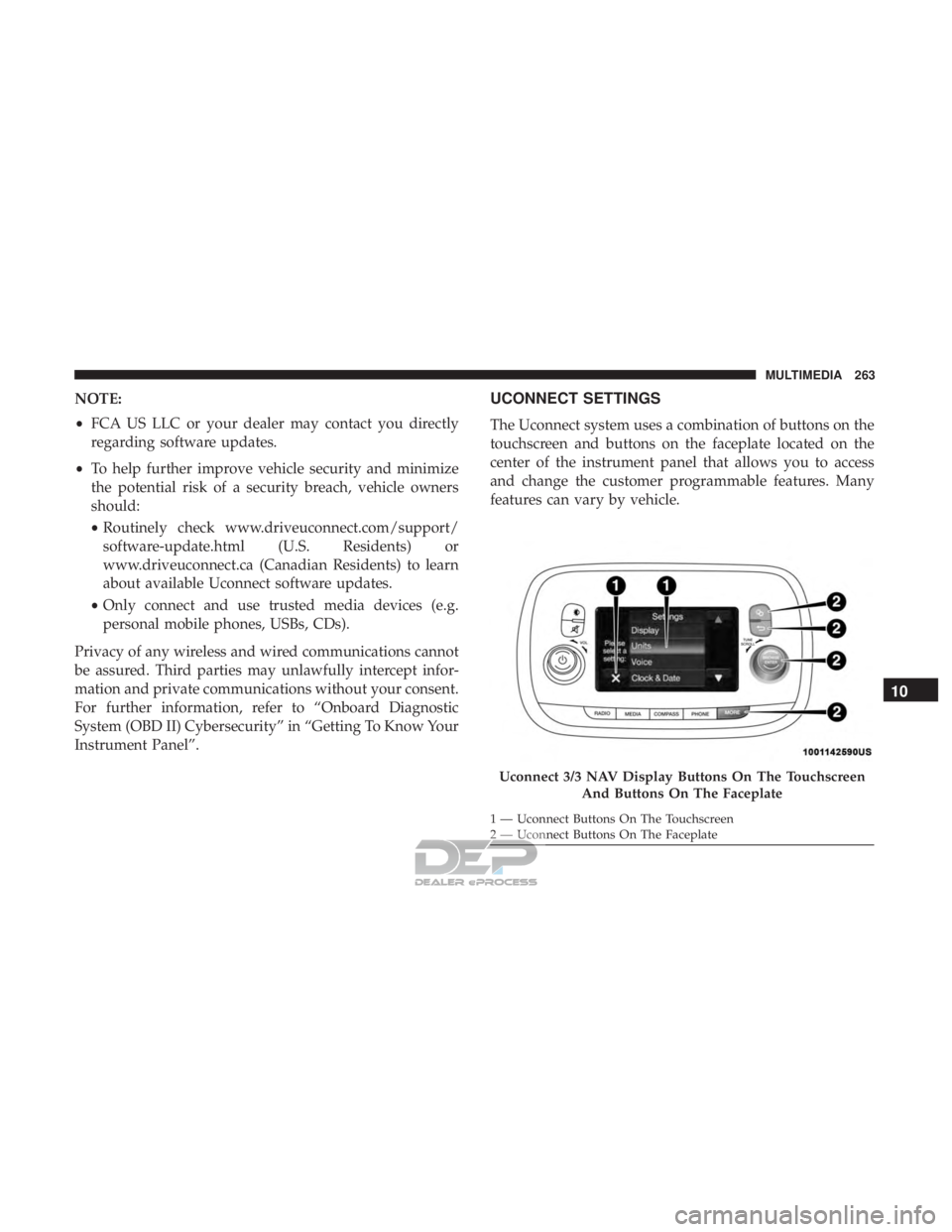
The Uconnect system uses a combination of buttons on the
touchscreen and buttons on the faceplate located on the
center of the instrument panel that allows you to access
and change the customer programmable features. Many
features can vary by vehicle.
Uconnect 3/3 NAV Display Buttons On The Touchscreen And Buttons On The Faceplate
1 — Uconnect Buttons On The Touchscreen
2 — Uconnect Buttons On The Faceplate
10
MULTIMEDIA 263
Page 266 of 302
Customer Programmable Features — Uconnect 3/3
NAV Display Settings
Push the Settingsbutton on the faceplate, to display
the settings menu screen. In this mode the Uconnect
system allows you to access programmable feature
settings.
NOTE: Only one touchscreen area may be selected at a
time.
When making a selection, press the button on the touch-
screen to enter the desired mode. Once in the desired mode, press and release the preferred setting and make
your selection. Once the setting is complete, either press
the back arrow button on the touchscreen or push the back
button on the faceplate to return to the previous menu. Or
press the “X” button on the touchscreen to close out of the
settings screen. Pressing the up or down arrow buttons on
the right side of the screen allows you to toggle up or down
through the available settings.
NOTE:
All settings should be changed with the ignition in
the “AVV/MAR” position.
Display
After pressing the “Display” button on the touchscreen, the
following settings will be available:
Setting Name Selectable Options
Display Mode Auto Manual
NOTE:
When the “Display Mode” feature is set to “Auto” the radio touchscreen’s brightness will be adjusted with all other
instrument panel displays and lights when they are adjusted using the instrument cluster display buttons on the
right-hand side of the instrument cluster display. When the “Display Mode” feature is set to “Manual” the radio
screen brightness can be adjusted independently using the “Brightness” feature below.
264 MULTIMEDIA
Page 295 of 302
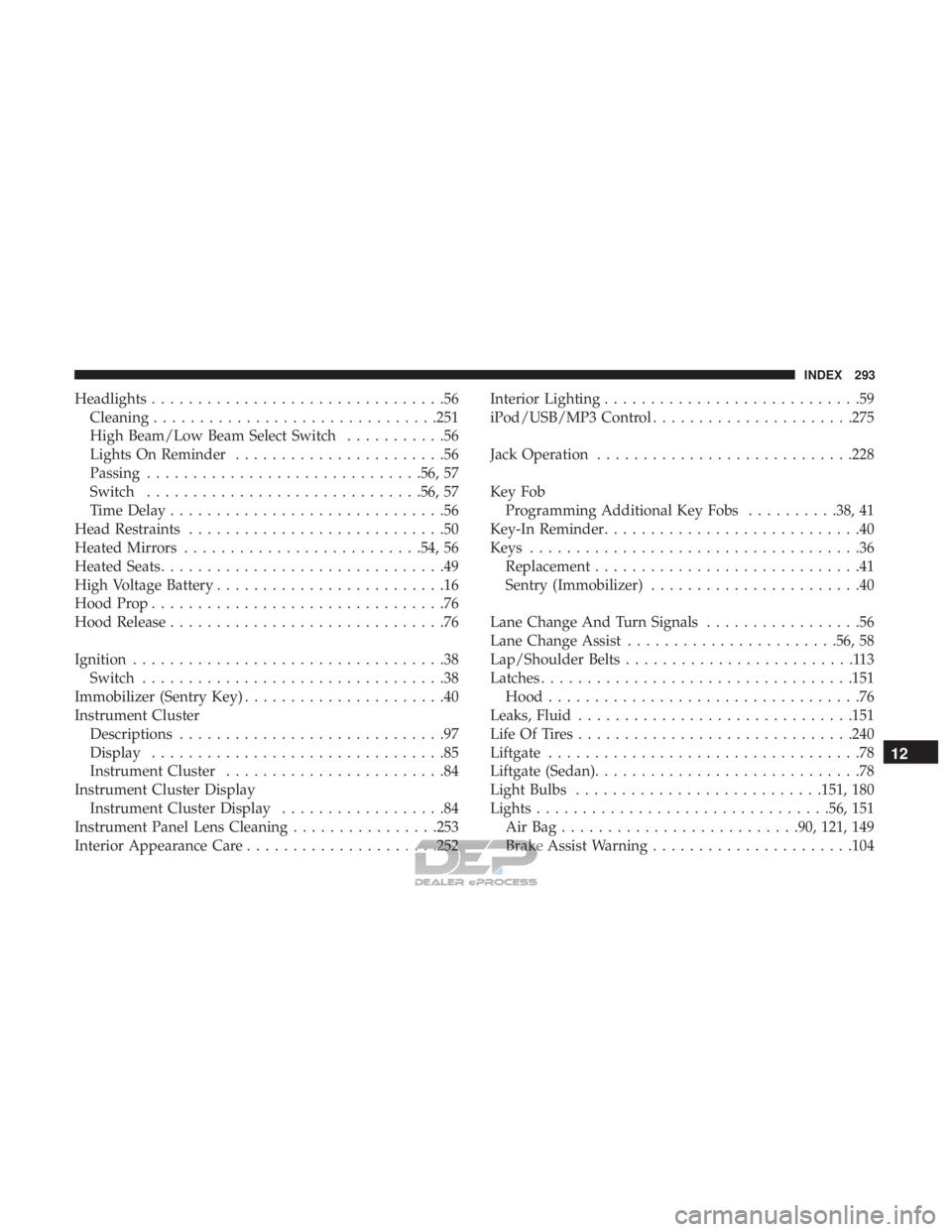
Headlights................................56
Cleaning ...............................251
High Beam/Low Beam Select Switch ...........56
Lights On Reminder .......................56
Passing ............................. .56, 57
Switch ............................. .56, 57
Time Delay ..............................56
Head Restraints ............................50
Heated Mirrors ..........................54, 56
Heated Seats ...............................49
High Voltage Battery .........................16
Hood Prop ................................76
Hood Release ..............................76
Ignition ..................................38
Switch .................................38
Immobilizer (Sentry Key) ......................40
Instrument Cluster Descriptions .............................97
Display ................................85
Instrument Cluster ........................84
Instrument Cluster Display Instrument Cluster Display ..................84
Instrument Panel Lens Cleaning ................253
Interior Appearance Care .....................252 Interior Lighting
............................59
iPod/USB/MP3 Control ..................... .275
Jack Operation ............................228
Key Fob Programming Additional Key Fobs ..........38, 41
Key-In Reminder ............................40
Keys ....................................36
Replacement .............................41
Sentry (Immobilizer) .......................40
Lane Change And Turn Signals .................56
Lane Change Assist .......................56, 58
Lap/Shoulder Belts .........................113
Latches ................................. .151
Hood ..................................76
Leaks, Fluid ............................. .151
Life Of Tires ............................. .240
Liftgate ..................................78
Liftgate (Sedan) .............................78
Light Bulbs .......................... .151, 180
Lights ............................... .56, 151
AirBag......................... .90, 121, 149
Brake Assist
Warning ..................... .104
12
INDEX 293