ignition FIAT 500E 2019 User Guide
[x] Cancel search | Manufacturer: FIAT, Model Year: 2019, Model line: 500E, Model: FIAT 500E 2019Pages: 300, PDF Size: 3.03 MB
Page 46 of 300
Central Lock/Unlock (Switch Safe Lock Device) —
If Equipped
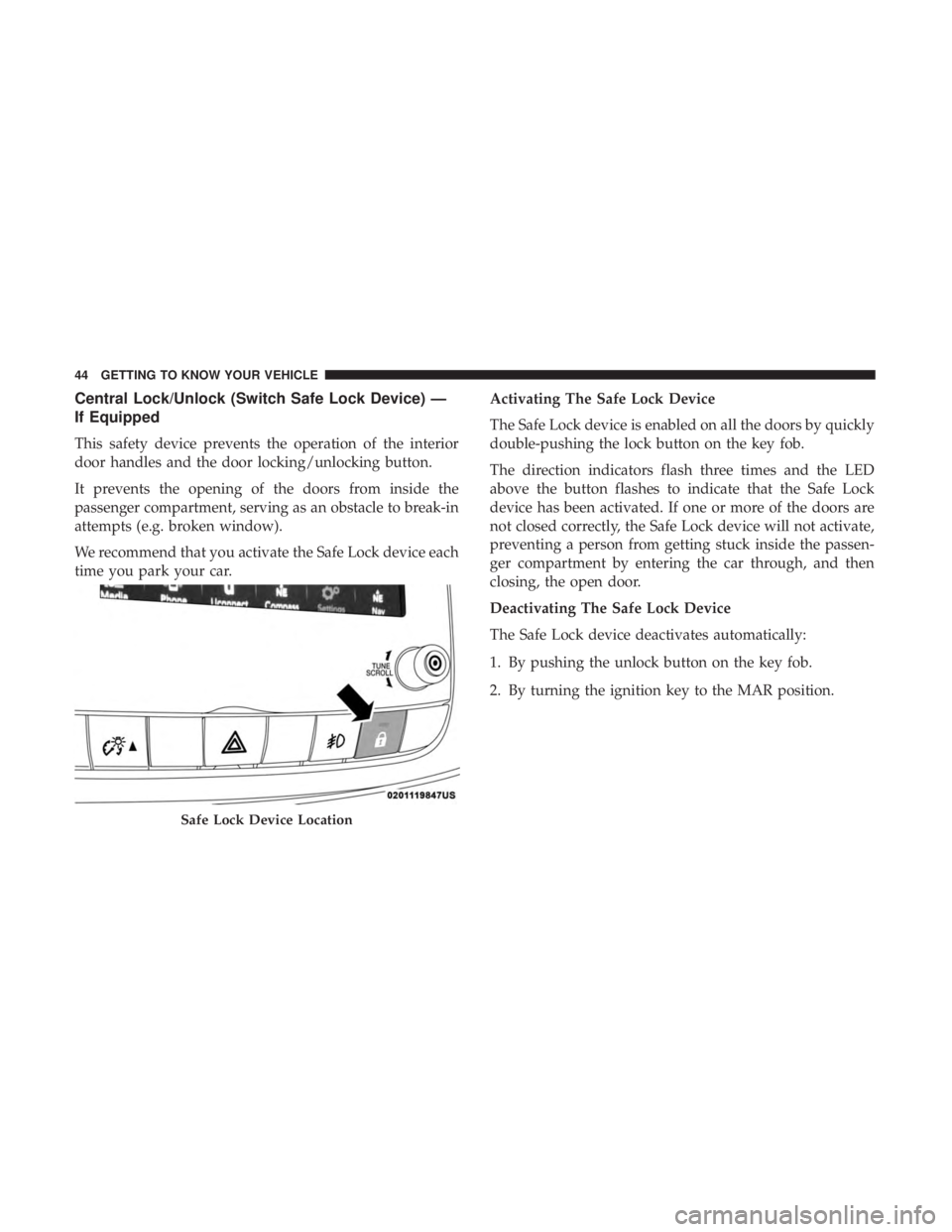
This safety device prevents the operation of the interior
door handles and the door locking/unlocking button.
It prevents the opening of the doors from inside the
passenger compartment, serving as an obstacle to break-in
attempts (e.g. broken window).
We recommend that you activate the Safe Lock device each
time you park your car.Activating The Safe Lock Device
The Safe Lock device is enabled on all the doors by quickly
double-pushing the lock button on the key fob.
The direction indicators flash three times and the LED
above the button flashes to indicate that the Safe Lock
device has been activated. If one or more of the doors are
not closed correctly, the Safe Lock device will not activate,
preventing a person from getting stuck inside the passen-
ger compartment by entering the car through, and then
closing, the open door.
Deactivating The Safe Lock Device
The Safe Lock device deactivates automatically:
1. By pushing the unlock button on the key fob.
2. By turning the ignition key to the MAR position.
Safe Lock Device Location
44 GETTING TO KNOW YOUR VEHICLE
Page 47 of 300
DOORS
Manual Lock
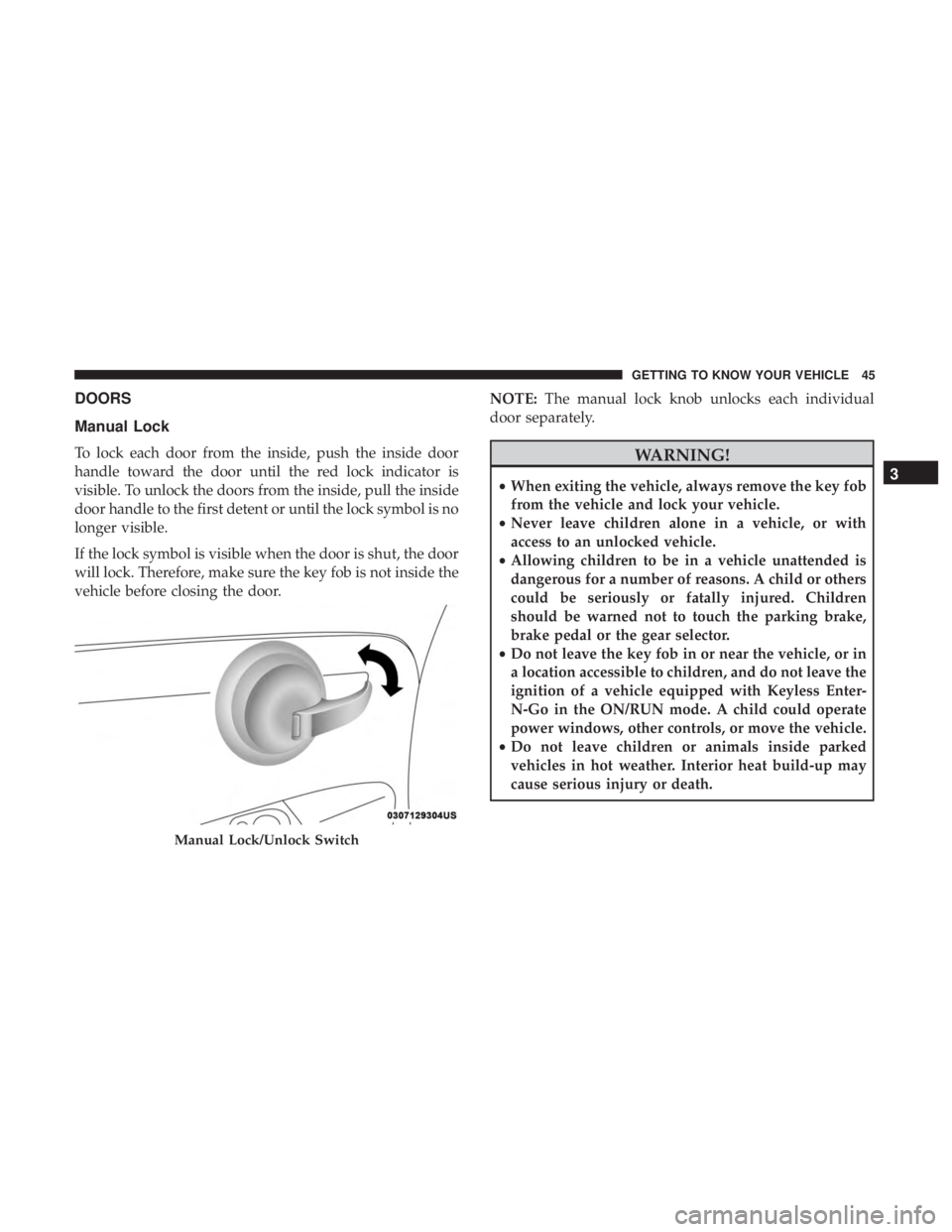
To lock each door from the inside, push the inside door
handle toward the door until the red lock indicator is
visible. To unlock the doors from the inside, pull the inside
door handle to the first detent or until the lock symbol is no
longer visible.
If the lock symbol is visible when the door is shut, the door
will lock. Therefore, make sure the key fob is not inside the
vehicle before closing the door.NOTE:
The manual lock knob unlocks each individual
door separately.WARNING!
• When exiting the vehicle, always remove the key fob
from the vehicle and lock your vehicle.
• Never leave children alone in a vehicle, or with
access to an unlocked vehicle.
• Allowing children to be in a vehicle unattended is
dangerous for a number of reasons. A child or others
could be seriously or fatally injured. Children
should be warned not to touch the parking brake,
brake pedal or the gear selector.
• Do not leave the key fob in or near the vehicle, or in
a location accessible to children, and do not leave the
ignition of a vehicle equipped with Keyless Enter-
N-Go in the ON/RUN mode. A child could operate
power windows, other controls, or move the vehicle.
• Do not leave children or animals inside parked
vehicles in hot weather. Interior heat build-up may
cause serious injury or death.
Manual Lock/Unlock Switch
3
GETTING TO KNOW YOUR VEHICLE 45
Page 48 of 300
CAUTION!
An unlocked car is an invitation. Always remove the
key from the ignition and lock all doors when leaving
the vehicle unattended.
Power Door Locks
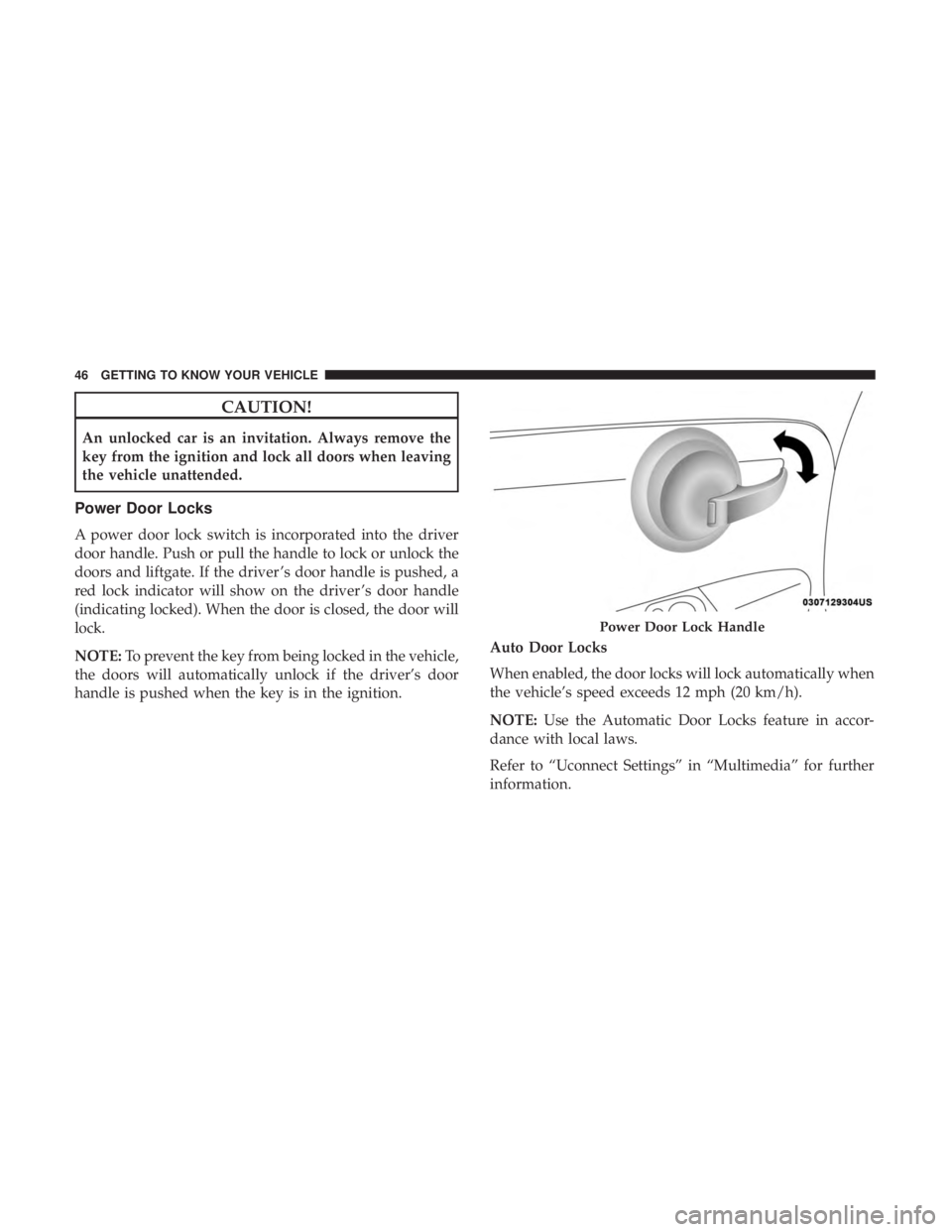
A power door lock switch is incorporated into the driver
door handle. Push or pull the handle to lock or unlock the
doors and liftgate. If the driver ’s door handle is pushed, a
red lock indicator will show on the driver ’s door handle
(indicating locked). When the door is closed, the door will
lock.
NOTE:To prevent the key from being locked in the vehicle,
the doors will automatically unlock if the driver’s door
handle is pushed when the key is in the ignition. Auto Door Locks
When enabled, the door locks will lock automatically when
the vehicle’s speed exceeds 12 mph (20 km/h).
NOTE:
Use the Automatic Door Locks feature in accor-
dance with local laws.
Refer to “Uconnect Settings” in “Multimedia” for further
information.
Power Door Lock Handle
46 GETTING TO KNOW YOUR VEHICLE
Page 60 of 300
Spotter Mirror — If Equipped
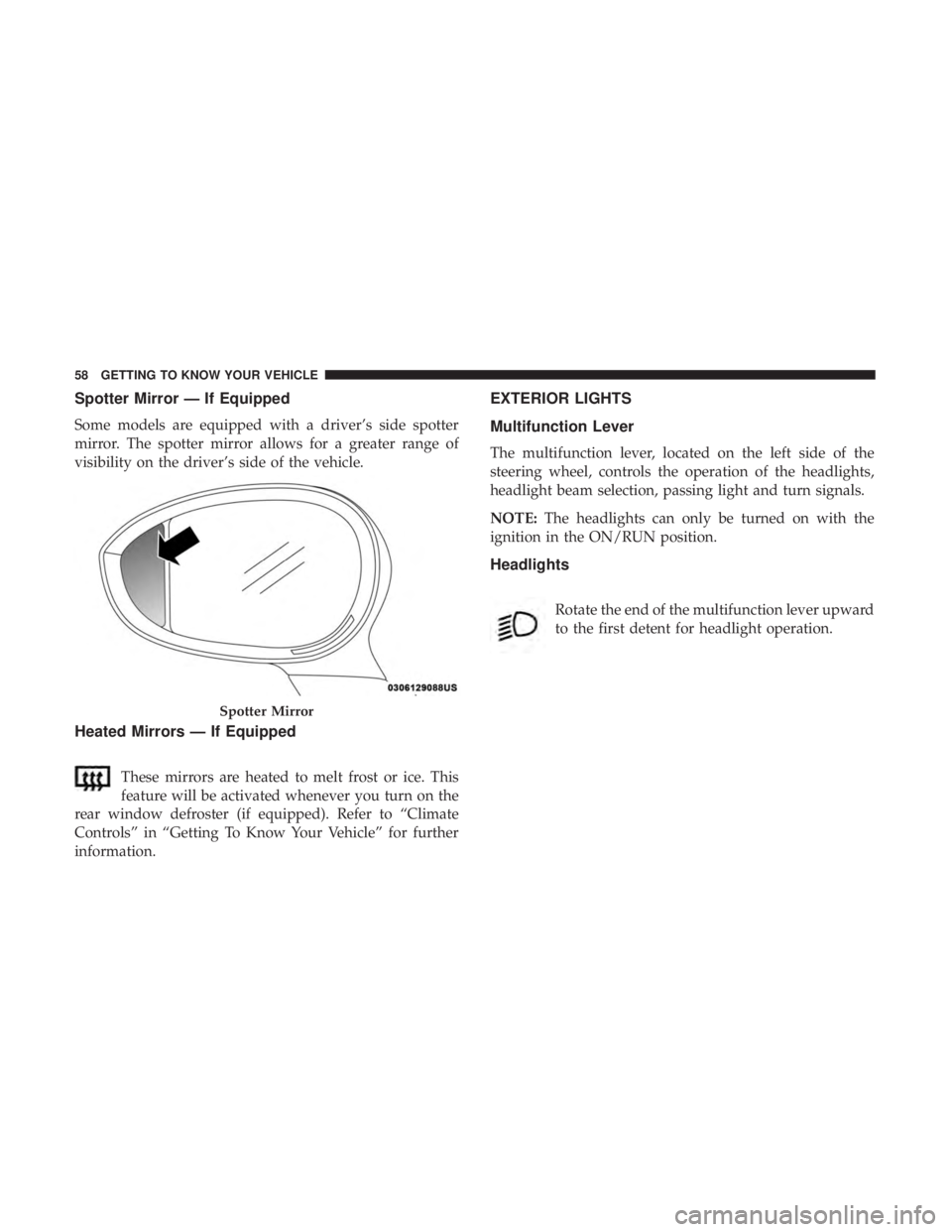
Some models are equipped with a driver’s side spotter
mirror. The spotter mirror allows for a greater range of
visibility on the driver’s side of the vehicle.
Heated Mirrors — If Equipped
These mirrors are heated to melt frost or ice. This
feature will be activated whenever you turn on the
rear window defroster (if equipped). Refer to “Climate
Controls” in “Getting To Know Your Vehicle” for further
information.
EXTERIOR LIGHTS
Multifunction Lever
The multifunction lever, located on the left side of the
steering wheel, controls the operation of the headlights,
headlight beam selection, passing light and turn signals.
NOTE: The headlights can only be turned on with the
ignition in the ON/RUN position.
Headlights
Rotate the end of the multifunction lever upward
to the first detent for headlight operation.
Spotter Mirror
58 GETTING TO KNOW YOUR VEHICLE
Page 61 of 300
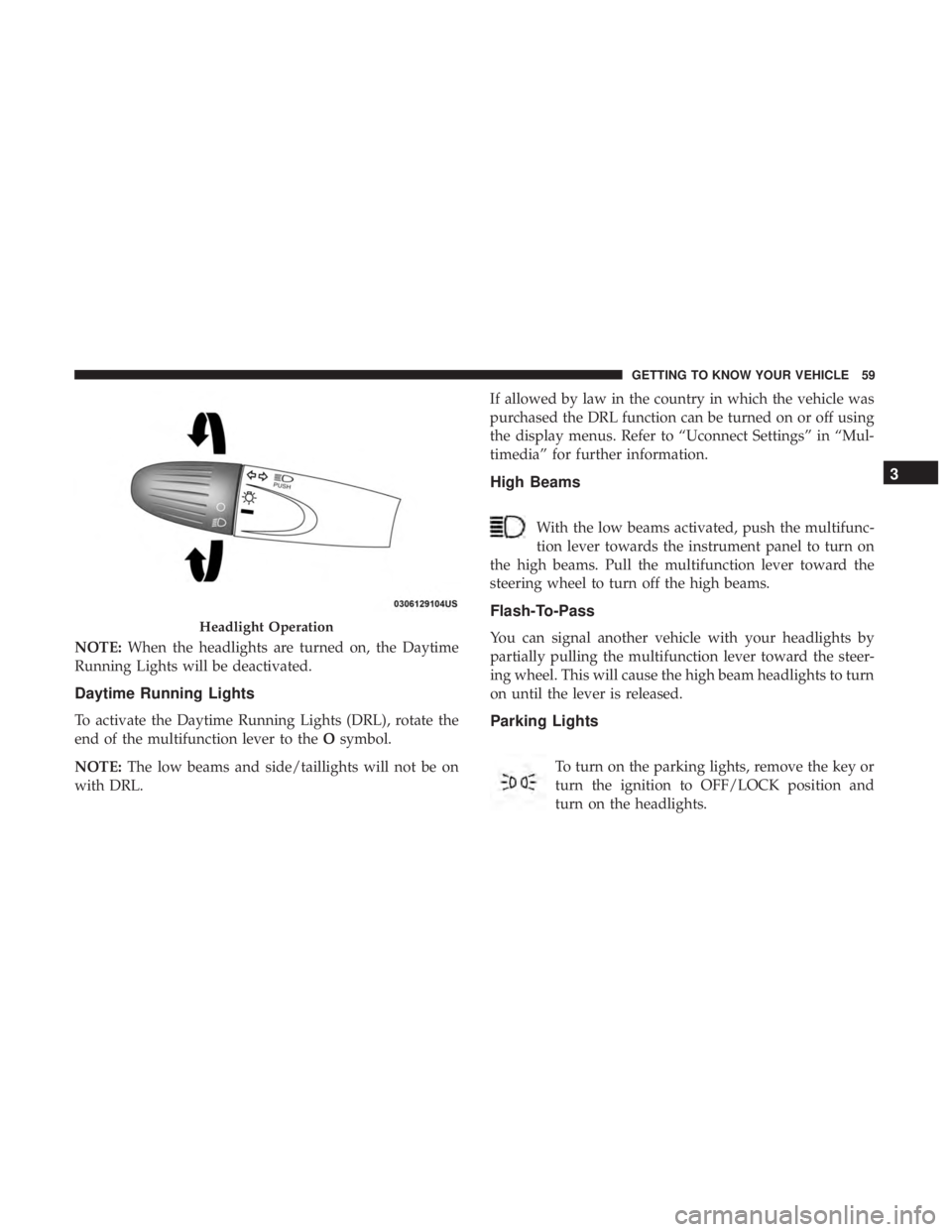
NOTE:When the headlights are turned on, the Daytime
Running Lights will be deactivated.
Daytime Running Lights
To activate the Daytime Running Lights (DRL), rotate the
end of the multifunction lever to the Osymbol.
NOTE: The low beams and side/taillights will not be on
with DRL. If allowed by law in the country in which the vehicle was
purchased the DRL function can be turned on or off using
the display menus. Refer to “Uconnect Settings” in “Mul-
timedia” for further information.
High Beams
With the low beams activated, push the multifunc-
tion lever towards the instrument panel to turn on
the high beams. Pull the multifunction lever toward the
steering wheel to turn off the high beams.
Flash-To-Pass
You can signal another vehicle with your headlights by
partially pulling the multifunction lever toward the steer-
ing wheel. This will cause the high beam headlights to turn
on until the lever is released.
Parking Lights
To turn on the parking lights, remove the key or
turn the ignition to OFF/LOCK position and
turn on the headlights.
Headlight Operation
3
GETTING TO KNOW YOUR VEHICLE 59
Page 62 of 300
Follow Me Home/Headlight Delay
When this feature is selected, the driver can choose to have
the headlights remain on for a preset period of time.
Activation
Remove the key or turn the ignition to the STOP (OFF/
LOCK) position, and pull the multifunction lever toward
the steering wheel within two minutes. Each time the lever
is pulled, the activation of the lights will be extended by 30
seconds. The activation of the lights can be extended to a
maximum of 210 seconds.
Deactivation
Pull the multifunction lever toward the steering wheel and
hold it for more than two seconds.
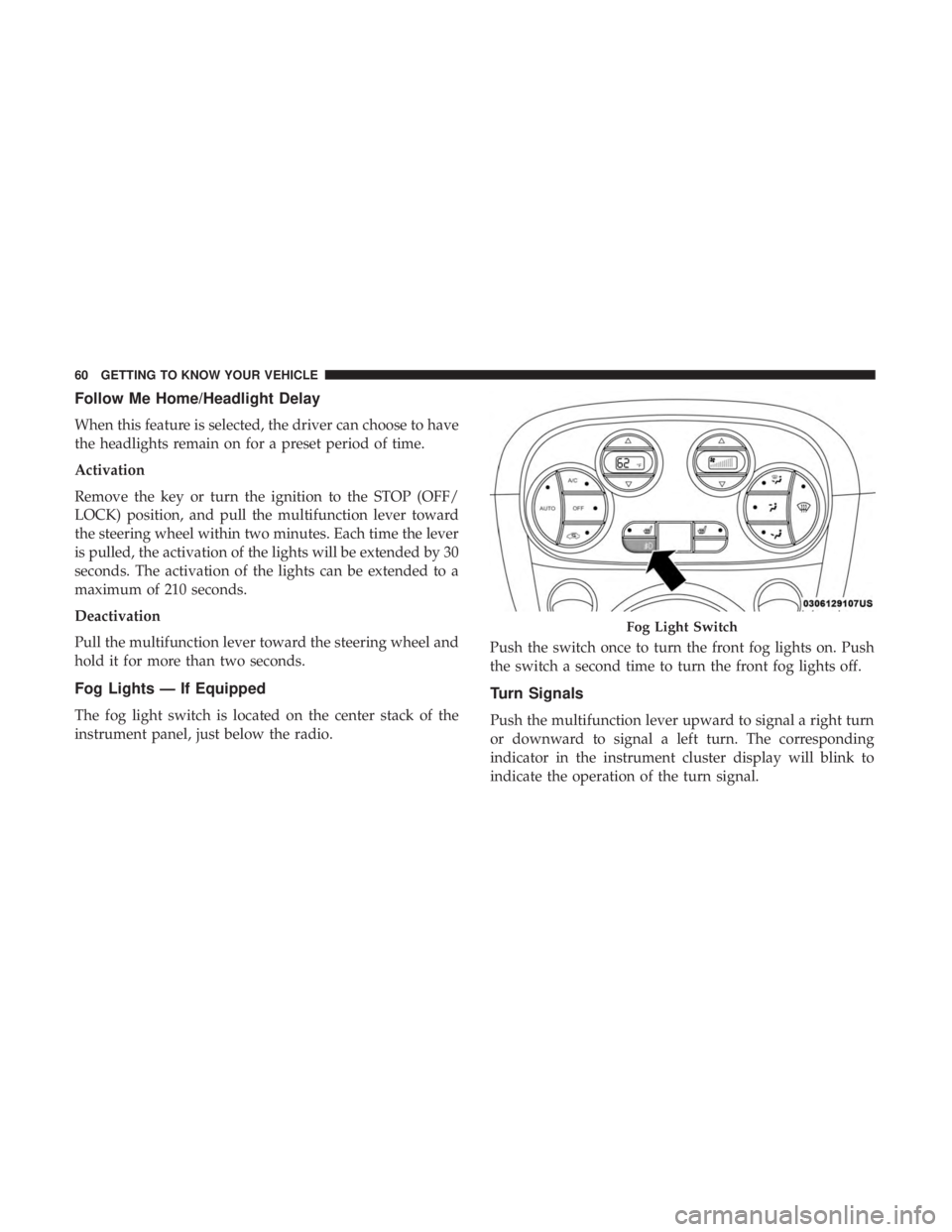
Fog Lights — If Equipped
The fog light switch is located on the center stack of the
instrument panel, just below the radio.Push the switch once to turn the front fog lights on. Push
the switch a second time to turn the front fog lights off.
Turn Signals
Push the multifunction lever upward to signal a right turn
or downward to signal a left turn. The corresponding
indicator in the instrument cluster display will blink to
indicate the operation of the turn signal.
Fog Light Switch
60 GETTING TO KNOW YOUR VEHICLE
Page 64 of 300
Interior Light Timing (Center Position)
There are four different modes of operation that can be
activated in this position:
•When one door is opened, a three minute timer is
activated.
• When the key is removed from the ignition (within two
minutes of the ignition being turned OFF), a 10 second
timer is activated.
• When the doors are unlocked with the key fob, a 10
second timer is activated.
• When the doors are locked with the key fob, the lights
will turn off.
Interior Light Timing (On/Right Position)
When all doors are closed a 15-minute timer is activated.
NOTE: The timer is deactivated when the key is moved
into the ON/RUN position.
Dimmer Control
The brightness of the instrument panel lighting can be
regulated by pushing the buttons on the right side of the
instrument cluster. The (+) button increases the brightness
and the (-) button decreases the brightness. You can control
brightness of the radio by itself or the entire instrument
panel. Refer to “Uconnect Settings” in “Multimedia” for
more information.
Ambient Light
The vehicle is equipped with ambient light on the center
stack. The ambient light will be on when the headlights are
turned on by rotating the end of the multifunction lever.
62 GETTING TO KNOW YOUR VEHICLE
Page 65 of 300
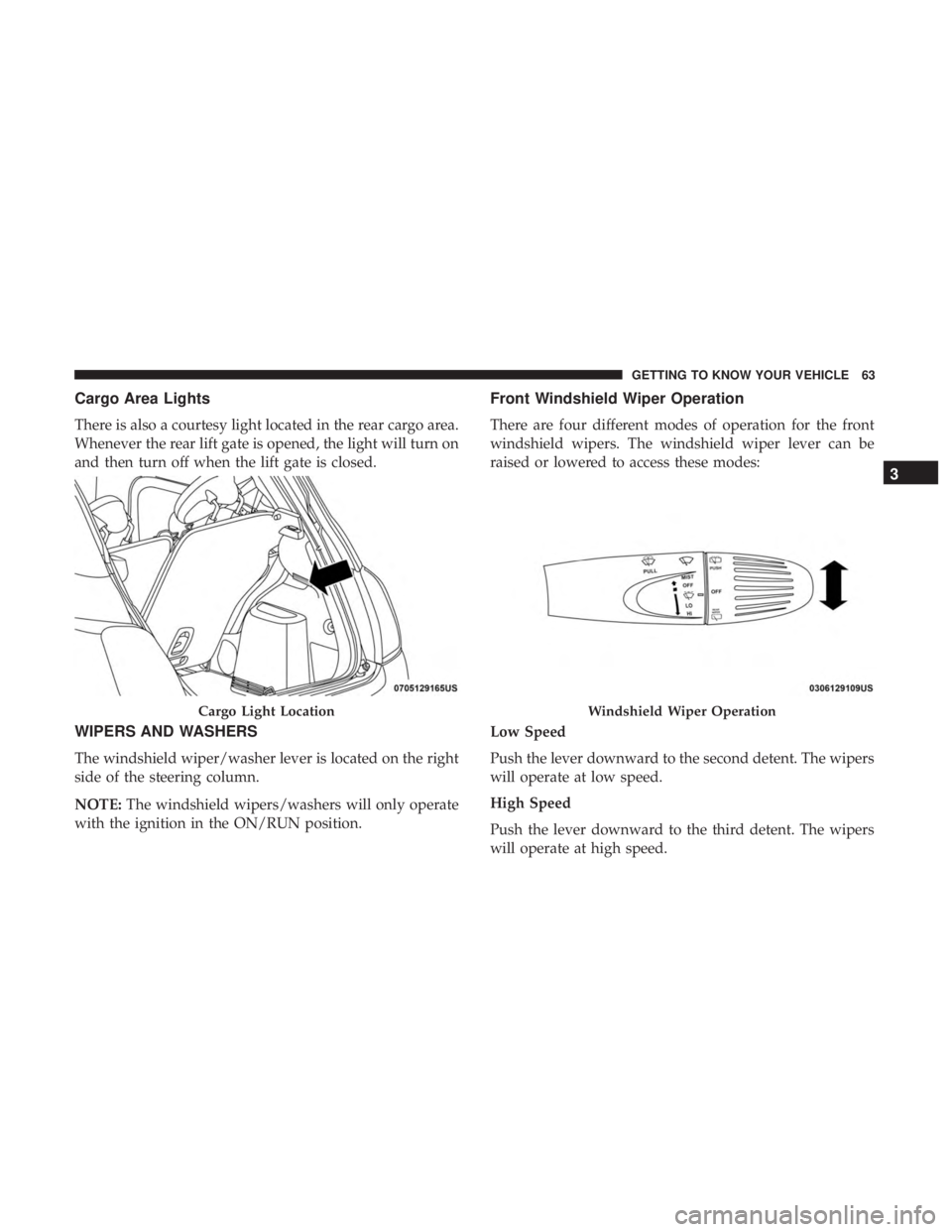
Cargo Area Lights
There is also a courtesy light located in the rear cargo area.
Whenever the rear lift gate is opened, the light will turn on
and then turn off when the lift gate is closed.
WIPERS AND WASHERS
The windshield wiper/washer lever is located on the right
side of the steering column.
NOTE:The windshield wipers/washers will only operate
with the ignition in the ON/RUN position.
Front Windshield Wiper Operation
There are four different modes of operation for the front
windshield wipers. The windshield wiper lever can be
raised or lowered to access these modes:
Low Speed
Push the lever downward to the second detent. The wipers
will operate at low speed.
High Speed
Push the lever downward to the third detent. The wipers
will operate at high speed.
Cargo Light LocationWindshield Wiper Operation
3
GETTING TO KNOW YOUR VEHICLE 63
Page 67 of 300
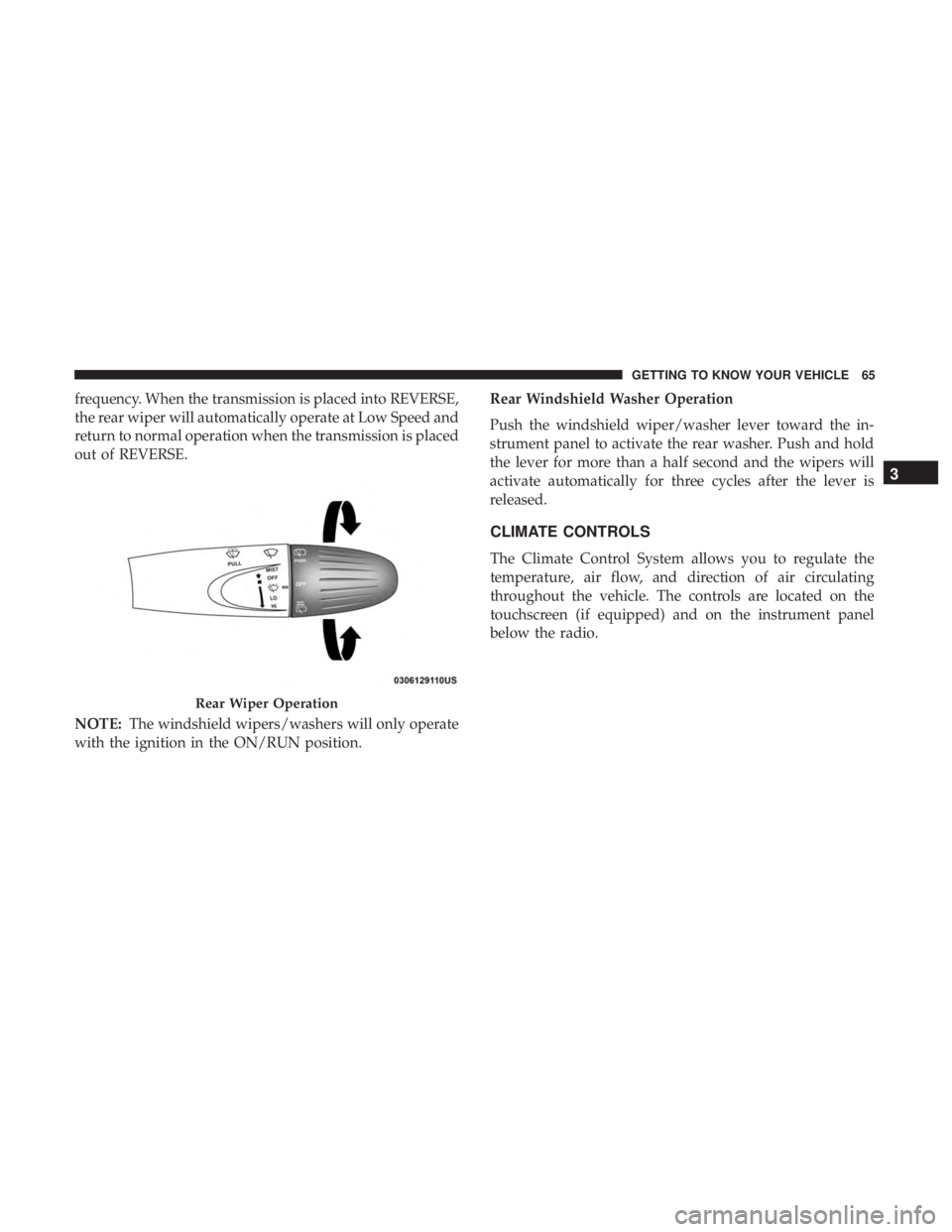
frequency. When the transmission is placed into REVERSE,
the rear wiper will automatically operate at Low Speed and
return to normal operation when the transmission is placed
out of REVERSE.
NOTE:The windshield wipers/washers will only operate
with the ignition in the ON/RUN position. Rear Windshield Washer Operation
Push the windshield wiper/washer lever toward the in-
strument panel to activate the rear washer. Push and hold
the lever for more than a half second and the wipers will
activate automatically for three cycles after the lever is
released.
CLIMATE CONTROLS
The Climate Control System allows you to regulate the
temperature, air flow, and direction of air circulating
throughout the vehicle. The controls are located on the
touchscreen (if equipped) and on the instrument panel
below the radio.
Rear Wiper Operation
3
GETTING TO KNOW YOUR VEHICLE 65
Page 76 of 300
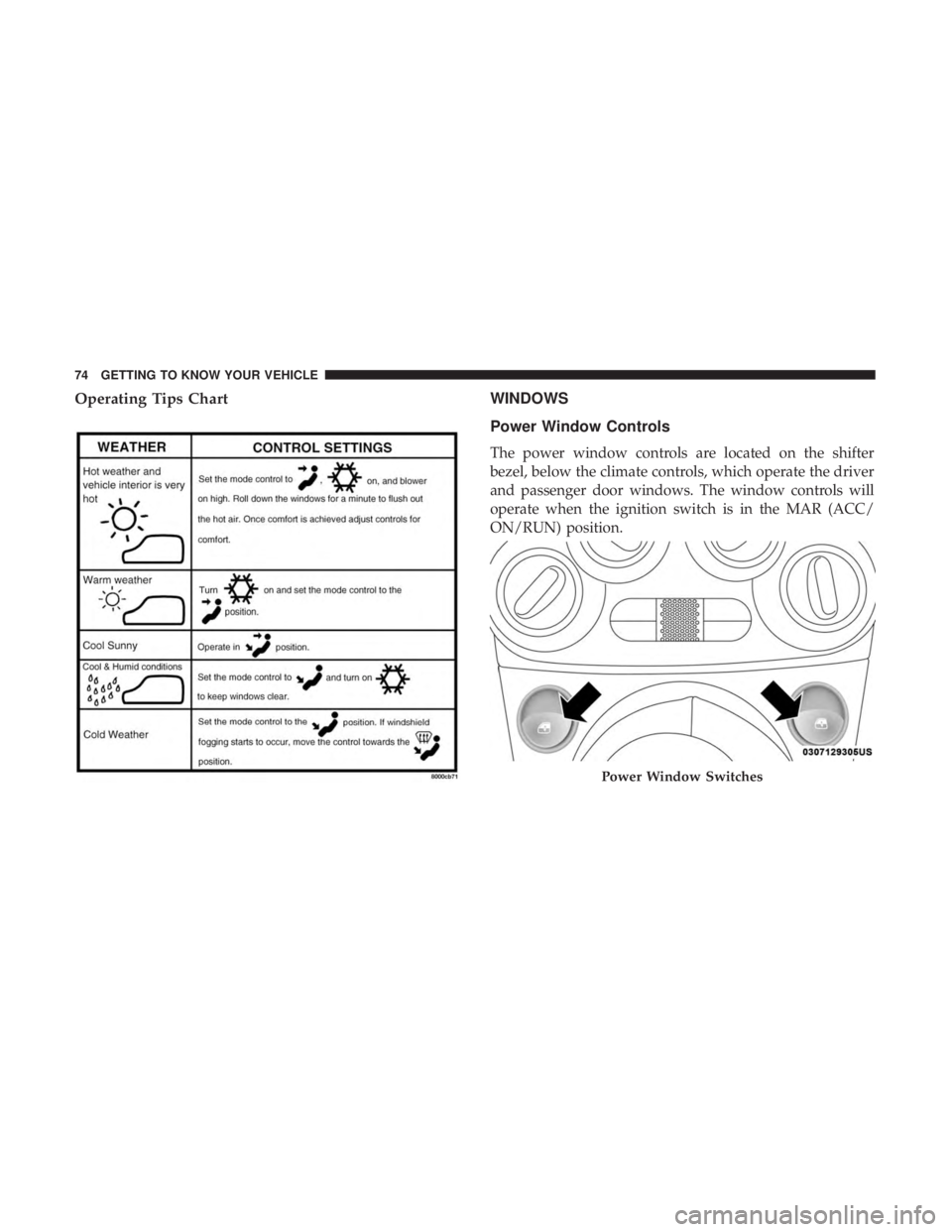
Operating Tips ChartWINDOWS
Power Window Controls
The power window controls are located on the shifter
bezel, below the climate controls, which operate the driver
and passenger door windows. The window controls will
operate when the ignition switch is in the MAR (ACC/
ON/RUN) position.
Power Window Switches
74 GETTING TO KNOW YOUR VEHICLE