lock FIAT 500E 2019 User Guide
[x] Cancel search | Manufacturer: FIAT, Model Year: 2019, Model line: 500E, Model: FIAT 500E 2019Pages: 300, PDF Size: 3.03 MB
Page 44 of 300
Key Programming
Programming key fobs may be performed at an authorized
dealer.
Replacement Keys
NOTE:Only keys that have been programmed to the
vehicle electronics can be used to start the vehicle. Once a
Sentry Key has been programmed to a vehicle, it cannot be
programmed to any other vehicle. When having the Sen-
try Key Immobilizer System serviced, bring all vehicle
keys with you to an authorized dealer.
General Information
The following regulatory statement applies to all radio
frequency (RF) devices equipped in this vehicle:
This device complies with Part 15 of the FCC Rules and
with Industry Canada license-exempt RSS standard(s).
Operation is subject to the following two conditions:
1. This device may not cause harmful interference, and
2. This device must accept any interference received, in- cluding interference that may cause undesired opera-
tion. NOTE:
Changes or modifications not expressly approved
by the party responsible for compliance could void the
user ’s authority to operate the equipment.
VEHICLE SECURITY ALARM
The vehicle security alarm monitors the vehicle doors for
unauthorized entry and the ignition switch for unauthor-
ized operation. While the vehicle security alarm is armed,
interior switches for door locks and liftgate release are
disabled. If something triggers the alarm, the vehicle
security alarm will provide the following audible and
visible signals: the horn will pulse, the park lamps and/or
turn signals will flash, and the vehicle security light on the
instrument panel will flash.
To Arm The System
1. Remove the key from the ignition switch and get out of the vehicle.
2. Lock the door using either the Central Lock/Unlock switch or the Remote Keyless Entry key fob and close all
doors.
42 GETTING TO KNOW YOUR VEHICLE
Page 45 of 300
3. The horn will sound and the vehicle security light in theinstrument cluster will switch on for approximately
three seconds. This shows that the vehicle security
alarm is about to arm. During this period, if a door is
opened, the ignition switch is turned to ON/RUN, or
the power door locks are unlocked in any manner, the
vehicle security alarm will automatically disarm. After
approximately three seconds, the vehicle security light
will flash. This shows that the vehicle security alarm is
fully armed.
The activation of the vehicle security alarm is followed by
a self-diagnosis stage. If a fault is detected during the
self-diagnosis stage, the horn will sound a second time.
If the horn sounds a second time, check that all doors, hood
and liftgate are closed correctly, then rearm the system.
If the vehicle security alarm sounds the horn a second time
even when all doors, hood and liftgate are correctly closed,
a fault has occurred in the operation of the system. Contact
an authorized dealer.To Disarm The System
Push unlock on the key fob, or insert the key into the
ignition switch and turn the ignition switch to the ON/
RUN position.
NOTE: The vehicle security alarm will not disarm when
the metal insert of the key is used on a single door lock
cylinder.
The vehicle security alarm is designed to protect your
vehicle; however, you can create conditions where the
vehicle security alarm will arm unexpectedly. If you remain
in the vehicle and lock the doors with the key fob, once the
vehicle security alarm is armed, when you pull the door
handle to exit, the alarm will sound. If this occurs, push the
unlock button on the key fob to disarm the vehicle security
alarm.
3
GETTING TO KNOW YOUR VEHICLE 43
Page 46 of 300
Central Lock/Unlock (Switch Safe Lock Device) —
If Equipped
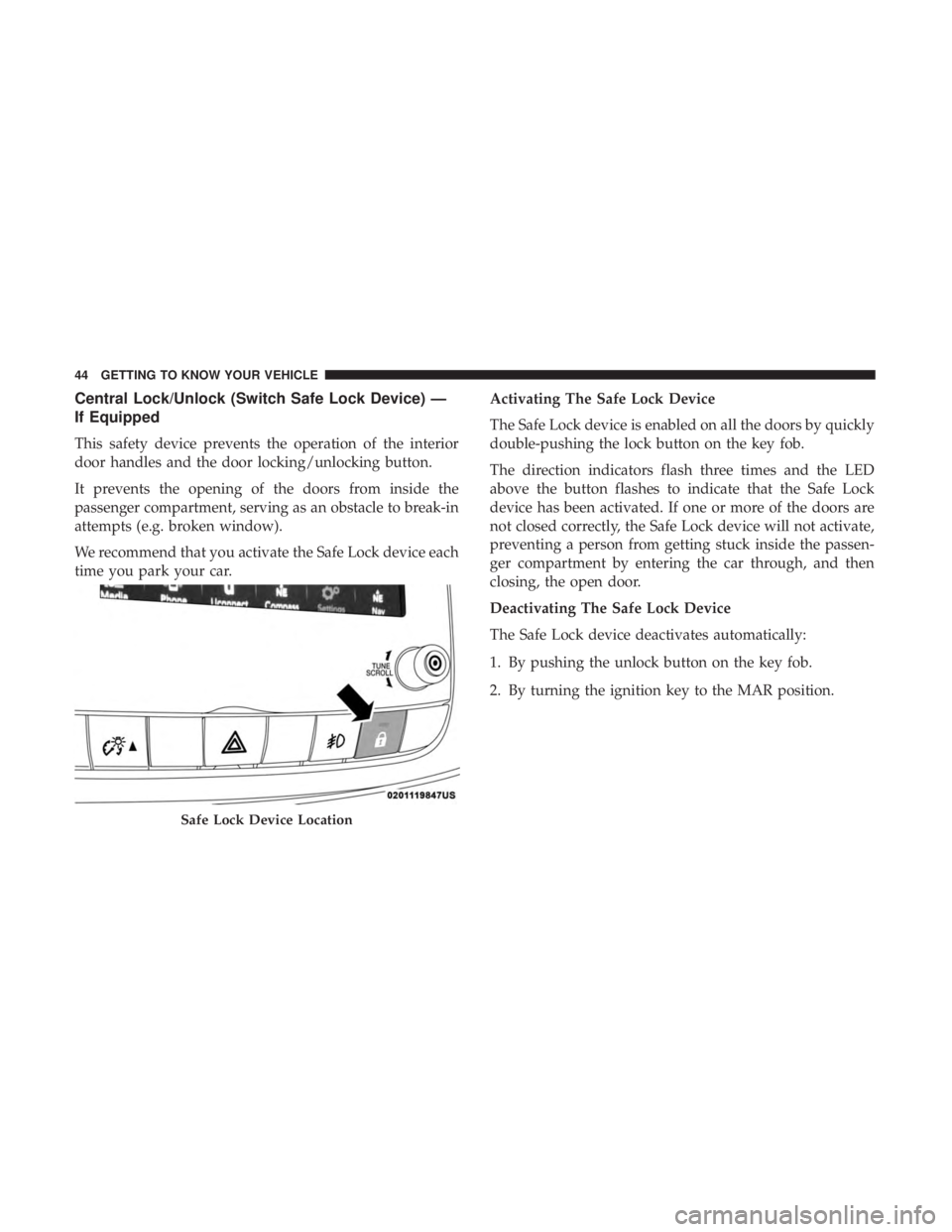
This safety device prevents the operation of the interior
door handles and the door locking/unlocking button.
It prevents the opening of the doors from inside the
passenger compartment, serving as an obstacle to break-in
attempts (e.g. broken window).
We recommend that you activate the Safe Lock device each
time you park your car.Activating The Safe Lock Device
The Safe Lock device is enabled on all the doors by quickly
double-pushing the lock button on the key fob.
The direction indicators flash three times and the LED
above the button flashes to indicate that the Safe Lock
device has been activated. If one or more of the doors are
not closed correctly, the Safe Lock device will not activate,
preventing a person from getting stuck inside the passen-
ger compartment by entering the car through, and then
closing, the open door.
Deactivating The Safe Lock Device
The Safe Lock device deactivates automatically:
1. By pushing the unlock button on the key fob.
2. By turning the ignition key to the MAR position.
Safe Lock Device Location
44 GETTING TO KNOW YOUR VEHICLE
Page 47 of 300
DOORS
Manual Lock
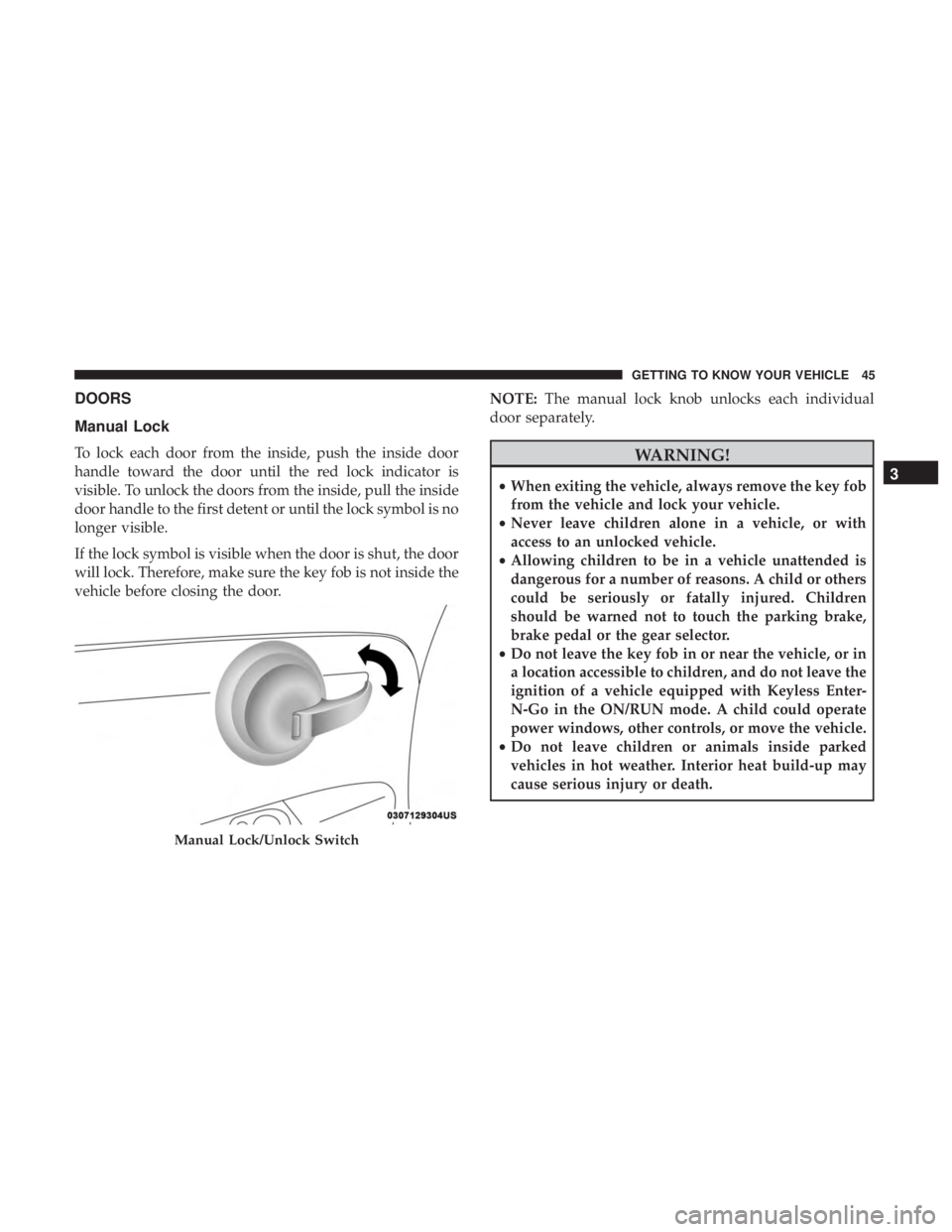
To lock each door from the inside, push the inside door
handle toward the door until the red lock indicator is
visible. To unlock the doors from the inside, pull the inside
door handle to the first detent or until the lock symbol is no
longer visible.
If the lock symbol is visible when the door is shut, the door
will lock. Therefore, make sure the key fob is not inside the
vehicle before closing the door.NOTE:
The manual lock knob unlocks each individual
door separately.WARNING!
• When exiting the vehicle, always remove the key fob
from the vehicle and lock your vehicle.
• Never leave children alone in a vehicle, or with
access to an unlocked vehicle.
• Allowing children to be in a vehicle unattended is
dangerous for a number of reasons. A child or others
could be seriously or fatally injured. Children
should be warned not to touch the parking brake,
brake pedal or the gear selector.
• Do not leave the key fob in or near the vehicle, or in
a location accessible to children, and do not leave the
ignition of a vehicle equipped with Keyless Enter-
N-Go in the ON/RUN mode. A child could operate
power windows, other controls, or move the vehicle.
• Do not leave children or animals inside parked
vehicles in hot weather. Interior heat build-up may
cause serious injury or death.
Manual Lock/Unlock Switch
3
GETTING TO KNOW YOUR VEHICLE 45
Page 48 of 300
CAUTION!
An unlocked car is an invitation. Always remove the
key from the ignition and lock all doors when leaving
the vehicle unattended.
Power Door Locks
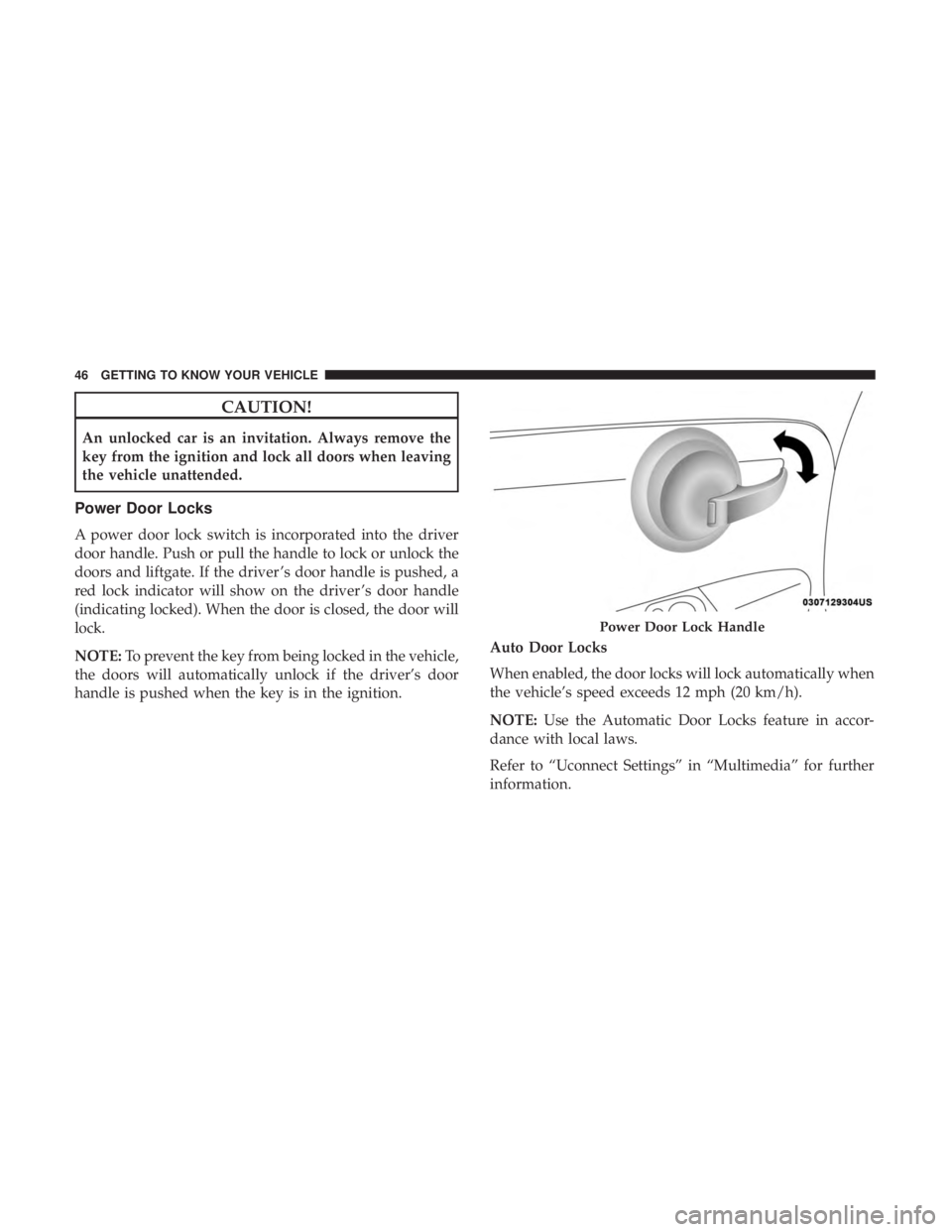
A power door lock switch is incorporated into the driver
door handle. Push or pull the handle to lock or unlock the
doors and liftgate. If the driver ’s door handle is pushed, a
red lock indicator will show on the driver ’s door handle
(indicating locked). When the door is closed, the door will
lock.
NOTE:To prevent the key from being locked in the vehicle,
the doors will automatically unlock if the driver’s door
handle is pushed when the key is in the ignition. Auto Door Locks
When enabled, the door locks will lock automatically when
the vehicle’s speed exceeds 12 mph (20 km/h).
NOTE:
Use the Automatic Door Locks feature in accor-
dance with local laws.
Refer to “Uconnect Settings” in “Multimedia” for further
information.
Power Door Lock Handle
46 GETTING TO KNOW YOUR VEHICLE
Page 51 of 300
WARNING!
Do not ride with the seatback reclined so that the
shoulder belt is no longer resting against your chest. In
a collision you could slide under the seat belt, which
could result in serious injury or death.
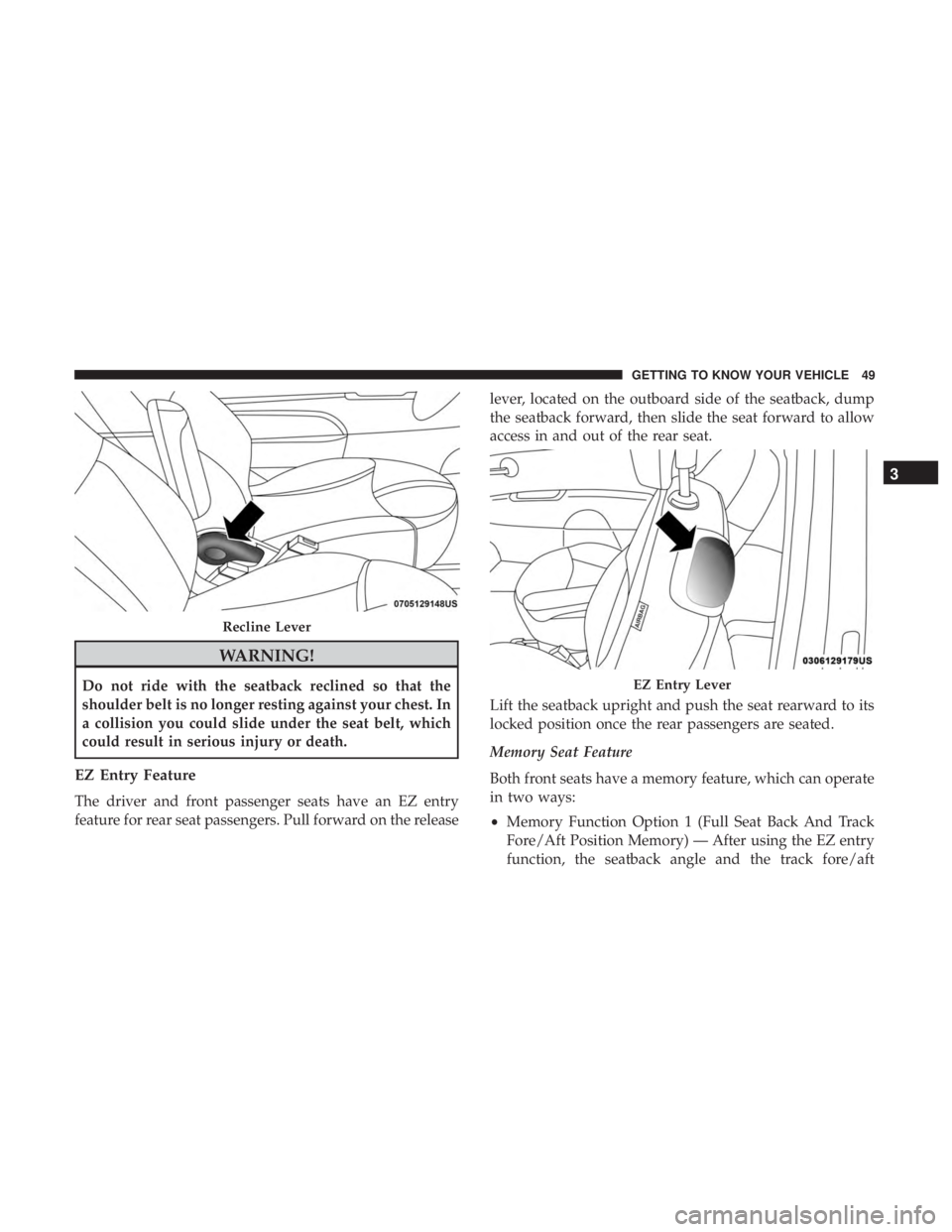
EZ Entry Feature
The driver and front passenger seats have an EZ entry
feature for rear seat passengers. Pull forward on the releaselever, located on the outboard side of the seatback, dump
the seatback forward, then slide the seat forward to allow
access in and out of the rear seat.
Lift the seatback upright and push the seat rearward to its
locked position once the rear passengers are seated.
Memory Seat Feature
Both front seats have a memory feature, which can operate
in two ways:
•
Memory Function Option 1 (Full Seat Back And Track
Fore/Aft Position Memory) — After using the EZ entry
function, the seatback angle and the track fore/aft
Recline Lever
EZ Entry Lever
3
GETTING TO KNOW YOUR VEHICLE 49
Page 52 of 300
adjuster can both re-lock into the position they were
most recently adjusted to. This is accomplished if the
seat is moved fully rearward to its last fore/aft position
on the tracks before the seat back is returned upright.
•
Memory Function Option 2 (Seat Back Only Memory) —
After using the EZ entry function, the seat back may first
be returned upright prior to going back to the last fore/aft
(memory) position on the tracks. This results in the seat
back memory being set only – The track will then be
locked forward of its last set fore/aft memory position. To
then reset the fore/aft track memory feature (to reestab-
lish Memory Function Option 1), the seat has to be
returned fully rearward to its last fore/aft memory track
position as described in Memory Function Option 1.
Heated Seats — If Equipped
On some models, the front driver and passenger seats may
be equipped with heaters in both the seat cushions and
seatbacks. The controls for the front heated seats are
located on the center instrument panel area.
Push the switch once to turn on the heated seats.
Push the switch a second time to shut the heating
elements off. NOTE:
Once a heat setting is selected, heat will be felt
within two to five minutes.
WARNING!
• Persons who are unable to feel pain to the skin
because of advanced age, chronic illness, diabetes,
spinal cord injury, medication, alcohol use, exhaus-
tion or other physical condition must exercise care
when using the seat heater. It may cause burns even
at low temperatures, especially if used for long
periods of time.
• Do not place anything on the seat or seatback that
insulates against heat, such as a blanket or cushion.
This may cause the seat heater to overheat. Sitting in
a seat that has been overheated could cause serious
burns due to the increased surface temperature of the
seat.
50 GETTING TO KNOW YOUR VEHICLE
Page 57 of 300
STEERING WHEEL
Tilt Steering Column — If Equipped
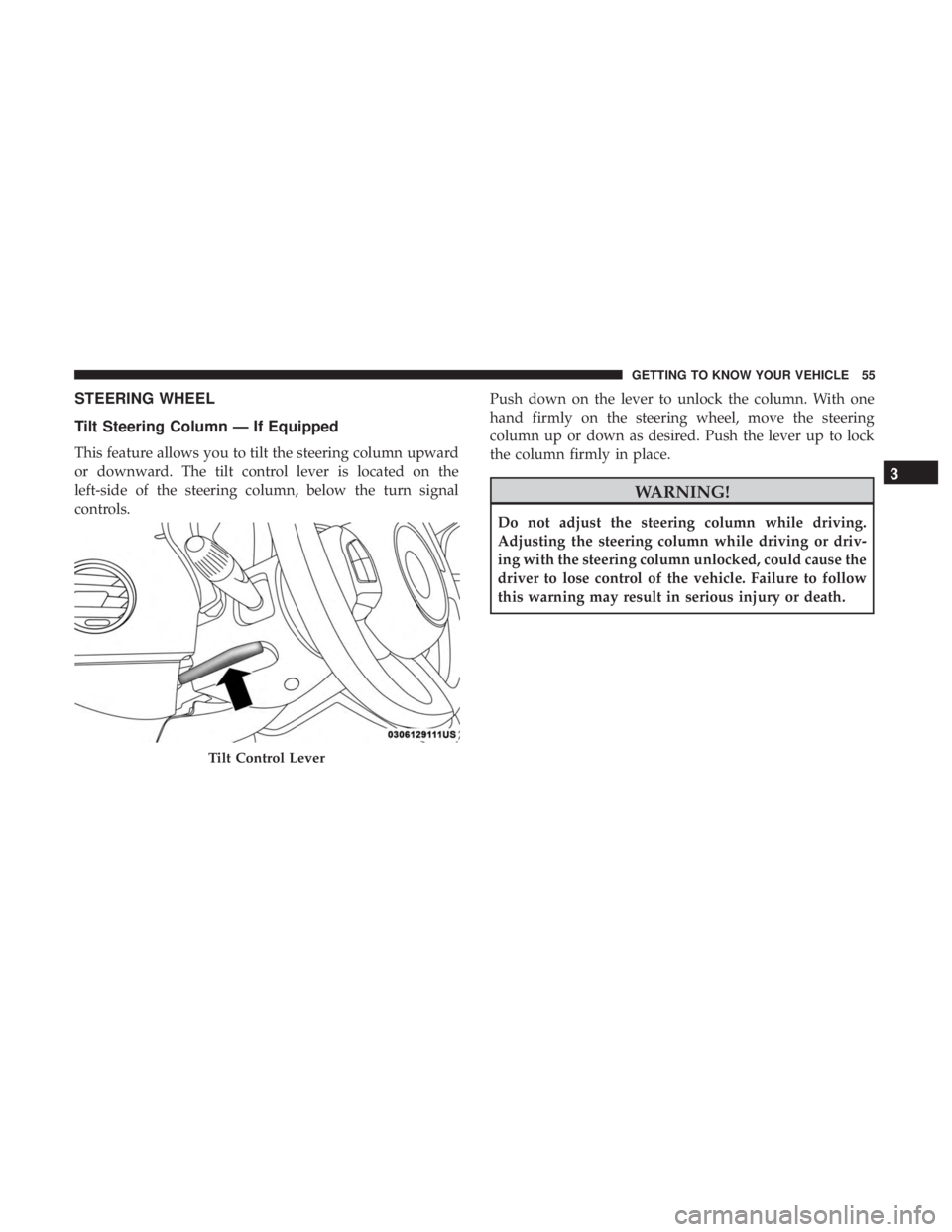
This feature allows you to tilt the steering column upward
or downward. The tilt control lever is located on the
left-side of the steering column, below the turn signal
controls.Push down on the lever to unlock the column. With one
hand firmly on the steering wheel, move the steering
column up or down as desired. Push the lever up to lock
the column firmly in place.
WARNING!
Do not adjust the steering column while driving.
Adjusting the steering column while driving or driv-
ing with the steering column unlocked, could cause the
driver to lose control of the vehicle. Failure to follow
this warning may result in serious injury or death.
Tilt Control Lever
3
GETTING TO KNOW YOUR VEHICLE 55
Page 61 of 300
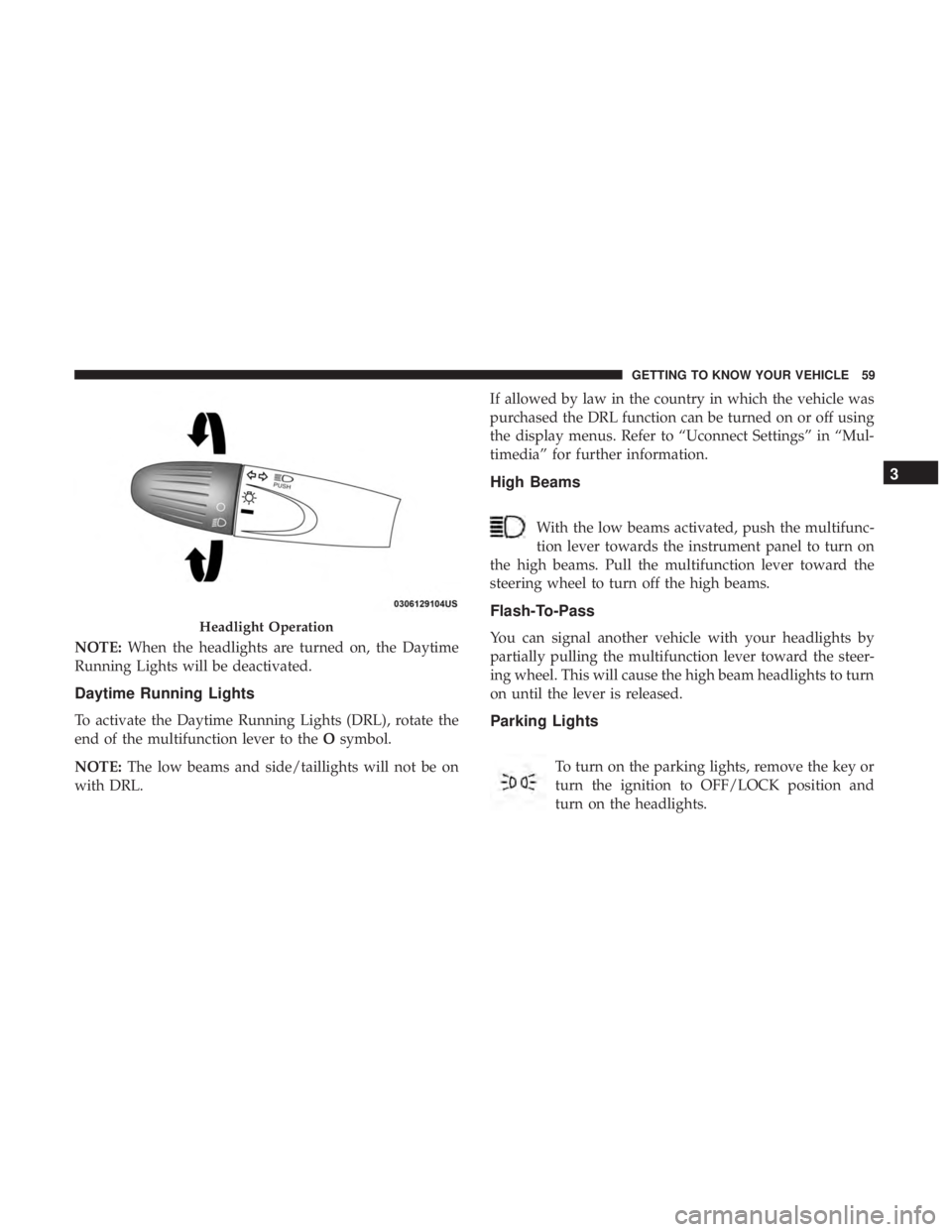
NOTE:When the headlights are turned on, the Daytime
Running Lights will be deactivated.
Daytime Running Lights
To activate the Daytime Running Lights (DRL), rotate the
end of the multifunction lever to the Osymbol.
NOTE: The low beams and side/taillights will not be on
with DRL. If allowed by law in the country in which the vehicle was
purchased the DRL function can be turned on or off using
the display menus. Refer to “Uconnect Settings” in “Mul-
timedia” for further information.
High Beams
With the low beams activated, push the multifunc-
tion lever towards the instrument panel to turn on
the high beams. Pull the multifunction lever toward the
steering wheel to turn off the high beams.
Flash-To-Pass
You can signal another vehicle with your headlights by
partially pulling the multifunction lever toward the steer-
ing wheel. This will cause the high beam headlights to turn
on until the lever is released.
Parking Lights
To turn on the parking lights, remove the key or
turn the ignition to OFF/LOCK position and
turn on the headlights.
Headlight Operation
3
GETTING TO KNOW YOUR VEHICLE 59
Page 62 of 300
Follow Me Home/Headlight Delay
When this feature is selected, the driver can choose to have
the headlights remain on for a preset period of time.
Activation
Remove the key or turn the ignition to the STOP (OFF/
LOCK) position, and pull the multifunction lever toward
the steering wheel within two minutes. Each time the lever
is pulled, the activation of the lights will be extended by 30
seconds. The activation of the lights can be extended to a
maximum of 210 seconds.
Deactivation
Pull the multifunction lever toward the steering wheel and
hold it for more than two seconds.
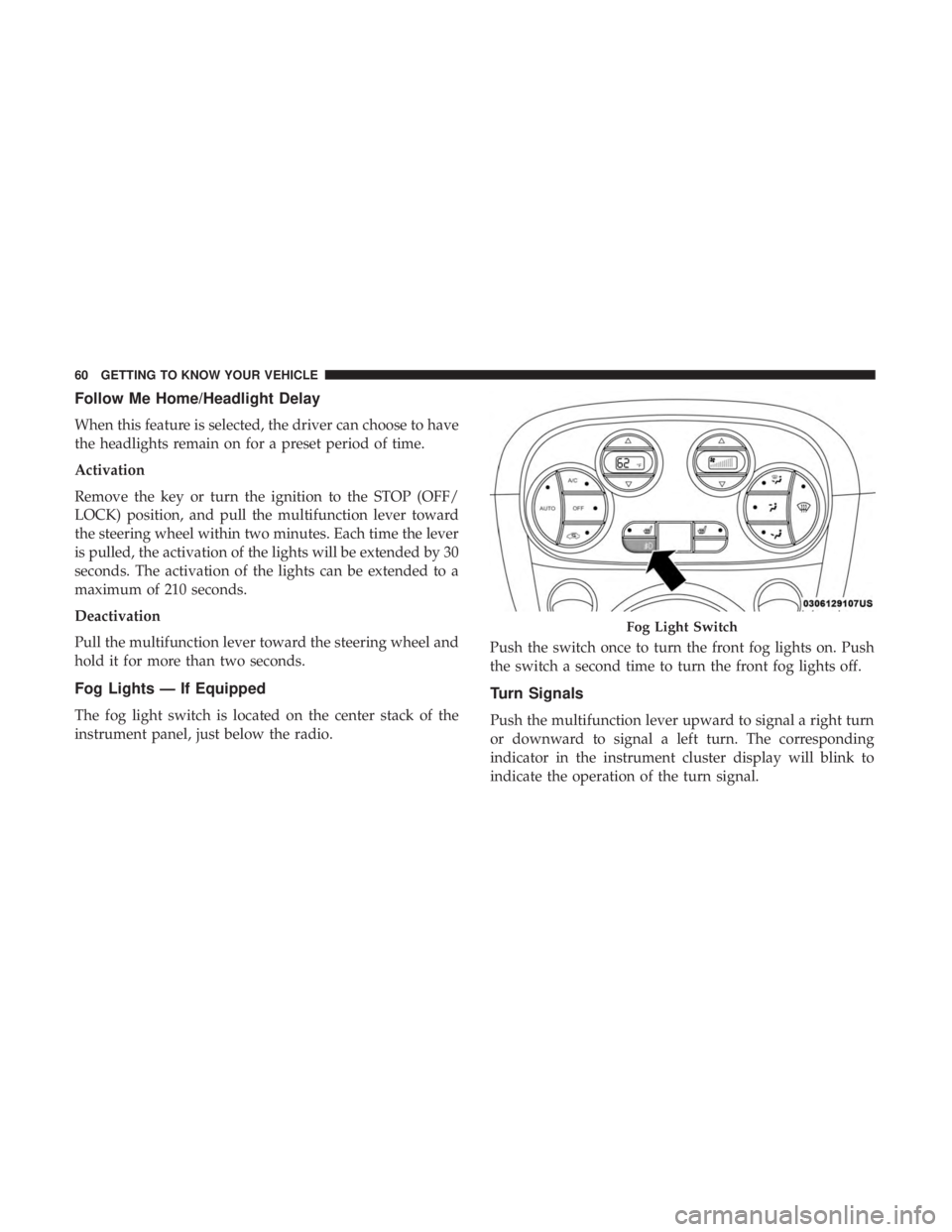
Fog Lights — If Equipped
The fog light switch is located on the center stack of the
instrument panel, just below the radio.Push the switch once to turn the front fog lights on. Push
the switch a second time to turn the front fog lights off.
Turn Signals
Push the multifunction lever upward to signal a right turn
or downward to signal a left turn. The corresponding
indicator in the instrument cluster display will blink to
indicate the operation of the turn signal.
Fog Light Switch
60 GETTING TO KNOW YOUR VEHICLE