instrument panel FIAT 500L 2015 2.G Owner's Manual
[x] Cancel search | Manufacturer: FIAT, Model Year: 2015, Model line: 500L, Model: FIAT 500L 2015 2.GPages: 438, PDF Size: 12.64 MB
Page 153 of 438
STORAGE
Glove Compartment
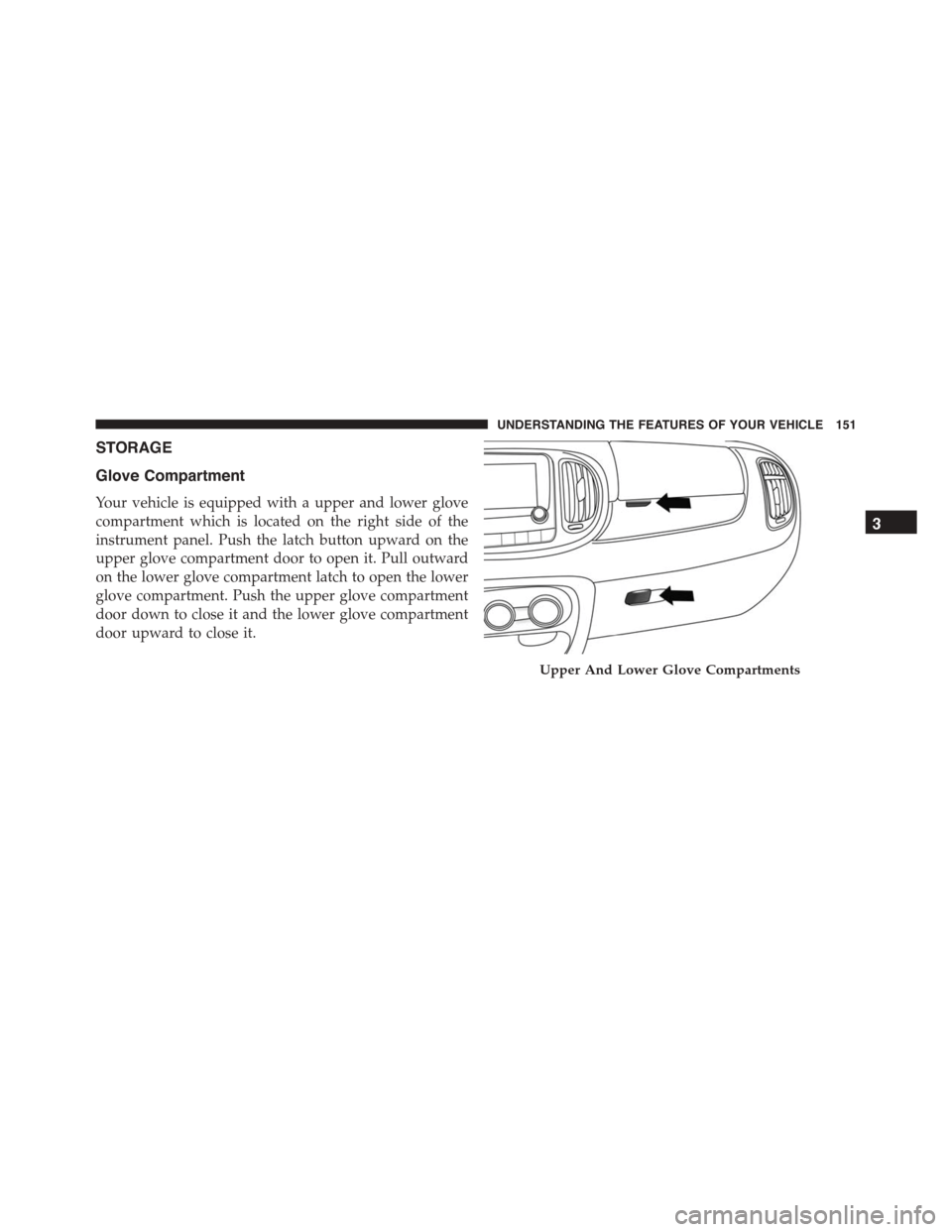
Your vehicle is equipped with a upper and lower glove
compartment which is located on the right side of the
instrument panel. Push the latch button upward on the
upper glove compartment door to open it. Pull outward
on the lower glove compartment latch to open the lower
glove compartment. Push the upper glove compartment
door down to close it and the lower glove compartment
door upward to close it.
Upper And Lower Glove Compartments
3
UNDERSTANDING THE FEATURES OF YOUR VEHICLE 151
Page 162 of 438
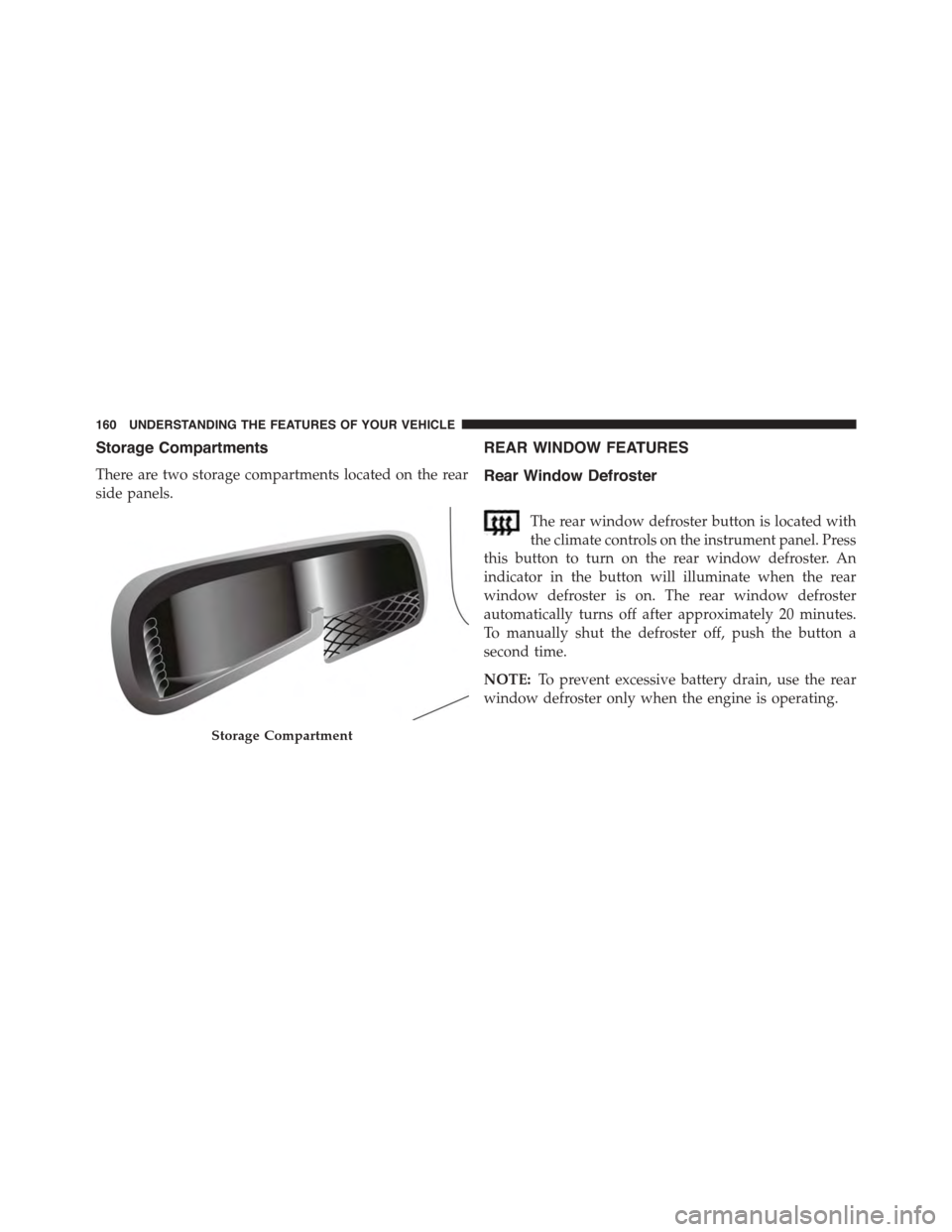
Storage Compartments
There are two storage compartments located on the rear
side panels.
REAR WINDOW FEATURES
Rear Window Defroster
The rear window defroster button is located with
the climate controls on the instrument panel. Press
this button to turn on the rear window defroster. An
indicator in the button will illuminate when the rear
window defroster is on. The rear window defroster
automatically turns off after approximately 20 minutes.
To manually shut the defroster off, push the button a
second time.
NOTE:To prevent excessive battery drain, use the rear
window defroster only when the engine is operating.
Storage Compartment
160 UNDERSTANDING THE FEATURES OF YOUR VEHICLE
Page 165 of 438
UNDERSTANDING YOUR INSTRUMENT PANEL
CONTENTS
!INSTRUMENT PANEL FEATURES..........165
!INSTRUMENT CLUSTER.................166
!INSTRUMENT CLUSTER DESCRIPTIONS.....167
!ELECTRONIC VEHICLE INFORMATION
CENTER (EVIC).......................177
▫EVIC Screen.........................177
▫EVIC Control Buttons..................178
▫Electronic Vehicle Information Center (EVIC)
Setup Menu.........................179
▫Change Engine Oil Indicator System........180
▫Trip Computer.......................181
▫Trip Button..........................181
▫Trip Functions........................182
▫Values Displayed......................183
▫Personal Settings (Customer-Programmable
Features)............................184
!Uconnect® RADIOS.....................187
!iPod®/USB/MEDIA PLAYER CONTROL.....187
!STEERING WHEEL AUDIO CONTROLS......188
▫Radio Operation......................189
4
Page 166 of 438
▫Player Operation......................189
!CD/DVD DISC MAINTENANCE...........190
!RADIO OPERATION AND MOBILE PHONES . .190
!CLIMATE CONTROLS...................191
▫Manual Climate Control System...........191
▫Automatic Dual Zone Climate Control System
(If Equipped).........................197
!Uconnect® VOICE RECOGNITION
QUICK TIPS..........................209
▫Introducing Uconnect®.................209
▫Get Started..........................211
▫Basic Voice Commands..................212
▫Radio..............................213
▫Media..............................215
▫Phone..............................216
▫Navigation (6.5A/6.5AN)................218
▫Voice Text Reply......................219
▫Additional Information.................220
164 UNDERSTANDING YOUR INSTRUMENT PANEL
Page 167 of 438
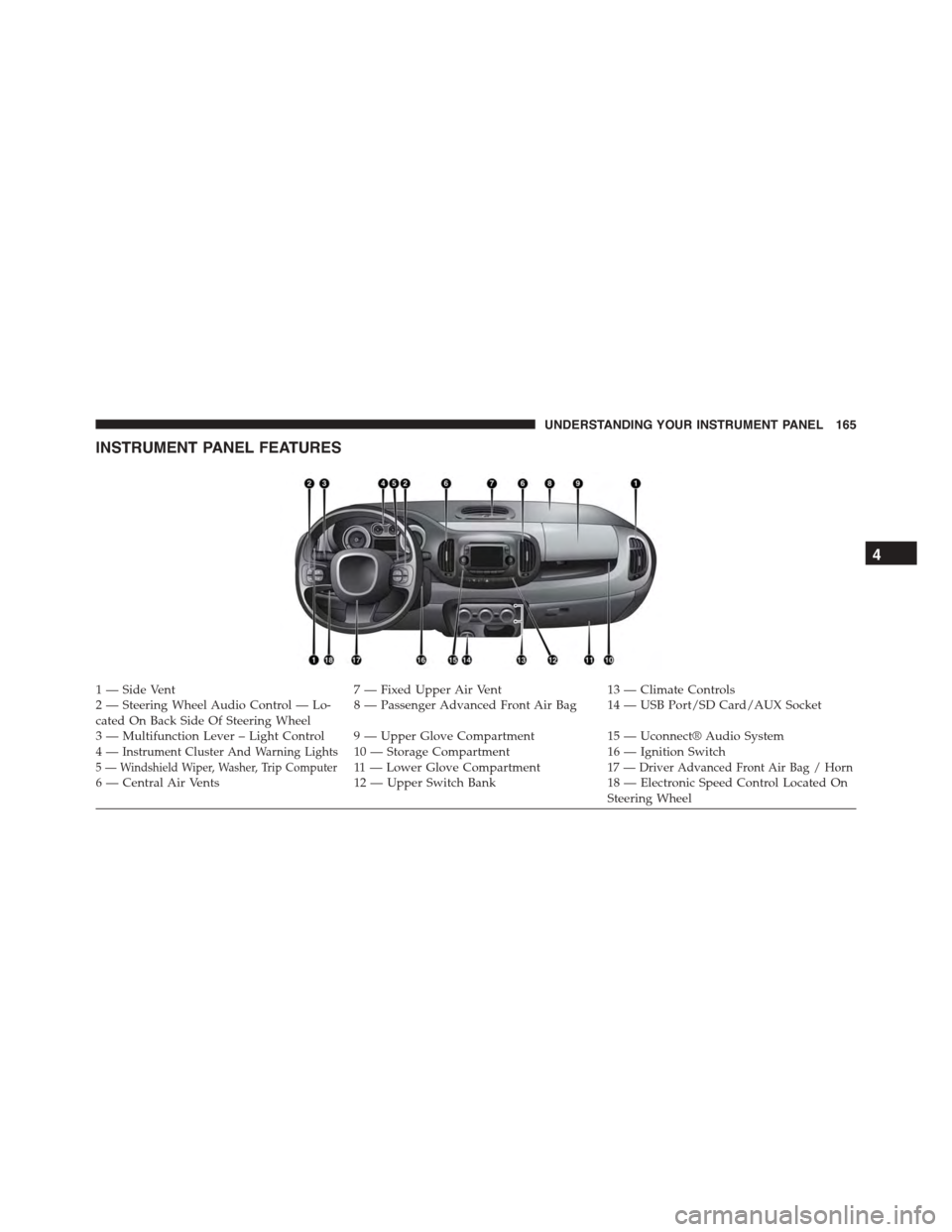
INSTRUMENT PANEL FEATURES
1 — Side Vent7 — Fixed Upper Air Vent13 — Climate Controls2—SteeringWheelAudioControl—Lo-cated On Back Side Of Steering Wheel8—PassengerAdvancedFrontAirBag 14—USBPort/SDCard/AUXSocket
3—MultifunctionLever–LightControl 9—UpperGloveCompartment15 — Uconnect® Audio System4—Instrument Cluster And Warning Lights10 — Storage Compartment16 — Ignition Switch5 — Windshield Wiper, Washer, Trip Computer11 — L o w e r G l o v e C o m p a r t m e n t17 — Driver Advanced Front Air Bag / Horn6 — Central Air Vents12 — Upper Switch Bank18 — Electronic Speed Control Located OnSteering Wheel
4
UNDERSTANDING YOUR INSTRUMENT PANEL 165
Page 168 of 438
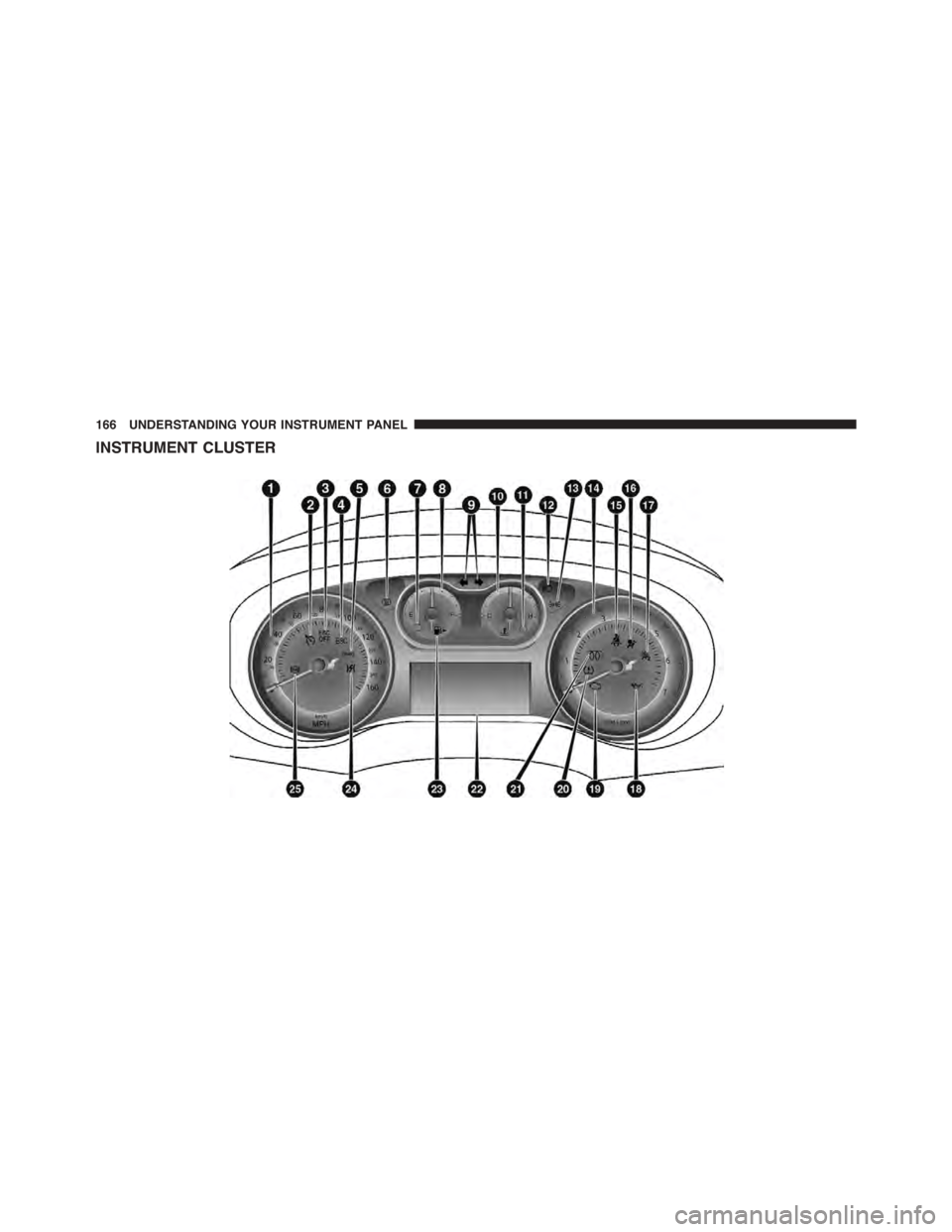
INSTRUMENT CLUSTER
166 UNDERSTANDING YOUR INSTRUMENT PANEL
Page 169 of 438
INSTRUMENT CLUSTER DESCRIPTIONS
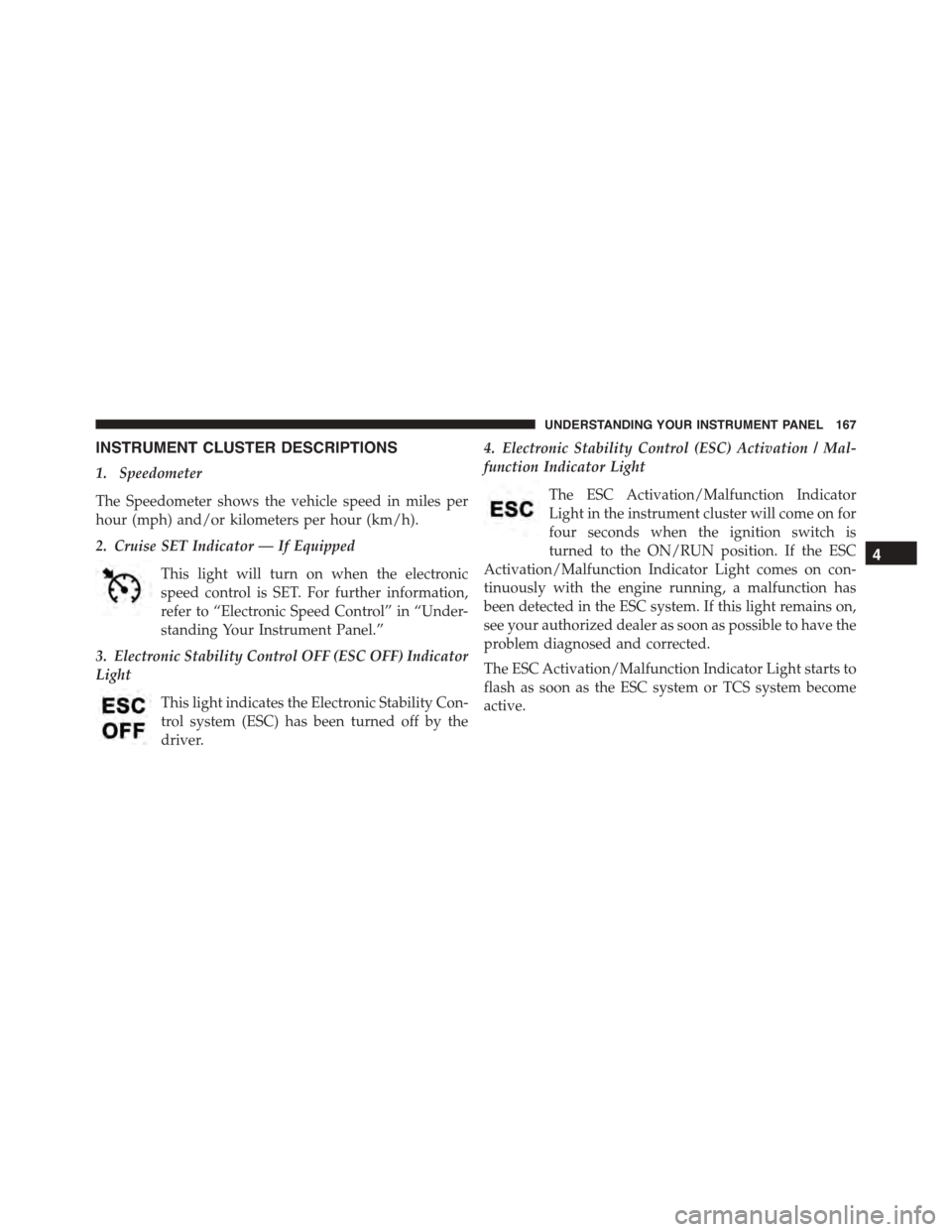
1. Speedometer
The Speedometer shows the vehicle speed in miles per
hour (mph) and/or kilometers per hour (km/h).
2. Cruise SET Indicator — If Equipped
This light will turn on when the electronic
speed control is SET. For further information,
refer to “Electronic Speed Control” in “Under-
standing Your Instrument Panel.”
3. Electronic Stability Control OFF (ESC OFF) Indicator
Light
This light indicates the Electronic Stability Con-
trol system (ESC) has been turned off by the
driver.
4. Electronic Stability Control (ESC) Activation / Mal-
function Indicator Light
The ESC Activation/Malfunction Indicator
Light in the instrument cluster will come on for
four seconds when the ignition switch is
turned to the ON/RUN position. If the ESC
Activation/Malfunction Indicator Light comes on con-
tinuously with the engine running, a malfunction has
been detected in the ESC system. If this light remains on,
see your authorized dealer as soon as possible to have the
problem diagnosed and corrected.
The ESC Activation/Malfunction Indicator Light starts to
flash as soon as the ESC system or TCS system become
active.
4
UNDERSTANDING YOUR INSTRUMENT PANEL 167
Page 170 of 438
NOTE:
•The ESC Off Indicator Light and the ESC Activation/
Malfunction Indicator Light come on momentarily
each time the ignition switch is turned to ON/RUN.
•Each time the ignition is turned to ON/RUN, the
ESC system will be on, even if it was turned off
previously.
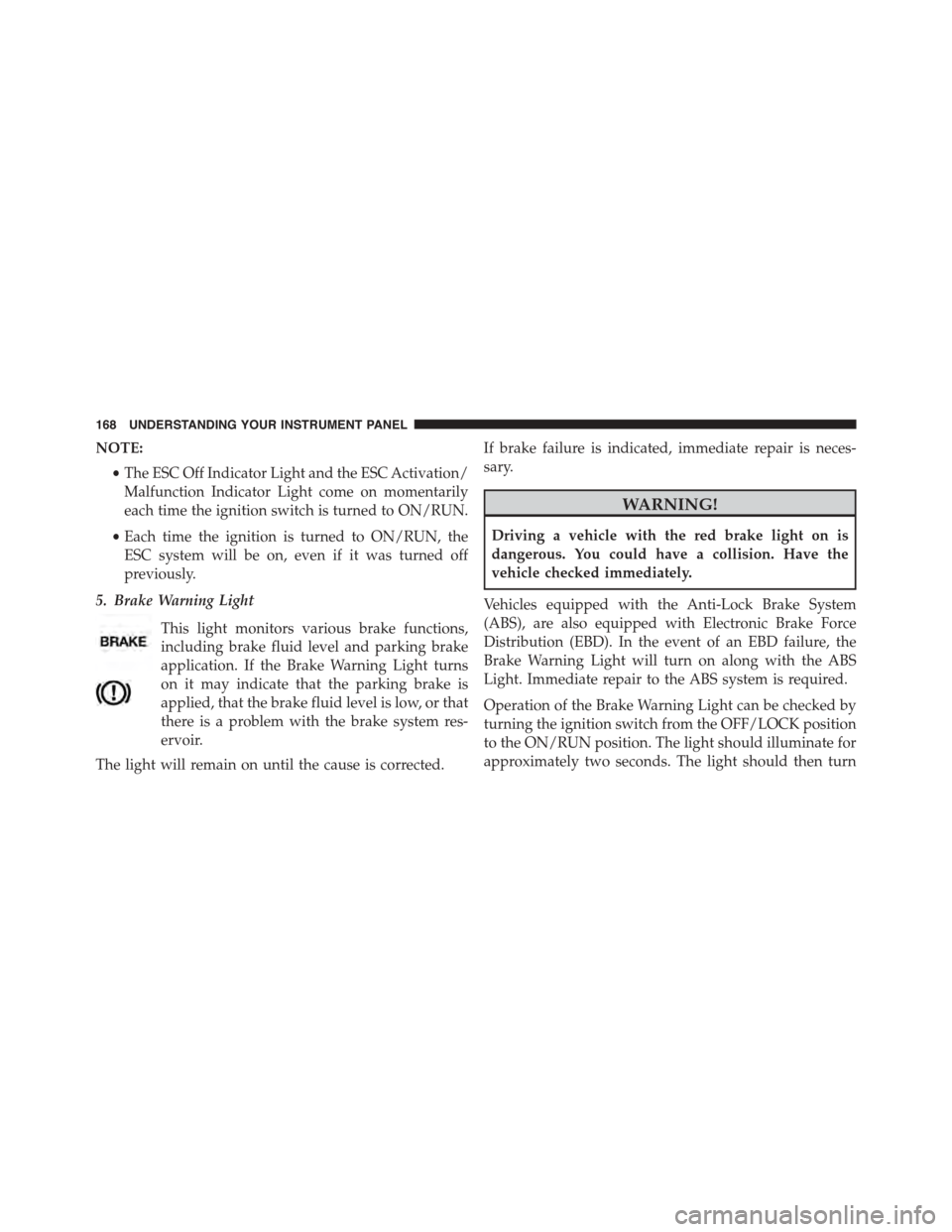
5. Brake Warning Light
This light monitors various brake functions,
including brake fluid level and parking brake
application. If the Brake Warning Light turns
on it may indicate that the parking brake is
applied, that the brake fluid level is low, or that
there is a problem with the brake system res-
ervoir.
The light will remain on until the cause is corrected.
If brake failure is indicated, immediate repair is neces-
sary.
WARNING!
Driving a vehicle with the red brake light on is
dangerous. You could have a collision. Have the
vehicle checked immediately.
Vehicles equipped with the Anti-Lock Brake System
(ABS), are also equipped with Electronic Brake Force
Distribution (EBD). In the event of an EBD failure, the
Brake Warning Light will turn on along with the ABS
Light. Immediate repair to the ABS system is required.
Operation of the Brake Warning Light can be checked by
turning the ignition switch from the OFF/LOCK position
to the ON/RUN position. The light should illuminate for
approximately two seconds. The light should then turn
168 UNDERSTANDING YOUR INSTRUMENT PANEL
Page 171 of 438
off unless the parking brake is applied or a brake fault is
detected. If the light does not illuminate, have the light
inspected by an authorized dealer.
The light also will turn on when the parking brake is
applied with the ignition switch in the ON/RUN posi-
tion.
NOTE:This light shows only that the parking brake is
applied. It does not show the degree of brake application.
6. Rear Defrost Light
This indicator will illuminate when the rear win-
dow defroster is on. The rear window defroster
automatically turns off after 20 minutes.
7. Low Fuel Light
When the fuel level reaches approximately 2.0 gallon
(7.6L) this light will turn on, and remain on until fuel is
added.
8. Fuel Gauge
When the ignition switch is in the ON/RUN position, the
digital scale will show the level of fuel remaining in the
fuel tank.
NOTE:The fuel gauge and range will not immediately
update accurately when refueling with the engine on.
9. Turn Signal Indicators
The arrows will flash in unison with the exte-
rior turn signal, when using the turn signal
lever.
10. Temperature Gauge
The temperature digital scale shows engine coolant tem-
perature. Any reading within the normal range indicates
that the engine cooling system is operating satisfactorily.
The gauge pointer will likely indicate a higher tempera-
ture when driving in hot weather, or up mountain
4
UNDERSTANDING YOUR INSTRUMENT PANEL 169
Page 172 of 438
grades. It should not be allowed to exceed the upper
limits of the normal operating range.
CAUTION!
Driving with a hot engine cooling system could
damage your vehicle. If all the segments of the
temperature gauge are lit, pull over and stop the
vehicle. Idle the vehicle with the air conditioner
turned off until the pointer drops back into the
normal range. If you hear continuous chimes, turn
the engine off immediately and call an authorized
dealer for service.
WARNING!
A hot engine cooling system is dangerous. You or
others could be badly burned by steam or boiling
(Continued)
WARNING!(Continued)
coolant. You may want to call an authorized dealer
for service if your vehicle overheats. If you decide to
look under the hood yourself, see “Maintaining Your
Vehicle.” Follow the warnings under the “Cooling
System Pressure Cap” paragraph.
11. Engine Temperature Warning Light
This light warns of an overheated engine condition. The
engine coolant temperature indicator will illuminate and
a single chime will sound after reaching a set threshold.
If the light turns on while driving, safely pull over and
stop the vehicle. If the A/C system is on, turn it off. Also,
shift the transmission into NEUTRAL and idle the ve-
hicle. If the temperature reading does not return to
normal, turn the engine off immediately and call for
service. Refer to “If Your Engine Overheats” in “What To
Do In Emergencies” for further information.
170 UNDERSTANDING YOUR INSTRUMENT PANEL