mirror FIAT 500L 2015 2.G Owners Manual
[x] Cancel search | Manufacturer: FIAT, Model Year: 2015, Model line: 500L, Model: FIAT 500L 2015 2.GPages: 438, PDF Size: 12.64 MB
Page 91 of 438
UNDERSTANDING THE FEATURES OF YOUR VEHICLE
CONTENTS
!MIRRORS.............................92
▫Inside Day/Night Mirror................92
▫Automatic Dimming Mirror — If Equipped . . .93
▫Conversation Mirror — If Equipped.........94
▫Power Mirrors........................95
▫Folding Mirrors........................96
▫Heated Mirrors — If Equipped............96
▫Sun Visors...........................96
!SEATS . . . . . . . . . . . . . . . . . . . . . . . . . . . . . . . .97
▫Front Seats...........................97
▫Rear Seats...........................102
▫Head Restraints......................107
!OPENING AND CLOSING THE HOOD......110
!LIGHTS.............................112
▫Multifunction Lever....................112
▫Headlights..........................113
▫Daytime Running Lights — If Equipped.....113
▫High Beams.........................113
▫Flash-To-Pass........................114
▫Parking Lights.......................114
3
Page 94 of 438
MIRRORS
Inside Day/Night Mirror
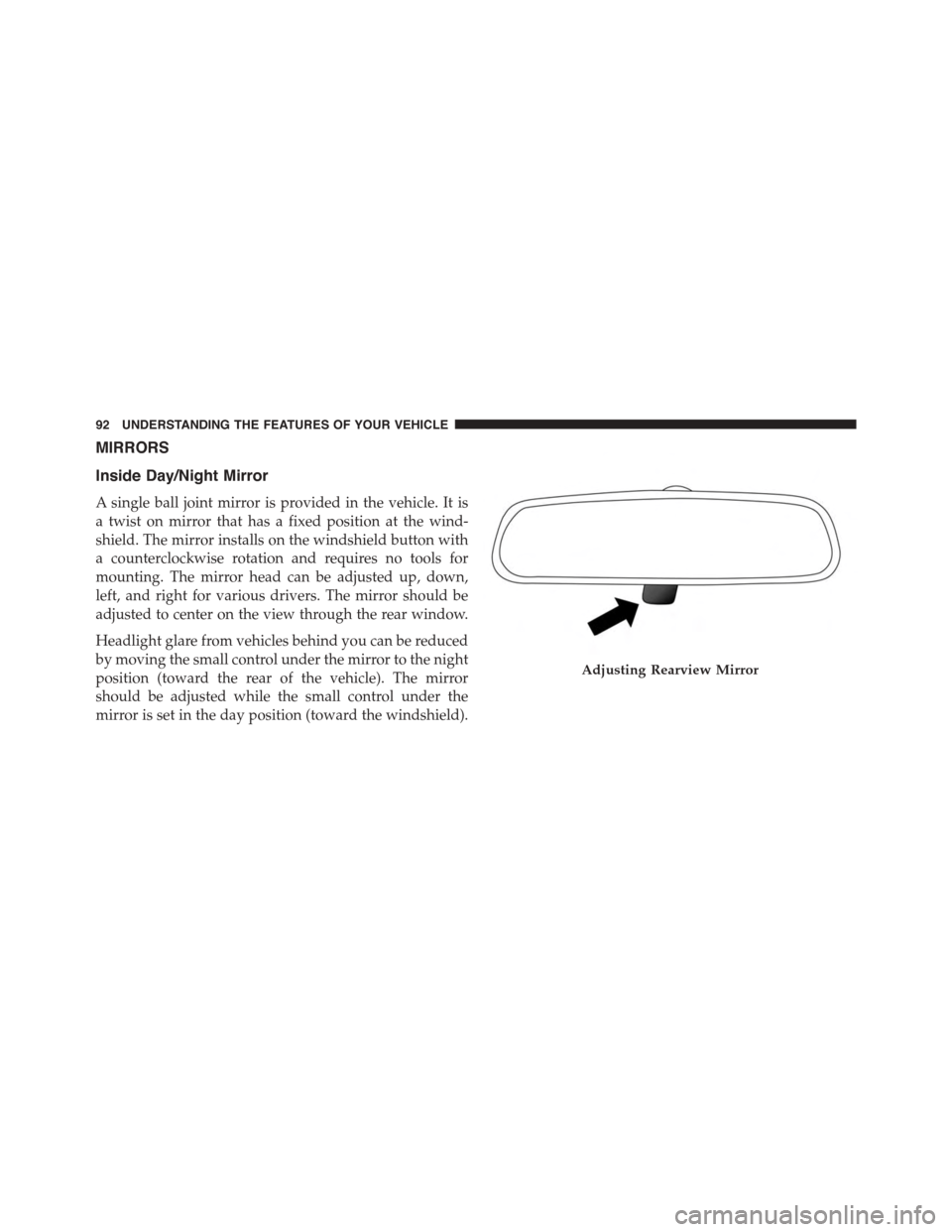
A single ball joint mirror is provided in the vehicle. It is
a twist on mirror that has a fixed position at the wind-
shield. The mirror installs on the windshield button with
a counterclockwise rotation and requires no tools for
mounting. The mirror head can be adjusted up, down,
left, and right for various drivers. The mirror should be
adjusted to center on the view through the rear window.
Headlight glare from vehicles behind you can be reduced
by moving the small control under the mirror to the night
position (toward the rear of the vehicle). The mirror
should be adjusted while the small control under the
mirror is set in the day position (toward the windshield).
Adjusting Rearview Mirror
92 UNDERSTANDING THE FEATURES OF YOUR VEHICLE
Page 95 of 438
Automatic Dimming Mirror — If Equipped
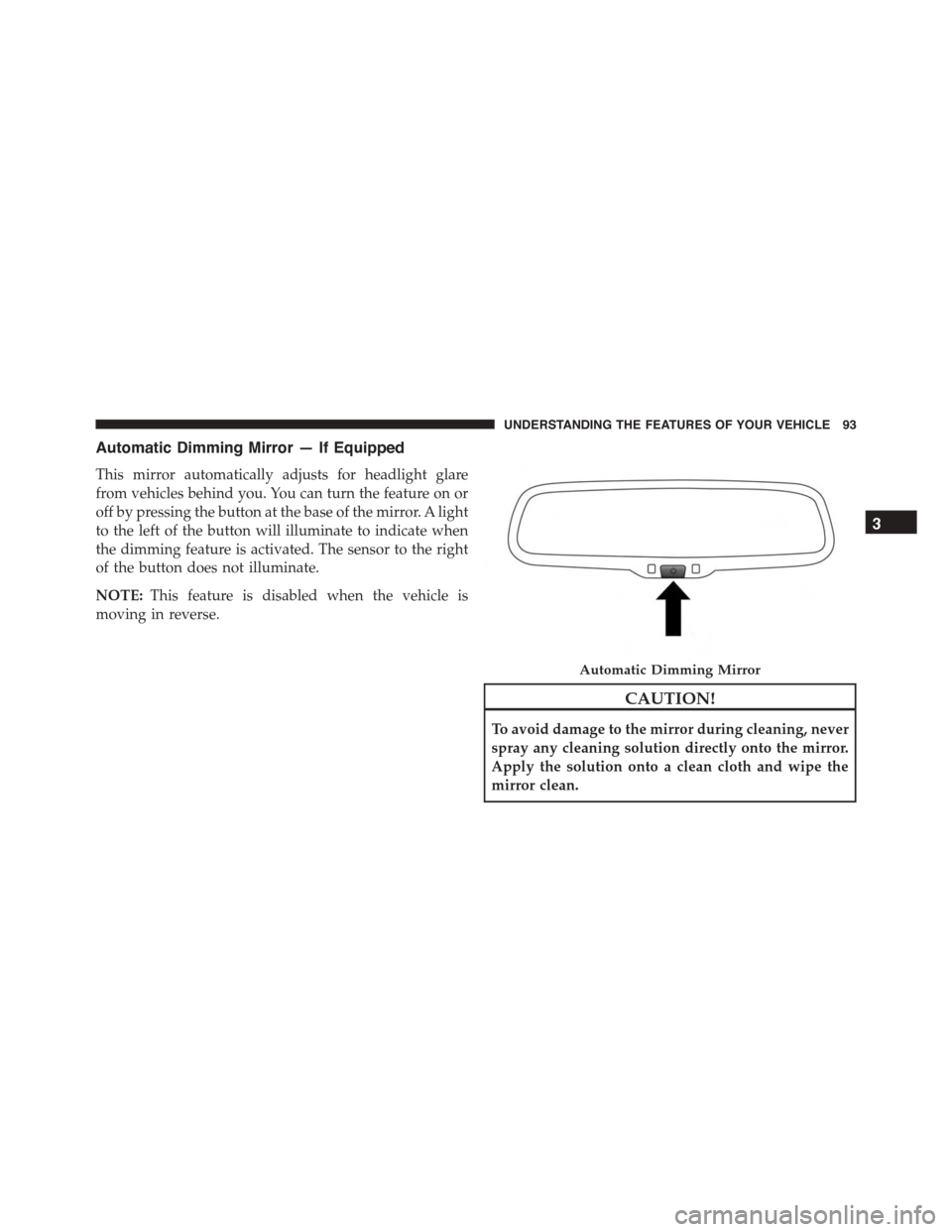
This mirror automatically adjusts for headlight glare
from vehicles behind you. You can turn the feature on or
off by pressing the button at the base of the mirror. A light
to the left of the button will illuminate to indicate when
the dimming feature is activated. The sensor to the right
of the button does not illuminate.
NOTE:This feature is disabled when the vehicle is
moving in reverse.
CAUTION!
To avoid damage to the mirror during cleaning, never
spray any cleaning solution directly onto the mirror.
Apply the solution onto a clean cloth and wipe the
mirror clean.
Automatic Dimming Mirror
3
UNDERSTANDING THE FEATURES OF YOUR VEHICLE 93
Page 96 of 438
Conversation Mirror — If Equipped
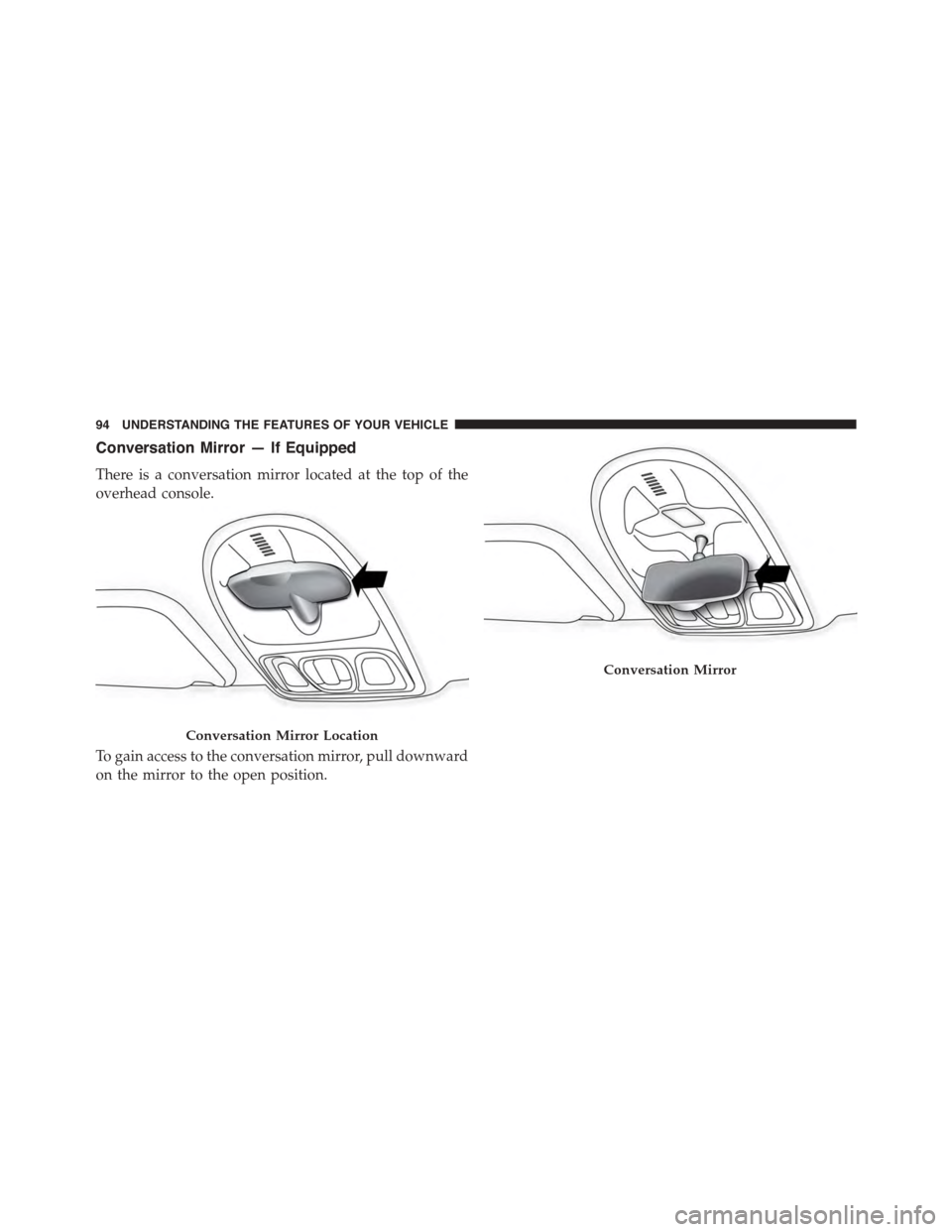
There is a conversation mirror located at the top of the
overhead console.
To gain access to the conversation mirror, pull downward
on the mirror to the open position.
Conversation Mirror Location
Conversation Mirror
94 UNDERSTANDING THE FEATURES OF YOUR VEHICLE
Page 97 of 438
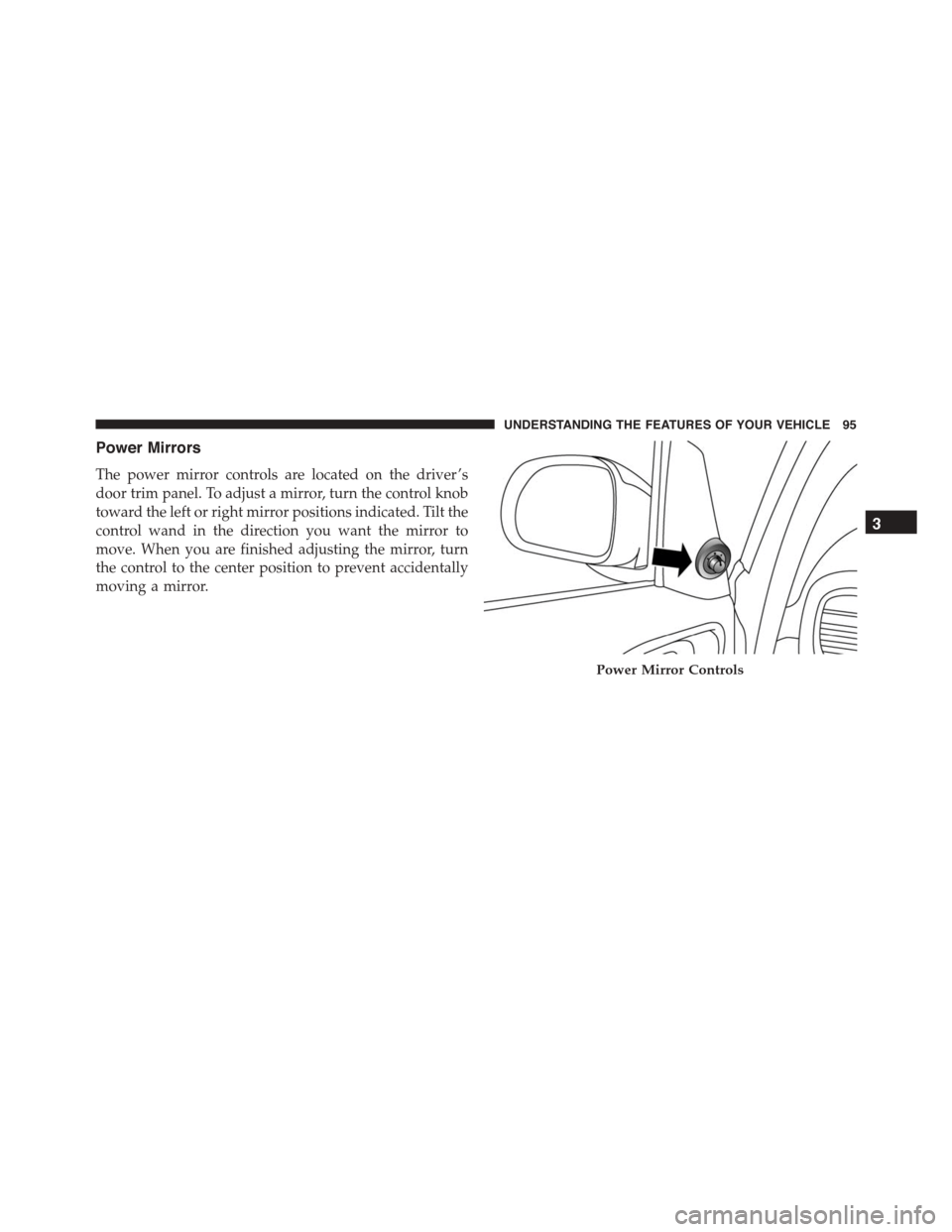
Power Mirrors
The power mirror controls are located on the driver ’s
door trim panel. To adjust a mirror, turn the control knob
toward the left or right mirror positions indicated. Tilt the
control wand in the direction you want the mirror to
move. When you are finished adjusting the mirror, turn
the control to the center position to prevent accidentally
moving a mirror.
Power Mirror Controls
3
UNDERSTANDING THE FEATURES OF YOUR VEHICLE 95
Page 98 of 438
Folding Mirrors
The exterior mirrors are hinged to allow the mirror to
pivot forward or rearward to help avoid damage. The
mirror has three detent positions: full forward, normal
and full rearward.
Heated Mirrors — If Equipped
These mirrors are heated to melt frost or ice. This
feature can be activated whenever you turn on the
rear window defroster.
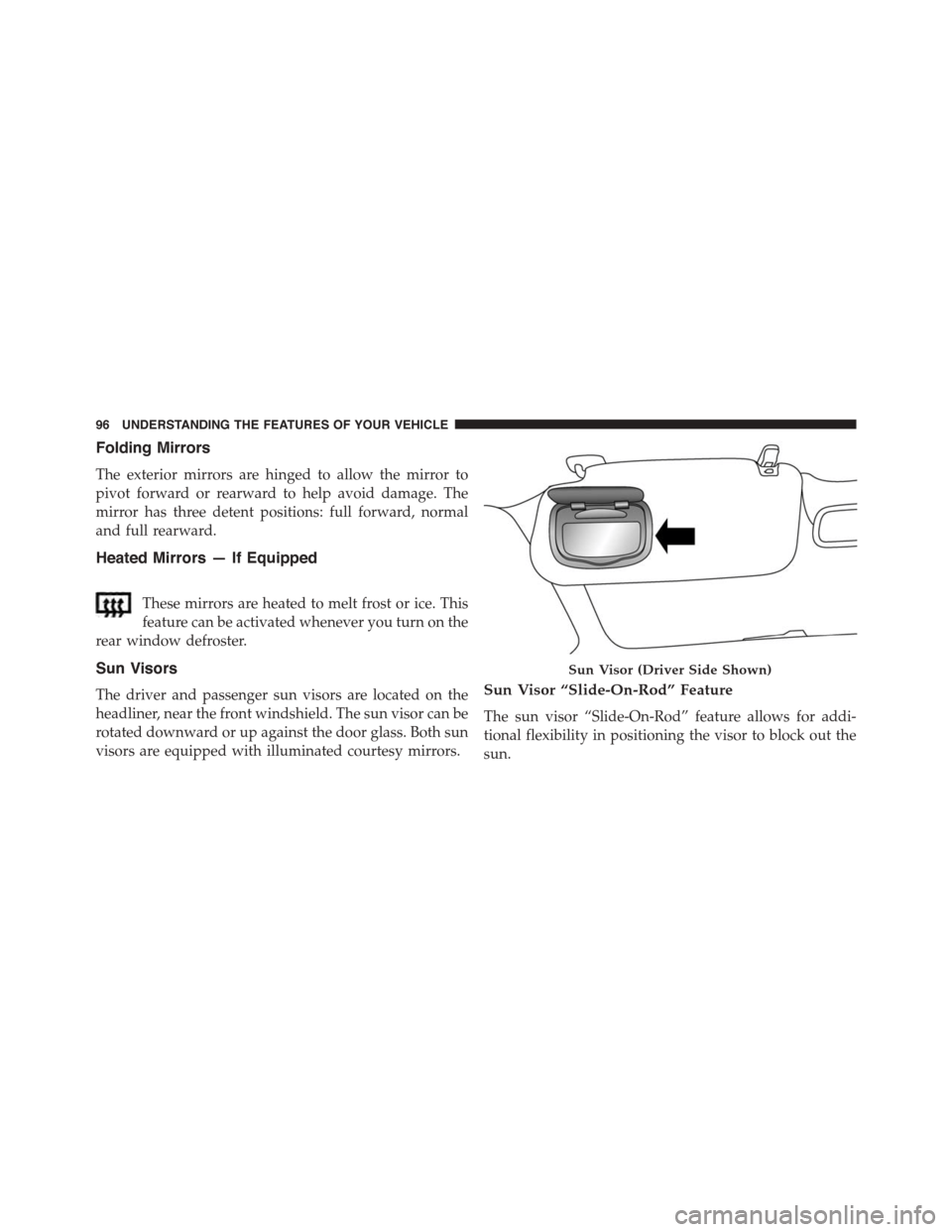
Sun Visors
The driver and passenger sun visors are located on the
headliner, near the front windshield. The sun visor can be
rotated downward or up against the door glass. Both sun
visors are equipped with illuminated courtesy mirrors.
Sun Visor “Slide-On-Rod” Feature
The sun visor “Slide-On-Rod” feature allows for addi-
tional flexibility in positioning the visor to block out the
sun.
Sun Visor (Driver Side Shown)
96 UNDERSTANDING THE FEATURES OF YOUR VEHICLE
Page 194 of 438
NOTE:
•Continuous use of the Recirculation mode may make
the inside air stuffy and window fogging may occur.
Extended use of this mode is not recommended.
•The use of the Recirculation mode in cold or damp
weather could cause windows to fog on the inside,
because of moisture buildup inside the vehicle. Se-
lect the outside air position for maximum defogging.
•Recirculation can be used in all modes except for
Defrost.
•The A/C can be deselected manually without dis-
turbing the mode control selection.
3. Blower Control
Rotate this control to regulate the amount of air forced
through the ventilation system in any mode. The blower
speed increases as you move the control to the right from
the “0” (OFF) position. There are four blower speeds.
4. A/C Button
Push this button to engage the Air Conditioning. A light
will illuminate when the Air Conditioning system is
engaged.
MAX A/C
For maximum cooling, use the A/C and recirculation
modes at the same time.
ECONOMY MODE
If economy mode is desired, push the A/C button to turn
OFF the indicator light and the A/C compressor. Then,
move the temperature control to the desired temperature.
5. Rear Defrost Control
Push and release the Rear Defrost Control button to turn
ON the rear window defroster and the heated outside
mirrors (if equipped). An indicator will illuminate when
the rear window defroster is ON. The rear window
defroster automatically turns OFF after 20 minutes.
192 UNDERSTANDING YOUR INSTRUMENT PANEL
Page 196 of 438
Rear Window Defrosting
Push and release the rear window defrost button to turn
the function on/off.
The activation of the function is indicated by the rear
defrost warning light on the instrument panel switching
on. The function is automatically deactivated after 20
minutes.
If equipped, push the rear defrost button to activate
defrosting of door mirrors and heated rear window.
NOTE:Do not affix stickers to the inside of the heated
rear window over the heating filaments, to avoid damage
that might cause them to stop working properly.
Air Recirculation
Push and release the Air Recirculation button, so that the
LED on the button switch is on, to enter recirculation
mode. It is advisable to switch internal air recirculation
on while standing in traffic or in tunnels to prevent the
introduction of polluted air.
Do not use the function for a long time, particularly if
there are many passengers on board, to prevent the
windows from misting up.
NOTE:Internal air recirculation makes it possible to
reach the required heating or cooling conditions more
quickly depending on the mode selected. Do not use the
internal air recirculation function on rainy/cold days as it
would considerably increase the possibility of the win-
dows misting.
194 UNDERSTANDING YOUR INSTRUMENT PANEL
Page 200 of 438
3. Rear Defrost Control
Push and release the Rear Defrost Control button to turn
ON the rear window defroster and the heated outside
mirrors (if equipped). An indicator will illuminate when
the rear window defroster is ON. The rear window
defroster automatically turns OFF after 20 minutes.
4. A/C Control
Push and release the A/C Control Button to change the
current setting. The indicator illuminates when A/C is
ON. Performing this function again will cause the A/C
operation to switch into AUTO mode and the A/C
indicator will turn OFF.
5. ON/OFF Control
Push and release this button to turn the Climate Control
ON/OFF.
6. Blower Control
Blower control is used to regulate the amount of air
forced through the climate system. Adjusting the blower
will cause automatic mode to switch to manual opera-
tion. The speeds can be selected by rotating the Blower
Control adjustment knob.
7. Blower Control Indicator LEDs
LEDs illuminate to visually indicate blower speed.
8. Mode Control
The airflow distribution mode can be adjusted so air
comes from the instrument panel outlets, floor outlets,
demist outlets and defrost outlets.
9. Front Defrost Control
Push and release the Front Defrost Control button to
change the current airflow setting to Defrost mode. The
198 UNDERSTANDING YOUR INSTRUMENT PANEL
Page 203 of 438
•air distribution to seven positions;
•compressor enablement;
•rapid defrosting/demisting function;
•air recirculation;
•heated rear window;
•system deactivation.
NOTE:The climate control system detects the passenger
compartment temperature using a mean radiant tem-
perature sensor located in the interior rear view mirror
and protected by a specific cover. Obstructing the field of
view of this sensor with any object could cause the
climate control system to operate with less than optimal
efficiency.
Switching On The Climate Control System
The climate control system can be switched on in differ-
ent ways: it is advisable to push the AUTO button and
turn the knobs to set the desired temperatures.
In this way the system operates completely automatically
to adjust the temperature, quantity and distribution of
the air introduced into the passenger compartment. It
also manages the air recirculation function and the acti-
vation of the air conditioning compressor.
During automatic operation, you can change the set
temperatures, air distribution and fan speed at any time
by using the relevant buttons or knobs: the system will
automatically change the settings to adjust to the new
requirements.
4
UNDERSTANDING YOUR INSTRUMENT PANEL 201