buttons FIAT 500L 2017 2.G Owner's Manual
[x] Cancel search | Manufacturer: FIAT, Model Year: 2017, Model line: 500L, Model: FIAT 500L 2017 2.GPages: 370, PDF Size: 3.56 MB
Page 189 of 370
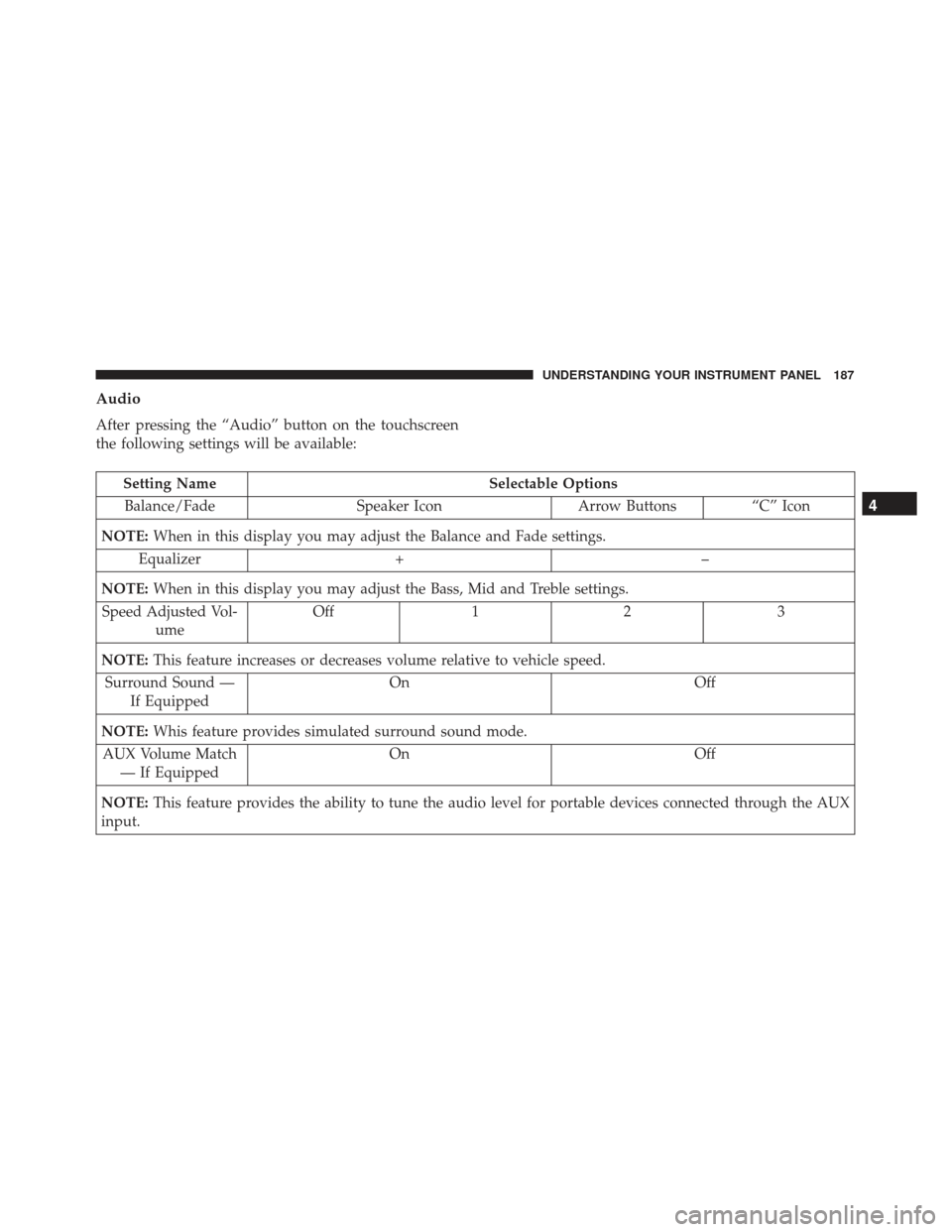
Audio
After pressing the “Audio” button on the touchscreen
the following settings will be available:
Setting NameSelectable Options
Balance/Fade Speaker IconArrow Buttons“C” Icon
NOTE: When in this display you may adjust the Balance and Fade settings.
Equalizer + –
NOTE: When in this display you may adjust the Bass, Mid and Treble settings.
Speed Adjusted Vol- ume Off
12 3
NOTE: This feature increases or decreases volume relative to vehicle speed.
Surround Sound — If Equipped On
Off
NOTE: Whis feature provides simulated surround sound mode.
AUX Volume Match — If Equipped On
Off
NOTE: This feature provides the ability to tune the audio level for portable devices connected through the AUX
input.
4
UNDERSTANDING YOUR INSTRUMENT PANEL 187
Page 206 of 370
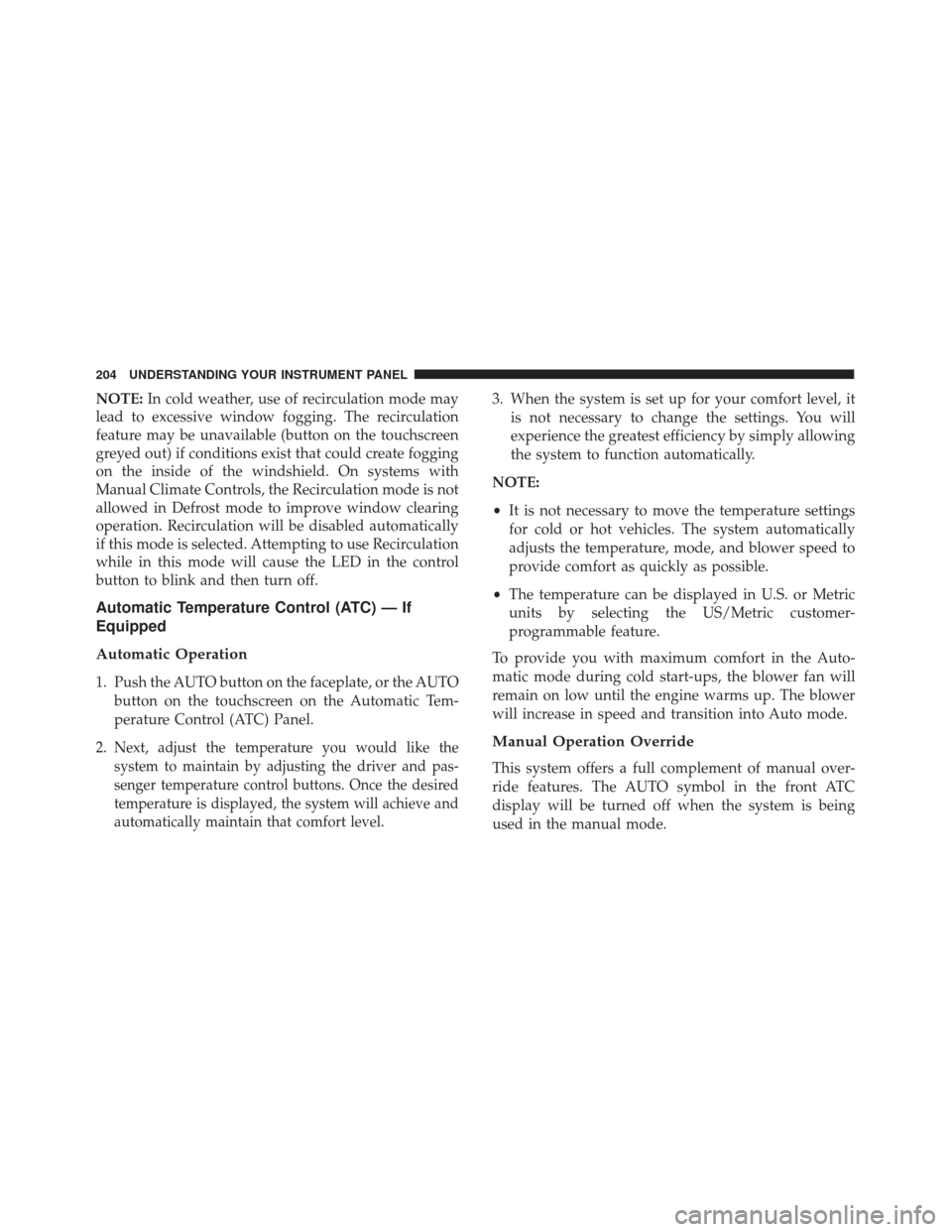
NOTE:In cold weather, use of recirculation mode may
lead to excessive window fogging. The recirculation
feature may be unavailable (button on the touchscreen
greyed out) if conditions exist that could create fogging
on the inside of the windshield. On systems with
Manual Climate Controls, the Recirculation mode is not
allowed in Defrost mode to improve window clearing
operation. Recirculation will be disabled automatically
if this mode is selected. Attempting to use Recirculation
while in this mode will cause the LED in the control
button to blink and then turn off.
Automatic Temperature Control (ATC) — If
Equipped
Automatic Operation
1. Push the AUTO button on the faceplate, or the AUTO
button on the touchscreen on the Automatic Tem-
perature Control (ATC) Panel.
2.
Next, adjust the temperature you would like the
system to maintain by adjusting the driver and pas-
senger temperature control buttons. Once the desired
temperature is displayed, the system will achieve and
automatically maintain that comfort level.
3. When the system is set up for your comfort level, it is not necessary to change the settings. You will
experience the greatest efficiency by simply allowing
the system to function automatically.
NOTE:
• It is not necessary to move the temperature settings
for cold or hot vehicles. The system automatically
adjusts the temperature, mode, and blower speed to
provide comfort as quickly as possible.
• The temperature can be displayed in U.S. or Metric
units by selecting the US/Metric customer-
programmable feature.
To provide you with maximum comfort in the Auto-
matic mode during cold start-ups, the blower fan will
remain on low until the engine warms up. The blower
will increase in speed and transition into Auto mode.
Manual Operation Override
This system offers a full complement of manual over-
ride features. The AUTO symbol in the front ATC
display will be turned off when the system is being
used in the manual mode.
204 UNDERSTANDING YOUR INSTRUMENT PANEL
Page 210 of 370
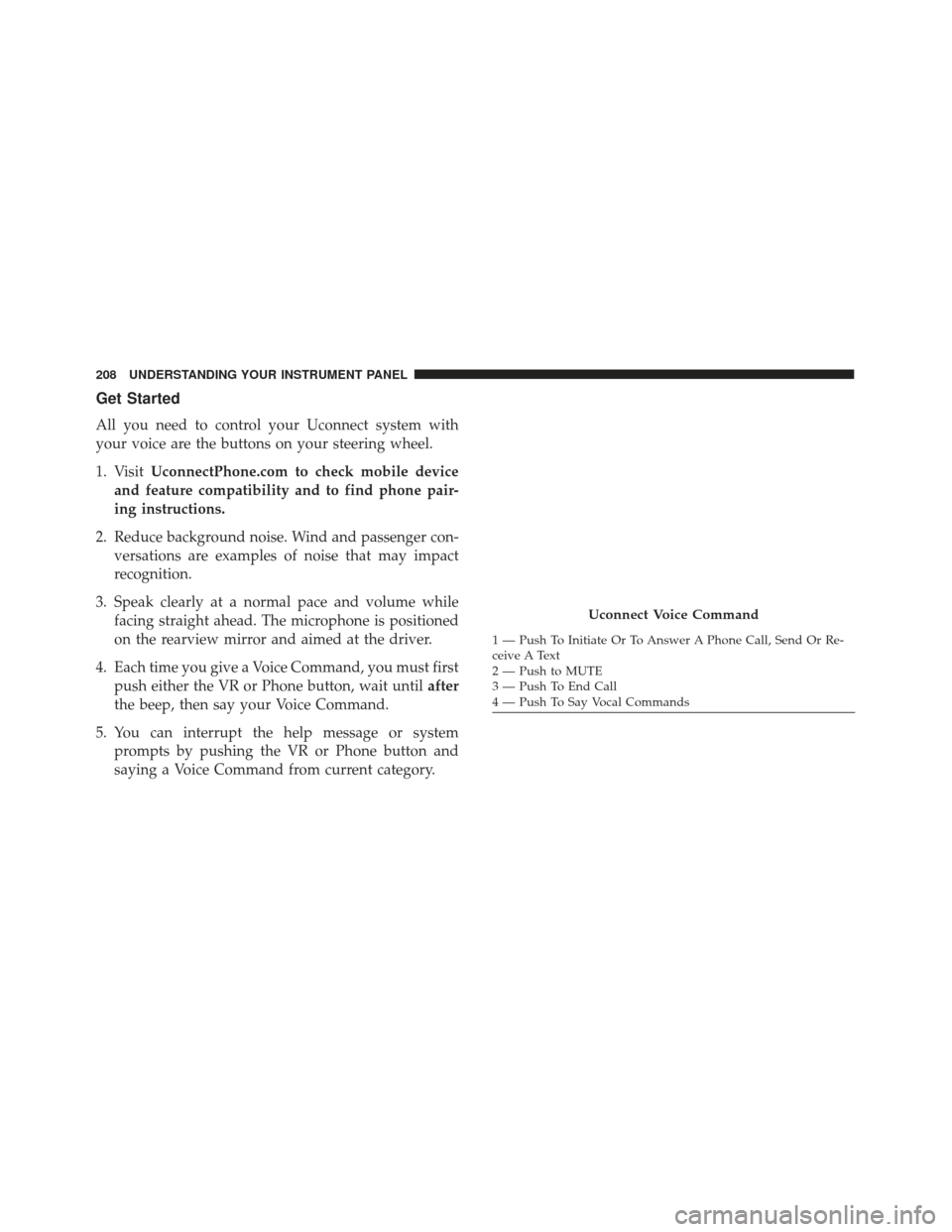
Get Started
All you need to control your Uconnect system with
your voice are the buttons on your steering wheel.
1. VisitUconnectPhone.com to check mobile device
and feature compatibility and to find phone pair-
ing instructions.
2. Reduce background noise. Wind and passenger con- versations are examples of noise that may impact
recognition.
3. Speak clearly at a normal pace and volume while facing straight ahead. The microphone is positioned
on the rearview mirror and aimed at the driver.
4. Each time you give a Voice Command, you must first push either the VR or Phone button, wait until after
the beep, then say your Voice Command.
5. You can interrupt the help message or system prompts by pushing the VR or Phone button and
saying a Voice Command from current category.
Uconnect Voice Command
1 — Push To Initiate Or To Answer A Phone Call, Send Or Re-
ceive A Text
2 — Push to MUTE
3 — Push To End Call
4 — Push To Say Vocal Commands
208 UNDERSTANDING YOUR INSTRUMENT PANEL