set clock FIAT 500L LIVING 2014 2.G Owners Manual
[x] Cancel search | Manufacturer: FIAT, Model Year: 2014, Model line: 500L LIVING, Model: FIAT 500L LIVING 2014 2.GPages: 420, PDF Size: 9.77 MB
Page 19 of 420
Activation/Trip B data
(Activating Trip B)
With this function it is possible to activate ("On") or
deactivate ("Off") the Trip B display (partial trip).
For more information see the "Trip computer"
paragraph.
For activation/deactivation, proceed as follows:
❒press the
button briefly to make the display flash
On or Off according to the previous setting;
❒press theor
button to make the
adjustment;
❒press the
button briefly to return to the menu
screen or give the button a long press to return
to the standard screen without storing.
Time adjustment (Clock adjustment)
This function enables the clock to be set through
two submenus: “Time” and “Format”.
To carry out the adjustment, proceed as follows:
❒press button
briefly. The display shows the two
submenus "Time" and "Format";
❒press theor
button to switch between
the two submenus;
❒once you have selected the submenu to be
changed, press the button
briefly;
❒if the "Time" submenu is selected and button
is
pressed briefly, "hours" will flash on the display.
Press the
or
button to make the
adjustment;❒pressing the
button briefly again: the "minutes"
flash on the display. Press the
or
button
to make the adjustment;
❒if the "Format" submenu is selected and button
is pressed briefly, the display mode will flash
on the display. Press the
or
button to
select "12h" or "24h" mode. When you have
carried out the required settings, briefly press the
button to go back to the submenu screen or
hold the button down to go back to the main
menu screen without storing the new settings.
Hold down the
button again to return to the
standard screen or to the main menu according to
the menu items where you are in.
IMPORTANT The setting will increase or decrease
by one unit each time the button
or
is
pressed. Keeping the button pressed causes an
automatic rapid speed increase/decrease. Complete
the setting by briefly pressing the button when
you approach the required value.
15GETTING TO
KNOW YOUR CARSAFETY
STARTING AND
DRIVING
WARNING LIGHTS
AND MESSAGES
IN AN EMERGENCY
SERVICING AND
MAINTENANCE
TECHNICAL
SPECIFICATIONS
INDEX
Page 55 of 420
START&STOP
Manual climate control system
If the Start&Stop function is activated (engine off
when the car speed is zero), the system keeps the air
flow selected by the user.
In these conditions, the passenger compartment
cooling and heating cannot be guaranteed, as the
compressor stops with the engine coolant pump.
The Start&Stop function can be deactivated, to
enhance the operation of the climate control system,
by pressing the dedicated button on the dashboard.
ADDITIONAL ELECTRIC HEATER
(for versions/markets, where provided)
The additional electric heater ensures more rapid
passenger compartment heating.
It activates in cold weather conditions, if the
following conditions are verified:
❒outside temperature low;
❒engine coolant temperature low;
❒engine on;
❒fan speed set at least to 1
stspeed;
❒knob A turned completely clockwise to red
section.The heater is switched off when at least one of the
conditions above is no longer verified.
NoteThe power of the electric heater is modulated
according to the battery voltage.
SYSTEM MAINTENANCE
In winter, the climate control system must be turned
on at least once a month for about 10 minutes.
Have the system inspected at a Fiat Dealership
before the summer.
The system uses R134a coolant which
does not pollute the environment in the
event of accidental leakage. Under no
circumstances use R12 fluid, which is
incompatible with the components of the system.
51GETTING TO
KNOW YOUR CARSAFETY
STARTING AND
DRIVING
WARNING LIGHTS
AND MESSAGES
IN AN EMERGENCY
SERVICING AND
MAINTENANCE
TECHNICAL
SPECIFICATIONS
INDEX
Page 59 of 420
ADJUSTING THE AIR TEMPERATURE
Turn the A or L knob clockwise or anticlockwise to
adjust the air temperature in the front left (knob
A) or right (knob L) zone of the passenger
compartment.
The set temperatures are shown on the displays.
Press the MONO button to align the air
temperature between the two zones.
Turn the L knob to return to the separate
management of air temperatures in the two zones.
Turning the knobs completely in one direction or the
other activates the "HI" (maximum heating) or
"LO" (maximum cooling) functions respectively.
To deactivate these functions, turn the temperature
knob to the desired temperature.
AIR DISTRIBUTION SELECTION
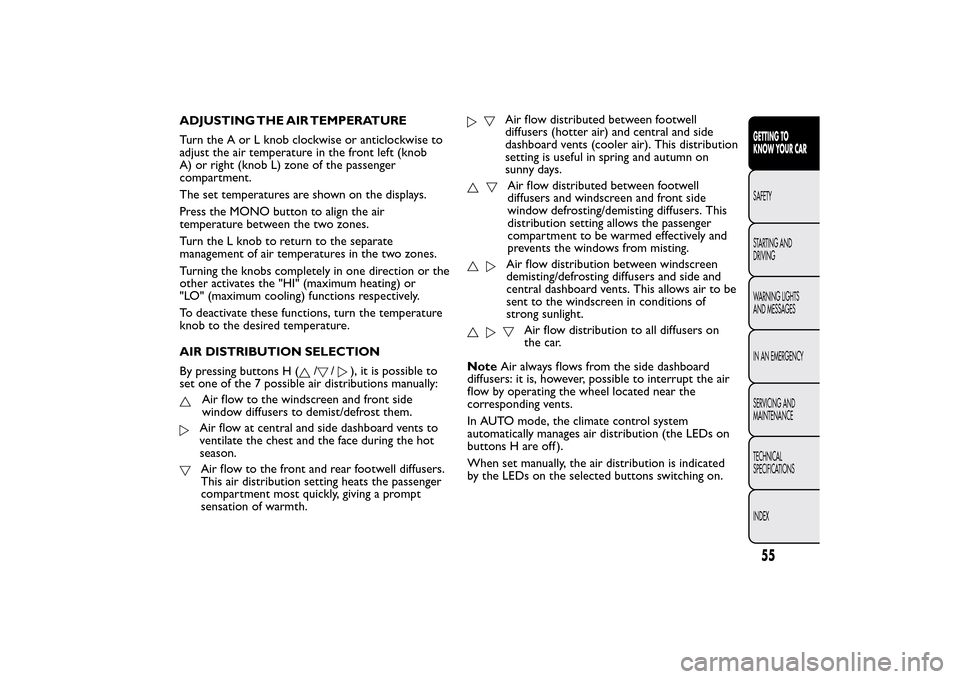
By pressing buttons H (
/
/
), it is possible to
set one of the 7 possible air distributions manually:
Air flow to the windscreen and front side
window diffusers to demist/defrost them.Air flow at central and side dashboard vents to
ventilate the chest and the face during the hot
season.Air flow to the front and rear footwell diffusers.
This air distribution setting heats the passenger
compartment most quickly, giving a prompt
sensation of warmth.
Air flow distributed between footwell
diffusers (hotter air) and central and side
dashboard vents (cooler air). This distribution
setting is useful in spring and autumn on
sunny days.Air flow distributed between footwell
diffusers and windscreen and front side
window defrosting/demisting diffusers. This
distribution setting allows the passenger
compartment to be warmed effectively and
prevents the windows from misting.Air flow distribution between windscreen
demisting/defrosting diffusers and side and
central dashboard vents. This allows air to be
sent to the windscreen in conditions of
strong sunlight.
Air flow distribution to all diffusers on
the car.
NoteAir always flows from the side dashboard
diffusers: it is, however, possible to interrupt the air
flow by operating the wheel located near the
corresponding vents.
In AUTO mode, the climate control system
automatically manages air distribution (the LEDs on
buttons H are off ).
When set manually, the air distribution is indicated
by the LEDs on the selected buttons switching on.
55GETTING TO
KNOW YOUR CARSAFETY
STARTING AND
DRIVING
WARNING LIGHTS
AND MESSAGES
IN AN EMERGENCY
SERVICING AND
MAINTENANCE
TECHNICAL
SPECIFICATIONS
INDEX
Page 352 of 420
MAKING A PHONE CALL.................................................375
MANAGING AN INCOMING CALL ..............................376
MAKING A SECOND PHONE CALL .............................377
MANAGING TWO PHONE CALLS ................................377
ENDING A CALL..................................................................377
REDIALLING ..........................................................................377
CONTINUING A PHONE CALL .....................................377
ACTIVATION/DEACTIVATION OF THE
MICROPHONE ......................................................................377
TRANSFERRING A CALL...................................................378
SMS MESSAGE READER......................................................378
"MORE" MODE ........................................................................378
TRIP COMPUTER .................................................................378
CLOCK ....................................................................................379eco:Drive .................................................................................379
SETTINGS ...............................................................................381
VOICE COMMANDS ............................................................385
USE OF THE VOICE COMMANDS .................................385
USE OF STEERING WHEEL CONTROLS TO
ACTIVATE VOICE COMMANDS .....................................385
VOICE SESSION STATUS....................................................386
MULTIPLE CHOICE..............................................................386
GLOBAL VOICE COMMANDS.........................................387
PHONE VOICE COMMANDS ..........................................388
RADIO AM/FM/DAB VOICE COMMANDS ..................39
MEDIA VOICE COMMANDS ............................................394
CUSTOMER SERVICE NUMBER LIST ................................397
348
2
Page 363 of 420
SWITCHING THE SYSTEM ON/OFFRADIO (TUNER) MODE
The system switches on/off when the button/knob
(ON/OFF) is pressed (1-fig. 1).
The electronic volume adjustment control rotates
continuously (360°) in both directions without stop
positions.
Turn the button/knob clockwise to increase the radio
volume or counterclockwise to decrease it.
The system has the following tuners: AM, FM and
DAB (for versions/markets, where provided).RADIO MODE SELECTION
Press the RADIO button (12-fig. 1) on the front
panel to activate the radio mode.
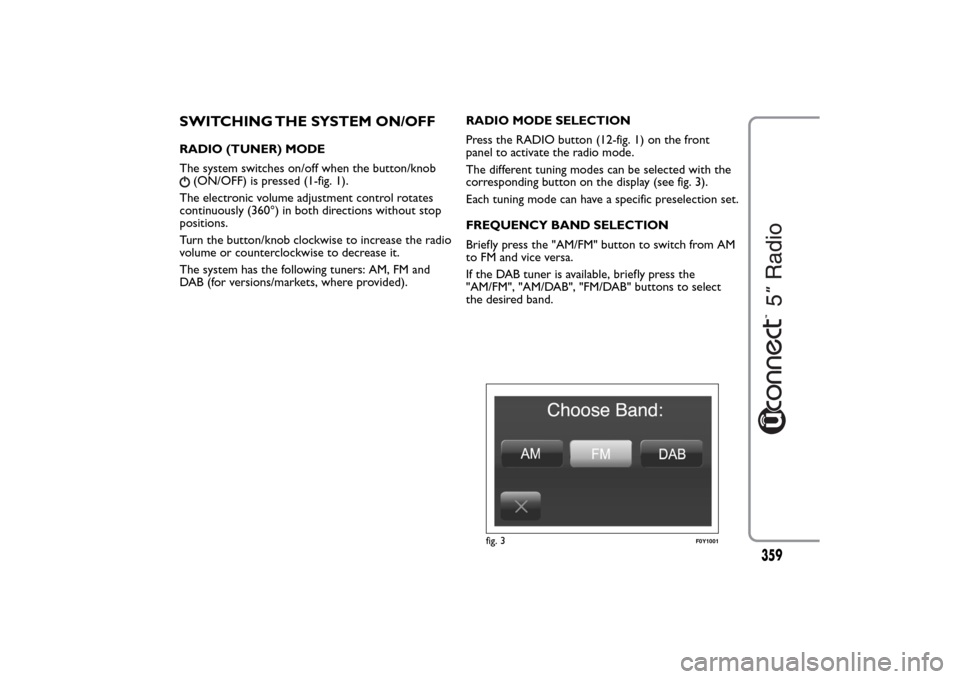
The different tuning modes can be selected with the
corresponding button on the display (see fig. 3).
Each tuning mode can have a specific preselection set.
FREQUENCY BAND SELECTION
Briefly press the "AM/FM" button to switch from AM
to FM and vice versa.
If the DAB tuner is available, briefly press the
"AM/FM", "AM/DAB", "FM/DAB" buttons to select
the desired band.
fig. 3
F0Y1001
359
Page 382 of 420
TRANSFERRING A CALL
The ongoing calls can be transferred from the mobile
phone to the system and vice versa without ending
the calls.
To transfer the call, press the "Transfer" button.
SMS MESSAGE READER
The system can read the messages received by the
mobile phone.
To use this function the mobile phone must support
the SMS exchange function viaBluetooth®.
If this function is not supported by the phone, the
corresponding
button is deactivated (greyed out).
When a text message is received, the display will
show a screen where the options "Listen", "Call" or
"Ignore" can be selected.
Press the
button to access the list of SMS
messages received by the mobile phone (the list
displays a maximum of 60 messages received).
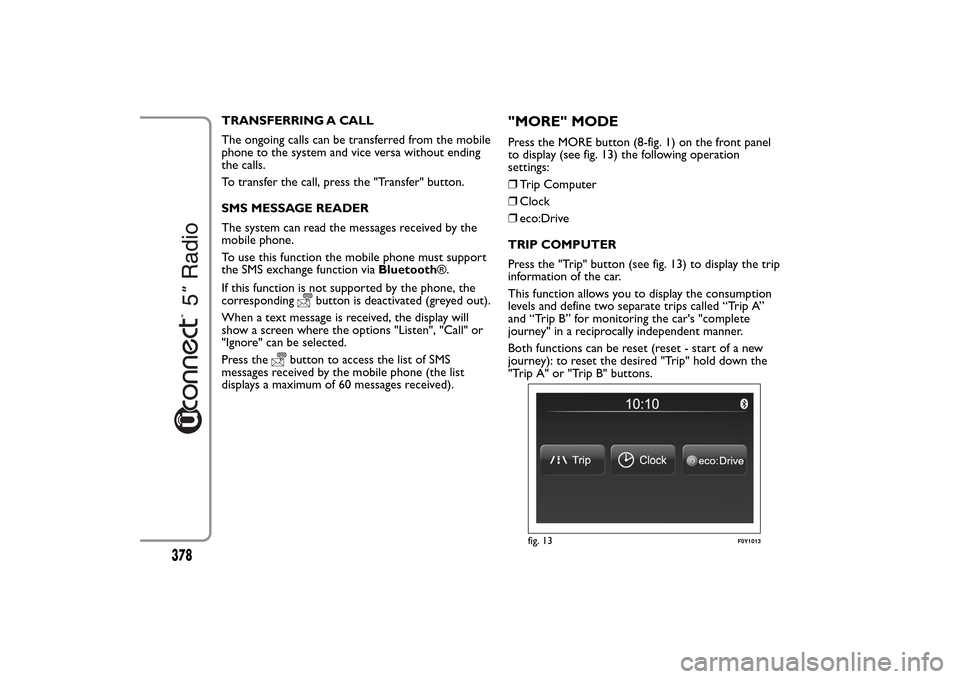
"MORE" MODEPress the MORE button (8-fig. 1) on the front panel
to display (see fig. 13) the following operation
settings:
❒Trip Computer
❒Clock
❒eco:Drive
TRIP COMPUTER
Press the "Trip" button (see fig. 13) to display the trip
information of the car.
This function allows you to display the consumption
levels and define two separate trips called “Trip A”
and “Trip B” for monitoring the car's "complete
journey" in a reciprocally independent manner.
Both functions can be reset (reset - start of a new
journey): to reset the desired "Trip" hold down the
"Trip A" or "Trip B" buttons.
fig. 13
F0Y1013
378
Page 387 of 420
Clock & Date
Use this function to set the clock.
Time setting
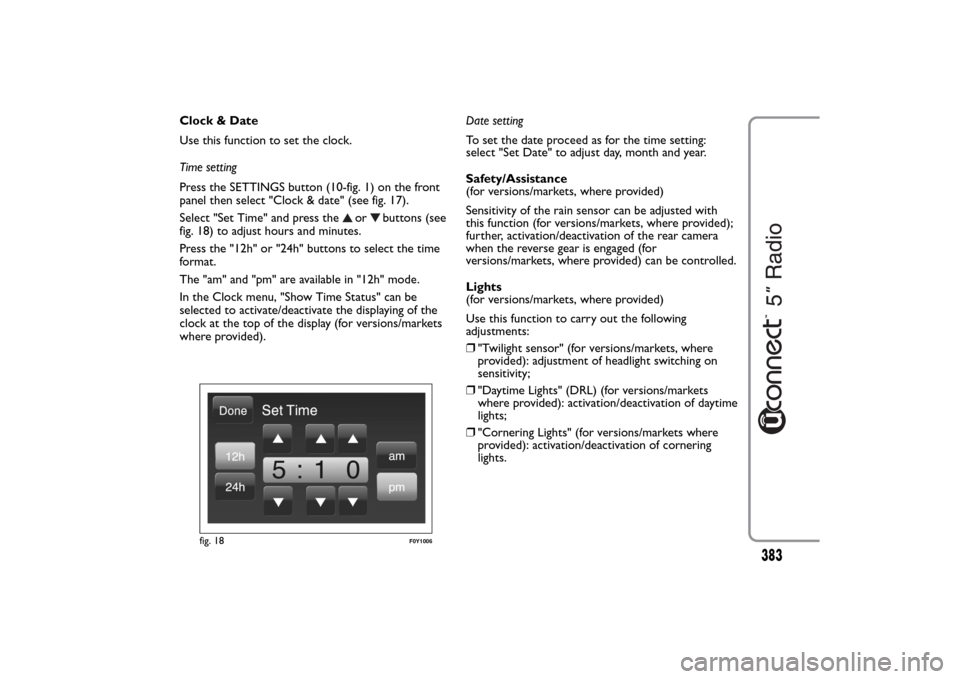
Press the SETTINGS button (10-fig. 1) on the front
panel then select "Clock & date" (see fig. 17).
Select "Set Time" and press the
or
buttons (see
fig. 18) to adjust hours and minutes.
Press the "12h" or "24h" buttons to select the time
format.
The "am" and "pm" are available in "12h" mode.
In the Clock menu, "Show Time Status" can be
selected to activate/deactivate the displaying of the
clock at the top of the display (for versions/markets
where provided).Date setting
To set the date proceed as for the time setting:
select "Set Date" to adjust day, month and year.
Safety/Assistance
(for versions/markets, where provided)
Sensitivity of the rain sensor can be adjusted with
this function (for versions/markets, where provided);
further, activation/deactivation of the rear camera
when the reverse gear is engaged (for
versions/markets, where provided) can be controlled.
Lights
(for versions/markets, where provided)
Use this function to carry out the following
adjustments:
❒"Twilight sensor" (for versions/markets, where
provided): adjustment of headlight switching on
sensitivity;
❒"Daytime Lights" (DRL) (for versions/markets
where provided): activation/deactivation of daytime
lights;
❒"Cornering Lights" (for versions/markets where
provided): activation/deactivation of cornering
lights.
fig. 18
F0Y1006
383