lock FIAT 500X 2014 2.G Owner's Manual
[x] Cancel search | Manufacturer: FIAT, Model Year: 2014, Model line: 500X, Model: FIAT 500X 2014 2.GPages: 476, PDF Size: 5.32 MB
Page 46 of 476
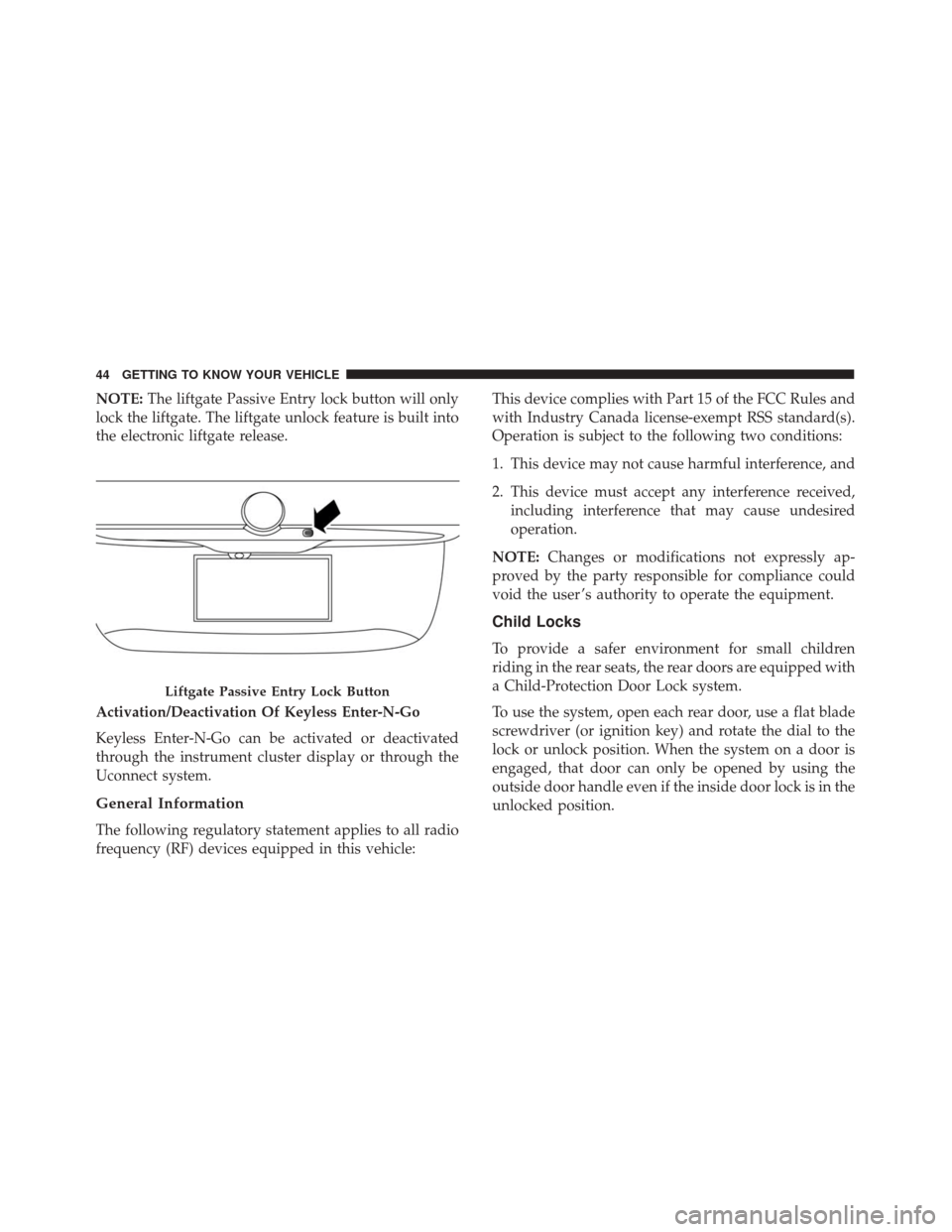
NOTE:The liftgate Passive Entry lock button will only
lock the liftgate. The liftgate unlock feature is built into
the electronic liftgate release.
Activation/Deactivation Of Keyless Enter-N-Go
Keyless Enter-N-Go can be activated or deactivated
through the instrument cluster display or through the
Uconnect system.
General Information
The following regulatory statement applies to all radio
frequency (RF) devices equipped in this vehicle: This device complies with Part 15 of the FCC Rules and
with Industry Canada license-exempt RSS standard(s).
Operation is subject to the following two conditions:
1. This device may not cause harmful interference, and
2. This device must accept any interference received,
including interference that may cause undesired
operation.
NOTE: Changes or modifications not expressly ap-
proved by the party responsible for compliance could
void the user ’s authority to operate the equipment.
Child Locks
To provide a safer environment for small children
riding in the rear seats, the rear doors are equipped with
a Child-Protection Door Lock system.
To use the system, open each rear door, use a flat blade
screwdriver (or ignition key) and rotate the dial to the
lock or unlock position. When the system on a door is
engaged, that door can only be opened by using the
outside door handle even if the inside door lock is in the
unlocked position.
Liftgate Passive Entry Lock Button
44 GETTING TO KNOW YOUR VEHICLE
Page 47 of 476
NOTE:
•When the child lock system is engaged, the door can
only be opened by using the outside door handle
even though the inside door lock is in the unlocked
position.
• After disengaging the Child-Protection Door Lock
system, always test the door from the inside to make
certain it is in the desired position. •
After engaging the Child-Protection Door Lock sys-
tem, always test the door from the inside to make
certain it is in the desired position.
• For emergency exit with the system engaged, rotate
the lock button to the unlocked position, roll down
the window, and open the door with the outside door
handle.
WARNING!
Avoid trapping anyone in a vehicle in a collision.
Remember that the rear doors can only be opened
from the outside when the Child-Protection locks
are engaged.
Child-Protection Door Lock Location
4
GETTING TO KNOW YOUR VEHICLE 45
Page 54 of 476
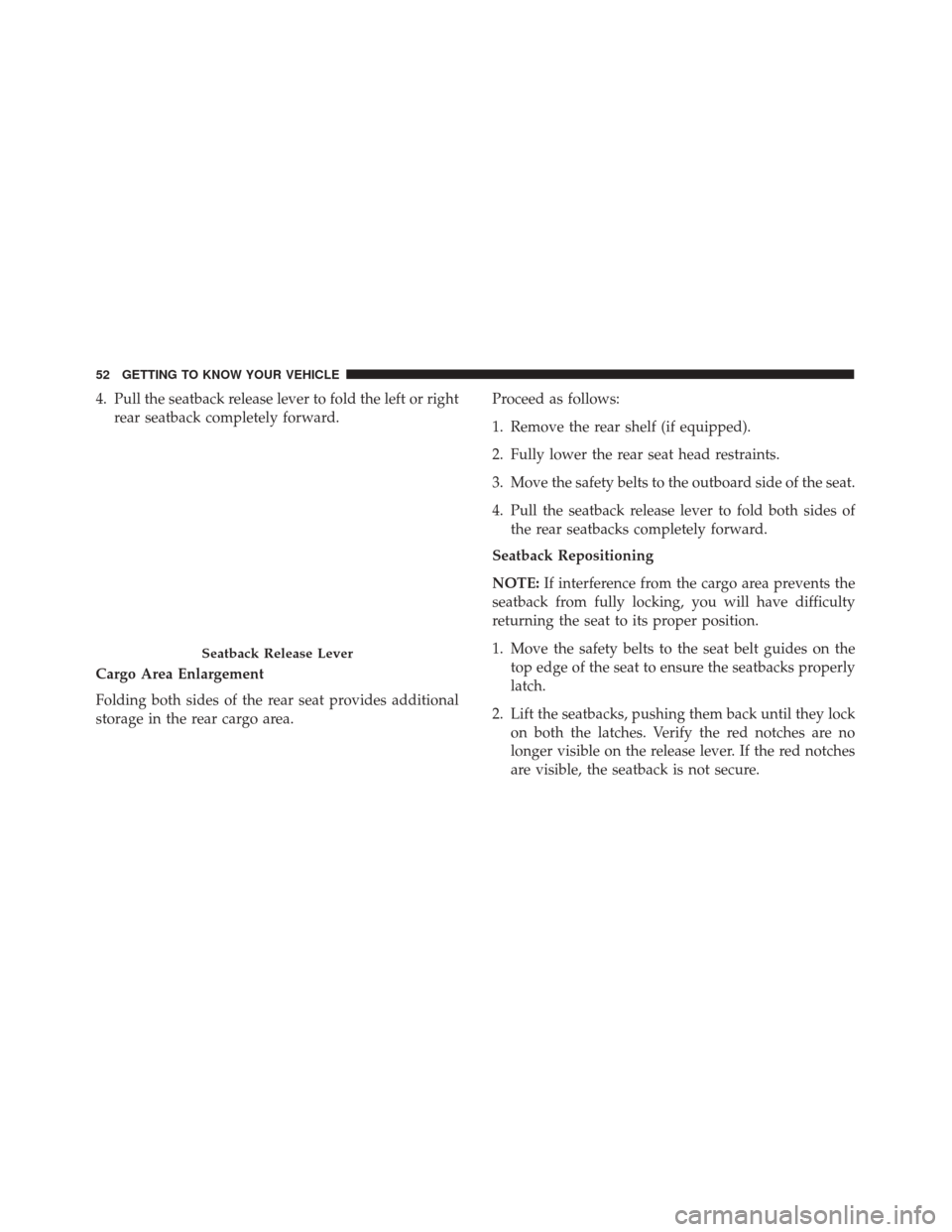
4. Pull the seatback release lever to fold the left or rightrear seatback completely forward.
Cargo Area Enlargement
Folding both sides of the rear seat provides additional
storage in the rear cargo area. Proceed as follows:
1. Remove the rear shelf (if equipped).
2. Fully lower the rear seat head restraints.
3. Move the safety belts to the outboard side of the seat.
4. Pull the seatback release lever to fold both sides of
the rear seatbacks completely forward.
Seatback Repositioning
NOTE: If interference from the cargo area prevents the
seatback from fully locking, you will have difficulty
returning the seat to its proper position.
1. Move the safety belts to the seat belt guides on the top edge of the seat to ensure the seatbacks properly
latch.
2. Lift the seatbacks, pushing them back until they lock on both the latches. Verify the red notches are no
longer visible on the release lever. If the red notches
are visible, the seatback is not secure.
Seatback Release Lever
52 GETTING TO KNOW YOUR VEHICLE
Page 55 of 476
WARNING!
Be certain that the seatback is securely locked into
position. If the seatback is not securely locked into
position the seat will not provide the proper stabil-
ity for child seats and/or passengers. An improperly
latched seat could cause serious injury.
HEAD RESTRAINTS
Head restraints are designed to reduce the risk of injury
by restricting head movement in the event of a rear
impact. Head restraints should be adjusted so that thetop of the head restraint is located above the top of your
ear.
WARNING!
•
All occupants, including the driver, should not
operate a vehicle or sit in a vehicle’s seat until the
head restraints are placed in their proper posi-
tions in order to minimize the risk of neck injury
in the event of a crash.
• Head restraints should never be adjusted while
the vehicle is in motion. Driving a vehicle with
the head restraints improperly adjusted or re-
moved could cause serious injury or death in the
event of a collision.
Front Head Restraints
Your vehicle is equipped with driver and passenger
head restraints.
To raise the head restraint, pull upward on the head
restraint. To lower the head restraint, push the adjust-
ment button, located on the base of the head restraint,
and push downward on the head restraint.
To remove the head restraint recline the backrest of the
seat to avoid interference with the roof. Raise the head
Rear Seat Latch
4
GETTING TO KNOW YOUR VEHICLE 53
Page 58 of 476
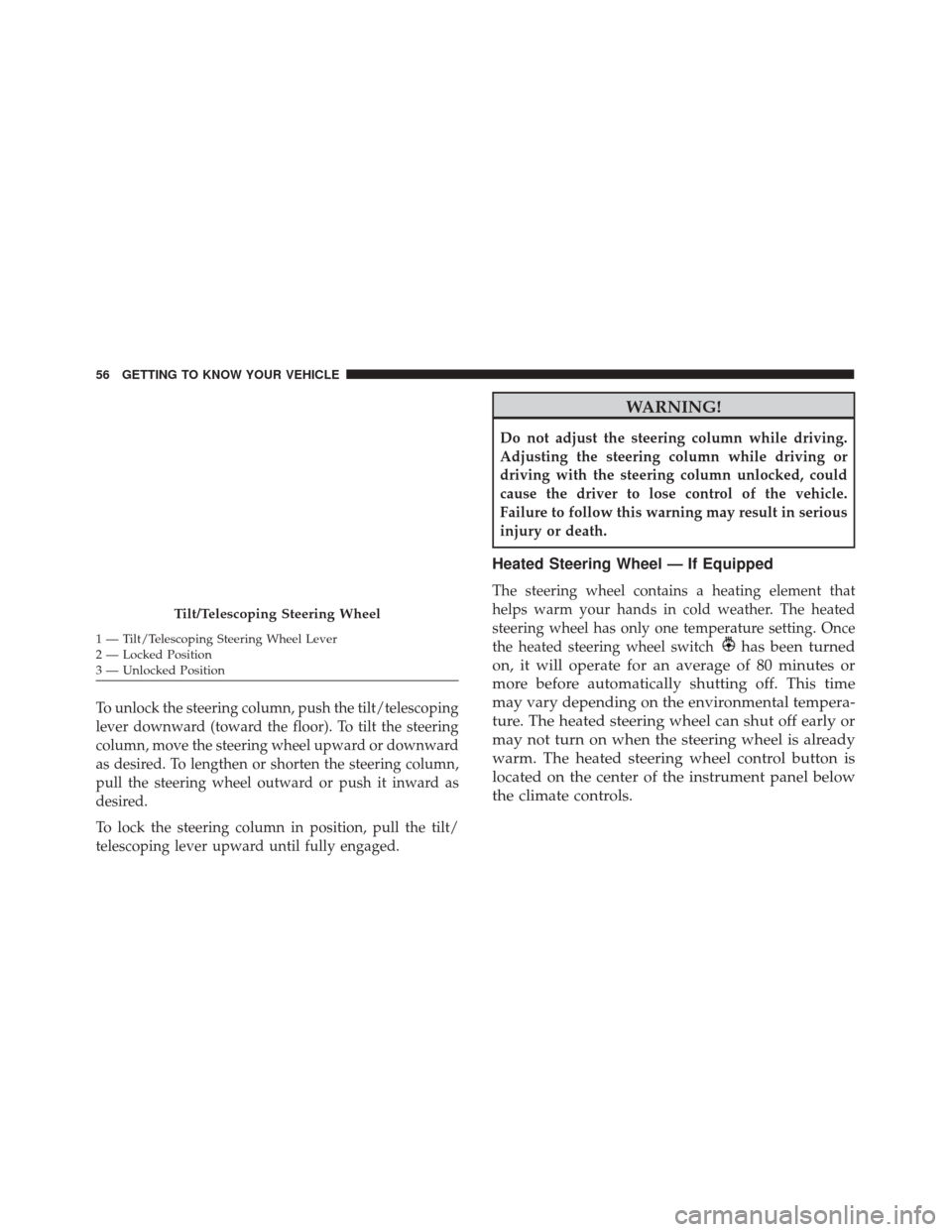
To unlock the steering column, push the tilt/telescoping
lever downward (toward the floor). To tilt the steering
column, move the steering wheel upward or downward
as desired. To lengthen or shorten the steering column,
pull the steering wheel outward or push it inward as
desired.
To lock the steering column in position, pull the tilt/
telescoping lever upward until fully engaged.
WARNING!
Do not adjust the steering column while driving.
Adjusting the steering column while driving or
driving with the steering column unlocked, could
cause the driver to lose control of the vehicle.
Failure to follow this warning may result in serious
injury or death.
Heated Steering Wheel — If Equipped
The steering wheel contains a heating element that
helps warm your hands in cold weather. The heated
steering wheel has only one temperature setting. Once
the heated steering wheel switch
has been turned
on, it will operate for an average of 80 minutes or
more before automatically shutting off. This time
may vary depending on the environmental tempera-
ture. The heated steering wheel can shut off early or
may not turn on when the steering wheel is already
warm. The heated steering wheel control button is
located on the center of the instrument panel below
the climate controls.
Tilt/Telescoping Steering Wheel
1 — Tilt/Telescoping Steering Wheel Lever
2 — Locked Position
3 — Unlocked Position 56 GETTING TO KNOW YOUR VEHICLE
Page 62 of 476
vehicle is in any forward gear or REVERSE and enters
stand-by mode when the vehicle is in PARK.
The BSM detection zone covers approximately one lane
width on both sides of the vehicle, 10 ft (3 m). The zone
length starts at the outside mirror and extends approxi-
mately 20 ft (6 m) beyond the rear bumper of the
vehicle. The BSM system monitors the detection zones
on both sides of the vehicle when the vehicle speed
reaches approximately 6 mph (10 km/h) or higher and
will alert the driver of vehicles in these areas.
NOTE:
•The BSM system does NOT alert the driver about
rapidly approaching vehicles that are outside the
detection zones.
• If a trailer is connected to the vehicle, it is necessary
to deactivate BSM system manually by settings menu
to avoid a miss-detection. Refer to “Uconnect Set-
tings” in “Multimedia” for further information.
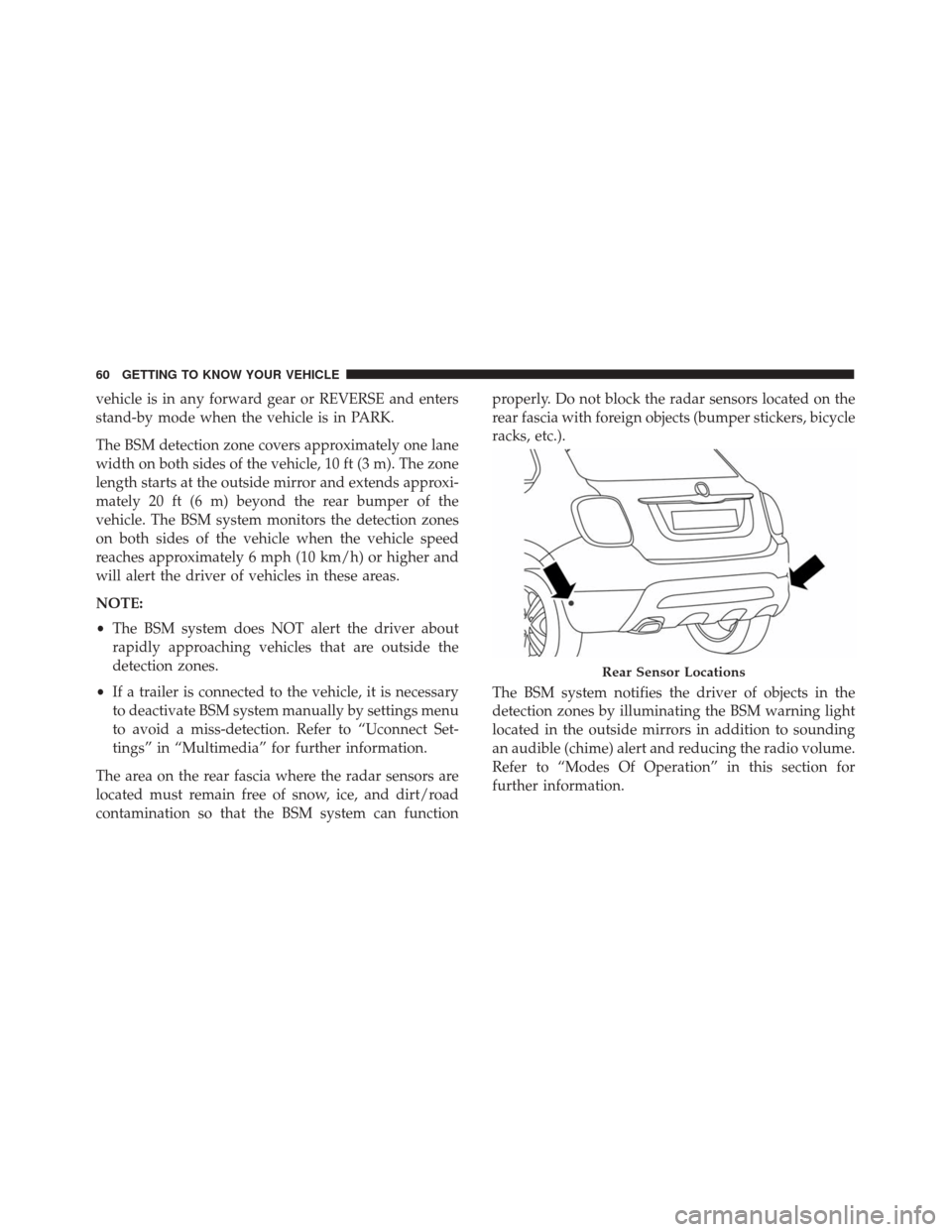
The area on the rear fascia where the radar sensors are
located must remain free of snow, ice, and dirt/road
contamination so that the BSM system can function properly. Do not block the radar sensors located on the
rear fascia with foreign objects (bumper stickers, bicycle
racks, etc.).
The BSM system notifies the driver of objects in the
detection zones by illuminating the BSM warning light
located in the outside mirrors in addition to sounding
an audible (chime) alert and reducing the radio volume.
Refer to “Modes Of Operation” in this section for
further information.
Rear Sensor Locations
60 GETTING TO KNOW YOUR VEHICLE
Page 66 of 476
Rear Cross Path (RCP)
The Rear Cross Path (RCP) feature is intended to aid the
driver when backing out of parking spaces where their
vision of oncoming vehicles may be blocked. Proceed
slowly and cautiously out of the parking space until the
rear end of the vehicle is exposed. The RCP system will
then have a clear view of the cross traffic and if an
oncoming vehicle is detected, alert the driver.
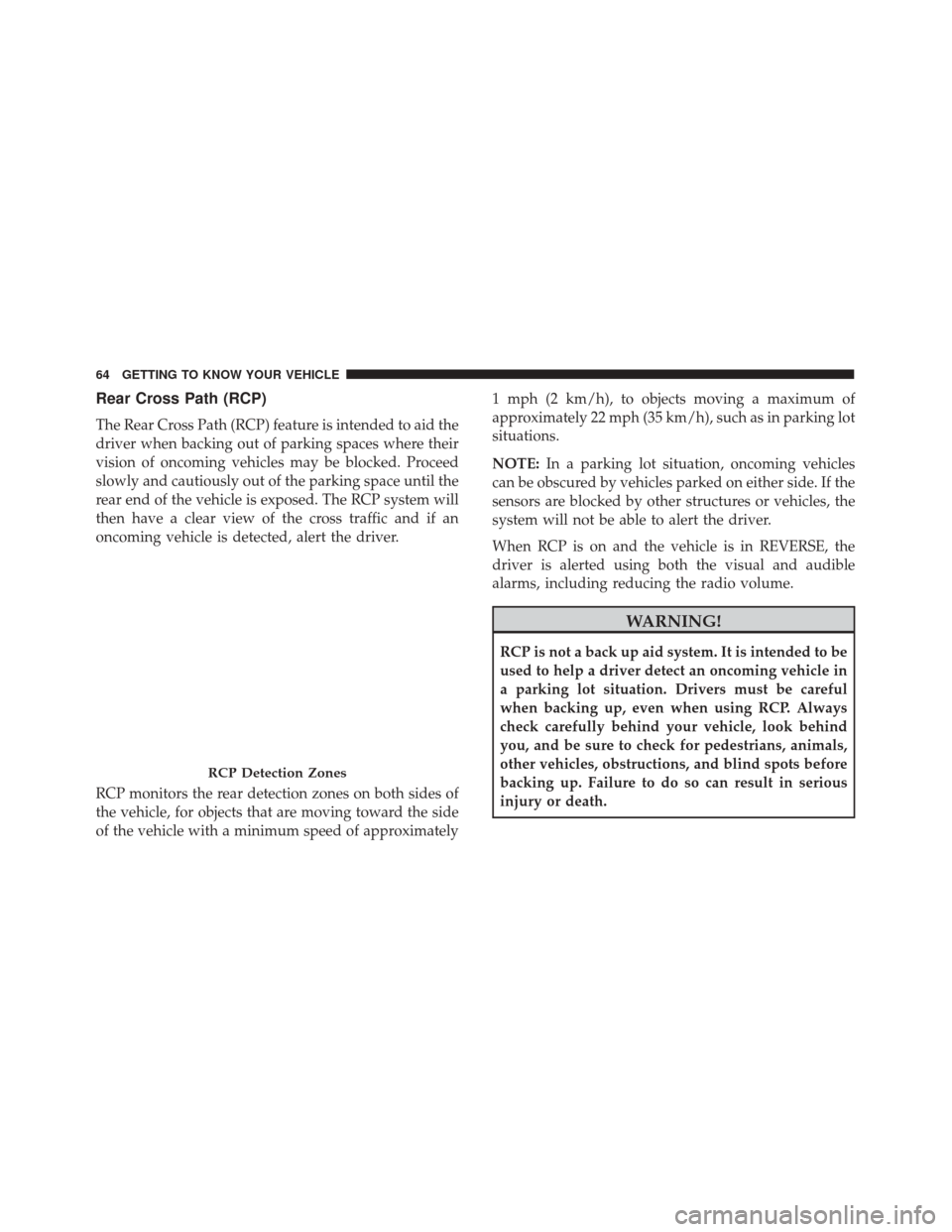
RCP monitors the rear detection zones on both sides of
the vehicle, for objects that are moving toward the side
of the vehicle with a minimum speed of approximately1 mph (2 km/h), to objects moving a maximum of
approximately 22 mph (35 km/h), such as in parking lot
situations.
NOTE:
In a parking lot situation, oncoming vehicles
can be obscured by vehicles parked on either side. If the
sensors are blocked by other structures or vehicles, the
system will not be able to alert the driver.
When RCP is on and the vehicle is in REVERSE, the
driver is alerted using both the visual and audible
alarms, including reducing the radio volume.
WARNING!
RCP is not a back up aid system. It is intended to be
used to help a driver detect an oncoming vehicle in
a parking lot situation. Drivers must be careful
when backing up, even when using RCP. Always
check carefully behind your vehicle, look behind
you, and be sure to check for pedestrians, animals,
other vehicles, obstructions, and blind spots before
backing up. Failure to do so can result in serious
injury or death.
RCP Detection Zones
64 GETTING TO KNOW YOUR VEHICLE
Page 73 of 476
NOTE:
•Before exiting the vehicle, make sure that the interior
lights are turned off. This will prevent the battery
from discharging once the doors are closed.
• If a light is left on it will automatically be turned off
after approximately 15 minutes after the ignition is in
STOP mode.
Dome Light Timing
The Dome Light will automatically illuminate when the
doors are unlocked, the doors are opened or after the
doors are closed.
Timing Entering The Vehicle
The dome lights illuminate in the following ways:
• When the doors are unlocked, the dome light will
illuminate for approximately 27 seconds.
• When one of the doors is opened, the dome light will
illuminate for approximately three minutes.
• When the doors are closed, the dome light will
automatically shut off after approximately 27 sec-
onds. NOTE:
The timing stops once the ignition is placed in
the RUN or START mode.
The dome light will turn off under any of the following
conditions:
• The dome light is disabled when the ignition is
placed in the RUN or START mode.
• The dome lights will turn off automatically when the
doors are locked.
• The dome lights will automatically turn off after
approximately fifteen minutes of inactivity to pre-
serve the battery.
Timing Exiting The Vehicle
The dome light will illuminate under the following
conditions when the ignition is turned to the STOP
mode:
• The dome light will illuminate for 27 seconds after
the key is removed from the vehicle.
• The opening of one of the doors (approximately three
minutes).
• After closing a door (approximately 27 seconds).
4
GETTING TO KNOW YOUR VEHICLE 71
Page 74 of 476
The dome light timing is disabled when the doors are
locked.
Illuminated Vanity Mirrors — If Equipped
An illuminated vanity mirror is located on each sun
visor. To use the mirror, rotate the sun visor down and
swing the mirror cover upward. The lights will turn on
automatically. Closing the mirror cover will turn the
light off.
Lower Glove Compartment Light
An interior light is located is the lower glove compart-
ment.
This light automatically turn on/off when the glove
compartment is opened and closed, regardless of the
position of the ignition.
NOTE:In order to preserve the life of the battery, the
light will turn off after 15 minutes.
Vanity Mirror Light
Lower Glove Compartment Light
72 GETTING TO KNOW YOUR VEHICLE
Page 84 of 476
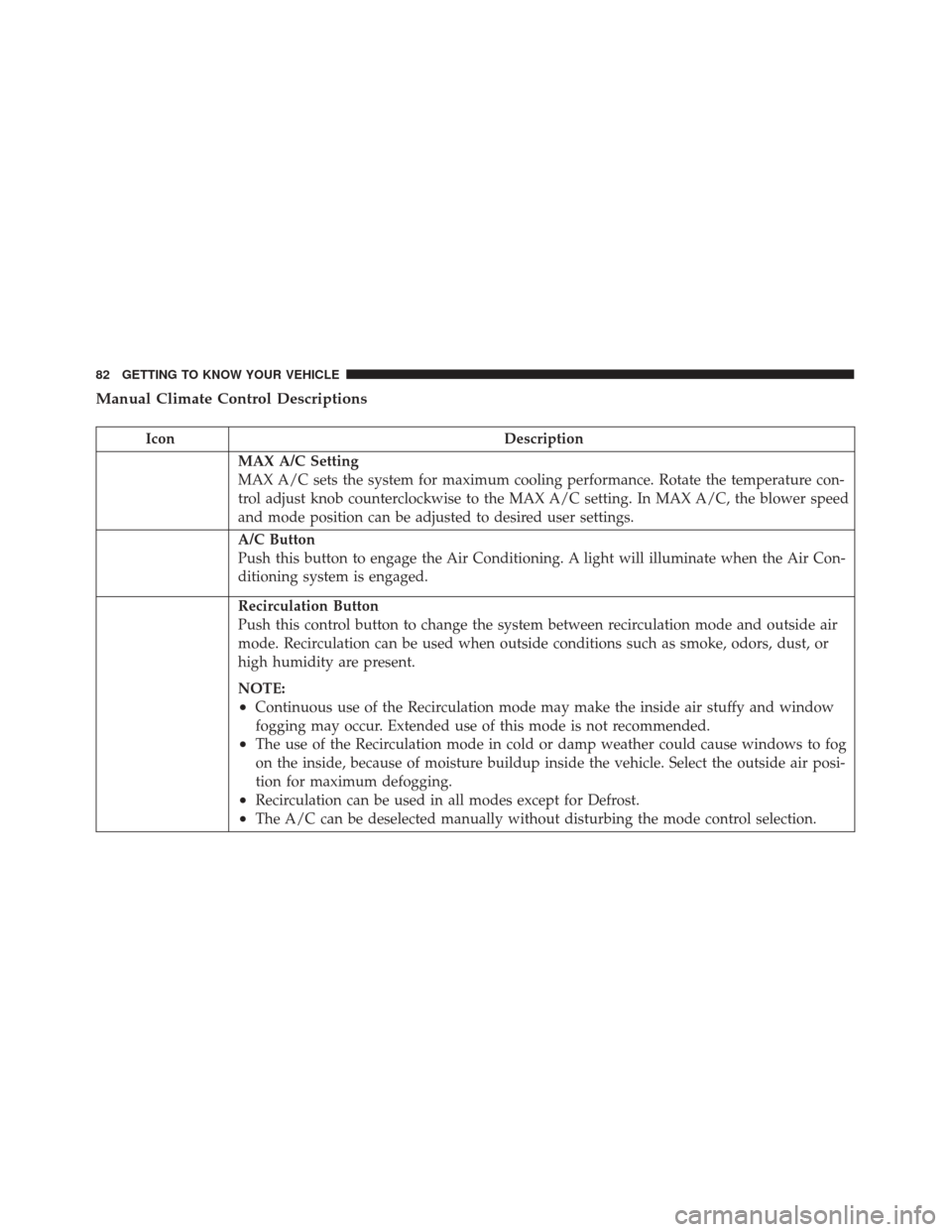
Manual Climate Control Descriptions
IconDescription
MAX A/C Setting
MAX A/C sets the system for maximum cooling performance. Rotate the temperature con-
trol adjust knob counterclockwise to the MAX A/C setting. In MAX A/C, the blower speed
and mode position can be adjusted to desired user settings.
A/C Button
Push this button to engage the Air Conditioning. A light will illuminate when the Air Con-
ditioning system is engaged.
Recirculation Button
Push this control button to change the system between recirculation mode and outside air
mode. Recirculation can be used when outside conditions such as smoke, odors, dust, or
high humidity are present.
NOTE:
•Continuous use of the Recirculation mode may make the inside air stuffy and window
fogging may occur. Extended use of this mode is not recommended.
•The use of the Recirculation mode in cold or damp weather could cause windows to fog
on the inside, because of moisture buildup inside the vehicle. Select the outside air posi-
tion for maximum defogging.
•Recirculation can be used in all modes except for Defrost.
•The A/C can be deselected manually without disturbing the mode control selection.
82 GETTING TO KNOW YOUR VEHICLE