warning FIAT 500X 2014 2.G Owner's Manual
[x] Cancel search | Manufacturer: FIAT, Model Year: 2014, Model line: 500X, Model: FIAT 500X 2014 2.GPages: 476, PDF Size: 5.32 MB
Page 59 of 476
Auto On Comfort — If Equipped
If the external temperature is below 40 °F (5 °C) at each
start-up of the vehicle the heated steering wheel func-
tionality is turned on.
WARNING!
•Persons who are unable to feel pain to the skin
because of advanced age, chronic illness, diabe-
tes, spinal cord injury, medication, alcohol use,
exhaustion, or other physical conditions must
exercise care when using the steering wheel
heater. It may cause burns even at low tempera-
tures, especially if used for long periods.
• Do not place anything on the steering wheel that
insulates against heat, such as a blanket or steer-
ing wheel covers of any type and material. This
may cause the steering wheel heater to overheat.
MIRRORS
Inside Day/Night Mirror
The mirror can be adjusted up, down, left, and right.
The mirror should be adjusted to center on the view
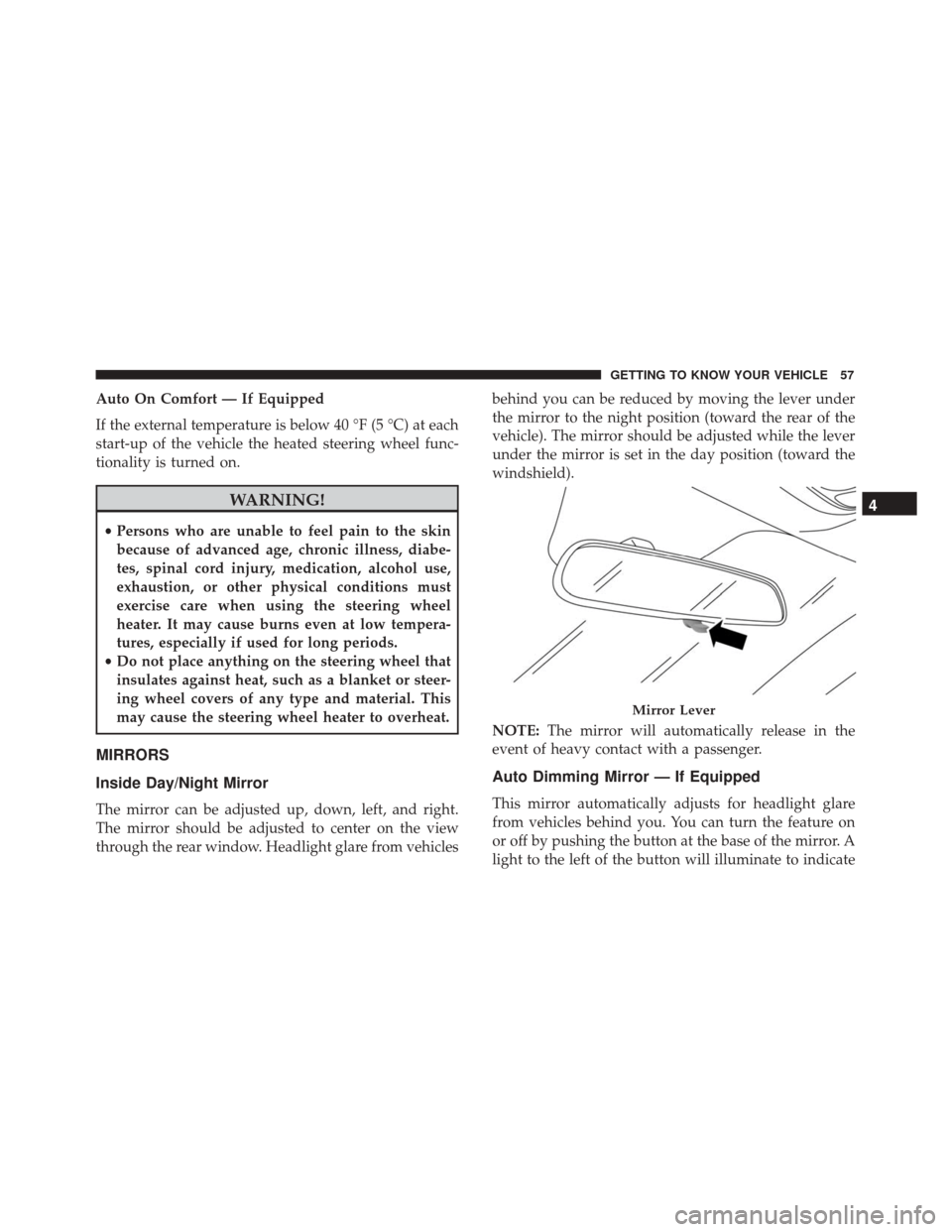
through the rear window. Headlight glare from vehicles behind you can be reduced by moving the lever under
the mirror to the night position (toward the rear of the
vehicle). The mirror should be adjusted while the lever
under the mirror is set in the day position (toward the
windshield).
NOTE:
The mirror will automatically release in the
event of heavy contact with a passenger.
Auto Dimming Mirror — If Equipped
This mirror automatically adjusts for headlight glare
from vehicles behind you. You can turn the feature on
or off by pushing the button at the base of the mirror. A
light to the left of the button will illuminate to indicate
Mirror Lever
4
GETTING TO KNOW YOUR VEHICLE 57
Page 61 of 476
Folding Mirror
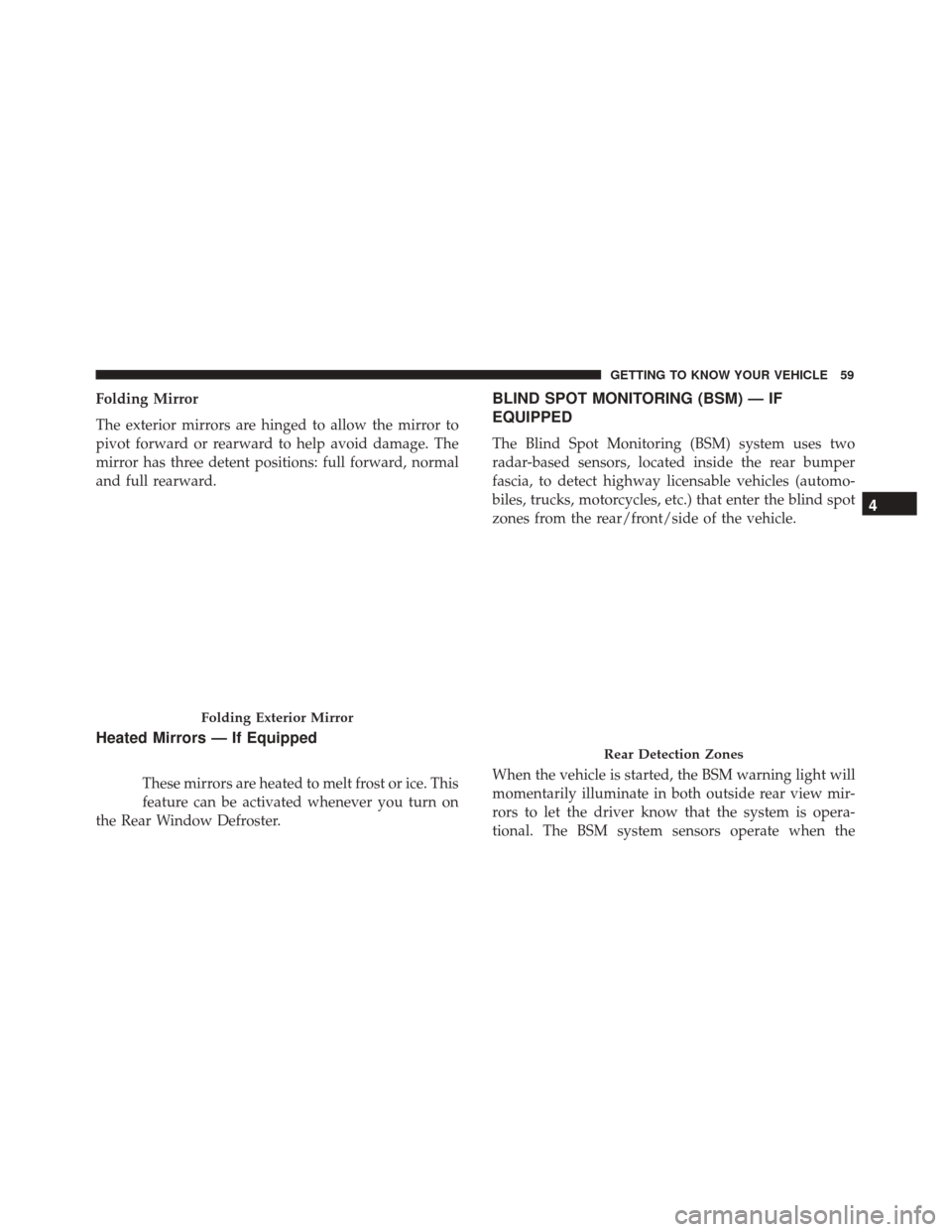
The exterior mirrors are hinged to allow the mirror to
pivot forward or rearward to help avoid damage. The
mirror has three detent positions: full forward, normal
and full rearward.
Heated Mirrors — If Equipped
These mirrors are heated to melt frost or ice. This
feature can be activated whenever you turn on
the Rear Window Defroster.
BLIND SPOT MONITORING (BSM) — IF
EQUIPPED
The Blind Spot Monitoring (BSM) system uses two
radar-based sensors, located inside the rear bumper
fascia, to detect highway licensable vehicles (automo-
biles, trucks, motorcycles, etc.) that enter the blind spot
zones from the rear/front/side of the vehicle.
When the vehicle is started, the BSM warning light will
momentarily illuminate in both outside rear view mir-
rors to let the driver know that the system is opera-
tional. The BSM system sensors operate when the
Folding Exterior Mirror
Rear Detection Zones
4
GETTING TO KNOW YOUR VEHICLE 59
Page 62 of 476
vehicle is in any forward gear or REVERSE and enters
stand-by mode when the vehicle is in PARK.
The BSM detection zone covers approximately one lane
width on both sides of the vehicle, 10 ft (3 m). The zone
length starts at the outside mirror and extends approxi-
mately 20 ft (6 m) beyond the rear bumper of the
vehicle. The BSM system monitors the detection zones
on both sides of the vehicle when the vehicle speed
reaches approximately 6 mph (10 km/h) or higher and
will alert the driver of vehicles in these areas.
NOTE:
•The BSM system does NOT alert the driver about
rapidly approaching vehicles that are outside the
detection zones.
• If a trailer is connected to the vehicle, it is necessary
to deactivate BSM system manually by settings menu
to avoid a miss-detection. Refer to “Uconnect Set-
tings” in “Multimedia” for further information.
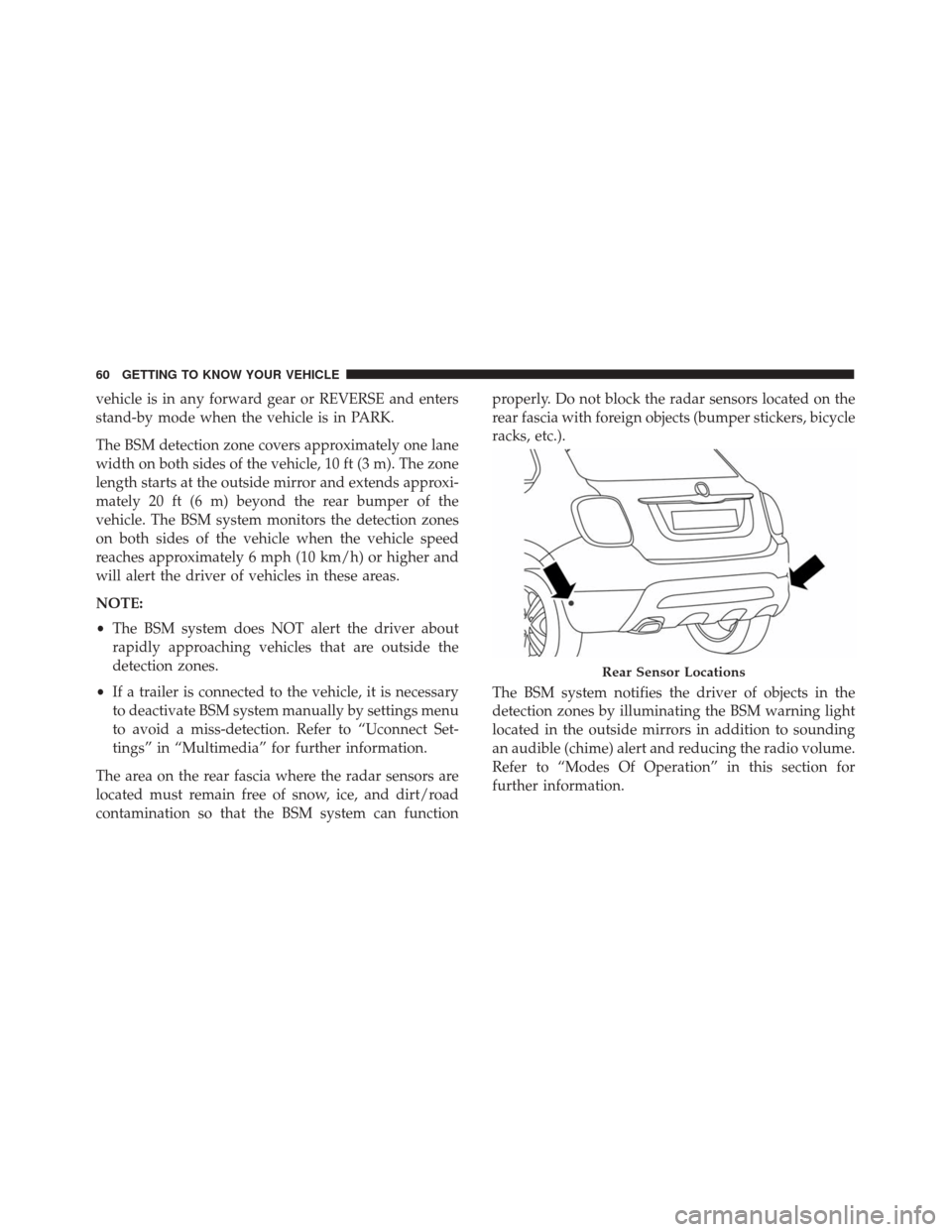
The area on the rear fascia where the radar sensors are
located must remain free of snow, ice, and dirt/road
contamination so that the BSM system can function properly. Do not block the radar sensors located on the
rear fascia with foreign objects (bumper stickers, bicycle
racks, etc.).
The BSM system notifies the driver of objects in the
detection zones by illuminating the BSM warning light
located in the outside mirrors in addition to sounding
an audible (chime) alert and reducing the radio volume.
Refer to “Modes Of Operation” in this section for
further information.
Rear Sensor Locations
60 GETTING TO KNOW YOUR VEHICLE
Page 63 of 476
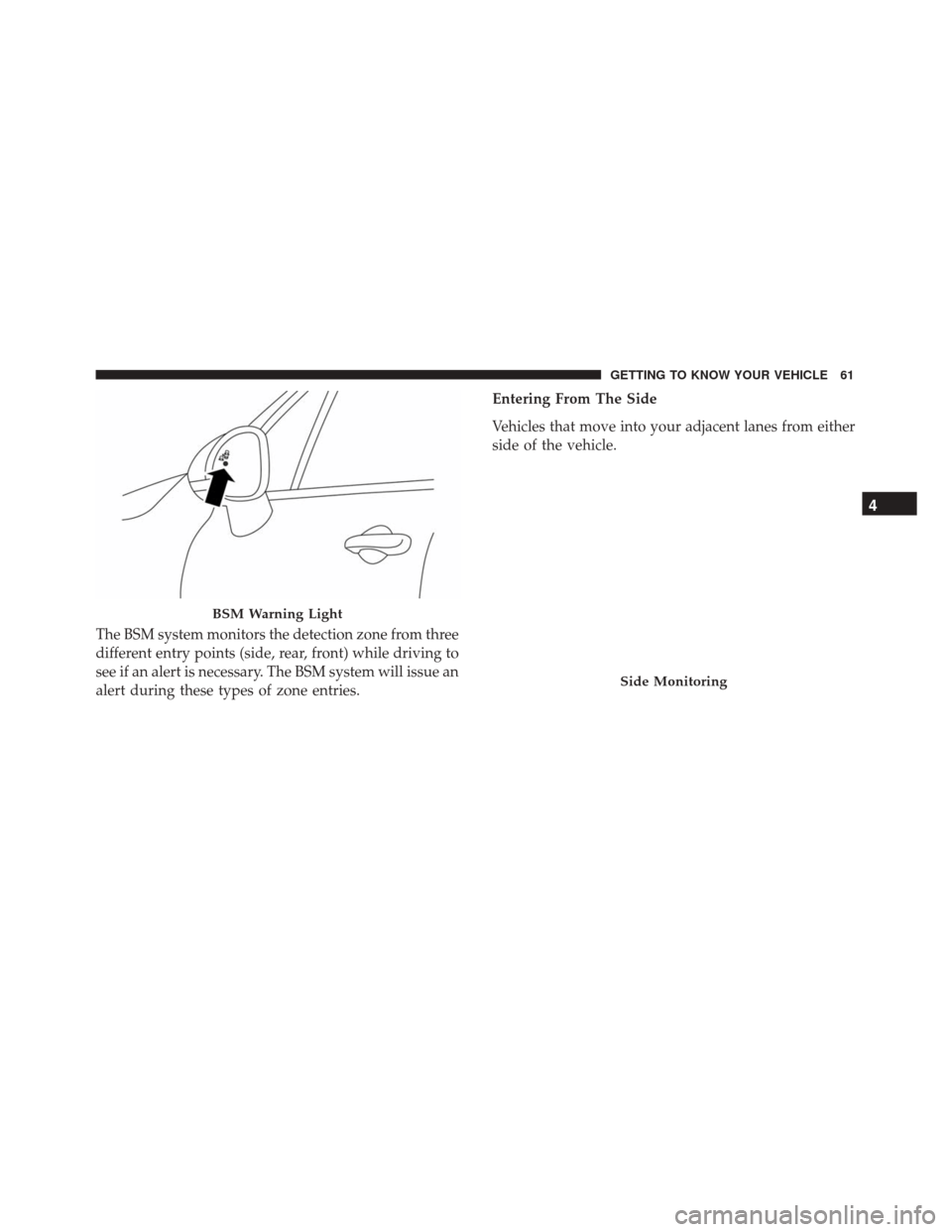
The BSM system monitors the detection zone from three
different entry points (side, rear, front) while driving to
see if an alert is necessary. The BSM system will issue an
alert during these types of zone entries.Entering From The Side
Vehicles that move into your adjacent lanes from either
side of the vehicle.
BSM Warning Light
Side Monitoring
4
GETTING TO KNOW YOUR VEHICLE 61
Page 64 of 476
Entering From The Rear
Vehicles that come up from behind your vehicle on
either side and enter the rear detection zone with a
relative speed of less than 31 mph (50 km/h).
Overtaking Traffic
If you pass another vehicle slowly with a relative speed
less than 15 mph (25 km/h) and the vehicle remains in
the blind spot for approximately 1.5 seconds, the warn-
ing light will be illuminated. If the difference in speed
between the two vehicles is greater than 15 mph
(25 km/h), the warning light will not illuminate.
Rear Monitoring
Overtaking/Approaching
Overtaking/Passing
62 GETTING TO KNOW YOUR VEHICLE
Page 65 of 476
The BSM system is designed not to issue an alert on
stationary objects such as guardrails, posts, walls, foli-
age, berms, etc. However, occasionally the system may
alert on such objects. This is normal operation and your
vehicle does not require service.
The BSM system will not alert you of objects that are
traveling in the opposite direction of the vehicle in
adjacent lanes.
WARNING!
The Blind Spot Monitoring system is only an aid to
help detect objects in the blind spot zones. The
BSM system is not designed to detect pedestrians,
bicyclists, or animals. Even if your vehicle is
equipped with the BSM system, always check your
vehicles mirrors, glance over your shoulder, and use
your turn signal before changing lanes. Failure to
do so can result in serious injury or death.
Stationary Objects
Opposing Traffic
4
GETTING TO KNOW YOUR VEHICLE 63
Page 66 of 476
Rear Cross Path (RCP)
The Rear Cross Path (RCP) feature is intended to aid the
driver when backing out of parking spaces where their
vision of oncoming vehicles may be blocked. Proceed
slowly and cautiously out of the parking space until the
rear end of the vehicle is exposed. The RCP system will
then have a clear view of the cross traffic and if an
oncoming vehicle is detected, alert the driver.
RCP monitors the rear detection zones on both sides of
the vehicle, for objects that are moving toward the side
of the vehicle with a minimum speed of approximately1 mph (2 km/h), to objects moving a maximum of
approximately 22 mph (35 km/h), such as in parking lot
situations.
NOTE:
In a parking lot situation, oncoming vehicles
can be obscured by vehicles parked on either side. If the
sensors are blocked by other structures or vehicles, the
system will not be able to alert the driver.
When RCP is on and the vehicle is in REVERSE, the
driver is alerted using both the visual and audible
alarms, including reducing the radio volume.
WARNING!
RCP is not a back up aid system. It is intended to be
used to help a driver detect an oncoming vehicle in
a parking lot situation. Drivers must be careful
when backing up, even when using RCP. Always
check carefully behind your vehicle, look behind
you, and be sure to check for pedestrians, animals,
other vehicles, obstructions, and blind spots before
backing up. Failure to do so can result in serious
injury or death.
RCP Detection Zones
64 GETTING TO KNOW YOUR VEHICLE
Page 68 of 476
Blind Spot Monitoring Fault Warnings
Sensor Blinded
In the case of a sensor blinded:
•BSM Mirror Warning Lights are turned on continu-
ously.
• A instrument cluster message will display “Blind
Spot Monitoring Unavailable - Wipe Rear Bumper
Corners.”
NOTE: The rear bumper must be clean and free of any
obstructing debris.
System Not Available
In the case of the system being temporary unavailable:
• BSM Mirror Warning Lights are turned on continu-
ously.
• A instrument cluster message will display “Blind
Spot Monitoring Temporary Unavailable.”
In the case of the system being completely unavailable:
• A chime will turn on.
• A instrument cluster message will display “Blind
Spot Monitoring Unavailable - Service Required.” NOTE:
Vehicle must be taken to the nearest authorized
dealer for service.
General Information
This vehicle has systems that operate on radio fre-
quency that comply with Part 15 of the Federal Com-
munications Commission (FCC) rules and with Indus-
try Canada Standards RSS- GEN/210/220/310.
Operation is subject to the following two conditions:
1. The device may not cause harmful interference.
2. The device must accept any interference received, including interference that may cause undesired
operation of the device.
Changes or modifications to any of these systems by
other than an authorized service facility could void
authorization to use this equipment.
EXTERIOR LIGHTS
Headlights
The headlight switch is located on the left side of the
instrument panel. The headlight switch controls the
66 GETTING TO KNOW YOUR VEHICLE
Page 78 of 476
If the lever is pulled while the wipers are in the off
position, the wipers will operate for several wipe cycles,
then turn off.
WARNING!
Sudden loss of visibility through the windshield
could lead to a collision. You might not see other
vehicles or other obstacles. To avoid sudden icing of
the windshield during freezing weather, warm the
windshield with the defroster before and during
windshield washer use.
Mist
Use this feature when weather conditions make occa-
sional usage of the wipers necessary. Push the lever
upward to the MIST position and release for a single
wiping cycle.
NOTE: The mist feature does not activate the washer
pump; therefore, no washer fluid will be sprayed on the
windshield. The wash function must be used in order to
spray the windshield with washer fluid.
Rain Sensor — If Equipped
This feature senses moisture on the windshield and
automatically activates the wipers for the driver. The
feature is especially useful for road splash or overspray
from the windshield washers of the vehicle ahead.
Rotate the end of the multifunction lever to one of two
settings to activate this feature.
The sensitivity of the system can be adjusted with the
multifunction lever. Wiper delay position one is the
least sensitive, and wiper delay position two is the most
sensitive. Setting one should be used for normal rain
conditions, and can be used if the driver desires less
Rain Sensor Location
76 GETTING TO KNOW YOUR VEHICLE
Page 100 of 476
WINDOWS
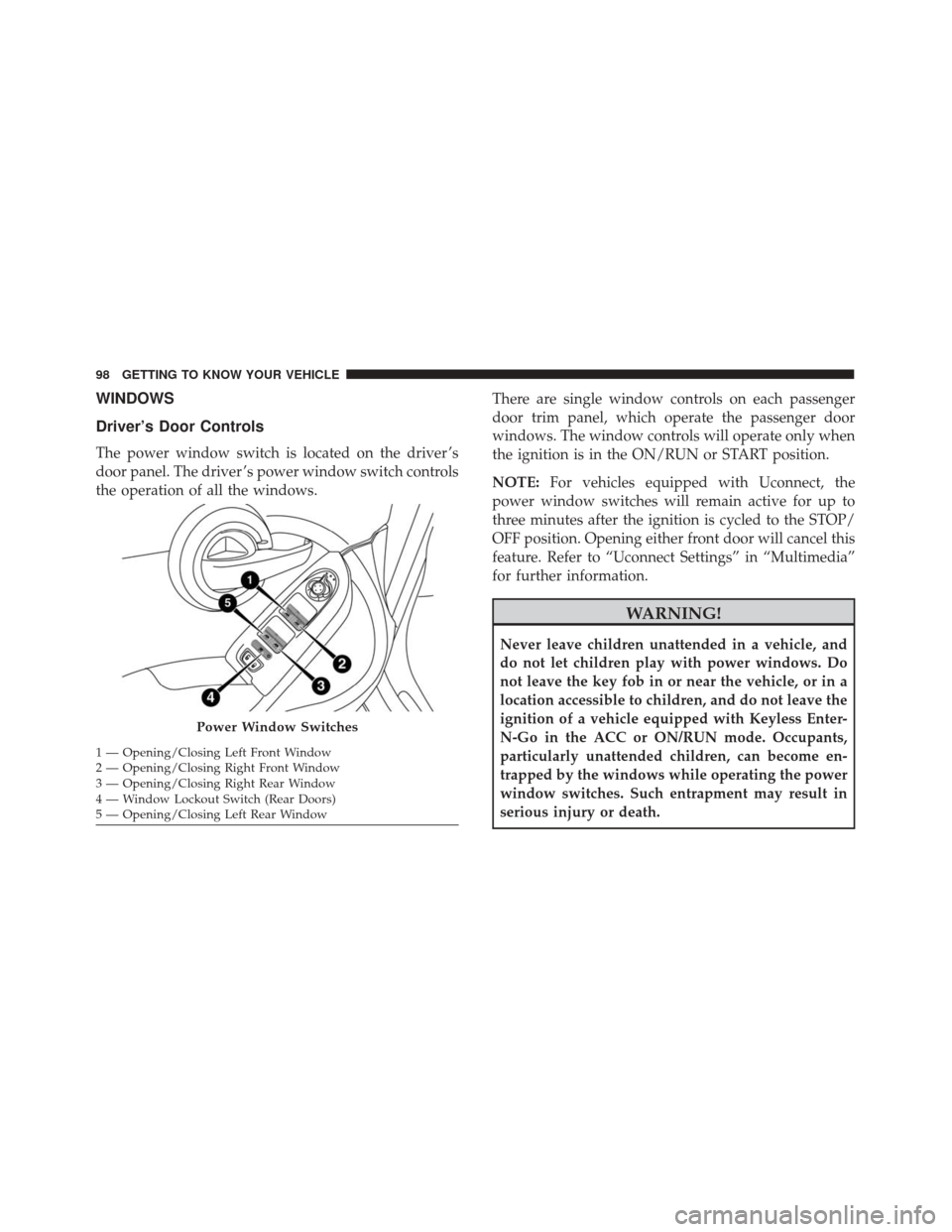
Driver’s Door Controls
The power window switch is located on the driver ’s
door panel. The driver ’s power window switch controls
the operation of all the windows.There are single window controls on each passenger
door trim panel, which operate the passenger door
windows. The window controls will operate only when
the ignition is in the ON/RUN or START position.
NOTE:
For vehicles equipped with Uconnect, the
power window switches will remain active for up to
three minutes after the ignition is cycled to the STOP/
OFF position. Opening either front door will cancel this
feature. Refer to “Uconnect Settings” in “Multimedia”
for further information.
WARNING!
Never leave children unattended in a vehicle, and
do not let children play with power windows. Do
not leave the key fob in or near the vehicle, or in a
location accessible to children, and do not leave the
ignition of a vehicle equipped with Keyless Enter-
N-Go in the ACC or ON/RUN mode. Occupants,
particularly unattended children, can become en-
trapped by the windows while operating the power
window switches. Such entrapment may result in
serious injury or death.
Power Window Switches
1 — Opening/Closing Left Front Window
2 — Opening/Closing Right Front Window
3 — Opening/Closing Right Rear Window
4 — Window Lockout Switch (Rear Doors)
5 — Opening/Closing Left Rear Window 98 GETTING TO KNOW YOUR VEHICLE