interval FIAT 500X 2016 2.G User Guide
[x] Cancel search | Manufacturer: FIAT, Model Year: 2016, Model line: 500X, Model: FIAT 500X 2016 2.GPages: 587, PDF Size: 5.18 MB
Page 461 of 587
applicable). If the engine coolant (antifreeze) is dirty or
rusty in appearance, the system should be drained,
flushed and refilled with fresh engine coolant (anti-
freeze). Check the front of the A/C condenser for any
accumulation of bugs, leaves, etc. If dirty, clean by gently
spraying water from a garden hose vertically down the
face of the condenser.
Cooling System — Drain, Flush And Refill
NOTE:Some vehicles require special tools to add coolant
properly. Failure to fill these systems properly could lead
to severe internal engine damage. If any coolant is
needed to be added to the system please contact your
local authorized dealer.
If the engine coolant (antifreeze) is dirty or contains
visible sediment, have an authorized dealer clean and
flush with OAT coolant (antifreeze) (conforming to
MS.90032). Refer to the “Maintenance Schedule” for the proper
maintenance intervals.
Selection Of Coolant
Refer to “Fluids, Lubricants, And Genuine Parts” in the
“Technical Data” section for further information.
CAUTION!
•
Mixing of engine coolant (antifreeze) other than
specified Organic Additive Technology (OAT) en-
gine coolant (antifreeze), may result in engine
damage and may decrease corrosion protection.
Organic Additive Technology (OAT) engine cool-
ant is different and should not be mixed with
Hybrid Organic Additive Technology (HOAT) en-
gine coolant (antifreeze) or any “globally compat-
ible” coolant (antifreeze). If a non-OAT engine
(Continued)
9
MAINTAINING AND CARING FOR YOUR VEHICLE 459
Page 462 of 587
CAUTION!(Continued)
coolant (antifreeze) is introduced into the cooling
system in an emergency, the cooling system will
need to be drained, flushed, and refilled with fresh
OAT coolant (conforming to MS.90032), by an au-
thorized dealer as soon as possible.
• Do not use water alone or alcohol-based engine
coolant (antifreeze) products. Do not use additional
rust inhibitors or antirust products, as they may not
be compatible with the radiator engine coolant and
may plug the radiator.
• This vehicle has not been designed for use with
propylene glycol-based engine coolant (antifreeze).
Use of propylene glycol-based engine coolant (an-
tifreeze) is not recommended.
Adding Coolant
Your vehicle has been built with an improved engine
coolant (OAT coolant conforming to MS.90032) that al-
lows extended maintenance intervals. This engine cool-
ant (antifreeze) can be used up to ten years or 150,000
miles (240,000 km) before replacement. To prevent reduc-
ing this extended maintenance period, it is important that
you use the same engine coolant (OAT coolant conform-
ing to MS.90032) throughout the life of your vehicle.
Please review these recommendations for using Organic
Additive Technology (OAT) engine coolant (antifreeze)
that meets the requirements of FCA Material Standard
MS.90032. When adding engine coolant (antifreeze):
• We recommend using MOPAR Antifreeze/Coolant 10
Year/150,000 Mile Formula OAT (Organic Additive
Technology) that meets the requirements of FCA Ma-
terial Standard MS.90032.
460 MAINTAINING AND CARING FOR YOUR VEHICLE
Page 466 of 587
•If frequent engine coolant (antifreeze) additions are
required, the cooling system should be pressure tested
for leaks.
• Maintain engine coolant (antifreeze) concentration at a
minimum of 50% OAT coolant (conforming to
MS.90032) and distilled water for proper corrosion
protection of your engine which contains aluminum
components.
• Keep the front of the radiator clean. If your vehicle is
equipped with air conditioning, keep the front of the
condenser clean.
• Do not change the thermostat for Summer or Winter
operation. If replacement is ever necessary, install
ONLY the correct type thermostat. Other designs may
result in unsatisfactory engine coolant (antifreeze)
performance, poor gas mileage, and increased emis-
sions.Brake System
In order to assure brake system performance, all brake
system components should be inspected periodically.
Refer to the “Maintenance Schedule” for the proper
maintenance intervals.
WARNING!
Riding the brakes can lead to brake failure and
possibly a collision. Driving with your foot resting or
riding on the brake pedal can result in abnormally
high brake temperatures, excessive lining wear, and
possible brake damage. Riding the brakes may also
reduce braking capacity in an emergency.
Brake Master Cylinder
The fluid level in the master cylinder should be checked
when performing under hood services, or immediately if
the “Brake Warning Light” is on.
464 MAINTAINING AND CARING FOR YOUR VEHICLE
Page 503 of 587
type tires. Rotation will increase tread life, help to main-
tain mud, snow, and wet traction levels, and contribute to
a smooth, quiet ride.
Refer to the “Maintenance Schedule” for the proper
maintenance intervals. The reasons for any rapid or
unusual wear should be corrected prior to rotation being
performed.
The suggested Front Wheel Drive (FWD) rotation
method is the “rearward cross” shown in the following
diagram. This rotation pattern does not apply to some
directional tires that must not be reversed.The suggested Four Wheel Drive (4WD) Tire rotation
method is the “forward-cross” shown in the following
diagram.
Front Wheel Drive (FWD) Tire Rotation
9
MAINTAINING AND CARING FOR YOUR VEHICLE 501
Page 529 of 587
touchscreen and select from “On” or “Off. Refer to
“Keyless Enter-N-Go” in “Getting To Know Your Ve-
hicle” for further information.
•Remote Door Unlock/Door Unlock
When “Driver” is selected, only the driver’s door will
unlock on the first push of the Remote Keyless Entry
(RKE) transmitter UNLOCK button, you must push the
RKE transmitter UNLOCK button twice to unlock the
passenger’s doors. When “All” is selected, all of the doors
will unlock on the first press of the RKE transmitter
UNLOCK button. NOTE:
If “All” is programmed, all doors will unlock no
matter which Passive Entry equipped door handle is
grasped. If “Driver” is programmed, only the driver ’s
door will unlock when the driver ’s door is grasped.
Touching the handle more than once will only result in
the driver ’s door opening once. If the driver door is
opened, the interior door lock/unlock switch can be used
to unlock all doors (or use RKE transmitter).
Engine Off Options
After pressing the “Engine Off Options” button on the
touchscreen the following settings will be available.
• Headlight Off Delay
When this feature is selected, the driver can choose to
have the headlights remain on for 0, 30, 60, or 90 seconds
when exiting the vehicle. To change the Headlight Off
Delay status press the “+” or “–” button on the touch-
screen to select your desired time interval.
11
MULTIMEDIA 527
Page 530 of 587
•Radio Off Delay
When this feature is selected, the radio will stay on for a
preset time after the ignition key is turned to STOP/OFF.
To change the Radio Off Delay status, press the “0 MIN”
or “20 MIN” button on the touchscreen to select your
desired time interval.
Audio
After pressing the “Audio” button on the touchscreen the
following settings will be available:
• Equalizer
When in this display you may adjust the Bass, Mid and
Treble settings. Adjust the settings with the “+” and “–”
setting buttons on the touchscreen or by selecting any
point on the scale between the “+” and “–” buttons on the
touchscreen. NOTE:
Bass/Mid/Treble allow you to simply slide your
finger up or down to change the setting as well as press
directly on the desired setting.
• Balance/Fade
When in this display you may adjust the Balance and
Fade settings.
• Speed Adjusted Volume
This feature increases or decreases volume relative to
vehicle speed. To change the Speed Adjusted Volume
press the “Off,” “1,” “2” or “3” button on the touchscreen.
• Surround Sound — If Equipped
This feature provides simulated surround sound mode.
To make your selection, press the “Surround Sound”
button on the touchscreen, select “On” or “Off”.
528 MULTIMEDIA
Page 546 of 587
•Passive Entry
This feature allows you to lock and unlock the vehicles
door(s) without having to press the Remote Keyless
Entry (RKE) transmitter lock or unlock buttons. To make
your selection, press the “Passive Entry” button on the
touchscreen, then choose “On” or “Off.” The button will
highlight indicating that the setting has been selected.
• Memory Linked To Key Fob — If Equipped
This feature provides automatic driver seat positioning to
enhance driver mobility when entering and exiting the
vehicle. To make your selection, press the “Memory
Linked To Key Fob” button on the touchscreen and select
from “On” or “Off.” NOTE:
The seat will return to the memorized seat
location (if Recall Memory with Remote Key Unlock is set
to ON) when the Remote Keyless Entry (RKE) transmitter
is used to unlock the door.
Engine Off Options
After pressing the “Engine Off Options” button on the
touchscreen the following settings will be available:
• Radio Off Delay
When this feature is selected, the radio will stay on for a
preset time after the ignition key is turned to STOP/OFF.
To change the Radio Off Delay status, press the “0 MIN”
or “20 MIN” button on the touchscreen to select your
desired time interval.
544 MULTIMEDIA
Page 547 of 587
•Headlight Off Delay — If Equipped
When this feature is selected, the driver can choose to
have the headlights remain on for 0, 30, 60, or 90 seconds
when exiting the vehicle. To change the Headlight Off
Delay status press the “+” or “–” button on the touch-
screen to select your desired time interval.
Audio
After pressing the “Audio” button on the touchscreen the
following settings will be available:
• Balance/Fade
When in this display you may adjust the Balance and
Fade settings. Press and drag the speaker icon, use the
arrows to adjust, or tap the speaker icon to readjust to the
center. •
Equalizer
When in this display you may adjust the Bass, Mid and
Treble settings. Adjust the settings with the “+” and “–”
buttons on the touchscreen or by selecting any point on
the scale between the “+” and “–” buttons on the
touchscreen.
NOTE: Bass/Mid/Treble allow you to simply slide your
finger up or down to change the setting as well as press
directly on the desired setting.
• Speed Adjusted Volume
This feature increases or decreases volume relative to
vehicle speed. To change the Speed Adjusted Volume
press the “Off,” “1,” “2” or ”3” button on the touchscreen.
• Surround Sound — If Equipped
This feature provides simulated surround sound mode.
To make your selection, press the “Surround Sound”
button on the touchscreen, select On or Off.
11
MULTIMEDIA 545
Page 579 of 587
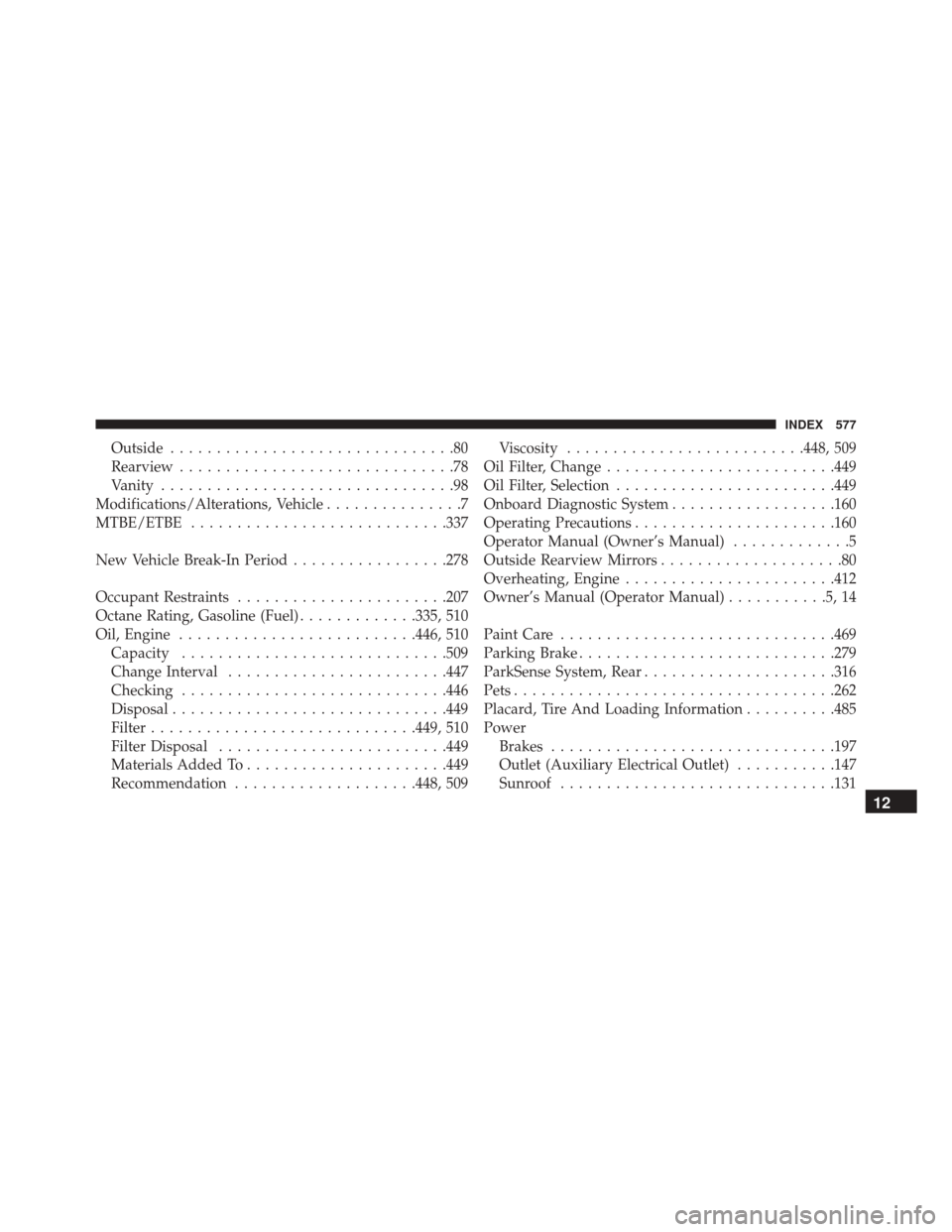
Outside...............................80
Rearview ..............................78
Vanity ................................98
Modifications/Alterations, Vehicle ...............7
MTBE/ETBE ........................... .337
New Vehicle Break-In Period .................278
Occupant Restraints ...................... .207
Octane Rating, Gasoline (Fuel) .............335, 510
Oil, Engine ......................... .446, 510
Capacity ............................ .509
Change Interval ....................... .447
Checking ............................ .446
Disposal ............................. .449
Filter ............................ .449, 510
Filter Disposal ........................ .449
Materials Added To ..................... .449
Recommendation ....................448, 509 Viscosity
......................... .448, 509
Oil Filter, Change ........................ .449
Oil Filter, Selection ....................... .449
Onboard Diagnostic System ..................160
Operating Precautions ..................... .160
Operator Manual (Owner’s Manual) .............5
Outside Rearview Mirrors ....................80
Overheating, Engine ...................... .412
Owner’s Manual (Operator Manual) ...........5,14
Paint Care ............................. .469
Parking Brake ........................... .279
ParkSense System, Rear .....................316
Pets .................................. .262
Placard, Tire And Loading Information ..........485
Power Brakes .............................. .197
Outlet (Auxiliary Electrical Outlet) ...........147
Sunroof ............................. .131
12
INDEX 577