warning FIAT 500X 2018 Owner handbook (in English)
[x] Cancel search | Manufacturer: FIAT, Model Year: 2018, Model line: 500X, Model: FIAT 500X 2018Pages: 276, PDF Size: 7.08 MB
Page 261 of 276
Setting “AutoShow smartphone
display on connection"
Through theUconnect™ system
settings, the user can decide to view
the smartphone screen on the
Uconnect™ system display as soon as
the smartphone is connected via the
USB port.
When this function is set, each time a
connection is made via USB, the Apple
CarPlay or Android Auto apps will run
automatically on the Uconnect™
system display.
The "AutoShow smartphone display on
connection" item can be found in the
"Display" submenu. The function is
enabled by default.
Exiting the Android Auto and Apple
CarPlay apps
To end the Apple CarPlay or Android
Auto session, physically disconnect the
smartphone from the car's USB port.
SETTINGS
Press the “Settings” button on the
display to show the main “Settings”
menu.
NOTE The menu items displayed vary
according to the versions.
As a guideline, the menu includes the
following items:
Display
Units (where provided)
Voice commands
Time and Date;
Safety/Driving assistance (where
provided)
Lights
Doors & Locks
Engine Off Options
Audio
Telephone/Bluetooth®
Radio Setup
SiriusXM Setup (where provided)
Restore Default Settings
Clear Personal Data
Apps restore (where provided)
NAVIGATION(versions with Uconnect™7" HD Nav
LIVE only)
Press the "Nav" button to show the
navigation map on the display.
NOTE: The navigation system volume
can only be adjusted during navigation
when the system provides voice
indications.
Navigation main menu
In the navigation view, tap the "Main
menu" button to open the menu:
Select the "Search" button to search
for an address, a place or a point of
interest, then plan a route to the
location.
Select the "Current trip" button to
delete or edit the planned route.
Select the "My places" button to
create a collection of useful or preferred
addresses. The following items are
always available in "My places": “Home”
and “Recent destinations”.
Select the "Parking" button to search
for car parks.
Select the "Weather" or "Speed
Camera Warning" button to receive
information on the weather or warnings
about speed camera locations.
NOTE The "Weather" and "Speed
Camera Warnings" functions are only
active if TomTom Services are activated.
Otherwise, the button will appear
greyed out (and the functions will not
be available).
Select the "Petrol Station" button to
search for petrol stations.
Select the "TomTom Services" button
to view the activation state of the
following services (subscription
needed): “Traffic”, “Speed cameras”,
“Weather”, “Online search”.
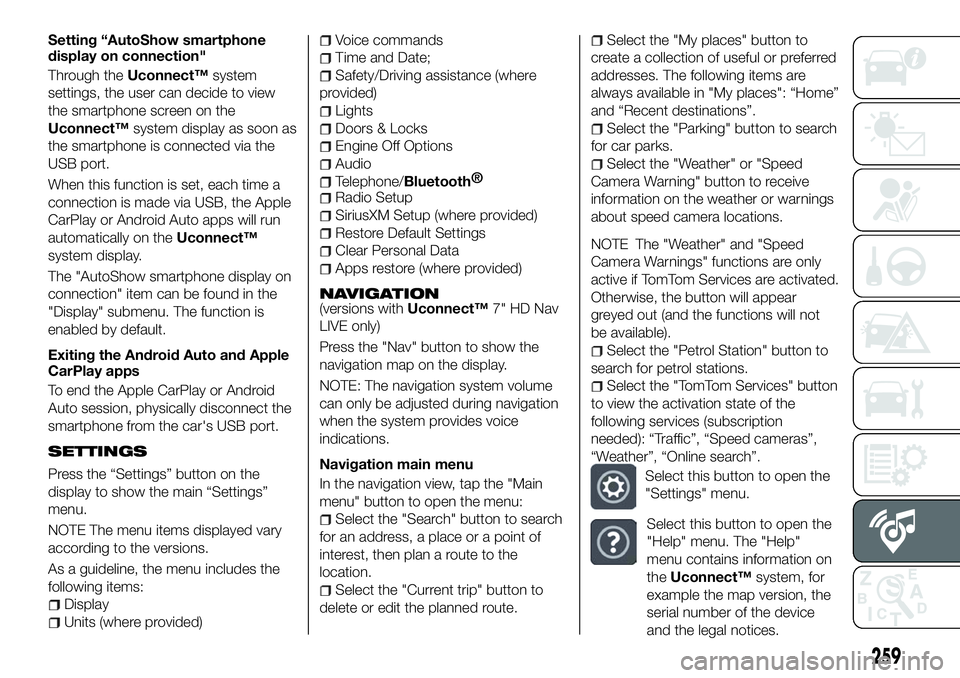
Select this button to open the
"Settings" menu.
Select this button to open the
"Help" menu. The "Help"
menu contains information on
the Uconnect™ system, for
example the map version, the
serial number of the device
and the legal notices.
259
Page 262 of 276

Select this button to return to
the map display or navigation
view.
Select this button to
activate/deactivate voice
instructions. Select off to no
longer hear voice instructions.
You will still receive information
such as traffic information and
warning sounds.Tip: you can
deactivate the warning sounds
by selecting “Settings”, then
“Sounds and warnings”.
Select this button to
increase/decrease the screen
brightness and display the
map in brighter/darker colours.
When driving at night or in unlit
tunnels, watching the screen is
more comfortable and less
distracting for the driver if the
map uses darker colours. Tip:
the device will automatically
switch between day and night
view depending on the time of
day. To deactivate this
function, select “Appearance”
in the “Settings” menu and
deselect the option "Switch to
night colours" when it is dark.
Map update
To ensure optimal performance, the
navigation system must be updated
periodically. For this, the Mopar Map
Care service offers a new map update
every three months.
The updates can be downloaded from
the maps.mopar.eu website and
installed directly on the navigator in your
car. All updates are free of charge for
3 years from the start of the warranty
on the car.
The navigation system can also be
updated at the Fiat Dealership.
NOTE The dealer may charge for
updating the navigation system.
VOICE COMMANDS
Note For languages not supported by
the system, voice commands are not
available.
To use the voice commands, press the
button on the steering wheel (”Voice”
button) and say out loud the command
you want to activate.
Global voice commands
The following voice commands can be
given after pressing the
button on
the steering wheel:
Help
Cancel
Repeat
Voice Prompts Phone voice commands
The following voice commands can be
given after pressing the
button on
the steering wheel:
Call
Dial
Re-dial
Call back
Recent calls
Calls made
Missed calls
Calls received
PhoneBook
Search
Show SMS
Send an SMS
Show messages
Radio voice commands
The following voice commands can be
given after pressing the
button on
the steering wheel:
Tune to FM "frequency"
Tune to AM "frequency"
Tune to "radio name" FM
Media voice commands
The following voice commands can be
given after pressing the
button on
the steering wheel:
Play song...
Play album…
Play artist…
Play genre…
Play playlist…
260
MULTIMEDIA
Page 265 of 276
IMPORTANT INFORMATION AND RECOMMENDATIONS
WARNING
INTERIOR FITTINGSDo not travel with the storage compartment open: it may injure the front seat occupants in the event of an accident.The cigar lighter gets extremely hot. Handle it carefully and make sure that children don’t use it: risk of fire and/or burns.Do not use the ashtray as a waste paper basket: it may catch fire in contact with cigarette stubs.
ROOF RACK/SKI RACK
Before driving, make sure that the transversal bars have been fitted properly.
ENVIRONMENTAL PROTECTION SYSTEMS
The catalytic converter and particulate filter (DPF) reach very high temperatures during operation. Therefore do not park the vehicle on
flammable materials (e.g. grass, dry leaves, pine needles, etc.): fire hazard.
IMPORTANT
ROOF RACK/SKI RACKThe use of transversal bars on longitudinal ones prevents the use of the sunroof, because the latter, while opening, interferes with the bars.
Therefore do not move the sunroof if transversal bars have been fitted.
Fully comply with the regulations in force concerning maximum clearance.
Page 272 of 276
Front roof light...............29
Front seat electric heating ........20
Front seats (manual adjustments) . . .19
Fuel consumption ............226
Fuel cut-off system ...........168
Full Brake Control (system) .......80
Fuse boxes ................154
Fuses (replacement) ...........154
GSI (Gear Shift Indicator) ........49
Hazard warning lights.........148
emergency braking .........148
Head restraints ...............21
Headlight alignment adjustment ....28
Headlight alignment corrector .....28
Headlights (cleaning) ..........203
Heavy-duty use of the car (scheduled servicing) ........186
HHC (system) ................75
i-Size child restraint systems .....100
Identification data
chassis marking ...........207
engine marking ............207
VIN plate ................207
Ignition device ...............12
Important information and recommendations ..........263
Interior lights ................29
Interiors (cleaning) ............204 ISOFIX child restraint system
(installation) ...............97
iTPMS (indirect Tyre Pressure Monitoring System) ..........84
Jump starting..............166
Keyless Entry (system) .........16
Keys electronic key .............11
key with remote control .......11
Lane Assist system...........137
Lane Change ................28
Lifting the vehicle .............201
Light switch .................25
Main beam headlights ..........27
Main menu .................50
Manual climate control system .....33
Manual gearbox .............118
Monochrome display ...........47
Mood Selector / Drive Mode (drive mode selector) ........133
Mopar Connect .............261
Number plate lights (bulb
replacement) ..............153
Occupant protection systems .....87
Official type approvals .........262
Paintwork (cleaning and
maintenance) .............203
Park Assist (system) ...........135
Parking lights ................26 Parking the vehicle
...........115
PBA (system) ................75
Performance (top speed) ........225
Periodic checks (scheduled servicing) ................186
Pre-tensioners ...............91
load limiters ...............91
Prescriptions for handling the car at the end of its life ..........231
Rain sensor................30
RCP system ................79
Read this carefully ..............2
Rear fog light ................26
Rear light cluster (bulb replacement) ..............152
Rear seats ..................20
Rear view camera ............139
Rear View Camera ............139
Rear view mirrors .............23
Rear window washer windscreen/rear window
washing fluid level ..........194
Rear window wiper/washer .......32
Reconfigurable load platform ......42
Refuelling procedure ..........145
emergency refuelling ........145
Refuelling the vehicle ..........144
Replacing a bulb .............148
Replacing an external bulb ......151
Rims and tyres (dimensions) ......211
INDEX
Page 273 of 276
SBR (Seat Belt Reminder)system ..................89
Scheduled Servicing ..........175
Scheduled Servicing Plan . . . .176 ,180
Screen wiper/washer ...........29
Seat belts ..................87
Seats .....................19
Service Position (windscreen wiper) ...................31
Servicing procedures ..........198
Side bag ..................110
Side direction indicators (bulb replacement) ..............152
Side lights/daytime running lights (DRL) (bulb replacement) ......151
Smart washing function .........30
Snow chains ...............201 Speed Limiter
...............127
Start&Stop system ...........125
Starting the engine ...........114
Steering lock ................13
Steering wheel ...............23
Supplies ..................218
Symbols ....................4
TC (system) ................75
Technical specifications ........207
The keys ...................11
Third brake light (bulb replacement) ..............153
Tips, controls and general information ...............233
Towing the vehicle ............172
Towing trailers ..............140
Trip Computer ...............51 TSC (system)
................76
Twin clutch automatic transmission ..............122
Tyres (inflation pressure) ........212
Uconnect™ 7” HD LIVE /
Uconnect™ 7” HD Nav LIVE . . . .245
Uconnect™ Radio ............235
Use of the owner handbook .......6
Version with LPG system........43
Warning lights and messages .....52
Weights ..................215
Wheels and tyres .............201
Window bag ...............110
Windows (cleaning) ...........203
Windscreen/rear window wiper ....29