park assist FIAT 500X 2018 Owner handbook (in English)
[x] Cancel search | Manufacturer: FIAT, Model Year: 2018, Model line: 500X, Model: FIAT 500X 2018Pages: 276, PDF Size: 7.08 MB
Page 72 of 276
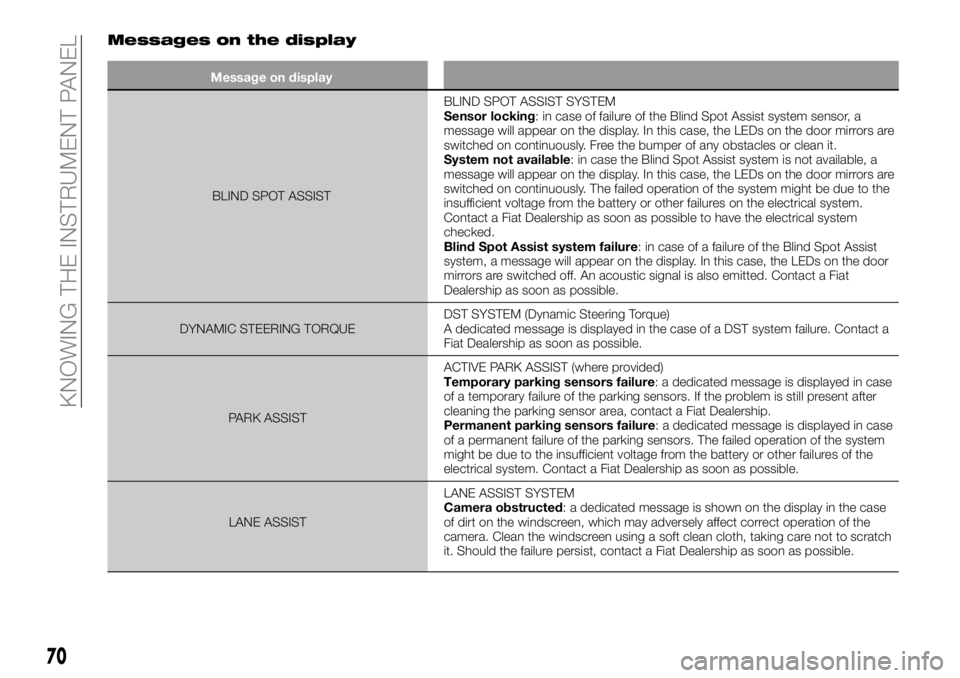
Messages on the display
Message on displayBLIND SPOT ASSIST BLIND
SPOT ASSIST SYSTEM
Sensor locking: in case of failure of the Blind Spot Assist system sensor, a
message will appear on the display. In this case, the LEDs on the door mirrors are
switched on continuously. Free the bumper of any obstacles or clean it.
System not available: in case the Blind Spot Assist system is not available, a
message will appear on the display. In this case, the LEDs on the door mirrors are
switched on continuously. The failed operation of the system might be due to the
insufficient voltage from the battery or other failures on the electrical system.
Contact a Fiat Dealership as soon as possible to have the electrical system
checked.
Blind Spot Assist system failure: in case of a failure of the Blind Spot Assist
system, a message will appear on the display. In this case, the LEDs on the door
mirrors are switched off. An acoustic signal is also emitted. Contact a Fiat
Dealership as soon as possible.
DYNAMIC STEERING TORQUE DST SYSTEM (Dynamic Steering Torque)
A dedicated message is displayed in the case of a DST system failure. Contact a
Fiat Dealership as soon as possible.
PARK ASSIST ACTIVE PARK ASSIST (where provided)
Temporary parking sensors failure: a dedicated message is displayed in case
of a temporary failure of the parking sensors. If the problem is still present after
cleaning the parking sensor area, contact a Fiat Dealership.
Permanent parking sensors failure: a dedicated message is displayed in case
of a permanent failure of the parking sensors. The failed operation of the system
might be due to the insufficient voltage from the battery or other failures of the
electrical system. Contact a Fiat Dealership as soon as possible.
LANE ASSIST LANE ASSIST SYSTEM
Camera obstructed: a dedicated message is shown on the display in the case
of dirt on the windscreen, which may adversely affect correct operation of the
camera. Clean the windscreen using a soft clean cloth, taking care not to scratch
it. Should the failure persist, contact a Fiat Dealership as soon as possible.
70
KNOWING THE INSTRUMENT PANEL
Page 80 of 276
DRIVING
ASSISTANCE
SYSTEMS
The vehicle can feature the following
driving assistance systems:
BSA (Blind Spot Assist);
FBC (Full Brake Control);
iTPMS (indirect Tyre Pressure
Monitoring System).
For the operation of the systems, see
the following pages.
BSA (Blind-Spot Assist)
SYSTEM
The car can be equipped with the BSA
(Blind Spot Assist) system for blind spot
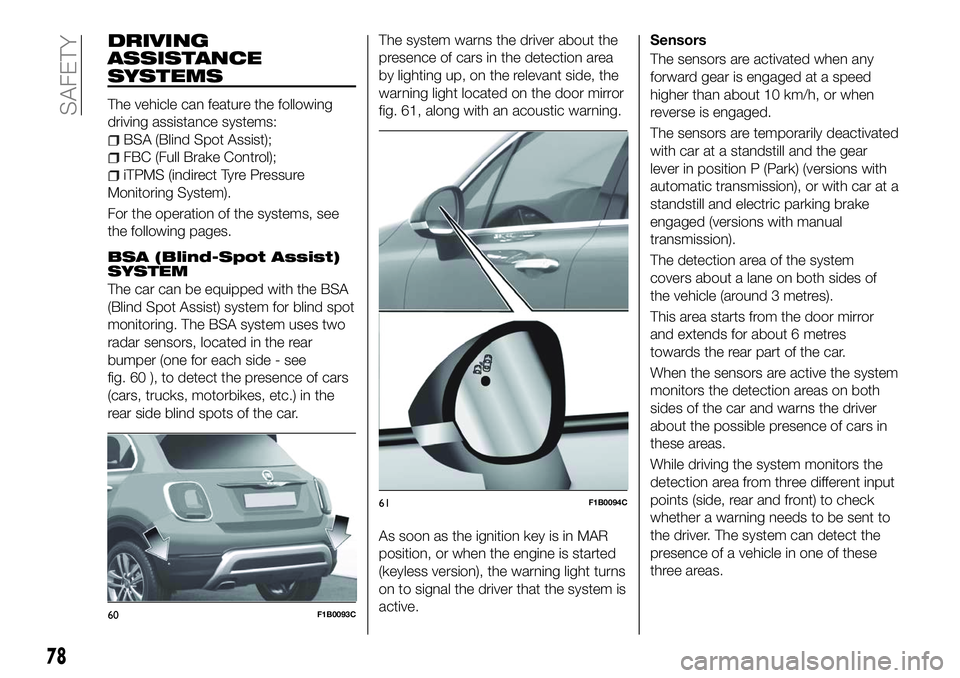
monitoring. The BSA system uses two
radar sensors, located in the rear
bumper (one for each side - see
fig. 60 ), to detect the presence of cars
(cars, trucks, motorbikes, etc.) in the
rear side blind spots of the car. The system warns the driver about the
presence of cars in the detection area
by lighting up, on the relevant side, the
warning light located on the door mirror
fig. 61, along with an acoustic warning.
As soon as the ignition key is in MAR
position, or when the engine is started
(keyless version), the warning light turns
on to signal the driver that the system is
active.Sensors
The sensors are activated when any
forward gear is engaged at a speed
higher than about 10 km/h, or when
reverse is engaged.
The sensors are temporarily deactivated
with car at a standstill and the gear
lever in position P (Park) (versions with
automatic transmission), or with car at a
standstill and electric parking brake
engaged (versions with manual
transmission).
The detection area of the system
covers about a lane on both sides of
the vehicle (around 3 metres).
This area starts from the door mirror
and extends for about 6 metres
towards the rear part of the car.
When the sensors are active the system
monitors the detection areas on both
sides of the car and warns the driver
about the possible presence of cars in
these areas.
While driving the system monitors the
detection area from three different input
points (side, rear and front) to check
whether a warning needs to be sent to
the driver. The system can detect the
presence of a vehicle in one of these
three areas.
60F1B0093C
61F1B0094C
78
SAFETY
Page 81 of 276
IMPORTANT The system does not
signal the presence of fixed object (e.g.
safety barriers, poles, walls, etc.).
However, in some circumstances, the
system may activate in the presence of
these objects. This is normal and does
not indicate a system malfunction.
IMPORTANT The system does not
warn the driver about the presence of
vehicles coming from the opposite
direction, in the adjacent lanes.
60)
Important notes
If a trailer is connected to the car, to
avoid false indications this system must
be manually deactivated using the
relative menu.
For the system to operate correctly, the
rear bumper area where the radar
sensors are located must stay free from
snow, ice and dirt gathered from the
road surface.
Do not cover the rear bumper area
where the radar sensors are located
with any object (e.g. adhesives, bike
rack, etc.).Rear-view
The system detects vehicles coming
from the rear part of your vehicle on
both sides and entering the rear
detection area with a difference in
speed of less than 50 km/h with
respect to your vehicle.
Overtaking vehicles
If another vehicle is overtaken slowly
(with a difference in speed of less than
about 25 km/h) and this stays in the
blind spot for about 1.5 seconds, the
warning light on the door mirror of the
corresponding side lights up.
If the speed delta between the two
vehicles is higher than about 25 km/h,
the warning light does not light up.
RCP (Rear Cross Path detection)
system
This system helps the driver during
reverse manoeuvres in the case of
reduced visibility.
The RCP system monitors the rear
detection areas on both sides of the
vehicle, to detect objects moving
towards the sides of the vehicle at a
minimum speed between about 1 km/h
and 3 km/h and objects moving at a
maximum speed of 35 km/h, as
generally happens in parking areas.The system activation is signalled to the
driver by means of a visual and acoustic
warning.
IMPORTANT If the sensors are covered
by objects or vehicles, the system will
not warn the driver.
Operating mode
The system can be activated/
deactivated by operating on the display
Menu, or via the
Uconnect™system
(for further information see the
dedicated Supplement).
Blind Spot Assist "Visual" mode
When this mode is active, the BSA
system sends a visual warning to the
door mirror relating to the object
detected.
However, when operating in "RCP"
mode, the system produces acoustic
and visual warnings when if the
presence of an object is detected.
When an acoustic warning is sent,
theUconnect™ volume is lowered.
Blind Spot Assist "Visual &
acoustic" mode
When this mode has been activated,
the BSA system sends a visual warning
to the door mirror relating to the object
detected.
79
Page 115 of 276
STARTING AND DRIVING
Let’s get to the "heart" of the vehicle:
seeing how you can exploit all of its
potential to the full.
We’ll look at how to drive it safely in any
situation, so that it can be a welcome
companion, with our comfort and our
wallets in mind.STARTING THE ENGINE.......114
PARKING THE VEHICLE ........115
ELECTRIC PARKING BRAKE
(EPB) ....................115
MANUAL GEARBOX ..........118
AUTOMATIC TRANSMISSION . . . .119
TWIN CLUTCH TRANSMISSION . .122
START&STOP SYSTEM ........125
SPEED LIMITER .............127
ELECTRONIC CRUISE
CONTROL ................127
ADAPTIVE CRUISE CONTROL
(ACC) ....................129
MOOD SELECTOR / DRIVE MODE
(drive mode selector) .........133
PARK ASSIST SYSTEM ........135
LANE ASSIST SYSTEM (lane
crossing warning) ............137
REAR VIEW CAMERA .........139
TOWING TRAILERS ..........140
REFUELLING THE VEHICLE .....144
113
Page 137 of 276
Starting from the active "Traction/All
Weather" mode, turn the ring nut
clockwise, keeping it in this position for
at least half a second, and in any case
until the relevant LED turns on, and the
selected mode is shown on the display.
The LED for the previously set mode will
simultaneously turn off. Upon release,
the ring nut will return to the central
position.
FAULT INDICATIONS
In the case of system and selector
faults, the mode change option will be
automatically disabled. The system will
automatically set itself to "Auto" mode.
In these cases the display will show a
dedicated warning. Go to a Fiat
Dealership as soon as possible to have
the system checked.
PARK ASSIST
SYSTEM
SENSORS
132)
65) 66) 67)
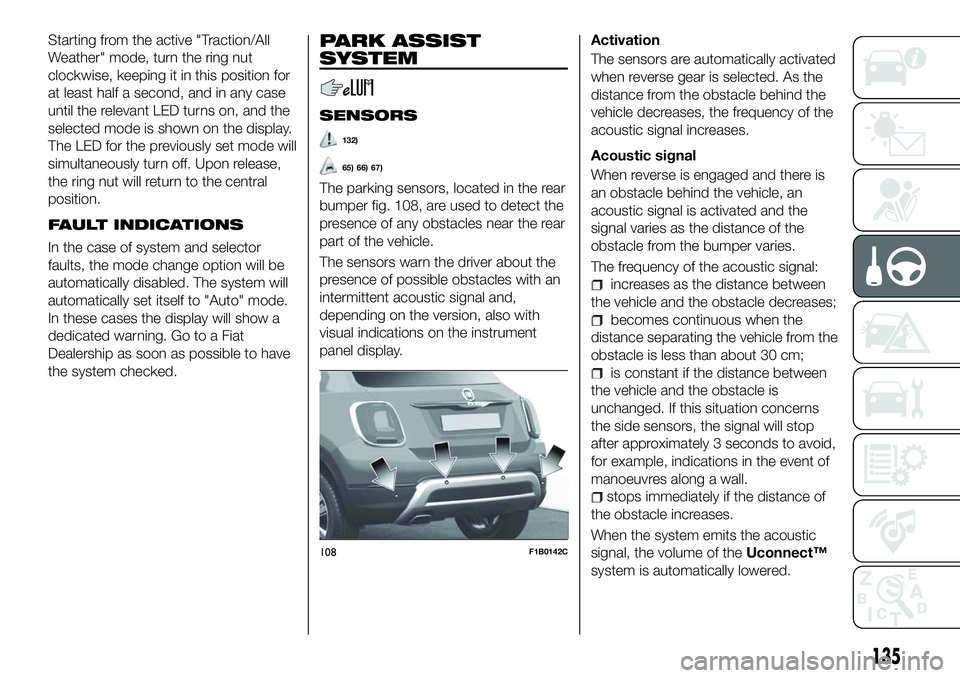
The parking sensors, located in the rear
bumper fig. 108, are used to detect the
presence of any obstacles near the rear
part of the vehicle.
The sensors warn the driver about the
presence of possible obstacles with an
intermittent acoustic signal and,
depending on the version, also with
visual indications on the instrument
panel display.Activation
The sensors are automatically activated
when reverse gear is selected. As the
distance from the obstacle behind the
vehicle decreases, the frequency of the
acoustic signal increases.
Acoustic signal
When reverse is engaged and there is
an obstacle behind the vehicle, an
acoustic signal is activated and the
signal varies as the distance of the
obstacle from the bumper varies.
The frequency of the acoustic signal:
increases as the distance between
the vehicle and the obstacle decreases;
becomes continuous when the
distance separating the vehicle from the
obstacle is less than about 30 cm;
is constant if the distance between
the vehicle and the obstacle is
unchanged. If this situation concerns
the side sensors, the signal will stop
after approximately 3 seconds to avoid,
for example, indications in the event of
manoeuvres along a wall.
stops immediately if the distance of
the obstacle increases.
When the system emits the acoustic
signal, the volume of the Uconnect™
system is automatically lowered.
108F1B0142C
135
Page 138 of 276
Detection distances
If several obstacles are detected by the
sensors, only the nearest one is
considered.
Indication on display
The indications regarding the Park
Assist system are shown on the
instrument panel display only if the
"Acoustic signal and display" item in the
"Settings" menu of theUconnect™
system is selected (for more
information, see the description in the
dedicated chapter).
The system indicates the presence of
an obstacle by displaying a single arc in
one of the possible areas, in
accordance with the distance of the
object and the position in relation to the
vehicle. If the obstacle is detected in the
rear central area, a single arc will be
displayed as the obstacle approaches,
first constant, then flashing, in addition
to an acoustic signal.
OPERATION WITH
TRAILER
68)
The operation of the sensors is
automatically deactivated when the
trailer's electrical connection is inserted
in the vehicle's tow hook socket.
Sensors are reactivated on removing
the trailer's electrical connection. Before using the Park Assist system, it
is recommended to remove the tow
hook ball assembly and the relevant
attachment from the vehicle. Failure to
comply with this prescription may
cause personal injuries or damage to
vehicles or obstacles since, when the
continuous acoustic signal is emitted,
the tow hook ball is already in a position
that is much closer to the obstacle than
the rear bumper.
GENERAL WARNINGS
Some conditions may influence the
performance of the parking system:
reduced sensor sensitivity and a
reduction in the parking assistance
system performance could be due to
the presence of: ice, snow, mud, paint,
etc. on the surface of the sensor;
the sensor may detect a
non-existent obstacle ("echo
interference") due to mechanical
interference, for example when washing
the vehicle, in rain (strong wind), hail;
the signals sent by the sensor can
also be altered by the presence of
ultrasonic systems (e.g. pneumatic
brake systems of trucks or pneumatic
drills) near the vehicle;
Parking assistance system
performance can also be influenced by
the position of the sensors, for example
due to a change in the ride setting
(caused by wear to the shock
absorbers, suspension), or by changing
tyres, overloading the vehicle or fitting
specific trims that require the vehicle to
be lowered;
the presence of a tow hook without
trailer, which may interfere with the
correct operation of the parking
sensors. If you wish to leave the tow
hook fitted without towing a trailer, it is
advisable to contact a Fiat Dealership
for the relevant Park Assist system
update operations because the tow
hook could be detected as an obstacle
by the central sensors.
the presence of adhesives on the
sensors. Therefore, take care not to
place adhesives on the sensors.
136
STARTING AND DRIVING
Page 139 of 276
WARNING
132)Parking and other potentially
dangerous manoeuvres are, however,
always the driver’s responsibility. When
performing these operations, always make
sure that there are no other people
(especially children) or animals on the route
you want to take. The parking sensors are
an aid for the driver, but the driver must
never allow their attention to lapse during
potentially dangerous manoeuvres, even
those executed at low speeds.
IMPORTANT
65) The sensors must be clean of mud,
dirt, snow or ice in order for the system to
operate correctly. Be careful not to scratch
or damage the sensors while cleaning
them. Avoid using dry, rough or hard
cloths. The sensors should be washed
using clean water with the addition of car
shampoo if necessary. When using special
washing equipment such as high pressure
jets or steam cleaning, clean the sensors
very quickly keeping the jet more than
10 cm away.
66) Have interventions on the bumper in
the area of the sensors carried out only by
a Fiat Dealership. Interventions on the
bumper that are not carried out properly
may compromise the operation of the
parking sensors. 67)
Only have the bumpers repainted or
any retouches to the paintwork in the area
of the sensors carried out by a Fiat
Dealership. Incorrect paint application
could affect the operation of the parking
sensors.
68) The sensors may provide a false
indication, interpreting the tow hook ball
assembly and the relevant attachment as
an obstacle in the area behind the vehicle.
LANE ASSIST
SYSTEM (lane
crossing warning)
DESCRIPTION
69) 70) 71) 72) 73) 74)
The Lane Assist system makes use of a
camera located on the windscreen to
detect the lane limits and calculate the
position of the vehicle within such limits,
in order to make sure that it remains
inside the lane.
When both limits of the lane are
detected and the vehicle crosses one of
them without the awareness of the
driver (direction indicator off), the Lane
Assist system provides a tactile warning
by applying torque to the steering wheel
(vibration), thus advising the driver that
he must take an action to remain in the
lane.
IMPORTANT The torque applied to the
steering wheel by the system is
sufficient for the driver to notice it, but
always limited, so that they can easily
override it, and the driver always
maintains control of the vehicle. The
driver can therefore turn the steering
wheel as required at all times.
137
Page 261 of 276
Setting “AutoShow smartphone
display on connection"
Through theUconnect™ system
settings, the user can decide to view
the smartphone screen on the
Uconnect™ system display as soon as
the smartphone is connected via the
USB port.
When this function is set, each time a
connection is made via USB, the Apple
CarPlay or Android Auto apps will run
automatically on the Uconnect™
system display.
The "AutoShow smartphone display on
connection" item can be found in the
"Display" submenu. The function is
enabled by default.
Exiting the Android Auto and Apple
CarPlay apps
To end the Apple CarPlay or Android
Auto session, physically disconnect the
smartphone from the car's USB port.
SETTINGS
Press the “Settings” button on the
display to show the main “Settings”
menu.
NOTE The menu items displayed vary
according to the versions.
As a guideline, the menu includes the
following items:
Display
Units (where provided)
Voice commands
Time and Date;
Safety/Driving assistance (where
provided)
Lights
Doors & Locks
Engine Off Options
Audio
Telephone/Bluetooth®
Radio Setup
SiriusXM Setup (where provided)
Restore Default Settings
Clear Personal Data
Apps restore (where provided)
NAVIGATION(versions with Uconnect™7" HD Nav
LIVE only)
Press the "Nav" button to show the
navigation map on the display.
NOTE: The navigation system volume
can only be adjusted during navigation
when the system provides voice
indications.
Navigation main menu
In the navigation view, tap the "Main
menu" button to open the menu:
Select the "Search" button to search
for an address, a place or a point of
interest, then plan a route to the
location.
Select the "Current trip" button to
delete or edit the planned route.
Select the "My places" button to
create a collection of useful or preferred
addresses. The following items are
always available in "My places": “Home”
and “Recent destinations”.
Select the "Parking" button to search
for car parks.
Select the "Weather" or "Speed
Camera Warning" button to receive
information on the weather or warnings
about speed camera locations.
NOTE The "Weather" and "Speed
Camera Warnings" functions are only
active if TomTom Services are activated.
Otherwise, the button will appear
greyed out (and the functions will not
be available).
Select the "Petrol Station" button to
search for petrol stations.
Select the "TomTom Services" button
to view the activation state of the
following services (subscription
needed): “Traffic”, “Speed cameras”,
“Weather”, “Online search”.
Select this button to open the
"Settings" menu.
Select this button to open the
"Help" menu. The "Help"
menu contains information on
the Uconnect™ system, for
example the map version, the
serial number of the device
and the legal notices.
259
Page 271 of 276
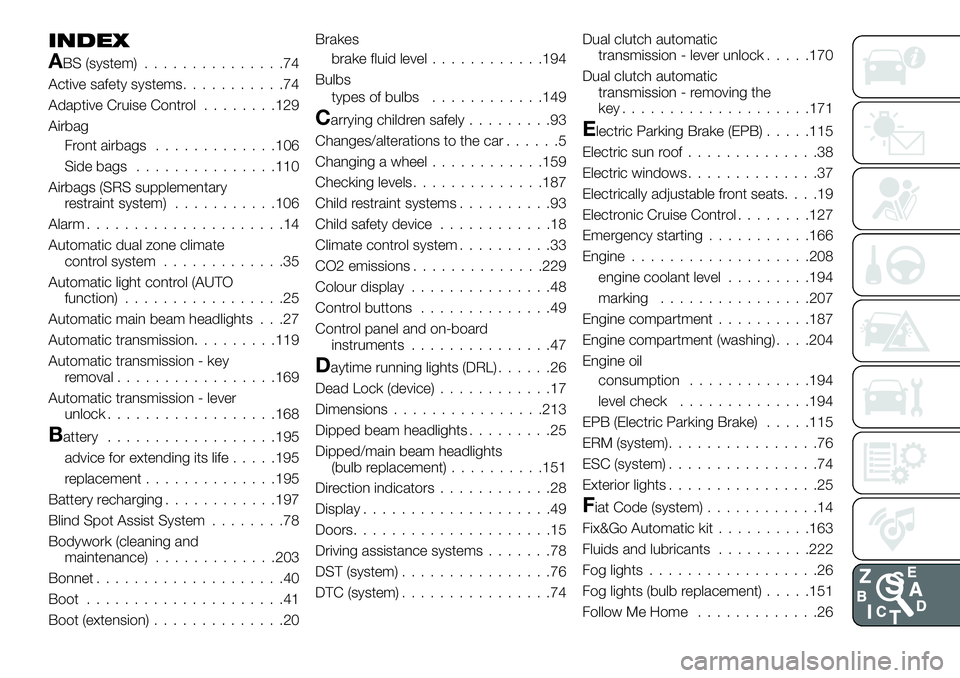
INDEX
ABS (system)...............74
Active safety systems ...........74
Adaptive Cruise Control ........129
Airbag Front airbags .............106
Side bags ...............110
Airbags (SRS supplementary restraint system) ...........106
Alarm .....................14
Automatic dual zone climate control system .............35
Automatic light control (AUTO function) .................25
Automatic main beam headlights . . .27
Automatic transmission.........119
Automatic transmission - key removal .................169
Automatic transmission - lever unlock ..................168
Battery ..................195
advice for extending its life .....195
replacement ..............195
Battery recharging ............197
Blind Spot Assist System ........78
Bodywork (cleaning and maintenance) .............203
Bonnet ....................40
Boot .....................41
Boot (extension) ..............20 Brakes
brake fluid level ............194
Bulbs types of bulbs ............149
Carrying children safely .........93
Changes/alterations to the car ......5
Changing a wheel ............159
Checking levels ..............187
Child restraint systems ..........93
Child safety device ............18
Climate control system ..........33
CO2 emissions ..............229
Colour display ...............48
Control buttons ..............49
Control panel and on-board instruments ...............47
Daytime running lights (DRL) ......26
Dead Lock (device) ............17
Dimensions................213
Dipped beam headlights .........25
Dipped/main beam headlights (bulb replacement) ..........151
Direction indicators ............28
Display ....................49
Doors .....................15
Driving assistance systems .......78
DST (system) ................76
DTC (system) ................74 Dual clutch automatic
transmission - lever unlock .....170
Dual clutch automatic transmission - removing the
key....................171
Electric Parking Brake (EPB) .....115
Electric sun roof ..............38
Electric windows ..............37
Electrically adjustable front seats ....19
Electronic Cruise Control ........127
Emergency starting ...........166
Engine ...................208
engine coolant level .........194
marking ................207
Engine compartment ..........187
Engine compartment (washing) . . . .204
Engine oil consumption .............194
level check ..............194
EPB (Electric Parking Brake) .....115
ERM (system) ................76
ESC (system) ................74
Exterior lights ................25
Fiat Code (system) ............14
Fix&Go Automatic kit ..........163
Fluids and lubricants ..........222
Fog lights ..................26
Fog lights (bulb replacement) .....151
Follow Me Home .............26
Page 272 of 276
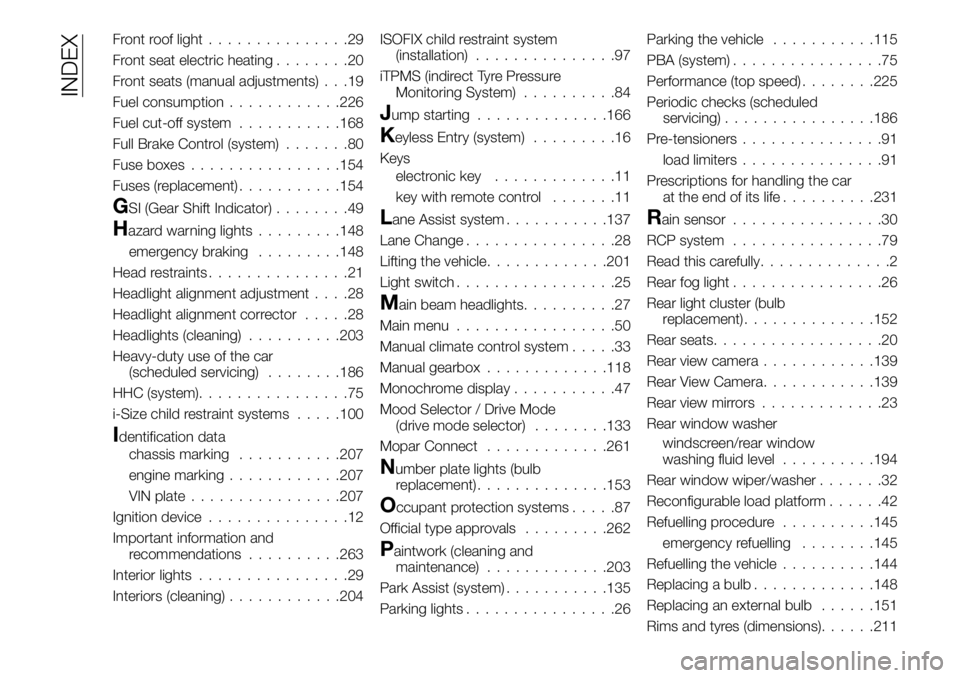
Front roof light...............29
Front seat electric heating ........20
Front seats (manual adjustments) . . .19
Fuel consumption ............226
Fuel cut-off system ...........168
Full Brake Control (system) .......80
Fuse boxes ................154
Fuses (replacement) ...........154
GSI (Gear Shift Indicator) ........49
Hazard warning lights.........148
emergency braking .........148
Head restraints ...............21
Headlight alignment adjustment ....28
Headlight alignment corrector .....28
Headlights (cleaning) ..........203
Heavy-duty use of the car (scheduled servicing) ........186
HHC (system) ................75
i-Size child restraint systems .....100
Identification data
chassis marking ...........207
engine marking ............207
VIN plate ................207
Ignition device ...............12
Important information and recommendations ..........263
Interior lights ................29
Interiors (cleaning) ............204 ISOFIX child restraint system
(installation) ...............97
iTPMS (indirect Tyre Pressure Monitoring System) ..........84
Jump starting..............166
Keyless Entry (system) .........16
Keys electronic key .............11
key with remote control .......11
Lane Assist system...........137
Lane Change ................28
Lifting the vehicle .............201
Light switch .................25
Main beam headlights ..........27
Main menu .................50
Manual climate control system .....33
Manual gearbox .............118
Monochrome display ...........47
Mood Selector / Drive Mode (drive mode selector) ........133
Mopar Connect .............261
Number plate lights (bulb
replacement) ..............153
Occupant protection systems .....87
Official type approvals .........262
Paintwork (cleaning and
maintenance) .............203
Park Assist (system) ...........135
Parking lights ................26 Parking the vehicle
...........115
PBA (system) ................75
Performance (top speed) ........225
Periodic checks (scheduled servicing) ................186
Pre-tensioners ...............91
load limiters ...............91
Prescriptions for handling the car at the end of its life ..........231
Rain sensor................30
RCP system ................79
Read this carefully ..............2
Rear fog light ................26
Rear light cluster (bulb replacement) ..............152
Rear seats ..................20
Rear view camera ............139
Rear View Camera ............139
Rear view mirrors .............23
Rear window washer windscreen/rear window
washing fluid level ..........194
Rear window wiper/washer .......32
Reconfigurable load platform ......42
Refuelling procedure ..........145
emergency refuelling ........145
Refuelling the vehicle ..........144
Replacing a bulb .............148
Replacing an external bulb ......151
Rims and tyres (dimensions) ......211
INDEX