engine FIAT 500X 2019 Owner handbook (in English)
[x] Cancel search | Manufacturer: FIAT, Model Year: 2019, Model line: 500X, Model: FIAT 500X 2019Pages: 284, PDF Size: 8.33 MB
Page 127 of 284
"RECOVERY"
FUNCTIONS
In case of a gear lever failure, the
instrument panel display could show a
dedicated message recommending that
the driver continues driving without
shifting the lever to the P position.
In this case, the transmission will
maintain the forward gear (with reduced
performance) even if the lever is
positioned at R or N.
Once the lever is positioned at P, or
after shutting down the vehicle,
selecting R or any other forward gear
will no longer be possible. In this case,
contact a Fiat Dealership.
WARNING
115)Never use position P (Park) instead of
the electric parking brake. Always engage
the electric parking brake when parking the
vehicle to avoid the accidental movement
of the vehicle.
116)If the P (Park) position is not engaged,
the vehicle could move and injure people.
Before leaving the vehicle, make sure that
the gear lever is in position P and that the
electric parking brake is engaged.117)Do not shift the gear lever to N
(Neutral) and do not stop the engine when
driving on a downhill road. This type of
driving is dangerous and reduces the
possibility of intervening in the case of
variation of the road traffic or surface. You
risk losing control of your vehicle and
causing accidents.
118)Never leave children unattended in
the car. Always remove the ignition key
when leaving the car and take the key with
you.
IMPORTANT
42)Before moving the gear lever from
position P (Park), bring the ignition device
to position MAR and press the brake pedal.
Otherwise, the gear lever may get
damaged.
43)If the car is on a gradient, always
engage the electric parking brake BEFORE
placing the gear lever in P.
44)Engage reverse only with the car
stationary, engine at idling speed and
accelerator pedal fully released.
45)Using the paddles incorrectly (paddles
pushed towards the dashboard ) could
break them.
START&STOP
SYSTEM
(where provided)
The Start&Stop system automatically
stops the engine each time the car is
stationary and starts it again when the
driver wants to move off.
In this way, the vehicle efficiency is
increased, by reducing consumption,
dangerous gas emissions and sound
pollution.
IMPORTANT The system is activated
automatically whenever the engine is
started, regardless of the condition
(system on or off) present before the
engine was stopped.
119)
46)
OPERATING MODE
Stopping the engine
Versions with manual transmission
With the vehicle stopped, the engine
stops with gearbox in neutral and clutch
pedal released.
125
Page 128 of 284
Versions with automatic
transmission
With car at a standstill and brake pedal
pressed, the engine switches off if the
gear lever is in a position other than R.
NOTE On versions with automatic
transmission, when stopping uphill, the
engine stop is disabled to activate the
"Hill Start Assist" function (which works
only with running engine).
The
warning light on the instrument
panel switches on to signal that the
engine was stopped.
Restarting the engine
Versions with manual transmission
To restart the engine, press the clutch
pedal. If the vehicle does not start when
the clutch is pressed, place the gear
lever in neutral and repeat the
procedure. If the problem persists,
contact a Fiat Dealership.
Versions with automatic
transmission
To restart the engine, release the brake
pedal.
With brake pressed, if the gear lever is
in automatic mode - D (Drive) - the
engine can be restarted by moving the
lever to R (Reverse) or N (Neutral).
With brake pressed, if the gear lever is
in "AutoStick" mode, the engine can berestarted moving the lever to "+" or "–",
or R (Reverse) or N (Neutral).
When the engine has been stopped
automatically, keeping the brake pedal
pressed, the brake can be released
keeping the engine off by quickly
shifting the gear lever to P (Park).
To restart the engine, just move the
lever out of position P.SYSTEM MANUAL
ACTIVATION /
DEACTIVATION
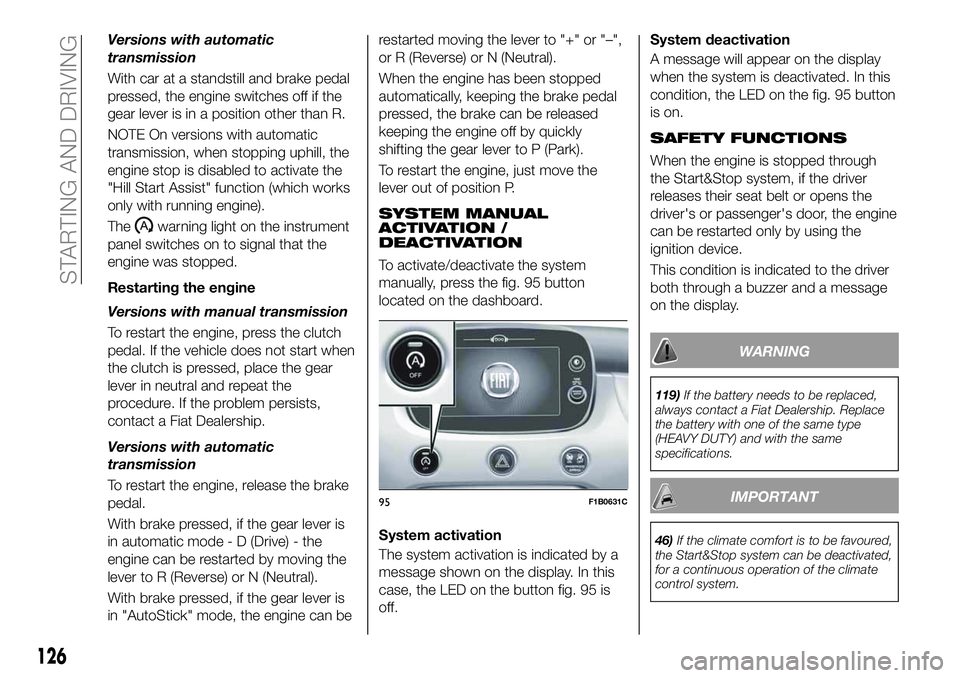
To activate/deactivate the system
manually, press the fig. 95 button
located on the dashboard.
System activation
The system activation is indicated by a
message shown on the display. In this
case, the LED on the button fig. 95 is
off.System deactivation
A message will appear on the display
when the system is deactivated. In this
condition, the LED on the fig. 95 button
is on.
SAFETY FUNCTIONS
When the engine is stopped through
the Start&Stop system, if the driver
releases their seat belt or opens the
driver's or passenger's door, the engine
can be restarted only by using the
ignition device.
This condition is indicated to the driver
both through a buzzer and a message
on the display.
WARNING
119)If the battery needs to be replaced,
always contact a Fiat Dealership. Replace
the battery with one of the same type
(HEAVY DUTY) and with the same
specifications.
IMPORTANT
46)If the climate comfort is to be favoured,
the Start&Stop system can be deactivated,
for a continuous operation of the climate
control system.
95F1B0631C
126
STARTING AND DRIVING
Page 132 of 284
IMPORTANT It is dangerous to leave
the device activated when it is not
used. There is a risk of inadvertently
activating it and losing control of the
vehicle due to unexpected excessive
speed.
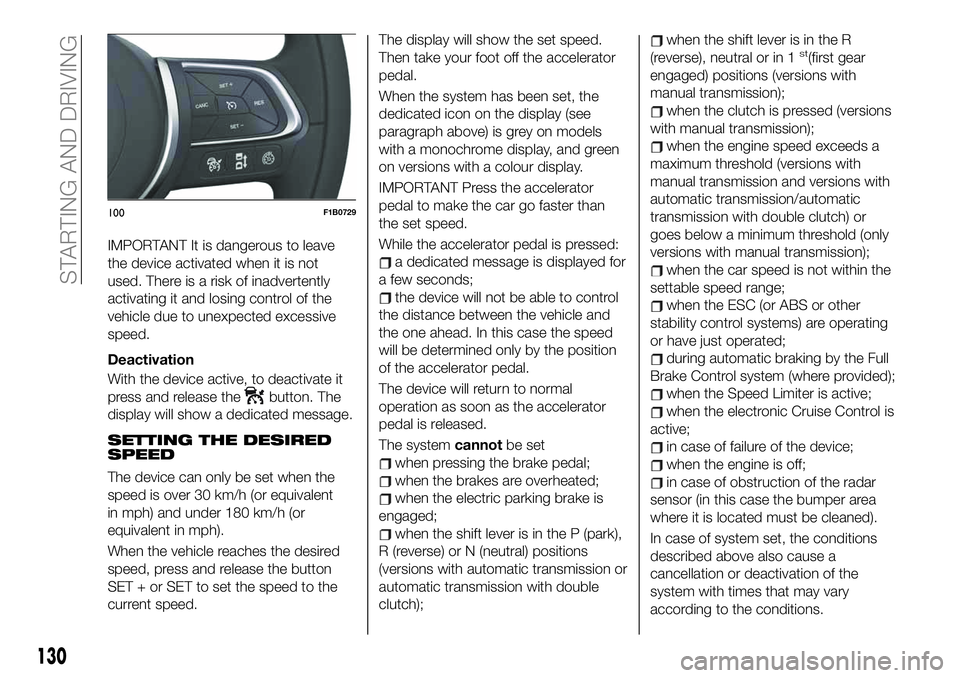
Deactivation
With the device active, to deactivate it
press and release the
button. The
display will show a dedicated message.
SETTING THE DESIRED
SPEED
The device can only be set when the
speed is over 30 km/h (or equivalent
in mph) and under 180 km/h (or
equivalent in mph).
When the vehicle reaches the desired
speed, press and release the button
SET + or SET to set the speed to the
current speed.The display will show the set speed.
Then take your foot off the accelerator
pedal.
When the system has been set, the
dedicated icon on the display (see
paragraph above) is grey on models
with a monochrome display, and green
on versions with a colour display.
IMPORTANT Press the accelerator
pedal to make the car go faster than
the set speed.
While the accelerator pedal is pressed:
a dedicated message is displayed for
a few seconds;
the device will not be able to control
the distance between the vehicle and
the one ahead. In this case the speed
will be determined only by the position
of the accelerator pedal.
The device will return to normal
operation as soon as the accelerator
pedal is released.
The systemcannotbe set
when pressing the brake pedal;
when the brakes are overheated;
when the electric parking brake is
engaged;
when the shift lever is in the P (park),
R (reverse) or N (neutral) positions
(versions with automatic transmission or
automatic transmission with double
clutch);
when the shift lever is in the R
(reverse), neutral or in 1st(first gear
engaged) positions (versions with
manual transmission);
when the clutch is pressed (versions
with manual transmission);
when the engine speed exceeds a
maximum threshold (versions with
manual transmission and versions with
automatic transmission/automatic
transmission with double clutch) or
goes below a minimum threshold (only
versions with manual transmission);
when the car speed is not within the
settable speed range;
when the ESC (or ABS or other
stability control systems) are operating
or have just operated;
during automatic braking by the Full
Brake Control system (where provided);
when the Speed Limiter is active;
when the electronic Cruise Control is
active;
in case of failure of the device;
when the engine is off;
in case of obstruction of the radar
sensor (in this case the bumper area
where it is located must be cleaned).
In case of system set, the conditions
described above also cause a
cancellation or deactivation of the
system with times that may vary
according to the conditions.
100F1B0729
130
STARTING AND DRIVING
Page 135 of 284
WARNING
123)Pay the utmost attention while driving
at all times and be always ready to press
the brakes if needed.
124)The system is an aid for the driver,
who must always pay full attention while
driving. The responsibility always rests with
the driver, who must take into account the
traffic conditions in order to drive in
complete safety. The driver must always
maintain a safe distance from the vehicle in
front.
125)The device is not activated in
presence of pedestrians, oncoming
vehicles in the opposite direction of travel
or moving in the crosswise direction and
stationary objects (e.g. a vehicle standing
in a queue or a broken down vehicle).
126)The device cannot take account of
road, traffic and weather conditions, and
conditions of poor visibility (e.g. fog).
127)The device does not always fully
recognise complex driving conditions that
could cause it to determine the safe
distance to be held incorrectly or not at all.
128)The device cannot apply the
maximum braking force: the car will not be
stopped completely.
IMPORTANT
47)The system may have limited or absent
operation due to weather conditions such
as: heavy rain, hail, thick fog, heavy snow.48)
49)Operation can be adversely affected by
any structural change made to the vehicle,
such as a modification to the front
geometry, tyre change, or a heavier load
than the standard load of the vehicle.
50)Incorrect repairs made on the front part
of the car (e.g. bumper, chassis) may alter
the position of the radar sensor, and
adversely affect its operation. Go to a Fiat
Dealership for any operation of this type.
51)Do not tamper with or carry out any
intervention on the radar sensor or on the
camera on the windscreen. In the event of
a sensor fault, contact a Fiat Dealership.
52)Do not wash with high-pressure jets in
the bumper lower area: in particular do not
operate on the system's electrical
connector.
53)Be careful in the case of repairs and
new paintings in the area around the
sensor (panel covering the sensor on the
left side of the bumper). In the event of a
frontal impact the sensor may automatically
deactivate and display a warning to indicate
that the sensor needs to be repaired. Even
without a malfunction warning, deactivate
the system operation if you think that the
position of the radar sensor has changed
(e.g. due to low-speed frontal impact as
during parking manoeuvres). In these
cases, go to a Fiat Dealership to have the
radar sensor realigned or replaced.
DRIVE MODE
SELECTOR
(where provided)
This device allows drivers to select
three different driving modes ("car
response") according to their needs and
to the road and traffic conditions, by
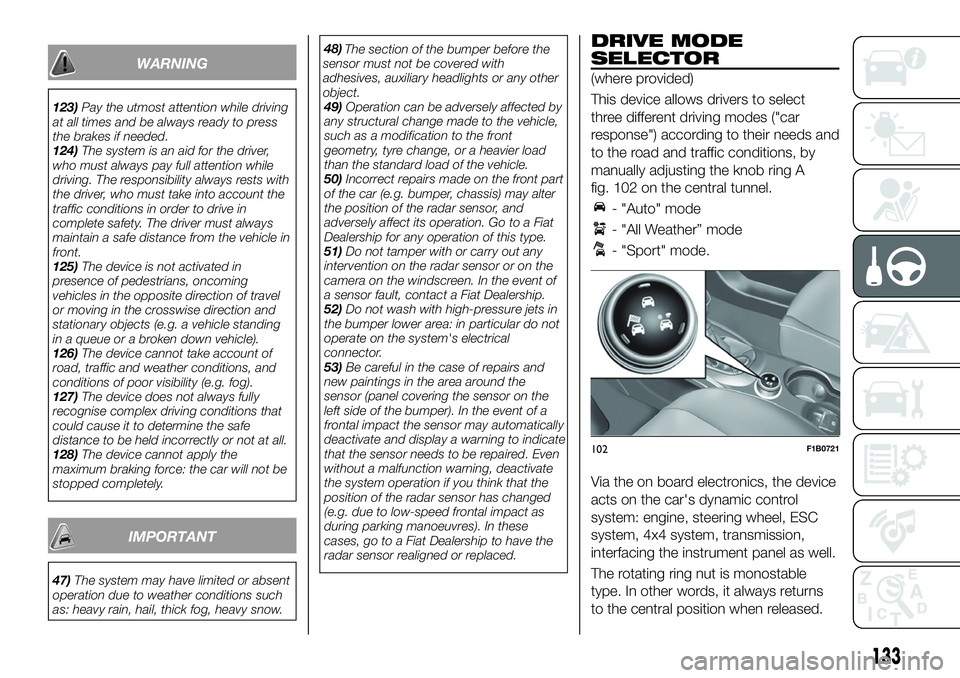
manually adjusting the knob ring A
fig. 102 on the central tunnel.
- "Auto" mode
- "All Weather” mode
- "Sport" mode.
Via the on board electronics, the device
acts on the car's dynamic control
system: engine, steering wheel, ESC
system, 4x4 system, transmission,
interfacing the instrument panel as well.
The rotating ring nut is monostable
type. In other words, it always returns
to the central position when released.
102F1B0721
133
The section of the bumper before the
sensor must not be covered with
adhesives, auxiliary headlights or any other
object.
Page 136 of 284
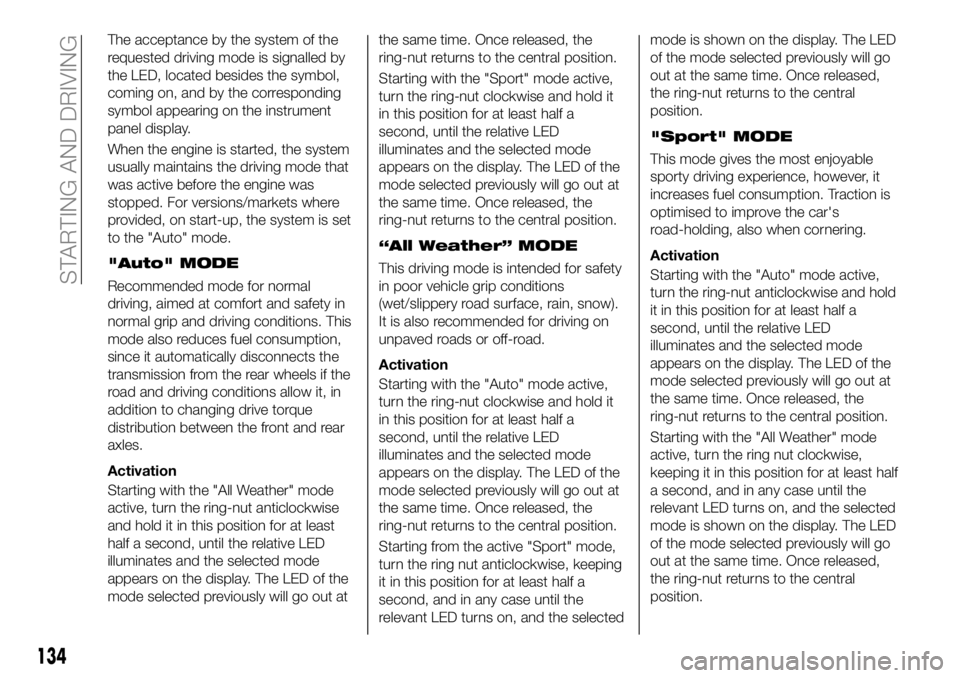
The acceptance by the system of the
requested driving mode is signalled by
the LED, located besides the symbol,
coming on, and by the corresponding
symbol appearing on the instrument
panel display.
When the engine is started, the system
usually maintains the driving mode that
was active before the engine was
stopped. For versions/markets where
provided, on start-up, the system is set
to the "Auto" mode.
"Auto" MODE
Recommended mode for normal
driving, aimed at comfort and safety in
normal grip and driving conditions. This
mode also reduces fuel consumption,
since it automatically disconnects the
transmission from the rear wheels if the
road and driving conditions allow it, in
addition to changing drive torque
distribution between the front and rear
axles.
Activation
Starting with the "All Weather" mode
active, turn the ring-nut anticlockwise
and hold it in this position for at least
half a second, until the relative LED
illuminates and the selected mode
appears on the display. The LED of the
mode selected previously will go out atthe same time. Once released, the
ring-nut returns to the central position.
Starting with the "Sport" mode active,
turn the ring-nut clockwise and hold it
in this position for at least half a
second, until the relative LED
illuminates and the selected mode
appears on the display. The LED of the
mode selected previously will go out at
the same time. Once released, the
ring-nut returns to the central position.
“All Weather” MODE
This driving mode is intended for safety
in poor vehicle grip conditions
(wet/slippery road surface, rain, snow).
It is also recommended for driving on
unpaved roads or off-road.
Activation
Starting with the "Auto" mode active,
turn the ring-nut clockwise and hold it
in this position for at least half a
second, until the relative LED
illuminates and the selected mode
appears on the display. The LED of the
mode selected previously will go out at
the same time. Once released, the
ring-nut returns to the central position.
Starting from the active "Sport" mode,
turn the ring nut anticlockwise, keeping
it in this position for at least half a
second, and in any case until the
relevant LED turns on, and the selectedmode is shown on the display. The LED
of the mode selected previously will go
out at the same time. Once released,
the ring-nut returns to the central
position.
"Sport" MODE
This mode gives the most enjoyable
sporty driving experience, however, it
increases fuel consumption. Traction is
optimised to improve the car's
road-holding, also when cornering.
Activation
Starting with the "Auto" mode active,
turn the ring-nut anticlockwise and hold
it in this position for at least half a
second, until the relative LED
illuminates and the selected mode
appears on the display. The LED of the
mode selected previously will go out at
the same time. Once released, the
ring-nut returns to the central position.
Starting with the "All Weather" mode
active, turn the ring nut clockwise,
keeping it in this position for at least half
a second, and in any case until the
relevant LED turns on, and the selected
mode is shown on the display. The LED
of the mode selected previously will go
out at the same time. Once released,
the ring-nut returns to the central
position.
134
STARTING AND DRIVING
Page 138 of 284
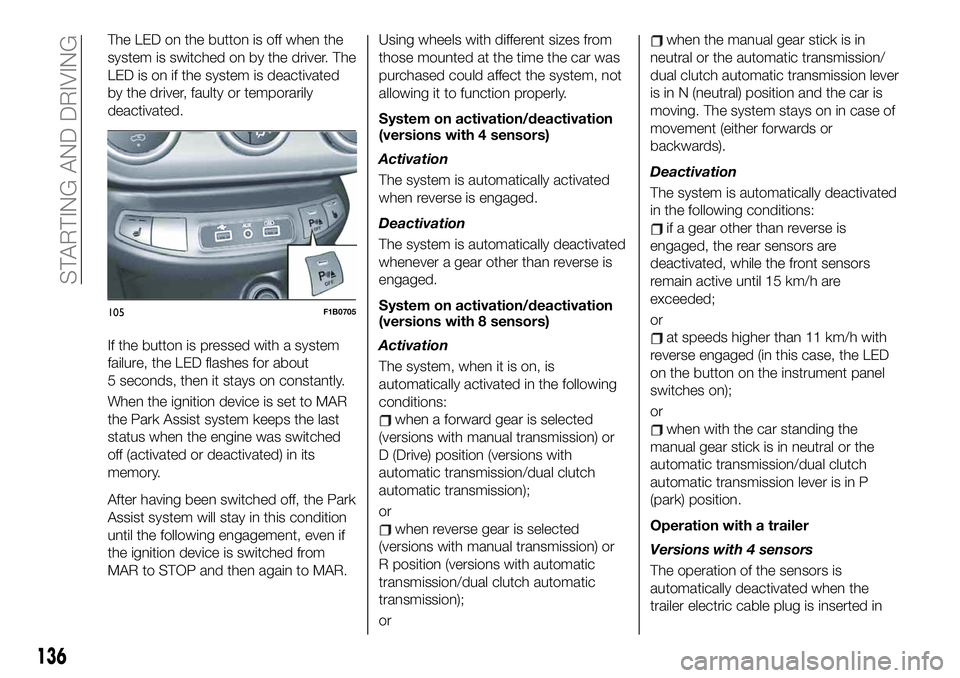
The LED on the button is off when the
system is switched on by the driver. The
LED is on if the system is deactivated
by the driver, faulty or temporarily
deactivated.
If the button is pressed with a system
failure, the LED flashes for about
5 seconds, then it stays on constantly.
When the ignition device is set to MAR
the Park Assist system keeps the last
status when the engine was switched
off (activated or deactivated) in its
memory.
After having been switched off, the Park
Assist system will stay in this condition
until the following engagement, even if
the ignition device is switched from
MAR to STOP and then again to MAR.Using wheels with different sizes from
those mounted at the time the car was
purchased could affect the system, not
allowing it to function properly.
System on activation/deactivation
(versions with 4 sensors)
Activation
The system is automatically activated
when reverse is engaged.
Deactivation
The system is automatically deactivated
whenever a gear other than reverse is
engaged.
System on activation/deactivation
(versions with 8 sensors)
Activation
The system, when it is on, is
automatically activated in the following
conditions:
when a forward gear is selected
(versions with manual transmission) or
D (Drive) position (versions with
automatic transmission/dual clutch
automatic transmission);
or
when reverse gear is selected
(versions with manual transmission) or
R position (versions with automatic
transmission/dual clutch automatic
transmission);
or
when the manual gear stick is in
neutral or the automatic transmission/
dual clutch automatic transmission lever
is in N (neutral) position and the car is
moving. The system stays on in case of
movement (either forwards or
backwards).
Deactivation
The system is automatically deactivated
in the following conditions:
if a gear other than reverse is
engaged, the rear sensors are
deactivated, while the front sensors
remain active until 15 km/h are
exceeded;
or
at speeds higher than 11 km/h with
reverse engaged (in this case, the LED
on the button on the instrument panel
switches on);
or
when with the car standing the
manual gear stick is in neutral or the
automatic transmission/dual clutch
automatic transmission lever is in P
(park) position.
Operation with a trailer
Versions with 4 sensors
The operation of the sensors is
automatically deactivated when the
trailer electric cable plug is inserted in
105F1B0705
136
STARTING AND DRIVING
Page 140 of 284
55)Have interventions on the bumper in
the area of the sensors carried out only by
a Fiat Dealership. Interventions on the
bumper that are not carried out properly
may compromise the operation of the
parking sensors.
56)Only have the bumpers repainted or
any retouches to the paintwork in the area
of the sensors carried out by a Fiat
Dealership. Incorrect paint application
could affect the operation of the parking
sensors.
57)The rear sensors may provide a false
reading, interpreting the tow hook ball
assembly and the respective attachment as
an obstacle in the area behind the car.LANE ASSIST
SYSTEM (lane
crossing warning)
DESCRIPTION
58) 59) 60) 61) 62) 63)
The Lane Assist system makes use of a
camera located on the windscreen to
detect the lane limits and calculate the
position of the car within such limits, in
order to make sure that it remains
inside the lane.
When the one of the lane lines is
detected and the car crosses it without
the awareness of the driver (direction
indicator off), the Lane Assist system
provides a tactile warning by applying
torque to the steering wheel (vibration),
thus advising the driver that he must
take an action to remain in the lane.
IMPORTANT The torque applied to the
steering wheel by the system is
sufficient for the driver to notice it, but
always limited, so that they can easily
override it, and the driver always
maintains control of the car. The driver
can therefore turn the steering wheel as
required at all times.
If the vehicle continues going beyond
the line of the lane without any
intervention from the driver, the
warning light (or the icon on the
display) will be displayed on the
instrument panel to urge the driver to
bring the vehicle back into the limits of
the lane.
IMPORTANT The system monitors the
presence of the driver's hands on the
steering wheel. If they are not detected,
the system emits an acoustic warning
and deactivates until it is reactivated by
pressing the dedicated button (see
description below).
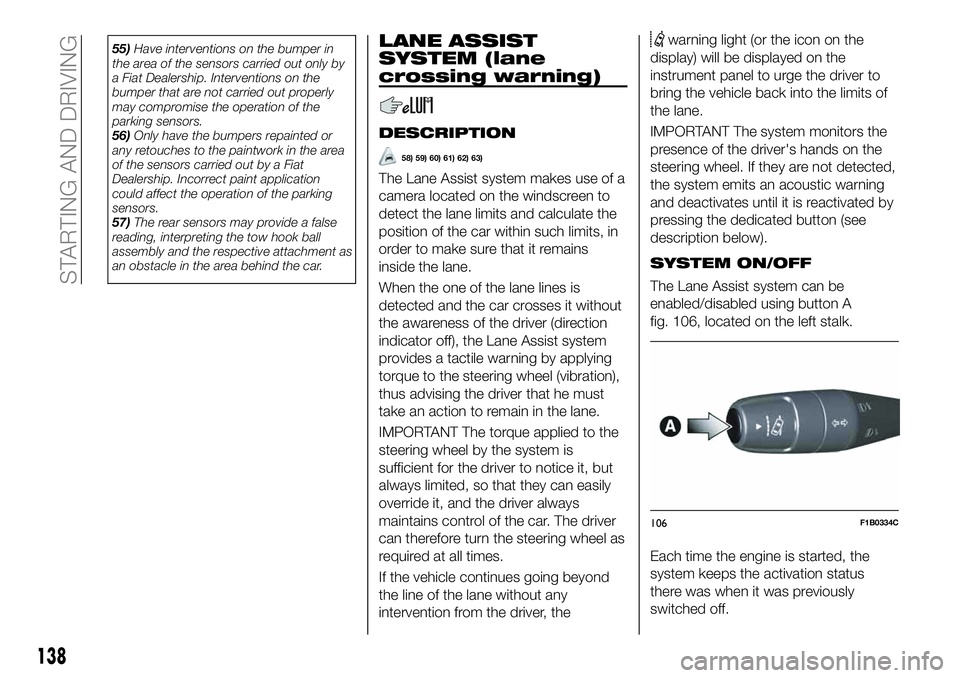
SYSTEM ON/OFF
The Lane Assist system can be
enabled/disabled using button A
fig. 106, located on the left stalk.
Each time the engine is started, the
system keeps the activation status
there was when it was previously
switched off.
106F1B0334C
138
STARTING AND DRIVING
Page 142 of 284
TRAFFIC SIGN
RECOGNITION
(where provided)
130) 131) 132)
64) 65) 66) 67) 68)
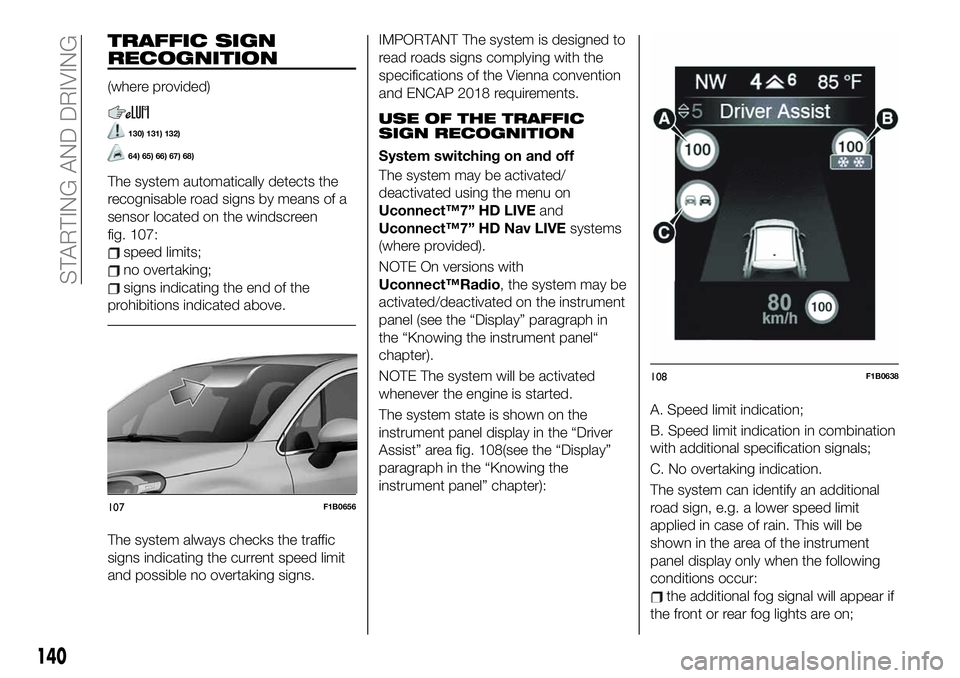
The system automatically detects the
recognisable road signs by means of a
sensor located on the windscreen
fig. 107:
speed limits;
no overtaking;
signs indicating the end of the
prohibitions indicated above.
The system always checks the traffic
signs indicating the current speed limit
and possible no overtaking signs.
IMPORTANT The system is designed to
read roads signs complying with the
specifications of the Vienna convention
and ENCAP 2018 requirements.
USE OF THE TRAFFIC
SIGN RECOGNITION
System switching on and off
The system may be activated/
deactivated using the menu on
Uconnect™7” HD LIVEand
Uconnect™7” HD Nav LIVEsystems
(where provided).
NOTE On versions with
Uconnect™Radio, the system may be
activated/deactivated on the instrument
panel (see the “Display” paragraph in
the “Knowing the instrument panel“
chapter).
NOTE The system will be activated
whenever the engine is started.
The system state is shown on the
instrument panel display in the “Driver
Assist” area fig. 108(see the “Display”
paragraph in the “Knowing the
instrument panel” chapter):A. Speed limit indication;
B. Speed limit indication in combination
with additional specification signals;
C. No overtaking indication.
The system can identify an additional
road sign, e.g. a lower speed limit
applied in case of rain. This will be
shown in the area of the instrument
panel display only when the following
conditions occur:
the additional fog signal will appear if
the front or rear fog lights are on;
107F1B0656
108F1B0638
140
STARTING AND DRIVING
Page 146 of 284
WARNING
133)Parking and other potentially
dangerous manoeuvres are, however,
always the driver’s responsibility. While
carrying out these manoeuvres, always
make sure that no people (especially
children) or animals are in the area
concerned. The camera is an aid for the
driver, but the driver must never allow
his/her attention to lapse during potentially
dangerous manoeuvres, even those
executed at low speeds. Always keep a
slow speed, so as to promptly brake in the
case of obstacles.
IMPORTANT
69)It is vital, for correct operation, that the
camera is always kept clean and free from
any mud, dirt, snow or ice. Be careful not
to scratch or damage the camera while
cleaning it. Avoid using dry, rough or hard
cloths. The camera must be washed using
clean water, with the addition of car
shampoo if necessary. In washing stations
which use steam or high-pressure jets,
clean the camera quickly, keeping the
nozzle more than 10 cm away from the
sensors. Also, do not apply stickers to the
camera.
TOWING TRAILERS
IMPORTANT
134) 135)
For towing caravans or trailers the
vehicle must be fitted with an approved
tow hook and an adequate electrical
system. Should aftermarket installation
be requested, this must be carried out
by specialists.
Install any specific and/or additional
door mirrors as specified by the
Highway Code.
Remember that when towing a trailer,
steep hills are harder to climb, braking
distances increase and overtaking takes
longer depending on the overall weight
of the trailer. Engage a low gear when
driving downhill, rather than constantly
using the brake. The weight the trailer
exerts on the vehicle tow hook reduces
the vehicle's loading capacity by the
same amount. To make sure that the
maximum towable weight is not
exceeded (given in the vehicle
registration document) account should
be taken of the fully laden trailer,
including accessories and luggage.Do not exceed the speed limits specific
to each country you are driving in, in the
case of vehicles towing trailers. In any
case, the top speed must not exceed
100 km/h.
Any electric brake must be powered
directly by the battery through a cable
with a cross-section of no less than
2.5 mm
2. In addition to the electrical
branches, the vehicle electrical system
can only be connected to the supply
cable for an electric brake and to the
cable for an internal light for the trailer,
not exceeding 15 W. For connections,
use the preset control unit with a
battery cable with section not less than
2.5 mm
2. The use of auxiliary loads
other than external lights (e.g. electric
brake) must take place with engine
running.
INSTALLING A TOW
HOOK
The towing device should be fastened
to the body by specialised personnel
according to any additional and/or
integrative information supplied by the
Manufacturer of the device. It must also
meet current regulations with reference
to Directive 94/20/EC and subsequent
amendments.
For any version the towing device used
must be right for the towable weight of
the vehicle on which it is to be installed.
144
STARTING AND DRIVING
Page 149 of 284
REFUELLING THE
VEHICLE
136) 137) 138)
PETROL ENGINES
Only use unleaded petrol with a number
of octanes (R.O.N.) not lower than 95
(EN228 specification).
IMPORTANT Never introduce leaded
petrol to the tank, even in small
amounts in an emergency, as this
would damage the catalytic converter
beyond repair.
DIESEL ENGINES
70)
Only use Diesel for motor vehicles (EN
590 specification).
When using or parking the vehicle for a
long time in the mountains or cold
areas, it is advisable to refuel using
locally available diesel. In this case, it is
also advisable to keep the tank over
50% full.
REFUELLING
PROCEDURE
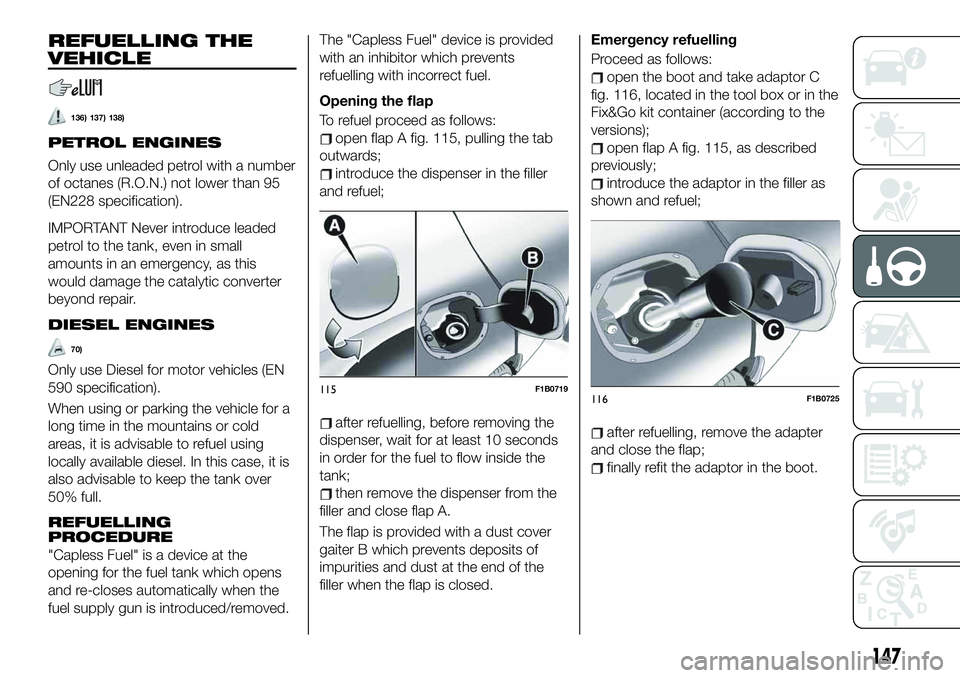
"Capless Fuel" is a device at the
opening for the fuel tank which opens
and re-closes automatically when the
fuel supply gun is introduced/removed.The "Capless Fuel" device is provided
with an inhibitor which prevents
refuelling with incorrect fuel.
Opening the flap
To refuel proceed as follows:
open flap A fig. 115, pulling the tab
outwards;
introduce the dispenser in the filler
and refuel;
after refuelling, before removing the
dispenser, wait for at least 10 seconds
in order for the fuel to flow inside the
tank;
then remove the dispenser from the
filler and close flap A.
The flap is provided with a dust cover
gaiter B which prevents deposits of
impurities and dust at the end of the
filler when the flap is closed.Emergency refuelling
Proceed as follows:
open the boot and take adaptor C
fig. 116, located in the tool box or in the
Fix&Go kit container (according to the
versions);
open flap A fig. 115, as described
previously;
introduce the adaptor in the filler as
shown and refuel;
after refuelling, remove the adapter
and close the flap;
finally refit the adaptor in the boot.
115F1B0719116F1B0725
147