fuel FIAT DOBLO COMBI 2016 2.G User Guide
[x] Cancel search | Manufacturer: FIAT, Model Year: 2016, Model line: DOBLO COMBI, Model: FIAT DOBLO COMBI 2016 2.GPages: 298, PDF Size: 25.92 MB
Page 84 of 298
TRIP COMPUTER
IN BRIEF
The Trip computer is used to display
information on vehicle operation
when the ignition key is turned to
MAR. This function allows you to
define two separate trips, called "Trip
A" and "Trip B", for monitoring the
"complete mission" (journey) of
the vehicle in a reciprocally
independent manner. Both functions
can be reset (reset means start of
a new journey).
"Trip A" can be used to display the
values relating to:
External temperature
Range
Distance travelled A
Average consumption A
Instant consumption
Average speed A
Trip time A (driving time)
Reset Trip A
"Trip B", available on multifunction
display only, is used to display
the values relating to:
Distance travelled B
Average consumption B
Average speed B
Trip time B (driving time)
Trip B reset
11)
Values displayed
External temperature
Indicates the temperature outside the
vehicle passenger compartment.
Range (for versions/markets, where
provided)
This indicates the distance that can still
be travelled with the fuel in the tank,
assuming that driving style remains
unvaried. The display will show the
reading "----"when the following
events take place:
range is lower than 50 km (or
corresponding figure in mi)
vehicle is left parked with the engine
running for a long time
IMPORTANT The range can be affected
by several factors: driving style (see
paragraph “Driving style” in the
“Starting and driving” section), type of
route (motorway, towns and cities,
mountain roads, etc…), usage
conditions (load, tyre pressures, etc…).
Trip planning must therefore take the
above into account.Distance travelled
This value shows the distance travelled
from the start of the new journey.
Average consumption (for versions/
markets, where provided)
This value shows the approximate
average fuel consumption from the start
of the new journey.
Instant consumption (for versions/
markets where provided)
This value shows the fuel consumption.
The value is constantly updated. The
display will show "----"ifthevehicle is
parked with the engine running.
Average speed
This value shows the vehicle's average
speed based on the overall time
elapsed since the start of the new
journey.
80
KNOWING THE INSTRUMENT PANEL
Page 85 of 298
Trip time
Time elapsed since the start of the new
journey.
IMPORTANT If there is no information,
the Trip computer displays "----" in
place of the value. When normal
operating conditions are restored, the
counting of the various values is
resumed, without either zeroing the
values displayed prior to the problem,
or starting a new mission.
TRIP control button
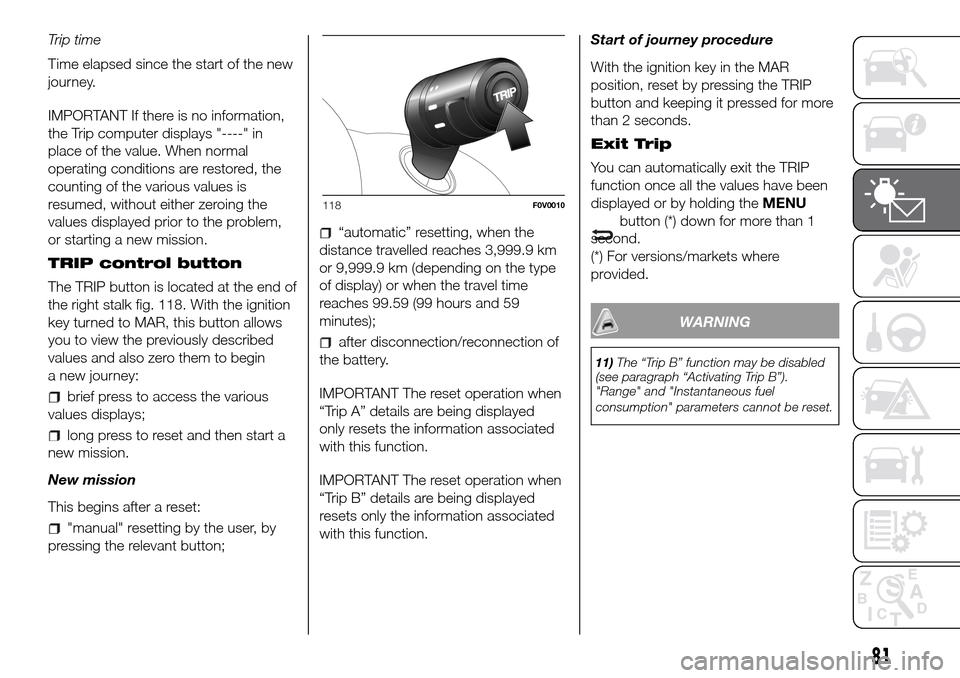
The TRIP button is located at the end of
the right stalk fig. 118. With the ignition
key turned to MAR, this button allows
you to view the previously described
values and also zero them to begin
a new journey:
brief press to access the various
values displays;
long press to reset and then start a
new mission.
New mission
This begins after a reset:
"manual" resetting by the user, by
pressing the relevant button;
“automatic” resetting, when the
distance travelled reaches 3,999.9 km
or 9,999.9 km (depending on the type
of display) or when the travel time
reaches 99.59 (99 hours and 59
minutes);
after disconnection/reconnection of
the battery.
IMPORTANT The reset operation when
“Trip A” details are being displayed
only resets the information associated
with this function.
IMPORTANT The reset operation when
“Trip B” details are being displayed
resets only the information associated
with this function.Start of journey procedure
With the ignition key in the MAR
position, reset by pressing the TRIP
button and keeping it pressed for more
than 2 seconds.
Exit Trip
You can automatically exit the TRIP
function once all the values have been
displayed or by holding theMENU
button (*) down for more than 1
second.
(*) For versions/markets where
provided.
WARNING
11)The “Trip B” function may be disabled
(see paragraph “Activating Trip B”).
"Range" and "Instantaneous fuel
consumption" parameters cannot be reset.
118F0V0010
81
Page 93 of 298
WARNING
12)If thewarning light switches on when driving, stop the engine immediately and contact a Fiat Dealership.
Warning lights on
panelWhat it means What to do
amberINJECTION/EOBD SYSTEM FAILURE
In normal conditions, when the ignition key is turned to MAR the
warning light switches on, but it should switch off as soon as the
engine is started.
The operation of
warning light may be checked by the
traffic police using specific devices. Comply with the laws and
regulations of the country where you are driving.13)
If the warning light stays on or switches on when driving, it
means that the injection system is not working properly; in
particular, if the warning light comes on constantly, this indicates
a malfunction in the supply/ignition system that could cause
excessive exhaust emissions, a possible loss of performance,
poor driveability and high fuel consumption.
On some versions, the display shows the dedicated message.
The warning light switches off if the malfunction disappears, but
it is still stored by the system.Under these conditions, you may continue
travelling at a moderate speed without
demanding excessive effort from the engine.
Prolonged use of the vehicle with the warning
light on constantly may cause damage.
Contact a Fiat Dealership as soon as possible.
NOTE (for petrol engine only)
If the warning light flashes, it means that the catalytic converter
may be damaged.In this case, it is necessary to release the
accelerator pedal to lower the speed of the
engine until the warning light stops flashing.
Continue the journey at moderate speed, trying
to avoid driving conditions that may cause
further flashing and contact a Fiat Dealership as
soon as possible.
89
Page 94 of 298
Warning lights on
panelWhat it means What to do
amberABS FAILURE
When the key is turned to MAR, the warning light switches on
but it should switch off after a few seconds.
The warning light switches on to indicate a system fault. In this
case the braking system will work as normal, but without the
extra performance offered by the ABS.
The display shows the dedicated message.Drive carefully and contact a Fiat Dealership as
soon as possible.
amberFUEL RESERVE
When the key is turned to MAR, the warning light switches on
but it should switch off after a few seconds. The warning light
switches on when about 9 litres of fuel are left in the tank.
IMPORTANT The warning light will blink to indicate a system
fault. If this is the case, go to a Fiat Dealership to have the
system checked.
The triangle on the left side of thesymbol indicates the side
of the vehicle with the fuel filler.
90
KNOWING THE INSTRUMENT PANEL
Page 97 of 298
Warning lights on
panelWhat it means What to do
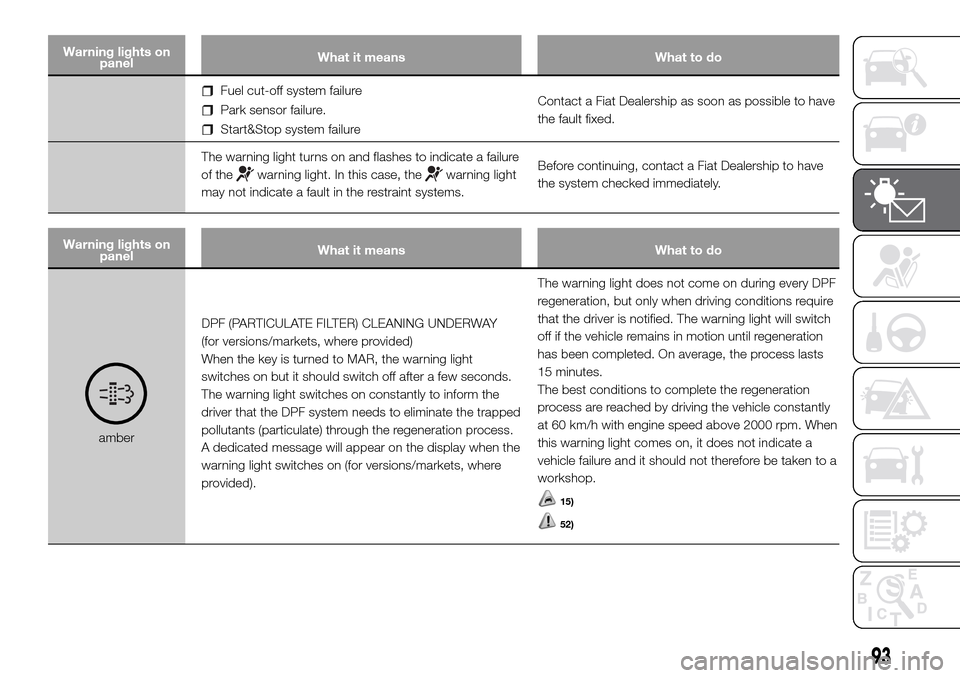
Fuel cut-off system failure
Park sensor failure.
Start&Stop system failureContact a Fiat Dealership as soon as possible to have
the fault fixed.
The warning light turns on and flashes to indicate a failure
of the
warning light. In this case, thewarning light
may not indicate a fault in the restraint systems.Before continuing, contact a Fiat Dealership to have
the system checked immediately.
Warning lights on
panelWhat it means What to do
amberDPF (PARTICULATE FILTER) CLEANING UNDERWAY
(for versions/markets, where provided)
When the key is turned to MAR, the warning light
switches on but it should switch off after a few seconds.
The warning light switches on constantly to inform the
driver that the DPF system needs to eliminate the trapped
pollutants (particulate) through the regeneration process.
A dedicated message will appear on the display when the
warning light switches on (for versions/markets, where
provided).The warning light does not come on during every DPF
regeneration, but only when driving conditions require
that the driver is notified. The warning light will switch
off if the vehicle remains in motion until regeneration
has been completed. On average, the process lasts
15 minutes.
The best conditions to complete the regeneration
process are reached by driving the vehicle constantly
at 60 km/h with engine speed above 2000 rpm. When
this warning light comes on, it does not indicate a
vehicle failure and it should not therefore be taken to a
workshop.
15)
52)
93
Page 99 of 298
Warning lights on
panelWhat it means What to do
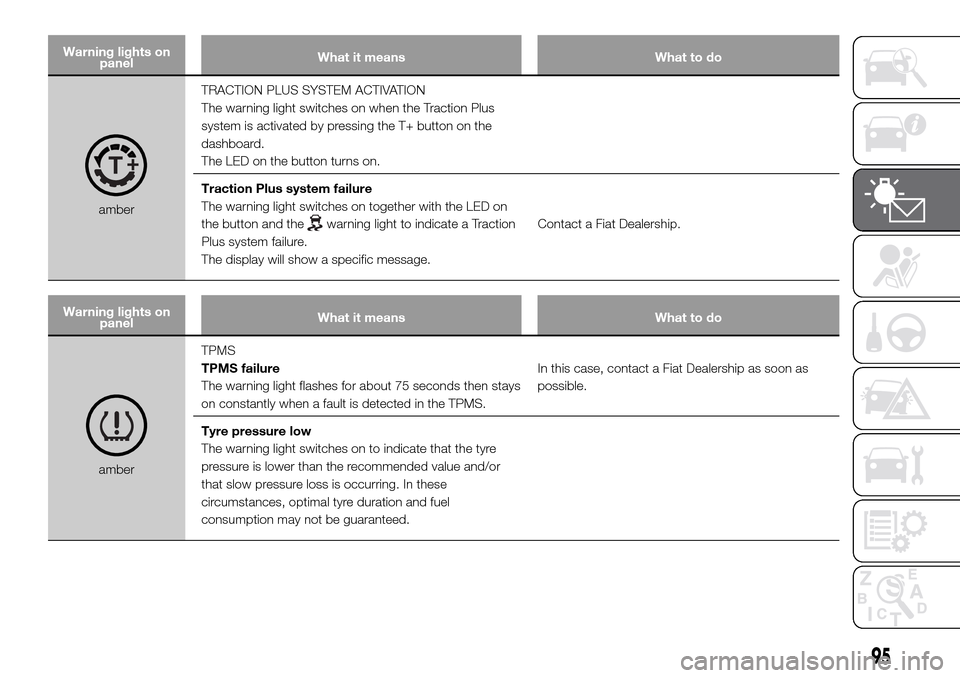
amberTRACTION PLUS SYSTEM ACTIVATION
The warning light switches on when the Traction Plus
system is activated by pressing the T+ button on the
dashboard.
The LED on the button turns on.
Traction Plus system failure
The warning light switches on together with the LED on
the button and thewarning light to indicate a Traction
Plus system failure.
The display will show a specific message.Contact a Fiat Dealership.
Warning lights on
panelWhat it means What to do
amberTPMS
TPMS failure
The warning light flashes for about 75 seconds then stays
on constantly when a fault is detected in the TPMS.In this case, contact a Fiat Dealership as soon as
possible.
Tyre pressure low
The warning light switches on to indicate that the tyre
pressure is lower than the recommended value and/or
that slow pressure loss is occurring. In these
circumstances, optimal tyre duration and fuel
consumption may not be guaranteed.
95
Page 100 of 298
Warning lights on
panelWhat it means What to do
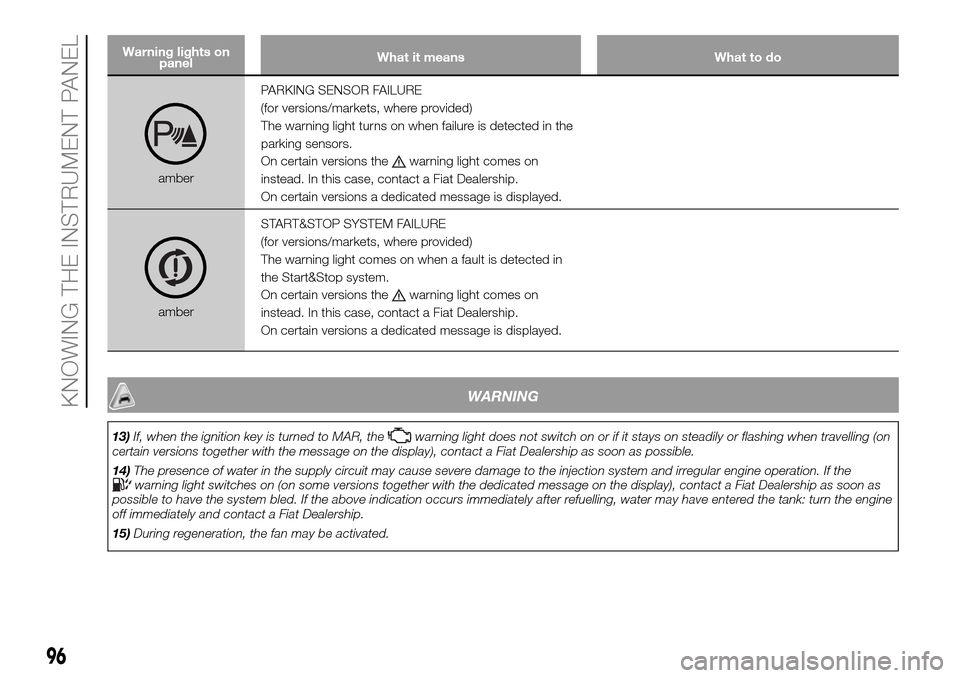
amberPARKING SENSOR FAILURE
(for versions/markets, where provided)
The warning light turns on when failure is detected in the
parking sensors.
On certain versions the
warning light comes on
instead. In this case, contact a Fiat Dealership.
On certain versions a dedicated message is displayed.
amberSTART&STOP SYSTEM FAILURE
(for versions/markets, where provided)
The warning light comes on when a fault is detected in
the Start&Stop system.
On certain versions the
warning light comes on
instead. In this case, contact a Fiat Dealership.
On certain versions a dedicated message is displayed.
WARNING
13)If, when the ignition key is turned to MAR, thewarning light does not switch on or if it stays on steadily or flashing when travelling (on
certain versions together with the message on the display), contact a Fiat Dealership as soon as possible.
14)The presence of water in the supply circuit may cause severe damage to the injection system and irregular engine operation. If the
warning light switches on (on some versions together with the dedicated message on the display), contact a Fiat Dealership as soon as
possible to have the system bled. If the above indication occurs immediately after refuelling, water may have entered the tank: turn the engine
off immediately and contact a Fiat Dealership.
15)During regeneration, the fan may be activated.
96
KNOWING THE INSTRUMENT PANEL
Page 127 of 298
STARTING AND DRIVING
Let’s get to the "heart" of the vehicle:
seeing how you can exploit all of its
potential to the full.
We’ll look at how to drive it safely in any
situation, so that it can be a welcome
companion, with our comfort and
our wallets in mind.STARTING THE ENGINE .................124
HANDBRAKE ..................................125
USING THE GEARBOX ...................126
START&STOP SYSTEM ..................127
TPMS (TYRE PRESSURE
MONITORING SYSTEM) .................130
SPEED BLOCK ...............................133
CRUISE CONTROL .........................133
TRACTION PLUS SYSTEM .............135
PARKING SENSORS.......................136
REFUELLING THE VEHICLE ...........138
SAVING FUEL .................................139
TOWING TRAILERS ........................140
SNOW TYRES ................................141
SNOW CHAINS...............................141
123
Page 129 of 298
19)
WARMING UP THE
ENGINE JUST AFTER IT
HAS STARTED
Proceed as follows:
drive off slowly, letting the engine
turn at medium revs. Do not accelerate
abruptly;
do not demand full performance at
first. Wait until the engine coolant
temperature gauge starts moving.
EMERGENCY STARTING
If the instrument panel warning light
stays on steadily, you can perform
an emergency starting by using the
code on the CODE card (see the “In an
emergency” section).
20)
STOPPING THE ENGINE
Turn the ignition key to STOP while the
engine is idling.
IMPORTANT After a taxing drive, you
should allow the engine to “catch
its breath” before turning it off by letting
it idle to allow the temperature in the
engine compartment to fall.
WARNING
17)It is advisable not to demand maximum
performance from your vehicle (e.g.
excessive acceleration, long distances at
high speeds, excessively intense braking,
etc.) during the initial period of use.
18)When the engine is off, do not leave
the key turned to MAR to prevent
unnecessary electrical consumption from
draining the battery.
19)If the indicator flashes for 60
seconds after starting or during an
extended towing period, this indicates
a problem in the glow plug preheating
system. Use the vehicle normally if the
engine starts, but contact a Fiat Dealership
as soon as possible.
20)Never start the engine by pushing,
towing or driving downhill. This could
cause fuel to flow into the catalytic
converter and damage it beyond repair.
WARNING
95)It is dangerous to run the engine in
enclosed areas. The engine takes in
oxygen and releases carbon dioxide,
carbon monoxide and other toxic gases.
HANDBRAKE
The handbrake lever is located between
the front seats. Pull the lever upwards
to engage the handbrake and ensure
that the vehicle does not move. The
vehicle should be secured after several
clicks of the lever. If it is not, contact
a Fiat Dealership to have it adjusted.
96)When the handbrake lever is engaged
and the ignition key is in MAR position,
the instrument panel warning light
will switch on.
Proceed as follows to release the
handbrake:
slightly lift the lever and press
release button A fig. 140;
keep button A pressed and lower
the lever. The
warning light in the
instrument panel will switch off.
Press the brake pedal when carrying
out this operation to prevent the vehicle
from moving accidentally.
PARKING
Proceed as follows:
stop the engine and engage the
handbrake;
engage the gear (on a slope, engage
first gear if the vehicle is facing uphill
or reverse if it is facing downhill) and
leave the wheels steered.
125
Page 131 of 298
START&STOP
SYSTEM
IN BRIEF
The Start&Stop device automatically
stops the engine each time the
vehicle is stationary and starts it
again when the driver wants to move
off.
This improves the efficiency of the
vehicle by reducing fuel consumption,
the emission of harmful gases and
noise pollution.
OPERATING MODE
Engine stopping mode
WITH MANUAL GEARBOX
With the vehicle stationary, the engine
stops with the gearbox in neutral and
the clutch pedal released.
WITH ROBOTIZED GEARBOX
The engine cuts out if the vehicle stops
with the brake pedal pressed.
This condition can be maintained even
if the brake pedal is not depressed, if
the gear lever is in position N.NOTE: The engine can only be stopped
automatically after a speed of about
10 km/h is reached, to prevent the
engine from being repeatedly stopped
when driving at walking pace.
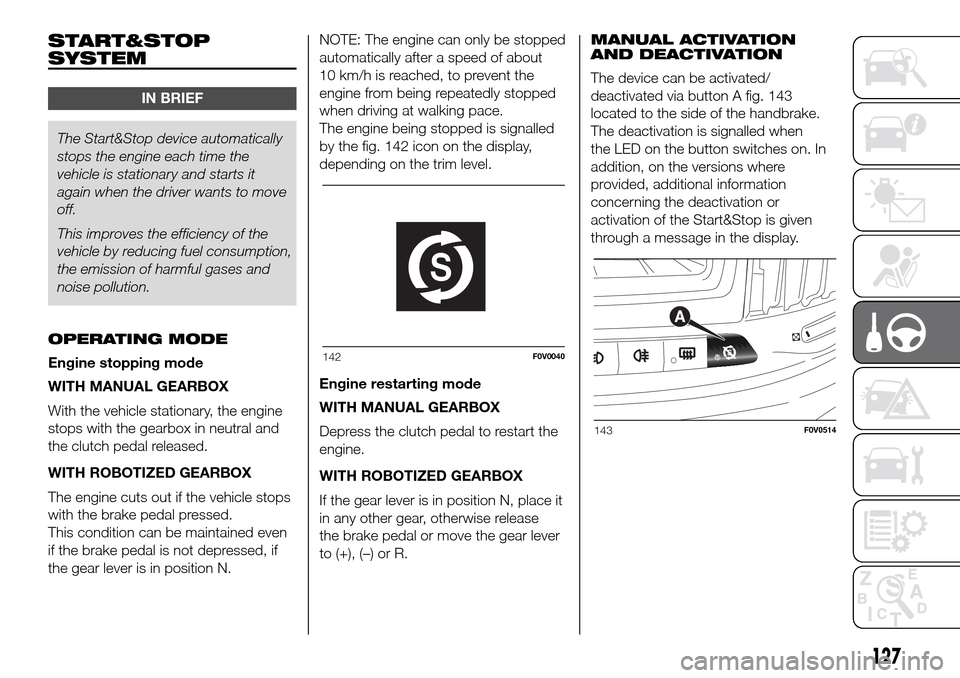
The engine being stopped is signalled
by the fig. 142 icon on the display,
depending on the trim level.
Engine restarting mode
WITH MANUAL GEARBOX
Depress the clutch pedal to restart the
engine.
WITH ROBOTIZED GEARBOX
If the gear lever is in position N, place it
in any other gear, otherwise release
the brake pedal or move the gear lever
to (+), (–) or R.MANUAL ACTIVATION
AND DEACTIVATION
The device can be activated/
deactivated via button A fig. 143
located to the side of the handbrake.
The deactivation is signalled when
the LED on the button switches on. In
addition, on the versions where
provided, additional information
concerning the deactivation or
activation of the Start&Stop is given
through a message in the display.
142F0V0040
143F0V0514
127