Control FIAT DUCATO 2014 3.G Repair Manual
[x] Cancel search | Manufacturer: FIAT, Model Year: 2014, Model line: DUCATO, Model: FIAT DUCATO 2014 3.GPages: 367, PDF Size: 20.39 MB
Page 108 of 367
CONTROL PANEL AND INSTRUMENTS
.
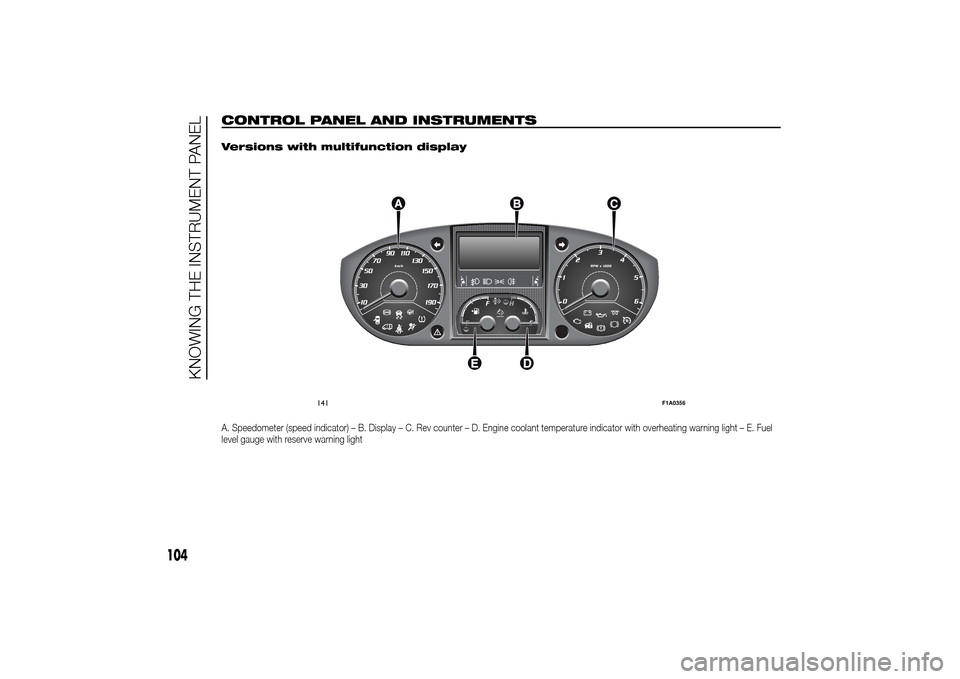
Versions with multifunction displayA. Speedometer (speed indicator) – B. Display – C. Rev counter – D. Engine coolant temperature indicator with overheating warning light – E. Fuel
level gauge with reserve warning light
141
F1A0356
104
KNOWING THE INSTRUMENT PANEL
Page 112 of 367
SPEEDOMETER (speed
indicator)
Indicator A shows the speed of the car.
REV COUNTER
Indicator C shows the engine revs.
IMPORTANT The electronic injection
control system gradually shuts off
the flow of fuel when the engine
is over-revving, resulting in a gradual
loss of engine power.
When the engine is idling, the rev
counter may indicate a gradual or
sudden increase of the speed.
This is normal and does not indicate a
fault. It may be caused, for example, by
the activation of the climate control
system or fan. In these cases, a slow
change in revs is used to protect the
battery charge.
FUEL LEVEL GAUGE
Needle E shows the amount of fuel left
in the tank.
E - tank empty.
F - tank full (see the description in
paragraph "Vehicle refuelling" in this
chapter).The warning light on the indicator
switches on when there are about
10-12 litres of fuel (for versions with
tank capacity 90-120 l) or 10 l (for
versions with tank capacity 60 l)
remaining in the tank.
Do not travel with the tank nearly empty
to prevent damaging the catalytic
converter.
IMPORTANT The needle will point to E
and the warning light will flash to
indicate a fault in the system. If this is
the case, go to a Fiat Dealership to
have the system checked.
IMPORTANT It is not advisable to
activate the additional Webasto heater
in reserve conditions.
ENGINE COOLANT
TEMPERATURE
INDICATOR
The needle D shows the temperature of
the engine coolant and starts
supplying indications when the fluid
temperature exceeds approx. 50°C. In
normal use, the needle could assume
different positions within the scale,
depending on the usage conditions.
C - Low engine coolant temperature.
H - High engine coolant temperature.The warning light on the indicator may
light up (and a message on the display
may appear on certain versions) to
indicate that the coolant fluid
temperature is too high; in this case,
stop the engine and contact a Fiat
Dealership.
19)
ENGINE OIL LEVEL
GAUGE
(for versions/markets, where provided)
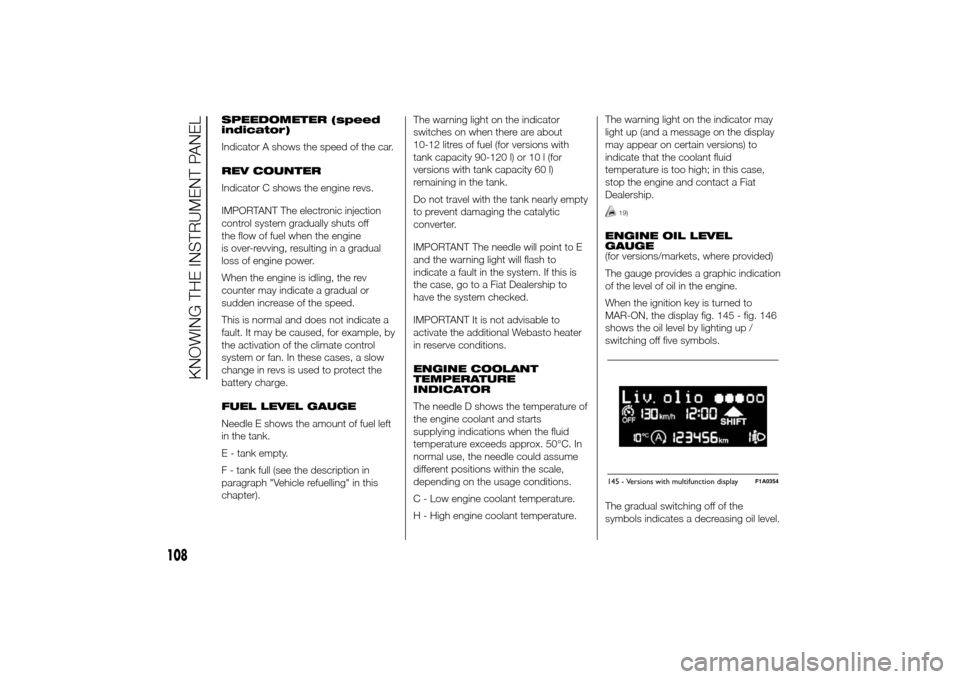
The gauge provides a graphic indication
of the level of oil in the engine.
When the ignition key is turned to
MAR-ON, the display fig. 145 - fig. 146
shows the oil level by lighting up /
switching off five symbols.
The gradual switching off of the
symbols indicates a decreasing oil level.145 - Versions with multifunction display
F1A0354
108
KNOWING THE INSTRUMENT PANEL
Page 114 of 367
NoteWhen one of the front doors is
opened, the display is activated,
showing the time and mileage for a few
seconds.
RECONFIGURABLE
MULTIFUNCTION
DISPLAY "STANDARD"
SCREEN
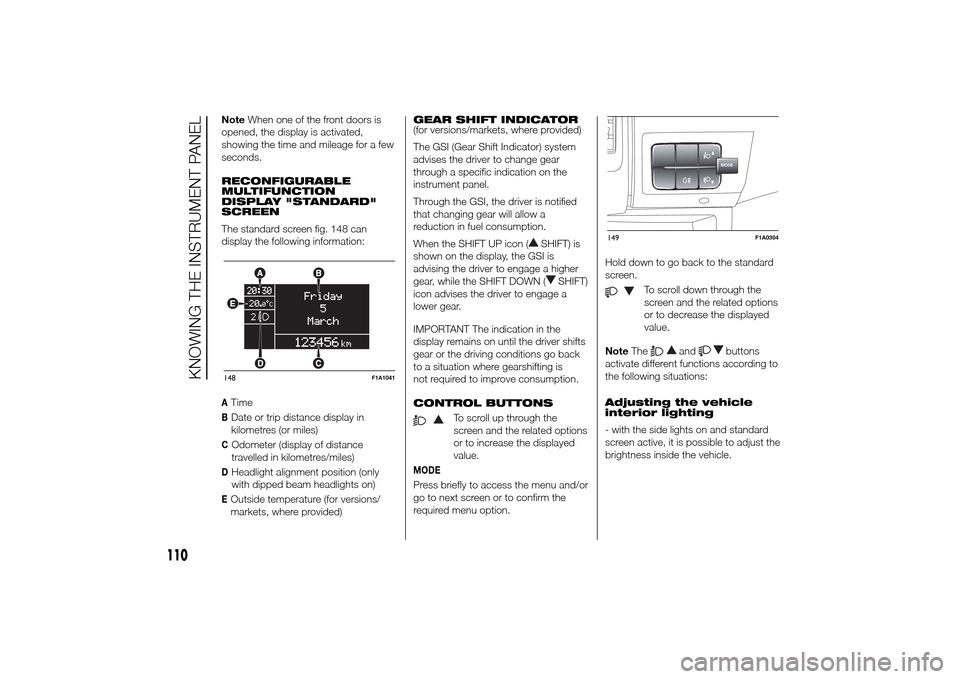
The standard screen fig. 148 can
display the following information:ATimeBDate or trip distance display in
kilometres (or miles)COdometer (display of distance
travelled in kilometres/miles)DHeadlight alignment position (only
with dipped beam headlights on)EOutside temperature (for versions/
markets, where provided)GEAR SHIFT INDICATOR
(for versions/markets, where provided)
The GSI (Gear Shift Indicator) system
advises the driver to change gear
through a specific indication on the
instrument panel.
Through the GSI, the driver is notified
that changing gear will allow a
reduction in fuel consumption.
When the SHIFT UP icon (
SHIFT) is
shown on the display, the GSI is
advising the driver to engage a higher
gear, while the SHIFT DOWN (
SHIFT)
icon advises the driver to engage a
lower gear.
IMPORTANT The indication in the
display remains on until the driver shifts
gear or the driving conditions go back
to a situation where gearshifting is
not required to improve consumption.
CONTROL BUTTONS
To scroll up through the
screen and the related options
or to increase the displayed
value.
MODEPress briefly to access the menu and/or
go to next screen or to confirm the
required menu option.Hold down to go back to the standard
screen.
To scroll down through the
screen and the related options
or to decrease the displayed
value.
NoteThe
and
buttons
activate different functions according to
the following situations:
Adjusting the vehicle
interior lighting
- with the side lights on and standard
screen active, it is possible to adjust the
brightness inside the vehicle.
148
F1A1041
MODE
149
F1A0304
110
KNOWING THE INSTRUMENT PANEL
Page 116 of 367
- briefly press the MODE button to
store the new setting and go to the
next settings menu option. If this is the
last one, the system brings you back
to the previously selected menu option.
Press the button MODE for long:
- to exit the set-up menu if you are in
the main menu;
- to exit the main menu if you are in
another point of the menu (e.g.: at
submenu option setting level, at
submenu level or at main menu option
setting level);
- to save only the changes stored by
the user (and confirmed by pressing the
MODE button).
The setup menu environment is timed;
when the menu is exited due to expiry
of the time allowed, only the changes
already stored by the user (confirmed
beforehand by a brief press of the
MODE button) will be saved.
From the standard screen, briefly press
button MODE to start navigation.
Press the
or
buttons to
navigate within the menu.NoteOnly the reduced menu can be
accessed while the vehicle is moving
for safety reasons ("Speed Beep"
setting). Stop the vehicle to access the
full menu.
Lighting
(Passenger compartment light
adjustment)
(only with side lights on)
This function is used to set the
brightness of the instrument panel,
uconnect™system controls (for
versions/markets where provided) and
automatic climate control system
controls (for versions/markets where
provided) to 8 levels.
Proceed as follows to adjust the light
intensity:
❒briefly press the MODE button. The
level set previously flashes on the
display;
❒press button
or
to set
the required brightness level;
❒briefly press the MODE button to
return to the menu screen or hold the
button down to return to the
standard screen without storing.NoteOn versions with reconfigurable
multifunction display adjustment can be
made both with lights off ("daytime"
mode brightness level) and with lights
on ("nighttime" mode brightness level).
Headlight alignment
(Headlight alignment
corrector position
adjustment)
(for versions/markets, where provided)
This function permits the adjustment (to
4 levels) of the headlight alignment
corrector position.
To carry out the adjustment, proceed as
follows:
❒briefly press the MODE button. The
level set previously flashes on the
display;
❒press button
or
to adjust
the position;
❒briefly press the MODE button to
return to the menu screen or hold the
button down to return to the
standard screen without storing.
112
KNOWING THE INSTRUMENT PANEL
Page 123 of 367
❒Distance travelled B
❒Average consumption B
❒Average speed B
❒Trip time B (driving time).
20)
Values displayed
Outside temperature
Indicates the temperature outside the
vehicle passenger compartment.
Range (for versions/markets, where
provided)
This indicates the distance that can still
be travelled with the fuel in the tank,
assuming that driving style remains
unvaried. The display will show the
reading '-----' when the following
events take place:
❒range value lower than 50 km (or 30
mi)
❒vehicle is left parked with the engine
running for a long time.IMPORTANT The range can be affected
by several factors: driving style (see
paragraph “Driving style” in the
“Starting and driving” section), type of
route (motorway, towns and cities,
mountain roads, etc…), usage
conditions (load, tyre pressures, etc…).
Trip planning must therefore take the
above into account.
Distance travelled
This value shows the distance covered
from the start of the new journey.
Average consumption (for versions/
markets, where provided)
This value shows the approximate
average fuel consumption from the start
of the new journey.
Instant consumption (for versions/
markets where provided)
This value shows the fuel consumption.
The value is constantly updated. The
display will show “----”ifthecar
is parked with the engine running.Average speed
This value shows the car's average
speed based on the overall time
elapsed since the start of the new
journey.
Trip time
Time elapsed since the start of the new
journey.
IMPORTANT If there is no information,
the Trip computer displays "----" in
place of the value. When normal
operating conditions are restored, the
counting of the various values is
resumed, without either zeroing the
values displayed prior to the problem,
or starting a new mission.
TRIP control button
The TRIP button is located on the right
stalk fig. 150. With the ignition key
turned to MAR-ON, this button allows
you to view the previously described
values and also zero them to begin
a new journey:
❒brief press to access the various
values displays;
❒long press to reset and then start a
new mission.
119
Page 141 of 367
WARNING
94) Always drive at a speed appropriate to the traffic conditions, the weather and traffic regulations. The engine may be
stopped if the DPF light is on; however, repeated interruption of the regeneration process may result in premature
deterioration of the engine oil. For this reason, always wait until the warning light switches off before stopping the
engine as described above. It is not advisable to complete DPF regeneration with the vehicle stationary.Warning lights on
panelWhat it means What to do
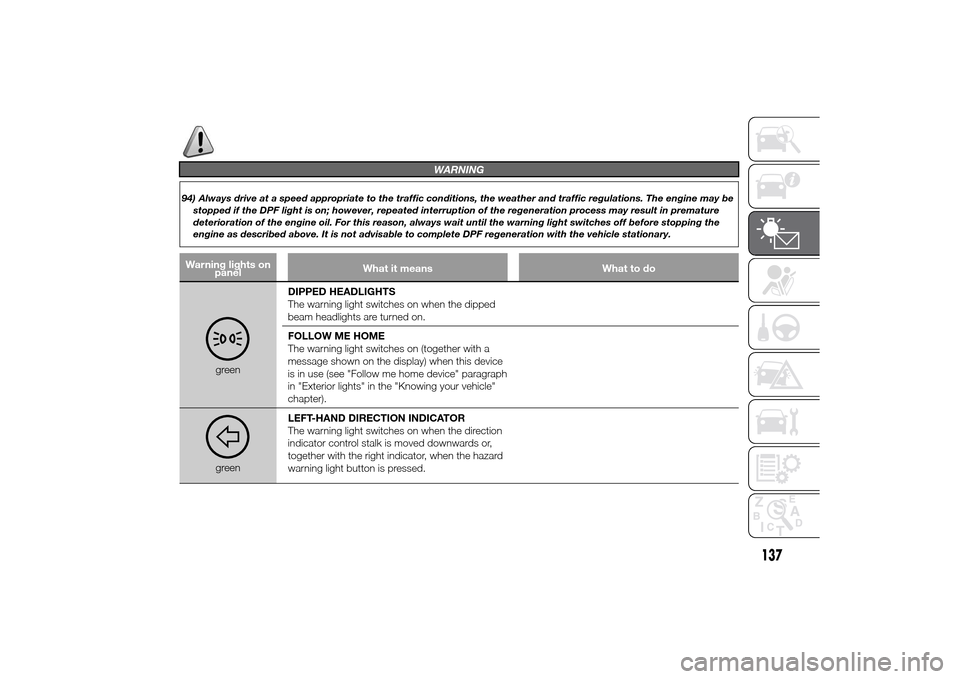
greenDIPPED HEADLIGHTS
The warning light switches on when the dipped
beam headlights are turned on.
FOLLOW ME HOME
The warning light switches on (together with a
message shown on the display) when this device
is in use (see "Follow me home device" paragraph
in "Exterior lights" in the "Knowing your vehicle"
chapter).greenLEFT-HAND DIRECTION INDICATOR
The warning light switches on when the direction
indicator control stalk is moved downwards or,
together with the right indicator, when the hazard
warning light button is pressed.
137
Page 142 of 367
Warning lights on
panelWhat it means What to do
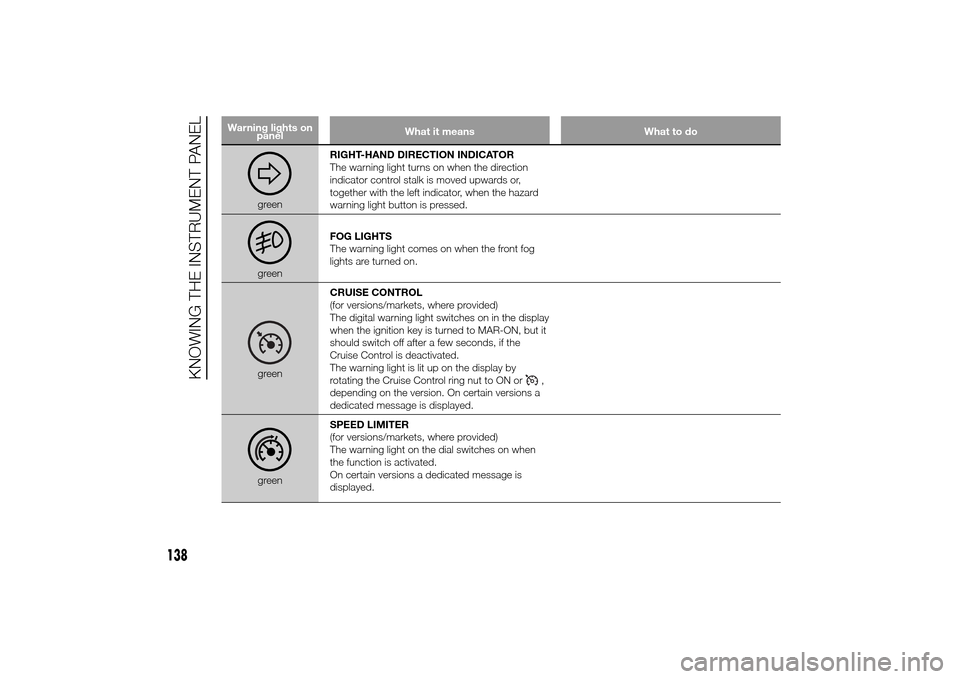
greenRIGHT-HAND DIRECTION INDICATOR
The warning light turns on when the direction
indicator control stalk is moved upwards or,
together with the left indicator, when the hazard
warning light button is pressed.greenFOG LIGHTS
The warning light comes on when the front fog
lights are turned on.greenCRUISE CONTROL
(for versions/markets, where provided)
The digital warning light switches on in the display
when the ignition key is turned to MAR-ON, but it
should switch off after a few seconds, if the
Cruise Control is deactivated.
The warning light is lit up on the display by
rotating the Cruise Control ring nut to ON or
,
depending on the version. On certain versions a
dedicated message is displayed.
greenSPEED LIMITER
(for versions/markets, where provided)
The warning light on the dial switches on when
the function is activated.
On certain versions a dedicated message is
displayed.
138
KNOWING THE INSTRUMENT PANEL
Page 152 of 367
LOAD LIMITERS
To increase passenger safety, the front
seat belt retractors contain a load
limiter which controls the force acting
on the chest and shoulders during
the belt restraining action in the event of
a head-on collision.
GENERAL
INSTRUCTIONS FOR
USING THE SEAT BELTS
The driver is responsible for respecting
(and ensuring that all the other
passengers also respect) the local laws
in force regarding the use of seat belts.
Always fasten the seat belts before
setting off.
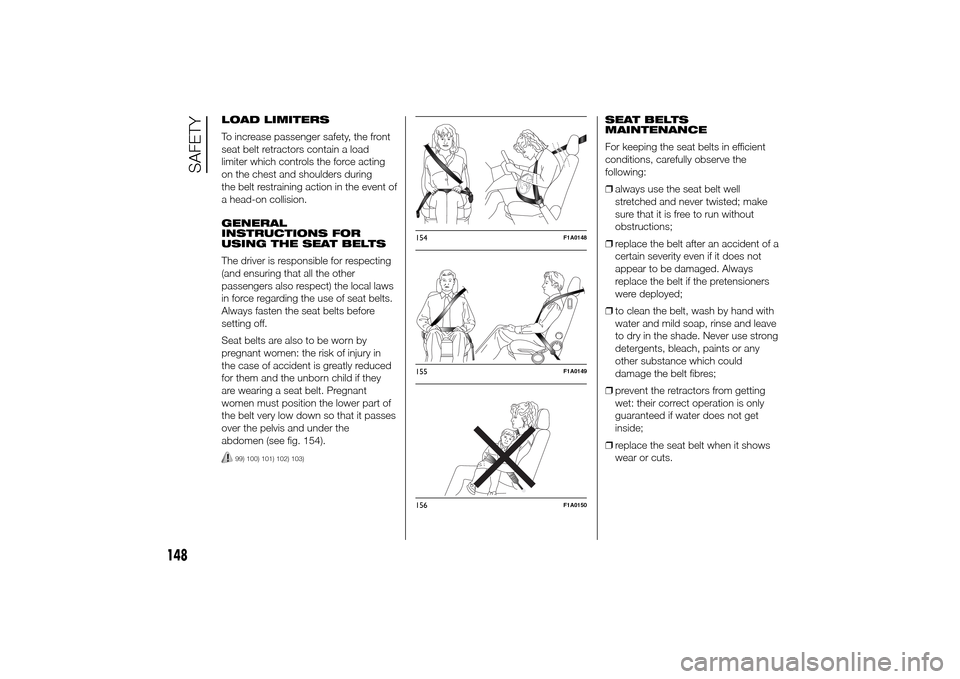
Seat belts are also to be worn by
pregnant women: the risk of injury in
the case of accident is greatly reduced
for them and the unborn child if they
are wearing a seat belt. Pregnant
women must position the lower part of
the belt very low down so that it passes
over the pelvis and under the
abdomen (see fig. 154).
99) 100) 101) 102) 103)
SEAT BELTS
MAINTENANCE
For keeping the seat belts in efficient
conditions, carefully observe the
following:
❒always use the seat belt well
stretched and never twisted; make
sure that it is free to run without
obstructions;
❒replace the belt after an accident of a
certain severity even if it does not
appear to be damaged. Always
replace the belt if the pretensioners
were deployed;
❒to clean the belt, wash by hand with
water and mild soap, rinse and leave
to dry in the shade. Never use strong
detergents, bleach, paints or any
other substance which could
damage the belt fibres;
❒prevent the retractors from getting
wet: their correct operation is only
guaranteed if water does not get
inside;
❒replace the seat belt when it shows
wear or cuts.
154
F1A0148
155
F1A0149
156
F1A0150
148
SAFETY
Page 154 of 367
CARRYING
CHILDREN SAFELYFor optimal protection in the event of an
impact, all passengers must be seated
and wearing adequate restraint
systems.
This is even more important for
children.
This prescription is compulsory in all EC
countries according to EC Directive
2003/20/EC.
Compared with adults, a child's head is
proportionally larger and heavier than
the rest of the body, while muscles and
bone structure are not fully developed.
Therefore, correct restraint systems
are necessary which are different from
adult seat belts.
The results of research on the best
child restraint systems are contained in
the European Standard ECE-R44,
which enforces the use of restraint
systems classified into five groups:
Group Weight rangeGroup0 upto10kg
Group 0+ up to 13 kg
Group 1 9-18 kg
Group Weight rangeGroup 2 15-25 kg
Group 3 22-36 kg
As you can see, the groups overlap
partly and, in fact, there are devices on
sale that cover more than one weight
group.
All restraint devices must bear the
certification data, together with the
control mark, on a label solidly fixed to
the child restraint system which must
never be removed.
Over 1.50 m in height, from the point of
view of restraint systems, children are
considered as adults and wear the seat
belts normally.
Lineaccessori Fiat offers child restraint
systems for each weight group. These
devices are recommended, having
been specifically designed for Fiat
vehicles.104)
GROUP 0 and 0+
Babies up to 13 kg must be carried
facing backwards on a cradle seat,
which, supporting the head, does not
induce stress on the neck in the event
of sharp decelerations.
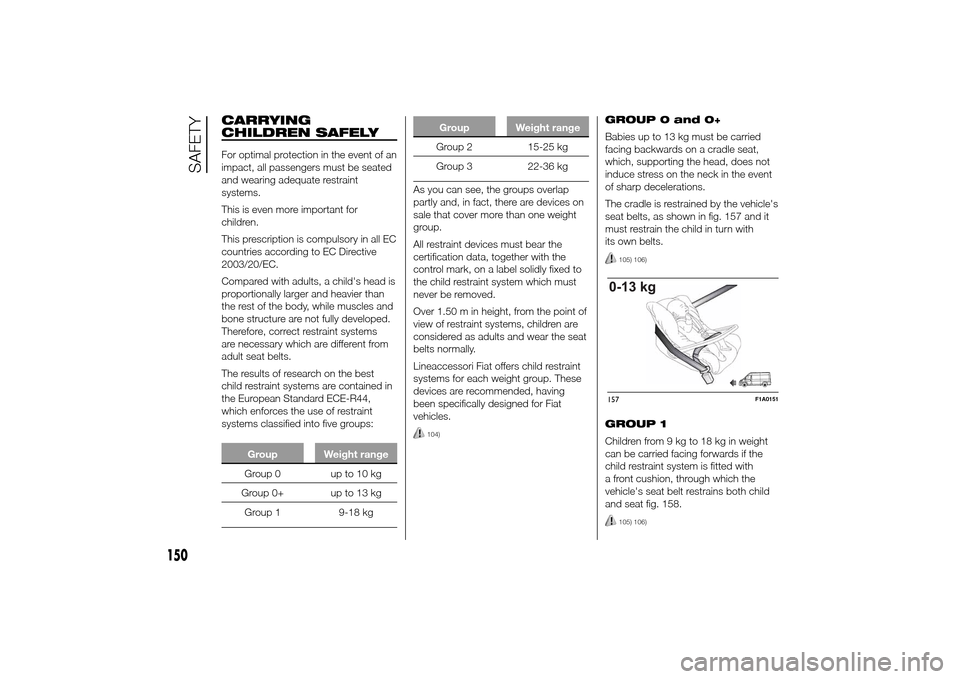
The cradle is restrained by the vehicle's
seat belts, as shown in fig. 157 and it
must restrain the child in turn with
its own belts.
105) 106)
GROUP 1
Children from 9 kg to 18 kg in weight
can be carried facing forwards if the
child restraint system is fitted with
a front cushion, through which the
vehicle's seat belt restrains both child
and seat fig. 158.
105) 106)
157
F1A0151
150
SAFETY
Page 164 of 367
FRONT AIRBAGSThe vehicle is provided with front
airbags for the driver and the
passenger.
The front driver/passenger airbags have
been designed to protect the front
seat occupants in the event of frontal
impacts of medium-high severity, by
placing the bag between the occupant
and the steering wheel or dashboard.
Therefore, non-activation in other types
of collisions (side collisions, rear shunts,
roll-overs, etc.) is not a system
malfunction.
An electronic control unit will make the
bag inflate in the event of a frontal
impact.
The bag will inflate instantaneously
placing itself between the front
occupants body and the structures
which could cause injury. It will deflate
immediately afterwards.
Driver and passenger front airbags are
not a replacement of but
complementary to the belts, which you
are recommended to always wear, as
specified by law in Europe and most
non-European countries.The volume of the front airbags at
maximum inflation fills most of
the space between the steering wheel
and the driver and between the
dashboard and the passenger.
In the event of an impact, someone not
wearing a seat belt will move forward
and come into contact with the bag
which is still in the opening stage. The
protection offered by the bag is
compromised in these circumstances.
Front airbags may not activate in the
following situations:
❒frontal impacts against highly
deformable objects not involving the
front surface of the vehicle (e.g.
wing collision against guard rail, etc.);
❒jamming of the vehicle underneath
other vehicles or protective barriers
(e.g. underneath a truck or a guard
rail); in this case, the bags would offer
no additional protection with respect
to the seat belt and their deployment
is unnecessary. In these cases,
non-deployment does not indicate a
system malfunction.
110)
The airbags are not deployed in the
event of minor frontal collisions (for
which the restraining action of the seat
belts is sufficient). Safety belts must
always be worn. In the event of frontal
collisions they guarantee correct
positioning of the passenger.
DRIVER'S SIDE FRONT
AIRBAG
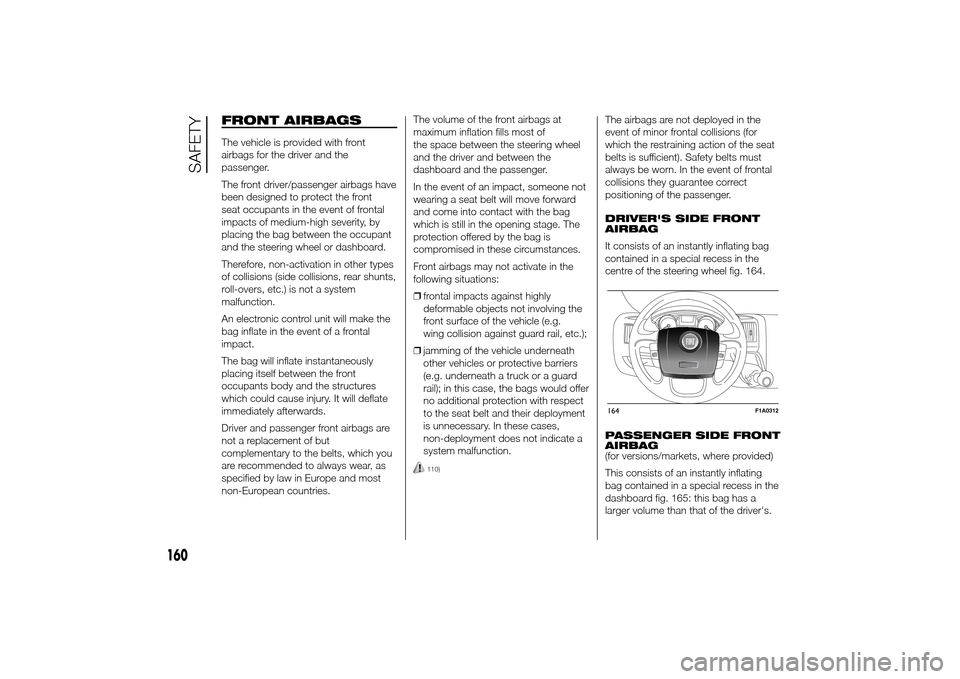
It consists of an instantly inflating bag
contained in a special recess in the
centre of the steering wheel fig. 164.
PASSENGER SIDE FRONT
AIRBAG
(for versions/markets, where provided)
This consists of an instantly inflating
bag contained in a special recess in the
dashboard fig. 165: this bag has a
larger volume than that of the driver's.164
F1A0312
160
SAFETY