ECO mode FIAT DUCATO 2016 3.G User Guide
[x] Cancel search | Manufacturer: FIAT, Model Year: 2016, Model line: DUCATO, Model: FIAT DUCATO 2016 3.GPages: 296, PDF Size: 15.08 MB
Page 173 of 296
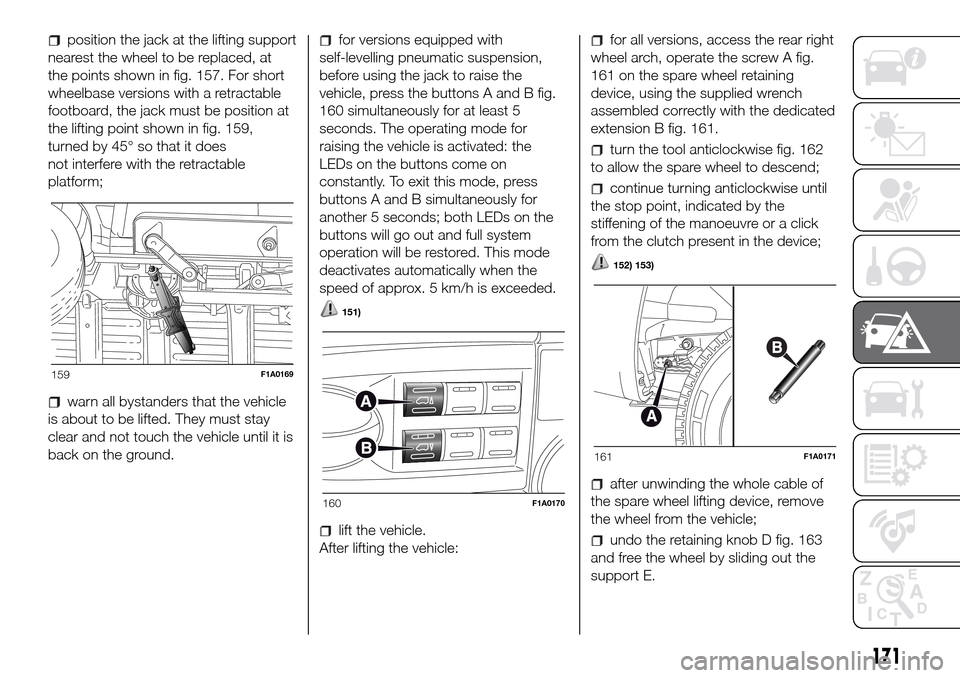
position the jack at the lifting support
nearest the wheel to be replaced, at
the points shown in fig. 157. For short
wheelbase versions with a retractable
footboard, the jack must be position at
the lifting point shown in fig. 159,
turned by 45° so that it does
not interfere with the retractable
platform;
warn all bystanders that the vehicle
is about to be lifted. They must stay
clear and not touch the vehicle until it is
back on the ground.
for versions equipped with
self-levelling pneumatic suspension,
before using the jack to raise the
vehicle, press the buttons A and B fig.
160 simultaneously for at least 5
seconds. The operating mode for
raising the vehicle is activated: the
LEDs on the buttons come on
constantly. To exit this mode, press
buttons A and B simultaneously for
another 5 seconds; both LEDs on the
buttons will go out and full system
operation will be restored. This mode
deactivates automatically when the
speed of approx. 5 km/h is exceeded.
151)
lift the vehicle.
After lifting the vehicle:
for all versions, access the rear right
wheel arch, operate the screw A fig.
161 on the spare wheel retaining
device, using the supplied wrench
assembled correctly with the dedicated
extension B fig. 161.
turn the tool anticlockwise fig. 162
to allow the spare wheel to descend;
continue turning anticlockwise until
the stop point, indicated by the
stiffening of the manoeuvre or a click
from the clutch present in the device;
152) 153)
after unwinding the whole cable of
the spare wheel lifting device, remove
the wheel from the vehicle;
undo the retaining knob D fig. 163
and free the wheel by sliding out the
support E.
159F1A0169
160F1A0170
161F1A0171
171
Page 213 of 296
ENGINE CODES - BODYWORK VERSION.
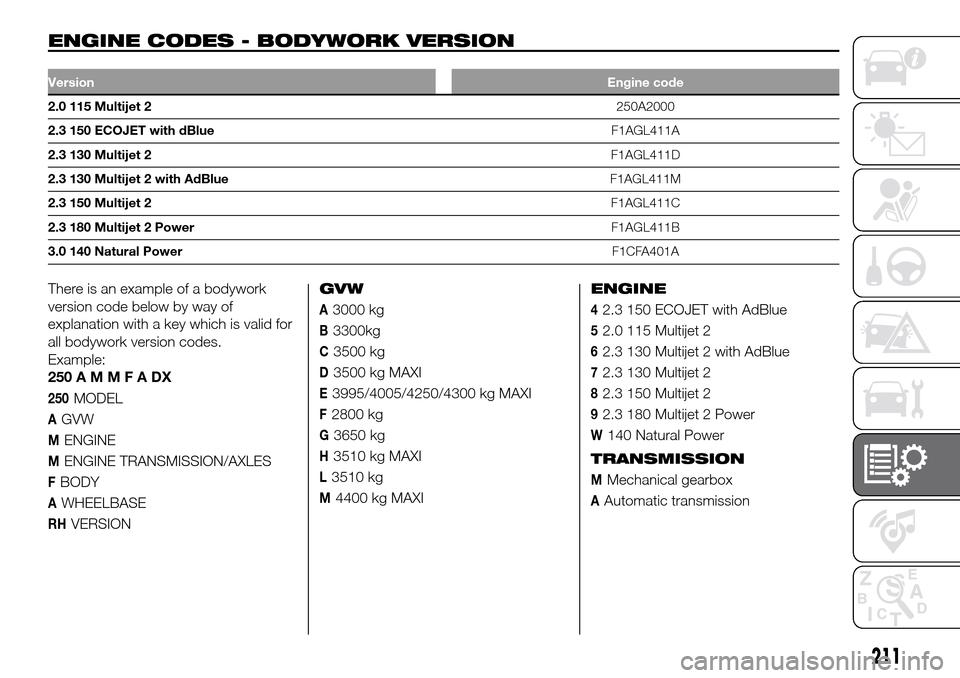
VersionEngine code
2.0 115 Multijet 2250A2000
2.3 150 ECOJET with dBlueF1AGL411A
2.3 130 Multijet 2F1AGL411D
2.3 130 Multijet 2 with AdBlueF1AGL411M
2.3 150 Multijet 2F1AGL411C
2.3 180 Multijet 2 PowerF1AGL411B
3.0 140 Natural PowerF1CFA401A
There is an example of a bodywork
version code below by way of
explanation with a key which is valid for
all bodywork version codes.
Example:
250AMMFADX
250MODEL
AGVW
MENGINE
MENGINE TRANSMISSION/AXLES
FBODY
AWHEELBASE
RHVERSIONGVW
A3000 kg
B3300kg
C3500 kg
D3500 kg MAXI
E3995/4005/4250/4300 kg MAXI
F2800 kg
G3650 kg
H3510 kg MAXI
L3510 kg
M4400 kg MAXIENGINE
42.3 150 ECOJET with AdBlue
52.0 115 Multijet 2
62.3 130 Multijet 2 with AdBlue
72.3 130 Multijet 2
82.3 150 Multijet 2
92.3 180 Multijet 2 Power
W140 Natural Power
TRANSMISSION
MMechanical gearbox
AAutomatic transmission
211
Page 269 of 296
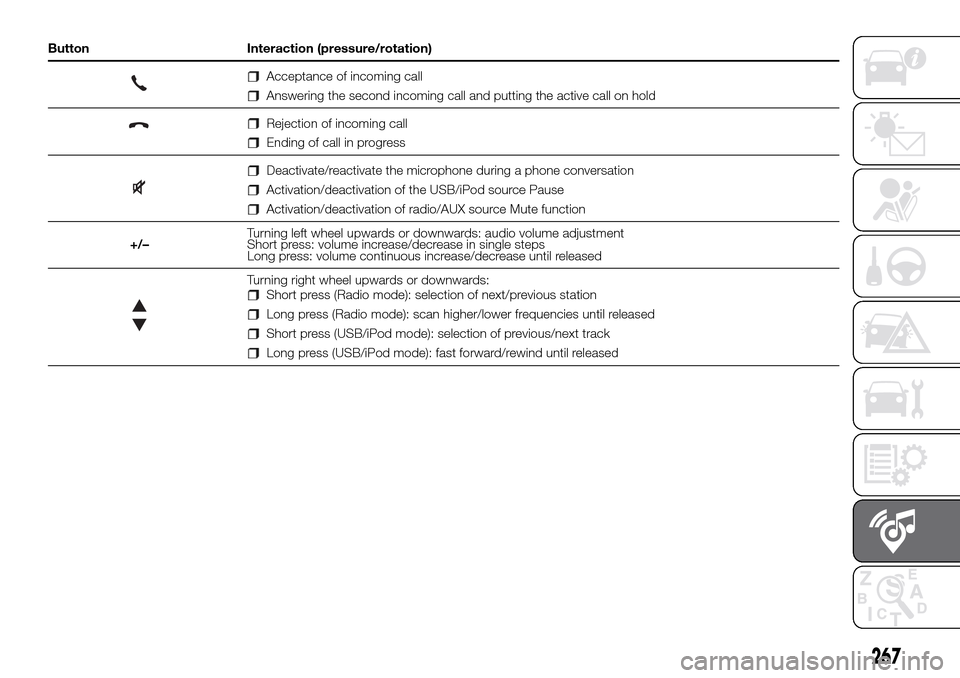
Button Interaction (pressure/rotation)
Acceptance of incoming call
Answering the second incoming call and putting the active call on hold
Rejection of incoming call
Ending of call in progress
Deactivate/reactivate the microphone during a phone conversation
Activation/deactivation of the USB/iPod source Pause
Activation/deactivation of radio/AUX source Mute function
+/–Turning left wheel upwards or downwards: audio volume adjustment
Short press: volume increase/decrease in single steps
Long press: volume continuous increase/decrease until released
Turning right wheel upwards or downwards:Short press (Radio mode): selection of next/previous station
Long press (Radio mode): scan higher/lower frequencies until released
Short press (USB/iPod mode): selection of previous/next track
Long press (USB/iPod mode): fast forward/rewind until released
267
Page 271 of 296
Within each list, the "ABC" button
allows the user to skip to the desired
letter in the list.
Radio station alphabetic selection
Use the A-B-C button on the front
panel to jump alphabetically to the first
DAB station available for the chosen
letter.
MEDIA MODE
Interaction modes for AUX, USB/iPod
operation.
Audio source selection
Press the MEDIA button to select the
desired audio source from those
available: AUX or USB/iPod.
Change track (next/previous)
Briefly press the
button or turn the
BROWSE ENTER button/knob
clockwise to play the next track, or
briefly press the
button or turn the
BROWSE ENTER button/knob
anticlockwise to return to the beginning
of the selected track or to the beginning
of the previous track if the current one
has been played for less than 3
seconds.Fast forward/rewind through tracks
Press and hold down the
button
to fast forward the selected track or
keep the
button pressed to fast
rewind the track.
Fast forwarding/rewinding will stop
once the
/button is released or
when the previous/next track is
reached.
Track selection (browse)
Use this function to scroll through and
select the tracks on the active device.
The choices available depend on the
device connected.
For example, on a USB/iPod device
you can also scroll through the list
of artists, genres and albums available
on the device depending on the
information present on the tracks using
the BROWSE ENTER button/knob.
Within each alphabetical list, theA-B-C
button on the front panel allows the
user to skip to the desired letter in the
list.
NOTE This button might be disabled for
someApple®devices.
NOTE The BROWSE ENTER button
does not allow any operation on an
AUX device.
Press the BROWSE ENTER button to
activate this function on the source
being played.Turn the BROWSE ENTER button/knob
to select the desired category and
then press the button/knob to confirm
the selection.
Press the
button to cancel the
function.
NOTE The indexing time of a USB
device can vary according to the media
inserted (in some cases it can take a
few minutes).
Track information display
Press theINFObutton to select the
information displayed while playing
(Artist, Album, Genre, Name, Folder,
File name).
Press the button to exit from the
screen.
Shuffle
Press the
button to play the tracks
on USB/iPod in a random order.
The corresponding icon is displayed.
Press again to deactivate the function.
Repeat
Press the
button to activate this
function. The corresponding icon is
displayed.
Press again to deactivate the function.
269
Page 278 of 296
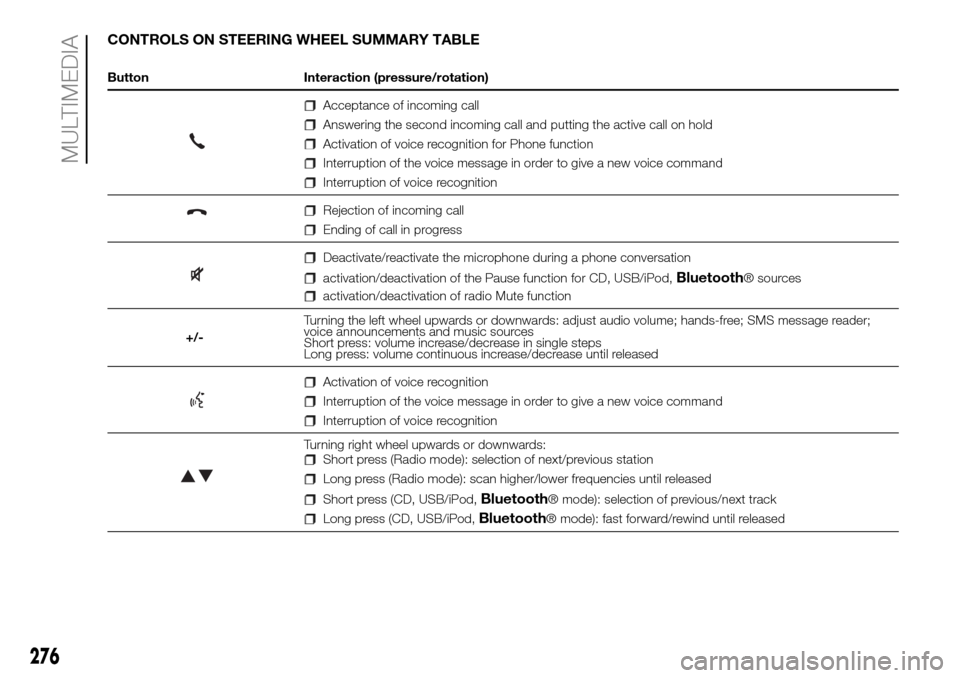
CONTROLS ON STEERING WHEEL SUMMARY TABLE
Button Interaction (pressure/rotation)
Acceptance of incoming call
Answering the second incoming call and putting the active call on hold
Activation of voice recognition for Phone function
Interruption of the voice message in order to give a new voice command
Interruption of voice recognition
Rejection of incoming call
Ending of call in progress
Deactivate/reactivate the microphone during a phone conversation
activation/deactivation of the Pause function for CD, USB/iPod,Bluetooth® sources
activation/deactivation of radio Mute function
+/-Turning the left wheel upwards or downwards: adjust audio volume; hands-free; SMS message reader;
voice announcements and music sources
Short press: volume increase/decrease in single steps
Long press: volume continuous increase/decrease until released
Activation of voice recognition
Interruption of the voice message in order to give a new voice command
Interruption of voice recognition
Turning right wheel upwards or downwards:Short press (Radio mode): selection of next/previous station
Long press (Radio mode): scan higher/lower frequencies until released
Short press (CD, USB/iPod,Bluetooth® mode): selection of previous/next track
Long press (CD, USB/iPod,Bluetooth® mode): fast forward/rewind until released
276
MULTIMEDIA
Page 279 of 296
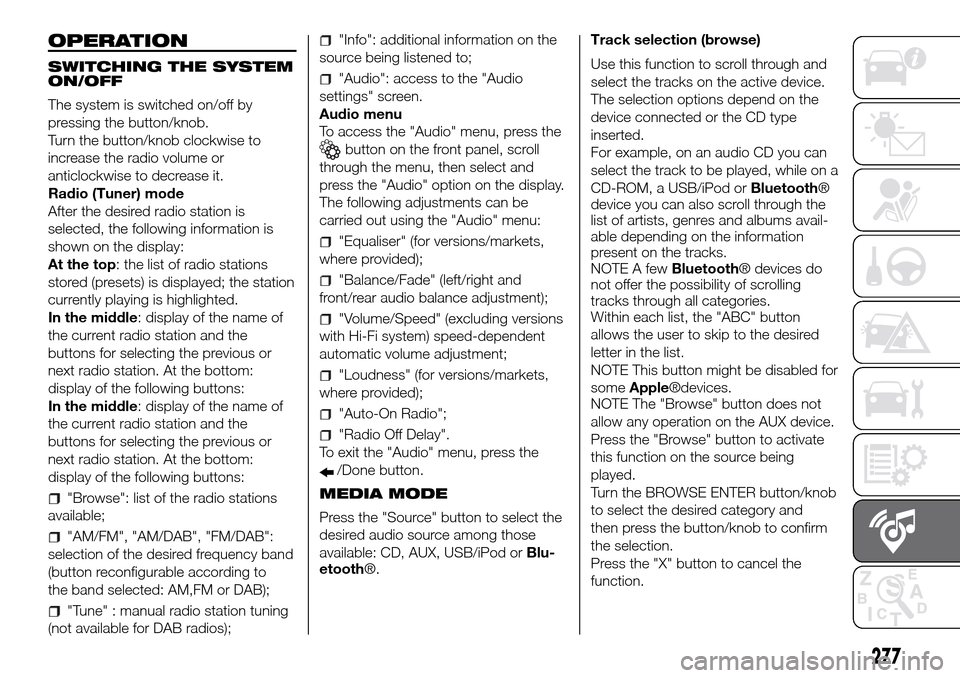
OPERATION
SWITCHING THE SYSTEM
ON/OFF
The system is switched on/off by
pressing the button/knob.
Turn the button/knob clockwise to
increase the radio volume or
anticlockwise to decrease it.
Radio (Tuner) mode
After the desired radio station is
selected, the following information is
shown on the display:
At the top: the list of radio stations
stored (presets) is displayed; the station
currently playing is highlighted.
In the middle: display of the name of
the current radio station and the
buttons for selecting the previous or
next radio station. At the bottom:
display of the following buttons:
In the middle: display of the name of
the current radio station and the
buttons for selecting the previous or
next radio station. At the bottom:
display of the following buttons:
"Browse": list of the radio stations
available;
"AM/FM", "AM/DAB", "FM/DAB":
selection of the desired frequency band
(button reconfigurable according to
the band selected: AM,FM or DAB);
"Tune" : manual radio station tuning
(not available for DAB radios);
"Info": additional information on the
source being listened to;
"Audio": access to the "Audio
settings" screen.
Audio menu
To access the "Audio" menu, press the
button on the front panel, scroll
through the menu, then select and
press the "Audio" option on the display.
The following adjustments can be
carried out using the "Audio" menu:
"Equaliser" (for versions/markets,
where provided);
"Balance/Fade" (left/right and
front/rear audio balance adjustment);
"Volume/Speed" (excluding versions
with Hi-Fi system) speed-dependent
automatic volume adjustment;
"Loudness" (for versions/markets,
where provided);
"Auto-On Radio";
"Radio Off Delay".
To exit the "Audio" menu, press the
/Done button.
MEDIA MODE
Press the "Source" button to select the
desired audio source among those
available: CD, AUX, USB/iPod orBlu-
etooth®.Track selection (browse)
Use this function to scroll through and
select the tracks on the active device.
The selection options depend on the
device connected or the CD type
inserted.
For example, on an audio CD you can
select the track to be played, while on a
CD-ROM, a USB/iPod orBluetooth®
device you can also scroll through the
list of artists, genres and albums avail-
able depending on the information
present on the tracks.
NOTE A fewBluetooth® devices do
not offer the possibility of scrolling
tracks through all categories.
Within each list, the "ABC" button
allows the user to skip to the desired
letter in the list.
NOTE This button might be disabled for
someApple®devices.
NOTE The "Browse" button does not
allow any operation on the AUX device.
Press the "Browse" button to activate
this function on the source being
played.
Turn the BROWSE ENTER button/knob
to select the desired category and
then press the button/knob to confirm
the selection.
Press the "X" button to cancel the
function.
277
Page 280 of 296
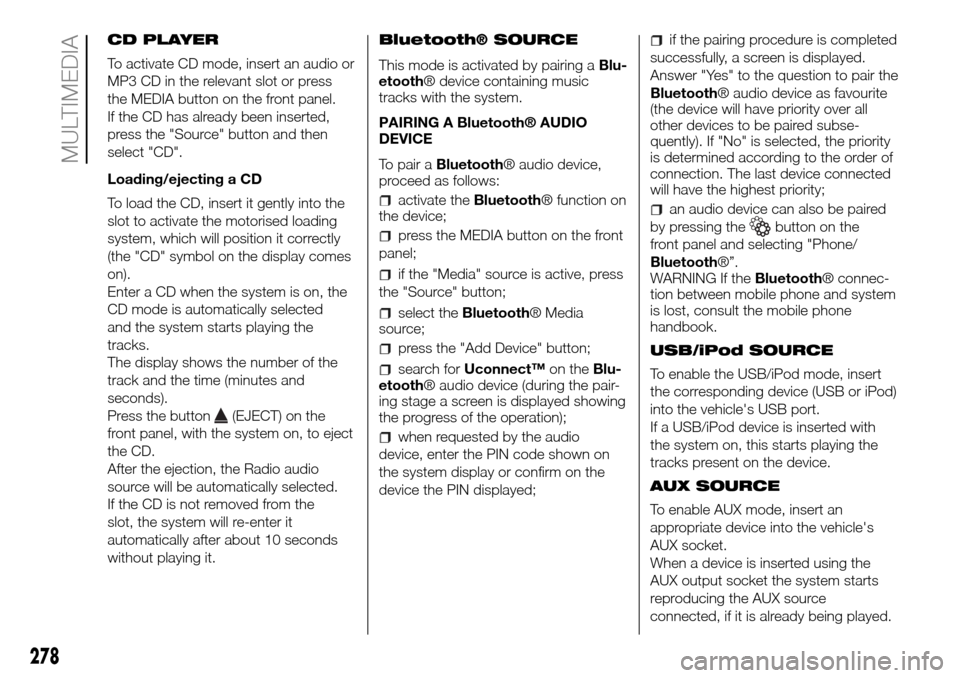
CD PLAYER
To activate CD mode, insert an audio or
MP3 CD in the relevant slot or press
the MEDIA button on the front panel.
If the CD has already been inserted,
press the "Source" button and then
select "CD".
Loading/ejecting a CD
To load the CD, insert it gently into the
slot to activate the motorised loading
system, which will position it correctly
(the "CD" symbol on the display comes
on).
Enter a CD when the system is on, the
CD mode is automatically selected
and the system starts playing the
tracks.
The display shows the number of the
track and the time (minutes and
seconds).
Press the button
(EJECT) on the
front panel, with the system on, to eject
the CD.
After the ejection, the Radio audio
source will be automatically selected.
If the CD is not removed from the
slot, the system will re-enter it
automatically after about 10 seconds
without playing it.Bluetooth® SOURCE
This mode is activated by pairing aBlu-
etooth® device containing music
tracks with the system.
PAIRING A Bluetooth® AUDIO
DEVICE
To pair aBluetooth® audio device,
proceed as follows:
activate theBluetooth® function on
the device;
press the MEDIA button on the front
panel;
if the "Media" source is active, press
the "Source" button;
select theBluetooth® Media
source;
press the "Add Device" button;
search forUconnect™on theBlu-
etooth® audio device (during the pair-
ing stage a screen is displayed showing
the progress of the operation);
when requested by the audio
device, enter the PIN code shown on
the system display or confirm on the
device the PIN displayed;
if the pairing procedure is completed
successfully, a screen is displayed.
Answer "Yes" to the question to pair the
Bluetooth® audio device as favourite
(the device will have priority over all
other devices to be paired subse-
quently). If "No" is selected, the priority
is determined according to the order of
connection. The last device connected
will have the highest priority;
an audio device can also be paired
by pressing the
button on the
front panel and selecting "Phone/
Bluetooth®”.
WARNING If theBluetooth® connec-
tion between mobile phone and system
is lost, consult the mobile phone
handbook.
USB/iPod SOURCE
To enable the USB/iPod mode, insert
the corresponding device (USB or iPod)
into the vehicle's USB port.
If a USB/iPod device is inserted with
the system on, this starts playing the
tracks present on the device.
AUX SOURCE
To enable AUX mode, insert an
appropriate device into the vehicle's
AUX socket.
When a device is inserted using the
AUX output socket the system starts
reproducing the AUX source
connected, if it is already being played.
278
MULTIMEDIA
Page 281 of 296
Adjust the volume using thebutton/
knob on the front panel or using the
volume adjustment control on the
connected device.
For the "Audio source selection"
function, see the "Media mode"
chapter.
IMPORTANT The functions of the
device connected to the AUX socket
are managed directly by the device
itself: it is not possible to change
track/folder/playlist or control play
start/end/pause with the front panel or
steering wheel controls.
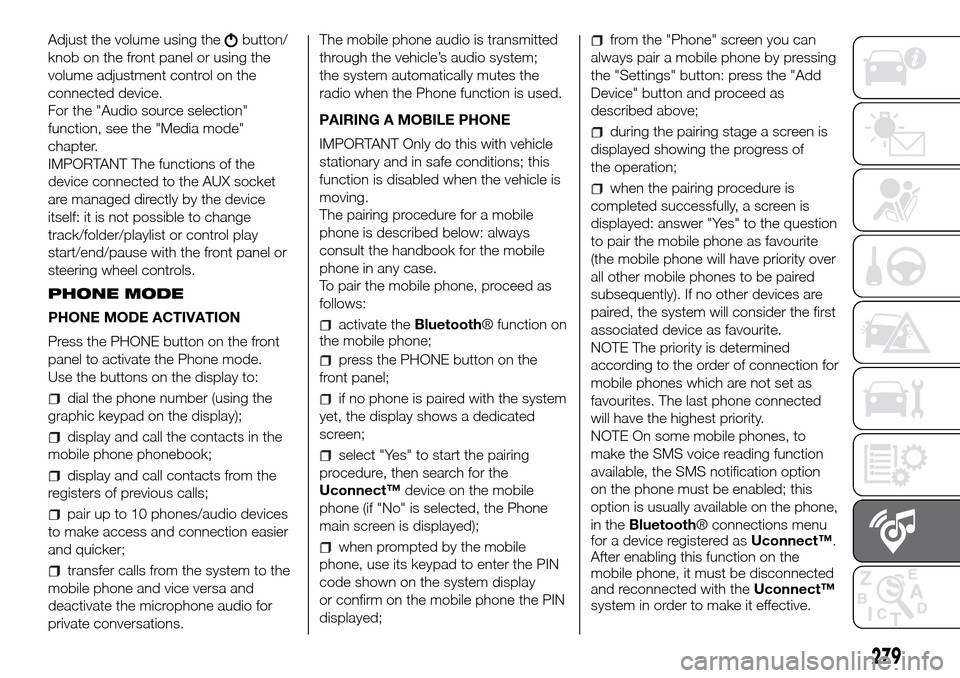
PHONE MODE
PHONE MODE ACTIVATION
Press the PHONE button on the front
panel to activate the Phone mode.
Use the buttons on the display to:
dial the phone number (using the
graphic keypad on the display);
display and call the contacts in the
mobile phone phonebook;
display and call contacts from the
registers of previous calls;
pair up to 10 phones/audio devices
to make access and connection easier
and quicker;
transfer calls from the system to the
mobile phone and vice versa and
deactivate the microphone audio for
private conversations.The mobile phone audio is transmitted
through the vehicle’s audio system;
the system automatically mutes the
radio when the Phone function is used.
PAIRING A MOBILE PHONE
IMPORTANT Only do this with vehicle
stationary and in safe conditions; this
function is disabled when the vehicle is
moving.
The pairing procedure for a mobile
phone is described below: always
consult the handbook for the mobile
phone in any case.
To pair the mobile phone, proceed as
follows:
activate theBluetooth® function on
the mobile phone;
press the PHONE button on the
front panel;
if no phone is paired with the system
yet, the display shows a dedicated
screen;
select "Yes" to start the pairing
procedure, then search for the
Uconnect™device on the mobile
phone (if "No" is selected, the Phone
main screen is displayed);
when prompted by the mobile
phone, use its keypad to enter the PIN
code shown on the system display
or confirm on the mobile phone the PIN
displayed;
from the "Phone" screen you can
always pair a mobile phone by pressing
the "Settings" button: press the "Add
Device" button and proceed as
described above;
during the pairing stage a screen is
displayed showing the progress of
the operation;
when the pairing procedure is
completed successfully, a screen is
displayed: answer "Yes" to the question
to pair the mobile phone as favourite
(the mobile phone will have priority over
all other mobile phones to be paired
subsequently). If no other devices are
paired, the system will consider the first
associated device as favourite.
NOTE The priority is determined
according to the order of connection for
mobile phones which are not set as
favourites. The last phone connected
will have the highest priority.
NOTE On some mobile phones, to
make the SMS voice reading function
available, the SMS notification option
on the phone must be enabled; this
option is usually available on the phone,
in theBluetooth® connections menu
for a device registered asUconnect™.
After enabling this function on the
mobile phone, it must be disconnected
and reconnected with theUconnect™
system in order to make it effective.
279