Automatic FIAT DUCATO 2016 3.G Owners Manual
[x] Cancel search | Manufacturer: FIAT, Model Year: 2016, Model line: DUCATO, Model: FIAT DUCATO 2016 3.GPages: 296, PDF Size: 15.08 MB
Page 9 of 296
KNOWING YOUR VEHICLE
In-depth knowledge of your new vehicle
starts here.
The booklet that you are reading simply
and directly explains how it is made
and how it works.
That’s why we advise you to read it
seated comfortably on board, so that
you can see what is described here for
yourself.SYMBOLS ...................................... 8
THE FIAT CODE SYSTEM ............... 8
THE KEYS....................................... 9
IGNITION SWITCH .......................... 10
ELECTRONIC ALARM..................... 11
DOORS ........................................... 12
SEATS ............................................ 16
STEERING WHEEL ......................... 21
REAR VIEW MIRRORS .................... 22
EXTERNAL LIGHTS......................... 24
HEADLIGHTS.................................. 27
ROOF LIGHTS ................................ 28
CONTROLS .................................... 29
WINDOW WASHING ....................... 32
HEATING AND VENTILATION.......... 34
HEATING AND VENTILATION
CONTROLS .................................... 35
MANUAL CLIMATE CONTROL
SYSTEM ......................................... 35
AUTOMATIC CLIMATE CONTROL
SYSTEM ......................................... 36
ADDITIONAL HEATER ..................... 37
INDEPENDENT ADDITIONAL
HEATER .......................................... 38
ELECTRIC WINDOWS .................... 41
BONNET ......................................... 42
HEAD RESTRAINTS ........................ 43
INTERIOR FITTINGS ...................... 44TACHOGRAPH ............................... 45
SELF-LEVELLING AIR
SUSPENSION ................................. 45
7
Page 10 of 296
SYMBOLS
Some vehicle components have
coloured labels whose symbols indicate
precautions to be observed when
using this component. Under the
bonnet there is also a label that
summarises all the symbols.
THE FIAT CODE
SYSTEM
IN BRIEF
This is an electrical engine locking
system which increases protection
against attempted theft of the vehicle.
It is automatically activated when
the key is removed from the ignition
device.
Each key contains an electronic
device which modulates the signal
emitted during ignition by an antenna
built into the ignition device. The
signal, which changes each time the
engine is started, is the “password”,
by means of which the control unit
recognises the key and enables
starting.
1)
Operation
Each time the vehicle is started turning
the ignition key toMAR-ON, the Fiat
CODE system control unit sends a
recognition code to the Powertrain
Control Module to deactivate the
immobiliser.The code is sent only if the Fiat CODE
system control unit has recognised
the code transmitted from the key.
Each time the ignition key is turned to
STOP, the Fiat CODE system
deactivates the functions of the engine
control module.
Irregular operation
If the code has not been recognised
correctly during starting, the
warning light on the instrument
panel turns on accompanied by the
corresponding message on the display
(see the “Warning lights and messages”
chapter).
In this case, turn the key toSTOPand
then back toMAR; if the lock
continues, try with the other keys
provided with the vehicle. Contact a
Fiat Dealership if you still cannot start
the engine.
IMPORTANT Each key has its own
code which must be stored by the
system's control unit. Contact a Fiat
Dealership to have new keys (up to 8)
stored with a code.
8
KNOWING YOUR VEHICLE
Page 15 of 296
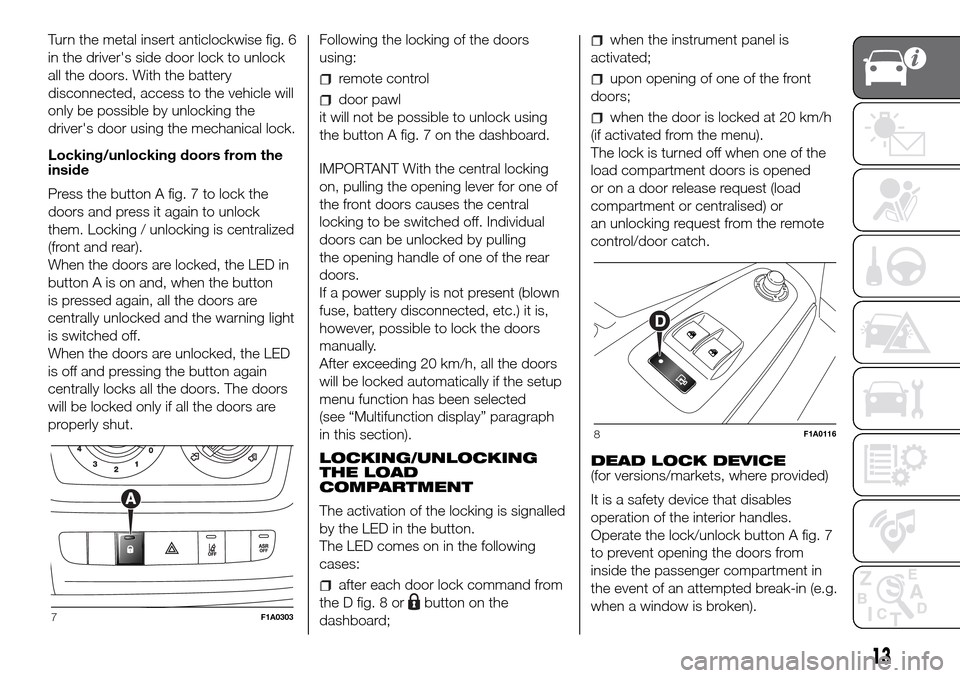
Turn the metal insert anticlockwise fig. 6
in the driver's side door lock to unlock
all the doors. With the battery
disconnected, access to the vehicle will
only be possible by unlocking the
driver's door using the mechanical lock.
Locking/unlocking doors from the
inside
Press the button A fig. 7 to lock the
doors and press it again to unlock
them. Locking / unlocking is centralized
(front and rear).
When the doors are locked, the LED in
button A is on and, when the button
is pressed again, all the doors are
centrally unlocked and the warning light
is switched off.
When the doors are unlocked, the LED
is off and pressing the button again
centrally locks all the doors. The doors
will be locked only if all the doors are
properly shut.Following the locking of the doors
using:
remote control
door pawl
it will not be possible to unlock using
the button A fig. 7 on the dashboard.
IMPORTANT With the central locking
on, pulling the opening lever for one of
the front doors causes the central
locking to be switched off. Individual
doors can be unlocked by pulling
the opening handle of one of the rear
doors.
If a power supply is not present (blown
fuse, battery disconnected, etc.) it is,
however, possible to lock the doors
manually.
After exceeding 20 km/h, all the doors
will be locked automatically if the setup
menu function has been selected
(see “Multifunction display” paragraph
in this section).
LOCKING/UNLOCKING
THE LOAD
COMPARTMENT
The activation of the locking is signalled
by the LED in the button.
The LED comes on in the following
cases:
after each door lock command from
the D fig. 8 or
button on the
dashboard;
when the instrument panel is
activated;
upon opening of one of the front
doors;
when the door is locked at 20 km/h
(if activated from the menu).
The lock is turned off when one of the
load compartment doors is opened
or on a door release request (load
compartment or centralised) or
an unlocking request from the remote
control/door catch.
DEAD LOCK DEVICE
(for versions/markets, where provided)
It is a safety device that disables
operation of the interior handles.
Operate the lock/unlock button A fig. 7
to prevent opening the doors from
inside the passenger compartment in
the event of an attempted break-in (e.g.
when a window is broken).
7F1A0303
8F1A0116
13
Page 16 of 296
The dead lock device therefore offers
the best possible protection against
break in attempts. We recommend
engaging it whenever the vehicle is
parked and left unattended.
6)
Device activation
The device turns on automatically on all
the doors when you press the
button
on the key with remote control fig. 4
twice rapidly.
The direction indicators flash 3 times
and the LED on the button A fig. 7
among the dashboard controls flashes
to indicate that the device has been
turned on.
If one or more of the doors is not
perfectly shut, the dead lock device will
not be activated, thus preventing a
person getting into the vehicle through
the open door and, on shutting, it,
remaining stuck inside the passenger
compartment.
Device deactivation
The system is disabled automatically on
every door in the following cases:
if the mechanical key is turned to the
opening position in the driver's door;
by unlocking the doors using the
remote control;
by turning the ignition key to the
MAR position.
SLIDING SIDE DOOR
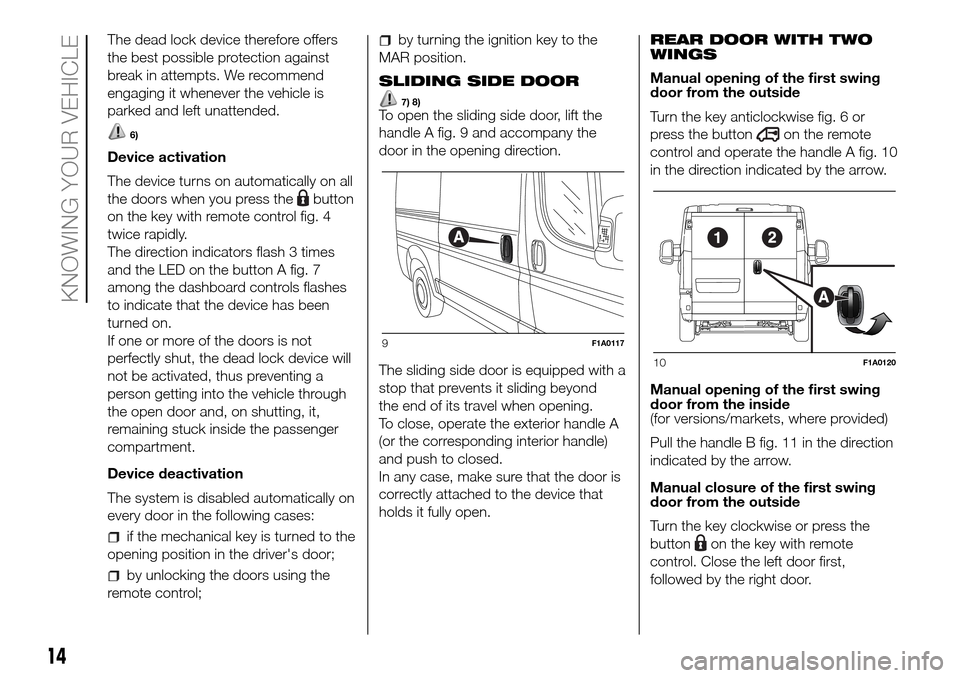
7) 8)To open the sliding side door, lift the
handle A fig. 9 and accompany the
door in the opening direction.
The sliding side door is equipped with a
stop that prevents it sliding beyond
the end of its travel when opening.
To close, operate the exterior handle A
(or the corresponding interior handle)
and push to closed.
In any case, make sure that the door is
correctly attached to the device that
holds it fully open.REAR DOOR WITH TWO
WINGS
Manual opening of the first swing
door from the outside
Turn the key anticlockwise fig. 6 or
press the button
on the remote
control and operate the handle A fig. 10
in the direction indicated by the arrow.
Manual opening of the first swing
door from the inside
(for versions/markets, where provided)
Pull the handle B fig. 11 in the direction
indicated by the arrow.
Manual closure of the first swing
door from the outside
Turn the key clockwise or press the
button
on the key with remote
control. Close the left door first,
followed by the right door.
9F1A0117
10F1A0120
14
KNOWING YOUR VEHICLE
Page 24 of 296
WARNING
26)Any steering wheel position adjustment
should only be carried out with the vehicle
stationary and the engine turned off.
27)It is absolutely forbidden to carry out
any after-market operation involving
steering system or steering column
modifications (e.g.: installation of anti-theft
device). This could badly affect
performance and safety, invalidate the
warranty and also result in the non-
compliance of the vehicle with approval
requirements.
REAR VIEW
MIRRORS
INTERIOR MIRROR
Lever A fig. 34 can be used to move
the mirror to two different positions:
normal or antiglare.
DOOR MIRRORS
Mirrors with manual adjustment
To adjust the mirrors, manually operate
on each of the two glasses of each
mirror.
28)
Mirrors with electrical adjustment
The electrical adjustment can only
be carried out with the ignition key in
the MAR-ON position.
To adjust the mirrors, turn the knob B
fig. 35 to one of the four positions: 1 left
mirror, 2 right mirror, 3 left wide angle,
4 right wide angle.After rotating the knob B on the mirror
to be adjusted, move it in the direction
shown by the arrows to adjust the
selected glass.
Mirror folding with manual
adjustment
When required (for example when the
mirror causes difficulty in narrow
spaces or at an automatic car washing
station) it is possible to fold the mirrors
manually moving them from position
1 to position 2 fig. 36.
If the mirror has been accidentally
rotated forwards (position 3), for
example due to an impact, it must be
manually returned to position 1.
29)
34F1A0353
35F1A0042
22
KNOWING YOUR VEHICLE
Page 25 of 296
Mirror folding with electrical
adjustment
(for versions/markets, where provided)
When required (for example when
the mirror causes difficulty in narrow
spaces or during an automatic car
wash) it is possible to fold the mirrors
both electrically and manually, moving
them from position 1 to position 2
fig. 36.Electric folding
To fold the mirrors electrically, press
point 2 of rocker button A fig. 37.
To bring the mirrors back to open
position, press point 1 of the button.
IMPORTANT If the mirrors are folded
electrically, they should be returned to
the open position electrically: do not try
to return the mirrors manually to driving
position.
Manual folding
To fold the mirrors manually, move them
from position 1 fig. 36 to position 2. If
the mirrors are folded manually, they
can be returned to the open position
both manually and electrically.
IMPORTANT To bring the mirrors
electrically to open position, press point
2 of the rocker button A fig. 37 until
an engagement “click” is heard, then
press point 1 of the button again.
Folding forwards
The mirrors can be manually folded
forwards (position 3 fig. 36) or brought
to open position 2 again manually if
they have been accidentally rotated
forwards (for example due to an
impact).If the mirrors have been rotated
forwards manually or due to an impact,
they can be returned to the opening
position both manually and electrically.
To bring the mirrors electrically to open
position, press point 2 of the rocker
button A fig. 37 until an engagement
“click” is heard, then press point 1
of the button again.
IMPORTANT If the mirrors have been
manually folded to position 3 fig. 36 by
mistake, the mirror moves to an
intermediate position. In this case,
manually rotate the mirror to position 1,
then press point 2 of the rocker button
A fig. 37 to return the mirror to position
2 until a “click” is heard, then press
point 1 of the button to bring it back to
position 1.
Defrosting/demisting
(for versions/markets, where provided)
The mirrors are fitted with resistors
that operate when the heated rear
window is activated (by pressing the
button).
IMPORTANT This function is timed and
will turn off automatically after several
minutes.
36F1A0043
37F1A0044
23
Page 26 of 296
WARNING
28)As the driver's exterior mirror is curved,
it may slightly alter the perception of
distance of the reflected image. Further,
the reflective surface of the lower part
of the exterior mirrors is parabolic to
increase the field of view. The reflected
image size is thus reduced and gives the
impression that the reflected item is further
away than it actually is.
29)When driving the mirrors should always
remain in position 1.
EXTERNAL LIGHTS
IN BRIEF
The left stalk includes the controls for
the exterior lights.
The exterior lights can only be
switched on when the ignition key is
in the ON position.
LIGHTS OFF
Ring turned to theOfig. 38 position.DAYTIME RUNNING
LIGHTS (DRL)
(for versions/markets, where provided)
With the key in MAR position and
the ring turned to theOposition fig. 38,
the daytime lights turn on automatically;
the other lights and the internal lighting
remain off. The automatic operation
of the daytime running lights can be
activated/deactivated, for versions/
markets where provided, via the display
menu (see "Display" in the "Knowing
the instrument panel" chapter).
If the daytime running lights are
deactivated, no light comes on when
the ring nut is turned toO.
30)
DIPPED HEADLIGHTS/
SIDE LIGHTS
With the ignition key turned to
MAR-ON, turn the ring nut to
fig.
39.
If dipped headlights are activated, the
daytime running lights switch off and
the side lights and dipped headlights
switch on.
The
warning light switches on in
the instrument panel.
When the ignition key is turned to
STOP or removed and the ring nut is
turned fromOto
, all the side lights
and the number plate lights come on.
38F1A0064
24
KNOWING YOUR VEHICLE
Page 27 of 296
Thewarning light will come on in
the instrument panel.
MAIN BEAM HEADLIGHTS
With the ring in the
position, pull the
stalk towards the steering wheel (2nd
unstable position) fig. 40.
The
warning light switches on in
the instrument panel.
To turn the main beams off, pull the
stalk towards the steering wheel again
(dipped beams will come back on).FLASHING
Pull the stalk towards the steering
wheel (1st unstable position) fig. 41
regardless of the position of the ring.
The
warning light switches on
in the instrument panel.
AUTOMATIC MAIN BEAM
HEADLIGHTS
In order not to dazzle other road users,
the main beam headlights are
automatically turned off when
approaching oncoming vehicles or
when following a vehicle travelling in the
same direction.
The system is enabled through the
menu item and by rotating the light
selector to the
position.When the main beam headlights are
turned on for the first time by pulling the
stalk, the function is enabled and the
icon is displayed; if the main beam
headlights are actually on, the
corresponding blue warning light
is
displayed as well.
If the driving speed is over 40 km/h and
the function is activated, pulling the
stalk again to the main beam headlight
position deactivates the function.
If the driving speed is below 15 km/h
and the function is activated, the
function switches the main beam
headlights off. Pulling the stalk again to
the main beam headlight position is
interpreted as a request for the main
beam headlights to stay on, therefore
the blue warning light
on the
dashboard turns on and the main beam
headlights stay on until the speed
exceeds 40 km/h again. The function is
enabled again automatically when 40
km/h is exceeded
.
If the stalk is pulled again in this
condition, to request main beam
headlight deactivation, the function
remains off and the main beam
headlights switch off.
Rotate the ring to the
position fig.
39 to disable the automatic function.
31) 32)
39F1A0065
40F1A0066
41F1A0067
25
Page 28 of 296
PARKING LIGHTS
These lights can only be turned on with
ignition key in the STOP position or
removed, by moving the left stalk ring
first to theOposition and then to the
orposition.
The
warning light switches on in
the instrument panel.
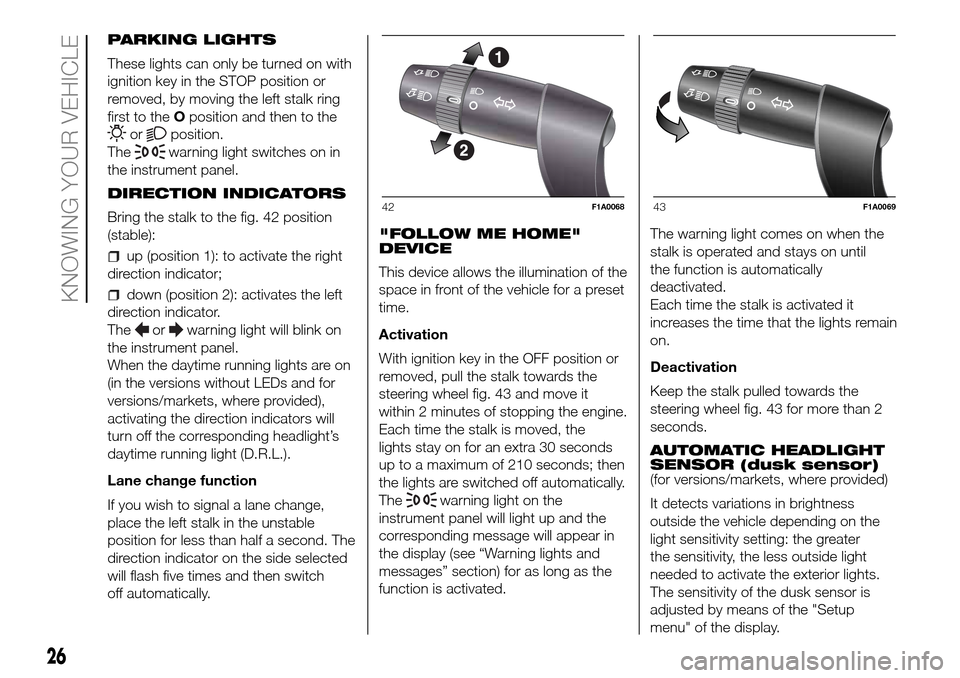
DIRECTION INDICATORS
Bring the stalk to the fig. 42 position
(stable):
up (position 1): to activate the right
direction indicator;
down (position 2): activates the left
direction indicator.
The
orwarning light will blink on
the instrument panel.
When the daytime running lights are on
(in the versions without LEDs and for
versions/markets, where provided),
activating the direction indicators will
turn off the corresponding headlight’s
daytime running light (D.R.L.).
Lane change function
If you wish to signal a lane change,
place the left stalk in the unstable
position for less than half a second. The
direction indicator on the side selected
will flash five times and then switch
off automatically."FOLLOW ME HOME"
DEVICE
This device allows the illumination of the
space in front of the vehicle for a preset
time.
Activation
With ignition key in the OFF position or
removed, pull the stalk towards the
steering wheel fig. 43 and move it
within 2 minutes of stopping the engine.
Each time the stalk is moved, the
lights stay on for an extra 30 seconds
up to a maximum of 210 seconds; then
the lights are switched off automatically.
The
warning light on the
instrument panel will light up and the
corresponding message will appear in
the display (see “Warning lights and
messages” section) for as long as the
function is activated.The warning light comes on when the
stalk is operated and stays on until
the function is automatically
deactivated.
Each time the stalk is activated it
increases the time that the lights remain
on.
Deactivation
Keep the stalk pulled towards the
steering wheel fig. 43 for more than 2
seconds.
AUTOMATIC HEADLIGHT
SENSOR (dusk sensor)
(for versions/markets, where provided)
It detects variations in brightness
outside the vehicle depending on the
light sensitivity setting: the greater
the sensitivity, the less outside light
needed to activate the exterior lights.
The sensitivity of the dusk sensor is
adjusted by means of the "Setup
menu" of the display.
42F1A006843F1A0069
26
KNOWING YOUR VEHICLE
Page 29 of 296
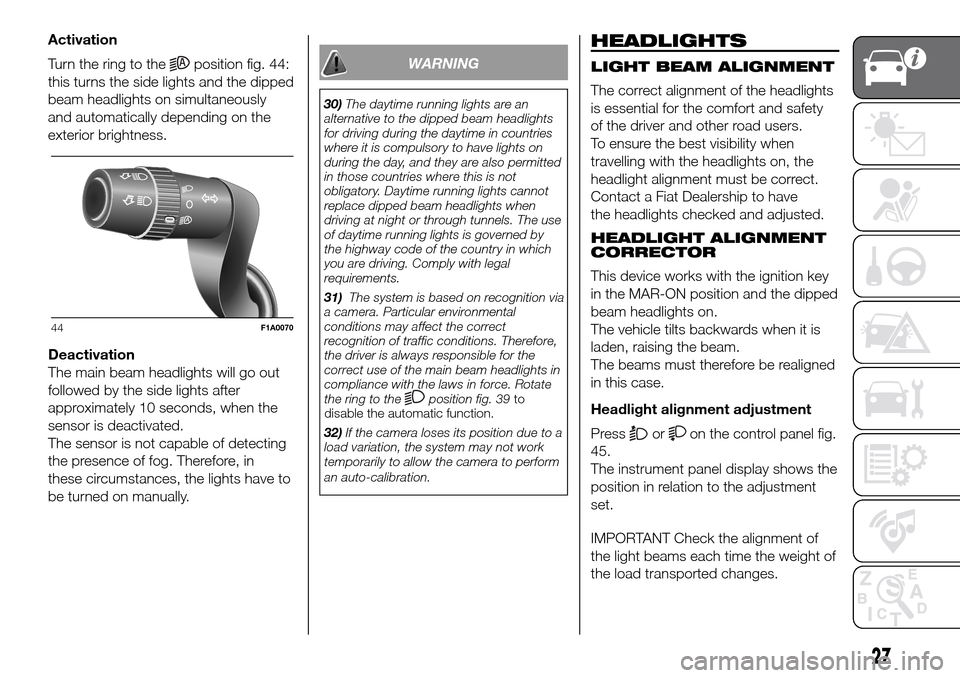
Activation
Turn the ring to the
position fig. 44:
this turns the side lights and the dipped
beam headlights on simultaneously
and automatically depending on the
exterior brightness.
Deactivation
The main beam headlights will go out
followed by the side lights after
approximately 10 seconds, when the
sensor is deactivated.
The sensor is not capable of detecting
the presence of fog. Therefore, in
these circumstances, the lights have to
be turned on manually.WARNING
30)The daytime running lights are an
alternative to the dipped beam headlights
for driving during the daytime in countries
where it is compulsory to have lights on
during the day, and they are also permitted
in those countries where this is not
obligatory. Daytime running lights cannot
replace dipped beam headlights when
driving at night or through tunnels. The use
of daytime running lights is governed by
the highway code of the country in which
you are driving. Comply with legal
requirements.
31)The system is based on recognition via
a camera. Particular environmental
conditions may affect the correct
recognition of traffic conditions. Therefore,
the driver is always responsible for the
correct use of the main beam headlights in
compliance with the laws in force. Rotate
the ring to the
position fig. 39to
disable the automatic function.
32)If the camera loses its position due to a
load variation, the system may not work
temporarily to allow the camera to perform
an auto-calibration.
HEADLIGHTS
LIGHT BEAM ALIGNMENT
The correct alignment of the headlights
is essential for the comfort and safety
of the driver and other road users.
To ensure the best visibility when
travelling with the headlights on, the
headlight alignment must be correct.
Contact a Fiat Dealership to have
the headlights checked and adjusted.
HEADLIGHT ALIGNMENT
CORRECTOR
This device works with the ignition key
in the MAR-ON position and the dipped
beam headlights on.
The vehicle tilts backwards when it is
laden, raising the beam.
The beams must therefore be realigned
in this case.
Headlight alignment adjustment
Press
oron the control panel fig.
45.
The instrument panel display shows the
position in relation to the adjustment
set.
IMPORTANT Check the alignment of
the light beams each time the weight of
the load transported changes.
44F1A0070
27