wheel FIAT FREEMONT 2014 1.G Owner's Manual
[x] Cancel search | Manufacturer: FIAT, Model Year: 2014, Model line: FREEMONT, Model: FIAT FREEMONT 2014 1.GPages: 388, PDF Size: 4.13 MB
Page 157 of 388
4. Using tire chains on the vehicle.
5. Using wheels/tires not equipped with TPMS sen-sors.
The EVIC will also display a "SERVICE TPM SYSTEM"
message for a minimum of five seconds when a system
fault related to an incorrect sensor location fault is
detected. In this case, the "SERVICE TPM SYSTEM"
message is then followed with a graphic display with
pressure values still shown. This indicates that the
pressure values are still being received from the TPM
sensors but they may not be located in the correct
vehicle position. The system still needs to be serviced
as long as the "SERVICE TPM SYSTEM" message is
displayed.
NOTE:
1. The compact spare tire does not have a tire pres- sure monitoring sensor. Therefore, the TPMS will
not monitor the pressure in the compact spare tire.
2. If you install the compact spare tire in place of a road tire that has a pressure below the low-pressure
warning limit, upon the next ignition switch cycle,
the TPMS Telltale Light will remain on and a chime
will sound. In addition, the graphic in the EVIC will
still display a different color pressure value. An
"Inflate Tire to XXX" message will also be displayed. 3. After driving the vehicle for up to 20 minutes above
25 km/h, the TPMS Telltale Light will flash on and off
for 75 seconds and then remain on solid. In addition,
the EVIC will display a "SERVICE TPM SYSTEM"
message for a minimum of five seconds and then
display dashes (- -) in place of the pressure value.
4. For each subsequent ignition switch cycle, a chime will sound, the TPMS Telltale Light will flash on and
off for 75 seconds and then remain on solid, and the
EVIC will display a "SERVICE TPM SYSTEM" mes-
sage for a minimum of five seconds and then display
dashes (- -) in place of the pressure value.
5. Once you repair or replace the original road tire and reinstall it on the vehicle in place of the compact
spare, the TPMS will update automatically. In addi-
tion, the TPMS Telltale Light will turn off and the
graphic in the EVIC will display a new pressure value
instead of dashes (- -), as long as no tire pressure is
below the low-pressure warning limit in any of the
four active road tires. The vehicle may need to be
driven for up to 20 minutes above 25 km/h in order
for the TPMS to receive this information.
151
KNOWING
YOUR
VEHICLE
SAFETY
STARTING
AND
DRIVING
W
ARNING
LIGHTS
AND
MESSAGES
IN AN
EMERGENCY
SERVICING
AND CARE
TECHNICAL
SPECIFICATIONS
CONTENTS
Page 158 of 388
TPMS Deactivation And Reactivation —
(for versions/markets, where provided)
The TPMS can be deactivated if replacing all four wheel
and tire assemblies (road tires) with wheel and tire
assemblies that do not have TPMS Sensors, such as
when installing winter wheel and tire assemblies on
your vehicle.
To deactivate the TPMS, first, replace all four wheel and
tire assemblies (road tires) with those not equipped
with TPM Sensors. Then, drive the vehicle for 20 min-
utes above 25 km/h. The TPMS will chime and the Tire
Pressure Monitoring Telltale Light will flash on and off
for 75 seconds and then remain on solid. In addition,
the Electronic Vehicle Information Center (EVIC) will
display a “SERVICE TPM SYSTEM” text message, and
the graphic will display “- -“ in place of four tire
pressure values. Upon the next ignition switch cycle,
the TPMS will no longer chime or turn on the Tire
Pressure Monitoring Telltale Light, or display the text
message in the EVIC. However, the graphic will still
display “- -.“
To reactivate the TPMS, first, replace all four wheel and
tire assemblies (road tires) with those equipped with
TPM Sensors. Then, drive the vehicle for up to 20 min-
utes above 25 km/h. The TPMS will chime, the TirePressure Monitoring Telltale Light will flash on and off
for 75 seconds, the EVIC will display a “SERVICE TPM
SYSTEM” text message, and the graphic will display tire
pressure values to show that the TPMS is receiving
sensor data.
GENERAL INFORMATION
Transmitter and receivers operate on a carrier fre-
quency of 433.92 MHz as required by EEC regulations.
These devices must be certified to conform to specific
regulations in each individual country. Two sets of
regulations are involved: ETS (European Telecommuni-
cation Standard) 300–220, which most countries use,
and German BZT federal regulation 225Z125, which is
based on ETC 300–220 but has additional unique re-
quirements. Other defined requirements are noted in
ANNEX VI of COMMISSION DIRECTIVE 95/56/EC.
Operation is subject to the following two conditions:
• This device may not cause harmful interference.
• This device must accept any interference received,
including interference that may cause undesired op-
eration.
152
KNOWING YOUR
VEHICLE
SAFETY
STARTING AND
DRIVING
W
ARNING LIGHTS AND
MESSAGES
IN AN
EMERGENCY
SERVICING AND CARE
TECHNICAL
SPECIFICATIONS
CONTENTS
Page 167 of 388
SOUND SYSTEMS
Refer to your Uconnect® User Manual.
STEERING WHEEL AUDIO
CONTROLS
The remote sound system controls are located on the
rear surface of the steering wheel. The left and right-
hand controls are rocker-type switches with a pushbut-
ton in the center of each switch. Reach behind the
steering wheel to access the switches.
(fig. 120)
(fig. 120)Remote Sound Controls (Back View Of Steering Wheel)
161
KNOWING
YOUR
VEHICLE
SAFETY
STARTING
AND
DRIVING
W
ARNING
LIGHTS
AND
MESSAGES
IN AN
EMERGENCY
SERVICING
AND CARE
TECHNICAL
SPECIFICATIONS
CONTENTS
Page 193 of 388
SAFETY
OCCUPANT RESTRAINTS
Some of the most important safety features in your
vehicle are the restraint systems:
• Three-point lap and shoulder belts for all seatingpositions
•
Advanced Front Air Bags for driver and front passenger
• Supplemental Active Head Restraints (AHR) located on top of the front seats (integrated into the head
restraint) (for versions/markets, where provided)
• Supplemental Side Air Bag Inflatable Curtains (SABIC) that span the front, second, and third row
seating for the driver and passengers seated next to
a window
• Supplemental Seat-Mounted Side Air Bags
• An energy-absorbing steering column and steering wheel
• Knee bolsters/blockers for front seat occupants
• Front seat belts incorporate pretensioners that may enhance occupant protection by managing occupant
energy during an impact event
If you will be carrying children too small for adult-sized
seat belts, the seat belts or ISOFIX feature also can
be used to hold infant and child restraint systems. For more information, refer to ISOFIX — Child Seat
Anchorage System.
NOTE:
The Advanced Front Air Bags have a multi-
stage inflator design. This allows the air bag to have
different rates of inflation based on several factors,
including the severity and type of collision.
Please pay close attention to the information in this
section. It tells you how to use your restraint system
properly, to keep you and your passengers as safe as
possible.
WARNING!
In a collision, you and your passengers
can suff er
much greater injuries if you
are not properly buckled up. You can strike the
interior of your vehicle or other passengers, or
you can be thrown out of the vehicle. Always be
sure you and others in your vehicle are buckled
up properly.
Buckle up even though you are an excellent driver, even
on short trips. Someone on the road may be a poor
driver and cause a collision that includes you. This can
happen far away from home or on your own street.
187
KNOWING
YOUR
VEHICLE
SAFETY
STARTING
AND
DRIVING
WARNING
LIGHTS
AND
MESSAGES
IN AN
EMERGENCY
SERVICING
AND CARE
TECHNICAL
SPECIFICATIONS
CONTENTS
Page 222 of 388
4. Remove slack in the tether strap according to thechild restraint manufacturer’s instructions.
WARNING!
• An incorrectly anchored tether strap
could lead
to increased head motion and
possible injury to the child. Use only the anchor-
age position directly behind the child seat to
secure a child restraint top tether strap.
• If your vehicle is equipped with a split rear
seat , make sure the tether strap does not slip into
the opening between the seatbacks as you re-
move slack in the strap.
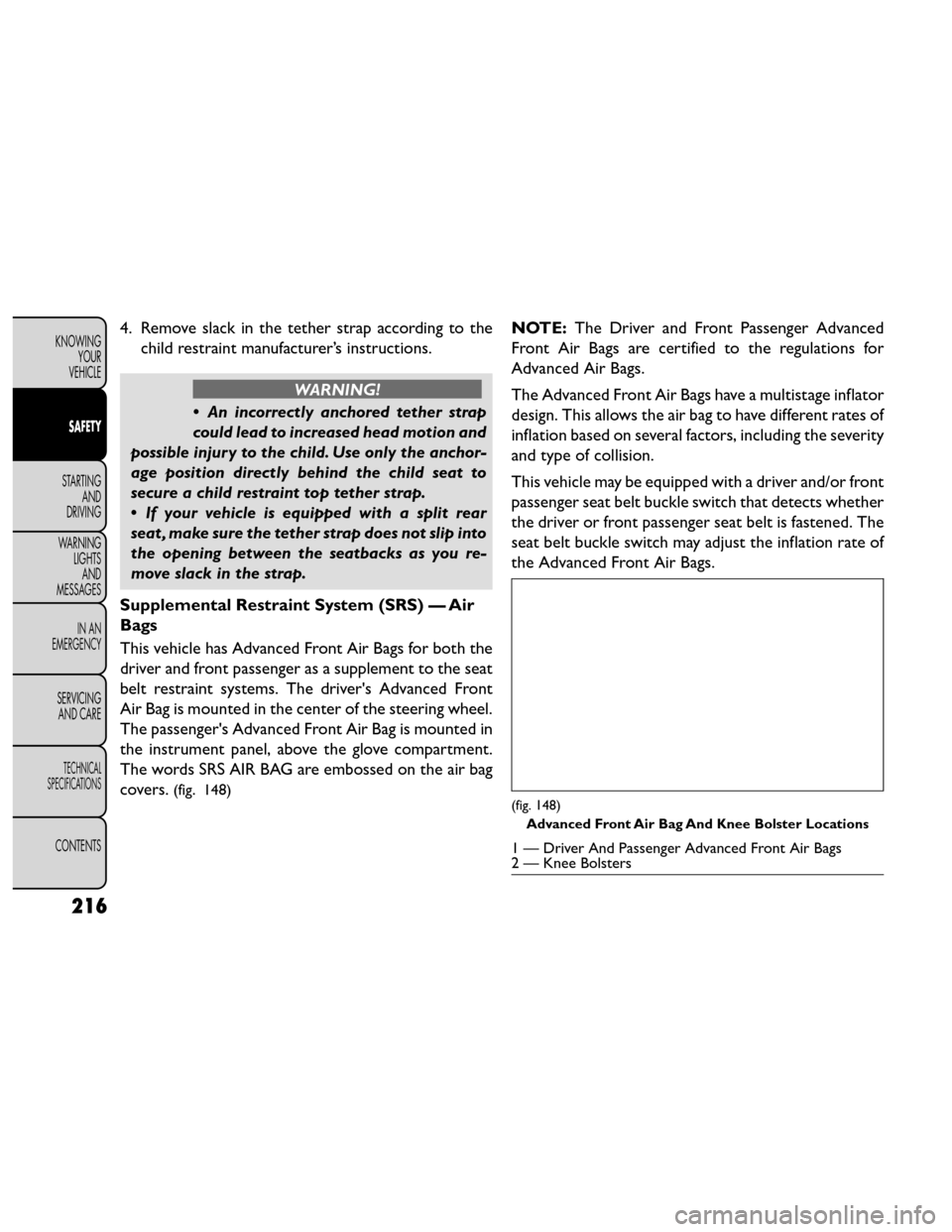
Supplemental Restraint System (SRS) — Air
Bags
This vehicle has Advanced Front Air Bags for both the
driver and front passenger as a supplement to the seat
belt restraint systems. The driver's Advanced Front
Air Bag is mounted in the center of the steering wheel.
The passenger's Advanced Front Air Bag is mounted in
the instrument panel, above the glove compartment.
The words SRS AIR BAG are embossed on the air bag
covers.
(fig. 148)
NOTE: The Driver and Front Passenger Advanced
Front Air Bags are certified to the regulations for
Advanced Air Bags.
The Advanced Front Air Bags have a multistage inflator
design. This allows the air bag to have different rates of
inflation based on several factors, including the severity
and type of collision.
This vehicle may be equipped with a driver and/or front
passenger seat belt buckle switch that detects whether
the driver or front passenger seat belt is fastened. The
seat belt buckle switch may adjust the inflation rate of
the Advanced Front Air Bags.
(fig. 148)
Advanced Front Air Bag And Knee Bolster Locations
1 — Driver And Passenger Advanced Front Air Bags
2 — Knee Bolsters
216
KNOWING YOUR
VEHICLE
SAFETY
STARTING AND
DRIVING
WARNING LIGHTSAND
MESSAGES
IN AN
EMERGENCY
SERVICING AND CARE
TECHNICAL
SPECIFICATIONS
CONTENTS
Page 223 of 388
This vehicle is equipped with Supplemental Side Air Bag
Inflatable Curtains (SABIC) to protect the driver, front,
and rear passengers sitting next to a window. The
SABIC air bags are located above the side windows and
their covers are also labeled: SRS AIRBAG.
This vehicle is equipped with Supplemental Seat-
Mounted Side Air Bags (SAB). The Supplemental Seat-
Mounted Side Air Bags are marked with an air bag label
sewn into the outboard side of the front seats.
NOTE:
• Air Bag covers may not be obvious in the interiortrim, but they will open during air bag deployment.
• After any accident, the vehicle should be taken to an authorized dealer immediately.
Air Bag System Components
Your vehicle may be equipped with the following air bag
system components:
• Occupant Restraint Controller (ORC)
• Air Bag Warning Light
• Steering Wheel and Column • Instrument Panel
• Knee Impact Bolsters
• Driver Advanced Front Air Bag
• Passenger Advanced Front Air Bag
• Supplemental Seat-Mounted Side Air Bags (SAB)
• Supplemental Side Air Bag Inflatable Curtains
(SABIC)
• Front and Side Impact Sensors
• Front Seat Belt Pretensioners
• Seat Belt Buckle Switch
Advanced Front Air Bag Features
The Advanced Front Air Bag system has multistage
driver and front passenger air bags. This system pro-
vides output appropriate to the severity and type of
collision as determined by the Occupant Restraint
Controller (ORC), which may receive information
from the front impact sensors.
217
KNOWING
YOUR
VEHICLE
SAFETY
STARTING
AND
DRIVING
WARNING
LIGHTS
AND
MESSAGES
IN AN
EMERGENCY
SERVICING
AND CARE
TECHNICAL
SPECIFICATIONS
CONTENTS
Page 227 of 388
of impact, Advanced Front Air Bags may deploy in
crashes with little vehicle front-end damage but that
produce a severe initial deceleration.
The side air bags will not deploy in all side collisions.
Side air bag deployment will depend on the severity and
type of collision.
Because air bag sensors measure vehicle deceleration
over time, vehicle speed and damage by themselves are
not good indicators of whether or not an air bag should
have deployed.
Seat belts are necessary for your protection in all
collisions, and also are needed to help keep you in
position, away from an inflating air bag.
The ORC monitors the readiness of the electronic
parts of the air bag system whenever the ignition is in
the ON/RUN position. If the ignition is in the OFF
position, or in the ACC position, the air bag system is
not on and the air bags will not inflate.
The ORC contains a backup power supply system that
may deploy the air bags even if the battery loses power
or it becomes disconnected prior to deployment.Also, the ORC turns on the Air Bag Warning
Light in the instrument panel for approxi-
mately four to eight seconds for a self-check
when the ignition is first turned on. After the self-
check, the Air Bag Warning Light will turn off. If the ORC detects a malfunction in any part of the system, it
turns on the Air Bag Warning Light, either momentarily
or continuously. A single chime will sound if the light
comes on again after initial startup.
It also includes diagnostics that will illuminate the
instrument cluster Air Bag Warning Light if a malfunc-
tion is noted that could affect the air bag system. The
diagnostics also record the nature of the malfunction.
WARNING!
Ignoring the Air Bag Warning Light in
your ins t
rument panel could mean you
won't have the air bags to protect you in a
collision. If the light does not come on as a bulb
check when the ignition is first turned on, stays
on after you start the vehicle, or if it comes on as
you drive, have an authorized dealer service the
air bag system immediately.
Driver And Passenger Advanced Front Air Bag
Inflator Units
The Driver and Passenger Advanced Front Air Bag Infla-
tor Units are located in the center of the steering wheel
and on the right side of the instrument panel. When the
ORC detects a collision requiring the Advanced Front
Air Bags, it signals the inflator units. A large quantity of
non-toxic gas is generated to inflate the Advanced Front
221
KNOWING
YOUR
VEHICLE
SAFETY
STARTING
AND
DRIVING
WARNING
LIGHTS
AND
MESSAGES
IN AN
EMERGENCY
SERVICING
AND CARE
TECHNICAL
SPECIFICATIONS
CONTENTS
Page 228 of 388
Air Bags. Different air bag inflation rates are possible,
based on several factors, including the collision type and
severity. The steering wheel hub trim cover and the
upper right side of the instrument panel separate and
fold out of the way as the air bags inflate to their full size.
The air bags fully inflate in about 50 to 70 milliseconds.
This is about half of the time it takes to blink your eyes.
The air bags then quickly deflate while helping to restrain
the driver and front passenger.
The Advanced Front Air Bag gas is vented through the
vent holes in the sides of the air bag. In this way, the air
bags do not interfere with your control of the vehicle.
Supplemental Seat-Mounted Side Air Bag
(SAB) Inflator Units
The Supplemental Seat-Mounted Side Air Bags (SAB)
are designed to activate only in certain side collisions.
The ORC determines if a side collision requires the
side air bags to inflate, based on the severity and type of
collision.
Based on the severity and type of collision, the side air
bag inflator on the crash side of the vehicle may be
triggered, releasing a large quantity of non-toxic gas.
The inflating SAB exits through the seat seam into the
space between the occupant and the door. The SAB
fully inflates in about 10 milliseconds. The side air bag
moves at a very high speed and with such a high force
that it could injure you if you are not seated properly,or if items are positioned in the area where the side air
bag inflates. This especially applies to children.
Supplemental Side Air Bag Inflatable Curtain
(SABIC) Inflator Units
During collisions where the impact is confined to a
particular area of the side of the vehicle, the ORC may
deploy the SABIC air bags, depending on the severity and
type of collision. In these events, the ORC will deploy
the SABIC only on the impact side of the vehicle.
A quantity of non-toxic gas is generated to inflate the
side curtain air bag. The inflating side curtain air bag
pushes the outside edge of the headliner out of the way
and covers the window. The air bag inflates in about 30
milliseconds (about one-quarter of the time that it takes
to blink your eyes) with enough force to injure you if you
are not belted and seated properly, or if items are
positioned in the area where the side curtain air bag
inflates. This especially applies to children. The side
curtain air bag is only about 9 cm thick when it is inflated.
Because air bag sensors estimate deceleration over
time, vehicle speed and damage are not good indicators
of whether or not an air bag should have deployed.
NOTE:
In a rollover the pretensioners and/or SAB and
SABIC air bags may deploy on both sides of the vehicle.
222
KNOWING YOUR
VEHICLE
SAFETY
STARTING AND
DRIVING
WARNING LIGHTSAND
MESSAGES
IN AN
EMERGENCY
SERVICING AND CARE
TECHNICAL
SPECIFICATIONS
CONTENTS
Page 234 of 388
(Continued)
Failure to properly follow floor mat installation
or mounting can cause interference with the
brake pedal and accelerator pedal operation
causing loss of control of the vehicle.
Periodic Safety Checks You Should Make
Outside The Vehicle
Tires
Examine tires for excessive tread wear and uneven
wear patterns. Check for stones, nails, glass, or other
objects lodged in the tread or sidewall. Inspect the
tread for cuts and cracks. Inspect sidewalls for cuts,
cracks and bulges. Check the wheel nuts for tightness.
Check the tires (including spare) for proper cold infla-
tion pressure. Lights
Have someone observe the operation of brake lights
and exterior lights while you work the controls. Check
turn signal and high beam indicator lights on the instru-
ment panel.
Door Latches
Check for positive closing, latching, and locking.
Fluid Leaks
Check area under vehicle after overnight parking for
fuel, engine coolant, oil, or other fluid leaks. Also, if
gasoline fumes are detected or if fuel, power steering
fluid (for versions/markets, where provided), or brake
fluid leaks are suspected, the cause should be located
and corrected immediately.
228
KNOWING
YOUR
VEHICLE
SAFETY
STARTING AND
DRIVING
WARNING LIGHTSAND
MESSAGES
IN AN
EMERGENCY
SERVICING AND CARE
TECHNICAL
SPECIFICATIONS
CONTENTS
Page 241 of 388
Automatic Transmission
The foot operated parking brake is located below the
lower left corner of the instrument panel. To apply the
park brake, firmly push the park brake pedal fully. To
release the parking brake, press the park brake pedal a
second time and let your foot up as you feel the brake
disengage.
(fig. 152)
When the parking brake is applied with the ignition
switch ON, the “Brake Warning Light” in the instru-
ment cluster will illuminate.NOTE:
• When the parking brake is applied and the automatic
transmission is placed in gear, the “Brake Warning
Light” will flash. If vehicle speed is detected, a chime
will sound to alert the driver. Fully release the park-
ing brake before attempting to move the vehicle.
• This light only shows that the parking brake is ap- plied. It does not show the degree of brake applica-
tion.
When parking on a hill, it is important to turn the front
wheels toward the curb on a downhill grade and away
from the curb on an uphill grade. For vehicles equipped
with an automatic transmission, apply the parking
brake before placing the shift lever in PARK, otherwise
the load on the transmission locking mechanism may
make it difficult to move the shift lever out of PARK.
The parking brake should always be applied whenever
the driver is not in the vehicle.
WARNING!
• Never use PARK position on an auto-
mat i
c transmission as a substitute for
the parking brake. Always apply the parking
brake fully when parked to guard against vehicle
movement and possible injury or damage.
(Continued)
(fig. 152)Parking Brake
235
KNOWING
YOUR
VEHICLE
SAFETY
STARTING
AND
DRIVING
WARNING
LIGHTS
AND
MESSAGES
IN AN
EMERGENCY
SERVICING
AND CARE
TECHNICAL
SPECIFICATIONS
CONTENTS