change time FIAT FREEMONT 2015 1.G User Guide
[x] Cancel search | Manufacturer: FIAT, Model Year: 2015, Model line: FREEMONT, Model: FIAT FREEMONT 2015 1.GPages: 412, PDF Size: 3.37 MB
Page 48 of 412
• Set Time Hours
When in this display you may select the time display
settings. To make your selection, press the Set Time
button on the touchscreen, adjust the hours using the
up and down buttons on the touchscreen, followed by
pressing the arrow back button on the touchscreen
when all selections are complete.
• Set Time Minutes
When in this display you may select the time display
settings. To make your selection, press the Set Time
button on the touchscreen, adjust the minutes using
the up and down buttons on the touchscreen, followed
by pressing the arrow back button on the touchscreen
when all selections are complete.
• Time Format
When in this display you may select the time display
settings. To make your selection, press the Set Time
button on the touchscreen, select 12 hr or 24 hr
followed by pressing the arrow back button on the
touchscreen when all selections are complete.
• Show Time in Status Bar (for versions/markets,
where provided)
When in this display you may turn on or shut off the
digital clock in the status bar. To change the Show Time
Status setting press and release the On or Off button
on the touchscreen followed by pressing the arrow
back button on the touchscreen.Safety / Assistance
• Park Assist (for versions/markets, where pro-
vided)
The Rear Park Assist system will scan for objects
behind the vehicle when the transmission shift lever is
in REVERSE and the vehicle speed is less than 11 km/h.
The system can be enabled with Sound Only, Sound
and Display, or turned OFF. To change the Park Assist
status press and release the Off, Sound Only or Sounds
and Display button followed by pressing the arrow back
button on the touchscreen.
• Parkview Backup Camera (for versions/markets,
where provided)
Your vehicle may be equipped with the ParkView®
Rear Back Up Camera that allows you to see an
on-screen image of the rear surroundings of your
vehicle whenever the shift lever is put into REVERSE.
The image will be displayed on the radio touchscreen
display along with a caution note to “check entire
surroundings” across the top of the screen. After five
seconds this note will disappear. The ParkView® cam-
era is located on the rear of the vehicle above the rear
License plate. To make your selection, press the
Parkview Backup Camera check box in the "Safety &
Driving Assistance" menu to enable/disable the
Parkview Backup Camera.
42
KNOWING
YOUR
VEHICLE
SAFETY
STAR
TINGAND
DRIVING
WARNING LIGHTSAND
MESSAGES
IN AN
EMERGENCY
SERVICINGAND CARE
TECHNICAL
SPECIFICATIONS
CONTENTS
Page 56 of 412
HEATED SEATS (for versions/markets, where
provided)
The front heated seats control buttons are located
within the Uconnect® system. You can gain access to
the control buttons through the climate screen or the
controls screen.
• Press the heated seat button
once to turn the
High setting ON.
• Press the heated seat button
a second time to
turn the Low setting ON.
• Press the heated seat button
a third time to turn
the heating elements OFF.
If the HI-level setting is selected, the system will auto-
matically switch to LO-level after approximately 60
minutes of continuous operation. At that time, the
display will change from HI to LO, indicating the
change. The LO-level setting will turn OFF automati-
cally after approximately 45 minutes. NOTE:
The engine must be running for the heated
seats to operate.
WARNING!
• Persons who are unable to feel pain to
t h
e skin because of advanced age,
chronic illness, diabetes, spinal cord injury, medi-
cation, alcohol use, exhaustion or other physical
condition must exercise care when using the seat
heater. It may cause burns even at low tempera-
tures, especially if used for long periods of time.
• Do not place anything on the seat or seatback
that insulates against heat , such as a blanket or
cushion. This may cause the seat heater to over-
heat . Sitting in a seat that has been overheated
could cause serious burns due to the increased
surface temperature of the seat .
50
KNOWING YOUR
VEHICLE
SAFETY
STAR
TINGAND
DRIVING
WARNING LIGHTSAND
MESSAGES
IN AN
EMERGENCY
SERVICINGAND CARE
TECHNICAL
SPECIFICATIONS
CONTENTS
Page 101 of 412
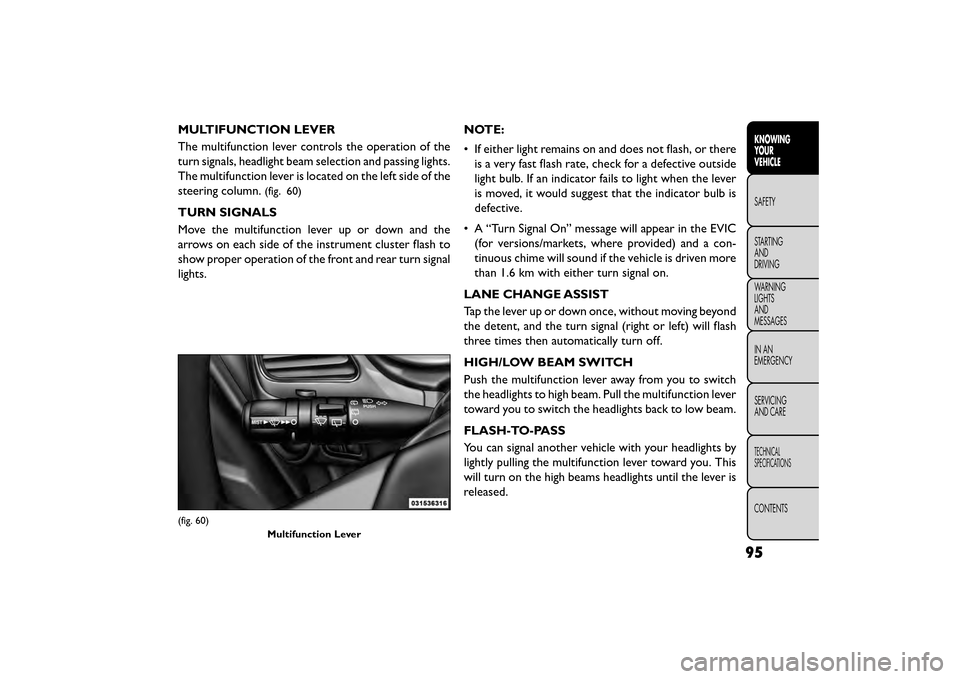
MULTIFUNCTION LEVER
The multifunction lever controls the operation of the
turn signals, headlight beam selection and passing lights.
The multifunction lever is located on the left side of the
steering column.
(fig. 60)
TURN SIGNALS
Move the multifunction lever up or down and the
arrows on each side of the instrument cluster flash to
show proper operation of the front and rear turn signal
lights.NOTE:
• If either light remains on and does not flash, or there
is a very fast flash rate, check for a defective outside
light bulb. If an indicator fails to light when the lever
is moved, it would suggest that the indicator bulb is
defective.
• A “Turn Signal On” message will appear in the EVIC (for versions/markets, where provided) and a con-
tinuous chime will sound if the vehicle is driven more
than 1.6 km with either turn signal on.
LANE CHANGE ASSIST
Tap the lever up or down once, without moving beyond
the detent, and the turn signal (right or left) will flash
three times then automatically turn off.
HIGH/LOW BEAM SWITCH
Push the multifunction lever away from you to switch
the headlights to high beam. Pull the multifunction lever
toward you to switch the headlights back to low beam.
FLASH-TO-PASS
You can signal another vehicle with your headlights by
lightly pulling the multifunction lever toward you. This
will turn on the high beams headlights until the lever is
released.
(fig. 60) Multifunction Lever
95
KNOWING
YOUR
VEHICLE
SAFETY
STAR
TING
AND
DRIVING
WARNING
LIGHTS
AND
MESSAGES
IN AN
EMERGENCY
SERVICING
AND CARE
TECHNICAL
SPECIFICATIONS
CONTENTS
Page 178 of 412
Using The Touchscreen Radio Controls
1. Press the “Player” button on the touchscreen.
2. Press the “Rear Entertainment” button on thetouchscreen to display the Rear Entertainment
Controls.
3. If the Rear Entertainment is turned off, press the “Power” button on the touchscreen.
4. Press the “1” or “2” Source button on the touch- screen based on the channel you want to change and
press the “Disc” button on the touchscreen. To exit
Press the “X” at the top right of the screen.
NOTE: Pressing the screen on a Touchscreen radio
while a DVD is playing full screen brings up basic
control functions for DVD play such as DVD Menu,
Seek Up/Down, Navigating through the menus, Exit.
The basic control functions screen will time out and
disappear from the screen. Remote Control Operation
Quick Reference Chart
This chart provides a quick reference of the remote
control button functions for the different radio modes
and menu screens.
NOTE:
• Ensure the remote control channel/screen selector
switch is set to the screen or channel to be con-
trolled.
• Ensure the headphone channel selector switch is set to the screen or channel to be listened to.
172
KNOWING YOUR
VEHICLE
SAFETY
STAR
TINGAND
DRIVING
WARNING LIGHTSAND
MESSAGES
IN AN
EMERGENCY
SERVICINGAND CARE
TECHNICAL
SPECIFICATIONS
CONTENTS
Page 193 of 412
Compressed Audio Files (MP3, WMA AND
ACC)
The DVD player is capable of playing MP3 (MPEG-1
Audio Layer 3 with data bitrates from 32 to 320 kbit/s,
including variable bit rates), WMA (All Standard 8.x,
9.x Windows Media Audio) and ACC (MPEG-4 audio;
sampling frequencies 8 to 48 kHz; mono and stereo)
audio files with the from a CD Data disc (usually a
CD-R or CD-RW).
• The DVD player always uses the file extension todetermine the audio format, so MP3 files must always
end with the extension ".mp3" or ".MP3", WMA files
must always end with the extension ".wma" or
"WMA", and ACC files must end with the extensions
“.acc” or “.m4a”. To prevent incorrect playback, do
not use these extensions for any other types of files.
• For MP3 files, ID3 tag data v1, v1.1, v2 and v2.4 (such as artist name, track title, album, etc.) are supported.
• Any file that is copy protected (such as those down- loaded from many online music stores) will not play.
The DVD player will automatically skip the file and
begin playing the next available file.
• Other compression formats such as AAC, MP3 Pro, Ogg Vorbis, and ATRAC3 will not play. The DVD
player will automatically skip the file and begin playing
the next available file. •If you are creating your own files, the recommended
fixed bit rate for MP3 files is between 96 and 192Kbps
and the recommended fixed bit rate for WMA files is
between 64 and 192Kbps. Variable bit rates are also
supported. For both formats, the recommended
sample rate is either 44.1kHz or 48kHz.
• To change the current file, use the remote control’s
or DVD player’s ▴button to advance to the next file,
or the ▾button to return to the start of the current
or previous file.
• To change the current directory, use the remote control’s PROG UP and Down buttons or Rewind/
skip back and fast fwd/skip forward.
Disc Errors
If the DVD player is unable to read the disc, a "Disc
Error" message is displayed on the Radio display and
the disc is automatically ejected. A dirty, damaged, or
incompatible disc format are all potential causes for a
"Disc Error" message.
If a disc has a damaged track which results in audible or
visible errors that persists for 2.0 seconds, the DVD
player will attempt to continue playing the disc by
skipping forward 1.0 to 3.0 seconds at a time. If the end
of the disc is reached, the DVD player will return to the
beginning of the disc and attempt to play the start of
the first track.
187
KNOWING
YOUR
VEHICLE
SAFETY
STAR
TING
AND
DRIVING
WARNING
LIGHTS
AND
MESSAGES
IN AN
EMERGENCY
SERVICING
AND CARE
TECHNICAL
SPECIFICATIONS
CONTENTS
Page 240 of 412
WARNING! (Continued)
• On seven passenger models, do not allow a
passenger to sit in a third row seat with the
second row seatback(s) folded flat . In a collision,
the passenger could slide underneath the seat
belt and be seriously or even fatally injured.
Exhaust Gas
WARNING!
Exhaust gases can injure or kill. They
con tain
carbon monoxide (CO), which is
colorless and odorless. Breathing it can make you
unconscious and can eventually poison you. To
avoid breathing (CO), follow these safety tips:
• Do not run the engine in a closed garage or in
confined areas any longer than needed to move
your vehicle in or out of the area.
• If you are required to drive with the trunk/
liftgate/rear doors open, make sure that all win-
dows are closed and the climate control
BLOWER switch is set at high speed. DO NOT use
the recirculation mode.
• If it is necessary to sit in a parked vehicle with
the engine running, adjust your heating or cooling
controls to force outside air into the vehicle. Set
the blower at high speed. The best protection against carbon monoxide entry
into the vehicle body is a properly maintained engine
exhaust system.
Whenever a change is noticed in the sound of the
exhaust system, when exhaust fumes can be detected
inside the vehicle, or when the underside or rear of the
vehicle is damaged, have a competent mechanic inspect
the complete exhaust system and adjacent body areas
for broken, damaged, deteriorated, or mispositioned
parts. Open seams or loose connections could permit
exhaust fumes to seep into the passenger compart-
ment. In addition, inspect the exhaust system each time
the vehicle is raised for lubrication or oil change.
Replace as required.
Safety Checks You Should Make Inside The
Vehicle
Seat Belts
Inspect the seat belt system periodically, checking for
cuts, frays, and loose parts. Damaged parts must be
replaced immediately. Do not disassemble or modify
the system.
Front seat belt assemblies must be replaced after a
collision. Rear seat belt assemblies must be replaced
after a collision if they have been damaged (i.e., bent
retractor, torn webbing, etc.). If there is any question
regarding belt or retractor condition, replace the seat
belt.
234
KNOWING
YOUR
VEHICLE
SAFETY
STARTING AND
DRIVING
WARNING LIGHTSAND
MESSAGES
IN
AN
EMERGENCY
SERVICINGAND CARE
TECHNICAL
SPECIFICATIONS
CONTENTS
Page 245 of 412
NOTE:If the ignition switch is left in the ACC or RUN
(engine not running) position and the transmission is in
PARK, the system will automatically time out after 30
minutes of inactivity and the ignition will switch to the
OFF position.
ENGINE START/STOP Button Functions –
With Driver’s Foot OFF The Brake Pedal (In
PARK Or NEUTRAL Position)
The ENGINE START/STOP button operates similar to
an ignition switch. It has four positions, OFF, ACC,
RUN and START. To change the ignition switch posi-
tions without starting the vehicle and use the accesso-
ries follow these steps.
• Starting with the ignition switch in the OFF position:
• Press the ENGINE START/STOP button once to change the ignition switch to the ACC position,
• Press the ENGINE START/STOP button a second time to change the ignition switch to the RUN
position,
• Press the ENGINE START/STOP button a third time to return the ignition switch to the OFF position. EXTREME COLD WEATHER
(BELOW −29°C)
To ensure reliable starting at these temperatures, use
of an externally powered electric engine block heater is
recommended.
IF ENGINE FAILS TO START
WARNING!
• Never pour fuel or other flammable
li qui
ds into the throttle body air inlet
opening in an attempt to start the vehicle. This
could result in a flash fire causing serious per-
sonal injury.
• Do not attempt to push or tow your vehicle to
get it started. Unburned fuel could enter the
catalytic converter and once the engine has
started, ignite and damage the converter and
vehicle. If the vehicle has a discharged battery,
booster cables may be used to obtain a start from
a booster battery or the battery in another ve-
hicle.This type of start can be dangerous if done
improperly. Refer to “Jump Starting” in “In An
Emergency” for further information.
239
KNOWING
YOUR
VEHICLE
SAFETY
STARTING
AND
DRIVING
WARNING
LIGHTS
AND
MESSAGES
IN AN
EMERGENC
Y
SERVICING
AND CARE
TECHNICAL
SPECIFICATIONS
CONTENTS
Page 327 of 412
SERVICING AND CARE
MAINTENANCE SCHEDULE
MAINTENANCE SCHEDULE – GASOLINE
ENGINE
The Scheduled Maintenance services listed in this
manual must be done at the times or mileages specified
to protect your vehicle warranty and ensure the best
vehicle performance and reliability. More frequent
maintenance may be needed for vehicles in severe
operating conditions, such as dusty areas and very
short trip driving. Inspection and service should also be
done anytime a malfunction is suspected.
The oil change indicator system will remind you that it
is time to take your vehicle in for scheduled mainte-
nance.
On Electronic Vehicle Information Center (EVIC)
equipped vehicles “Oil Change Required” will be dis-
played in the EVIC and a single chime will sound,
indicating that an oil change is necessary.NOTE:
•
The oil change indicator message will not
monitor the time since the last oil change.
Change your vehicles oil if it has been 1 year
since your last oil change even if the oil change
indicator message is NOT illuminated.
• Under no circumstances should oil change
intervals exceed 15,000 km or 1 year, which-
ever comes first.
• Rotate the tires at the first sign of irregular
wear.
Your authorized dealer will reset the oil change indica-
tor message after completing the scheduled oil change.
Failure to perform the required mainte-
nance items may result in damage to the
vehicle.
321
KNOWING
YOUR
VEHICLE
SAFETY
STARTING
AND
DRIVING
WARNING
LIGHTS
AND
MESSAGES
IN AN
EMERGENCY
SERVICING
AND C ARE
TECHNICAL
SPECIFICATIONS
CONTENTS
Page 332 of 412
The vehicle is equipped with an engine oil change
indicator system. The “Oil Change Required” message
will flash in the EVIC display for approximately 10
seconds after a single chime has sounded to indicate
the next scheduled oil change interval. The engine oil
change indicator system is duty cycle based, which
means the engine oil change interval may fluctuate
dependent upon your personal driving style.
Unless reset, this message will continue to display each
time you turn the ignition switch to the ON/RUN
position. To turn off the message temporarily, press
and release the Menu button.NOTE:
• Under no circumstances should oil change intervals
exceed 2 years.
• Rotate the tires at the first sign of irregular
wear.
Failure to perform the required mainte-
nance items may result in damage to the
vehicle.
326
KNOWING
YOUR
VEHICLE
SAFETY
STARTING AND
DRIVING
WARNING LIGHTSAND
MESSAGES
IN AN
EMERGENCY
SERVICINGAND C ARE
TECHNICAL
SPECIFICATIONS
CONTENTS
Page 350 of 412
Car maintenance should be done at a
FIAT Dealership. For routine and minor
maintenance operations you wish to
carry out yourself, we do recommend you have
the proper equipment , genuine FIAT spare parts
and the necessary fluids; do not however carry out
these operations if you have no experience.
INTERVENTION REGENERATION
STRATEGY – 2.0L DIESEL ENGINE
This vehicle is equipped with a state-of-the-art engine
and exhaust system containing a diesel particulate
filter. The engine and exhaust after-treatment system
work together to meet the Emission standards. The
system manages engine combustion to allow the ex-
haust system’s catalyst to trap and burn Particulate
Matter (PM) pollutants with no input or interaction on
your part.
Refer to “Electronic Vehicle Information Center
(EVIC)” in “Knowing Your Vehicle” for further informa-
tion. EXHAUST SYSTEM
The best protection against carbon monoxide entry
into the vehicle body is a properly maintained engine
exhaust system.
Whenever a change is noticed in the sound of the
exhaust system, when exhaust fumes can be detected
inside the vehicle, or when the underside or rear of the
vehicle is damaged, have a competent technician in-
spect the complete exhaust system and adjacent body
areas for broken, damaged, deteriorated, or misposi-
tioned parts. Open seams or loose connections could
permit exhaust fumes to seep into the passenger com-
partment. In addition, inspect the exhaust system each
time the vehicle is raised for lubrication or oil change.
Replace as required.
WARNING!
Exhaust gases can injure or kill. They
con tain
carbon monoxide (CO), which is
colorless and odorless. Breathing it can make you
unconscious and can eventually poison you. To
avoid breathing CO, refer to “Safety Tips/Exhaust
Gas” in “Safety” for further information.
344
KNOWING YOUR
VEHICLE
SAFETY
STARTING AND
DRIVING
WARNING LIGHTSAND
MESSAGES
IN AN
EMERGENCY
SERVICINGAND C ARE
TECHNICAL
SPECIFICATIONS
CONTENTS