display FIAT PANDA 2013 319 / 3.G User Guide
[x] Cancel search | Manufacturer: FIAT, Model Year: 2013, Model line: PANDA, Model: FIAT PANDA 2013 319 / 3.GPages: 284, PDF Size: 11.33 MB
Page 18 of 284
To set the desired volume, proceed as follows:
❒press the
button briefly, making the display flash
the previously set volume level;
❒press the
or
button to select;
❒press the
button briefly to return to the menu
screen or hold the button down to return to the
standard screen without storing.
Belt buzzer (Buzzer activation for SBR
indication)(for versions/markets, where provided)
This function can only be displayed after a Fiat
Dealership has deactivated the SBR system (see "SBR
system" in the "Safety" chapter).
Service (Scheduled servicing)
Using this function you can display information about
the mileage or daily intervals for car servicing. With
the Service function it is also possible to view the
interval (in kilometres or miles) before the next
engine oil change is due.
To consult this information, proceed as follows:
❒briefly press the
button, which makes the display
show the service interval in kilometres (km) or
miles (mi) according to the previous setting (see
"Distance measurement units" paragraph);
❒press the
button briefly to return to the menu
screen or hold it down to return to the standard
screen.NoteThe “Scheduled Servicing Plan” requires the
car to be serviced every 30,000 km (or 18,000 miles)
for petrol versions and every 35,000 km (or 21,000
miles) for diesel versions. This message is displayed
automatically when the key is turned to MAR-ON,
starting at 2,000 km (or equivalent value in miles)
from when the next service is due and reappearing
every 200 km (or equivalent value in miles). Below
200 km servicing indications are more frequent. The
display will be in km or mi depending on the
measurement unit settings. When the next
scheduled service is approaching and the key is
turned to MAR, the word “Service” will appear on
the display, followed by the number of kilometres or
miles left before servicing is due. Go to a Fiat
Dealership, where the "Scheduled Servicing Plan"
operations will be performed and the message will
be reset.
Airbag/Passenger bag (Passenger side front
airbag and side bag (chest & pelvis protection
- for versions/markets, where provided)
activation/deactivation)
This function allows the passenger side airbag to be
activated/deactivated.
Proceed as follows:
❒press the
button and, after the message "Bag
pass: Off" (to deactivate) or "Bag pass: On" (to
activate) is displayed by pressing buttons
and
, press the
button again;
❒a confirmation message will appear on the display;
14GETTING TO
KNOW YOUR CAR
SAFETY
STARTING AND
DRIVING
WARNING LIGHTS
AND MESSAGES
IN AN EMERGENCY
SERVICING AND
MAINTENANCE
TECHNICAL
SPECIFICATIONS
INDEX
Page 19 of 284
❒by pressing the
or
buttons select "Yes" (to
confirm activation/deactivation) or "No" (to
cancel);
❒press the
button briefly; a message confirming
the selection is displayed and you return to the
menu screen. Hold down the button to return to
the standard screen without storing.
City Brake Control - "Collision Mitigation"
(for versions/markets, where provided)
This function is used to activate ("On") or
de-activate ("Off") the City Brake Control -
"Collision Mitigation" system.
To adjust, proceed as follows:
❒press button
briefly. "On" or "Off" flash on the
display, according to what has been previously set;
❒a confirmation message will appear on the display;
❒by pressing the
or
buttons select "Yes" (to
confirm activation/deactivation) or "No" (to
cancel);
❒press the
button briefly; a message confirming
the selection is displayed and you return to the
menu screen. Hold down the button to return to
the standard screen without storing.
When the system is deactivated the dedicated
warning light in the instrument panel switches on
(see chapter "Warning lights and Messages").Exit Menu
The last function, which closes the cycle of settings
listed in the menu screen. Pressing the
button
briefly will return the display to the standard screen
without storing. Press the
button to return to
the first menu item (Speed Beep).
15GETTING TO
KNOW YOUR CARSAFETY
STARTING AND
DRIVING
WARNING LIGHTS
AND MESSAGES
IN AN EMERGENCY
SERVICING AND
MAINTENANCE
TECHNICAL
SPECIFICATIONS
INDEX
Page 20 of 284
TRIP COMPUTERGeneral information
The Trip computer is used to display information on
car operation when the key is turned to MAR-ON.
Two separate trips, called “Trip A” and “Trip B”,
are provided to monitor the entire mission (journey)
in a reciprocally independent manner.
Both functions can be reset (reset - start of a new
journey).
“Trip A” is used to display the figures relating to:
❒Outside temperature (for versions/markets where
provided)
❒Range
❒Distance covered
❒Average consumption
❒Instantaneous consumption
❒Average speed
❒Trip time (driving time).
“Trip B” is used to display the figures relating to:
❒Distance travelled B
❒Average consumption B
❒Average speed B
❒Trip time B (driving time).
NoteThe “Trip B” function may be disabled (see
“Activating Trip B”). The “Range” and “Instant
consumption" parameters cannot be reset.Values displayed
Range
This indicates the approximate distance which can be
travelled with the amount of fuel present in the
tank.“----”will appear on the display in the
following cases:
❒range value lower than 50 km (or 30 mi)
❒car parked with engine running for an extended
period.
IMPORTANT The range value variation can be
affected by several factors: driving style, type of route
(motorway, urban, mountain roads, etc.), conditions
of use (load, tyre pressures, etc.). Trip planning
must therefore take the above into account.
Distance covered
Shows the distance covered since the start of the
new journey.
Average consumption
Shows the approximate average fuel consumption
since the start of the new journey.
Instantaneous consumption
This indicates the fuel consumption. The value is
constantly updated. The display will show “----”if
the car is parked with the engine running.
16GETTING TO
KNOW YOUR CAR
SAFETY
STARTING AND
DRIVING
WARNING LIGHTS
AND MESSAGES
IN AN EMERGENCY
SERVICING AND
MAINTENANCE
TECHNICAL
SPECIFICATIONS
INDEX
Page 21 of 284
Average speed
This shows the average car speed as a function of the
overall time elapsed since the start of the new
journey.
Tr i p t i m e
The time elapsed since the start of a new journey.
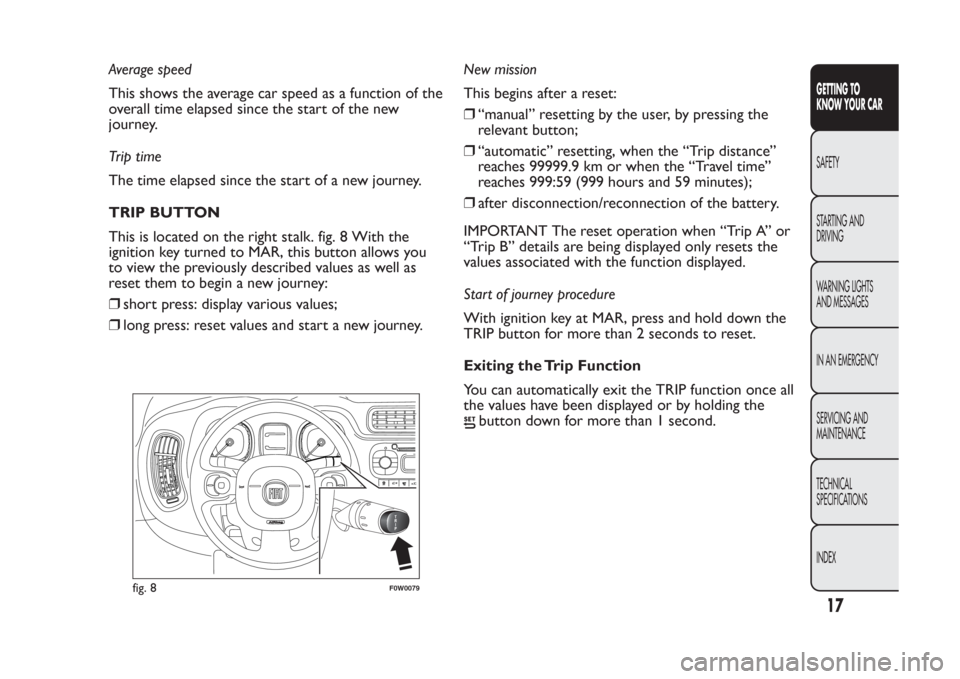
TRIP BUTTON
This is located on the right stalk. fig. 8 With the
ignition key turned to MAR, this button allows you
to view the previously described values as well as
reset them to begin a new journey:
❒short press: display various values;
❒long press: reset values and start a new journey.New mission
This begins after a reset:
❒“manual” resetting by the user, by pressing the
relevant button;
❒“automatic” resetting, when the “Trip distance”
reaches 99999.9 km or when the “Travel time”
reaches 999:59 (999 hours and 59 minutes);
❒after disconnection/reconnection of the battery.
IMPORTANT The reset operation when “Trip A” or
“Trip B” details are being displayed only resets the
values associated with the function displayed.
Start of journey procedure
With ignition key at MAR, press and hold down the
TRIP button for more than 2 seconds to reset.
Exiting the Trip Function
You can automatically exit the TRIP function once all
the values have been displayed or by holding the
button down for more than 1 second.
1
02
fig. 8
F0W0079
17GETTING TO
KNOW YOUR CARSAFETY
STARTING AND
DRIVING
WARNING LIGHTS
AND MESSAGES
IN AN EMERGENCY
SERVICING AND
MAINTENANCE
TECHNICAL
SPECIFICATIONS
INDEX
Page 42 of 284
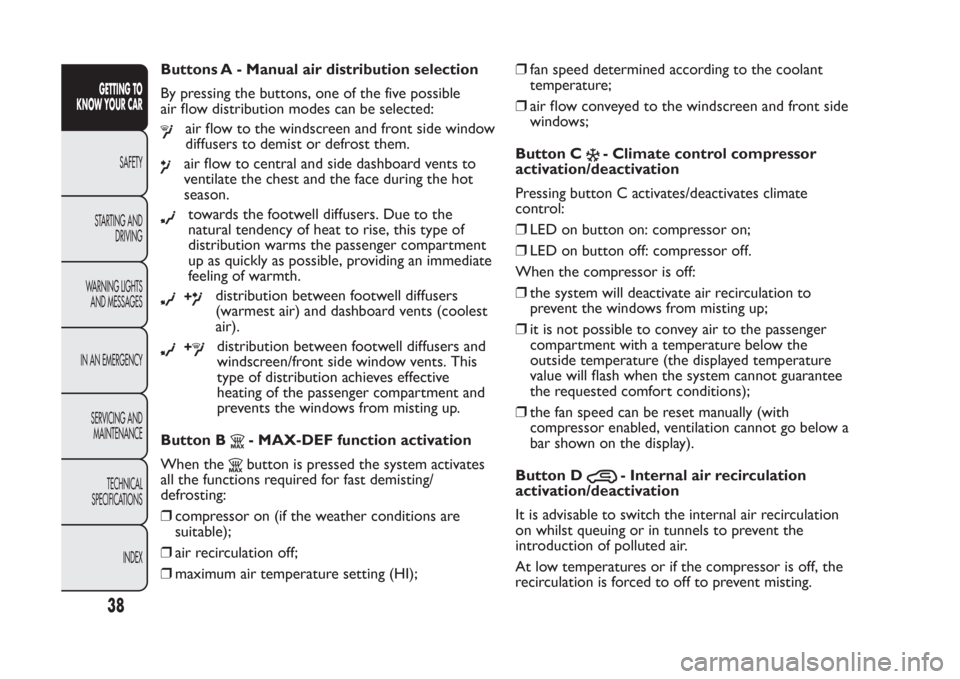
Buttons A - Manual air distribution selection
By pressing the buttons, one of the five possible
air flow distribution modes can be selected:
air flow to the windscreen and front side window
diffusers to demist or defrost them.air flow to central and side dashboard vents to
ventilate the chest and the face during the hot
season.towards the footwell diffusers. Due to the
natural tendency of heat to rise, this type of
distribution warms the passenger compartment
up as quickly as possible, providing an immediate
feeling of warmth.+
distribution between footwell diffusers
(warmest air) and dashboard vents (coolest
air).
+
distribution between footwell diffusers and
windscreen/front side window vents. This
type of distribution achieves effective
heating of the passenger compartment and
prevents the windows from misting up.
Button B
- MAX-DEF function activation
When thebutton is pressed the system activates
all the functions required for fast demisting/
defrosting:
❒compressor on (if the weather conditions are
suitable);
❒air recirculation off;
❒maximum air temperature setting (HI);❒fan speed determined according to the coolant
temperature;
❒air flow conveyed to thewindscreen and front side
windows;
Button C
- Climate control compressor
activation/deactivation
Pressing button C activates/deactivates climate
control:
❒LED on button on: compressor on;
❒LED on button off: compressor off.
When the compressor is off:
❒the system will deactivate air recirculation to
prevent the windows from misting up;
❒it is not possible to convey air to thepassenger
compartment with a temperature below the
outside temperature (the displayed temperature
value will flash when the system cannot guarantee
the requested comfort conditions);
❒the fan speed can be reset manually (with
compressor enabled, ventilation cannot go below a
bar shown on the display).
Button D
- Internal air recirculation
activation/deactivation
It is advisable to switch the internal air recirculation
on whilst queuing or in tunnels to prevent the
introduction of polluted air.
At low temperatures or if the compressor is off, the
recirculation is forced to off to prevent misting.
38GETTING TO
KNOW YOUR CAR
SAFETY
STARTING AND
DRIVING
WARNING LIGHTS
AND MESSAGES
IN AN EMERGENCY
SERVICING AND
MAINTENANCE
TECHNICAL
SPECIFICATIONS
INDEX
Page 43 of 284
IMPORTANT It is inadvisable to use air recirculation
when the outside temperature is low, since the
windows could mist rapidly.
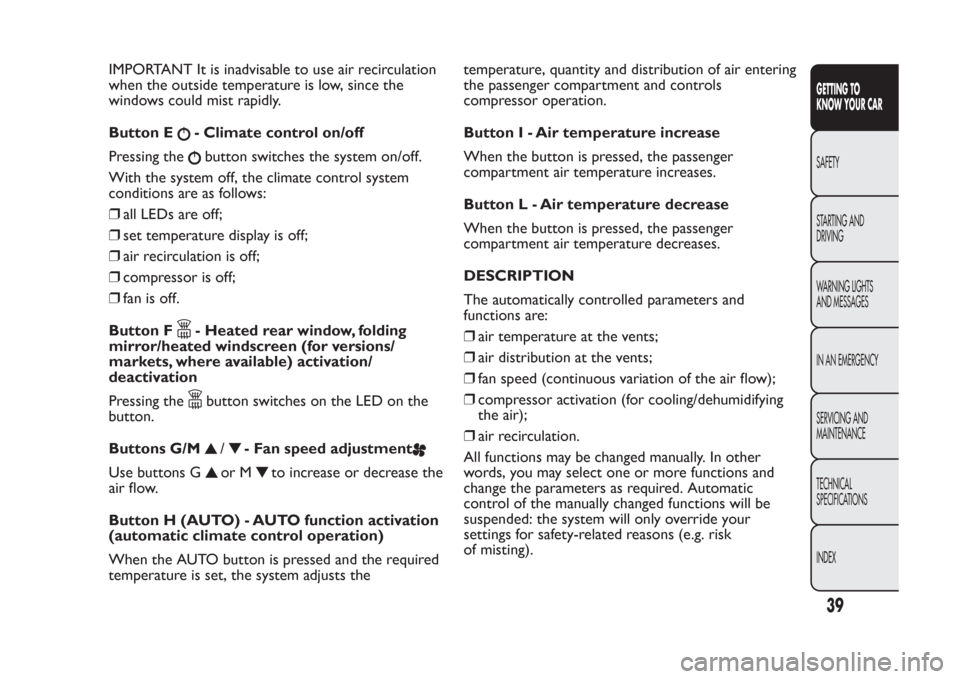
Button E
- Climate control on/off
Pressing thebutton switches the system on/off.
With the system off, the climate control system
conditions are as follows:
❒all LEDs are off;
❒set temperature display is off;
❒air recirculation is off;
❒compressor is off;
❒fan is off.
Button F- Heated rear window, folding
mirror/heated windscreen (for versions/
markets, where available) activation/
deactivation
Pressing thebutton switches on the LED on the
button.
Buttons G/M
/
- Fan speed adjustment
Use buttons G
or M
to increase or decrease the
air flow.
Button H (AUTO) - AUTO function activation
(automatic climate control operation)
When the AUTO button is pressed and the required
temperature is set, the system adjusts thetemperature, quantity and distribution of air entering
the passenger compartment and controls
compressor operation.
Button I - Air temperature increase
When the button is pressed, the passenger
compartment air temperature increases.
Button L - Air temperature decrease
When the button is pressed, the passenger
compartment air temperature decreases.
DESCRIPTION
The automatically controlled parameters and
functions are:
❒air temperature at the vents;
❒air distribution at the vents;
❒fan speed (continuous variation of the air flow);
❒compressor activation (for cooling/dehumidifying
the air);
❒air recirculation.
All functions may be changed manually. In other
words, you may select one or more functions and
change the parameters as required. Automatic
control of the manually changed functions will be
suspended: the system will only override your
settings for safety-related reasons (e.g. risk
of misting).
39GETTING TO
KNOW YOUR CARSAFETY
STARTING AND
DRIVING
WARNING LIGHTS
AND MESSAGES
IN AN EMERGENCY
SERVICING AND
MAINTENANCE
TECHNICAL
SPECIFICATIONS
INDEX
Page 44 of 284
Manual selections always have higher priority over
automatic settings and are stored until the user
switches the system back to automatic control
except for cases in which the system intervenes for
particular safety-related reasons. You can adjust
one function manually without affecting the
automatic control of the others.
The amount of air introduced into the passenger
compartment is not affected by car speed; it is
regulated by the fan, which is controlled
electronically.
The temperature of the air supplied is always
controlled automatically, depending on the
temperature set in the driver’s display (except when
the system is off or in certain conditions when the
compressor is switched off ).
The system allows the following to be set or adjusted
manually:
❒air temperature;
❒fan speed (continuous variation);
❒air distribution with 5 positions;
❒compressor enablement;
❒rapid defrosting/demisting function;
❒air recirculation;
❒heated rear window, folding mirror/heated
windscreen (for versions/markets, where available);
❒system deactivation.SWITCHING ON THE CLIMATE CONTROL
SYSTEM
The system can be switched on in various ways; it is
however advisable to press the AUTO button and
set the desired temperature on the display.
The climate control system allows you to customise
the requested temperatures.
The climate control system compressor works only
with the engine running and with an outside
temperature of above 0°C.
AUTOMATIC CLIMATE CONTROL SYSTEM
OPERATION
Press the AUTO button; the system will
automatically adjust:
❒the amount of air introduced into the passenger
compartment;
❒the distribution of the air in the passenger
compartment;
cancelling all previous manual adjustments.
The LED on the AUTO button switches on during
automatic climate control operation.
During automatic operation it is still possible to
adjust the temperatures set and carry out one of the
following operations manually:
❒fan speed adjustment;
❒air distribution selection;
❒internal air recirculation activation/deactivation;
❒climate control compressor activation.
40GETTING TO
KNOW YOUR CAR
SAFETY
STARTING AND
DRIVING
WARNING LIGHTS
AND MESSAGES
IN AN EMERGENCY
SERVICING AND
MAINTENANCE
TECHNICAL
SPECIFICATIONS
INDEX
Page 45 of 284
WARNING
It is advisable not to use the air
recirculation function when the outside
temperature is low to prevent the windows from
rapidly misting up.
ADJUSTING THE FAN SPEED
Press the G fig. 30
or M
button to increase/
decrease the fan speed
.
The possible speeds are displayed through a
progression of individual bars which comprise the
symbol:
❒maximum fan speed = all bars lit
❒minimum fan speed = half a bar lit.
The fan can be disabled (no bars lit) only if the
climate control compressor has been switched off by
pressing the
button.
To restore automatic fan speed control after a
manual adjustment, press the AUTO button.RAPID FRONT WINDOW
DEMISTING/DEFROSTING (MAX-DEF
function)
Press the
button to automatically activate the
timed operation of all the functions required to
rapidly demist/defrost the windscreen and front side
windows (for versions/markets, where provided).
The functions are:
❒climate control compressor activation (with an
outside temperature of above 0°C);
❒deactivation, if previously activated, of the internal
air recirculation;
❒activation of heated rear window (LED on
button on) and door mirror heater coils (for
versions/markets, where provided);
❒setting maximum air temperature;
❒activation of air flow.
HEATED WINDSCREEN/HEATED REAR
WINDOW AND DOOR MIRROR
DEMISTING/DEFROSTING (for
versions/markets, where provided)
Press the
button to activate: when this function is
activated, the LED on the button switches on.
For versions/markets where provided, press the
button to activate also demisting/defrosting
of windscreen (with engine running only) and door
mirrors (for versions/markets, where provided).
41GETTING TO
KNOW YOUR CARSAFETY
STARTING AND
DRIVING
WARNING LIGHTS
AND MESSAGES
IN AN EMERGENCY
SERVICING AND
MAINTENANCE
TECHNICAL
SPECIFICATIONS
INDEX
Page 50 of 284
PARKING LIGHTS
These lights can only be turned on with ignition key
in STOP position or removed, by moving the ring nut
A first to positionOand then to position
.
The warning light
switches on on the instrument
panel.
MAIN BEAM HEADLIGHTS
To activate the main beam headlights, with ring nut at
, pull the stalk towards the steering wheel. The
warning light
switches on in the instrument panel.
When the stalk is pulled towards the steering wheel
again, the lights deactivate, the dipped headlights
reactivate and the
warning light switches off.
FLASHING
You can flash the headlights by pulling the stalk
towards the wheel (unstable position). The
warning light will come on in the instrument
panel.
DIRECTION INDICATORS
Bring the stalk to the (stable) position:
upwards:right direction indicator activation;
downwards:left direction indicator activation.
Warning light
or
will flash in the instrument
panel. The indicators switch off automatically when
the steering wheel is straightened.Lane change function
If you wish to signal a lane change, place the left stalk
in the unstable position for less than half a second.
The direction indicator on the side selected will flash
five times and then switch off automatically.
“FOLLOW ME HOME” DEVICE
This allows the space in front of the car to be lit up
for a certain period of time.
Activation:with the ignition key on STOP or
removed, pull the stalk towards the steering wheel
within 2 minutes from when the engine is turned off.
At each single movement of the stalk, the lights
will remain on for an extra 30 seconds up to a
maximum of 210 seconds; then the lights are
switched off automatically.
Each time the stalk is operated, the
warning light
on the instrument panel switches on and the display
also shows a message and how long the function
will remain active.
The
warning light switches on when the stalk is
first moved and stays on until the function is
automatically deactivated. Each time the stalk is
activated it increases the time that the lights remain
on.
Deactivation:keep the stalk pulled towards the
steering wheel for more than two seconds.
46GETTING TO
KNOW YOUR CAR
SAFETY
STARTING AND
DRIVING
WARNING LIGHTS
AND MESSAGES
IN AN EMERGENCY
SERVICING AND
MAINTENANCE
TECHNICAL
SPECIFICATIONS
INDEX
Page 56 of 284
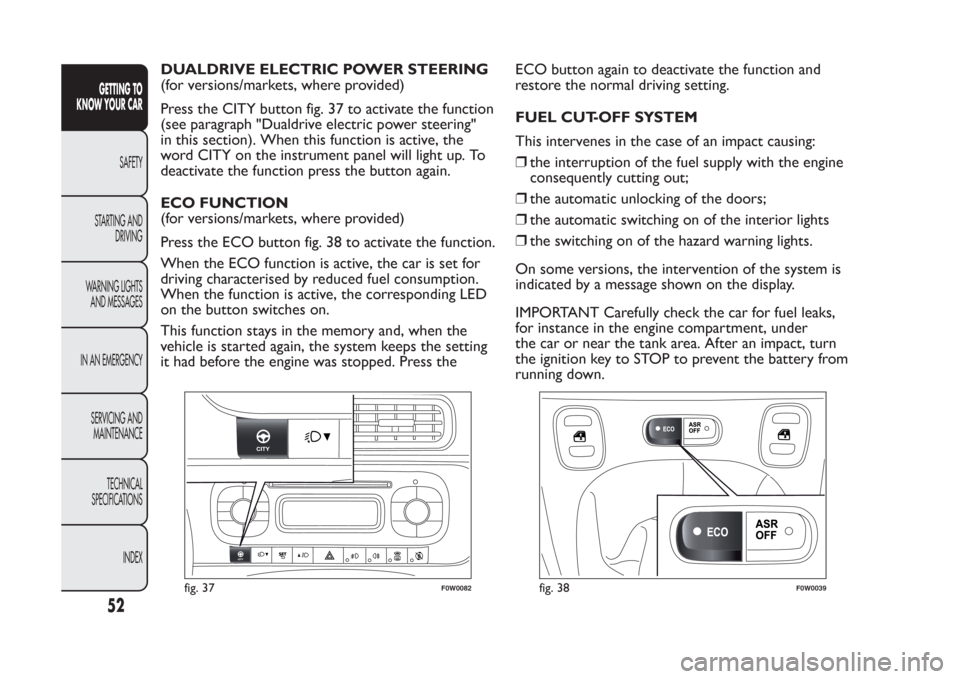
DUALDRIVE ELECTRIC POWER STEERING
(for versions/markets, where provided)
Press the CITY button fig. 37 to activate the function
(see paragraph "Dualdrive electric power steering"
in this section). When this function is active, the
word CITY on the instrument panel will light up. To
deactivate the function press the button again.
ECO FUNCTION
(for versions/markets, where provided)
Press the ECO button fig. 38 to activate the function.
When the ECO function is active, the car is set for
driving characterised by reduced fuel consumption.
When the function is active, the corresponding LED
on the button switches on.
This function stays in the memory and, when the
vehicle is started again, the system keeps the setting
it had before the engine was stopped. Press theECO button again to deactivate the function and
restore the normal driving setting.
FUEL CUT-OFF SYSTEM
This intervenes in the case of an impact causing:
❒the interruption of the fuel supply with the engine
consequently cutting out;
❒the automatic unlocking of the doors;
❒the automatic switching on of the interior lights
❒the switching on of the hazard warning lights.
On some versions, the intervention of the system is
indicated by a message shown on the display.
IMPORTANT Carefully check the car for fuel leaks,
for instance in the engine compartment, under
the car or near the tank area. After an impact, turn
the ignition key to STOP to prevent the battery from
running down.
fig. 37
F0W0082
fig. 38
F0W0039
52GETTING TO
KNOW YOUR CAR
SAFETY
STARTING AND
DRIVING
WARNING LIGHTS
AND MESSAGES
IN AN EMERGENCY
SERVICING AND
MAINTENANCE
TECHNICAL
SPECIFICATIONS
INDEX