Set FIAT PANDA 2017 319 / 3.G Owner's Guide
[x] Cancel search | Manufacturer: FIAT, Model Year: 2017, Model line: PANDA, Model: FIAT PANDA 2017 319 / 3.GPages: 216, PDF Size: 19.25 MB
Page 143 of 216
WARNING
158)Never smoke while working in the
engine compartment: gas and inflammable
vapours may be present, with the risk of
fire.
159)Be very careful when working in the
engine compartment when the engine
is hot: you may get burned.
160)The cooling system is pressurised. If
necessary, only replace the plug with
another original or the operation of the
system may be adversely affected. Do not
remove the reservoir plug when the engine
is hot: you risk scalding yourself.
161)Do not travel with the windscreen
washer fluid reservoir empty: the
windscreen washer is essential for
improving visibility. Some commercial
windscreen washer additives are
flammable. The engine compartment
contains hot components which may set it
on fire.
162)Brake fluid is poisonous and highly
corrosive. In the event of accidental
contact, immediately wash the affected
parts with water and mild soap. Then rinse
thoroughly. Call a doctor immediately if
swallowed.
163)The symbol
, on the brake fluid
container indicates if a brake fluid is
synthetic or mineralbased. Use of mineral
type fluids will damage the special rubber
seals of the braking system beyond repair.164)Battery fluid is poisonous and
corrosive. Avoid contact with the skin and
eyes. Keep naked flames and sources
of sparks away from the battery: risk of
explosion and fire.
165)Using the battery with insufficient
fluid irreparably damages the battery and
may cause an explosion.
166)If the car will be unused for an
extended period of time in extremely cold
weather conditions, remove the battery
and store it in a heated area to avoid
it freezing.
167)Always wear appropriate goggles
when working on or near the battery.
WARNING
59)Be careful not to confuse the various
types of fluids while topping up: they
are not compatible with each other!
Topping up with an unsuitable fluid could
severely damage your vehicle.
60)The oil level must never exceed the
MAX reference.
61)Do not add oil with specifications other
than those of the oil already existing in
the engine.
62)PARAFLU
UPantifreeze is used in the
engine cooling system. Use the same fluid
as in the cooling system when topping
up. PARAFLU
UPcannot be mixed with any
other type of fluid. If this occurs, do not
start the engine and contact your Fiat
Dealership immediately.63)Prevent brake fluid, which is highly
corrosive, from coming into contact with
painted parts. Should it happen,
immediately wash with water.
64)Incorrect installation of electric and
electronic devices may cause severe
damage to your car. After purchasing your
vehicle, if you wish to install any
accessories (anti-theft, phone, etc.),
contact a Fiat Dealership, which
will suggest the most appropriate devices
for your vehicle, and will, most importantly,
advise you if a higher capacity battery
needs to be installed.
WARNING
3)Used engine oil and oil filters contain
substances which are harmful to the
environment. To change the oil and filters,
we advise you to contact a Fiat Dealership.
4)Used transmission fluid contains
substances that are harmful to the
environment. It is advisable to have the oil
changed by a Fiat Dealership where it
will be disposed of respecting the
environment and according to legal
requirements.
5)Batteries contain substances which are
very dangerous for the environment. For
battery replacement, contact a Fiat
Dealership.
141
Page 178 of 216
PRESCRIPTIONS FOR HANDLING THE VEHICLE AT THE END OF
ITS LIFE
(Where provided)
FCA has been committed for many years to safeguarding the environment through the constant improvement of its production
processes and manufacturing products that are increasingly "eco-compatible". To grant customers the best possible service
in terms of respecting environmental laws and in response to European Directive 2000/53/EC governing vehicles at the end of
their life, FCA is offering its customers the chance to hand over their vehicle at the end of its life without incurring any additional
costs. The European Directive sets out that when the vehicle is handed over, the last keeper or owner should not incur any
expenses as a result of it having a zero or negative market value.
To hand your vehicle over at the end of its life without extra cost, contact one of our dealerships if you are purchasing another
vehicle or an FCA-authorised collection and scrapping centre. These centres have been carefully chosen to offer high quality
service for the collection, treatment and recycling of vehicles at their end of life, respecting the surrounding environment.
You can find further information on these collection and scrapping centres either from an FCA dealership or by calling the
number in the Warranty Booklet or by consulting the websites of the various FCA brands.
176
TECHNICAL DATA
Page 182 of 216
General functions
Button Functions Mode
Ignition short button press
Switching off short button press
Volume adjustment LH/RH knob rotation
FM ASFM1, FM2, FM Autostore radio source selection short cyclical button press
AMMW1, MW2 radio source selection short cyclical button press
MEDIACD source selection short cyclical button press
Volume activation/deactivation (Mute/Pause) Short button press
Audio adjustments: low tones (BASS), high tones
(TREBLE), RH/LH balance (BALANCE), front/rear
balance (FADER)Menu activation: short button press
Adjustment type selection: pressorbuttons.
Value adjustment: pressorbuttons.
MENUAdvanced functions adjustmentMenu activation: short button press
Adjustment type selection: press
orbuttons.
Value adjustment: pressorbuttons..
Radio functions
Button Functions Mode
Radio station search:Automatic search
Manual searchAutomatic search: press
orbuttons (hold the
button down for fast forward)
Manual search: press
orbuttons (hold the button
down for fast forward)
123456Store current radio station Long button press for memory preset from 1 to 6
Stored station recall Brief button press for memory preset from 1 to 6
.
180
MULTIMEDIA
Page 184 of 216
GENERAL INFORMATION
The radio offers the following functions:
Radio section
PLL tuning with FM/AM/MW
frequency bands;
RDS (Radio Data System) with TA
(traffic alerts) function - TP (traffic
programmes) - EON (Enhanced Other
Network) - REG (regional programmes);
AF: search selection for alternative
frequencies in RDS mode;
provision for emergency alarm;
automatic/manual tuning into
stations;
FM Multipath detector;
manual storing of 30 stations: 18 on
FM band (6 on FM1, 6 on FM2, 6 on
FMT), 12 on MW band (6 on MW1,
6 on MW2);
automatic programming (Autostore
function) of 6 stations on dedicated
FM band
SPEED VOLUME function:
automatic volume adjustment
according to the vehicle speed;
automatic Stereo/Mono selection.
CD section
Direct selection of the disc;
Track selection (forward/back);
Fast advance (forward/back) through
tracks;
CD Display function: display of disc
name and time elapsed since the
start of the track
Playing of audio CDs, CD-Rs and
CD-RWs.
MP3 CD section
MP3-Info function (ID3-TAG);
Folder selection (previous/next);
Track selection (forward/back);
Fast advance (forward/back) through
tracks;
MP3 Display function: display of
name of folder, ID3-TAG information,
time elapsed since the start of the
track, name of the file
Playing of audio or data CD, CD-R
and CD-RW.
Audio section
Mute/Pause function;
Soft-Mute function;
Loudness function
7-band graphic equaliser;
Separate bass/treble adjustment
Right/left channel balance.FUNCTIONS AND
ADJUSTMENTS
Turning the car radio on
The car radio comes on when the
(ON/OFF) button/knob is pressed
briefly.
When the radio is turned on with the
key extracted from the ignition switch, it
turns off automatically after about 20
minutes. After the radio has switched
itself off automatically it can be turned
on for a further 20 minutes by pressing
the
(ON/OFF) button/knob.
Turning the car radio off
Briefly press the
(ON/OFF)
button/knob.
Volume adjustment
Turn the
(ON/OFF) button/knob to
adjust the volume.
If the volume level is changed during
the transmission of traffic news, the
new setting will only be maintained until
the news is finished.
MUTE/Pause function
(setting volume to zero)
Press the
button briefly to activate
the Mute function. The volume will
gradually decrease and the words
"RADIO Mute" will be displayed (in radio
mode) or "PAUSE" (in CD mode).
182
MULTIMEDIA
Page 185 of 216
Press thebutton again to deactivate
the Mute function. The volume will
gradually increase until it reaches the
level set previously.
Audio settings
The functions that can be selected from
the audio menu change depending on
the context: AM/FM/CD.
Press the
button briefly to change
the Audio functions.
After the
button is first pressed, the
display will show the bass level value
for the source activated at that time
(e.g. in FM mode the display will show
the wording "FM Bass +2").
Use the
orbuttons to scroll
through the menu functions. To change
the setting of the function selected
use the
orbuttons. The current
status of the selected function appears
on the display.
The functions managed by the Menu
are:
BASS: adjustment of bass tones;
TREBLE: adjustment of high tones;
BALANCE: right/left balance
adjustment;
FADER: front/back balance
adjustment;
LOUDNESS: activation/deactivation
of the increase of bass and high tones;
EQUALISER: activation and
selection of factory-set equaliser levels;
USER EQUALISER: customised
equaliser setting.
MENU
MENU button function
Press the button MENU briefly to
activate the Menu function. The display
will show the first menu item that can
be adjusted (AF) ("AF Switching On" on
the display).
Use the
orbuttons to scroll
through the Menu functions. To change
the setting of the function selected
use the
orbuttons.
The current status of the selected
function appears on the display.
The functions managed by the Menu
are:
AF SWITCHING: automatic
activation/deactivation of the selection
of the station with the strongest signal
that transmits the same programme.
TRAFFIC INFORMATION:
activation/deactivation of traffic
information (only on FM band).
REGIONAL MODE: activation/
deactivation of regional programmes.
MP3 DISPLAY: CD MP3 display
setting.
SPEED VOLUME: speed-dependent
automatic volume control.
RADIO ON VOLUME: maximum
radio volume limit activation/
deactivation.
RADIO OFF: off mode selection.
SYSTEM RESET: reset of factory
settings.
Press the button MENU again to exit
the Menu function.
NoteThe AF SWITCHING, TRAFFIC
INFORMATION and REGIONAL MODE
adjustments are only possible in FM
mode.
RADIO (Tuner)
To select the Radio function when
another audio source is being listened
to, briefly press the FM, AS or AM
buttons, depending on the desired
band.
Once the Radio mode has been
activated, the display will show the
name (only RDS stations) and the
frequency of the selected radio station,
the frequency band selected (e.g.
FM1) and the preselect button number
(e.g. P1).
Frequency band selection
With the Radio mode active, press the
FM, AS or AM button briefly and
repeatedly to select the desired
reception band.
183
Page 186 of 216
Each time the button is pressed, the
AM and FM bands are selected
cyclically:
Preset buttons
The buttons numbered from 1 to 6 are
used to set the following preset
stations:
18 in the FM band (6 in FM1, 6 in
FM2, 6 in FMT or "FMA" (on some
versions);
12 in the MW band (6 in MW1, 6 in
MW2).
To listen to a preset station, select the
desired frequency band and then press
the corresponding preset button briefly
(from 1 to 6).
By pressing the preset button for more
than 2 seconds, the tuned station will
be stored. The storing phase is
confirmed by an acoustic signal.
Automatic tuning
Briefly press the
orbutton to start
the automatic tuning search for the
next station that can be received in the
selected direction.Manual tuning
Select the desired frequency band and
then press the
orbutton briefly
and repeatedly to start to the search in
the desired direction. If the
or
button is pressed longer, the fast
search will start and then stop when the
button is released.
CD PLAYER
To activate the CD player built-into the
equipment, proceed as follows:
insert a CD with the equipment
switched on: the first track will start to
play;
or
if a CD has already been loaded,
switch on the radio and then briefly
press the CD button to select the “CD”
operating mode: the last track listened
to will start to play.
It is advisable to use original CDs to
ensure optimal playback. If CD-R/RW
are used, we recommend using good
quality media that are burned at the
slowest speed possible.
CD loading/ejection
To load the CD, insert it gently into the
slot to activate the motorised loading
system, which will position it correctly.Press the
(EJECT) button with the
radio on to activate the motorised
ejection of the CD. After ejection, the
last audio source listened to before
playing the CD will be heard.
73)
Indications on the display
When the CD player is in operation,
information appears on the display with
the following meanings:
"CD Track 5": indicates the number
of the CD track;
"03:42": indicates the time elapsed
since the start of the track (if the
respective Menu function is activated).
Track selection (forward/back)
Briefly press the
button to play the
previous CD track and the
button to
play the next track.
Fast forward/rewind through tracks
Hold down the
button to fast
forward the selected track or hold
down the
button to fast rewind the
track.
The fast forward/rewind will stop once
the button is released.
184
MULTIMEDIA
Page 187 of 216
"Pause" function
To pause the CD player, press the
button. The words "CD Pause" will
appear on the display.
To resume listening to the track, press
the
button again. If another audio
source is selected, the pause function
is deactivated.
CD MP3 PLAYER
In addition to playing normal audio
CDs, the car radio can also play
CD-ROMs on which MP3 format
compressed audio files are recorded.
The radio operates as described in the
"CD Player" chapter when an ordinary
audio CD is inserted.
Selecting next/previous folder
Press the
button to select one of the
next folders or press the
button to
select a previous folder.
The display will show the number and
the name of the folder (e.g. “DIR 2
XXXXXX”).
If no other folder/track is selected
during the next 2 seconds, the first
track contained in the new folder will be
played.
If the last track in the folder at that
moment selected is played, the next
folder will be played.
WARNING
178)If the volume is too loud this could be
dangerous for the driver and for
passengers when driving in traffic. Always
adjust the volume so that you can still
hear background noises.
179)Multimedia CDs include data tracks in
addition to the audio tracks. Playing this
type of CD can cause hissing at a volume
that may jeopardise road safety as well
as cause damage to the final stages and
the speakers.
180)Using some of the system functions
whilst driving can distract attention away
from the road, risking an accident or other
serious consequences; they should
therefore be used only when driving
conditions allow it and, if necessary, only
with the vehicle stationary.
181)WARNING: Looking at the system
when driving can divert attention from the
road, with the risk of accidents or other
serious consequences. Do not change the
system settings or load data while driving.
Stop the vehicle in a safe and legal manner
before carrying out these operations.
Adopting these precautions is important
since setting or changing some functions
may require the driver to be distracted from
the road and remove their hands from the
steering wheel.182)Looking at the display for a long time:
while driving, do not use any function
that requires looking at the display for a
long time. Pull over in a safe and legal
manner before attempting to access a
function of the system that requires
prolonged attention. Even occasional short
glances at the display may be hazardous
if your attention is diverted from driving at a
critical moment.
183)Setting the volume: do not turn the
volume up too high. Keep the volume at a
level where you can still hear outside traffic
and emergency signals while driving.
Driving while unable to hear these sounds
may cause an accident.
WARNING
73)Do not press the eject button
accidentally when inserting a CD.
185
Page 191 of 216
General functions
Button Functions Mode
Switching on short button press
Switching off long button press
Volume adjustment turn knob
RADIOSelect the radio source FM, AM, DAB (where present) short cyclical button press
ABC–123456Select preset ranges short cyclical button press
MEDIA
Select Audio
Bluetooth®, USB/iPod, AUXshort cyclical button press
(Play/Pause)Activate Play/Pause for the Media source
Activate Mute for the Radio and AUX sourcesShort button press
Audio adjustments: low tones (BASS), high tones
(TREBLE), RH/LH balance (BALANCE), front/rear
balance (FADER)Menu activation: short button press
Adjustment type selection: pressorbuttons.
Value adjustment: pressorbuttons.
MENUAdvanced functions adjustmentMenu activation: short button press
Adjustment type selection: press
orbuttons.
Value adjustment: pressorbuttons.
189
Page 192 of 216
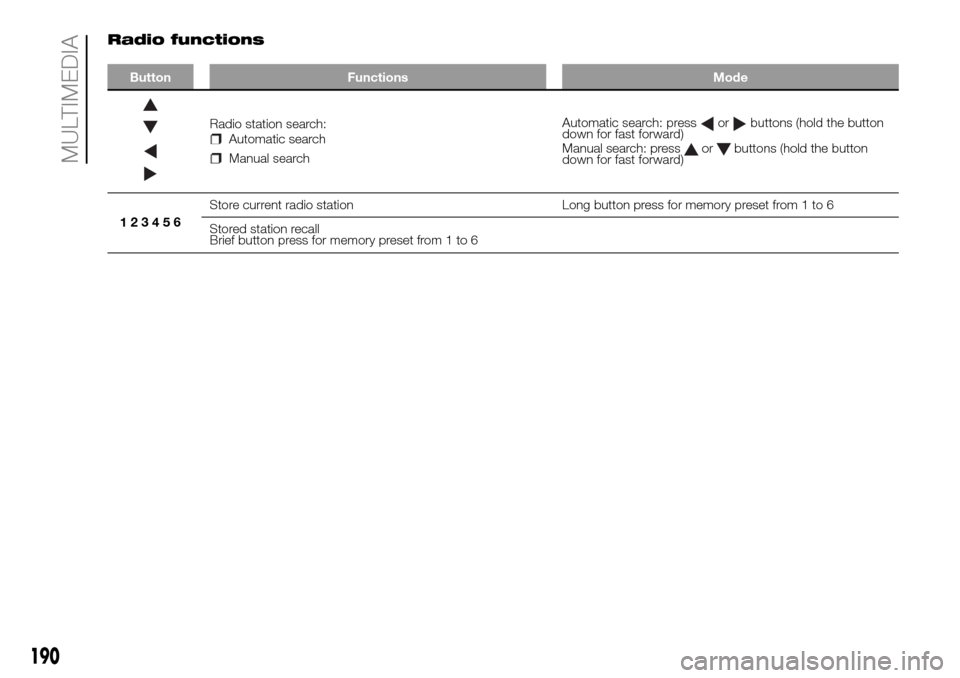
Radio functions
Button Functions Mode
Radio station search:Automatic search
Manual searchAutomatic search: press
orbuttons (hold the button
down for fast forward)
Manual search: press
orbuttons (hold the button
down for fast forward)
123456Store current radio station Long button press for memory preset from 1 to 6
Stored station recall
Brief button press for memory preset from 1 to 6
190
MULTIMEDIA
Page 196 of 216
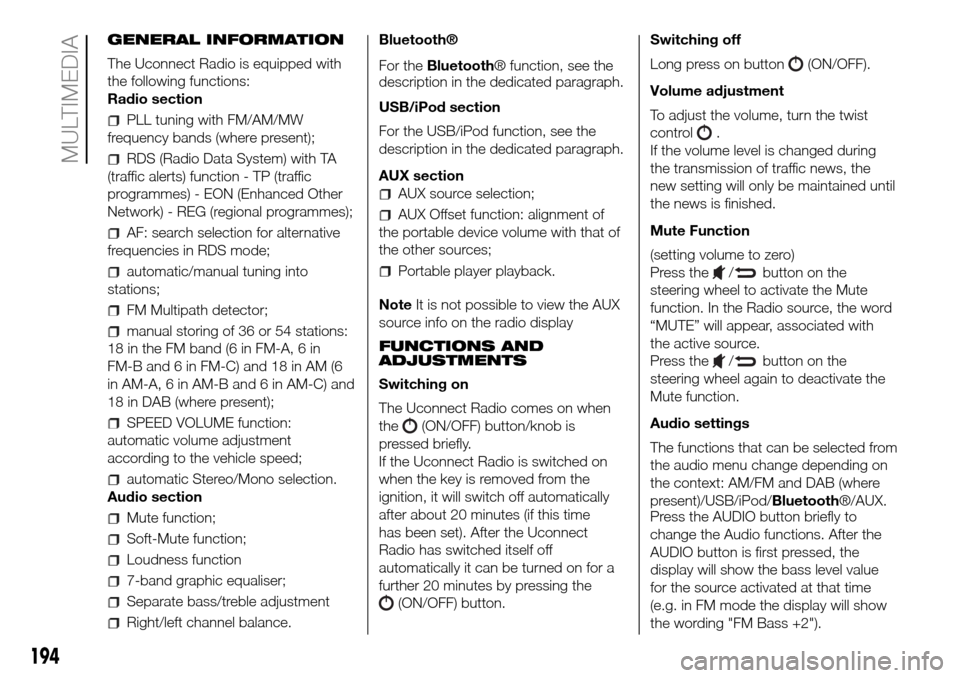
GENERAL INFORMATION
The Uconnect Radio is equipped with
the following functions:
Radio section
PLL tuning with FM/AM/MW
frequency bands (where present);
RDS (Radio Data System) with TA
(traffic alerts) function - TP (traffic
programmes) - EON (Enhanced Other
Network) - REG (regional programmes);
AF: search selection for alternative
frequencies in RDS mode;
automatic/manual tuning into
stations;
FM Multipath detector;
manual storing of 36 or 54 stations:
18 in the FM band (6 in FM-A, 6 in
FM-B and 6 in FM-C) and 18 in AM (6
in AM-A, 6 in AM-B and 6 in AM-C) and
18 in DAB (where present);
SPEED VOLUME function:
automatic volume adjustment
according to the vehicle speed;
automatic Stereo/Mono selection.
Audio section
Mute function;
Soft-Mute function;
Loudness function
7-band graphic equaliser;
Separate bass/treble adjustment
Right/left channel balance.Bluetooth®
For theBluetooth® function, see the
description in the dedicated paragraph.
USB/iPod section
For the USB/iPod function, see the
description in the dedicated paragraph.
AUX section
AUX source selection;
AUX Offset function: alignment of
the portable device volume with that of
the other sources;
Portable player playback.
NoteIt is not possible to view the AUX
source info on the radio display
FUNCTIONS AND
ADJUSTMENTS
Switching on
The Uconnect Radio comes on when
the
(ON/OFF) button/knob is
pressed briefly.
If the Uconnect Radio is switched on
when the key is removed from the
ignition, it will switch off automatically
after about 20 minutes (if this time
has been set). After the Uconnect
Radio has switched itself off
automatically it can be turned on for a
further 20 minutes by pressing the
(ON/OFF) button.Switching off
Long press on button
(ON/OFF).
Volume adjustment
To adjust the volume, turn the twist
control
.
If the volume level is changed during
the transmission of traffic news, the
new setting will only be maintained until
the news is finished.
Mute Function
(setting volume to zero)
Press the
/button on the
steering wheel to activate the Mute
function. In the Radio source, the word
“MUTE” will appear, associated with
the active source.
Press the
/button on the
steering wheel again to deactivate the
Mute function.
Audio settings
The functions that can be selected from
the audio menu change depending on
the context: AM/FM and DAB (where
present)/USB/iPod/Bluetooth®/AUX.
Press the AUDIO button briefly to
change the Audio functions. After the
AUDIO button is first pressed, the
display will show the bass level value
for the source activated at that time
(e.g. in FM mode the display will show
the wording "FM Bass +2").
194
MULTIMEDIA