ESP FIAT QUBO 2008 1.G Radio CD MP3 Manual
[x] Cancel search | Manufacturer: FIAT, Model Year: 2008, Model line: QUBO, Model: FIAT QUBO 2008 1.GPages: 30, PDF Size: 0.35 MB
Page 9 of 30
8
FUNCTIONS AND
ADJUSTMENTS
RADIO
COMPACT
DISC PLAYER
MP3 CD
PLAYER
INTRODUCTION
QUICK
GUIDE
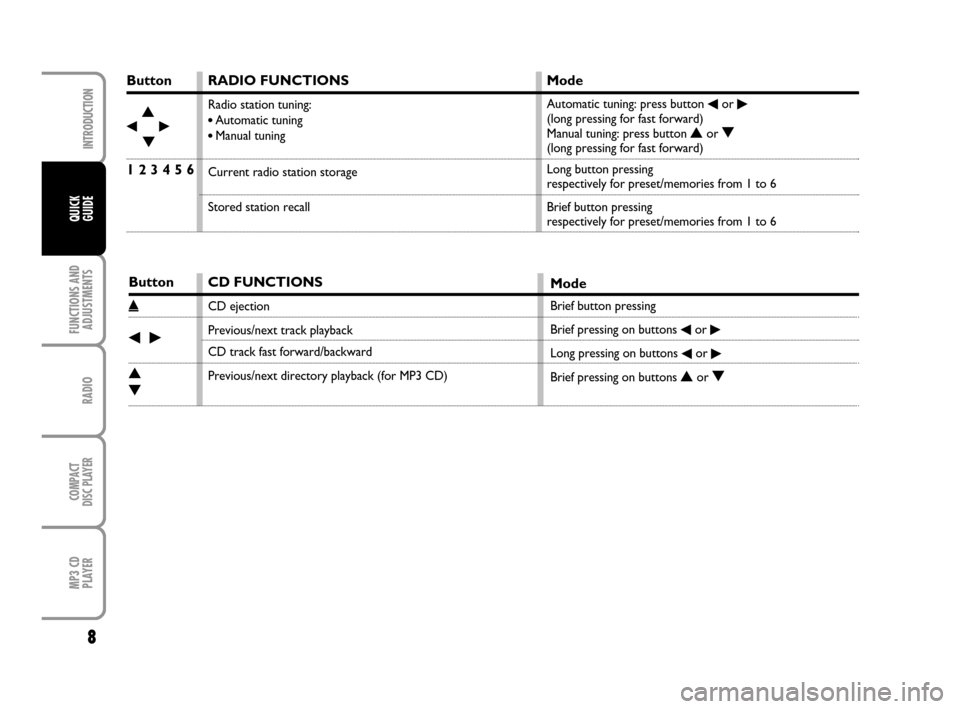
Button
¯N
˙
O
1 2 3 4 5 6
Button
˚
¯˙
N
O
RADIO FUNCTIONS
Radio station tuning:
•Automatic tuning
•Manual tuning
Current radio station storage
Stored station recall
Mode
Automatic tuning: press button ¯or ˙(long pressing for fast forward)
Manual tuning: press button Nor O(long pressing for fast forward)
Long button pressing
respectively for preset/memories from 1 to 6
Brief button pressing
respectively for preset/memories from 1 to 6
CD FUNCTIONS
CD ejection
Previous/next track playback
CD track fast forward/backward
Previous/next directory playback (for MP3 CD)
Mode
Brief button pressing
Brief pressing on buttons
¯or ˙
Long pressing on buttons ¯or ˙
Brief pressing on buttons Nor O
604_39_895 Radio FiorinoQUBO GB 9-10-2008 11:30 Pagina 8
Page 15 of 30
QUICK
GUIDE
14
FUNCTIONS AND
ADJUSTMENTS
COMPACT
DISC PLAYER
MP3 CD
PLAYER
INTRODUCTION
RADIO
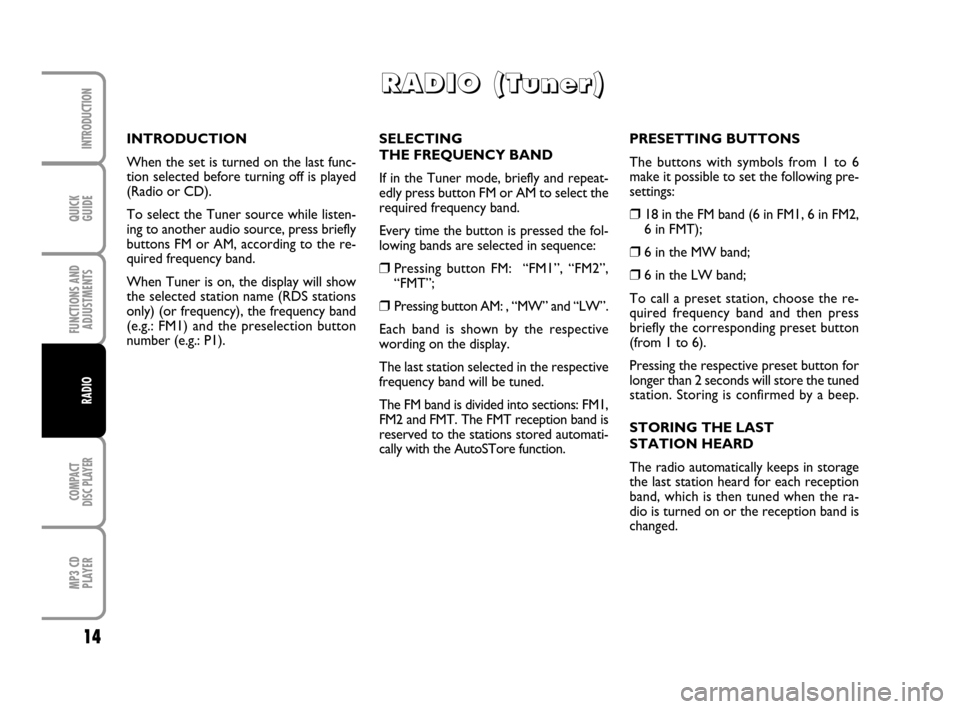
SELECTING
THE FREQUENCY BAND
If in the Tuner mode, briefly and repeat-
edly press button FM or AM to select the
required frequency band.
Every time the button is pressed the fol-
lowing bands are selected in sequence:
❒Pressing button FM: “FM1”, “FM2”,
“FMT”;
❒Pressing button AM: , “MW” and “LW”.
Each band is shown by the respective
wording on the display.
The last station selected in the respective
frequency band will be tuned.
The FM band is divided into sections: FM1,
FM2 and FMT. The FMT reception band is
reserved to the stations stored automati-
cally with the AutoSTore function.PRESETTING BUTTONS
The buttons with symbols from 1 to 6
make it possible to set the following pre-
settings:
❒18 in the FM band (6 in FM1, 6 in FM2,
6 in FMT);
❒6 in the MW band;
❒6 in the LW band;
To call a preset station, choose the re-
quired frequency band and then press
briefly the corresponding preset button
(from 1 to 6).
Pressing the respective preset button for
longer than 2 seconds will store the tuned
station. Storing is confirmed by a beep.
STORING THE LAST
STATION HEARD
The radio automatically keeps in storage
the last station heard for each reception
band, which is then tuned when the ra-
dio is turned on or the reception band is
changed. INTRODUCTION
When the set is turned on the last func-
tion selected before turning off is played
(Radio or CD).
To select the Tuner source while listen-
ing to another audio source, press briefly
buttons FM or AM, according to the re-
quired frequency band.
When Tuner is on, the display will show
the selected station name (RDS stations
only) (or frequency), the frequency band
(e.g.: FM1) and the preselection button
number (e.g.: P1).
R R R R
A A A A
D D D D
I I I I
O O O O
( ( ( (
T T T T
u u u u
n n n n
e e e e
r r r r
) ) ) )
604_39_895 Radio FiorinoQUBO GB 9-10-2008 11:30 Pagina 14
Page 22 of 30
21
QUICK
GUIDE
FUNCTIONS AND
ADJUSTMENTS
RADIO
MP3 CD
PLAYER
INTRODUCTION
COMPACT
DISC PLAYER
POSSIBLE ERROR MESSAGES
If the CD inserted is illegible (e.g.: CD-
ROM inserted, CD not inserted properly
or reading error), the display will show the
message “CD ERROR” for about 2 sec-
onds.
The CD is then ejected and the previous
source before CD was selected returns.
DISPLAY INFORMATION
When the CD player is working, the dis-
play shows the following information
which means:
“T05”: shows the number of the track on
the CD;
“03:42”: shows the time elapsed since the
start of the track (if the corresponding
Menu function is on);SELECT TRACK
(forward/backward)
Briefly press button
¯to play the previ-
ous track and button
˙to play the next
one. Tracks are played in sequence: after
the last track, the first one will be played
and vice versa.
If playing the track started more than 3
seconds ago, pressing briefly button
¯the
track is played again from the start. In this
case if wanting to play the previous track,
press the button twice consecutively.
FAST FORWARD/BACKWARD
Keep button
˙pressed to move the track
selected forward at high speed and keep
button
¯pressed to move it quickly back-
ward. Fast forward/backward is stopped
once the button is released.PAUSE FUNCTION
To pause the CD player, press button
MUTE. The display will show “PAUSE”.
To resume playing the track, press button
MUTE again.
The pause function is deactivated chang-
ing the sound source.
604_39_895 Radio FiorinoQUBO GB 9-10-2008 11:30 Pagina 21
Page 23 of 30
QUICK
GUIDE
22
FUNCTIONS AND
ADJUSTMENTS
RADIO
MP3 CD
PLAYER
INTRODUCTION
COMPACT
DISC PLAYER
Entering the secret code
When turning the sound system on (in the
event of code request), the display will
show the word “CODE” for about 2 sec-
onds, followed by four dashes “----”.
The secret code comprises four figures
from 1 to 6, each corresponding to one of
the dashes.
To enter the first digit of the code, press
the corresponding key of the preset sta-
tions (from 1 to 6). Enter the other code
digits in the same way.
If the four figures are not entered within
20 seconds, the display shows the word
“CODE” for 2 seconds and then fours
dashes “----”. This is not to be considered
as an incorrect code entry.
After entering the fourth digit (within 20
seconds), the radio starts working.
If a wrong code is entered, the radio
sounds a beep, the display shows the word
“CODE” for 2 seconds and then fours
dashes “----” to warn the user that it is
necessary to enter the correct code.Every time the user enters a wrong code,
the waiting time increases gradually (1 min,
2 min, 4 min, 8 min, 16 min, 30 min,1h, 2h,
4h, 8h, 16h, 24h) until reaching a maximum
of 24 hours. The waiting time will be
shown on the display with the word
“WAIT”. When this goes off it is possi-
ble to start the new code entry proce-
dure.
Code Card
This the document that certifies posses-
sion of the radio. The Code Card contains
the radio model, serial number and secret
code.
IMPORTANT Keep the Code Card care-
fully to be able to give the related data to
the competent authorities in the event of
theft. ANTITHEFT PROTECTION
The radio is fitted with an antitheft pro-
tection system based on the exchange of
information between the radio and the
electronic control unit (Body Computer)
installed on the car.
This system warrants the highest level of
security and prevents entry of the secret
code every time the radio supply is dis-
connected.
If the result of the check is positive, the
set starts working, whereas if the com-
parison codes are not the same or if the
electronic control unit (Body Computer)
is replaced, the device informs the user of
the need to enter the secret code ac-
cording to the procedure described in the
following paragraph.
604_39_895 Radio FiorinoQUBO GB 9-10-2008 11:30 Pagina 22
Page 25 of 30
QUICK
GUIDE
24
FUNCTIONS AND
ADJUSTMENTS
RADIO
COMPACT
DISC PLAYER
INTRODUCTION
MP3 CD
PLAYER
SELECT NEXT/PREVIOUS
DIRECTORY
Press button
Nto select the next direc-
tory or press button Oto select the pre-
vious one. The name of the new selected
directory will be shown on the display.
Directories are selected in cyclic se-
quence: after the last directory the first
one is selected and vice versa.
If no other directory/track is selected in
the following 2 seconds, the first track in
the new directory will be played.
If the last track in the currently selected
directory is played, the next will then be
played. DISPLAY INFORMATION
ID3-TAG info display
In addition to time elapsed, directory
name and file name, also ID3-TAG info rel-
evant to track Title, Artist, Author (see
section “MP3 DISPLAY FUNCTION”) are
displayed.
The MP3 directory name shown on the
display corresponds to the name with
which the directory is stored on the CD,
followed by an asterisk.
Example of full MP3 directory name: BEST
OF *.
If you want to display one ID3-TAG info
(Title, Artist, Album) and the track being
played has no ID3-TAG info then, the file
name will be displayed.PROTECTION AGAINST THEFT
Refer to section “COMPACT DISC
PLAYER”.
604_39_895 Radio FiorinoQUBO GB 9-10-2008 11:30 Pagina 24