wheel FIAT SPIDER ABARTH 2017 Owner's Manual
[x] Cancel search | Manufacturer: FIAT, Model Year: 2017, Model line: SPIDER ABARTH, Model: FIAT SPIDER ABARTH 2017Pages: 292, PDF Size: 9.24 MB
Page 122 of 292
As an added safety feature, your vehicle
has been equipped with a tire pressure
monitoring system (TPMS) that
illuminates a low tire pressure telltale
when one or more of your tires is
significantly under-inflated. Accordingly,
when the low tire pressure telltale
illuminates, you should stop and check
your tires as soon as possible, and
inflate them to the proper pressure.
Driving on a significantly under-inflated
tire causes the tire to overheat and can
lead to tire failure. Under-inflation also
reduces fuel efficiency and tire tread life,
and may affect the vehicle's handling
and stopping ability. Please note that
the TPMS is not a substitute for proper
tire maintenance, and it is the driver's
responsibility to maintain correct tire
pressure, even if under-inflation has not
reached the level to trigger illumination
of the TPMS low tire pressure telltale.
Your vehicle has also been equipped
with a TPMS malfunction indicator to
indicate when the system is not
operating properly. When the system
detects a malfunction, the telltale will
flash for approximately one minute and
then remain continuously illuminated.
This sequence will continue upon
subsequent vehicle start-ups as long as
the malfunction exists. When the
malfunction indicator is illuminated, the
system may not be able to detect or
signal low tire pressure as intended.
TPMS malfunctions may occur for a
variety of reasons, including the installation of replacement or alternate
tires or wheels on the vehicle that
prevent the TPMS from functioning
properly. Always check the TPMS
malfunction telltale after replacing one
or more tires or wheels on your vehicle
to ensure that the replacement or
alternate tires and wheels allow the
TPMS to continue to function properly.
System Error Activation
When the
warning light flashes,
there may be a system malfunction.
Contact your authorized dealer.
A system error activation may occur in
the following cases:
When there is equipment or a device
near the vehicle using the same radio
frequency as that of the tire pressure
sensors.
When a metallic device such as a
non-genuine navigation system is
equipped near the center of the
dashboard, which may block radio
signals from the tire pressure sensor to
the receiver unit.
When using the following devices in
the vehicle that may cause radio
interference with the receiver unit.
A digital device such as a personal
computer.
A current converter device such as a
DC-AC converter. When excess snow or ice adheres to
the vehicle, especially around the
wheels.
When the tire pressure sensor
batteries are discharged.
When using a wheel with no tire
pressure sensor installed.
When using tires with steel wire
reinforcement in the side walls.
When using tire chains.
Tires And Wheels
Note: When inspecting or adjusting the
tire air pressures, do not apply
excessive force to the stem portion of
the wheel unit. The stem portion could
be damaged.
Changing Tires And Wheels
The following procedure allows the
TPMS to recognize a tire pressure
sensor's unique ID signal code
whenever tires or wheels are changed,
such as changing to and from winter
tires.
Note:
Each tire pressure sensor has a
unique ID signal code. The signal code
must be registered with the TPMS
before it can work. The easiest way to
do it is to have your authorized dealer
change your tire and complete ID
signal code registration.
120
SAFETY
Page 123 of 292
When your authorized dealer
changes your vehicle's tires, they will
complete the tire pressure sensor ID
signal code registration.
If you or someone else changes tires,
you or someone else can also
undertake the steps for the TPMS to
complete the ID signal code
registration:
After tires have been changed, place
the ignition in the ON mode, then back
to ACC or OFF modes.
Wait for about 15 minutes.
After about 15 minutes, drive the
vehicle at a speed of at least 16 mph
(25 km/h) for 20 minutes and the tire
pressure sensor ID signal code will be
registered automatically.
Note: If the vehicle is driven within
about 15 minutes of changing tires, the
warning light will flash because the
sensor ID signal code would not have
been registered. If this happens, park
the vehicle for about 15 minutes, after
which the sensor ID signal code will
register upon driving the vehicle for
20 minutes.
Replacing Tires And Wheels
Note:
When replacing/repairing the tires or
wheels or both, have the work done by
your authorized dealer, or the tire
pressure sensors may be damaged. The wheels equipped on your
vehicle are specially designed for
installation of the tire pressure sensors.
Do not use non-genuine wheels,
otherwise it may not be possible to
install the tire pressure sensors.
Be sure to have the tire pressure
sensors installed whenever tires or
wheels are replaced.
When having a tire or wheel or both
replaced, the following types of tire
pressure sensor installations are
possible:
The tire pressure sensor is removed
from the old wheel and installed to the
new one.
The same tire pressure sensor is
used with the same wheel. Only the tire
is replaced.
A new tire pressure sensor is
installed to a new wheel.
Note:
The tire pressure sensor ID signal
code must be registered when a new
tire pressure sensor is purchased. For
purchase of a tire pressure sensor and
registration of the tire pressure sensor
ID signal code, consult your authorized
dealer.
When reinstalling a previously
removed tire pressure sensor to a
wheel, replace the grommet (seal
between valve body/sensor and wheel)
for the tire pressure sensor. Caution! The TPMS has been optimized for the
original equipment tires and wheels. TPMS
pressures and warning have been
established for the tire size equipped on
your vehicle. Undesirable system operation
or sensor damage may result when using
replacement equipment that is not of the
same size, type, and/or style. The TPM
sensor is not designed for use on
aftermarket wheels and may contribute to a
poor overall system performance or sensor
damage. Customers are encouraged to
use OEM wheels to assure proper TPM
feature operation.
Using aftermarket tire sealants may
cause the Tire Pressure Monitoring System
(TPMS) sensor to become inoperable. After
using an aftermarket tire sealant it is
recommended that you take your vehicle to
an authorized dealership to have your
sensor function checked.
After inspecting or adjusting the tire
pressure always reinstall the valve stem
cap. This will prevent moisture and dirt
from entering the valve stem, which could
damage the TPMS sensor.
121
Page 133 of 292
Warning!Never place a rear-facing child restraint
in front of an air bag. A deploying
passenger Advanced Front Air Bag can
cause death or serious injury to a child
12 years or younger, including a child in a
rear-facing child restraint.
Only use a rear-facing child restraint in a
vehicle with a rear seat.
An incorrectly anchored tether strap
could lead to increased head motion and
possibly injury to the child. Use only the
anchorage position directly behind the child
seat to secure a child restraint top tether
strap. SUPPLEMENTARY
RESTRAINT SYSTEM
SRS — AIR BAG Description
The front and side Supplementary
Restraint Systems (SRS) include
different types of Air Bags.
Note: Please verify which kinds of Air
Bags are equipped on your vehicle by
locating the “SRS AIR BAG” location
indicators.
These indicators are visible in the area
where the Air Bags are installed.
The Air Bags are installed in the
following locations:
The steering wheel hub (Driver Air
Bag)
The passenger dashboard
(Passenger Air Bag)
The outer sides of the seat backs
(Side Air Bags)
This vehicle has front air bags and
lap/shoulder belts for both the driver
and front passenger. The front air bags
are a supplement to the seat belt
restraint systems.
The Air Bag supplementary restraint
systems are designed to provide
supplementary protection in certain
situations so seat belts are always
important in the following ways.
Without seat belt usage, the Air Bags
cannot provide adequate protection during an accident. Seat belt usage is
necessary to:
Keep the occupant from being
thrown into an inflating Air Bag.
Reduce the possibility of injuries
during an accident that is not designed
for Air Bag inflation, such as roll-over or
rear impact.
Reduce the possibility of injuries in
frontal, near frontal or side collisions
that are not severe enough to activate
the Air Bags.
Reduce the possibility of being
thrown from your vehicle.
Reduce the possibility of injuries to
lower body and legs during an accident
because the Air Bags provide no
protection to these parts of the body.
Hold the driver in a position which
allows better control of the vehicle.
Warning!In order for the Side Air Bags to work as
intended, do not install any accessory
items in your vehicle which could alter the
roof. Do not add an aftermarket sunroof to
your vehicle. Do not add roof racks that
require permanent attachments (bolts or
screws) for installation on the vehicle roof.
Do not drill into the roof of the vehicle for
any reason.06070400567567
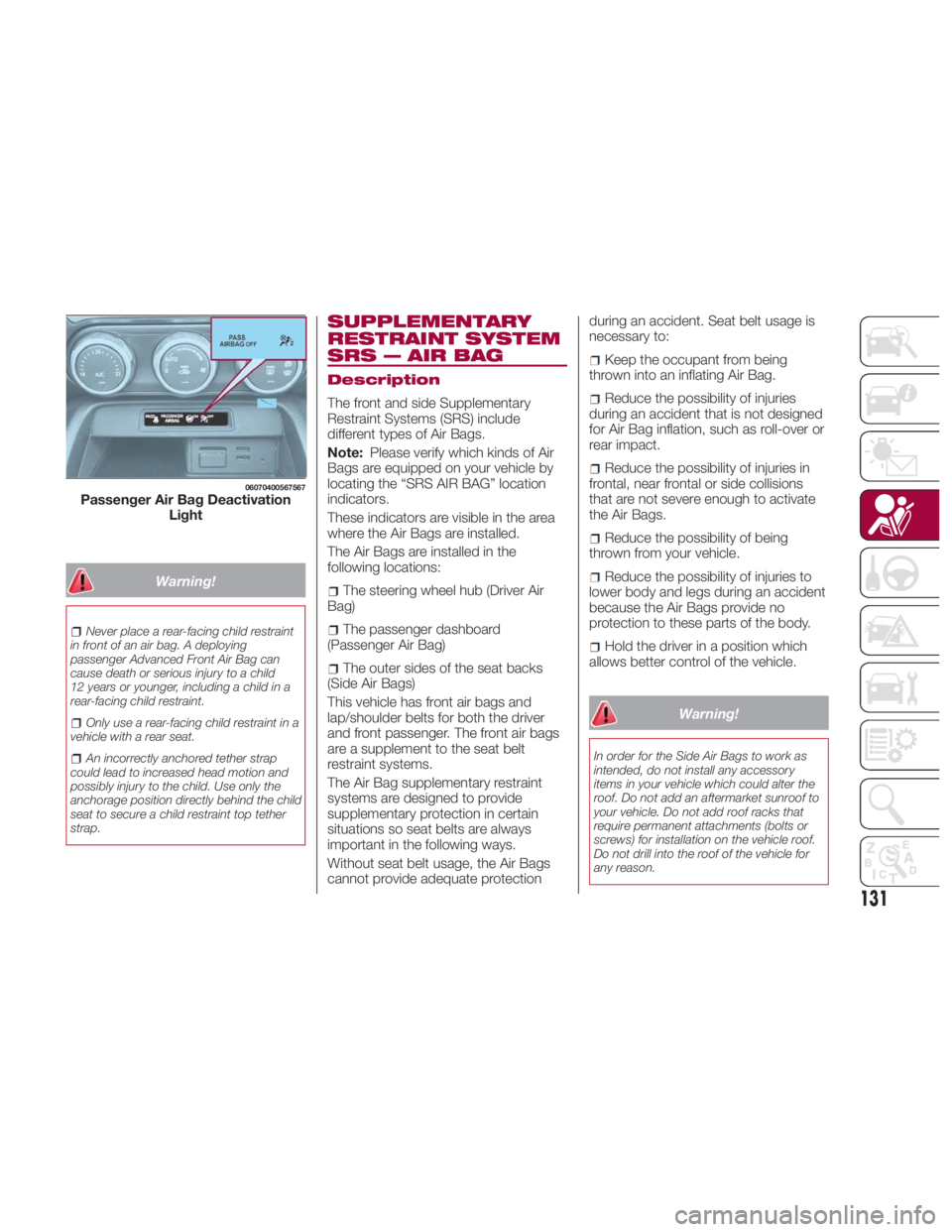
Passenger Air Bag Deactivation
Light
131
Page 137 of 292
How The SRS Air Bags
Work
This vehicle has front air bags and
lap/shoulder belts for both the driver
and front passenger. The front air bags
are a supplement to the seat belt
restraint systems. The SRS Air Bags are
designed to provide further protection
for passengers in addition to the seat
belt functions. Be sure to wear seat
belts properly.
Seat Belt Pretensioners
The seat belt pretensioners are
designed to deploy in moderate or
severe frontal, near frontal collisions. In
addition, during a side collision, the
pretensioner operates on the side in
which the collision occurs.
The pretensioners operate differently
depending on what types of air bags
are equipped. For details on the seat
belt pretensioner operation, refer to the
“SRS Air Bag Deployment Criteria”.
Driver Air Bag
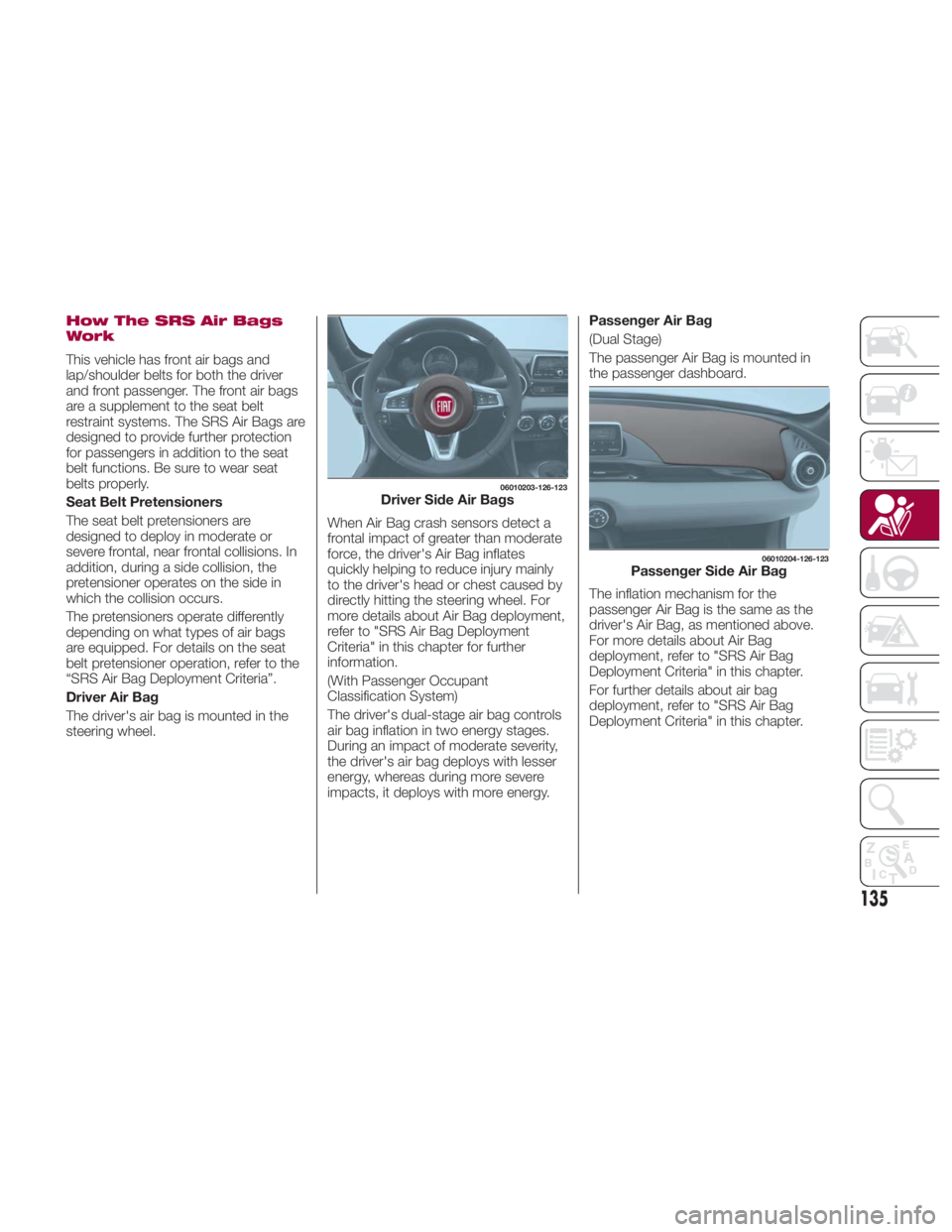
The driver's air bag is mounted in the
steering wheel. When Air Bag crash sensors detect a
frontal impact of greater than moderate
force, the driver's Air Bag inflates
quickly helping to reduce injury mainly
to the driver's head or chest caused by
directly hitting the steering wheel. For
more details about Air Bag deployment,
refer to "SRS Air Bag Deployment
Criteria" in this chapter for further
information.
(With Passenger Occupant
Classification System)
The driver's dual-stage air bag controls
air bag inflation in two energy stages.
During an impact of moderate severity,
the driver's air bag deploys with lesser
energy, whereas during more severe
impacts, it deploys with more energy. Passenger Air Bag
(Dual Stage)
The passenger Air Bag is mounted in
the passenger dashboard.
The inflation mechanism for the
passenger Air Bag is the same as the
driver's Air Bag, as mentioned above.
For more details about Air Bag
deployment, refer to "SRS Air Bag
Deployment Criteria" in this chapter.
For further details about air bag
deployment, refer to "SRS Air Bag
Deployment Criteria" in this chapter. 06010203-126-123
Driver Side Air Bags 06010204-126-123
Passenger Side Air Bag
135
Page 142 of 292
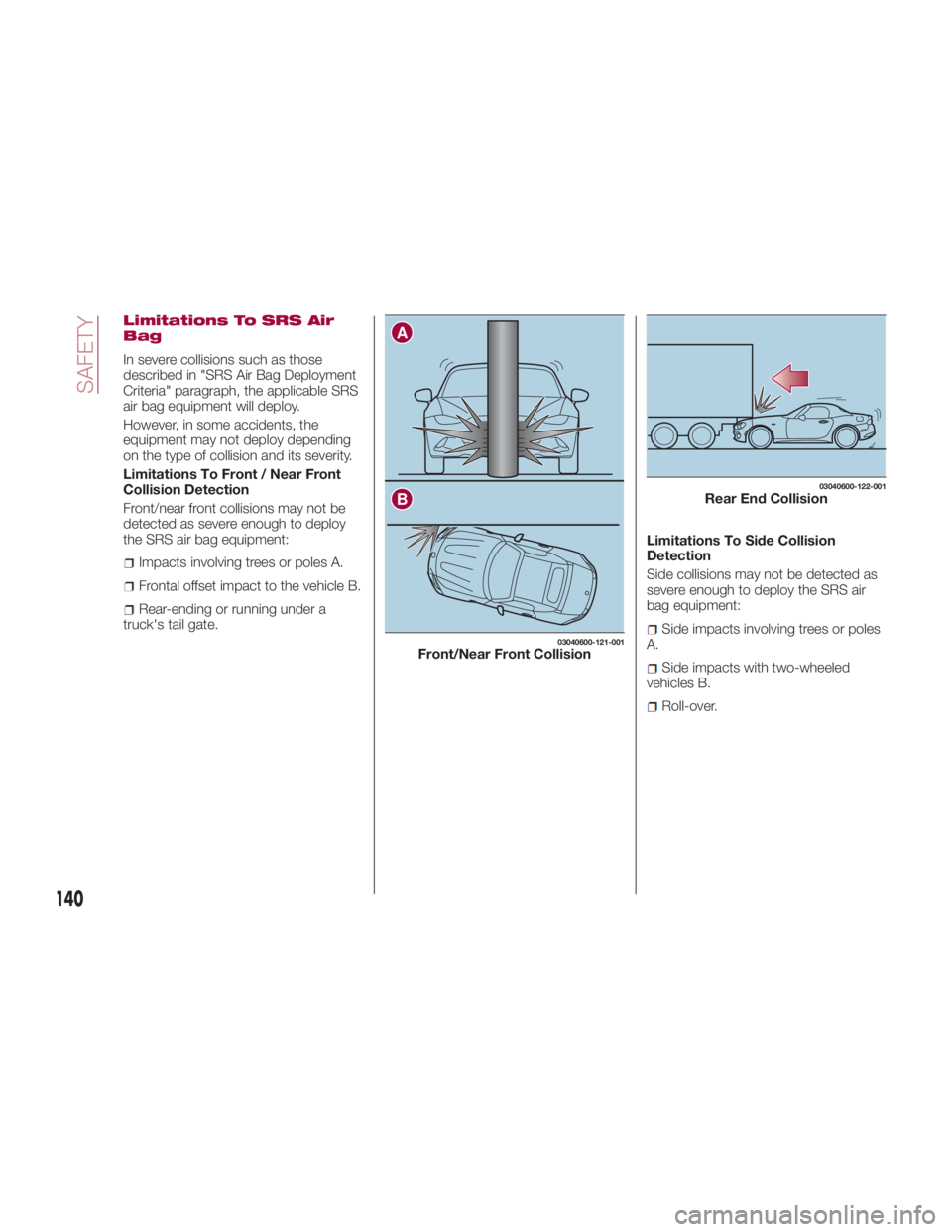
Limitations To SRS Air
Bag
In severe collisions such as those
described in "SRS Air Bag Deployment
Criteria" paragraph, the applicable SRS
air bag equipment will deploy.
However, in some accidents, the
equipment may not deploy depending
on the type of collision and its severity.
Limitations To Front / Near Front
Collision Detection
Front/near front collisions may not be
detected as severe enough to deploy
the SRS air bag equipment:
Impacts involving trees or poles A.
Frontal offset impact to the vehicle B.
Rear-ending or running under a
truck's tail gate. Limitations To Side Collision
Detection
Side collisions may not be detected as
severe enough to deploy the SRS air
bag equipment:
Side impacts involving trees or poles
A.
Side impacts with two-wheeled
vehicles B.
Roll-over.A
B 03040600-121-001
Front/Near Front Collision 03040600-122-001
Rear End Collision
140
SAFETY
Page 147 of 292
Warning!Never place a rear-facing child restraint
in front of an air bag. A deploying
passenger front air bag can cause death or
serious injury to a child 12 years or
younger, including a child in a rear-facing
child restraint.
Only use a rear-facing child restraint in a
vehicle with a rear seat.
Children 12 years or younger should
always ride buckled up in a vehicle with a
rear seat.
Warning!No objects should be placed over or
near the air bag on the instrument panel or
steering wheel because any such objects
could cause harm if the vehicle is in a
collision severe enough to cause the air
bag to inflate.
Do not put anything on or around the air
bag covers or attempt to open them
manually. You may damage the air bags
and you could be injured because the air
bags may no longer be functional. The
protective covers for the air bag cushions
are designed to open only when the air
bags are inflating.
Relying on the air bags alone could lead
to more severe injuries in a collision. The air
bags work with your seat belt to restrain
you properly. In some collisions, air bags won’t deploy at all. Always wear your seat
belts even though you have air bags.
Maintaining Your Air Bag
System
Warning!Modifications to any part of the air bag
system could cause it to fail when you
need it. You could be injured if the air bag
system is not there to protect you. Do not
modify the components or wiring, including
adding any kind of badges or stickers to
the steering wheel hub trim cover or the
upper right side of the instrument panel. Do
not modify the front bumper, vehicle body
structure, or add aftermarket side steps or
running boards.
It is dangerous to try to repair any part
of the air bag system yourself. Be sure to
tell anyone who works on your vehicle that
it has an air bag system.
Do not attempt to modify any part of your
air bag system. The air bag may inflate
accidentally or may not function properly if
modifications are made. Take your vehicle to
an authorized dealer for any air bag system
service. If your seat, including your trim cover
and cushion, needs to be serviced in any way
(including removal or loosening/tightening of
seat attachment bolts), take the vehicle to
your authorized dealer. Only manufacturer
approved seat accessories may be used. If it
is necessary to modify the air bag system for
persons with disabilities, contact your
authorized dealer. EVENT DATA
RECORDER (EDR) This vehicle is equipped with an event
data recorder (EDR).
The main purpose of an EDR is to
record, in certain crash or near
crash-like situations, such as an air bag
deployment or hitting a road obstacle,
data that will assist in understanding
how a vehicle’s systems performed.
The EDR is designed to record data
related to vehicle dynamics and safety
systems for a short period of time,
typically 30 seconds or less.
The EDR in this vehicle is designed to
record such data as:
How various systems in your vehicle
were operating.
Whether or not the driver and
passenger safety belts were
buckled/fastened.
How far (if at all) the driver was
pushing the accelerator and/or brake
pedal.
How fast the vehicle was traveling.
This data can help provide a better
understanding of the circumstances in
which crashes and injuries occur.
145
Page 157 of 292
Never leave children alone in a vehicle,
or with access to an unlocked vehicle.
Allowing children to be in a vehicle
unattended is dangerous for a number of
reasons. A child or others could be
seriously or fatally injured. Children should
be warned not to touch the park brake,
brake pedal or the transmission gear
selector.
Do not leave the key fob in or near the
vehicle (or in a location accessible to
children), and do not leave the ignition in
the ACC or ON/RUN mode. A child could
operate power windows, other controls, or
move the vehicle.
Caution!Before moving the transmission gear
selector out of PARK, you must place the
ignition from the LOCK/OFF mode to the
ON/RUN mode, and also press the brake
pedal. Otherwise, damage to the gear
selector could result.
DO NOT race the engine when shifting
from PARK or NEUTRAL into another gear
range, as this can damage the drivetrain.
Note:
Shifting into PARK (P), NEUTRAL
(N) or REVERSE (R) while the vehicle is
moving can damage your
transmission. Shifting into DRIVE (D) or REVERSE
(R) when the engine is running faster
than idle can damage the
transmission.
REVERSE (R)
This range is for moving the vehicle
backward. Shift into REVERSE only
after the vehicle has come to a
complete stop.
With Parking Sensor system : when
the gear selector is shifted to the
REVERSE (R) position with the ignition
placed in the ON mode, the parking
sensor system is activated and an
audible sound is heard.
NEUTRAL (N)
In NEUTRAL (N), the wheels and
transmission are not locked. The vehicle
will roll freely even on the slightest
incline unless the parking brake or
brakes are applied.
Warning!Do not coast in NEUTRAL and never turn
off the ignition to coast down a hill. These
are unsafe practices that limit your
response to changing traffic or road
conditions. You might lose control of the
vehicle and have a collision. Note: Do not shift into NEUTRAL (N)
when driving the vehicle. Doing so will
damage the transmission. Press the
parking brake or depress the brake
pedal before moving the gear selector
from NEUTRAL (N) to prevent the
vehicle from moving unexpectedly.
DRIVE (D)
DRIVE (D) is the normal driving position.
From a stop, the transmission will
automatically shift through all available
gears.
MANUAL (M)
MANUAL (M) is the manual shift mode
position. Gears can be shifted up or
down by operating the gear selector.
(Refer to “Manual Shift Mode”
paragraph in this section).
Warning!Do not downshift for additional engine
braking on a slippery surface. The drive
wheels could lose their grip and the vehicle
could skid, causing a collision or personal
injury.
155
Page 159 of 292
Manual Shift Mode
The manual shift mode gives you the
feel of driving a manual transmission
vehicle by allowing you to operate the
gear selector manually.
This allows you to control engine rpm
and torque to the drive wheels much
like a manual transmission when more
control is desired.
To change to MANUAL (M) shift mode,
shift the gear selector from DRIVE (D) to
MANUAL (M). To return to automatic
shift mode, shift the gear selector from
MANUAL (M) to DRIVE (D).
You can shift between DRIVE (D) and
MANUAL (M) mode at any time, without
taking your foot off the accelerator.
Note:
If you change to manual shift mode
when the vehicle is stopped, the gear
will shift to M1.
If you change to manual shift mode
while the vehicle is moving it will remain
in the current gear until a manual shift
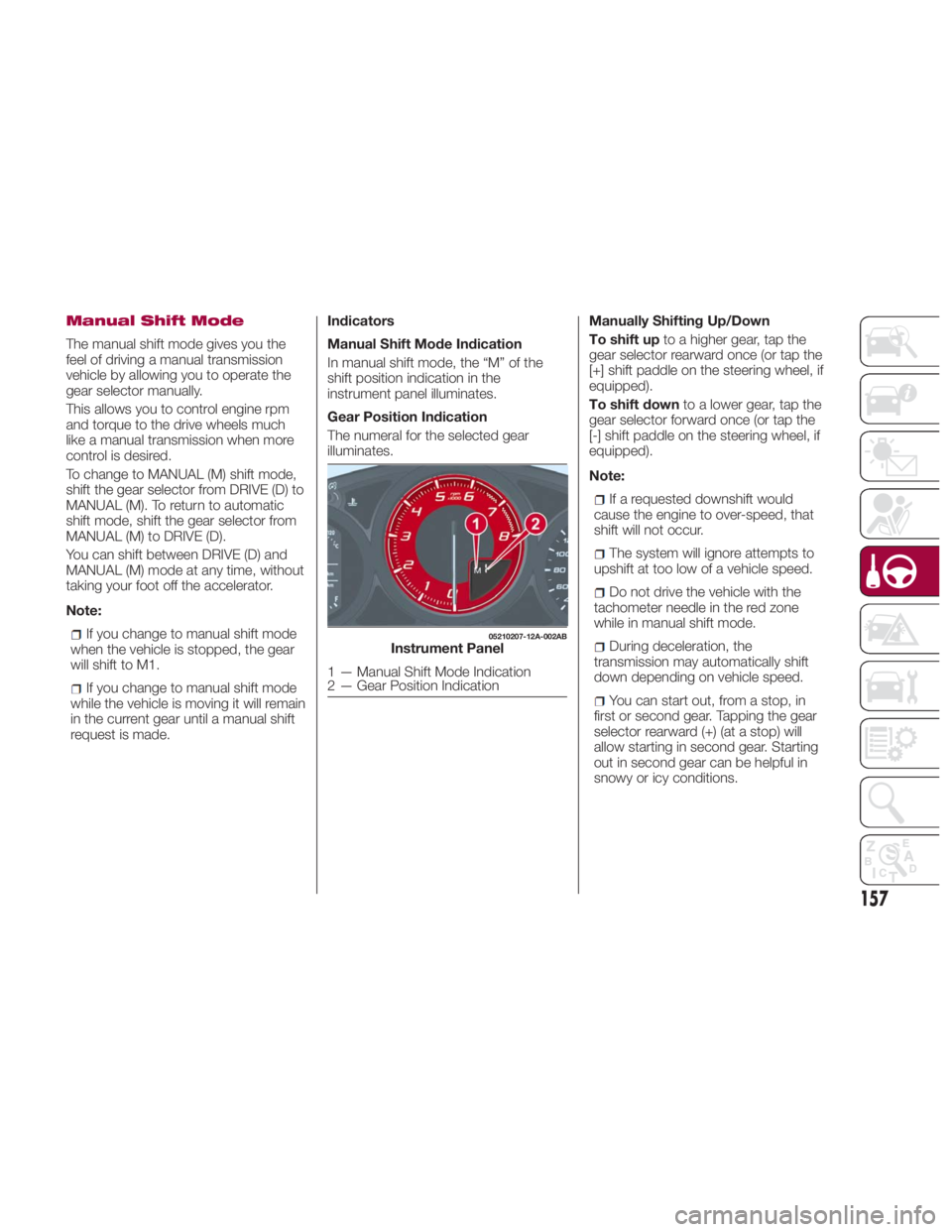
request is made. Indicators
Manual Shift Mode Indication
In manual shift mode, the “M” of the
shift position indication in the
instrument panel illuminates.
Gear Position Indication
The numeral for the selected gear
illuminates. Manually Shifting Up/Down
To shift up to a higher gear, tap the
gear selector rearward once (or tap the
[+] shift paddle on the steering wheel, if
equipped).
To shift down to a lower gear, tap the
gear selector forward once (or tap the
[-] shift paddle on the steering wheel, if
equipped).
Note:
If a requested downshift would
cause the engine to over-speed, that
shift will not occur.
The system will ignore attempts to
upshift at too low of a vehicle speed.
Do not drive the vehicle with the
tachometer needle in the red zone
while in manual shift mode.
During deceleration, the
transmission may automatically shift
down depending on vehicle speed.
You can start out, from a stop, in
first or second gear. Tapping the gear
selector rearward (+) (at a stop) will
allow starting in second gear. Starting
out in second gear can be helpful in
snowy or icy conditions. 05210207-12A-002AB
Instrument Panel
1 — Manual Shift Mode Indication
2 — Gear Position Indication
157
Page 160 of 292
Paddle Mode — If
Equipped
Tapping one of the steering
wheel-mounted shift paddles (+/-), if
equipped, while the gear selector is in
DRIVE (D), will activate Paddle Mode (a
temporary manual mode). The current
gear will be displayed in the instrument
cluster, with the "M" also illuminated.
The transmission will revert back to
normal operation (if the gear selector
remains in DRIVE) after a period of time,
depending on accelerator pedal activity.
Note: Because Paddle mode is only
temporary, use of the MANUAL (M)
position is recommended if you need to
drive the vehicle in a particular gear for
long periods.
Driving Tips
Overtaking
For extra power when passing another
vehicle or climbing steep grades, press
the accelerator fully. The transmission
will shift to a lower gear, depending on
vehicle speed.
Note:
The accelerator pedal may initially
feel heavy as it is being pressed, then
feel lighter as it is pressed further. This
change in pedal force controls whether
or not kickdown should be performed. While the gear selector is in the
MANUAL (M) position and the Dynamic
Stability Control (DSC) is turned off,
manual shift mode does not switch to
automatic shift mode even if the
accelerator pedal is completely
pressed. Tap the gear selector forward
or rearward to select the appropriate
gear.
Climbing steep grades from a stop
To climb a steep grade from a stopped
position:
1. Press the brake pedal.
2. Shift to DRIVE (D) or M1, depending
on the load weight and grade
steepness.
3. Release the brake pedal while
gradually accelerating.
Descending steep grades
When descending a steep grade, shift
to lower gears, depending on load
weight and grade steepness.
Descend slowly, using the brakes only
occasionally to prevent them from
overheating. SPORT MODE The Sport mode increases steering
feedback to the driver with slight
increase in effort and changes the
transmission shift schedules for more
aggressive shifting. This driving mode is
useful while driving on twisty roads
where more steering precision is
desired in spirited cornering.
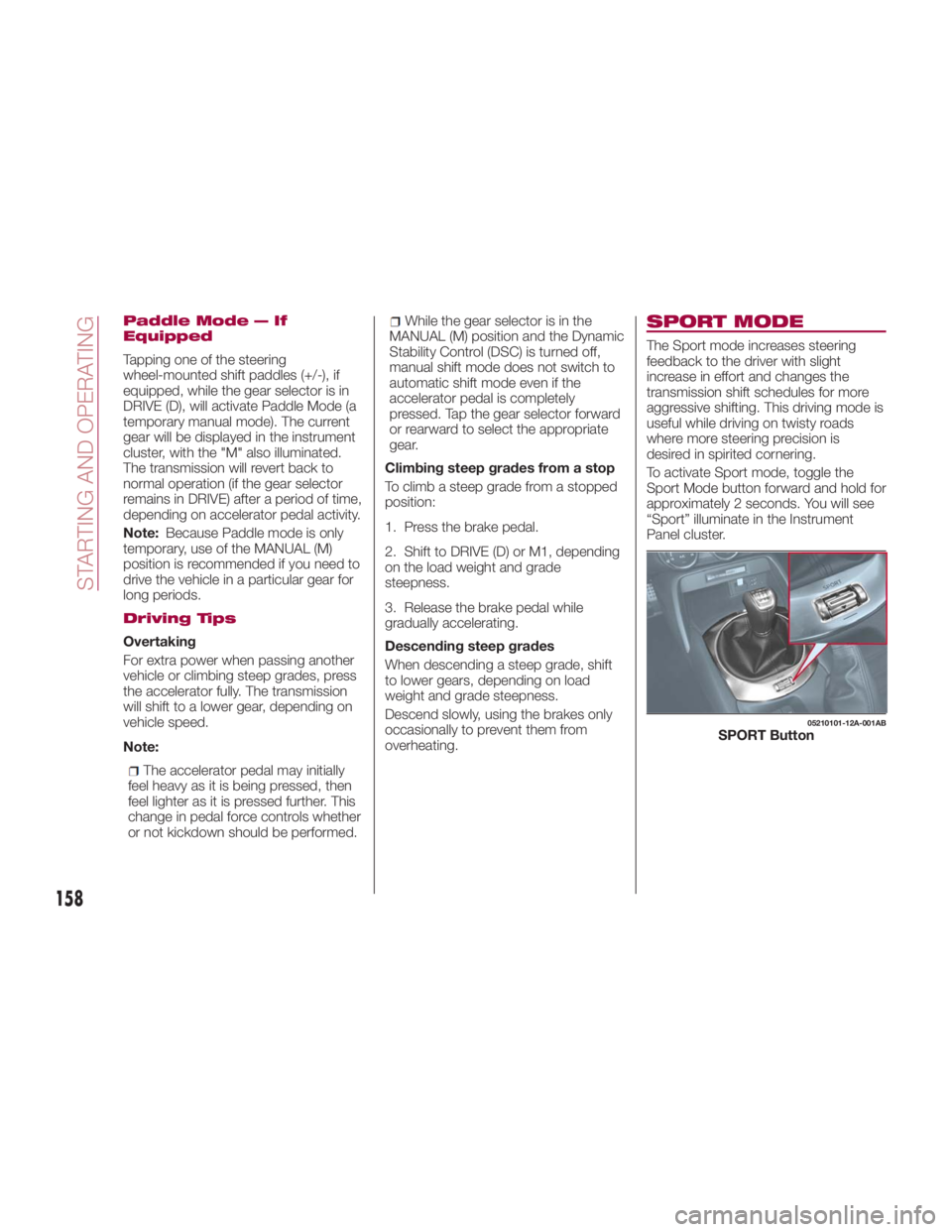
To activate Sport mode, toggle the
Sport Mode button forward and hold for
approximately 2 seconds. You will see
“Sport” illuminate in the Instrument
Panel cluster. 05210101-12A-001AB
SPORT Button
158
STARTING AND OPERATING
Page 161 of 292
SPEED CONTROL Speed Control
This is an electronically controlled
driving assistance feature that allows
the desired vehicle speed to be
maintained, without having to press the
accelerator pedal.
This feature can be used at a speed
above 25 mph (40 km/h) on long
stretches of dry, straight roads with few
variations (e.g. motorways).
It is therefore not recommended to use
this feature on city roads with traffic. Do
not use it in town.
Warning!Do not use Speed Control under the
following conditions:
hilly terrain
steep inclines
heavy or unsteady traffic
slippery or winding roads
similar restrictions that require
inconsistent speed
Using the Speed Control under the
following conditions is dangerous and
could result in loss of vehicle control. Activation / Deactivation
Note: When the ignition is placed in
the OFF position, the system status
before it was turned off is stored. For
example, if the ignition is placed in the
OFF position while the Speed Control is
operating, the system will be operable
when the ignition is placed in the ON
position the next time.
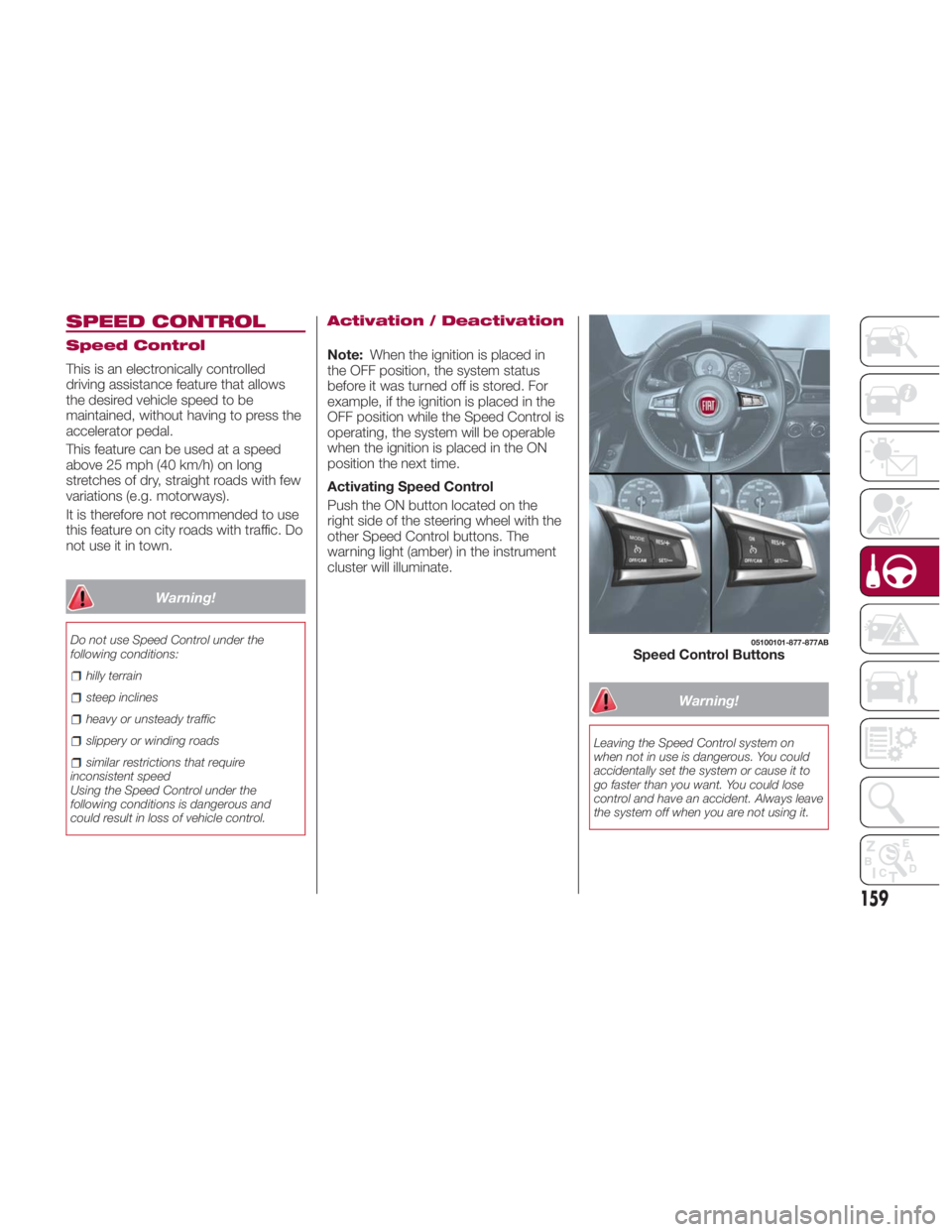
Activating Speed Control
Push the ON button located on the
right side of the steering wheel with the
other Speed Control buttons. The
warning light (amber) in the instrument
cluster will illuminate.
Warning!Leaving the Speed Control system on
when not in use is dangerous. You could
accidentally set the system or cause it to
go faster than you want. You could lose
control and have an accident. Always leave
the system off when you are not using it. 05100101-877-877AB
Speed Control Buttons
159