warning FIAT TIPO 5DOORS STATION WAGON 2016 1.G Workshop Manual
[x] Cancel search | Manufacturer: FIAT, Model Year: 2016, Model line: TIPO 5DOORS STATION WAGON, Model: FIAT TIPO 5DOORS STATION WAGON 2016 1.GPages: 240, PDF Size: 5.43 MB
Page 97 of 240
PARKING THE
VEHICLE
Always remove the ignition key when
leaving the car.
When parking and leaving the car,
proceed as follows:
Engage a gear (1st gear if parked
uphill or reverse if facing downhill) and
leave the wheels turned.
stop the engine and engage the
handbrake.
Block the wheels with a wedge or a
stone if the car is parked on a steep
slope.
IMPORTANT NEVER leave the vehicle
with the gearbox in neutral
PARKING BRAKE
107) 108)
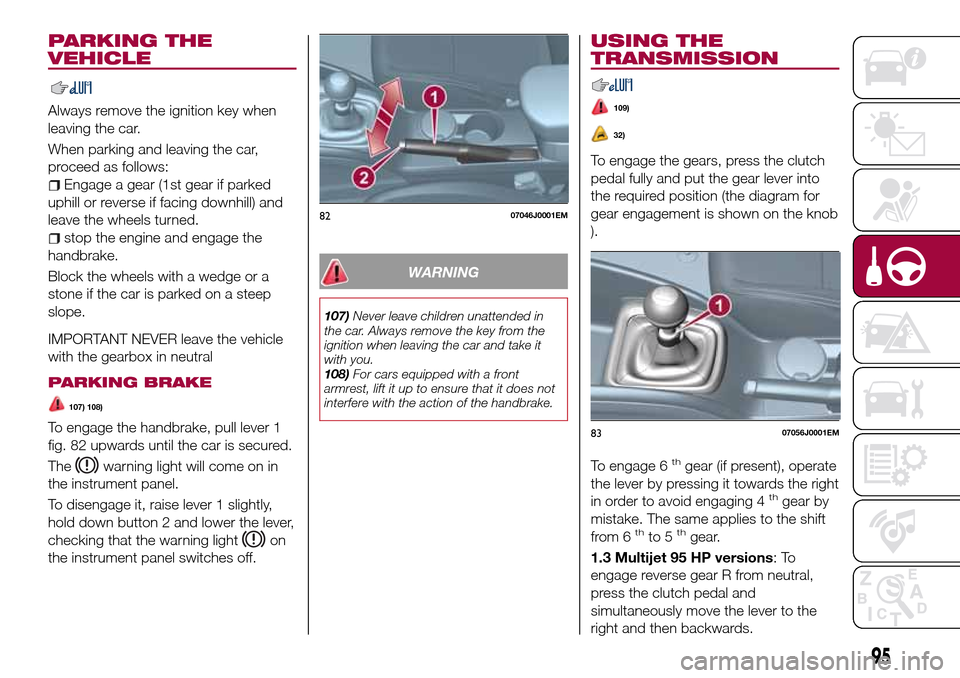
To engage the handbrake, pull lever 1
fig. 82 upwards until the car is secured.
The
warning light will come on in
the instrument panel.
To disengage it, raise lever 1 slightly,
hold down button 2 and lower the lever,
checking that the warning light
on
the instrument panel switches off.
WARNING
107)Never leave children unattended in
the car. Always remove the key from the
ignition when leaving the car and take it
with you.
108)For cars equipped with a front
armrest, lift it up to ensure that it does not
interfere with the action of the handbrake.
USING THE
TRANSMISSION
109)
32)
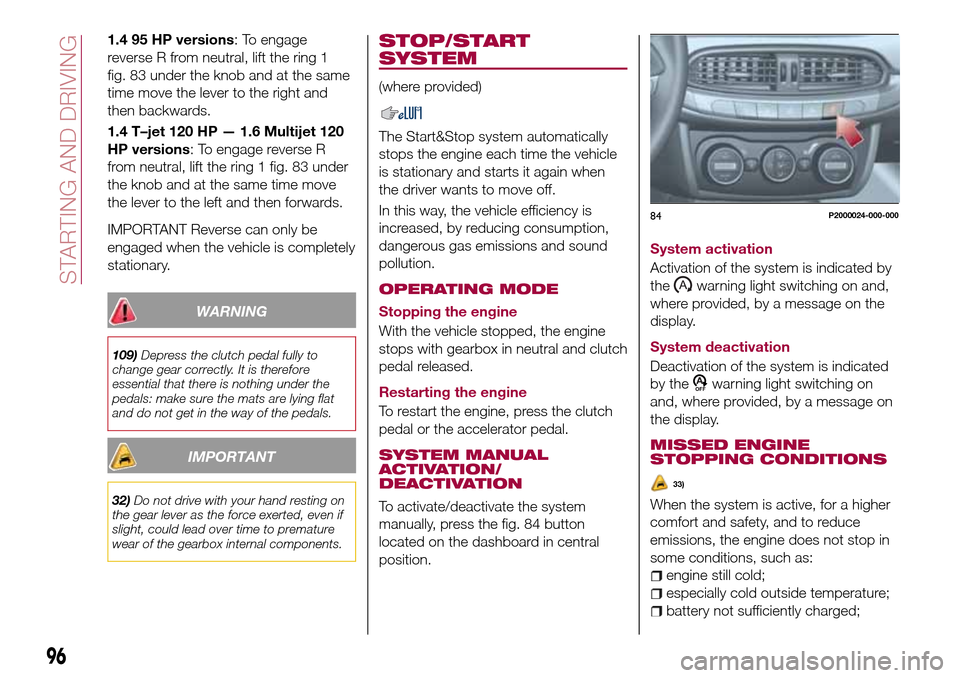
To engage the gears, press the clutch
pedal fully and put the gear lever into
the required position (the diagram for
gear engagement is shown on the knob
).
To engage 6
thgear (if present), operate
the lever by pressing it towards the right
in order to avoid engaging 4
thgear by
mistake. The same applies to the shift
from 6
thto 5thgear.
1.3 Multijet 95 HP versions:To
engage reverse gear R from neutral,
press the clutch pedal and
simultaneously move the lever to the
right and then backwards.
8207046J0001EM
8307056J0001EM
95
Page 98 of 240
1.4 95 HP versions: To engage
reverse R from neutral, lift the ring 1
fig. 83 under the knob and at the same
time move the lever to the right and
then backwards.
1.4 T–jet 120 HP — 1.6 Multijet 120
HP versions: To engage reverse R
from neutral, lift the ring 1 fig. 83 under
the knob and at the same time move
the lever to the left and then forwards.
IMPORTANT Reverse can only be
engaged when the vehicle is completely
stationary.
WARNING
109)Depress the clutch pedal fully to
change gear correctly. It is therefore
essential that there is nothing under the
pedals: make sure the mats are lying flat
and do not get in the way of the pedals.
IMPORTANT
32)Do not drive with your hand resting on
the gear lever as the force exerted, even if
slight, could lead over time to premature
wear of the gearbox internal components.
STOP/START
SYSTEM
(where provided)
The Start&Stop system automatically
stops the engine each time the vehicle
is stationary and starts it again when
the driver wants to move off.
In this way, the vehicle efficiency is
increased, by reducing consumption,
dangerous gas emissions and sound
pollution.
OPERATING MODE
Stopping the engine
With the vehicle stopped, the engine
stops with gearbox in neutral and clutch
pedal released.
Restarting the engine
To restart the engine, press the clutch
pedal or the accelerator pedal.
SYSTEM MANUAL
ACTIVATION/
DEACTIVATION
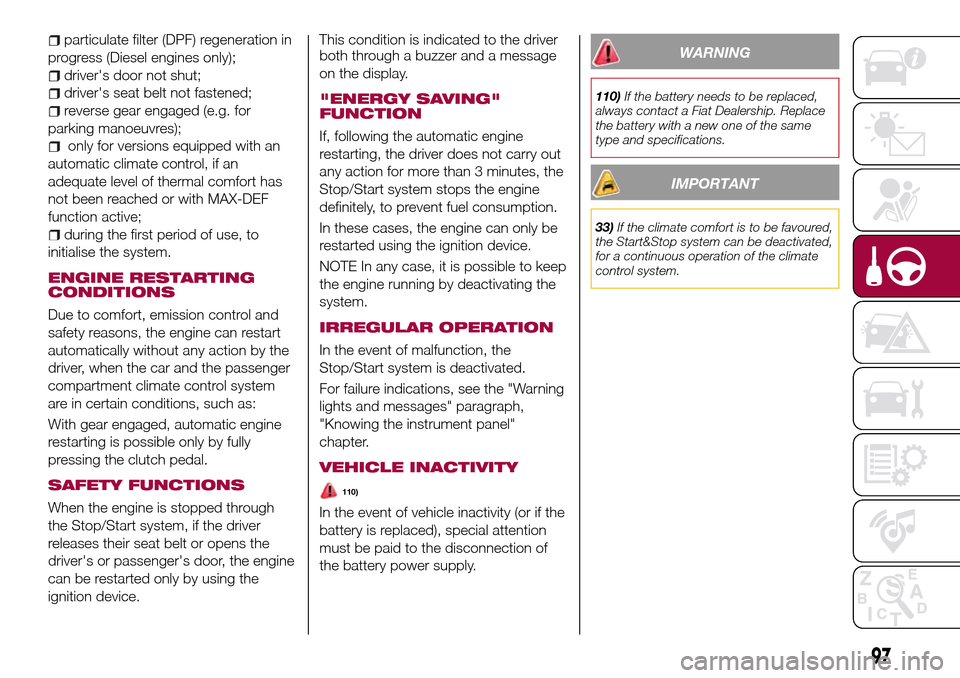
To activate/deactivate the system
manually, press the fig. 84 button
located on the dashboard in central
position.System activation
Activation of the system is indicated by
the
warning light switching on and,
where provided, by a message on the
display.
System deactivation
Deactivation of the system is indicated
by the
warning light switching on
and, where provided, by a message on
the display.
MISSED ENGINE
STOPPING CONDITIONS
33)
When the system is active, for a higher
comfort and safety, and to reduce
emissions, the engine does not stop in
some conditions, such as:
engine still cold;
especially cold outside temperature;
battery not sufficiently charged;
84P2000024-000-000
96
STARTING AND DRIVING
Page 99 of 240
particulate filter (DPF) regeneration in
progress (Diesel engines only);
driver's door not shut;
driver's seat belt not fastened;
reverse gear engaged (e.g. for
parking manoeuvres);
only for versions equipped with an
automatic climate control, if an
adequate level of thermal comfort has
not been reached or with MAX-DEF
function active;
during the first period of use, to
initialise the system.
ENGINE RESTARTING
CONDITIONS
Due to comfort, emission control and
safety reasons, the engine can restart
automatically without any action by the
driver, when the car and the passenger
compartment climate control system
are in certain conditions, such as:
With gear engaged, automatic engine
restarting is possible only by fully
pressing the clutch pedal.
SAFETY FUNCTIONS
When the engine is stopped through
the Stop/Start system, if the driver
releases their seat belt or opens the
driver's or passenger's door, the engine
can be restarted only by using the
ignition device.This condition is indicated to the driver
both through a buzzer and a message
on the display.
"ENERGY SAVING"
FUNCTION
If, following the automatic engine
restarting, the driver does not carry out
any action for more than 3 minutes, the
Stop/Start system stops the engine
definitely, to prevent fuel consumption.
In these cases, the engine can only be
restarted using the ignition device.
NOTE In any case, it is possible to keep
the engine running by deactivating the
system.
IRREGULAR OPERATION
In the event of malfunction, the
Stop/Start system is deactivated.
For failure indications, see the "Warning
lights and messages" paragraph,
"Knowing the instrument panel"
chapter.
VEHICLE INACTIVITY
110)
In the event of vehicle inactivity (or if the
battery is replaced), special attention
must be paid to the disconnection of
the battery power supply.
WARNING
110)If the battery needs to be replaced,
always contact a Fiat Dealership. Replace
the battery with a new one of the same
type and specifications.
IMPORTANT
33)If the climate comfort is to be favoured,
the Start&Stop system can be deactivated,
for a continuous operation of the climate
control system.
97
Page 100 of 240
SPEED LIMITER
DESCRIPTION
This device allows the speed of the
vehicle to be limited to values which
can be set by the driver.
The maximum speed can be set both
with vehicle stationary and in motion.
The minimum speed that can be set is
30 km/h.
When the device is active, the vehicle
speed depends on the pressure at the
accelerator pedal, until the
programmed speed limit is reached
(see "Speed limit programming"
paragraph).
ACTIVATING THE DEVICE
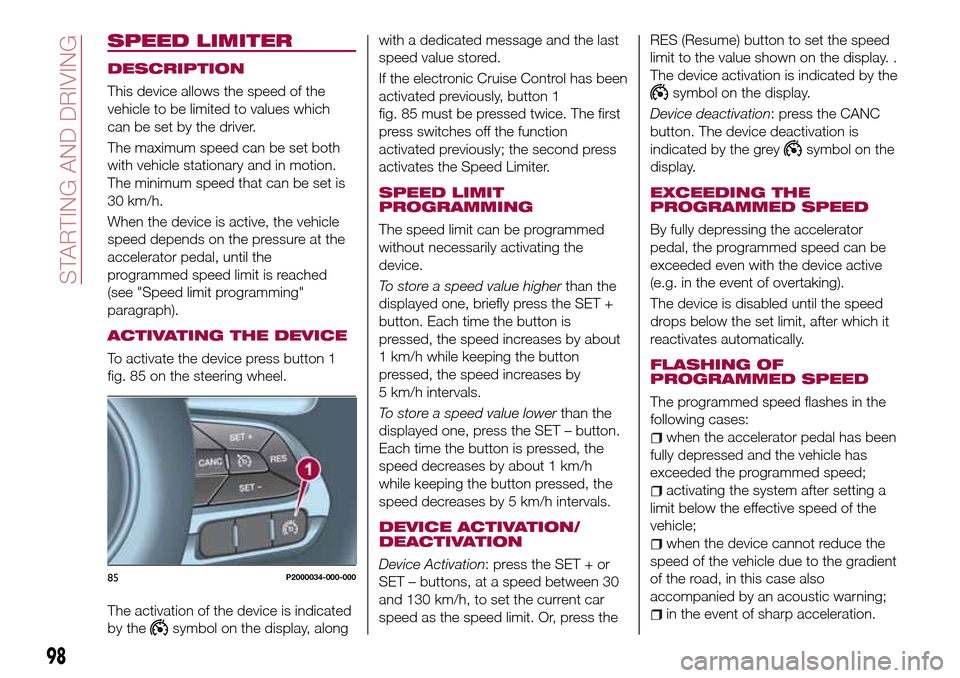
To activate the device press button 1
fig. 85 on the steering wheel.
The activation of the device is indicated
by the
symbol on the display, alongwith a dedicated message and the last
speed value stored.
If the electronic Cruise Control has been
activated previously, button 1
fig. 85 must be pressed twice. The first
press switches off the function
activated previously; the second press
activates the Speed Limiter.
SPEED LIMIT
PROGRAMMING
The speed limit can be programmed
without necessarily activating the
device.
To store a speed value higherthan the
displayed one, briefly press the SET +
button. Each time the button is
pressed, the speed increases by about
1 km/h while keeping the button
pressed, the speed increases by
5 km/h intervals.
To store a speed value lowerthan the
displayed one, press the SET – button.
Each time the button is pressed, the
speed decreases by about 1 km/h
while keeping the button pressed, the
speed decreases by 5 km/h intervals.
DEVICE ACTIVATION/
DEACTIVATION
Device Activation: press the SET + or
SET – buttons, at a speed between 30
and 130 km/h, to set the current car
speed as the speed limit. Or, press theRES (Resume) button to set the speed
limit to the value shown on the display. .
The device activation is indicated by the
symbol on the display.
Device deactivation: press the CANC
button. The device deactivation is
indicated by the grey
symbol on the
display.
EXCEEDING THE
PROGRAMMED SPEED
By fully depressing the accelerator
pedal, the programmed speed can be
exceeded even with the device active
(e.g. in the event of overtaking).
The device is disabled until the speed
drops below the set limit, after which it
reactivates automatically.
FLASHING OF
PROGRAMMED SPEED
The programmed speed flashes in the
following cases:
when the accelerator pedal has been
fully depressed and the vehicle has
exceeded the programmed speed;
activating the system after setting a
limit below the effective speed of the
vehicle;
when the device cannot reduce the
speed of the vehicle due to the gradient
of the road, in this case also
accompanied by an acoustic warning;
in the event of sharp acceleration.
85P2000034-000-000
98
STARTING AND DRIVING
Page 102 of 240
When travelling downhill with the device
active, the vehicle speed may exceed
the set one.
CHANGING SPEED
Increasing speed
Once the electronic Cruise Control has
been activated, the speed can be
increased by pressing button SET +.
Keeping the button pressed, the set
speed will increase until the button is
released, then the new speed will be
stored. Perform this operation only if
you want to increase vehicle speed by a
high value.
Each time button SET + is pressed the
set speed will be fine tuned.
Decreasing speed
With the device activated, the speed
can be decreased by pressing button
SET–.
Keeping the button pressed, the set
speed will decrease until the button is
released, then the new speed will be
stored.
Each time button SET – is pressed the
set speed will be fine tuned.
RECALLING THE SPEED
Before returning to the previously set
speed, you must bring the speed close
to that value, press the RES (Resume)
button and then release it.
DEACTIVATING THE
DEVICE
Lightly pressing the brake pedal or
pressing the CANC button deactivates
the electronic Cruise Control without
deleting the stored speed.
The Cruise Control may be deactivated
also by applying the parking brake,
when the braking system is operated
(e.g. operation of the ESC system) or by
pressing the clutch pedal while shifting
gear.
The stored speed is deleted in the
following cases:
pressing button 1 fig. 86 or switching
off the engine;
if there is a malfunction in the
electronic Cruise Control.
DEACTIVATING THE
DEVICE
The electronic Cruise Control is
deactivated by pressing button 1
fig. 86 or bringing the ignition device to
STOP.
WARNING
111)When travelling with the device active,
never move the gear lever to neutral.
112)In case of a malfunction or failure of
the device, contact a Fiat Dealership.113)The electronic Cruise Control can be
dangerous if the system cannot keep a
constant speed. In specific conditions
speed may be excessive, resulting in the
risk of losing control of the vehicle and
causing accidents. Do not use the device
in heavy traffic or on winding, icy, snowy or
slippery roads.
100
STARTING AND DRIVING
Page 109 of 240
ELECTRONIC CRUISE
CONTROL MODE
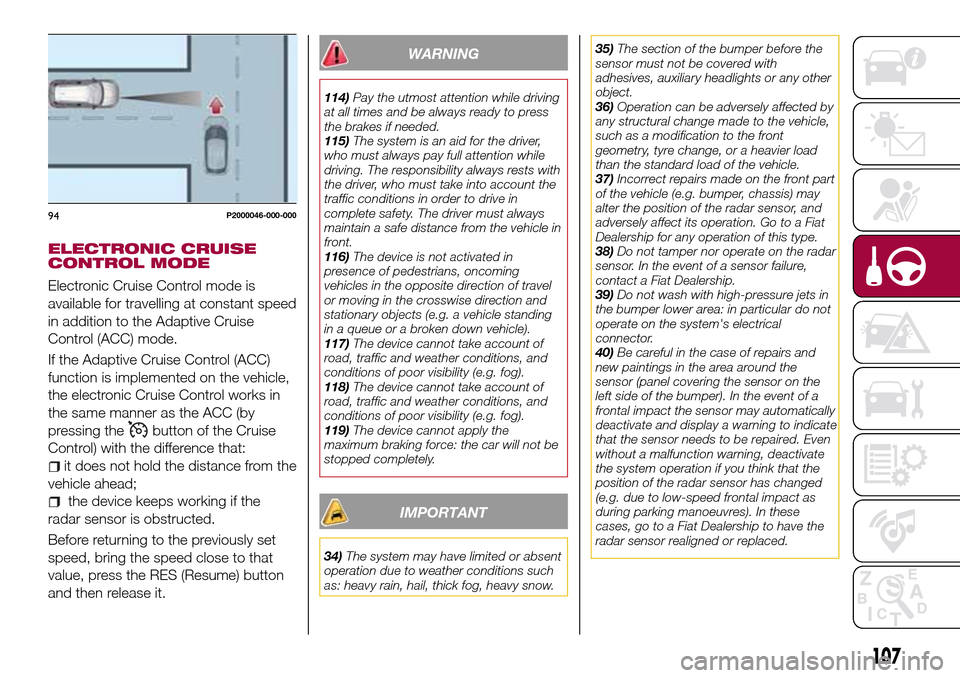
Electronic Cruise Control mode is
available for travelling at constant speed
in addition to the Adaptive Cruise
Control (ACC) mode.
If the Adaptive Cruise Control (ACC)
function is implemented on the vehicle,
the electronic Cruise Control works in
the same manner as the ACC (by
pressing the
button of the Cruise
Control) with the difference that:
it does not hold the distance from the
vehicle ahead;
the device keeps working if the
radar sensor is obstructed.
Before returning to the previously set
speed, bring the speed close to that
value, press the RES (Resume) button
and then release it.
WARNING
114)Pay the utmost attention while driving
at all times and be always ready to press
the brakes if needed.
115)The system is an aid for the driver,
who must always pay full attention while
driving. The responsibility always rests with
the driver, who must take into account the
traffic conditions in order to drive in
complete safety. The driver must always
maintain a safe distance from the vehicle in
front.
116)The device is not activated in
presence of pedestrians, oncoming
vehicles in the opposite direction of travel
or moving in the crosswise direction and
stationary objects (e.g. a vehicle standing
in a queue or a broken down vehicle).
117)The device cannot take account of
road, traffic and weather conditions, and
conditions of poor visibility (e.g. fog).
118)The device cannot take account of
road, traffic and weather conditions, and
conditions of poor visibility (e.g. fog).
119)The device cannot apply the
maximum braking force: the car will not be
stopped completely.
IMPORTANT
34)The system may have limited or absent
operation due to weather conditions such
as: heavy rain, hail, thick fog, heavy snow.35)The section of the bumper before the
sensor must not be covered with
adhesives, auxiliary headlights or any other
object.
36)Operation can be adversely affected by
any structural change made to the vehicle,
such as a modification to the front
geometry, tyre change, or a heavier load
than the standard load of the vehicle.
37)Incorrect repairs made on the front part
of the vehicle (e.g. bumper, chassis) may
alter the position of the radar sensor, and
adversely affect its operation. Go to a Fiat
Dealership for any operation of this type.
38)Do not tamper nor operate on the radar
sensor. In the event of a sensor failure,
contact a Fiat Dealership.
39)Do not wash with high-pressure jets in
the bumper lower area: in particular do not
operate on the system's electrical
connector.
40)Be careful in the case of repairs and
new paintings in the area around the
sensor (panel covering the sensor on the
left side of the bumper). In the event of a
frontal impact the sensor may automatically
deactivate and display a warning to indicate
that the sensor needs to be repaired. Even
without a malfunction warning, deactivate
the system operation if you think that the
position of the radar sensor has changed
(e.g. due to low-speed frontal impact as
during parking manoeuvres). In these
cases, go to a Fiat Dealership to have the
radar sensor realigned or replaced.
94P2000046-000-000
107
Page 110 of 240
PARKING SENSORS
(where provided)
SENSORS
120)
41) 42) 43)
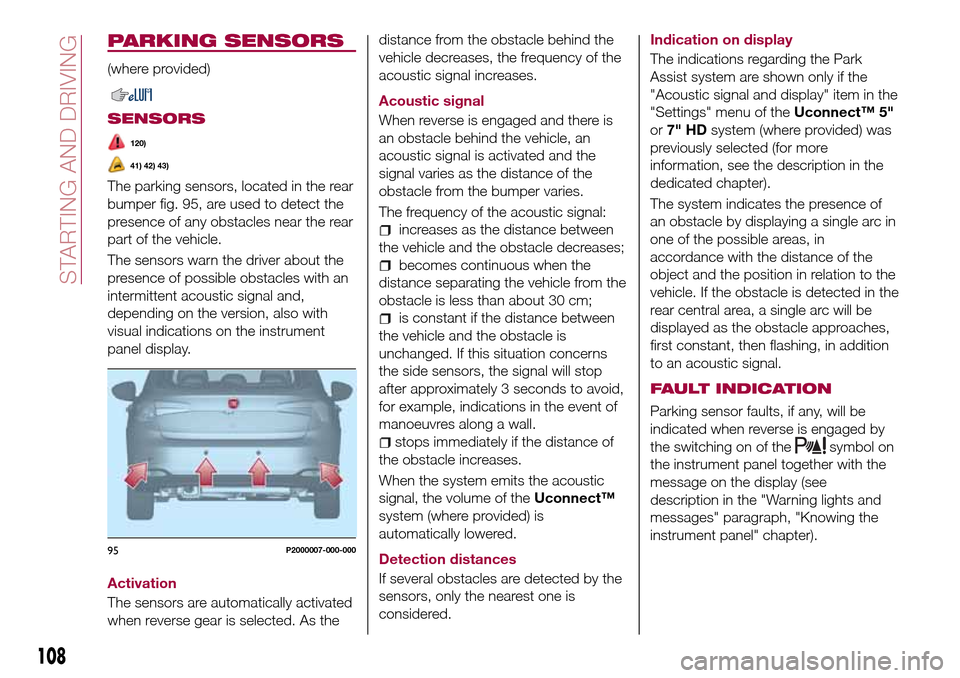
The parking sensors, located in the rear
bumper fig. 95, are used to detect the
presence of any obstacles near the rear
part of the vehicle.
The sensors warn the driver about the
presence of possible obstacles with an
intermittent acoustic signal and,
depending on the version, also with
visual indications on the instrument
panel display.
Activation
The sensors are automatically activated
when reverse gear is selected. As thedistance from the obstacle behind the
vehicle decreases, the frequency of the
acoustic signal increases.
Acoustic signal
When reverse is engaged and there is
an obstacle behind the vehicle, an
acoustic signal is activated and the
signal varies as the distance of the
obstacle from the bumper varies.
The frequency of the acoustic signal:
increases as the distance between
the vehicle and the obstacle decreases;
becomes continuous when the
distance separating the vehicle from the
obstacle is less than about 30 cm;
is constant if the distance between
the vehicle and the obstacle is
unchanged. If this situation concerns
the side sensors, the signal will stop
after approximately 3 seconds to avoid,
for example, indications in the event of
manoeuvres along a wall.
stops immediately if the distance of
the obstacle increases.
When the system emits the acoustic
signal, the volume of theUconnect™
system (where provided) is
automatically lowered.
Detection distances
If several obstacles are detected by the
sensors, only the nearest one is
considered.Indication on display
The indications regarding the Park
Assist system are shown only if the
"Acoustic signal and display" item in the
"Settings" menu of theUconnect™ 5"
or7" HDsystem (where provided) was
previously selected (for more
information, see the description in the
dedicated chapter).
The system indicates the presence of
an obstacle by displaying a single arc in
one of the possible areas, in
accordance with the distance of the
object and the position in relation to the
vehicle. If the obstacle is detected in the
rear central area, a single arc will be
displayed as the obstacle approaches,
first constant, then flashing, in addition
to an acoustic signal.
FAULT INDICATION
Parking sensor faults, if any, will be
indicated when reverse is engaged by
the switching on of the
symbol on
the instrument panel together with the
message on the display (see
description in the "Warning lights and
messages" paragraph, "Knowing the
instrument panel" chapter).
95P2000007-000-000
108
STARTING AND DRIVING
Page 111 of 240
OPERATION WITH A
TRAILER
The operation of the sensors is
automatically deactivated when the
trailer's electrical connection is inserted
in the vehicle's tow hook socket.
Sensors are reactivated on removing
the trailer's electrical connection.
IMPORTANT NOTES
When parking, take the utmost care
over obstacles that may be above or
under the sensor. Objects close to the
vehicle are not detected under certain
circumstances and could therefore
cause damage to the vehicle or be
damaged.
Some conditions may influence the
performance of the parking system:
reduced sensor sensitivity and a
reduction in the parking assistance
system performance could be due to
the presence of: ice, snow, mud, paint,
etc. on the surface of the sensor;
the sensor may detect a
non-existent obstacle ("echo
interference") due to mechanical
interference, for example when washing
the vehicle, in rain (strong wind), hail;
the signals sent by the sensor can
also be altered by the presence of
ultrasonic systems (e.g. pneumatic
brake systems of trucks or pneumatic
drills) near the vehicle;
parking assistance system
performance can also be influenced by
the position of the sensors, for example
due to a change in the ride setting
(caused by wear to the shock
absorbers, suspension), or by changing
tyres, overloading the vehicle or fitting
specific trims that require the vehicle to
be lowered;
the presence of a tow hook without
trailer, which may interfere with the
correct operation of the parking
sensors;
the presence of adhesives on the
sensors. Therefore, take care not to
place adhesives on the sensors.
WARNING
120)Parking and other potentially
dangerous manoeuvres are, however,
always the driver’s responsibility. When
performing these operations, always make
sure that there are no other people
(especially children) or animals on the route
you want to take. The parking sensors are
an aid for the driver, but the driver must
never allow their attention to lapse during
potentially dangerous manoeuvres, even
those executed at low speeds.
IMPORTANT
41)The sensors must be clean of mud,
dirt, snow or ice in order for the system to
operate correctly. Be careful not to scratch
or damage the sensors while cleaning
them. Avoid using dry, rough or hard
cloths. The sensors should be washed
using clean water with the addition of car
shampoo if necessary. When using special
washing equipment such as high pressure
jets or steam cleaning, clean the sensors
very quickly keeping the jet more than 10
cm away.
42)Have interventions on the bumper in
the area of the sensors carried out only by
a Fiat Dealership. Interventions on the
bumper that are not carried out properly
may compromise the operation of the
parking sensors
43)Only have the bumpers repainted or
any retouches to the paintwork in the area
of the sensors carried out by a Fiat
Dealership. Incorrect paint application
could affect the operation of the parking
sensors.
109
Page 112 of 240
REAR VIEW CAMERA
(where provided)
DESCRIPTION
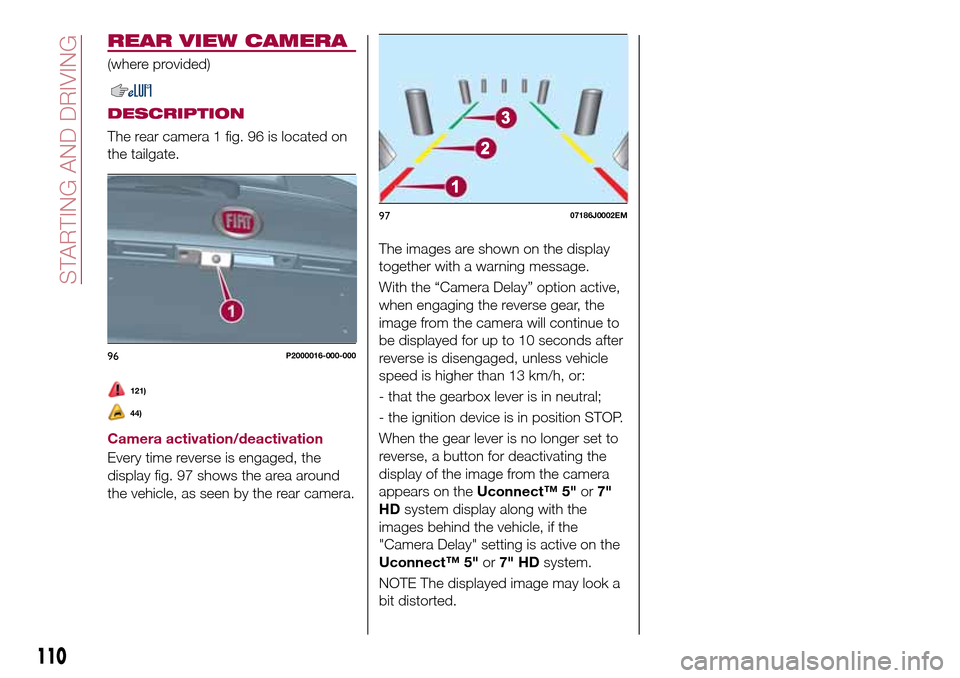
The rear camera 1 fig. 96 is located on
the tailgate.
121)
44)
Camera activation/deactivation
Every time reverse is engaged, the
display fig. 97 shows the area around
the vehicle, as seen by the rear camera.The images are shown on the display
together with a warning message.
With the “Camera Delay” option active,
when engaging the reverse gear, the
image from the camera will continue to
be displayed for up to 10 seconds after
reverse is disengaged, unless vehicle
speed is higher than 13 km/h, or:
- that the gearbox lever is in neutral;
- the ignition device is in position STOP.
When the gear lever is no longer set to
reverse, a button for deactivating the
display of the image from the camera
appears on theUconnect™ 5"or7"
HDsystem display along with the
images behind the vehicle, if the
"Camera Delay" setting is active on the
Uconnect™ 5"or7" HDsystem.
NOTE The displayed image may look a
bit distorted.
96P2000016-000-000
9707186J0002EM
110
STARTING AND DRIVING
Page 114 of 240
IMPORTANT NOTES
IMPORTANT In some circumstances,
such as with ice, snow or mud on the
surface of the camera, the camera
sensitivity may be reduced.
IMPORTANT When parking, take the
utmost care over obstacles that may be
above or under the camera range.
WARNING
121)Parking and other potentially
dangerous manoeuvres are, however,
always the driver’s responsibility. While
carrying out these manoeuvres, always
make sure that no people (especially
children) or animals are in the area
concerned. The camera is an aid for the
driver, but the driver must never allow
his/her attention to lapse during potentially
dangerous manoeuvres, even those
executed at low speeds. Always keep a
slow speed, so as to promptly brake in the
case of obstacles.
IMPORTANT
44)It is vital, for correct operation, that the
camera is always kept clean and free from
any mud, dirt, snow or ice. Be careful not
to scratch or damage the camera while
cleaning it. Avoid using dry, rough or hard
cloths. The camera must be washed using
clean water, with the addition of car
shampoo if necessary. In washing stations
which use steam or high-pressure jets,
clean the camera quickly, keeping the
nozzle more than 10 cm away from the
sensors. Also, do not apply stickers to the
camera.
TOWING TRAILERS
IMPORTANT NOTES
122) 123)
For towing caravans or trailers the
vehicle must be fitted with an approved
tow hook and an adequate electrical
system. Should aftermarket installation
be requested, this must be carried out
by specialists.
Install any specific and/or additional
door mirrors as specified by the
Highway Code.
Remember that, when towing a trailer,
steep hills are harder to climb, braking
distances increase and overtaking takes
longer depending on the overall weight
of the trailer.
Engage a low gear when driving
downhill, rather than constantly using
the brake.
The weight the trailer exerts on the
vehicle tow hook reduces the vehicle's
loading capacity by the same amount.
To make sure that the maximum
towable weight is not exceeded (given
in the vehicle registration document)
account should be taken of the fully
laden trailer, including accessories and
luggage.
Do not exceed the speed limits specific
112
STARTING AND DRIVING