brake FORD B MAX 2012 1.G Owner's Manual
[x] Cancel search | Manufacturer: FORD, Model Year: 2012, Model line: B MAX, Model: FORD B MAX 2012 1.GPages: 256, PDF Size: 19.67 MB
Page 102 of 256
Downloaded from www.Manualslib.com manuals search engine WARNINGS
If the engine is revved excessively, orif a malfunction is detected, thesystem will be deactivated.
The system makes it easier to pull awaywhen your vehicle is on a slope without theneed to use the parking brake.
When the system is active, your vehicle willremain stationary on the slope for two tothree seconds after you release the brakepedal. This allows you time to move yourfoot from the brake to the acceleratorpedal. The brakes are releasedautomatically once the engine hasdeveloped sufficient drive to prevent yourvehicle from rolling down the slope. Thisis an advantage when pulling away on aslope, (for example from a car park ramp,traffic lights or when reversing uphill intoa parking space).
The system will activate automatically onany slope which can result in significantvehicle rollback.
Using Hill Start Assist
1.Press the brake pedal to bring yourvehicle to a complete standstill. Keepthe brake pedal pressed.
2.If the sensors detect that your vehicleis on a slope, the system will beactivated automatically.
3.When you remove your foot from thebrake pedal, your vehicle will remainon the slope without rolling away forapproximately two or three seconds.This hold time will automatically beextended if you are in the process ofdriving off.
4.Drive off in the normal manner. Thebrakes will be released automatically.
Switching the System On and Off
Note:The system can only be switched onand off for manual transmissions.
Note:Once you have switched off thesystem, it will remain off until you switch iton again.
Your vehicle comes with the systemalready enabled. If desired, you can disablethe feature: See General Information(page 58).
100Transmission
Page 103 of 256
Downloaded from www.Manualslib.com manuals search engine GENERAL INFORMATION
WARNING
The system does not relieve you ofyour responsibility to drive with duecare and attention.
Note:Occasional brake noise is normal. Ifa metal-to-metal, continuous grinding orcontinuous squeal sound is present, thebrake linings may be worn-out. If the vehiclehas continuous vibration or shudder in thesteering wheel while braking, have yourvehicle checked by an authorised dealer.
Note:Brake dust may accumulate on thewheels, even under normal drivingconditions. Some dust is inevitable as thebrakes wear. See Cleaning the AlloyWheels (page 154).
Wet brakes result in reduced brakingefficiency. Gently press the brake pedal afew times when driving from a car wash orstanding water to dry the brakes.
Emergency Brake Assist
Emergency brake assist detects when youbrake heavily by measuring the rate atwhich you press the brake pedal. Itprovides maximum braking efficiency aslong as you press the pedal. Emergencybrake assist can reduce stopping distancesin critical situations.
Anti-lock Brake System
This system helps you maintain steeringcontrol and vehicle stability duringemergency stops by keeping the brakesfrom locking.
HINTS ON DRIVING WITH
ANTI-LOCK BRAKES
Note:When the system is operating, thebrake pedal will pulse and may travelfurther. Maintain pressure on the brakepedal. You may also hear a noise from thesystem. This is normal.
The ABS will not eliminate the risks when:
•you drive too closely to the vehicle infront of you
•your vehicle is aquaplaning
•you take corners too fast
•the road surface is poor.
PARKING BRAKE
Vehicles With AutomaticTransmission
WARNING
Always set the parking brake fullyand leave your vehicle with thetransmission selector lever inposition P.
Note:If you park your vehicle on a hill andfacing uphill move the transmission selectorlever to position P and turn the steeringwheel away from the kerb.
Note:If you park your vehicle on a hill andfacing downhill move the transmissionselector lever to position P and turn thesteering wheel toward the kerb.
Vehicles With ManualTransmission
Note:If you park your vehicle on a hill andfacing uphill select first gear and turn thesteering wheel away from the kerb.
Note:If you park your vehicle on a hill andfacing downhill select reverse gear and turnthe steering wheel toward the kerb.
101Brakes
Page 104 of 256
Downloaded from www.Manualslib.com manuals search engine All Vehicles
Note:Do not press the release button whilepulling the lever up.
To apply the parking brake:
1.Press the foot brake pedal firmly.
2.Pull the parking brake lever up to itsfullest extent.
To release the parking brake:
1.Press the brake pedal firmly.
2.Pull the lever up slightly.
3.Press the release button and push thelever down.
102Brakes
Page 106 of 256
Downloaded from www.Manualslib.com manuals search engine PRINCIPLE OF OPERATION
WARNINGS
The system does not relieve you ofyour responsibility to drive with duecare and attention.
If your vehicles has a trailer towmodule not approved by us, thesystem may not correctly detectobstacles.
The sensors may not detect objectsin heavy rain or other conditions thatcause disruptive reflections.
The sensors may not detect objectswith surfaces that absorb ultrasonicwaves.
The system does not detectobstacles moving away from yourvehicle. They will only be detectedshortly after they start to move towardyour vehicle.
Take particular care when reversingwith a tow ball arm or rear fittedaccessories e.g. a bicycle carrier, asthe rear parking aid will only indicate thedistance from the bumper to the obstacle.
If you use a high pressure spray towash your vehicle, only spray thesensors briefly from a distance notless than 8 inches (20 centimetres).
Note:If your vehicle has a tow ball arm, thesystem is switched off automatically whenany trailer lamps (or lighting boards) areconnected to the 13-pin socket via a trailertow module we have approved.
Note:Keep the sensors free from dirt, iceand snow. Do not clean with sharp objects.
Note:The system may emit false tones ifit detects a signal using the same frequencyas the sensors or if your vehicle is fully laden.
Note:The outer sensors may detect theside walls of a garage. If the distancebetween the outer sensor and the side wallremains constant for three seconds, thetone will switch off. As you continue, theinner sensors will detect rearward objects.
PARKING AID
WARNINGS
To help avoid personal injury, readand understand the limitations of thesystem as contained in this section.Sensing is only an aid for some (generallylarge and fixed) objects when moving inreverse on a flat surface at parking speeds.Traffic control systems, inclementweather, air brakes and external motorsand fans may also affect the function ofthe sensing system. This may includereduced performance or a false activation.
To help avoid personal injury, alwaysuse caution when moving in reverseand when using the sensing system.
This system is not designed toprevent contact with small or movingobjects. The system is designed toprovide a warning to assist the driver indetecting large stationary objects to avoiddamaging the vehicle. The system may notdetect smaller objects, particularly thoseclose to the ground.
Certain add-on devices such as largetrailer hitches, bike or surfboard racksand any device that may block thenormal detection zone of the system, maycreate false audible warnings.
Note:Keep the sensors located on thebumper or fascia free from snow, ice andlarge accumulations of dirt. If the sensorsare covered, the system’s accuracy can beaffected. Do not clean the sensors withsharp objects.
104Parking Aids
Page 111 of 256
Downloaded from www.Manualslib.com manuals search engine PRINCIPLE OF OPERATION
WARNING
The system does not relieve you ofyour responsibility to drive with duecare and attention.
Cruise control allows you to control yourspeed using the switches on the steeringwheel. You can use cruise control whenyou exceed approximately 20 mph (30km/h).
USING CRUISE CONTROL
WARNING
Do not use cruise control in heavytraffic, on twisty roads or when theroad surface is slippery.
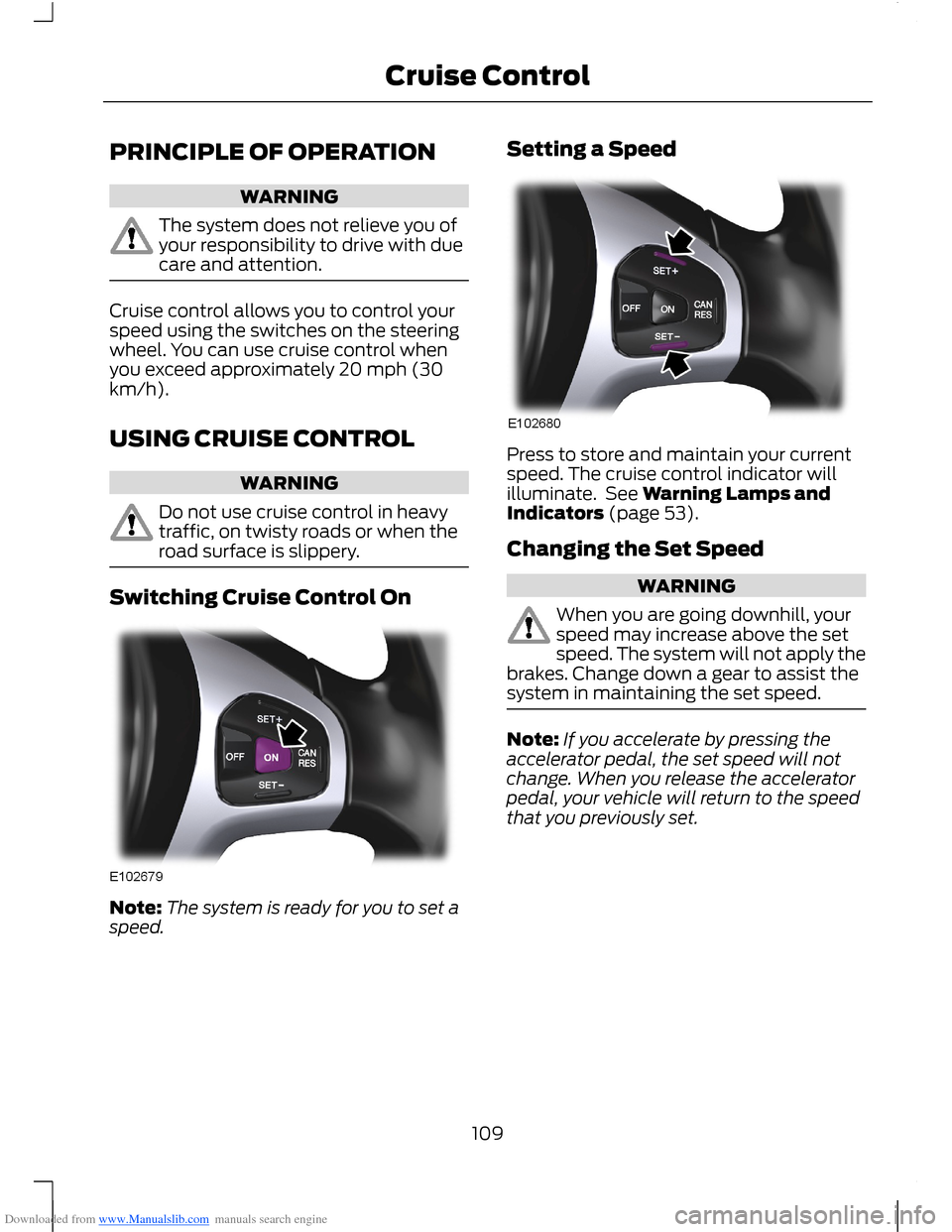
Switching Cruise Control On
Note:The system is ready for you to set aspeed.
Setting a Speed
Press to store and maintain your currentspeed. The cruise control indicator willilluminate. See Warning Lamps andIndicators (page 53).
Changing the Set Speed
WARNING
When you are going downhill, yourspeed may increase above the setspeed. The system will not apply thebrakes. Change down a gear to assist thesystem in maintaining the set speed.
Note:If you accelerate by pressing theaccelerator pedal, the set speed will notchange. When you release the acceleratorpedal, your vehicle will return to the speedthat you previously set.
109Cruise Control
Page 112 of 256
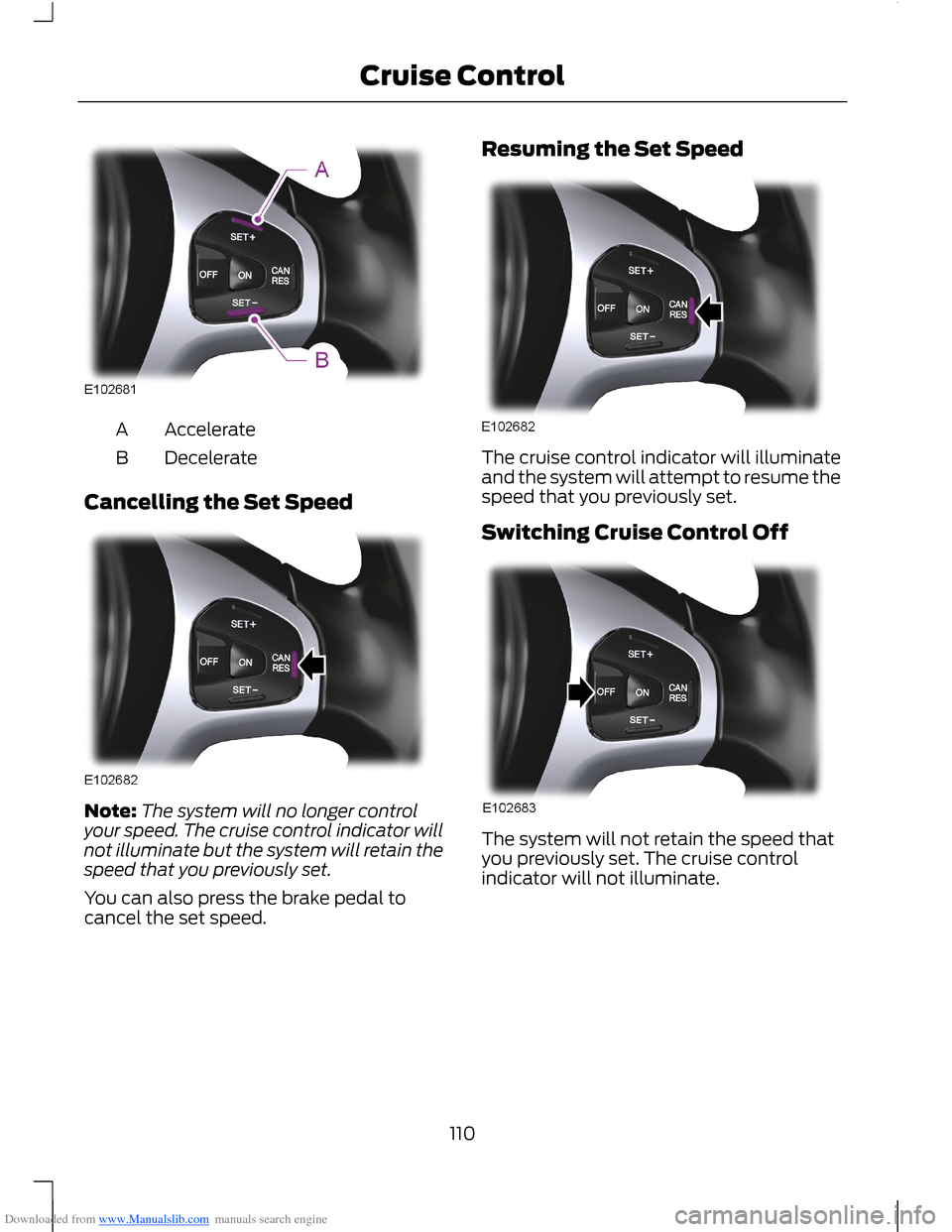
Downloaded from www.Manualslib.com manuals search engine AccelerateA
DecelerateB
Cancelling the Set Speed
Note:The system will no longer controlyour speed. The cruise control indicator willnot illuminate but the system will retain thespeed that you previously set.
You can also press the brake pedal tocancel the set speed.
Resuming the Set Speed
The cruise control indicator will illuminateand the system will attempt to resume thespeed that you previously set.
Switching Cruise Control Off
The system will not retain the speed thatyou previously set. The cruise controlindicator will not illuminate.
110Cruise Control
Page 113 of 256
Downloaded from www.Manualslib.com manuals search engine ACTIVE CITY STOP
General Information
WARNINGS
The system does not relieve you ofyour responsibility to drive with duecare and attention.
At all times you are responsible forcontrolling your vehicle, supervisingthe system and intervening ifrequired.
Never look directly into the sensorwith any type of object. There is a riskof eye injury.
If the sensor becomes blocked thesystem may not function.
To achieve full system performance,you must bed the braking system in.See Running-In (page 121).
The system performance may varydepending on your vehicle and roadconditions.
The system will not react to vehiclesdriving in a different direction.
The system will not react to bicycles,motorcycles, people or animals.
When the ignition is on the sensorwill constantly transmit a laserbeam.
The system will not operate duringharsh acceleration and steering.
In cold and severe weatherconditions the system may notfunction. Rain, snow, spray and icecan all influence the sensor.
Do not carry out windscreen repairsin the immediate area surroundingthe sensor.
WARNINGS
If you install a windscreen notapproved by us, the system may notfunction correctly.
If the engine stops after the systemhas been switched on, the hazardwarning flashers will turn on.
The system may not function whendriving around sharp bends.
Note:Keep the windscreen free fromobstructions such as bird droppings, insects,snow or ice.
Note:Keep the bonnet free of ice and snow,otherwise the system may not functioncorrectly.
A sensor is mounted behind the interiorrear view mirror. It continuously monitorsconditions to decide when to intervene.
The system is designed to help you reducelow speed collisions into the rear ofanother vehicle. It will also help you reducethe impact damage or potentially avoidthe collision completely.
The system operates at speeds belowapproximately 19 mph (30 km/h) byapplying the brakes when the sensordetects that a collision is likely.
You must depress the brake pedal toobtain full braking force.
When the system is braking or hasautomatically applied the brakes, amessage will be shown in the informationdisplay.
Using Active City Stop
Switching the System Off and On
Note:The system is on by default.
Note:In certain situations, it is advisable todisable the system, for example driving offroad when objects may cover thewindscreen.
111Driving Aids
Page 118 of 256
Downloaded from www.Manualslib.com manuals search engine TOWING A TRAILER
WARNINGS
Do not exceed 62 mph (100 km/h).
The rear tyre pressures must beincreased by 3 psi (0.2 bar) abovespecification. See TechnicalSpecifications (page 164).
Do not exceed the maximum grosstrain weight stated on your vehicleidentification plate. See VehicleIdentification Plate (page 167).
Do not exceed the maximumpermissible nose weight, i.e. verticalweight on the tow ball, of 110 pounds(50 kilogrammes).
The electrical system is not suitablefor towing trailers with more thanone rear fog lamp.
Note:Not all vehicles are suitable orapproved to have tow bars fitted. Checkwith your dealer first.
Place loads as low and central to theaxle(s) of the trailer as possible. If you aretowing with an unladen vehicle, the loadin the trailer should be placed toward thenose, within the maximum nose load, asthis gives the best stability.
The stability of your vehicle to trailercombination is very much dependant onthe quality of the trailer.
In high altitude regions above 3 281 feet (1000 metres), the stipulated maximumpermitted gross train weight must bereduced by 10% for every additional 3 281feet (1 000 metres).
Steep Gradients
WARNING
The anti-lock braking system doesnot control the overrun brake on thetrailer.
Change down a gear before you reach asteep downhill gradient.
TOW BALL
WARNINGS
When not in use, always transportthe tow ball arm securely fastenedin the luggage compartment.
Take special care when fitting thetow ball arm as the safety of yourvehicle and the trailer depends onthis.
Do not use any tools for mounting ordismounting the tow ball arm.
Do not modify the trailer coupling.
Do not disassemble or repair the towball arm.
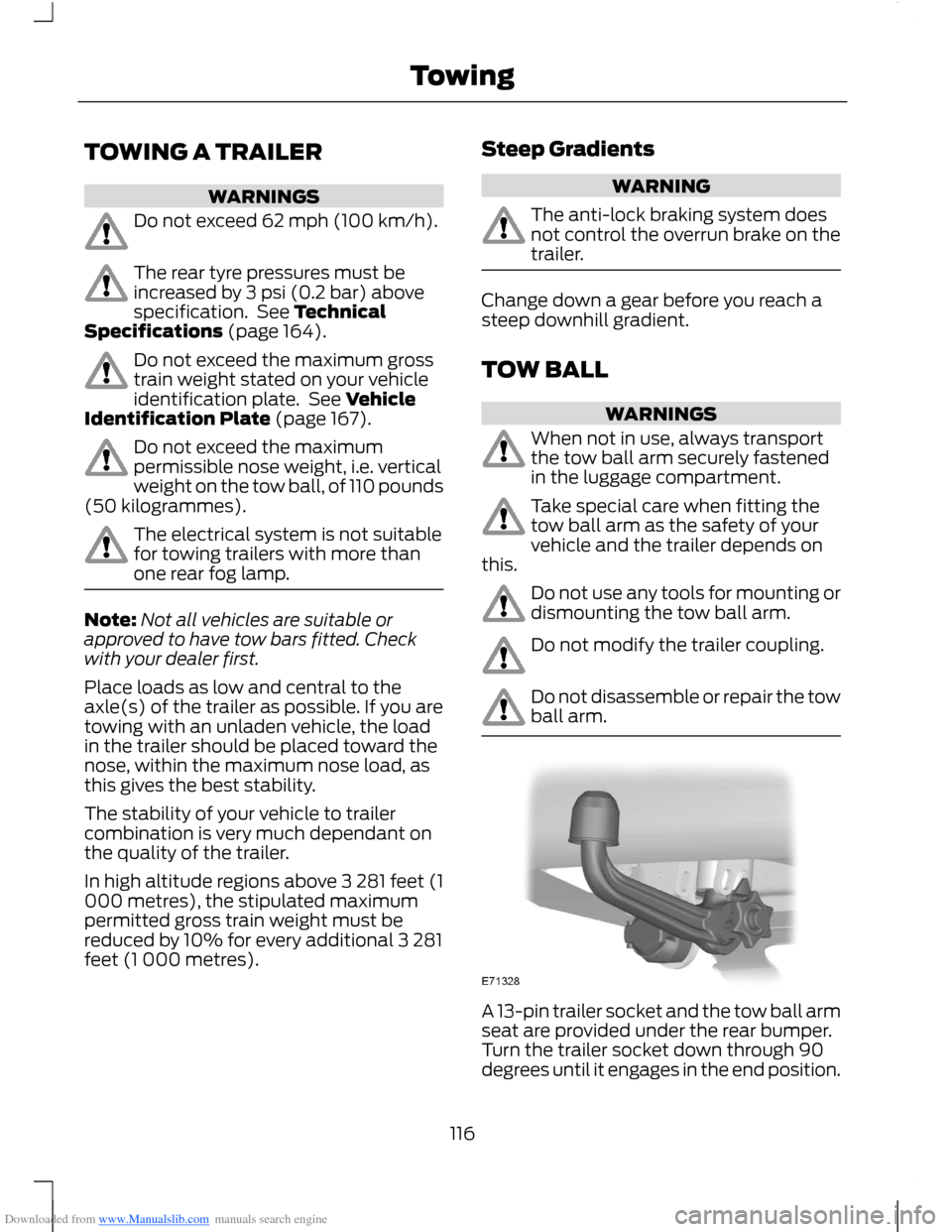
A 13-pin trailer socket and the tow ball armseat are provided under the rear bumper.Turn the trailer socket down through 90degrees until it engages in the end position.
116Towing
Page 121 of 256
Downloaded from www.Manualslib.com manuals search engine Maintenance
WARNING
Remove the tow ball arm andprotect the seat with the plug beforesteam cleaning your vehicle.
Keep the system clean. Periodicallylubricate bearings, sliding surfaces, andlocking balls with resin-free grease or oiland the lock with graphite.
In case of loss, replacement keys areavailable from the manufacturer by statingthe number on the lock cylinder.
TOWING POINTS
WARNING
The towing eye has a left-handthread. Turn it anticlockwise toinstall it. Make sure that the towingeye is fully tightened.
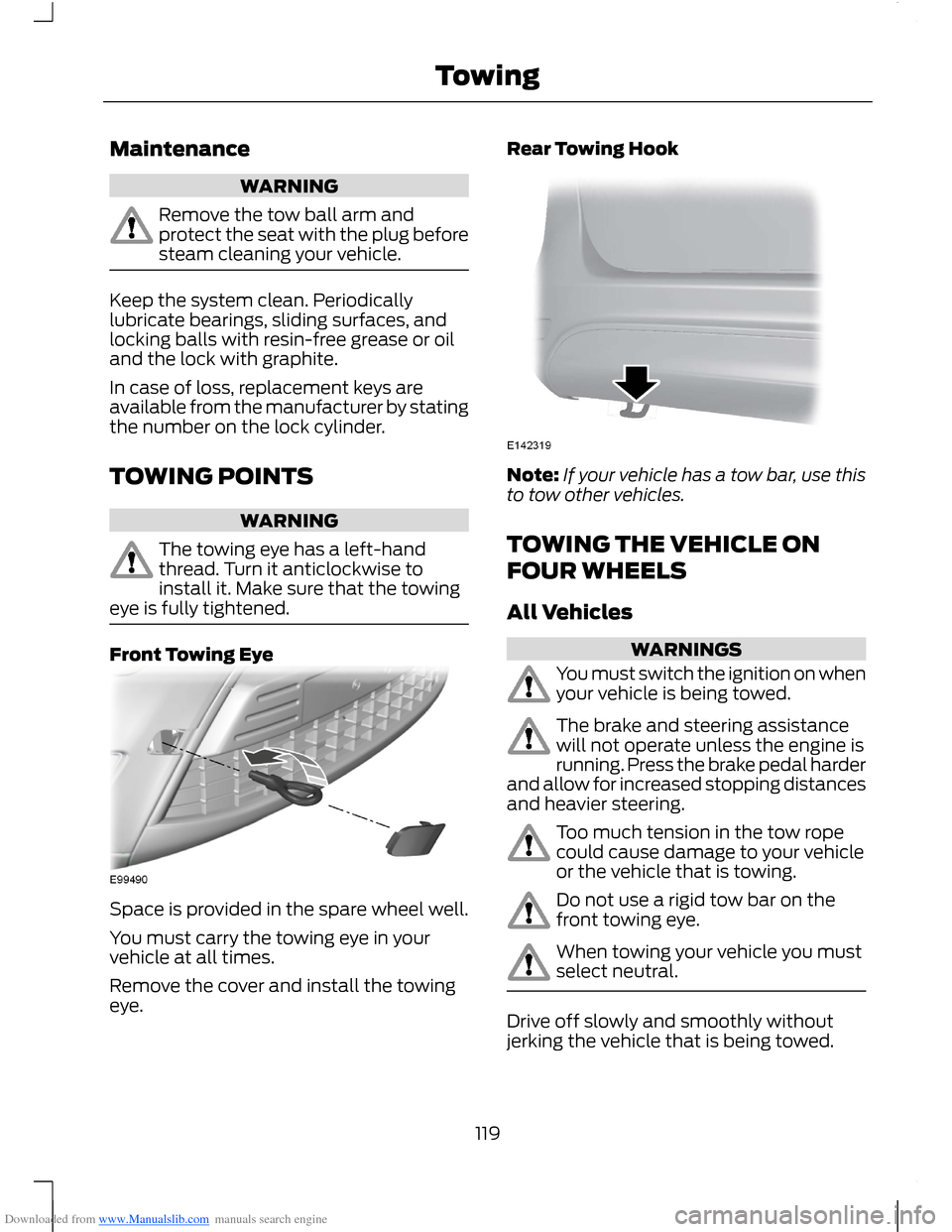
Front Towing Eye
Space is provided in the spare wheel well.
You must carry the towing eye in yourvehicle at all times.
Remove the cover and install the towingeye.
Rear Towing Hook
Note:If your vehicle has a tow bar, use thisto tow other vehicles.
TOWING THE VEHICLE ON
FOUR WHEELS
All Vehicles
WARNINGS
You must switch the ignition on whenyour vehicle is being towed.
The brake and steering assistancewill not operate unless the engine isrunning. Press the brake pedal harderand allow for increased stopping distancesand heavier steering.
Too much tension in the tow ropecould cause damage to your vehicleor the vehicle that is towing.
Do not use a rigid tow bar on thefront towing eye.
When towing your vehicle you mustselect neutral.
Drive off slowly and smoothly withoutjerking the vehicle that is being towed.
119Towing
Page 123 of 256
Downloaded from www.Manualslib.com manuals search engine RUNNING-IN
Tyres
WARNING
New tyres need to be run-in forapproximately 300 miles (500kilometres). During this time, youmay experience different drivingcharacteristics.
Brakes and Clutch
WARNING
Avoid heavy use of the brakes andclutch if possible for the first 100miles (150 kilometres) in town andfor the first 1000 miles (1500 kilometres)on motorways.
Engine
WARNING
Avoid driving too fast during the first1000 miles (1500 kilometres). Varyyour speed frequently and changeup through the gears early. Do not labourthe engine.
COLD WEATHER
PRECAUTIONS
The functional operation of somecomponents and systems can be affectedat temperatures below -13°F (-25°C).
DRIVING THROUGH WATER
WARNINGS
Drive through water in an emergencyonly and not as part of normaldriving.
WARNINGS
Engine damage can occur if waterenters the air filter.
In an emergency, you can drive your vehiclethrough water to a maximum depth of 8inches (200 millimetres) and at amaximum speed of 6 mph (10 km/h). Youmust take extra care when driving throughflowing water.
When driving in water, maintain a lowspeed and do not stop your vehicle. Afterdriving through water and as soon as it issafe to do so:
•Depress the brake pedal lightly tocheck that the brakes are functioningcorrectly.
•Check that the horn works.
•Check that your vehicle's lamps arefully operational.
•Check the power assistanceof the steering system.
FLOOR MATS
WARNING
Make sure that the floor mat issecured properly using theappropriate fixings, and do notposition the floor mat so that it interfereswith the operation of the pedals.
121Driving Hints