fuel pump FORD B MAX 2013 1.G User Guide
[x] Cancel search | Manufacturer: FORD, Model Year: 2013, Model line: B MAX, Model: FORD B MAX 2013 1.GPages: 298, PDF Size: 20.63 MB
Page 256 of 298
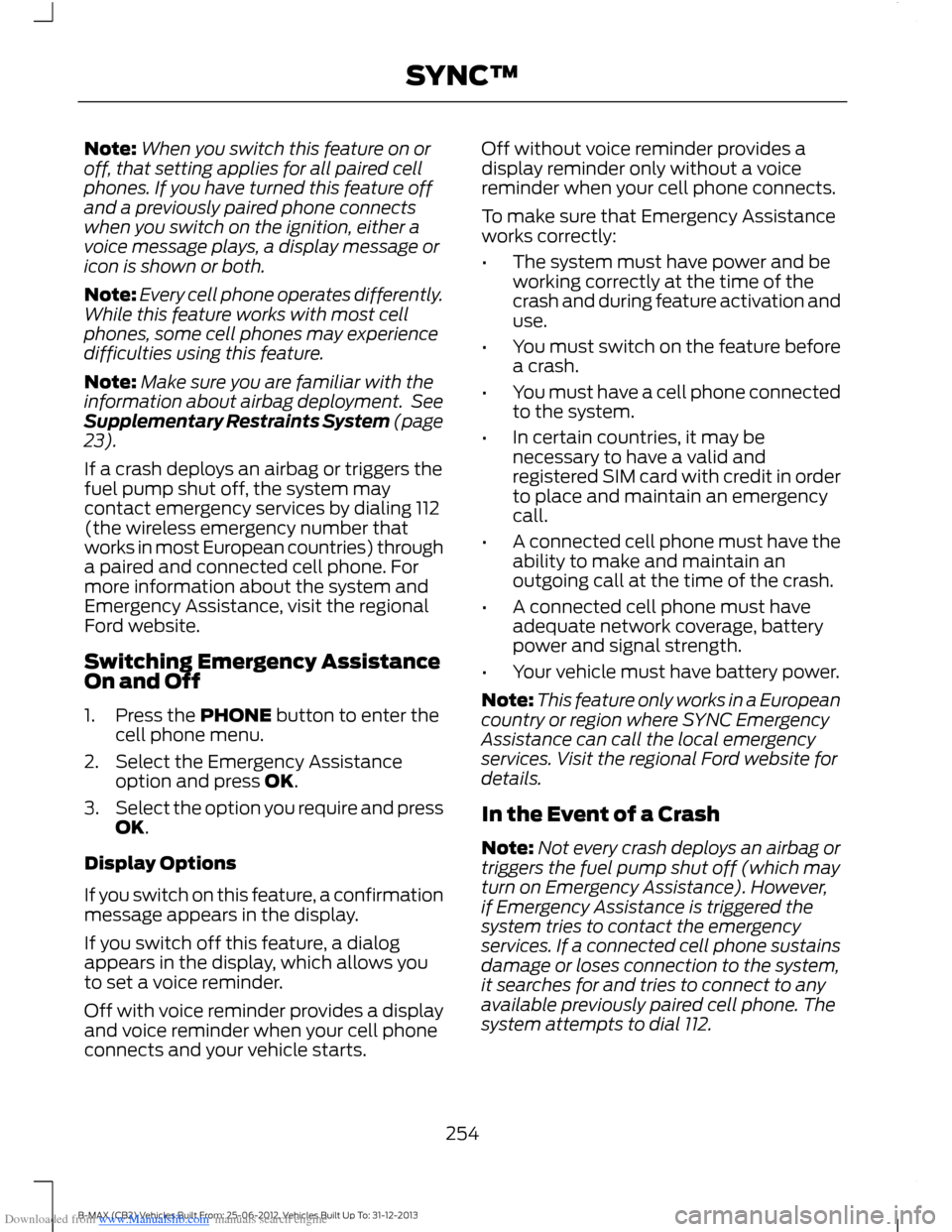
Downloaded from www.Manualslib.com manuals search engine Note:When you switch this feature on oroff, that setting applies for all paired cellphones. If you have turned this feature offand a previously paired phone connectswhen you switch on the ignition, either avoice message plays, a display message oricon is shown or both.
Note:Every cell phone operates differently.While this feature works with most cellphones, some cell phones may experiencedifficulties using this feature.
Note:Make sure you are familiar with theinformation about airbag deployment. SeeSupplementary Restraints System (page23).
If a crash deploys an airbag or triggers thefuel pump shut off, the system maycontact emergency services by dialing 112(the wireless emergency number thatworks in most European countries) througha paired and connected cell phone. Formore information about the system andEmergency Assistance, visit the regionalFord website.
Switching Emergency AssistanceOn and Off
1.Press the PHONE button to enter thecell phone menu.
2.Select the Emergency Assistanceoption and press OK.
3.Select the option you require and pressOK.
Display Options
If you switch on this feature, a confirmationmessage appears in the display.
If you switch off this feature, a dialogappears in the display, which allows youto set a voice reminder.
Off with voice reminder provides a displayand voice reminder when your cell phoneconnects and your vehicle starts.
Off without voice reminder provides adisplay reminder only without a voicereminder when your cell phone connects.
To make sure that Emergency Assistanceworks correctly:
•The system must have power and beworking correctly at the time of thecrash and during feature activation anduse.
•You must switch on the feature beforea crash.
•You must have a cell phone connectedto the system.
•In certain countries, it may benecessary to have a valid andregistered SIM card with credit in orderto place and maintain an emergencycall.
•A connected cell phone must have theability to make and maintain anoutgoing call at the time of the crash.
•A connected cell phone must haveadequate network coverage, batterypower and signal strength.
•Your vehicle must have battery power.
Note:This feature only works in a Europeancountry or region where SYNC EmergencyAssistance can call the local emergencyservices. Visit the regional Ford website fordetails.
In the Event of a Crash
Note:Not every crash deploys an airbag ortriggers the fuel pump shut off (which mayturn on Emergency Assistance). However,if Emergency Assistance is triggered thesystem tries to contact the emergencyservices. If a connected cell phone sustainsdamage or loses connection to the system,it searches for and tries to connect to anyavailable previously paired cell phone. Thesystem attempts to dial 112.
254B-MAX (CB2) Vehicles Built From: 25-06-2012, Vehicles Built Up To: 31-12-2013SYNC™
Page 258 of 298
Downloaded from www.Manualslib.com manuals search engine Important Information about theEmergency Assistance Feature
Emergency assistance does not currentlycall emergency services in the followingmarkets: Albania, Belarus, Bosnia andHerzegovina, Macedonia, Netherlands,Ukraine, Moldova and Russia.
Visit the regional Ford website for latestdetails.
Emergency Assistance Privacy Notice
When you switch on EmergencyAssistance, it may disclose to emergencyservices that your vehicle has been in acrash involving the deployment of anairbag or activation of the fuel pump shutoff. This feature has the capability todisclose your location information to theemergency operator or other details aboutyour vehicle or crash to provide the mostappropriate emergency services.
If you do not want to disclose thisinformation, do not switch on the feature.
USING SYNC™ WITH YOUR
MEDIA PLAYER
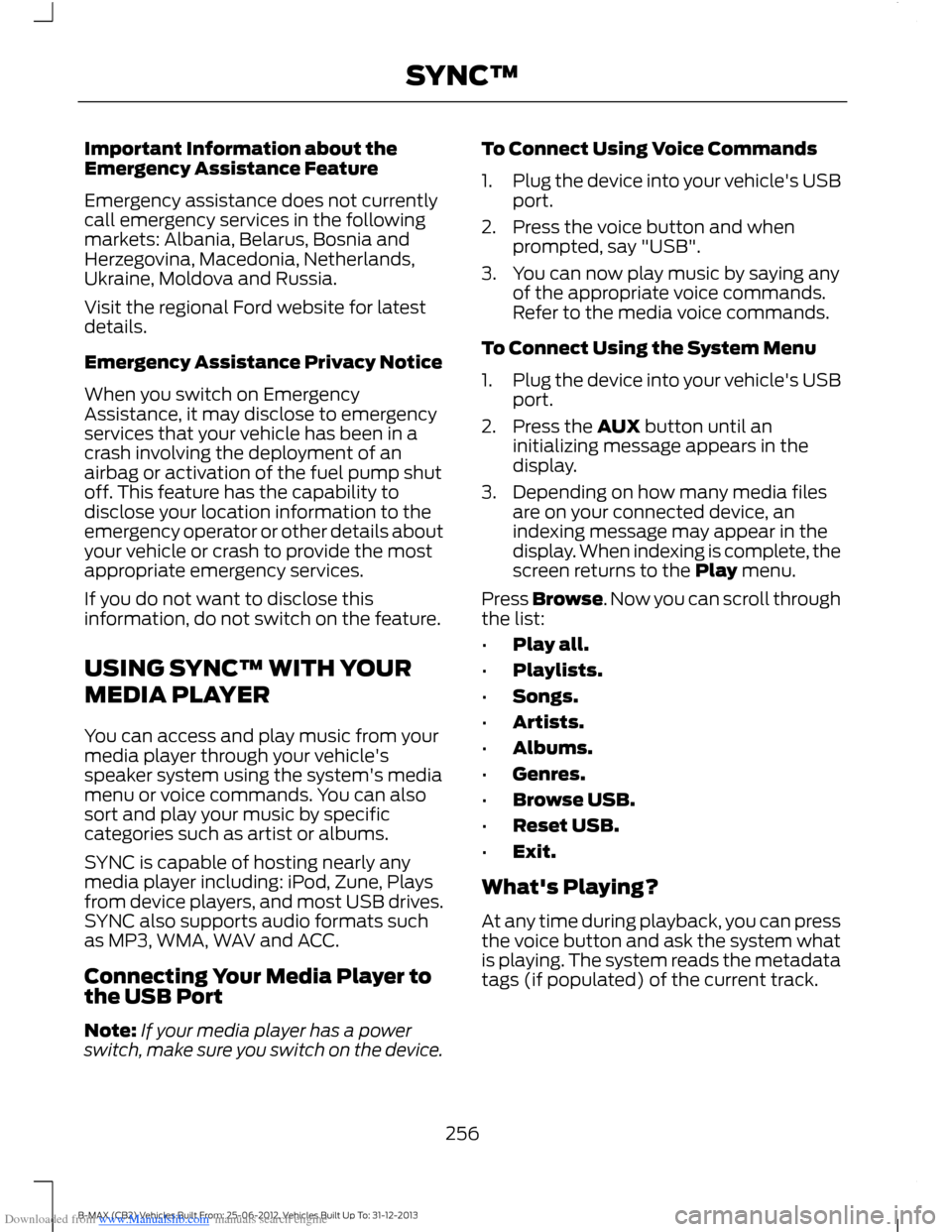
You can access and play music from yourmedia player through your vehicle'sspeaker system using the system's mediamenu or voice commands. You can alsosort and play your music by specificcategories such as artist or albums.
SYNC is capable of hosting nearly anymedia player including: iPod, Zune, Playsfrom device players, and most USB drives.SYNC also supports audio formats suchas MP3, WMA, WAV and ACC.
Connecting Your Media Player tothe USB Port
Note:If your media player has a powerswitch, make sure you switch on the device.
To Connect Using Voice Commands
1.Plug the device into your vehicle's USBport.
2.Press the voice button and whenprompted, say "USB".
3.You can now play music by saying anyof the appropriate voice commands.Refer to the media voice commands.
To Connect Using the System Menu
1.Plug the device into your vehicle's USBport.
2.Press the AUX button until aninitializing message appears in thedisplay.
3.Depending on how many media filesare on your connected device, anindexing message may appear in thedisplay. When indexing is complete, thescreen returns to the Play menu.
Press Browse. Now you can scroll throughthe list:
•Play all.
•Playlists.
•Songs.
•Artists.
•Albums.
•Genres.
•Browse USB.
•Reset USB.
•Exit.
What's Playing?
At any time during playback, you can pressthe voice button and ask the system whatis playing. The system reads the metadatatags (if populated) of the current track.
256B-MAX (CB2) Vehicles Built From: 25-06-2012, Vehicles Built Up To: 31-12-2013SYNC™