key FORD B MAX 2013 1.G Workshop Manual
[x] Cancel search | Manufacturer: FORD, Model Year: 2013, Model line: B MAX, Model: FORD B MAX 2013 1.GPages: 298, PDF Size: 20.63 MB
Page 211 of 298
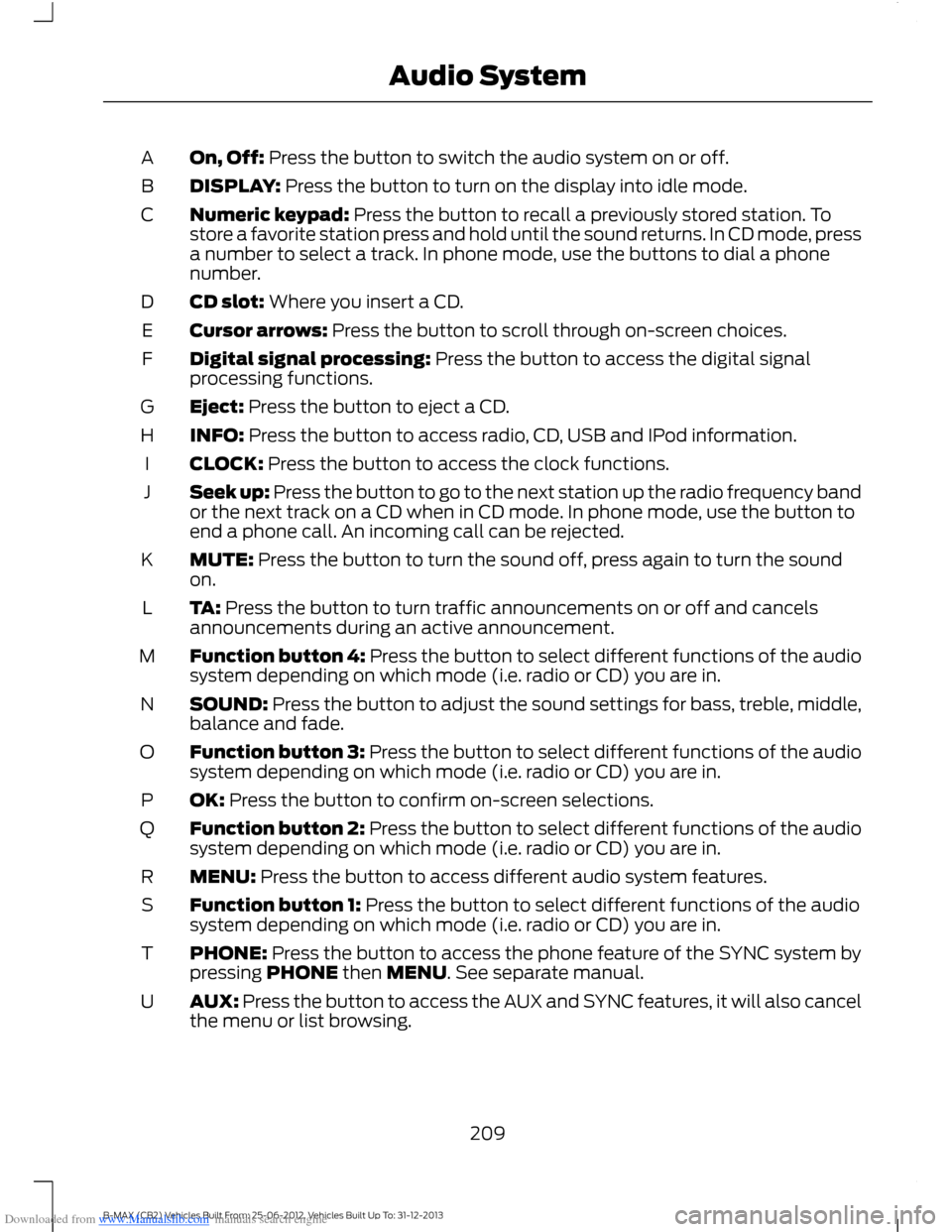
Downloaded from www.Manualslib.com manuals search engine On, Off: Press the button to switch the audio system on or off.A
DISPLAY: Press the button to turn on the display into idle mode.B
Numeric keypad: Press the button to recall a previously stored station. Tostore a favorite station press and hold until the sound returns. In CD mode, pressa number to select a track. In phone mode, use the buttons to dial a phonenumber.
C
CD slot: Where you insert a CD.D
Cursor arrows: Press the button to scroll through on-screen choices.E
Digital signal processing: Press the button to access the digital signalprocessing functions.F
Eject: Press the button to eject a CD.G
INFO: Press the button to access radio, CD, USB and IPod information.H
CLOCK: Press the button to access the clock functions.I
Seek up: Press the button to go to the next station up the radio frequency bandor the next track on a CD when in CD mode. In phone mode, use the button toend a phone call. An incoming call can be rejected.
J
MUTE: Press the button to turn the sound off, press again to turn the soundon.K
TA: Press the button to turn traffic announcements on or off and cancelsannouncements during an active announcement.L
Function button 4: Press the button to select different functions of the audiosystem depending on which mode (i.e. radio or CD) you are in.M
SOUND: Press the button to adjust the sound settings for bass, treble, middle,balance and fade.N
Function button 3: Press the button to select different functions of the audiosystem depending on which mode (i.e. radio or CD) you are in.O
OK: Press the button to confirm on-screen selections.P
Function button 2: Press the button to select different functions of the audiosystem depending on which mode (i.e. radio or CD) you are in.Q
MENU: Press the button to access different audio system features.R
Function button 1: Press the button to select different functions of the audiosystem depending on which mode (i.e. radio or CD) you are in.S
PHONE: Press the button to access the phone feature of the SYNC system bypressing PHONE then MENU. See separate manual.T
AUX: Press the button to access the AUX and SYNC features, it will also cancelthe menu or list browsing.U
209B-MAX (CB2) Vehicles Built From: 25-06-2012, Vehicles Built Up To: 31-12-2013Audio System
Page 217 of 298
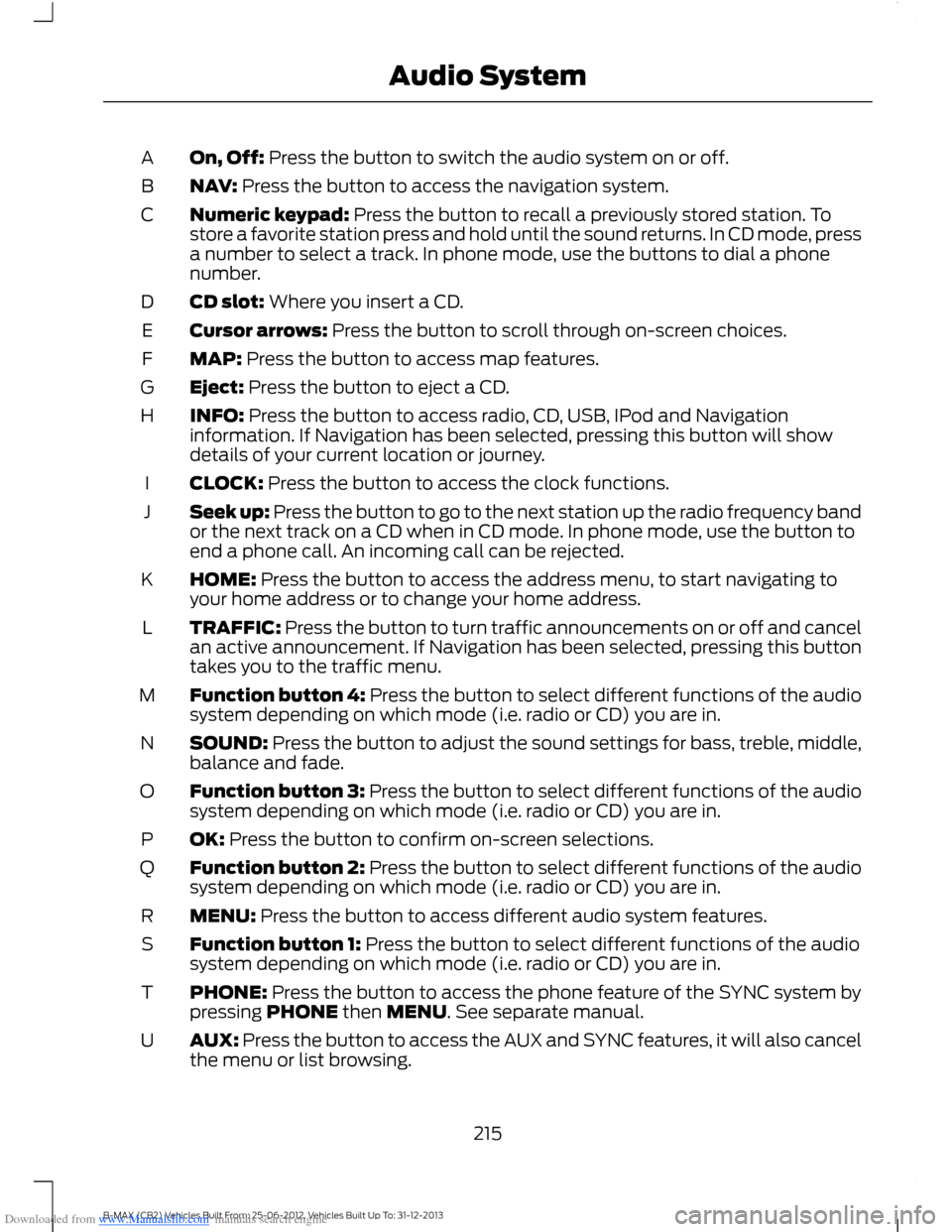
Downloaded from www.Manualslib.com manuals search engine On, Off: Press the button to switch the audio system on or off.A
NAV: Press the button to access the navigation system.B
Numeric keypad: Press the button to recall a previously stored station. Tostore a favorite station press and hold until the sound returns. In CD mode, pressa number to select a track. In phone mode, use the buttons to dial a phonenumber.
C
CD slot: Where you insert a CD.D
Cursor arrows: Press the button to scroll through on-screen choices.E
MAP: Press the button to access map features.F
Eject: Press the button to eject a CD.G
INFO: Press the button to access radio, CD, USB, IPod and Navigationinformation. If Navigation has been selected, pressing this button will showdetails of your current location or journey.
H
CLOCK: Press the button to access the clock functions.I
Seek up: Press the button to go to the next station up the radio frequency bandor the next track on a CD when in CD mode. In phone mode, use the button toend a phone call. An incoming call can be rejected.
J
HOME: Press the button to access the address menu, to start navigating toyour home address or to change your home address.K
TRAFFIC: Press the button to turn traffic announcements on or off and cancelan active announcement. If Navigation has been selected, pressing this buttontakes you to the traffic menu.
L
Function button 4: Press the button to select different functions of the audiosystem depending on which mode (i.e. radio or CD) you are in.M
SOUND: Press the button to adjust the sound settings for bass, treble, middle,balance and fade.N
Function button 3: Press the button to select different functions of the audiosystem depending on which mode (i.e. radio or CD) you are in.O
OK: Press the button to confirm on-screen selections.P
Function button 2: Press the button to select different functions of the audiosystem depending on which mode (i.e. radio or CD) you are in.Q
MENU: Press the button to access different audio system features.R
Function button 1: Press the button to select different functions of the audiosystem depending on which mode (i.e. radio or CD) you are in.S
PHONE: Press the button to access the phone feature of the SYNC system bypressing PHONE then MENU. See separate manual.T
AUX: Press the button to access the AUX and SYNC features, it will also cancelthe menu or list browsing.U
215B-MAX (CB2) Vehicles Built From: 25-06-2012, Vehicles Built Up To: 31-12-2013Audio System
Page 227 of 298
Downloaded from www.Manualslib.com manuals search engine Track Selection
•Press the seek down button once toreplay the current track. If pressedwithin two seconds of the start of atrack, the previous track plays.
•Press the up or down arrow buttons toselect the required track, then pressOK.
You can select a track by using the numerickeypad. Dial the required track numberuntil complete (for example, 1 then 2 fortrack 12), or dial the number and directlypress OK.
Fast Forward and Reverse
Press and hold the seek down or upbuttons to search backward or forwardwithin the tracks on the disc.
Shuffle and Random
Random track playback, also known asshuffle, plays all tracks on the CD inrandom order.
Press function button 2.
Note:When an MP3 CD is playing, you canhave the system shuffle tracks for the wholeCD, or within the current folder. Pressingfunction button 2 toggles these options.
Use the seek up or down button to selectthe next track to shuffle, if required.
Repeat Compact Disc Tracks
Press function button 1.
Note:When an MP3 or WMA CD is playing,you can have the system repeat the currenttrack or all tracks within the current folder.Pressing function button 1 toggles theseoptions.
Compact Disc Track Scanning
Press function button 3.
Note:When an MP3 or WMA CD is playing,you can have the system scan tracks on theCD or within the current folder. Pressingfunction button 3 toggles these options.
MP3 and WMA File Playback
MP3 (MPEG 1 Audio Layer-3) or WMA(Windows media audio) is a standardtechnology and format for compressingaudio data. This allows a more efficientuse of the media.
You can play MP3 files recorded onCD-ROM, CD-R and CD-RW formats. Thedisc must be in the ISO 9660 level 1 or level2 format, or Joliet or Romeo in theexpansion format. You can also use a discrecorded in multi session.
ISO 9660 Format
This is the most common internationalstandard for the logical format of files andfolders on a CD-ROM.
There are several specification levels. InLevel 1, file names must be in the 8.3format (no more than eight characters inthe name, no more than three charactersin the extension .MP3 and .WMA) and incapital letters.
Folder names can be no longer than eightcharacters. There can be no more thaneight folder levels (trees). Level 2specifications allow file names up to 31characters long.
Each folder can have up to eight trees.
For Joliet or Romeo in the expansionformat, consider these restrictions whenconfiguring your CD writing software.
Multi Session
This recording method enables adding ofdata using the track-at-once method.
225B-MAX (CB2) Vehicles Built From: 25-06-2012, Vehicles Built Up To: 31-12-2013Audio System
Page 233 of 298
Downloaded from www.Manualslib.com manuals search engine Note:You are ultimately responsible forthe safe operation of your vehicle and mustevaluate whether it is safe to follow routesuggestions. Navigation features areprovided only as an aid. Driving decisionsbased on observations of local conditionsand existing traffic regulations must beobserved. Do not follow route suggestionsif they would result in an unsafe or illegalmaneuver, an unsafe situation, or if youwould be directed into an area that youconsider unsafe. Maps used by this systemmay be inaccurate due to errors, changes inroads, traffic or driving conditions.
Safety Information
If detailed viewing of route instructions isnecessary, pull off the road when it is safeto do so and park your vehicle.
Setting a Route
1.Press the NAV button.
2.Select Destination input.
3.Starting at the top, select the countryfollowed by either the postcode or cityand street name, together with thehouse number or intersection.
4.Use the arrow buttons to enter youraddress details.
5.After entering sufficient information,select Start guidance or pressfunction key one to begin routecalculation.
Note:After first entry, the country selectedwill remain the default option until youmanually change it.
Note:If required you can select differentcharacter screens by using the up and downarrow buttons.
Note:If you only need to navigate to a citycenter, just enter the city name and startguidance.
Note:If you only need to navigate to adistrict, within a city for example, just enterthe district name and start guidance.
The route is calculated and the screenreturns to the main navigation screen. Ifprompted, select the type of route yourequire first. Follow the screen and voiceprompts to reach your destination.
Menu Structure
You can access the menu using theinformation and entertainment displaycontrol. See Information Displays (page63).
Note:Some options may appear slightlydifferent or not at all if the items areoptional.
Navigation
Active guidanceRoute*
Route sections list
Block next section
Unblock rte sctn
CountryDestination input*
City/postcode
Street
231B-MAX (CB2) Vehicles Built From: 25-06-2012, Vehicles Built Up To: 31-12-2013Navigation
Page 239 of 298
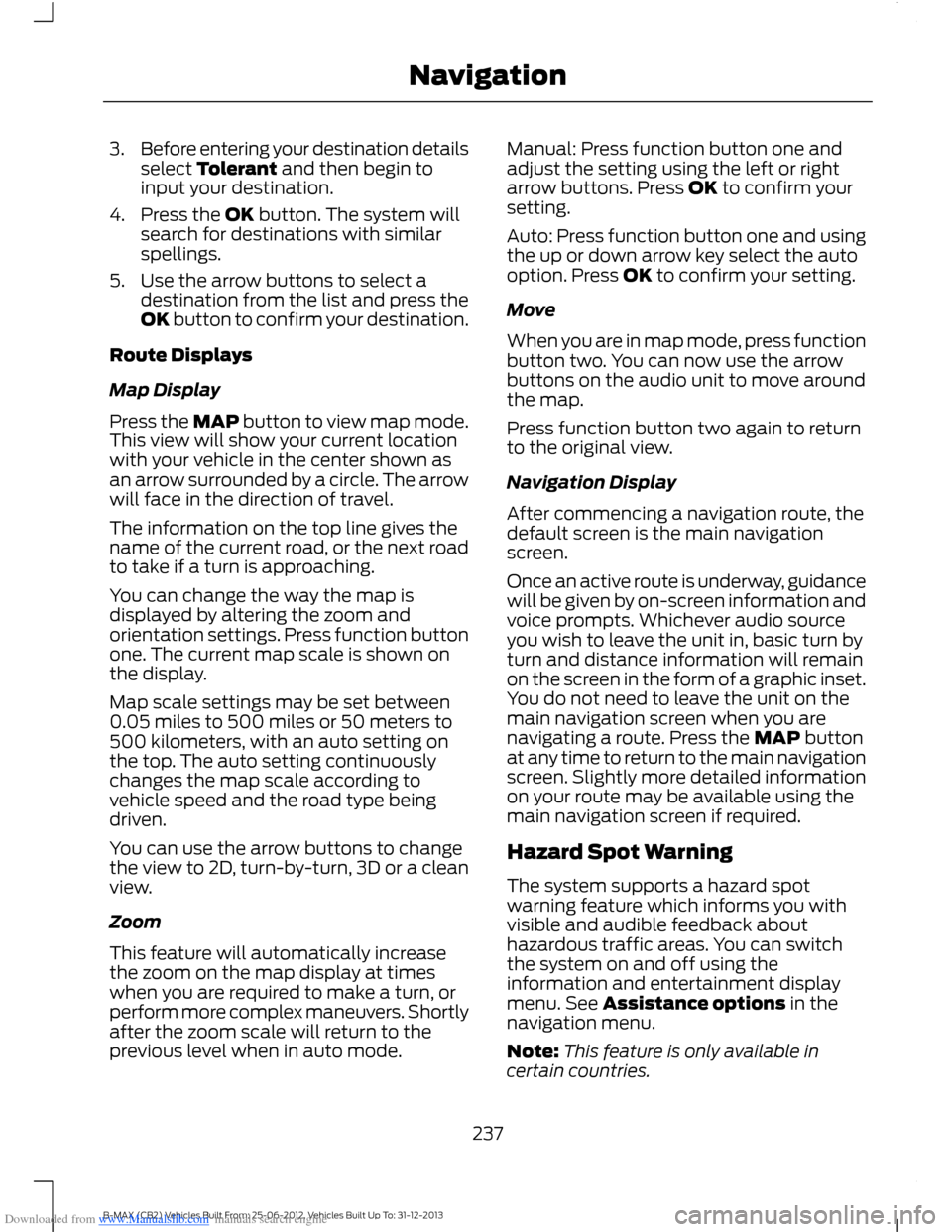
Downloaded from www.Manualslib.com manuals search engine 3.Before entering your destination detailsselect Tolerant and then begin toinput your destination.
4.Press the OK button. The system willsearch for destinations with similarspellings.
5.Use the arrow buttons to select adestination from the list and press theOK button to confirm your destination.
Route Displays
Map Display
Press the MAP button to view map mode.This view will show your current locationwith your vehicle in the center shown asan arrow surrounded by a circle. The arrowwill face in the direction of travel.
The information on the top line gives thename of the current road, or the next roadto take if a turn is approaching.
You can change the way the map isdisplayed by altering the zoom andorientation settings. Press function buttonone. The current map scale is shown onthe display.
Map scale settings may be set between0.05 miles to 500 miles or 50 meters to500 kilometers, with an auto setting onthe top. The auto setting continuouslychanges the map scale according tovehicle speed and the road type beingdriven.
You can use the arrow buttons to changethe view to 2D, turn-by-turn, 3D or a cleanview.
Zoom
This feature will automatically increasethe zoom on the map display at timeswhen you are required to make a turn, orperform more complex maneuvers. Shortlyafter the zoom scale will return to theprevious level when in auto mode.
Manual: Press function button one andadjust the setting using the left or rightarrow buttons. Press OK to confirm yoursetting.
Auto: Press function button one and usingthe up or down arrow key select the autooption. Press OK to confirm your setting.
Move
When you are in map mode, press functionbutton two. You can now use the arrowbuttons on the audio unit to move aroundthe map.
Press function button two again to returnto the original view.
Navigation Display
After commencing a navigation route, thedefault screen is the main navigationscreen.
Once an active route is underway, guidancewill be given by on-screen information andvoice prompts. Whichever audio sourceyou wish to leave the unit in, basic turn byturn and distance information will remainon the screen in the form of a graphic inset.You do not need to leave the unit on themain navigation screen when you arenavigating a route. Press the MAP buttonat any time to return to the main navigationscreen. Slightly more detailed informationon your route may be available using themain navigation screen if required.
Hazard Spot Warning
The system supports a hazard spotwarning feature which informs you withvisible and audible feedback abouthazardous traffic areas. You can switchthe system on and off using theinformation and entertainment displaymenu. See Assistance options in thenavigation menu.
Note:This feature is only available incertain countries.
237B-MAX (CB2) Vehicles Built From: 25-06-2012, Vehicles Built Up To: 31-12-2013Navigation
Page 248 of 298
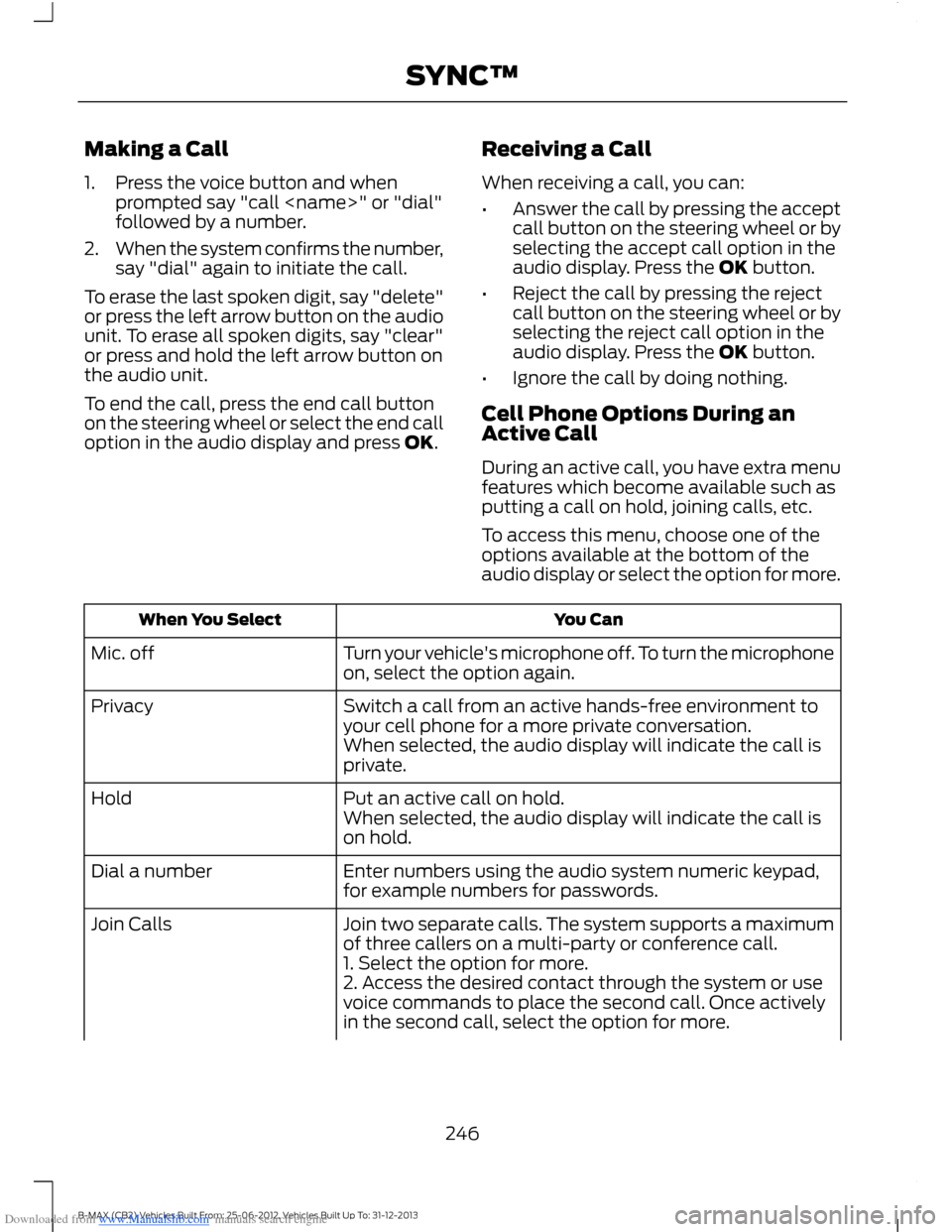
Downloaded from www.Manualslib.com manuals search engine Making a Call
1.Press the voice button and whenprompted say "call
2.When the system confirms the number,say "dial" again to initiate the call.
To erase the last spoken digit, say "delete"or press the left arrow button on the audiounit. To erase all spoken digits, say "clear"or press and hold the left arrow button onthe audio unit.
To end the call, press the end call buttonon the steering wheel or select the end calloption in the audio display and press OK.
Receiving a Call
When receiving a call, you can:
•Answer the call by pressing the acceptcall button on the steering wheel or byselecting the accept call option in theaudio display. Press the OK button.
•Reject the call by pressing the rejectcall button on the steering wheel or byselecting the reject call option in theaudio display. Press the OK button.
•Ignore the call by doing nothing.
Cell Phone Options During anActive Call
During an active call, you have extra menufeatures which become available such asputting a call on hold, joining calls, etc.
To access this menu, choose one of theoptions available at the bottom of theaudio display or select the option for more.
You CanWhen You Select
Turn your vehicle's microphone off. To turn the microphoneon, select the option again.Mic. off
Switch a call from an active hands-free environment toyour cell phone for a more private conversation.Privacy
When selected, the audio display will indicate the call isprivate.
Put an active call on hold.HoldWhen selected, the audio display will indicate the call ison hold.
Enter numbers using the audio system numeric keypad,for example numbers for passwords.Dial a number
Join two separate calls. The system supports a maximumof three callers on a multi-party or conference call.Join Calls
1. Select the option for more.2. Access the desired contact through the system or usevoice commands to place the second call. Once activelyin the second call, select the option for more.
246B-MAX (CB2) Vehicles Built From: 25-06-2012, Vehicles Built Up To: 31-12-2013SYNC™
Page 249 of 298
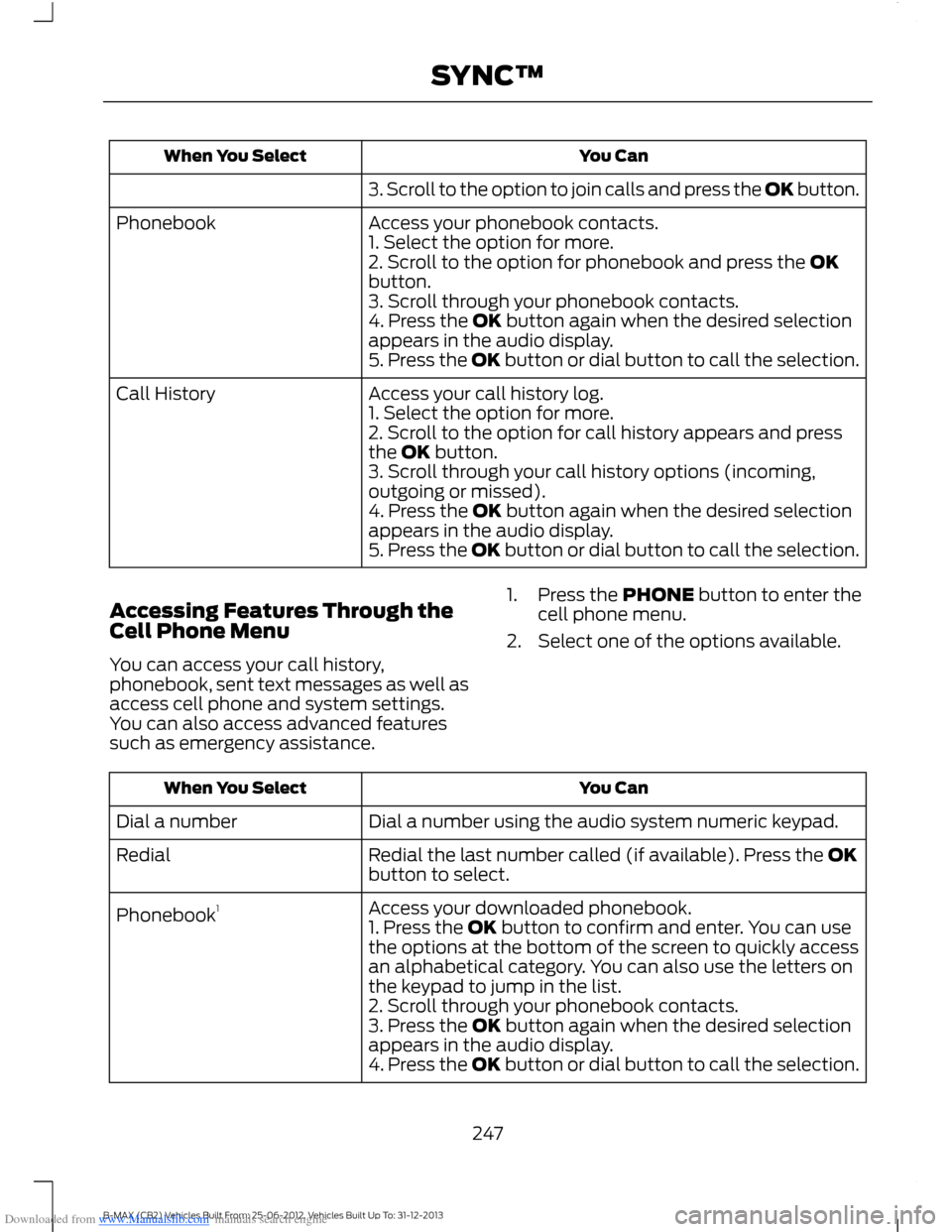
Downloaded from www.Manualslib.com manuals search engine You CanWhen You Select
3. Scroll to the option to join calls and press the OK button.
Access your phonebook contacts.Phonebook1. Select the option for more.2. Scroll to the option for phonebook and press the OKbutton.3. Scroll through your phonebook contacts.4. Press the OK button again when the desired selectionappears in the audio display.5. Press the OK button or dial button to call the selection.
Access your call history log.Call History1. Select the option for more.2. Scroll to the option for call history appears and pressthe OK button.3. Scroll through your call history options (incoming,outgoing or missed).4. Press the OK button again when the desired selectionappears in the audio display.5. Press the OK button or dial button to call the selection.
Accessing Features Through theCell Phone Menu
You can access your call history,phonebook, sent text messages as well asaccess cell phone and system settings.You can also access advanced featuressuch as emergency assistance.
1.Press the PHONE button to enter thecell phone menu.
2.Select one of the options available.
You CanWhen You Select
Dial a number using the audio system numeric keypad.Dial a number
Redial the last number called (if available). Press the OKbutton to select.Redial
Access your downloaded phonebook.Phonebook11. Press the OK button to confirm and enter. You can usethe options at the bottom of the screen to quickly accessan alphabetical category. You can also use the letters onthe keypad to jump in the list.2. Scroll through your phonebook contacts.3. Press the OK button again when the desired selectionappears in the audio display.4. Press the OK button or dial button to call the selection.
247B-MAX (CB2) Vehicles Built From: 25-06-2012, Vehicles Built Up To: 31-12-2013SYNC™
Page 250 of 298
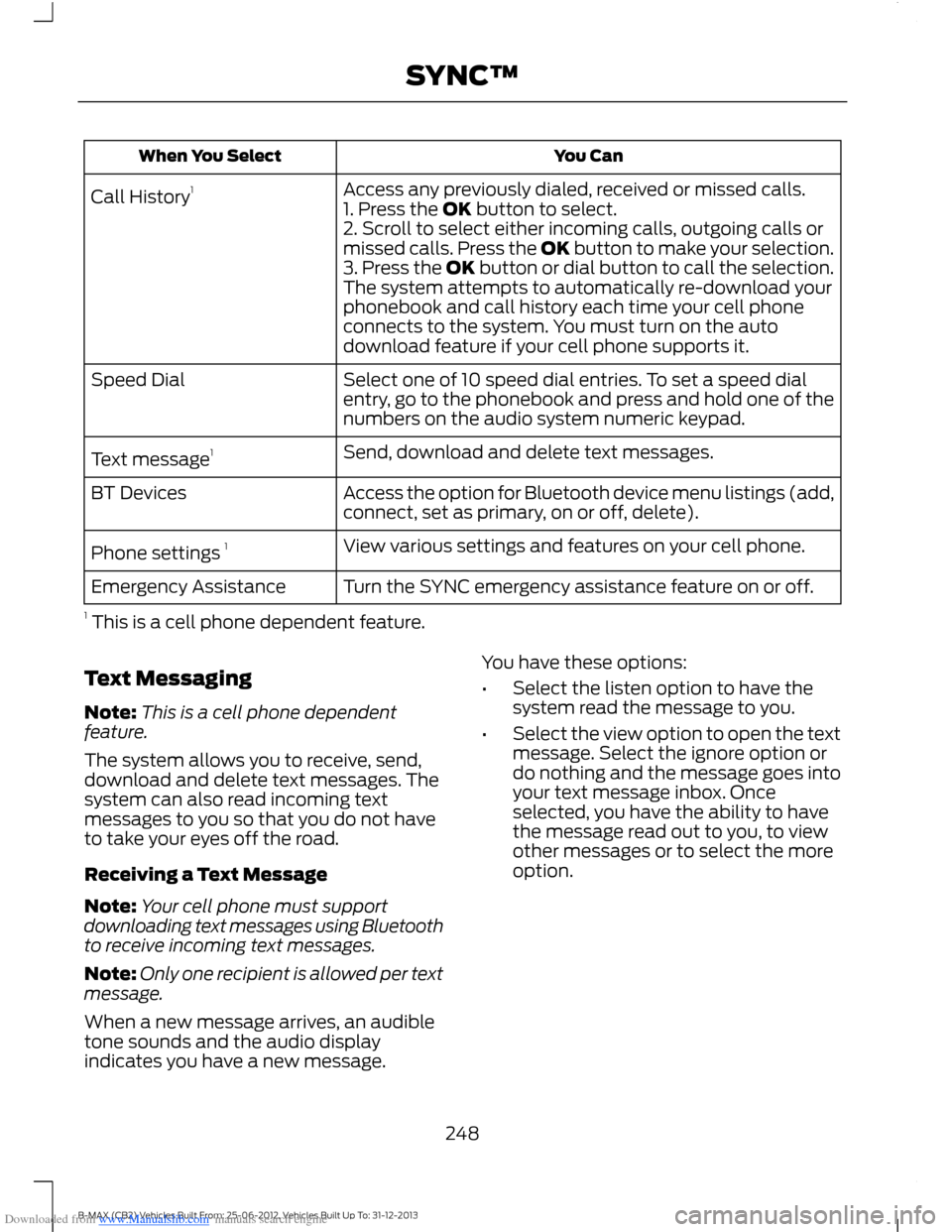
Downloaded from www.Manualslib.com manuals search engine You CanWhen You Select
Access any previously dialed, received or missed calls.Call History11. Press the OK button to select.2. Scroll to select either incoming calls, outgoing calls ormissed calls. Press the OK button to make your selection.3. Press the OK button or dial button to call the selection.The system attempts to automatically re-download yourphonebook and call history each time your cell phoneconnects to the system. You must turn on the autodownload feature if your cell phone supports it.
Select one of 10 speed dial entries. To set a speed dialentry, go to the phonebook and press and hold one of thenumbers on the audio system numeric keypad.
Speed Dial
Send, download and delete text messages.Text message1
Access the option for Bluetooth device menu listings (add,connect, set as primary, on or off, delete).BT Devices
View various settings and features on your cell phone.Phone settings 1
Turn the SYNC emergency assistance feature on or off.Emergency Assistance
1 This is a cell phone dependent feature.
Text Messaging
Note:This is a cell phone dependentfeature.
The system allows you to receive, send,download and delete text messages. Thesystem can also read incoming textmessages to you so that you do not haveto take your eyes off the road.
Receiving a Text Message
Note:Your cell phone must supportdownloading text messages using Bluetoothto receive incoming text messages.
Note:Only one recipient is allowed per textmessage.
When a new message arrives, an audibletone sounds and the audio displayindicates you have a new message.
You have these options:
•Select the listen option to have thesystem read the message to you.
•Select the view option to open the textmessage. Select the ignore option ordo nothing and the message goes intoyour text message inbox. Onceselected, you have the ability to havethe message read out to you, to viewother messages or to select the moreoption.
248B-MAX (CB2) Vehicles Built From: 25-06-2012, Vehicles Built Up To: 31-12-2013SYNC™
Page 261 of 298
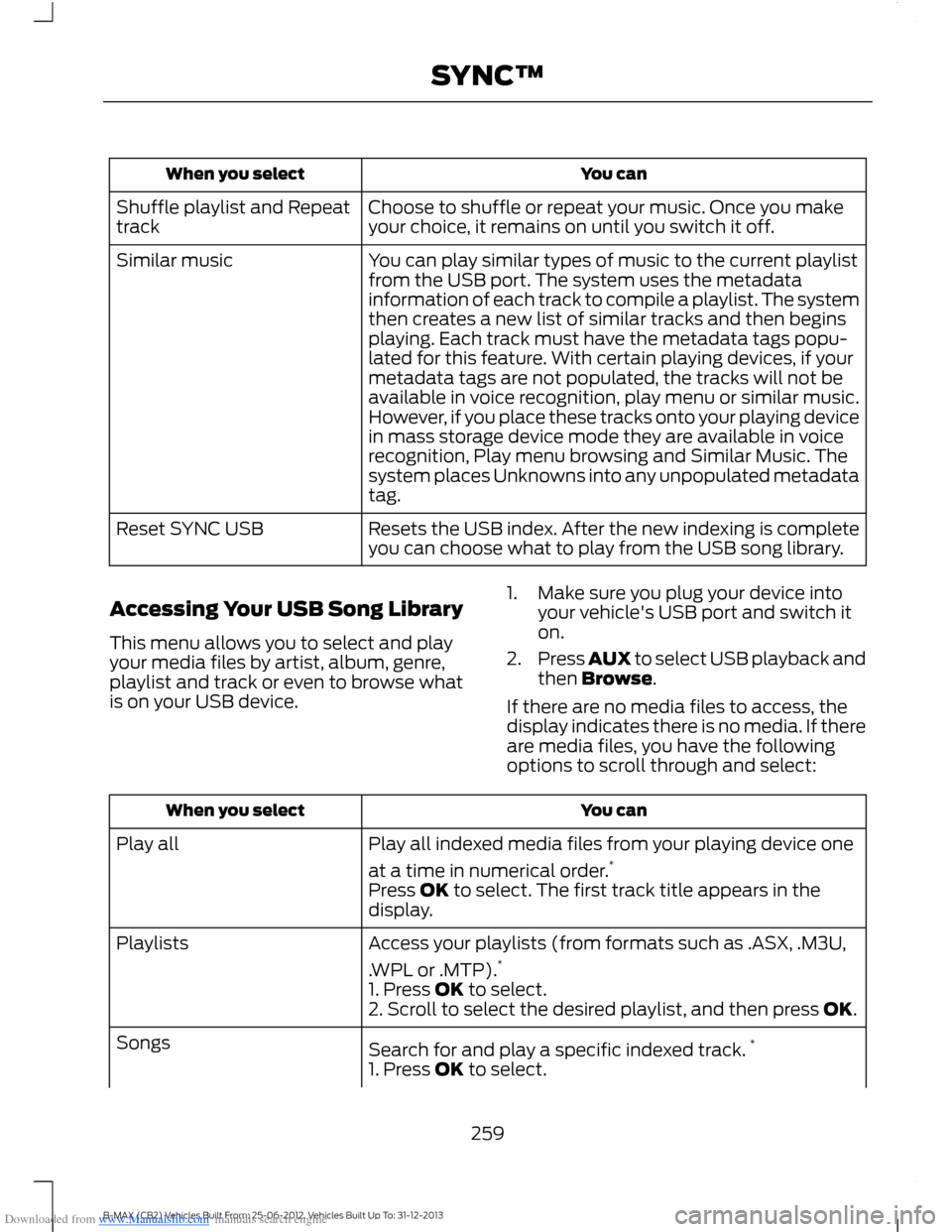
Downloaded from www.Manualslib.com manuals search engine You canWhen you select
Choose to shuffle or repeat your music. Once you makeyour choice, it remains on until you switch it off.Shuffle playlist and Repeattrack
You can play similar types of music to the current playlistfrom the USB port. The system uses the metadatainformation of each track to compile a playlist. The systemthen creates a new list of similar tracks and then beginsplaying. Each track must have the metadata tags popu-lated for this feature. With certain playing devices, if your
Similar music
metadata tags are not populated, the tracks will not beavailable in voice recognition, play menu or similar music.However, if you place these tracks onto your playing devicein mass storage device mode they are available in voicerecognition, Play menu browsing and Similar Music. Thesystem places Unknowns into any unpopulated metadatatag.
Resets the USB index. After the new indexing is completeyou can choose what to play from the USB song library.Reset SYNC USB
Accessing Your USB Song Library
This menu allows you to select and playyour media files by artist, album, genre,playlist and track or even to browse whatis on your USB device.
1.Make sure you plug your device intoyour vehicle's USB port and switch iton.
2.Press AUX to select USB playback andthen Browse.
If there are no media files to access, thedisplay indicates there is no media. If thereare media files, you have the followingoptions to scroll through and select:
You canWhen you select
Play all indexed media files from your playing device one
at a time in numerical order.*Play all
Press OK to select. The first track title appears in thedisplay.
Access your playlists (from formats such as .ASX, .M3U,
.WPL or .MTP).*Playlists
1. Press OK to select.2. Scroll to select the desired playlist, and then press OK.
Search for and play a specific indexed track.*Songs
1. Press OK to select.
259B-MAX (CB2) Vehicles Built From: 25-06-2012, Vehicles Built Up To: 31-12-2013SYNC™
Page 262 of 298
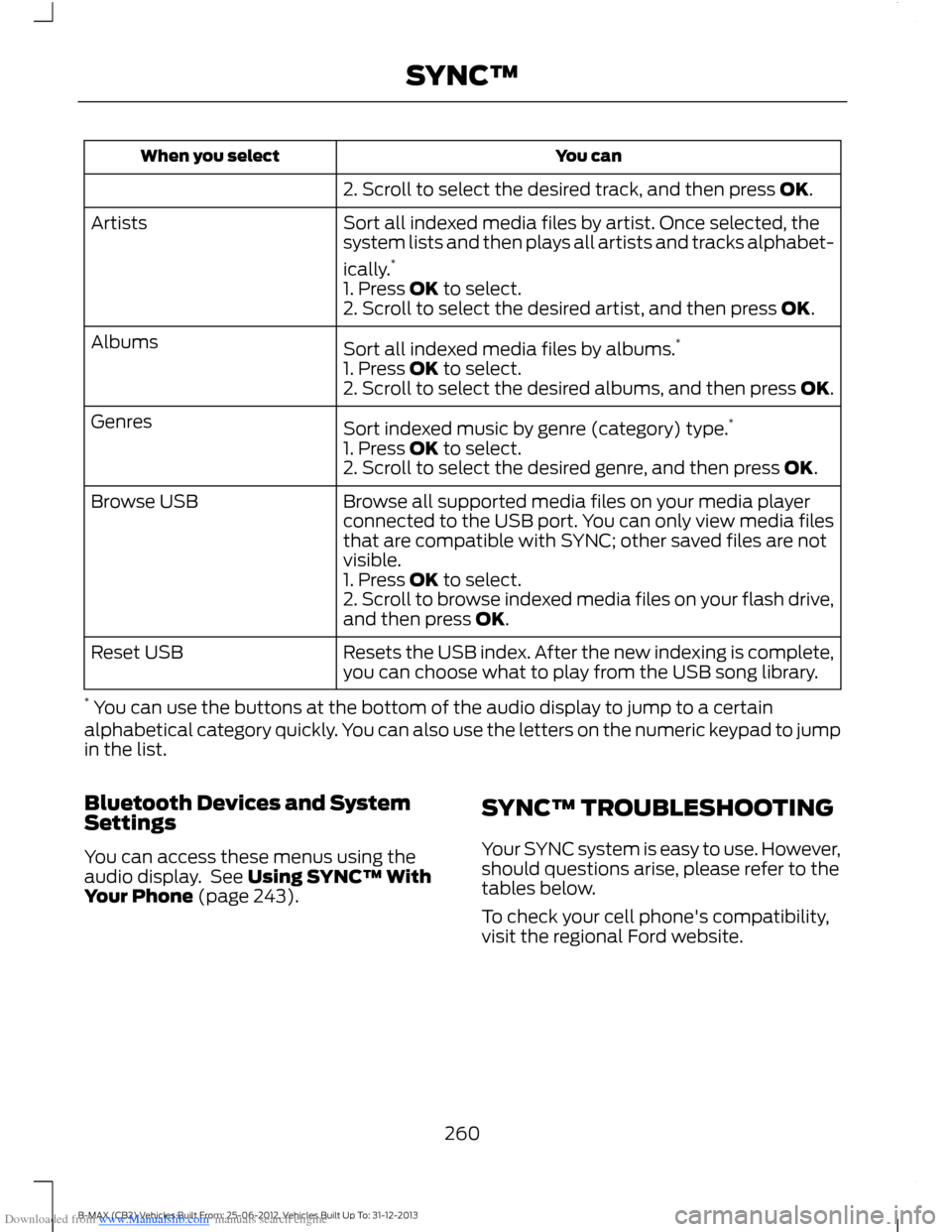
Downloaded from www.Manualslib.com manuals search engine You canWhen you select
2. Scroll to select the desired track, and then press OK.
Sort all indexed media files by artist. Once selected, thesystem lists and then plays all artists and tracks alphabet-
ically.*
Artists
1. Press OK to select.2. Scroll to select the desired artist, and then press OK.
Sort all indexed media files by albums.*Albums
1. Press OK to select.2. Scroll to select the desired albums, and then press OK.
Sort indexed music by genre (category) type.*Genres
1. Press OK to select.2. Scroll to select the desired genre, and then press OK.
Browse all supported media files on your media playerconnected to the USB port. You can only view media filesthat are compatible with SYNC; other saved files are notvisible.
Browse USB
1. Press OK to select.2. Scroll to browse indexed media files on your flash drive,and then press OK.
Resets the USB index. After the new indexing is complete,you can choose what to play from the USB song library.Reset USB
* You can use the buttons at the bottom of the audio display to jump to a certainalphabetical category quickly. You can also use the letters on the numeric keypad to jumpin the list.
Bluetooth Devices and SystemSettings
You can access these menus using theaudio display. See Using SYNC™ WithYour Phone (page 243).
SYNC™ TROUBLESHOOTING
Your SYNC system is easy to use. However,should questions arise, please refer to thetables below.
To check your cell phone's compatibility,visit the regional Ford website.
260B-MAX (CB2) Vehicles Built From: 25-06-2012, Vehicles Built Up To: 31-12-2013SYNC™