ECO mode FORD BRONCO 2022 Workshop Manual
[x] Cancel search | Manufacturer: FORD, Model Year: 2022, Model line: BRONCO, Model: FORD BRONCO 2022Pages: 562, PDF Size: 73 MB
Page 440 of 562
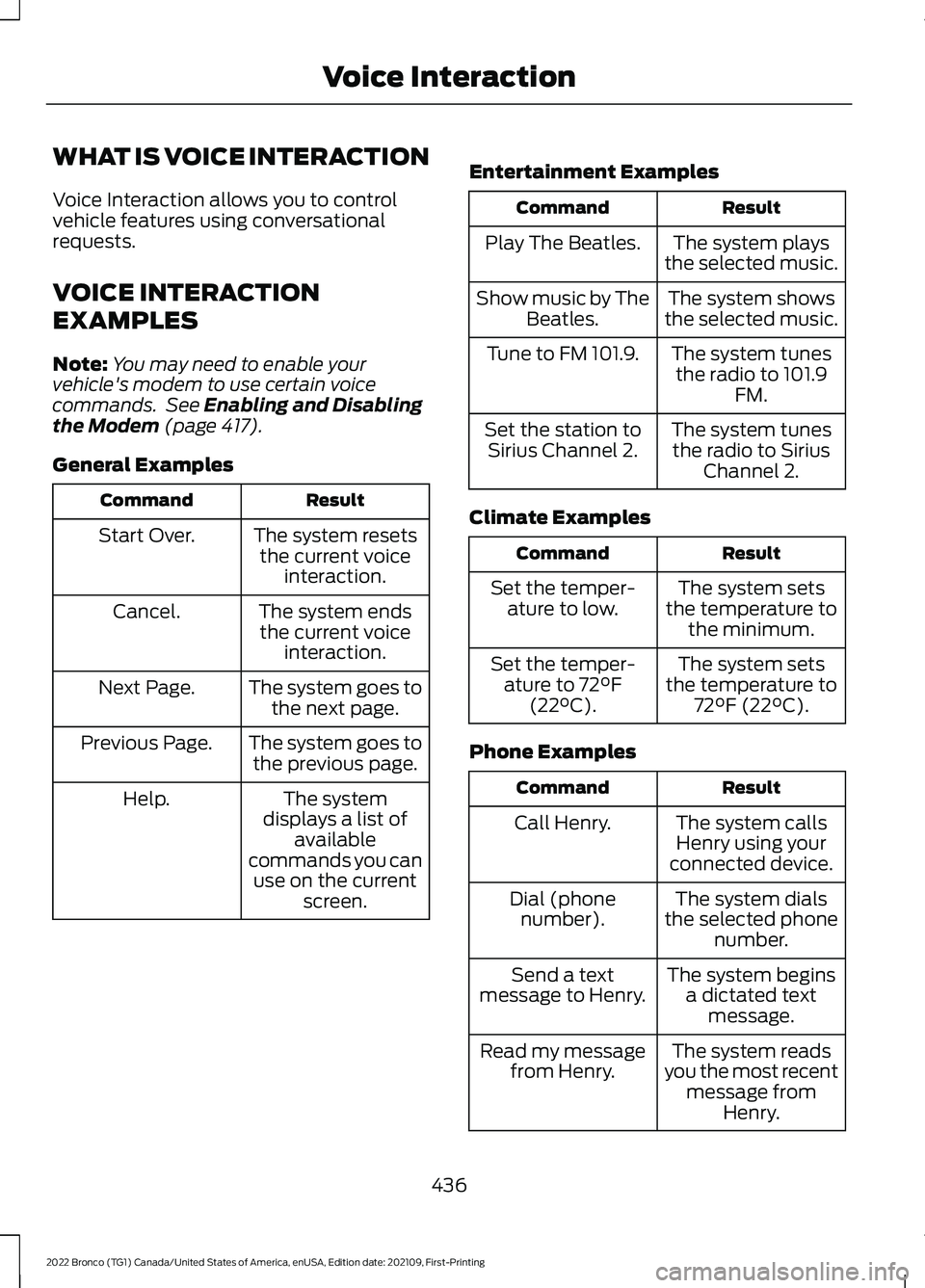
WHAT IS VOICE INTERACTION
Voice Interaction allows you to controlvehicle features using conversationalrequests.
VOICE INTERACTION
EXAMPLES
Note:You may need to enable yourvehicle's modem to use certain voicecommands. See Enabling and Disablingthe Modem (page 417).
General Examples
ResultCommand
The system resetsthe current voiceinteraction.
Start Over.
The system endsthe current voiceinteraction.
Cancel.
The system goes tothe next page.Next Page.
The system goes tothe previous page.Previous Page.
The systemdisplays a list ofavailablecommands you canuse on the currentscreen.
Help.
Entertainment Examples
ResultCommand
The system playsthe selected music.Play The Beatles.
The system showsthe selected music.Show music by TheBeatles.
The system tunesthe radio to 101.9FM.
Tune to FM 101.9.
The system tunesthe radio to SiriusChannel 2.
Set the station toSirius Channel 2.
Climate Examples
ResultCommand
The system setsthe temperature tothe minimum.
Set the temper-ature to low.
The system setsthe temperature to72°F (22°C).
Set the temper-ature to 72°F(22°C).
Phone Examples
ResultCommand
The system callsHenry using yourconnected device.
Call Henry.
The system dialsthe selected phonenumber.
Dial (phonenumber).
The system beginsa dictated textmessage.
Send a textmessage to Henry.
The system readsyou the most recentmessage fromHenry.
Read my messagefrom Henry.
436
2022 Bronco (TG1) Canada/United States of America, enUSA, Edition date: 202109, First-PrintingVoice Interaction
Page 454 of 562
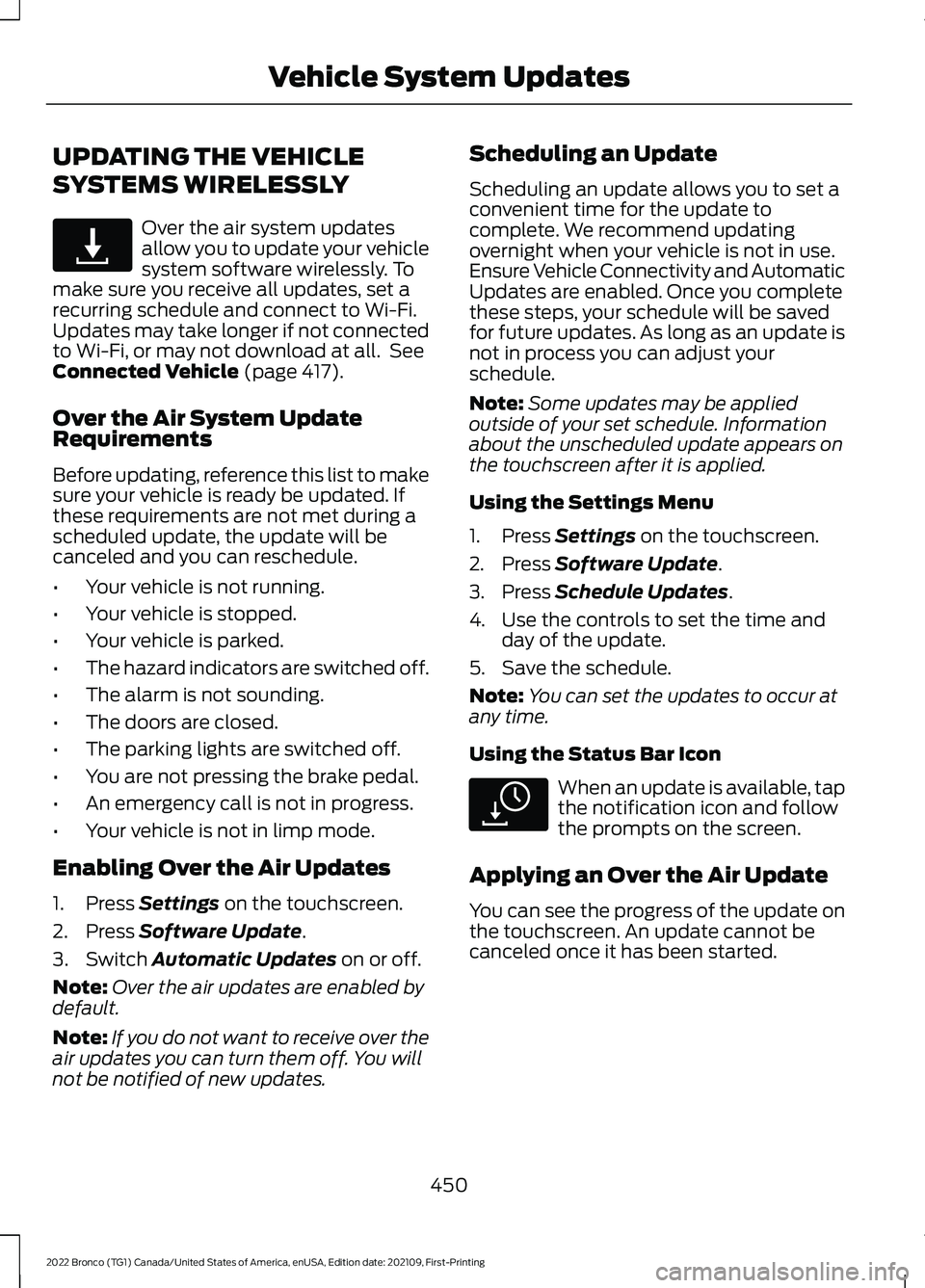
UPDATING THE VEHICLE
SYSTEMS WIRELESSLY
Over the air system updatesallow you to update your vehiclesystem software wirelessly. Tomake sure you receive all updates, set arecurring schedule and connect to Wi-Fi.Updates may take longer if not connectedto Wi-Fi, or may not download at all. SeeConnected Vehicle (page 417).
Over the Air System UpdateRequirements
Before updating, reference this list to makesure your vehicle is ready be updated. Ifthese requirements are not met during ascheduled update, the update will becanceled and you can reschedule.
•Your vehicle is not running.
•Your vehicle is stopped.
•Your vehicle is parked.
•The hazard indicators are switched off.
•The alarm is not sounding.
•The doors are closed.
•The parking lights are switched off.
•You are not pressing the brake pedal.
•An emergency call is not in progress.
•Your vehicle is not in limp mode.
Enabling Over the Air Updates
1.Press Settings on the touchscreen.
2.Press Software Update.
3.Switch Automatic Updates on or off.
Note:Over the air updates are enabled bydefault.
Note:If you do not want to receive over theair updates you can turn them off. You willnot be notified of new updates.
Scheduling an Update
Scheduling an update allows you to set aconvenient time for the update tocomplete. We recommend updatingovernight when your vehicle is not in use.Ensure Vehicle Connectivity and AutomaticUpdates are enabled. Once you completethese steps, your schedule will be savedfor future updates. As long as an update isnot in process you can adjust yourschedule.
Note:Some updates may be appliedoutside of your set schedule. Informationabout the unscheduled update appears onthe touchscreen after it is applied.
Using the Settings Menu
1.Press Settings on the touchscreen.
2.Press Software Update.
3.Press Schedule Updates.
4.Use the controls to set the time andday of the update.
5.Save the schedule.
Note:You can set the updates to occur atany time.
Using the Status Bar Icon
When an update is available, tapthe notification icon and followthe prompts on the screen.
Applying an Over the Air Update
You can see the progress of the update onthe touchscreen. An update cannot becanceled once it has been started.
450
2022 Bronco (TG1) Canada/United States of America, enUSA, Edition date: 202109, First-PrintingVehicle System UpdatesE327789 E327785
Page 466 of 562
Multi-Point Inspection
Windshield for cracks, chips or pitsFor oil and fluid leaks
Washer spray and wiper operationHalf-shaft dust boots
1 Brake, coolant recovery reservoir, automatic transmission and window washer.2If your vehicle has a temporary mobility kit, check the tire sealant expiration Use By dateon the canister. Replace as needed.
Be sure to ask your dealership serviceadvisor or technician about the multi-pointvehicle inspection. It is a comprehensiveway to perform a thorough inspection ofyour vehicle. Your checklist gives youimmediate feedback on the overallcondition of your vehicle.
NORMAL SCHEDULED
MAINTENANCE
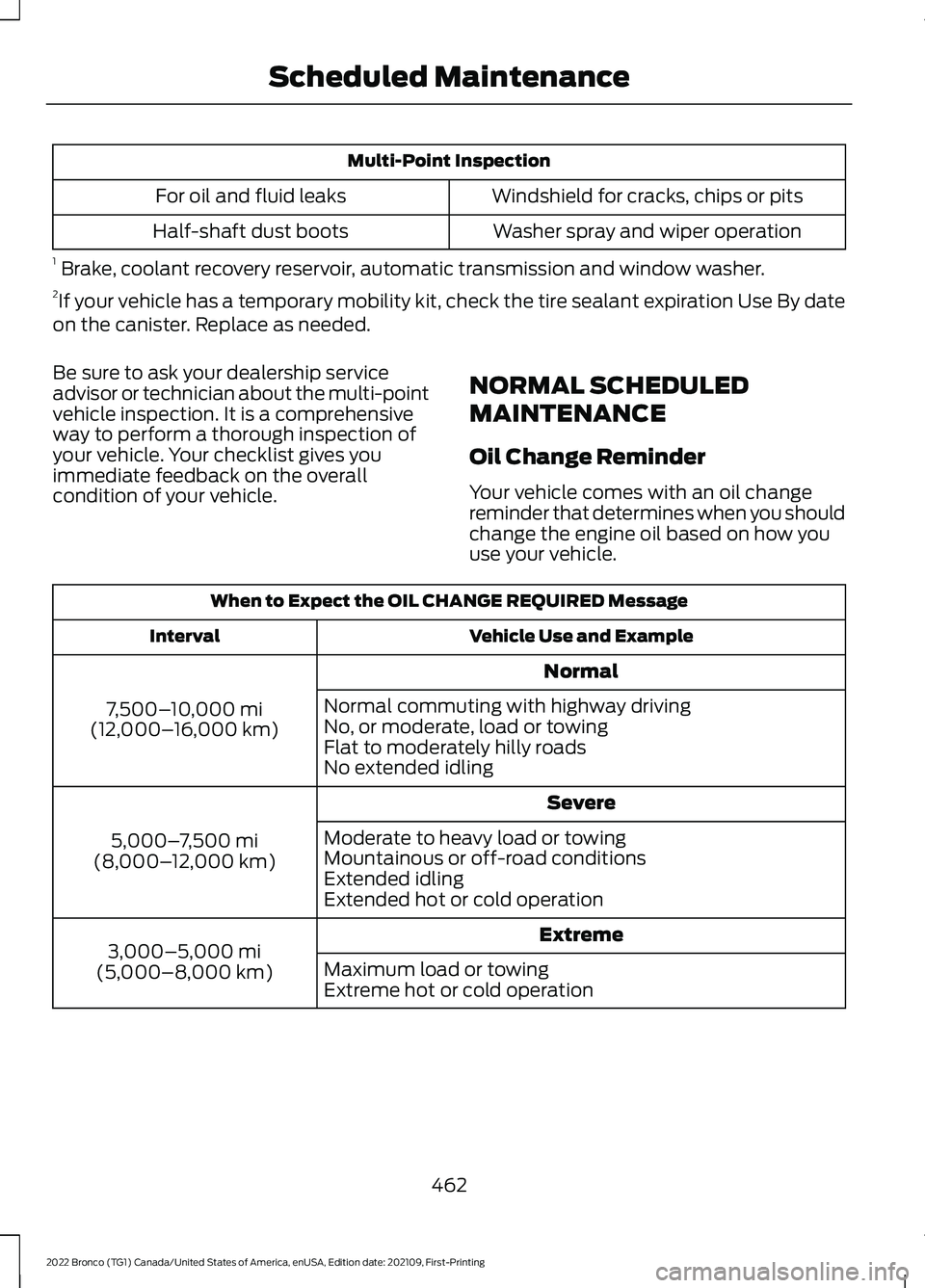
Oil Change Reminder
Your vehicle comes with an oil changereminder that determines when you shouldchange the engine oil based on how youuse your vehicle.
When to Expect the OIL CHANGE REQUIRED Message
Vehicle Use and ExampleInterval
Normal
7,500–10,000 mi(12,000–16,000 km)
Normal commuting with highway drivingNo, or moderate, load or towingFlat to moderately hilly roadsNo extended idling
Severe
5,000–7,500 mi(8,000–12,000 km)
Moderate to heavy load or towingMountainous or off-road conditionsExtended idlingExtended hot or cold operation
Extreme3,000–5,000 mi(5,000–8,000 km)Maximum load or towingExtreme hot or cold operation
462
2022 Bronco (TG1) Canada/United States of America, enUSA, Edition date: 202109, First-PrintingScheduled Maintenance
Page 533 of 562

IMPLIED WARRANTIES OFMERCHANTABILITY, FITNESS FOR APARTICULAR PURPOSE, TITLE, ANDNON-INFRINGEMENT. NEITHERGRACENOTE WARRANTS THE RESULTSTHAT WILL BE OBTAINED BY YOUR USEOF THE GRACENOTE SOFTWARE OR ANYGRACENOTE SERVER. IN NO CASE WILLGRACENOTE BE LIABLE FOR ANYCONSEQUENTIAL OR INCIDENTALDAMAGES OR FOR ANY LOST PROFITSOR LOST REVENUES FOR ANY REASONWHATSOEVER. © Gracenote 2007.
Taiwan Territory
Note: In accordance with the managementapproach of low-power radio waveradiation motors:
Article 12: For approved and certifiedlow-power radiation motor models,companies, firms or users must not alterthe frequency, increase the power orchange the characteristics and functionsof the original design without authorization.
Article 14: The usage of low-powerradio-frequency motors must not affectaviation safety and interfere with legaltelecommunications. Should interferencebe detected, immediately stop using thedevice and only resume usage afterensuring that there is no longer anyinterference. For the legaltelecommunication and wirelesstelecommunication of the telco, thelow-power radio frequency motor must beable to tolerate legal limits of interferencefrom telecommunication, industrial,scientific and radio wave equipment.
SUNA TRAFFIC CHANNEL – TERMSAND CONDITIONS
By activating, using and/or accessing theSUNA Traffic Channel, SUNA Predictive orother content or material provided byIntelematics (together,SUNA Productsand/or Services), you must acceptcertain terms and conditions. The followingis a brief summary of the terms andconditions that apply to you. To view thefull terms and conditions relevant to youruse of the SUNA Products and/or Services,please consult:
Website
www.sunatraffic.com.au/termsandcon-ditions/
1. Acceptance
By using SUNA Products and/or Services,you will be deemed to have accepted andagreed to be bound by the terms andconditions fully detailed at:
Website
www.sunatraffic.com.au/termsandcon-ditions/
2. Intellectual Property
SUNA Products and/or Services are foryour personal use. You may not record, orretransmit the content, nor use the contentin association with any other trafficinformation or route guidance service ordevice not approved by Intelematics. Youobtain no right of ownership in anyIntellectual Property Rights (includingcopyright) in the data that is used toprovide SUNA Products and/or Services.
3. Appropriate Use
529
2022 Bronco (TG1) Canada/United States of America, enUSA, Edition date: 202109, First-PrintingCustomer Information
Page 544 of 562
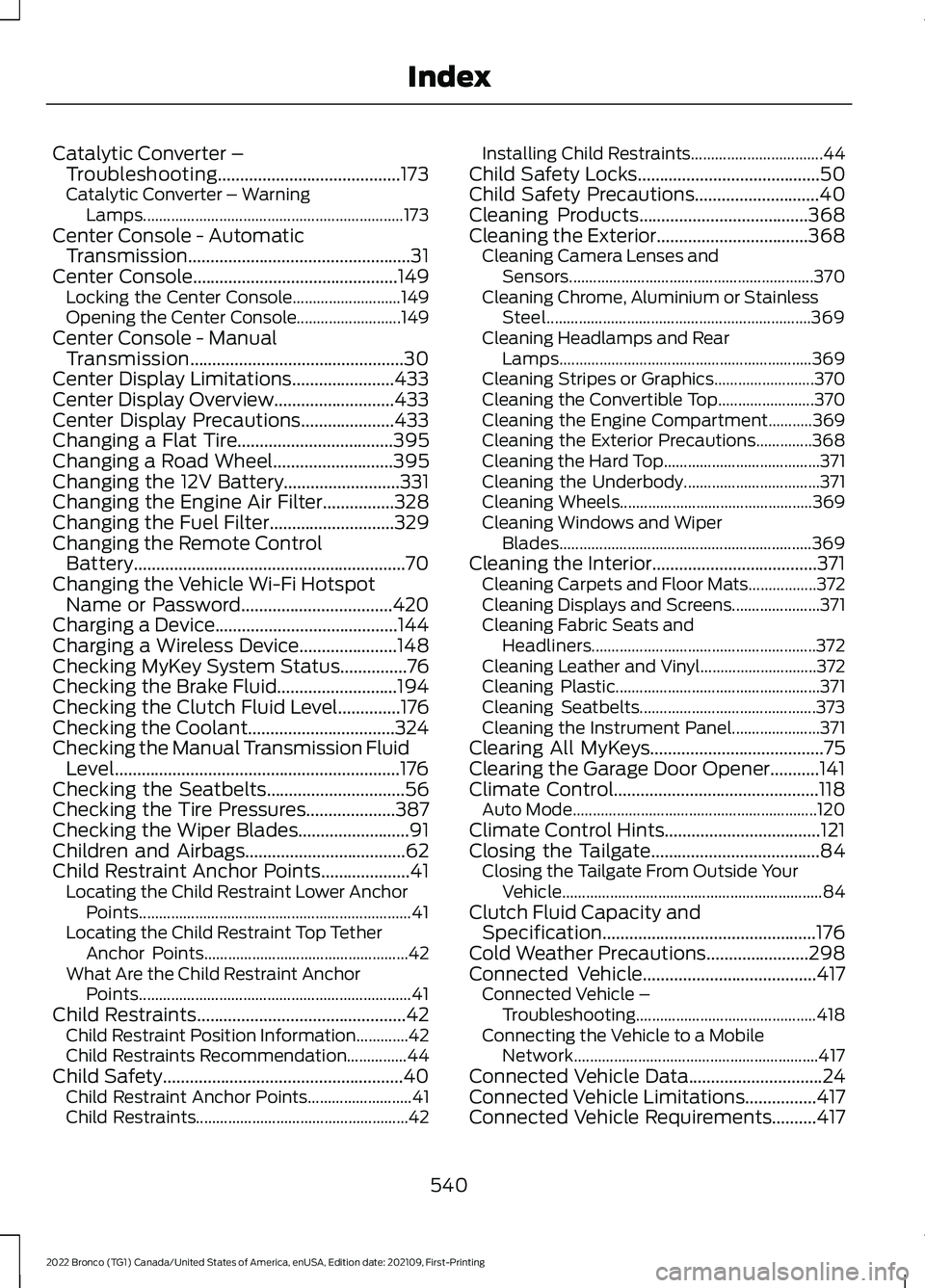
Catalytic Converter –Troubleshooting.........................................173Catalytic Converter – WarningLamps.................................................................173Center Console - AutomaticTransmission..................................................31Center Console..............................................149Locking the Center Console...........................149Opening the Center Console..........................149Center Console - ManualTransmission................................................30Center Display Limitations.......................433Center Display Overview...........................433Center Display Precautions.....................433Changing a Flat Tire...................................395Changing a Road Wheel...........................395Changing the 12V Battery..........................331Changing the Engine Air Filter................328Changing the Fuel Filter............................329Changing the Remote ControlBattery.............................................................70Changing the Vehicle Wi-Fi HotspotName or Password..................................420Charging a Device.........................................144Charging a Wireless Device......................148Checking MyKey System Status...............76Checking the Brake Fluid...........................194Checking the Clutch Fluid Level..............176Checking the Coolant.................................324Checking the Manual Transmission FluidLevel................................................................176Checking the Seatbelts...............................56Checking the Tire Pressures....................387Checking the Wiper Blades.........................91Children and Airbags....................................62Child Restraint Anchor Points....................41Locating the Child Restraint Lower AnchorPoints....................................................................41Locating the Child Restraint Top TetherAnchor Points...................................................42What Are the Child Restraint AnchorPoints....................................................................41Child Restraints...............................................42Child Restraint Position Information.............42Child Restraints Recommendation...............44Child Safety......................................................40Child Restraint Anchor Points..........................41Child Restraints.....................................................42
Installing Child Restraints.................................44Child Safety Locks.........................................50Child Safety Precautions............................40Cleaning Products......................................368Cleaning the Exterior..................................368Cleaning Camera Lenses andSensors.............................................................370Cleaning Chrome, Aluminium or StainlessSteel..................................................................369Cleaning Headlamps and RearLamps...............................................................369Cleaning Stripes or Graphics.........................370Cleaning the Convertible Top........................370Cleaning the Engine Compartment...........369Cleaning the Exterior Precautions..............368Cleaning the Hard Top.......................................371Cleaning the Underbody..................................371Cleaning Wheels................................................369Cleaning Windows and WiperBlades...............................................................369Cleaning the Interior.....................................371Cleaning Carpets and Floor Mats.................372Cleaning Displays and Screens......................371Cleaning Fabric Seats andHeadliners........................................................372Cleaning Leather and Vinyl.............................372Cleaning Plastic...................................................371Cleaning Seatbelts............................................373Cleaning the Instrument Panel......................371Clearing All MyKeys.......................................75Clearing the Garage Door Opener...........141Climate Control..............................................118Auto Mode.............................................................120Climate Control Hints...................................121Closing the Tailgate......................................84Closing the Tailgate From Outside YourVehicle.................................................................84Clutch Fluid Capacity andSpecification................................................176Cold Weather Precautions.......................298Connected Vehicle.......................................417Connected Vehicle –Troubleshooting.............................................418Connecting the Vehicle to a MobileNetwork.............................................................417Connected Vehicle Data..............................24Connected Vehicle Limitations................417Connected Vehicle Requirements..........417
540
2022 Bronco (TG1) Canada/United States of America, enUSA, Edition date: 202109, First-PrintingIndex
Page 545 of 562
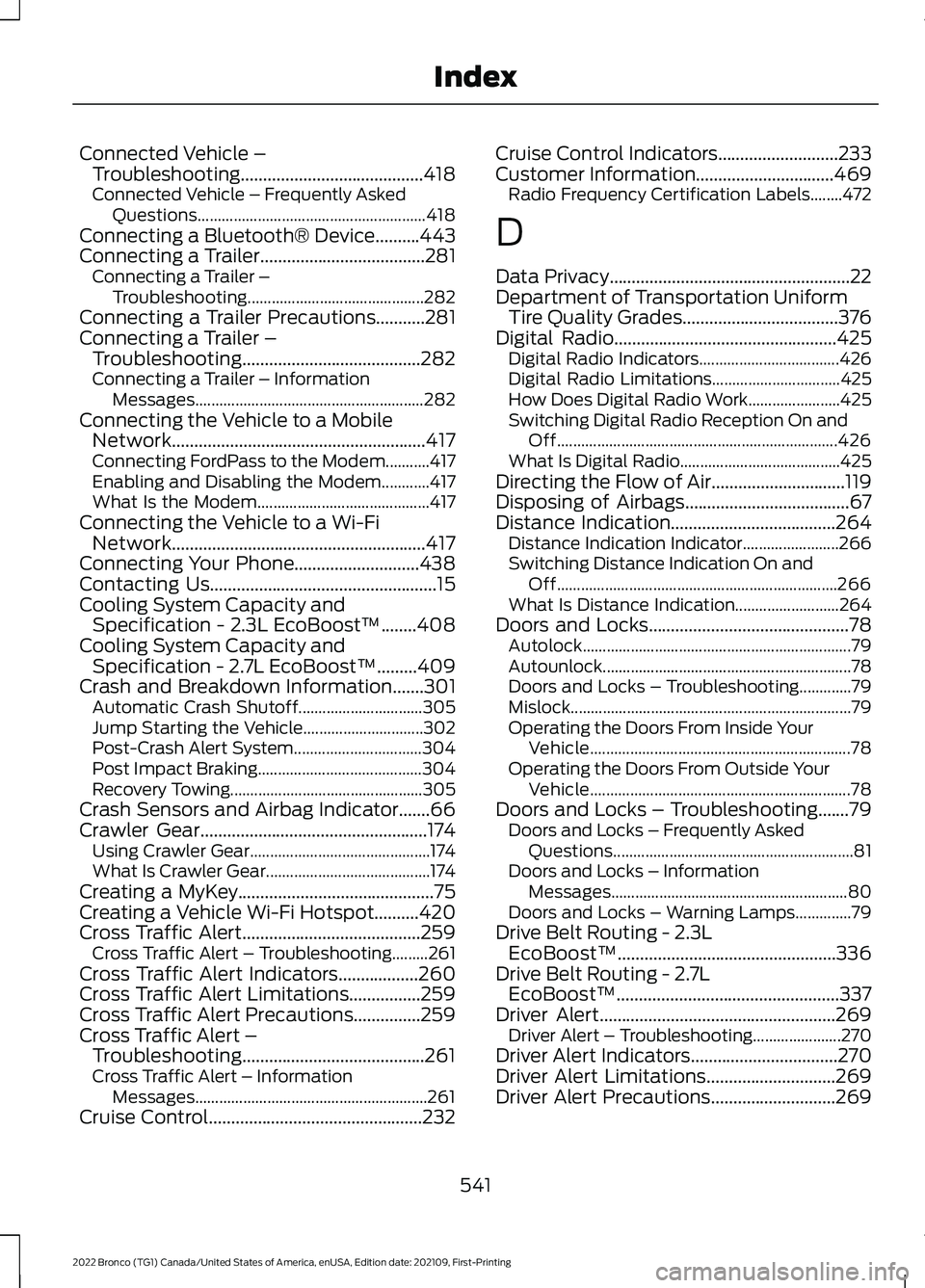
Connected Vehicle –Troubleshooting.........................................418Connected Vehicle – Frequently AskedQuestions.........................................................418Connecting a Bluetooth® Device..........443Connecting a Trailer.....................................281Connecting a Trailer –Troubleshooting............................................282Connecting a Trailer Precautions...........281Connecting a Trailer –Troubleshooting........................................282Connecting a Trailer – InformationMessages.........................................................282Connecting the Vehicle to a MobileNetwork.........................................................417Connecting FordPass to the Modem...........417Enabling and Disabling the Modem............417What Is the Modem...........................................417Connecting the Vehicle to a Wi-FiNetwork.........................................................417Connecting Your Phone............................438Contacting Us...................................................15Cooling System Capacity andSpecification - 2.3L EcoBoost™........408Cooling System Capacity andSpecification - 2.7L EcoBoost™.........409Crash and Breakdown Information.......301Automatic Crash Shutoff...............................305Jump Starting the Vehicle..............................302Post-Crash Alert System................................304Post Impact Braking.........................................304Recovery Towing................................................305Crash Sensors and Airbag Indicator.......66Crawler Gear...................................................174Using Crawler Gear.............................................174What Is Crawler Gear.........................................174Creating a MyKey............................................75Creating a Vehicle Wi-Fi Hotspot..........420Cross Traffic Alert........................................259Cross Traffic Alert – Troubleshooting.........261Cross Traffic Alert Indicators..................260Cross Traffic Alert Limitations................259Cross Traffic Alert Precautions...............259Cross Traffic Alert –Troubleshooting.........................................261Cross Traffic Alert – InformationMessages..........................................................261Cruise Control................................................232
Cruise Control Indicators...........................233Customer Information...............................469Radio Frequency Certification Labels........472
D
Data Privacy......................................................22Department of Transportation UniformTire Quality Grades...................................376Digital Radio..................................................425Digital Radio Indicators...................................426Digital Radio Limitations................................425How Does Digital Radio Work.......................425Switching Digital Radio Reception On andOff......................................................................426What Is Digital Radio........................................425Directing the Flow of Air..............................119Disposing of Airbags.....................................67Distance Indication.....................................264Distance Indication Indicator........................266Switching Distance Indication On andOff......................................................................266What Is Distance Indication..........................264Doors and Locks.............................................78Autolock...................................................................79Autounlock..............................................................78Doors and Locks – Troubleshooting.............79Mislock......................................................................79Operating the Doors From Inside YourVehicle.................................................................78Operating the Doors From Outside YourVehicle.................................................................78Doors and Locks – Troubleshooting.......79Doors and Locks – Frequently AskedQuestions............................................................81Doors and Locks – InformationMessages...........................................................80Doors and Locks – Warning Lamps..............79Drive Belt Routing - 2.3LEcoBoost™.................................................336Drive Belt Routing - 2.7LEcoBoost™..................................................337Driver Alert.....................................................269Driver Alert – Troubleshooting......................270Driver Alert Indicators.................................270Driver Alert Limitations.............................269Driver Alert Precautions............................269
541
2022 Bronco (TG1) Canada/United States of America, enUSA, Edition date: 202109, First-PrintingIndex
Page 548 of 562
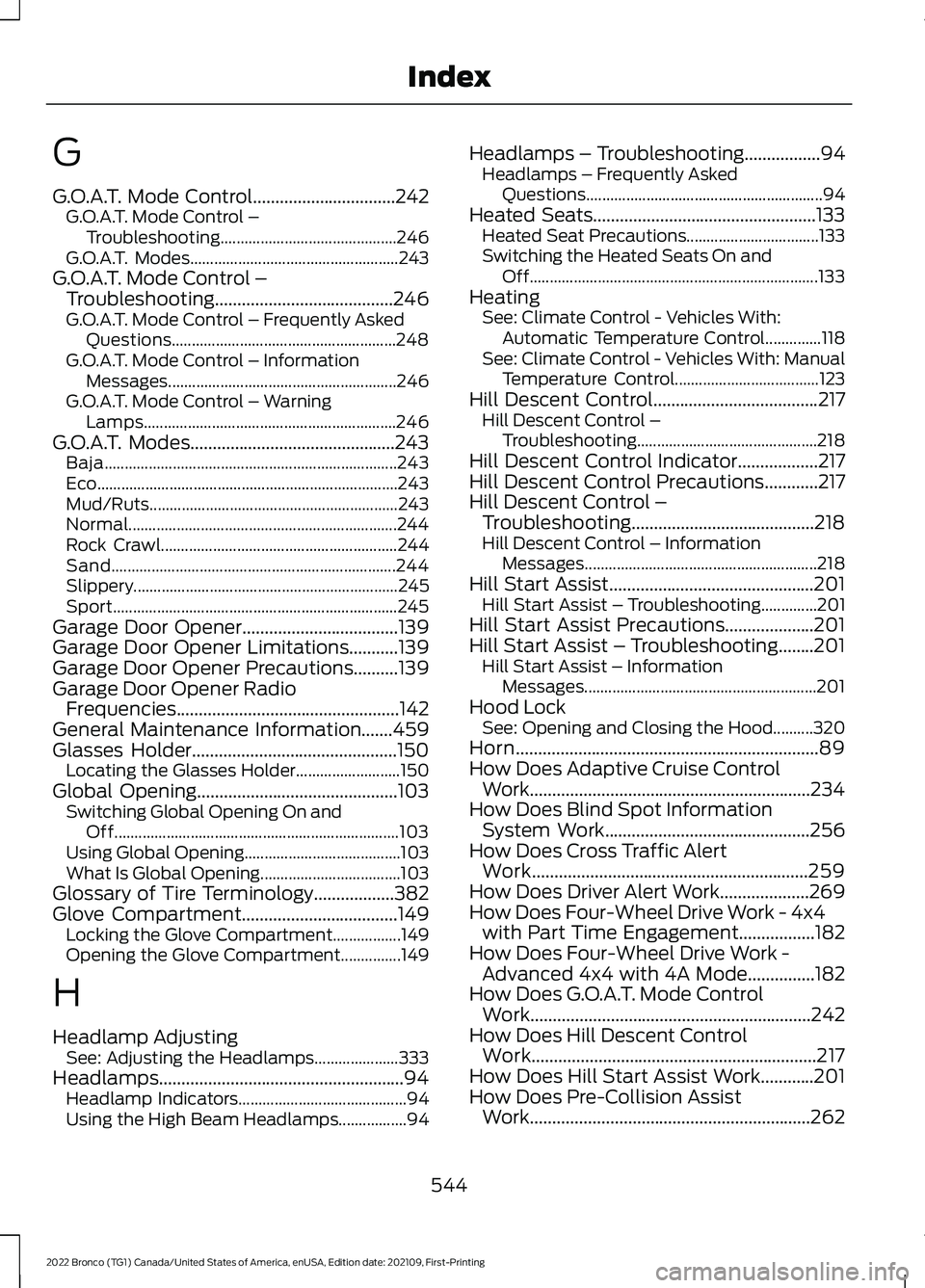
G
G.O.A.T. Mode Control................................242G.O.A.T. Mode Control –Troubleshooting............................................246G.O.A.T. Modes....................................................243G.O.A.T. Mode Control –Troubleshooting........................................246G.O.A.T. Mode Control – Frequently AskedQuestions........................................................248G.O.A.T. Mode Control – InformationMessages.........................................................246G.O.A.T. Mode Control – WarningLamps...............................................................246G.O.A.T. Modes..............................................243Baja.........................................................................243Eco...........................................................................243Mud/Ruts..............................................................243Normal...................................................................244Rock Crawl...........................................................244Sand.......................................................................244Slippery..................................................................245Sport.......................................................................245Garage Door Opener...................................139Garage Door Opener Limitations...........139Garage Door Opener Precautions..........139Garage Door Opener RadioFrequencies..................................................142General Maintenance Information.......459Glasses Holder..............................................150Locating the Glasses Holder..........................150Global Opening.............................................103Switching Global Opening On andOff.......................................................................103Using Global Opening.......................................103What Is Global Opening...................................103Glossary of Tire Terminology..................382Glove Compartment...................................149Locking the Glove Compartment.................149Opening the Glove Compartment...............149
H
Headlamp AdjustingSee: Adjusting the Headlamps.....................333Headlamps.......................................................94Headlamp Indicators..........................................94Using the High Beam Headlamps.................94
Headlamps – Troubleshooting.................94Headlamps – Frequently AskedQuestions...........................................................94Heated Seats..................................................133Heated Seat Precautions.................................133Switching the Heated Seats On andOff........................................................................133HeatingSee: Climate Control - Vehicles With:Automatic Temperature Control..............118See: Climate Control - Vehicles With: ManualTemperature Control....................................123Hill Descent Control.....................................217Hill Descent Control –Troubleshooting.............................................218Hill Descent Control Indicator..................217Hill Descent Control Precautions............217Hill Descent Control –Troubleshooting.........................................218Hill Descent Control – InformationMessages..........................................................218Hill Start Assist..............................................201Hill Start Assist – Troubleshooting..............201Hill Start Assist Precautions....................201Hill Start Assist – Troubleshooting........201Hill Start Assist – InformationMessages..........................................................201Hood LockSee: Opening and Closing the Hood..........320Horn....................................................................89How Does Adaptive Cruise ControlWork...............................................................234How Does Blind Spot InformationSystem Work..............................................256How Does Cross Traffic AlertWork..............................................................259How Does Driver Alert Work....................269How Does Four-Wheel Drive Work - 4x4with Part Time Engagement.................182How Does Four-Wheel Drive Work -Advanced 4x4 with 4A Mode...............182How Does G.O.A.T. Mode ControlWork...............................................................242How Does Hill Descent ControlWork................................................................217How Does Hill Start Assist Work............201How Does Pre-Collision AssistWork...............................................................262
544
2022 Bronco (TG1) Canada/United States of America, enUSA, Edition date: 202109, First-PrintingIndex
Page 550 of 562
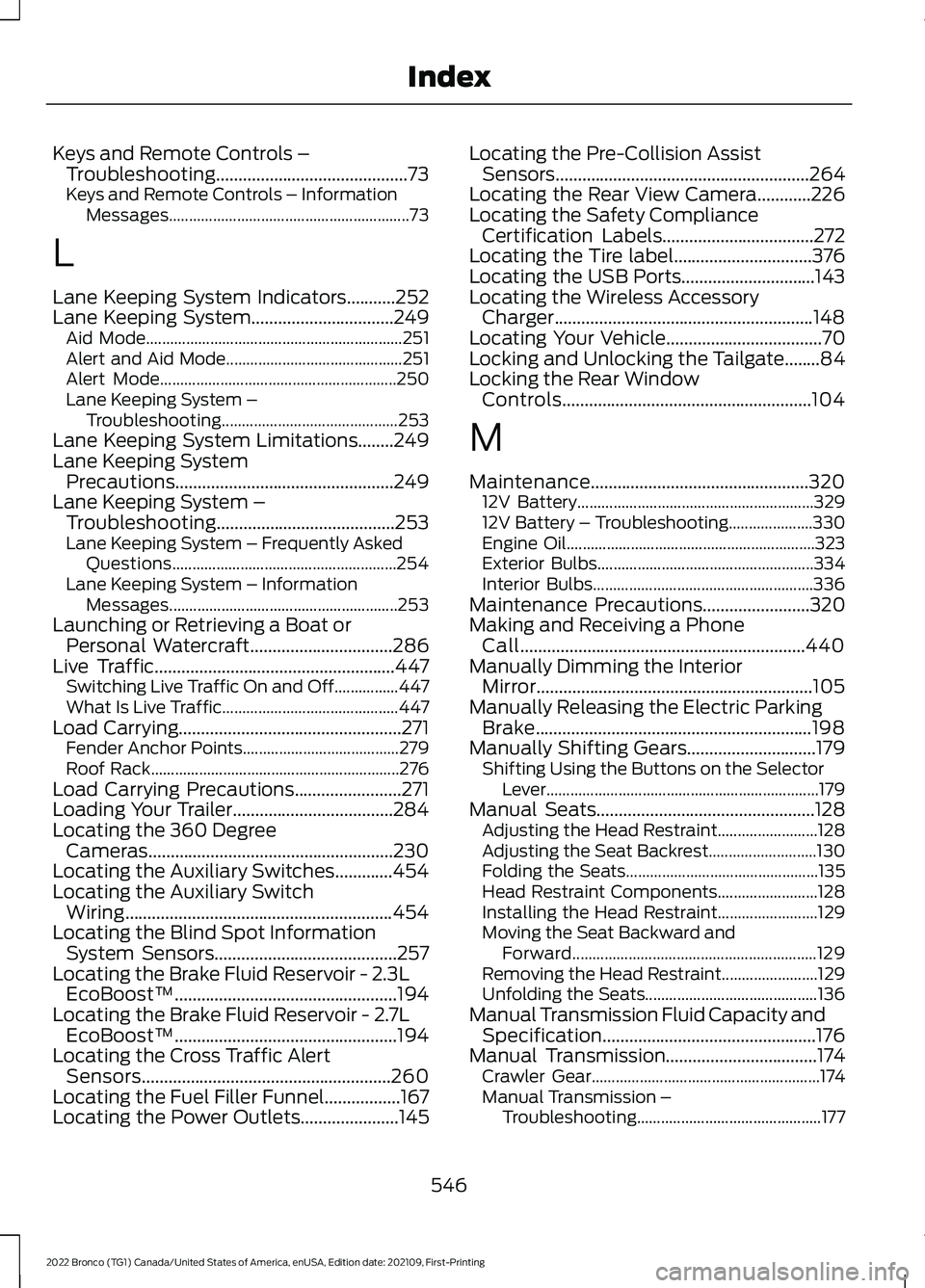
Keys and Remote Controls –Troubleshooting...........................................73Keys and Remote Controls – InformationMessages............................................................73
L
Lane Keeping System Indicators...........252Lane Keeping System................................249Aid Mode................................................................251Alert and Aid Mode............................................251Alert Mode...........................................................250Lane Keeping System –Troubleshooting............................................253Lane Keeping System Limitations........249Lane Keeping SystemPrecautions.................................................249Lane Keeping System –Troubleshooting........................................253Lane Keeping System – Frequently AskedQuestions........................................................254Lane Keeping System – InformationMessages.........................................................253Launching or Retrieving a Boat orPersonal Watercraft................................286Live Traffic......................................................447Switching Live Traffic On and Off................447What Is Live Traffic............................................447Load Carrying..................................................271Fender Anchor Points.......................................279Roof Rack..............................................................276Load Carrying Precautions........................271Loading Your Trailer....................................284Locating the 360 DegreeCameras.......................................................230Locating the Auxiliary Switches.............454Locating the Auxiliary SwitchWiring............................................................454Locating the Blind Spot InformationSystem Sensors.........................................257Locating the Brake Fluid Reservoir - 2.3LEcoBoost™..................................................194Locating the Brake Fluid Reservoir - 2.7LEcoBoost™..................................................194Locating the Cross Traffic AlertSensors........................................................260Locating the Fuel Filler Funnel.................167Locating the Power Outlets......................145
Locating the Pre-Collision AssistSensors.........................................................264Locating the Rear View Camera............226Locating the Safety ComplianceCertification Labels..................................272Locating the Tire label...............................376Locating the USB Ports..............................143Locating the Wireless AccessoryCharger..........................................................148Locating Your Vehicle...................................70Locking and Unlocking the Tailgate........84Locking the Rear WindowControls........................................................104
M
Maintenance.................................................32012V Battery...........................................................32912V Battery – Troubleshooting.....................330Engine Oil..............................................................323Exterior Bulbs......................................................334Interior Bulbs.......................................................336Maintenance Precautions........................320Making and Receiving a PhoneCall................................................................440Manually Dimming the InteriorMirror..............................................................105Manually Releasing the Electric ParkingBrake..............................................................198Manually Shifting Gears.............................179Shifting Using the Buttons on the SelectorLever....................................................................179Manual Seats.................................................128Adjusting the Head Restraint.........................128Adjusting the Seat Backrest...........................130Folding the Seats................................................135Head Restraint Components.........................128Installing the Head Restraint.........................129Moving the Seat Backward andForward.............................................................129Removing the Head Restraint........................129Unfolding the Seats...........................................136Manual Transmission Fluid Capacity andSpecification................................................176Manual Transmission..................................174Crawler Gear.........................................................174Manual Transmission –Troubleshooting..............................................177
546
2022 Bronco (TG1) Canada/United States of America, enUSA, Edition date: 202109, First-PrintingIndex
Page 553 of 562
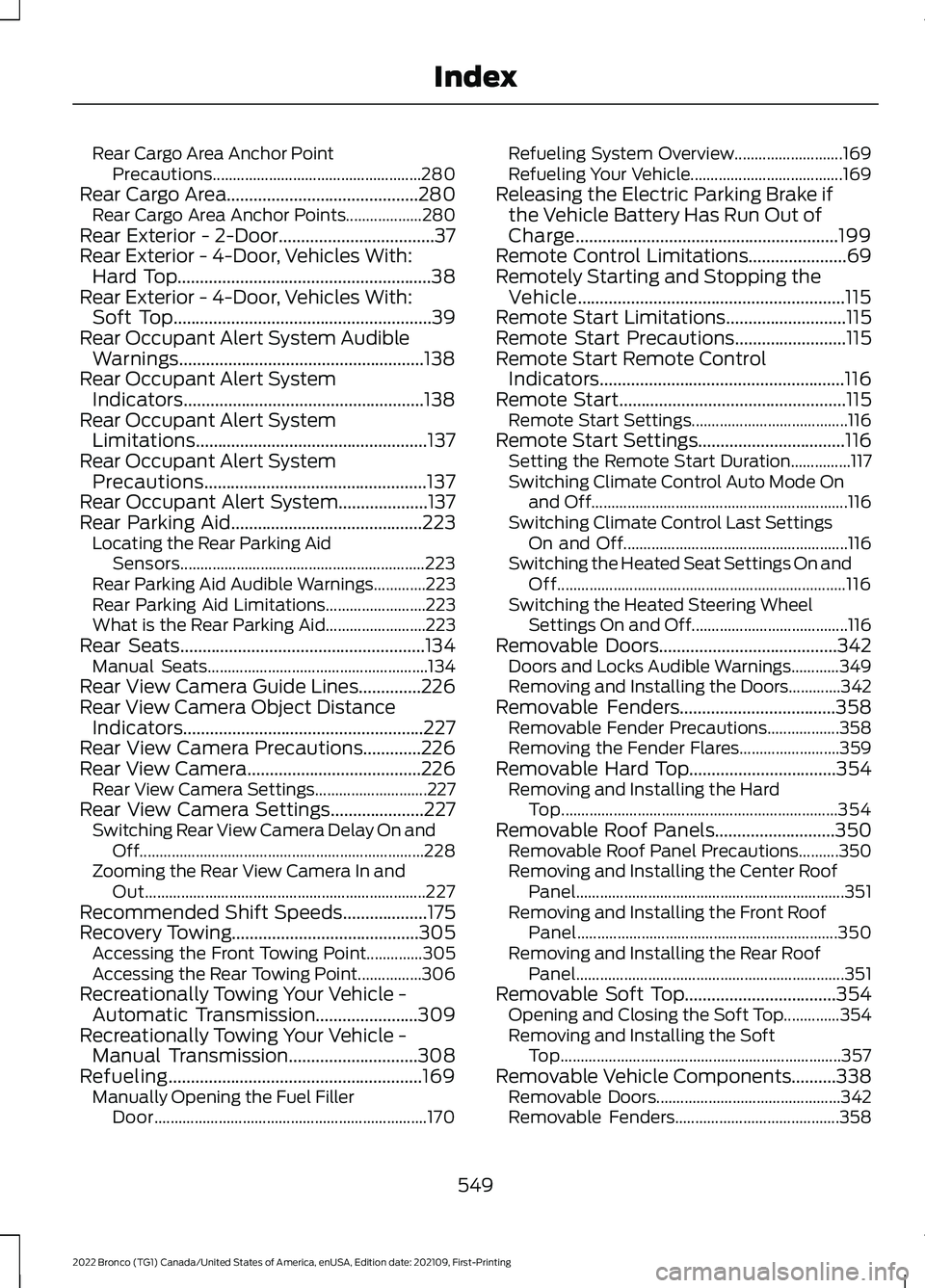
Rear Cargo Area Anchor PointPrecautions....................................................280Rear Cargo Area...........................................280Rear Cargo Area Anchor Points...................280Rear Exterior - 2-Door...................................37Rear Exterior - 4-Door, Vehicles With:Hard Top.........................................................38Rear Exterior - 4-Door, Vehicles With:Soft Top..........................................................39Rear Occupant Alert System AudibleWarnings.......................................................138Rear Occupant Alert SystemIndicators......................................................138Rear Occupant Alert SystemLimitations....................................................137Rear Occupant Alert SystemPrecautions..................................................137Rear Occupant Alert System....................137Rear Parking Aid...........................................223Locating the Rear Parking AidSensors.............................................................223Rear Parking Aid Audible Warnings.............223Rear Parking Aid Limitations.........................223What is the Rear Parking Aid.........................223Rear Seats.......................................................134Manual Seats.......................................................134Rear View Camera Guide Lines..............226Rear View Camera Object DistanceIndicators......................................................227Rear View Camera Precautions.............226Rear View Camera.......................................226Rear View Camera Settings............................227Rear View Camera Settings.....................227Switching Rear View Camera Delay On andOff.......................................................................228Zooming the Rear View Camera In andOut......................................................................227Recommended Shift Speeds...................175Recovery Towing..........................................305Accessing the Front Towing Point..............305Accessing the Rear Towing Point................306Recreationally Towing Your Vehicle -Automatic Transmission.......................309Recreationally Towing Your Vehicle -Manual Transmission.............................308Refueling.........................................................169Manually Opening the Fuel FillerDoor....................................................................170
Refueling System Overview...........................169Refueling Your Vehicle......................................169Releasing the Electric Parking Brake ifthe Vehicle Battery Has Run Out ofCharge...........................................................199Remote Control Limitations......................69Remotely Starting and Stopping theVehicle............................................................115Remote Start Limitations...........................115Remote Start Precautions.........................115Remote Start Remote ControlIndicators.......................................................116Remote Start...................................................115Remote Start Settings.......................................116Remote Start Settings.................................116Setting the Remote Start Duration...............117Switching Climate Control Auto Mode Onand Off................................................................116Switching Climate Control Last SettingsOn and Off........................................................116Switching the Heated Seat Settings On andOff........................................................................116Switching the Heated Steering WheelSettings On and Off.......................................116Removable Doors........................................342Doors and Locks Audible Warnings............349Removing and Installing the Doors.............342Removable Fenders...................................358Removable Fender Precautions..................358Removing the Fender Flares.........................359Removable Hard Top.................................354Removing and Installing the HardTop.....................................................................354Removable Roof Panels...........................350Removable Roof Panel Precautions..........350Removing and Installing the Center RoofPanel...................................................................351Removing and Installing the Front RoofPanel.................................................................350Removing and Installing the Rear RoofPanel...................................................................351Removable Soft Top..................................354Opening and Closing the Soft Top..............354Removing and Installing the SoftTop......................................................................357Removable Vehicle Components..........338Removable Doors..............................................342Removable Fenders.........................................358
549
2022 Bronco (TG1) Canada/United States of America, enUSA, Edition date: 202109, First-PrintingIndex
Page 554 of 562
Removable Hard Top.......................................354Removable Roof Panels.................................350Removable Soft Top........................................354Removable Windows.......................................338Removable Windows.................................338Removable Windows Precautions..............338Removing and Installing the Rear QuarterWindows..........................................................338Removing and Installing the RearWindow............................................................340Removing the Key Blade.............................70Removing Your Vehicle FromStorage..........................................................375Repairing Minor Paint Damage...............373Replacement PartsRecommendation....................................504Replacing a Lost Key or RemoteControl..............................................................71Replacing the Cabin Air Filter...................126Replacing the Front Wiper Blades............91Replacing the Rear Wiper Blades............92Reporting Safety Defects inCanada...........................................................471Reporting Safety Defects in the UnitedStates.............................................................471Reprogramming the Garage DoorOpener...........................................................142Restarting the Engine - AutomaticTransmission...............................................163Restarting the Engine - ManualTransmission...............................................162Resuming the Set Speed..........................233Reverse Wipe..................................................90Reverse Wipe Settings.......................................90What Is Reverse Wipe........................................90Roadside Assistance...................................301Rollover Warning.........................................469Roof Rack........................................................276Adjusting a Roof Rack Crossbar...................278Removing and Installing the RoofRack....................................................................276Roof Rack Load Capacities............................278Roof Rack Precautions....................................276Route Guidance...........................................448Adjusting the Guidance PromptVolume.............................................................448Canceling Route Guidance............................449Repeating an Instruction................................449
Route Guidance Settings...............................449Running-InSee: Breaking-In.................................................298Running Out of Fuel....................................168Adding Fuel From a Portable FuelContainer..........................................................168Filling a Portable Fuel Container..................168
S
Satellite Radio..............................................426Locating the Satellite Radio IdentificationNumber.............................................................427Satellite Radio Limitations............................426Satellite Radio Settings...................................427Selecting a Channel..........................................427What Is Satellite Radio....................................426Scheduled Maintenance..........................459Seatbelt Extensions.......................................57Seatbelt Precautions....................................52Seatbelt Reminder........................................54How Does the Seatbelt ReminderWork.....................................................................54Seatbelt Reminder Indicators.........................55Switching the Seatbelt Reminder On andOff.........................................................................56Seatbelts...........................................................52Automatic Locking Mode..................................54Seatbelt Reminder..............................................54Sensitive Locking Mode.....................................53Security..............................................................87Passive Anti-Theft System...............................87Security – Troubleshooting..............................87Security – Troubleshooting........................87Security – Frequently AskedQuestions...........................................................88Security – Information Messages..................87Selecting a Four-Wheel Drive Mode - 4x4with Part Time Engagement.................184Selecting a Four-Wheel Drive Mode -Advanced 4x4 with 4A Mode...............185Selecting a G.O.A.T. Mode.........................242Selecting the Audio Source.....................422Sending and Receiving a TextMessage........................................................441Sensitive Locking Mode...............................53How Does Sensitive Locking ModeWork.....................................................................53
550
2022 Bronco (TG1) Canada/United States of America, enUSA, Edition date: 202109, First-PrintingIndex