brake sensor FORD BRONCO SPORT 2021 User Guide
[x] Cancel search | Manufacturer: FORD, Model Year: 2021, Model line: BRONCO SPORT, Model: FORD BRONCO SPORT 2021Pages: 471, PDF Size: 7 MB
Page 202 of 471
Switching Adaptive Cruise Control
On
Press the button to set the
system in standby mode.
The indicator, current gap setting and set
speed appear in the information display.
Switching Adaptive Cruise Control
Off Press the button when the
system is in standby mode, or
switch the ignition off.
Note: You erase the set speed when you
switch the system off.
Automatic Cancellation or
Deactivation
The system may cancel if:
• The tires lose traction.
• You apply the parking brake.
The system may cancel and set the parking
brake if:
• You unbuckle the seatbelt and open
the driver door after you stop your
vehicle.
• Your vehicle is at a stop continuously
for more than three minutes.
The system may deactivate or prevent
activating when requested if:
• The vehicle has a blocked sensor.
• The brake temperature is too high.
• There is a failure in the system or a
related system.
SETTING THE ADAPTIVE
CRUISE CONTROL SPEED
Drive to the speed you prefer. Press the toggle button upward
or downward to set the current
speed.
Take your foot off the accelerator pedal.
The indicator, current gap setting and set
speed appear in the information display. A vehicle image illuminates if there is a
vehicle detected in front of you.
Note:
When adaptive cruise control is
active, the speedometer may vary slightly
from the set speed displayed in the
information display.
Setting the Adaptive Cruise Speed
from a Complete Stop Press the toggle button upward
or downward while keeping the
brake pedal fully pressed.
The set speed adjusts to 20 mph
(30 km/h).
The indicator, current gap setting and set
speed appear in the information display.
Manually Changing the Set Speed Press and release the toggle
button upward to increase the
set speed in small increments.
199
Bronco Sport (CHD) Canada/United States of America, enUSA, Edition date: 202007, Second-Printing Adaptive Cruise Control
(If Equipped)E323440 E323440 E338558
Page 208 of 471
Action
Message
The radar is blocked because of poor radar visibility due to
inclement weather or ice, mud, or water in front of the radar. You can typically clean the sensor to resolve this.
Adaptive Cruise Not
Available Sensor
Blocked See Manual Due to the nature of radar technology, it is possible to get ablockage warning with no actual block. This happens, for
example, when driving in sparse rural or desert environments.
A false blocked condition either self clears, or clears after you restart your vehicle.
You have selected normal cruise control. The system does not brake or react to traffic.
Normal Cruise Active
Adaptive Braking Off
Displays when the adaptive cruise is going to cancel and youmust take control.
Adaptive Cruise - Driver
Resume Control
Displays when the vehicle speed is too slow to activate theadaptive cruise and there is no lead vehicle in range.
Adaptive Cruise Speed
Too Low to Activate
Lane Centering Information Messages Action
Message
Make sure you return your hands to the steering wheel andprovide steering input.
Keep Hands on Steering
Wheel
Conditions exist preventing the system from being available.
Lane Centering Assist
Not Available
Adaptive cruise control must be on before lane centering can be switched on.
For Lane Centering
Assist to work Turn On Adaptive Cruise
Intelligent Adaptive Cruise Control Information Messages (If Equipped) Action
Message
Conditions exist preventing the system from being available.
Intelligent Cruise Control
Speed Sign Recognition Not Available
205
Bronco Sport (CHD) Canada/United States of America, enUSA, Edition date: 202007, Second-Printing Adaptive Cruise Control
(If Equipped)
Page 222 of 471
WARNING: The system may fail or
operate with reduced function during
cold and severe weather conditions.
Snow, ice, rain, spray and fog can
adversely affect the system. Keep the
front camera and radar free of snow and
ice. Failure to take care may result in the
loss of control of your vehicle, serious
personal injury or death. WARNING: Some situations and
objects prevent hazard detection. For
example low or direct sunlight, inclement
weather, unconventional vehicle types,
and pedestrians. Apply the brakes when
necessary. Failure to follow this
instruction could result in the loss of
control of your vehicle, personal injury or
death. WARNING:
The system cannot
help prevent all crashes. Do not rely on
this system to replace driver judgment
and the need to maintain a safe distance
and speed.
Using the Pre-Collision Assist
System
The system is active at speeds above
3 mph (5 km/h) and pedestrian detection
is active at speeds up to
50 mph
(80 km/h). If your vehicle is rapidly approaching
another stationary vehicle, a vehicle
traveling in the same direction as yours, or
a pedestrian within your driving path, the
system provides three levels of
functionality:
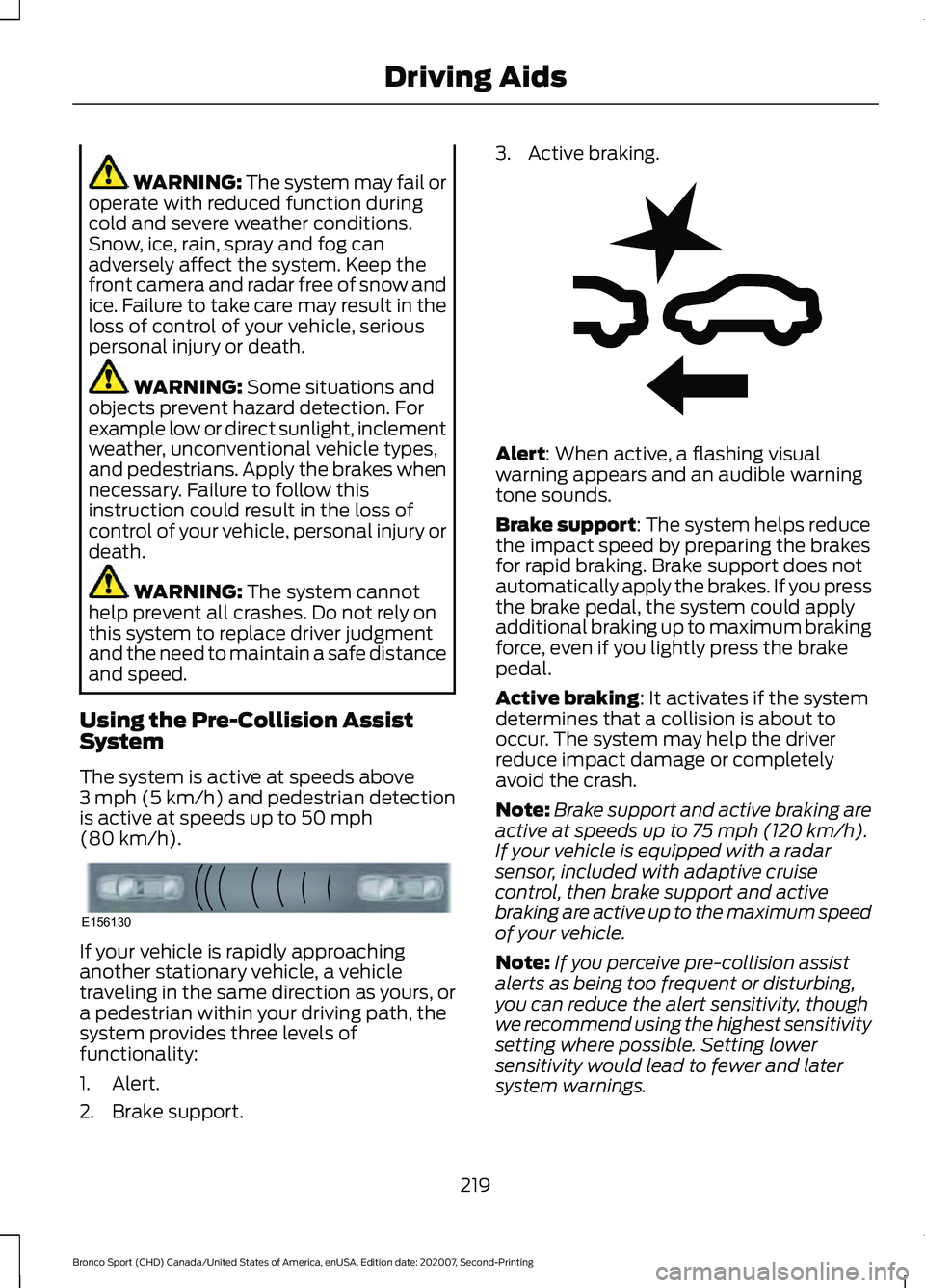
1. Alert.
2. Brake support. 3. Active braking.
Alert
: When active, a flashing visual
warning appears and an audible warning
tone sounds.
Brake support
: The system helps reduce
the impact speed by preparing the brakes
for rapid braking. Brake support does not
automatically apply the brakes. If you press
the brake pedal, the system could apply
additional braking up to maximum braking
force, even if you lightly press the brake
pedal.
Active braking
: It activates if the system
determines that a collision is about to
occur. The system may help the driver
reduce impact damage or completely
avoid the crash.
Note: Brake support and active braking are
active at speeds up to
75 mph (120 km/h).
If your vehicle is equipped with a radar
sensor, included with adaptive cruise
control, then brake support and active
braking are active up to the maximum speed
of your vehicle.
Note: If you perceive pre-collision assist
alerts as being too frequent or disturbing,
you can reduce the alert sensitivity, though
we recommend using the highest sensitivity
setting where possible. Setting lower
sensitivity would lead to fewer and later
system warnings.
219
Bronco Sport (CHD) Canada/United States of America, enUSA, Edition date: 202007, Second-Printing Driving AidsE156130 E255268
Page 319 of 471
How Temperature Affects Your Tire
Pressure
The tire pressure monitoring system
monitors tire pressure in each pneumatic
tire. While driving in a normal manner, a
typical passenger tire inflation pressure
may increase about 2
–4 psi (14– 28 kPa)
from a cold start situation. If the vehicle is
stationary overnight with the outside
temperature significantly lower than the
daytime temperature, the tire pressure may
decrease about 3 psi (21 kPa) for a drop of
30°F (17°C) in ambient temperature. This
lower pressure value may be detected by
the tire pressure monitoring system as
being significantly lower than the
recommended inflation pressure and
activate the system warning light for low
tire pressure. If the low tire pressure
warning light is on, visually check each tire
to verify that no tire is flat. If one or more
tires are flat, repair as necessary. Check
the air pressure in the road tires. If any tire
is under-inflated, carefully drive the vehicle
to the nearest location where air can be
added to the tires. Inflate all the tires to
the recommended inflation pressure.
CHANGING A ROAD WHEEL WARNING:
The tire pressure
monitoring system is not a substitute for
manually checking tire pressures. You
should periodically check tire pressures
using a pressure gauge. Failure to
correctly maintain tire pressures could
increase the risk of tire failure, loss of
control, vehicle rollover and personal
injury. WARNING:
If the tire pressure
monitor sensor becomes damaged it
may not function. Note:
Only use tire sealants in roadside
emergencies as they may cause damage to
the tire pressure monitoring system sensor.
Note: The tire pressure monitoring system
indicator light illuminates when the spare
tire is in use. To restore the full function of
the monitoring system, all road wheels
equipped with tire pressure monitoring
sensors must be mounted on the vehicle.
If you get a flat tire when driving, do not
apply the brake heavily. Instead, gradually
decrease your speed. Hold the steering
wheel firmly and slowly move to a safe
place on the side of the road.
Have a flat serviced by an authorized
dealer in order to prevent damage to the
tire pressure monitoring system sensors.
See
Tire Pressure Monitoring System
(page 312). Replace the spare tire with a
road tire as soon as possible. During
repairing or replacing of the flat tire, have
the authorized dealer inspect the tire
pressure monitoring system sensor for
damage.
Dissimilar Spare Wheel and Tire
Assembly Information WARNING:
Failure to follow these
guidelines could result in an increased
risk of loss of vehicle control, injury or
death.
If you have a dissimilar spare wheel and
tire, then it is intended for temporary use
only. This means that if you need to use it,
you should replace it as soon as possible
with a road wheel and tire assembly that
is the same size and type as the road tires
and wheels that we provided with the
vehicle. If the dissimilar spare tire or wheel
is damaged, replace it instead of repairing
it.
316
Bronco Sport (CHD) Canada/United States of America, enUSA, Edition date: 202007, Second-Printing Wheels and Tires
Page 456 of 471
1
180 Degree Camera......................................191
Camera Views...................................................... 192
Using the System................................................ 192
4
4WD See: Four-Wheel Drive...................................... 172
9
911 Assist.............................................................51
A
A/C See: Climate Control - Vehicles With: Dual
Automatic Temperature Control
(DATC)................................................................ 121
See: Climate Control - Vehicles With: Electronic Automatic Temperature Control
(EATC)................................................................ 125
See: Climate Control - Vehicles With: Manual Temperature Control.................................... 129
About This Manual...........................................9
ABS See: Brakes............................................................ 176
ABS driving hints See: Hints on Driving With Anti-Lock
Brakes................................................................. 176
Accessories....................................................393
Accessories See: Replacement Parts
Recommendation............................................ 16
Adaptive Cruise Control
.............................195
Adaptive Cruise Control –
Troubleshooting............................................ 204
Adaptive Cruise Control Indicators........201 Intelligent Adaptive Cruise Control
Indicators......................................................... 202
Lane Centering Indicators............................... 201
Adaptive Cruise Control Limitations...................................................196
Lane Centering Limitations............................ 198
Sensor Limitations............................................. 196Adaptive Cruise Control
Precautions..................................................195
Hilly Condition Usage....................................... 196
Lane Centering Precautions........................... 196
When Following a Vehicle............................... 196
Adaptive Cruise Control – Troubleshooting
........................................204
Adaptive Cruise Control – Information
Messages......................................................... 204
Adjusting the Headlamps
........................284
Horizontal Aim Adjustment........................... 285
Vertical Aim Adjustment................................ 284
Adjusting the Luggage Compartment Divider...........................................................233
Divider Position................................................... 234
Folded Shelf Position....................................... 233
Full Shelf Position.............................................. 233
Storage Position................................................. 234
Table Position...................................................... 233
Adjusting the Luggage Compartment Load Floor
....................................................233
Adjusting the Set Speed Tolerance.....................................................204
Adjusting the Steering Wheel....................74
Airbag Disposal..............................................50
Air Conditioning See: Climate Control - Vehicles With: Dual
Automatic Temperature Control
(DATC)................................................................ 121
See: Climate Control - Vehicles With: Electronic Automatic Temperature Control
(EATC)................................................................ 125
See: Climate Control - Vehicles With: Manual Temperature Control.................................... 129
Air Conditioning System Capacity and Specification - 1.5L EcoBoost™..........334
Air Conditioning System Capacity and Specification - 2.0L EcoBoost™.........333
Air Filter See: Changing the Engine Air Filter.............276
Alarm See: Anti-Theft Alarm......................................... 72
Ambient Lighting...........................................85 Adjusting the Brightness................................... 85
Switching Ambient Lighting Off..................... 85
Switching Ambient Lighting On..................... 85
Anti-Theft Alarm
.............................................72
Arming the Alarm................................................. 73
453
Bronco Sport (CHD) Canada/United States of America, enUSA, Edition date: 202007, Second-Printing Index
Page 457 of 471
Disarming the Alarm...........................................
73
Appendices...................................................405
Apps..................................................................376 SiriusXM Traffic and Travel Link.................... 377
Using Apps on an Android Device................377
Using Apps on an iOS Device........................ 376
Using Mobile Navigation on an Android Device................................................................. 377
At a Glance.......................................................20
Audible Warnings and Indicators.............98
Headlamps On Warning Chime..................... 98
Key in Ignition Warning Chime........................ 98
Keyless Warning Alert........................................ 98
Parking Brake On Warning Chime.................98
Audio Control
...................................................74
You can operate the following functions
with the control:............................................... 74
Audio System
................................................342
General Information......................................... 342
Audio Unit.......................................................342 Adjusting the Volume....................................... 343
Changing Radio Stations................................ 343
Muting the Audio............................................... 343
Pausing or Playing Media............................... 343
Switching the Audio Unit On and Off........343
Switching the Display On and Off...............343
Using Seek, Fast Forward and Reverse............................................................. 343
Auto Hold
.........................................................179
Auto Hold Indicator........................................... 180
Switching Auto Hold On and Off.................. 179
Using Auto Hold.................................................. 180
Autolamps
.........................................................81
Windshield Wiper Activated
Headlamps......................................................... 81
Automatic High Beam Control.................86
Automatic High Beam Control Indicators.......................................................86
Automatic Transmission
...........................166
Automatic Return to Park............................... 168
Drive (D)................................................................. 167
If Your Vehicle Gets Stuck in Mud or Snow.................................................................... 171
Low(L)..................................................................... 167
Manual (M)........................................................... 167
Manual Park Release........................................ 169
Neutral (N)............................................................ 167
Park (P).................................................................. 167Reverse (R)............................................................
167
SelectShift............................................................. 167
Stay in Neutral Mode........................................ 168
Understanding the Shift Positions of Your Automatic Transmission............................ 166
Automatic Transmission Fluid Check.............................................................281
Auto Mode.......................................................123 Auto Mode Indicators........................................ 123
Switching Auto Mode On and Off................123
Switching Dual Mode On and Off................124
Auto-Start-Stop............................................153 Disabling Auto-Start-Stop............................. 154
Enabling Auto-Start-Stop............................... 153
Autowipers........................................................77 Autowipers Settings............................................ 78
B
Battery See: Changing the 12V Battery..................... 282
Blind Spot Information System................211 Blind Spot Information System
Indicator............................................................. 212
Blind Spot Information System Information Messages.......................................................... 213
Blind Spot Information System Sensors.............................................................. 212
Switching the Blind Spot Information System On and Off........................................ 212
Using the Blind Spot Information System............................................................... 212
BLIS See: Blind Spot Information System............211
Bonnet Lock See: Opening and Closing the Hood............271
Booster Seats..................................................28 Types of Booster Seats...................................... 29
Brake Fluid Check.........................................281 Brake Fluid Service Interval............................ 282
Brake Fluid Specification..........................335
Brakes................................................................176 General Information........................................... 176
Breaking-In.....................................................248 Brakes and Clutch............................................. 248
Tires........................................................................\
248
Bulb Specification Chart...........................326
454
Bronco Sport (CHD) Canada/United States of America, enUSA, Edition date: 202007, Second-Printing Index