fuel FORD BRONCO SPORT 2021 User Guide
[x] Cancel search | Manufacturer: FORD, Model Year: 2021, Model line: BRONCO SPORT, Model: FORD BRONCO SPORT 2021Pages: 471, PDF Size: 7 MB
Page 96 of 471
WARNING: Do not remove the
coolant reservoir cap when the engine is
on or the cooling system is hot. Wait 10
minutes for the cooling system to cool
down. Cover the coolant reservoir cap
with a thick cloth to prevent the
possibility of scalding and slowly remove
the cap. Failure to follow this instruction
could result in personal injury.
Fuel Gauge
The fuel gauge indicates about how much
fuel is in the fuel tank. The arrow adjacent to the fuel pump
symbol indicates on which side of your
vehicle the fuel filler door is located.
Note:
The fuel gauge may vary slightly
when your vehicle is moving or on a slope.
Low Fuel Reminder
A low fuel level reminder displays and
sounds when the distance to empty
reaches
75 mi (120 km) to empty for
MyKey, and at 50 mi (80 km), 25 mi
(40 km), 10 mi (20 km) and 0 mi (0 km)
for all vehicle keys.
Note: The low fuel reminder can appear at
different fuel gauge positions depending on
fuel economy conditions. This variation is
normal.
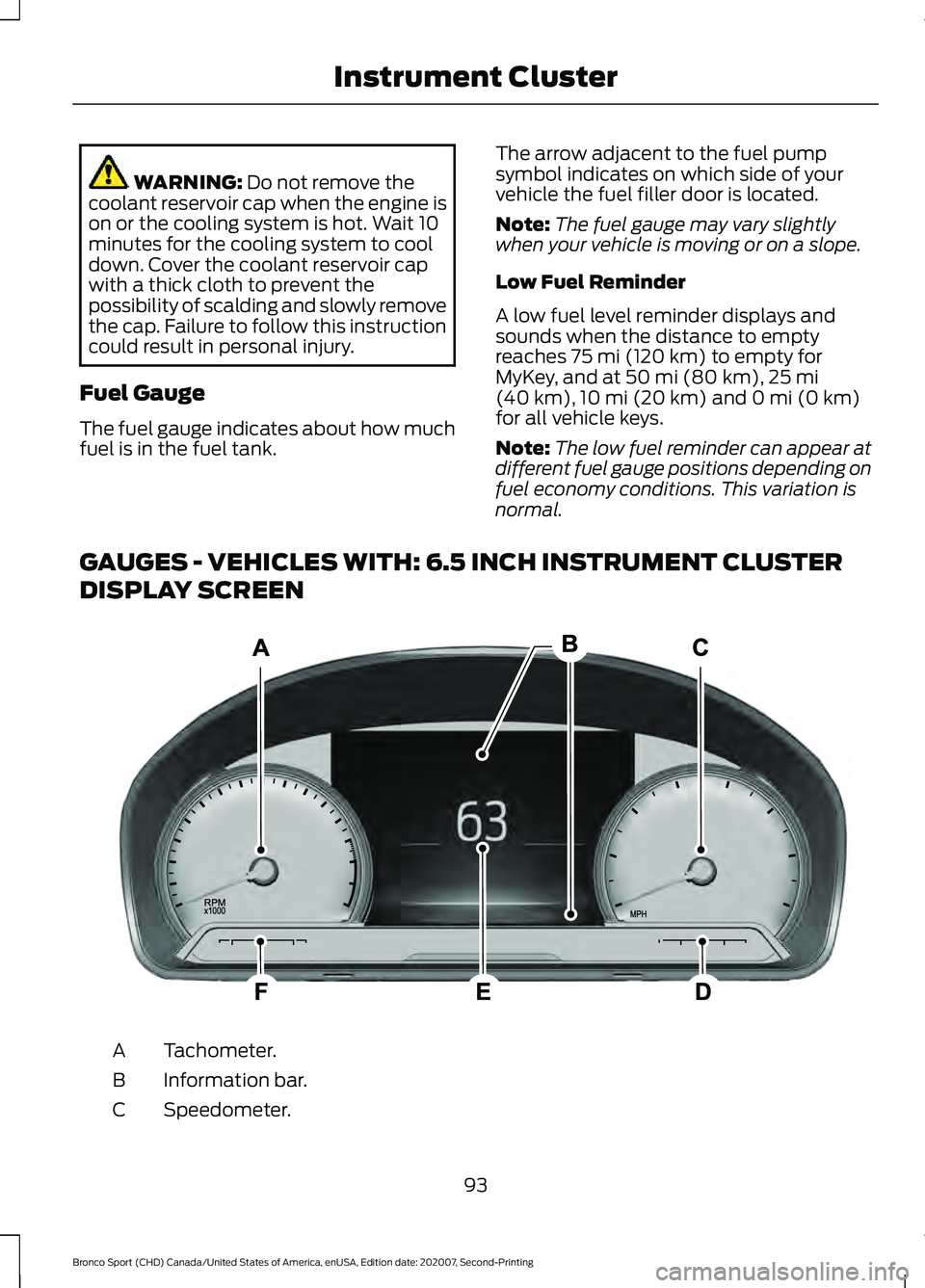
GAUGES - VEHICLES WITH: 6.5 INCH INSTRUMENT CLUSTER
DISPLAY SCREEN Tachometer.
A
Information bar.
B
Speedometer.
C
93
Bronco Sport (CHD) Canada/United States of America, enUSA, Edition date: 202007, Second-Printing Instrument ClusterE282067
Page 97 of 471
Fuel gauge.
D
Information display.
E
Engine coolant temperature gauge.
F
Information Bar
Displays information related to the
navigation, outside air temperature,
odometer and distance to empty.
Information Display
Displays information related to the
navigation, outside air temperature,
odometer and distance to empty.
Fuel Gauge
The fuel gauge indicates about how much
fuel is in the fuel tank.
The arrow adjacent to the fuel pump
symbol indicates on which side of your
vehicle the fuel filler door is located.
Note: The fuel gauge may vary slightly
when your vehicle is moving or on a slope.
Low Fuel Reminder
A low fuel level reminder displays and
sounds when the distance to empty
reaches 75 mi (120 km) to empty for
MyKey, and at 50 mi (80 km), 25 mi
(40 km), 10 mi (20 km) and 0 mi (0 km)
for all vehicle keys.
Note: The low fuel reminder can appear at
different fuel gauge positions depending on
fuel economy conditions. This variation is
normal. Distance to Empty
Indicates the approximate distance your
vehicle can travel on the fuel remaining in
the tank. Changes in driving pattern can
cause the value to not only decrease but
also increase or stay constant for periods
of time.
Engine Coolant Temperature
Gauge WARNING:
Do not remove the
coolant reservoir cap when the engine is
on or the cooling system is hot. Wait 10
minutes for the cooling system to cool
down. Cover the coolant reservoir cap
with a thick cloth to prevent the
possibility of scalding and slowly remove
the cap. Failure to follow this instruction
could result in personal injury.
Indicates engine coolant temperature. At
normal operating temperature, the level
indicator will be in the normal range. If the
engine coolant temperature exceeds the
normal range, stop your vehicle as soon as
safely possible, switch off the engine and
let the engine cool.
94
Bronco Sport (CHD) Canada/United States of America, enUSA, Edition date: 202007, Second-Printing Instrument Cluster
Page 100 of 471
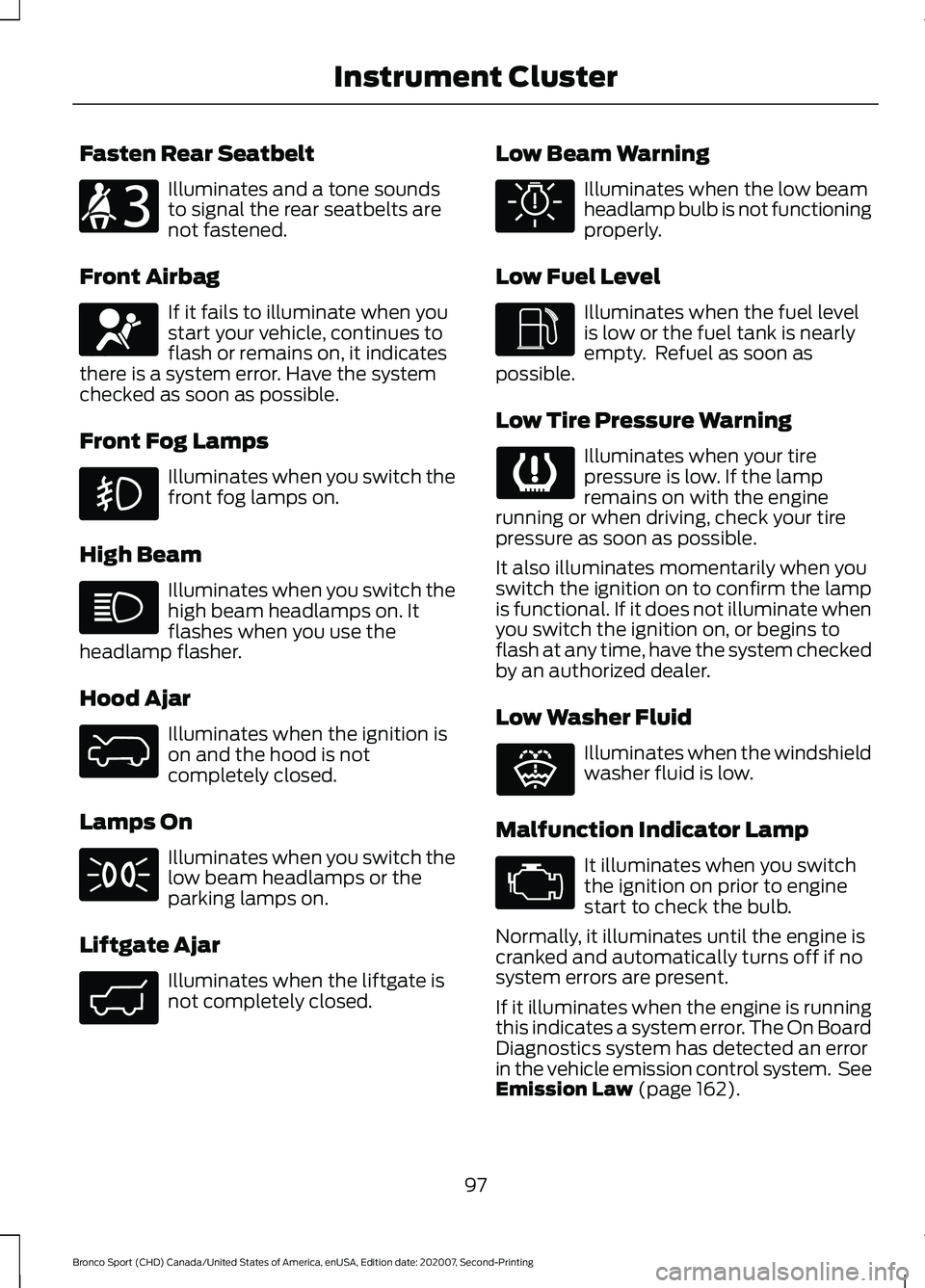
Fasten Rear Seatbelt
Illuminates and a tone sounds
to signal the rear seatbelts are
not fastened.
Front Airbag If it fails to illuminate when you
start your vehicle, continues to
flash or remains on, it indicates
there is a system error. Have the system
checked as soon as possible.
Front Fog Lamps Illuminates when you switch the
front fog lamps on.
High Beam Illuminates when you switch the
high beam headlamps on. It
flashes when you use the
headlamp flasher.
Hood Ajar Illuminates when the ignition is
on and the hood is not
completely closed.
Lamps On Illuminates when you switch the
low beam headlamps or the
parking lamps on.
Liftgate Ajar Illuminates when the liftgate is
not completely closed. Low Beam Warning Illuminates when the low beam
headlamp bulb is not functioning
properly.
Low Fuel Level Illuminates when the fuel level
is low or the fuel tank is nearly
empty. Refuel as soon as
possible.
Low Tire Pressure Warning Illuminates when your tire
pressure is low. If the lamp
remains on with the engine
running or when driving, check your tire
pressure as soon as possible.
It also illuminates momentarily when you
switch the ignition on to confirm the lamp
is functional. If it does not illuminate when
you switch the ignition on, or begins to
flash at any time, have the system checked
by an authorized dealer.
Low Washer Fluid Illuminates when the windshield
washer fluid is low.
Malfunction Indicator Lamp It illuminates when you switch
the ignition on prior to engine
start to check the bulb.
Normally, it illuminates until the engine is
cranked and automatically turns off if no
system errors are present.
If it illuminates when the engine is running
this indicates a system error. The On Board
Diagnostics system has detected an error
in the vehicle emission control system. See
Emission Law (page 162).
97
Bronco Sport (CHD) Canada/United States of America, enUSA, Edition date: 202007, Second-Printing Instrument ClusterE206718 E67017 E325774 E323454 E325579 E325771 E132353
Page 103 of 471
Trip Menu
Trip Menu
Trip 1
Trip 2 Select Your Setting
Reset Individual Values
Select Your Setting
Configure View
• Trip Odometer - Registers the distance traveled of individual journeys or the total
distance since the function was last reset.
• Trip Timer - Registers the elapsed time of individual journeys or the total time since
the function was last reset.
• Average Fuel - Indicates the average fuel consumption of individual journeys or the
average fuel consumption since the function was last reset.
• Average Speed - Indicates the average vehicle speed of individual journeys or the
average vehicle speed since the function was last reset.
• Distance to Empty - Indicates the approximate distance your vehicle can travel on
the fuel remaining in the tank. Changes in driving pattern can cause the value to not
only decrease but also increase or stay constant for periods of time.
Note: Press and hold the OK button to reset your trip information.
MyView MyView
Digital Speedometer
Fuel Economy
Trip/Audio
Calm Screen
Navigation Navigation
Menu options covered in the SYNC chapter. See General Information (page 350).
100
Bronco Sport (CHD) Canada/United States of America, enUSA, Edition date: 202007, Second-Printing Information Displays
Page 106 of 471
Display Setup
Display Setup
Speedometer km/h
Speedometer MPH
Note: Additional display settings are
available through your touchscreen. See
Settings (page 378).
PERSONALIZED SETTINGS
Select one of these options to display on
your main screen. Note:
Some options could appear slightly
different or not at all if the items are
optional. Select Screens
Calm Screen
Fuel Economy
Trip 1
Trip 2
Tire Pressure
Intelligent 4WD
Off Road
Trailer Light Check
Seatbelts
Auto StartStop
Now Playing
After making your selection:
1. Select a setting and press the
OK
button. This offers more information
on the feature.
2. Select fuel economy, trip 1 or trip 2 to reset. Press and hold the
OK button
for a few seconds. Fuel Economy
An Instant Fuel Economy gauge is provided
along with average fuel economy. Average
fuel economy is continuously averaged
since the last reset.
103
Bronco Sport (CHD) Canada/United States of America, enUSA, Edition date: 202007, Second-Printing Information Displays
Page 107 of 471
Note:
When viewing this screen you can
reset your average fuel economy. Hold OK
to reset fuel history and average fuel
economy.
Trip 1 and 2
Provides trip timer, trip average fuel
economy and total trip distance traveled.
For hybrid vehicles, the trip also shows the
distance traveled on electric power only.
INFORMATION MESSAGES
Depending on your vehicle options and
instrument cluster type, not all messages
display or are available. Note:
The system abbreviates or shortens
certain messages. Press the
OK button to acknowledge and
remove some messages from the
information display. The system removes
other messages after a short time.
You need to confirm certain messages
before you can access the menus.
Adaptive Cruise Control Action
Message
A radar malfunction is preventing the adaptive cruise from engaging.
Adaptive Cruise
Malfunction
Front Sensor Not Aligned Conditions exist such that the adaptive cruise cannot properlyfunction.
Adaptive Cruise Not
Available
Bad weather, ice, mud or water is causing poor radar visibilityand is blocking the radar sensor. You can typically clean the sensor to resolve.
Adaptive Cruise Not
Available Sensor
Blocked See Manual
Displays when automatic braking disables.
Normal Cruise Active
Adaptive Braking Off
Displays when the adaptive cruise system reinstates controlto the driver.
Adaptive Cruise - Driver
Resume Control
Displays when the vehicle speed is too slow to activate theadaptive cruise.
Adaptive Cruise Speed
Too Low to Activate
104
Bronco Sport (CHD) Canada/United States of America, enUSA, Edition date: 202007, Second-Printing Information DisplaysE222314
Page 112 of 471
Action
Message
Displays when you have the power transfer unit fluid changed and reset to new.
4WD Power Transfer
Unit Lube Set to New
The selected drive mode does not allow you to turn on therear differential lock feature.
Rear Differential Lock
Not Available in Current Drive Mode
The selected drive mode requires your vehicle to be in four- wheel drive.
4WD Lock Required in
Current Drive Mode
Fuel Action
Message
An early reminder of a low fuel condition.
Fuel Level Low
The fuel fill inlet may not be properly closed.
Check Fuel Fill Inlet
Wait for up to 15 seconds while the fuel system depressurizes.
Fuel Door Opening
The fuel system has finished depressurizing and you can begin
to refuel.
Fuel Door Open
A reminder to close the fuel door. Failure to follow this
instruction can cause the check engine light to illuminate.
Close Fuel Door to Avoid
""Check Engine"" Light
There is an error in attempting to refill your vehicle.
Refuel Error See Manual
Hill Start Assist Action
Message
Hill start assist is not available. Contact an authorized dealer.See Hill Start Assist (page 178).
Hill Start Assist Not
Available
Keys and Intelligent Access Action
Message
A reminder to press the brake when starting your vehicle.
To START Press Brake
The system does not detect the key. See
Keyless Starting
(page 148).
No Key Detected
109
Bronco Sport (CHD) Canada/United States of America, enUSA, Edition date: 202007, Second-Printing Information Displays
Page 121 of 471
WHAT IS REMOTE START
The system allows you to remotely start
your vehicle and to adjust the interior
temperature according to the settings that
you chose.
REMOTE START
PRECAUTIONS
WARNING: Do not start the engine
in a closed garage or in other enclosed
areas. Exhaust fumes are toxic. Always
open the garage door before you start
the engine. Failure to follow this
instruction could result in personal injury
or death.
REMOTE START LIMITATIONS
Remote start does not work under the
following conditions:
• The alarm horn is sounding.
• The hood is open.
• The transmission is not in park (P).
• The ignition is on.
• The battery voltage is below the
minimum operating voltage.
Note: Do not use remote start if your fuel
level is low.
Note: You can use remote start with
FordPass. See Connecting the Vehicle to
a Wi-Fi Network (page 337).
ENABLING REMOTE START
1. Press
Settings on the touchscreen.
2. Press
Vehicle.
3. Press
Remote Start Setup.
4. Switch
System on. Note:
To use remote start, make sure that
the modem is enabled.
See Connected
Vehicle (page 337).
REMOTELY STARTING AND
STOPPING THE VEHICLE
Remotely Starting the Vehicle Press the button on the remote
control.
Within three seconds, press the
button on the remote control.
Within three seconds, press the
button again.
Note: You can also use FordPass to start
the vehicle.
Note: The turn signal lamps flash twice.
Note: The parking lamps turn on when the
vehicle is running.
Note: The horn sounds if the system fails
to start.
Note: All other vehicle systems remain off
when you have remotely started the vehicle.
Note: The vehicle remains secured when
you have remotely started the vehicle. A
valid key must be inside your vehicle to
switch the ignition on and drive your vehicle.
Remotely Stopping the Vehicle Within three seconds, press the
button on the remote control.
Within three seconds, press the
button again.
EXTENDING THE REMOTE
START DURATION
To extend the remote start duration during
remote start, do the following:
118
Bronco Sport (CHD) Canada/United States of America, enUSA, Edition date: 202007, Second-Printing Remote Start
(If Equipped)E138623 E138625 E138625
Page 125 of 471
SWITCHING THE HEATED
WIPER PARK ON AND OFF (IF
EQUIPPED) When you switch the heated rear
window on, the heated wiper
park also turns on.
SWITCHING THE HEATED
REAR WINDOW ON AND OFF Press the button to clear the rear
window of thin ice and fog. The
heated rear window turns off
after a short period of time.
Note: Do not use harsh chemicals, razor
blades or other sharp objects to clean or
remove decals from the inside of the heated
rear window as this could cause damage to
the heated rear window grid lines not
covered by the vehicle Warranty.
SWITCHING THE HEATED
MIRRORS ON AND OFF
(IF
EQUIPPED)
When you switch the heated rear window
on, the heated exterior mirrors turn on.
Note: Do not remove ice from the mirrors
with a scraper or adjust the mirror glass
when it is frozen in place.
Note: Do not clean the mirror housing or
glass with harsh abrasives, fuel or other
petroleum-based cleaning products. The
vehicle warranty may not cover damage
caused to the mirror housing or glass. SETTING THE BLOWER MOTOR
SPEED Note:
Lights on the control illuminate to
indicate the blower motor speed.
Note: When you switch the blower motor
off, air conditioning turns off and the
windows could fog up.
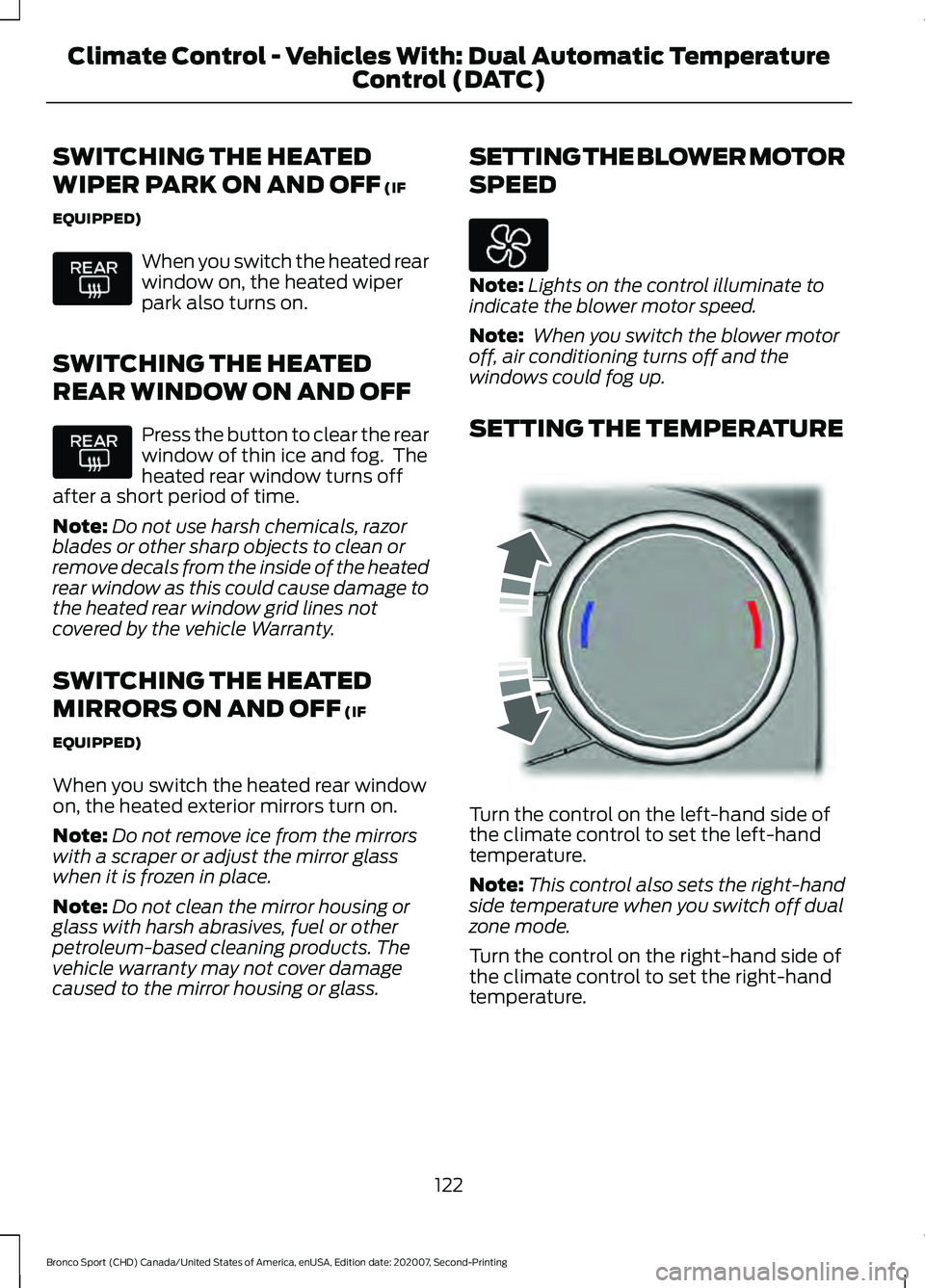
SETTING THE TEMPERATURE Turn the control on the left-hand side of
the climate control to set the left-hand
temperature.
Note:
This control also sets the right-hand
side temperature when you switch off dual
zone mode.
Turn the control on the right-hand side of
the climate control to set the right-hand
temperature.
122
Bronco Sport (CHD) Canada/United States of America, enUSA, Edition date: 202007, Second-Printing Climate Control - Vehicles With: Dual Automatic Temperature
Control (DATC) E244115
Page 129 of 471
SWITCHING THE HEATED
WIPER PARK ON AND OFF (IF
EQUIPPED) When you switch the heated rear
window on, the heated wiper
park also turns on.
SWITCHING THE HEATED
REAR WINDOW ON AND OFF Press the button to clear the rear
window of thin ice and fog. The
heated rear window turns off
after a short period of time.
Note: Do not use harsh chemicals, razor
blades or other sharp objects to clean or
remove decals from the inside of the heated
rear window as this could cause damage to
the heated rear window grid lines not
covered by the vehicle Warranty.
SWITCHING THE HEATED
MIRRORS ON AND OFF
(IF
EQUIPPED)
When you switch the heated rear window
on, the heated exterior mirrors turn on.
Note: Do not remove ice from the mirrors
with a scraper or adjust the mirror glass
when it is frozen in place.
Note: Do not clean the mirror housing or
glass with harsh abrasives, fuel or other
petroleum-based cleaning products. The
vehicle warranty may not cover damage
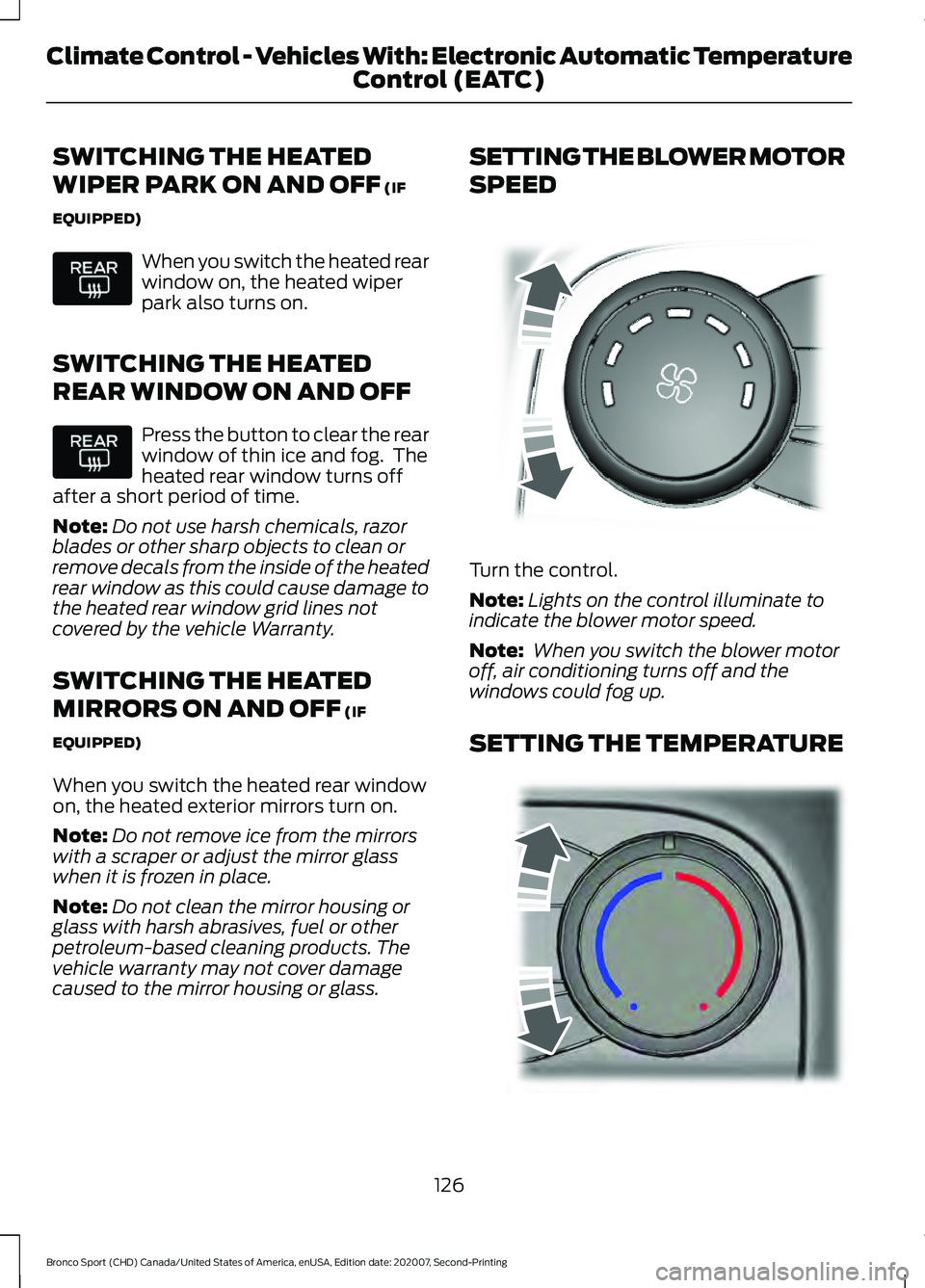
caused to the mirror housing or glass. SETTING THE BLOWER MOTOR
SPEED
Turn the control.
Note:
Lights on the control illuminate to
indicate the blower motor speed.
Note: When you switch the blower motor
off, air conditioning turns off and the
windows could fog up.
SETTING THE TEMPERATURE 126
Bronco Sport (CHD) Canada/United States of America, enUSA, Edition date: 202007, Second-Printing Climate Control - Vehicles With: Electronic Automatic Temperature Control (EATC) E317606 E244106