lights FORD BRONCO SPORT 2021 User Guide
[x] Cancel search | Manufacturer: FORD, Model Year: 2021, Model line: BRONCO SPORT, Model: FORD BRONCO SPORT 2021Pages: 471, PDF Size: 7 MB
Page 194 of 471
Camera System Settings
The rear view camera system settings can
be accessed through the display screen.
See General Information (page 99).
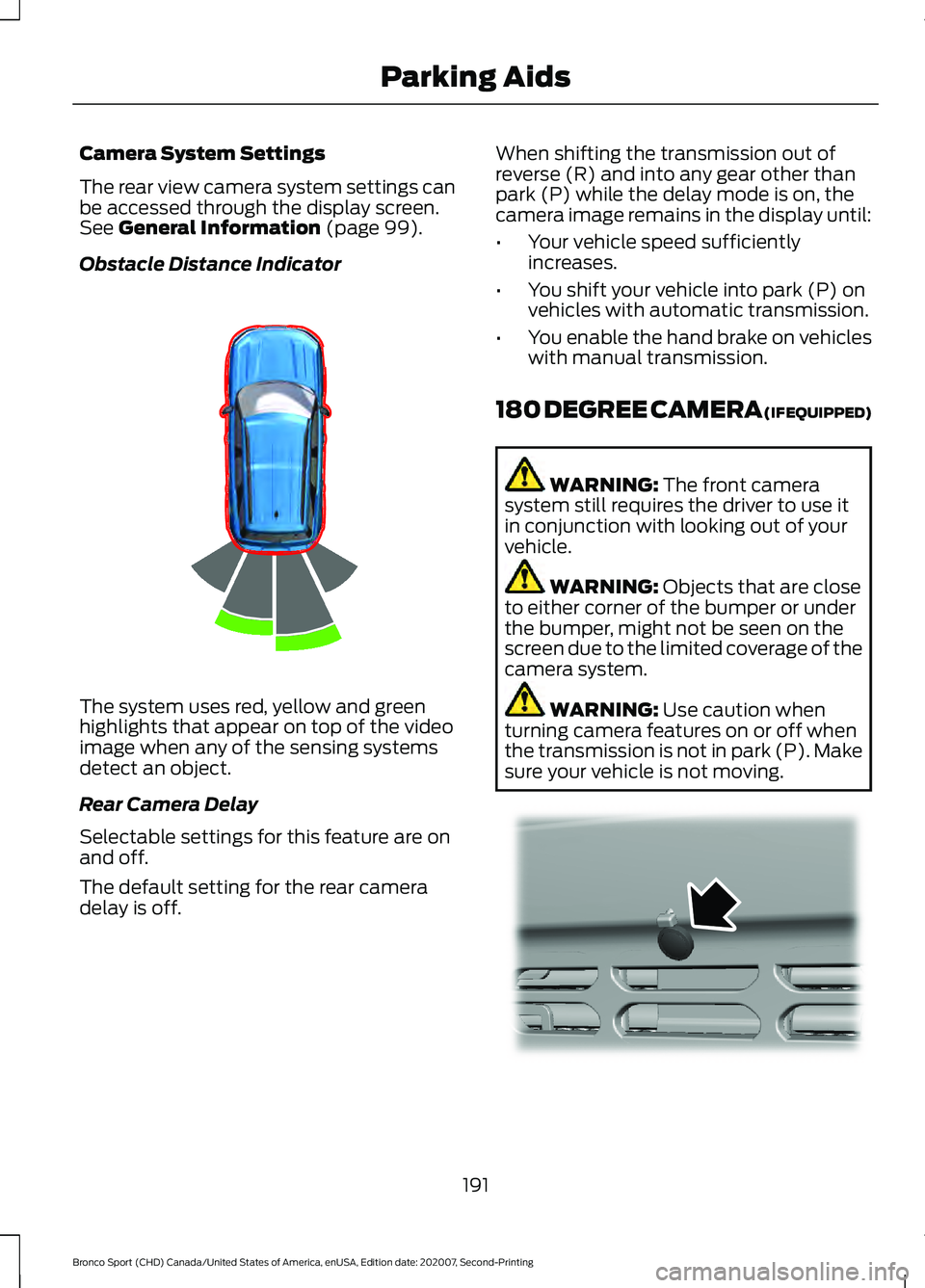
Obstacle Distance Indicator The system uses red, yellow and green
highlights that appear on top of the video
image when any of the sensing systems
detect an object.
Rear Camera Delay
Selectable settings for this feature are on
and off.
The default setting for the rear camera
delay is off. When shifting the transmission out of
reverse (R) and into any gear other than
park (P) while the delay mode is on, the
camera image remains in the display until:
•
Your vehicle speed sufficiently
increases.
• You shift your vehicle into park (P) on
vehicles with automatic transmission.
• You enable the hand brake on vehicles
with manual transmission.
180 DEGREE CAMERA (IF EQUIPPED) WARNING:
The front camera
system still requires the driver to use it
in conjunction with looking out of your
vehicle. WARNING:
Objects that are close
to either corner of the bumper or under
the bumper, might not be seen on the
screen due to the limited coverage of the
camera system. WARNING:
Use caution when
turning camera features on or off when
the transmission is not in park (P). Make
sure your vehicle is not moving. 191
Bronco Sport (CHD) Canada/United States of America, enUSA, Edition date: 202007, Second-Printing Parking AidsE322352 E321541
Page 200 of 471
WARNING: The system only warns
of vehicles detected by the radar and
camera sensors. In some cases there
may be no warning or a delayed warning.
Apply the brakes when necessary. Failure
to follow this instruction could result in
personal injury or death. WARNING:
The system may not
detect stationary or slow moving
vehicles below
6 mph (10 km/h). WARNING:
The system does not
detect pedestrians or objects in the road. WARNING:
The system does not
detect oncoming vehicles in the same
lane. WARNING:
The system may not
operate properly if the sensor is blocked.
Keep the windshield free from
obstruction. WARNING:
The sensor may
incorrectly track lane markings as other
structures or objects. This can result in
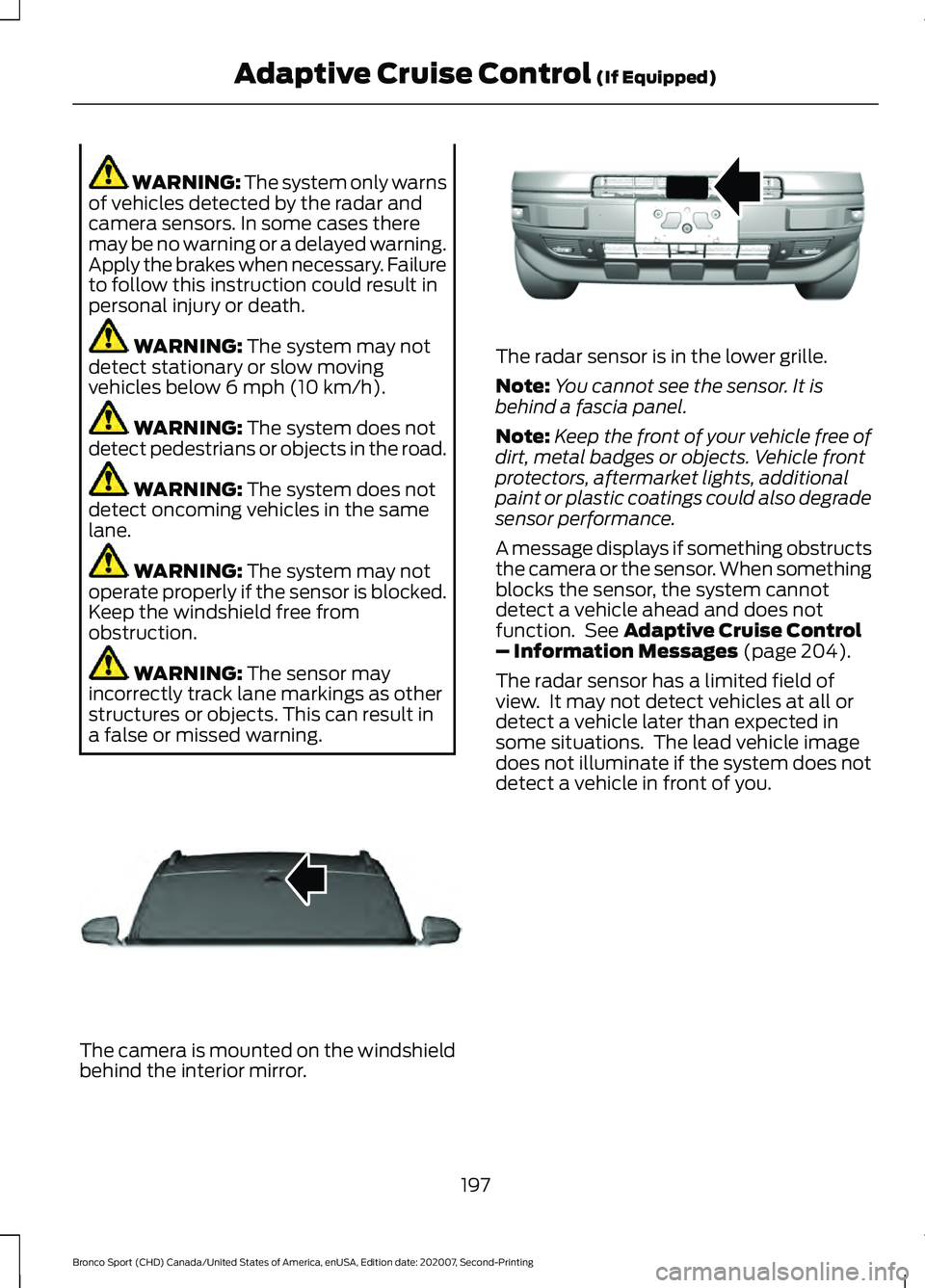
a false or missed warning. The camera is mounted on the windshield
behind the interior mirror. The radar sensor is in the lower grille.
Note:
You cannot see the sensor. It is
behind a fascia panel.
Note: Keep the front of your vehicle free of
dirt, metal badges or objects. Vehicle front
protectors, aftermarket lights, additional
paint or plastic coatings could also degrade
sensor performance.
A message displays if something obstructs
the camera or the sensor. When something
blocks the sensor, the system cannot
detect a vehicle ahead and does not
function. See
Adaptive Cruise Control
– Information Messages (page 204).
The radar sensor has a limited field of
view. It may not detect vehicles at all or
detect a vehicle later than expected in
some situations. The lead vehicle image
does not illuminate if the system does not
detect a vehicle in front of you.
197
Bronco Sport (CHD) Canada/United States of America, enUSA, Edition date: 202007, Second-Printing Adaptive Cruise Control
(If Equipped)E307893 E321483
Page 241 of 471
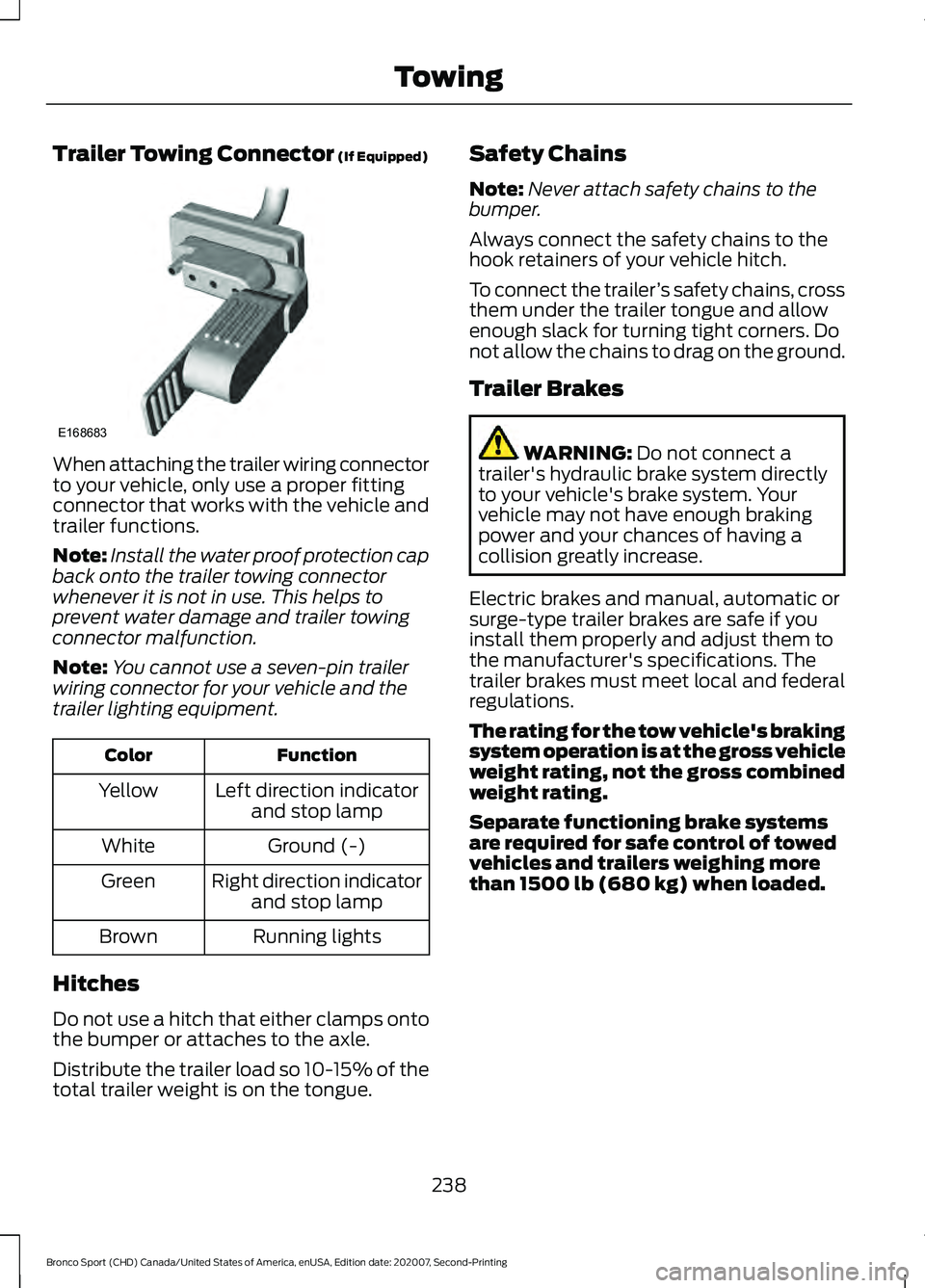
Trailer Towing Connector (If Equipped)
When attaching the trailer wiring connector
to your vehicle, only use a proper fitting
connector that works with the vehicle and
trailer functions.
Note:
Install the water proof protection cap
back onto the trailer towing connector
whenever it is not in use. This helps to
prevent water damage and trailer towing
connector malfunction.
Note: You cannot use a seven-pin trailer
wiring connector for your vehicle and the
trailer lighting equipment. Function
Color
Left direction indicatorand stop lamp
Yellow
Ground (-)
White
Right direction indicatorand stop lamp
Green
Running lights
Brown
Hitches
Do not use a hitch that either clamps onto
the bumper or attaches to the axle.
Distribute the trailer load so 10-15% of the
total trailer weight is on the tongue. Safety Chains
Note:
Never attach safety chains to the
bumper.
Always connect the safety chains to the
hook retainers of your vehicle hitch.
To connect the trailer ’s safety chains, cross
them under the trailer tongue and allow
enough slack for turning tight corners. Do
not allow the chains to drag on the ground.
Trailer Brakes WARNING:
Do not connect a
trailer's hydraulic brake system directly
to your vehicle's brake system. Your
vehicle may not have enough braking
power and your chances of having a
collision greatly increase.
Electric brakes and manual, automatic or
surge-type trailer brakes are safe if you
install them properly and adjust them to
the manufacturer's specifications. The
trailer brakes must meet local and federal
regulations.
The rating for the tow vehicle's braking
system operation is at the gross vehicle
weight rating, not the gross combined
weight rating.
Separate functioning brake systems
are required for safe control of towed
vehicles and trailers weighing more
than 1500 lb (680 kg) when loaded.
238
Bronco Sport (CHD) Canada/United States of America, enUSA, Edition date: 202007, Second-Printing TowingE168683
Page 242 of 471
Trailer Lamps
WARNING: Never connect any
trailer lamp wiring to the vehicle's tail
lamp wiring; this may damage the
electrical system resulting in fire. Contact
your authorized dealer as soon as
possible for assistance in proper trailer
tow wiring installation. Additional
electrical equipment may be required.
Trailer lamps are required on most towed
vehicles. Make sure all running lights, brake
lights, turn signals and hazard lights are
working.
Before Towing a Trailer
Practice turning, stopping and backing up
to get the feel of your vehicle-trailer
combination before starting on a trip.
When turning, make wider turns so the
trailer wheels clear curbs and other
obstacles.
When Towing a Trailer
• Do not drive faster than
70 mph
(113 km/h) during the first 500 mi
(800 km).
• Do not make full-throttle starts.
• Check your hitch, electrical connections
and trailer wheel lug nuts thoroughly
after you have traveled 50 mi (80 km).
• When stopped in congested or heavy
traffic during hot weather, place the
transmission in park (P) to aid engine
and transmission cooling and to help
A/C performance.
• Turn off the speed control with heavy
loads or in hilly terrain. The speed
control may turn off automatically
when you are towing on long, steep
grades. •
Shift to a lower gear when driving down
a long or steep hill. Do not apply the
brakes continuously, as they may
overheat and become less effective.
• If your transmission is equipped with a
Grade Assist or Tow/Haul feature, use
this feature when towing. This provides
engine braking and helps eliminate
excessive transmission shifting for
optimum fuel economy and
transmission cooling.
• Allow more distance for stopping with
a trailer attached. Anticipate stops and
brake gradually.
• Avoid parking on a grade. However, if
you must park on a grade:
1. Turn the steering wheel to point your vehicle tires away from traffic flow.
2. Set your vehicle parking brake.
3. Place the automatic transmission in park (P).
4. Place wheel chocks in front and back of the trailer wheels. Chocks are not
included with your vehicle.
Launching or Retrieving a Boat or
Personal Watercraft (PWC)
Note: Disconnect the wiring to the trailer
before
backing the trailer into the water.
Note: Reconnect the wiring to the trailer
after
removing the trailer from the water.
When backing down a ramp during boat
launching or retrieval:
• Do not allow the static water level to
rise above the bottom edge of the rear
bumper.
• Do not allow waves to break higher
than
6 in (15 cm) above the bottom
edge of the rear bumper.
239
Bronco Sport (CHD) Canada/United States of America, enUSA, Edition date: 202007, Second-Printing Towing
Page 248 of 471
Ease off the accelerator as you reach the
other side to diminish the front wave. Apply
the accelerator slowly and as necessary
to climb out of the other side.
Muddy waters can reduce the cooling
system effectiveness by depositing debris
into the radiator.
Extra care must be taken crossing any type
of water. Do not drive into water unless
necessary. You should only drive through
areas that are designated and approved.
High currents even in shallow water can
wash the dirt out from around your tires or
push your vehicle across slippery rocks or
surfaces.
Never attempt to cross flowing water that
is deeper than your vehicles ground
clearance. Even in low currents your
vehicles body surface area can be pushed
downstream and out of control.
Do not cross any body of water that is fast
flowing and rising, wait for the flow rate to
reduce.
Determine exit points that are downstream
of your entry point to allow for drifting.
If there are other vehicles ahead, wait until
they
’ve left the water. Unsettled water can
make a safe passage more challenging.
Know your vehicle ’s abilities and be able
to recover it if something goes wrong.
Keep the doors fully closed during a water
crossing.
Vehicles used to traverse water regularly
should be periodically inspected for signs
of water ingestion in all of the vehicle's
fluids. If water is found inside your vehicle
fluids, service your vehicle or see an
authorized dealer.
After driving through water and as soon as
it is safe to do so, check the brakes, horn,
lights, and steering wheel to make sure
everything is still in working order. Avoid Getting High-Centered
Always keep available ground clearance
in mind and pick a route that minimizes the
risk of catching the underside of the vehicle
on an obstacle and getting high-centered.
Freeing A Stuck Vehicle
WARNING: Do not spin the wheels
at over 34 mph (55 km/h). The tires may
fail and injure a passenger or bystander.
Recovery hooks are mounted to the
vehicle's structure and are used to pull out
the vehicle from a surface or location when
stuck. Recover your vehicle using various
towing apparatus attached to your
recovery hook such as winch, open hook,
or strap.
Note: Do not use recovery hooks to
recreationally tow your vehicle. See Towing
the Vehicle on Four Wheels
(page 240).
If your vehicle gets stuck in mud or snow,
you may rock it out by shifting between
forward and reverse gears, stopping
between shifts in a steady pattern. Press
the accelerator in each gear.
Note: Do not rock your vehicle if the engine
is not at normal operating temperature
damage to the transmission may occur.
Note: Do not rock your vehicle for more
than a minute damage to the transmission
and tires may occur or the engine may
overheat.
If you are unable to free your vehicle call
roadside assistance. See
Roadside
Assistance (page 250).
245
Bronco Sport (CHD) Canada/United States of America, enUSA, Edition date: 202007, Second-Printing Driving Hints
Page 286 of 471
The battery is in the engine compartment.
See Under Hood Overview (page 272).
Your vehicle has a maintenance-free
battery. It does not require additional
water during service.
If the vehicle battery has a cover, make
sure you correctly install it after cleaning
or replacing the battery.
For longer, trouble-free operation, keep the
top of the battery clean and dry and the
battery cables tightly fastened to the
battery terminals. If any corrosion is
present on the battery or terminals, remove
the cables from the terminals and clean
with a wire brush. You can neutralize the
acid with a solution of baking soda and
water.
We recommend that you disconnect the
negative battery cable terminal from the
battery if you plan to store your vehicle for
an extended period.
Note: If you only disconnect the negative
battery cable terminal, make sure it is
isolated or placed away from the battery
terminal to avoid unintended connection or
arcing.
To maintain correct operation of the
battery management system, if you add
any electrical devices to your vehicle, do
not connect the ground connection directly
to the negative battery terminal. A
connection at the negative battery terminal
can cause inaccurate measurements of
the battery condition and potential
incorrect system operation.
Note: If you add electrical accessories or
components to your vehicle this may
adversely affect battery performance,
durability and the performance of other
electrical systems on your vehicle.
If you replace the battery make sure it
matches the electrical requirements of
your vehicle. If you disconnect or replace the battery
and your vehicle has an automatic
transmission, it must relearn its adaptive
strategy. Because of this, the transmission
may shift firmly when first driven. This is
normal operation while the transmission
fully updates its operation to optimum
shift feel.
Remove and Reinstall the Battery
To disconnect or remove the battery, do
the following:
1.
Apply the parking brake and switch the
ignition off.
2. Switch all electrical equipment off, for
example lights and radio.
3. Wait a minimum of two minutes before
disconnecting the battery.
Note: The engine management system has
a power hold function and remains powered
for a period of time after you switch the
ignition off. This is to allow diagnostic and
adaptive tables to be stored. Disconnecting
the battery without waiting can cause
damage not covered by the vehicle
Warranty.
4. Disconnect the negative battery cable terminal.
5. Disconnect the positive battery cable terminal.
6. Remove the battery securing clamp.
7. Remove the battery.
8. To install, reverse the removal procedure.
Note: Before reconnecting the battery,
make sure the ignition remains switched off.
Note: Make sure the battery cable terminals
are fully tightened.
283
Bronco Sport (CHD) Canada/United States of America, enUSA, Edition date: 202007, Second-Printing Maintenance
Page 330 of 471
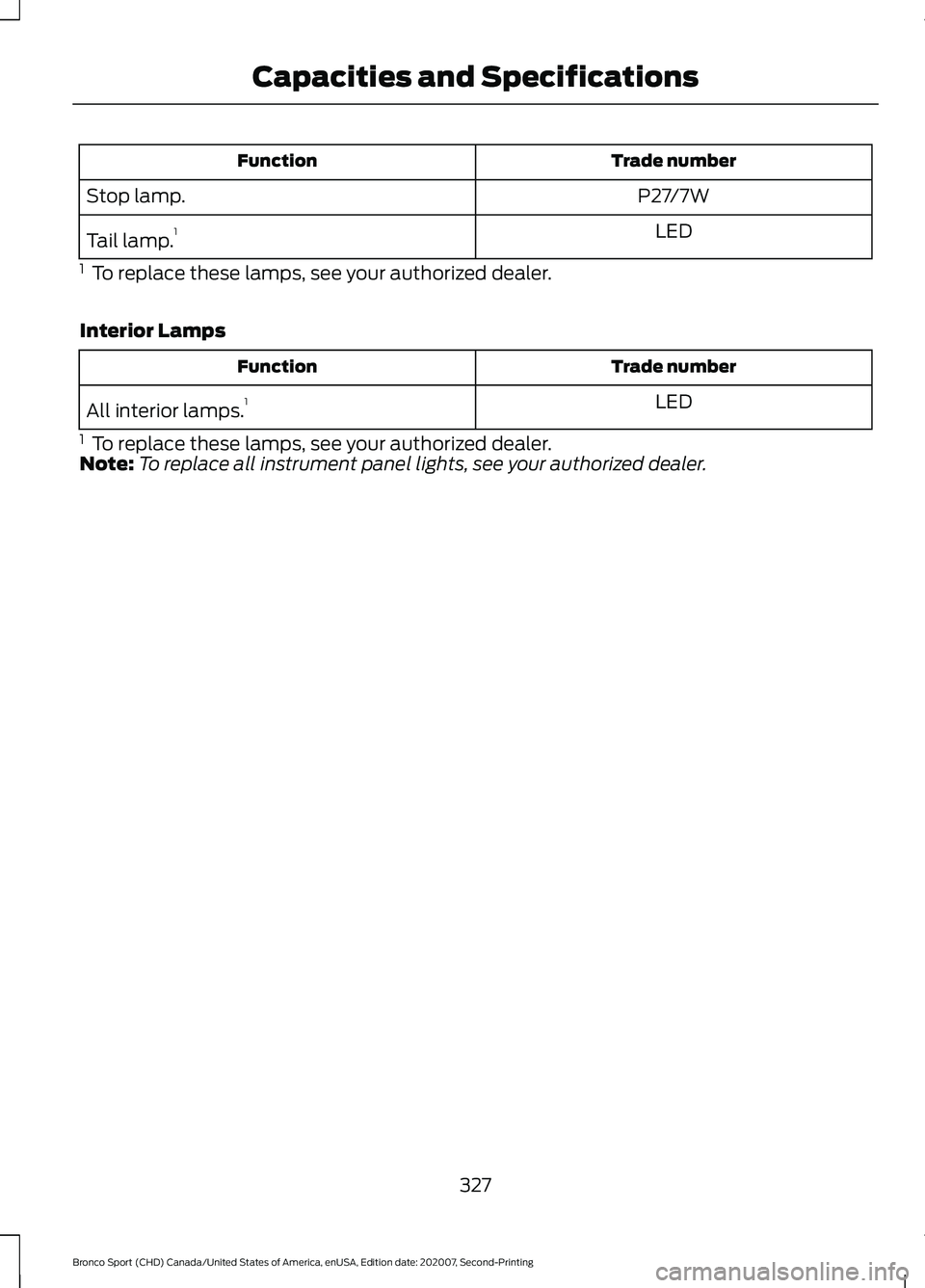
Trade number
Function
P27/7W
Stop lamp.
LED
Tail lamp. 1
1 To replace these lamps, see your authorized dealer.
Interior Lamps Trade number
Function
LED
All interior lamps. 1
1 To replace these lamps, see your authorized dealer.
Note: To replace all instrument panel lights, see your authorized dealer.
327
Bronco Sport (CHD) Canada/United States of America, enUSA, Edition date: 202007, Second-Printing Capacities and Specifications
Page 400 of 471
When the oil change message appears in
the information display, it is time for an oil
change. Make sure you perform the oil
change within two weeks or 500 mi
(800 km) of the message appearing. Make
sure you reset the Intelligent Oil-Life
Monitor after each oil change. See
Oil
Change Indicator Reset (page 275).
If your information display resets
prematurely or becomes inoperative, you
should perform the oil change interval at
six months or
5,000 mi (8,000 km) from
your last oil change. Never exceed one year
or
10,000 mi (16,000 km) between oil
change intervals,
Your vehicle is very sophisticated and built
with multiple, complex, performance
systems. Every manufacturer develops
these systems using different
specifications and performance features.
That is why it is important to rely upon your
dealership to properly diagnose and repair
your vehicle.
We have recommended maintenance
intervals for various parts and component
systems based upon engineering testing.
We rely upon this testing to determine the
most appropriate mileage for replacement
of oils and fluids to protect your vehicle at
the lowest overall cost to you. We
recommend against maintenance
schedules that deviate from the scheduled
maintenance information.
We strongly recommend the use of only
genuine Ford, Motorcraft or
Ford-authorized re-manufactured
replacement parts engineered for your
vehicle. Additives and Chemicals
This owner's manual and our Workshop
Manual list the recommended additives
and chemicals for your vehicle. We do not
recommend using chemicals or additives
not approved by us as part of your vehicle
’s
normal maintenance. Please consult your
warranty information.
Oils, Fluids and Flushing
In many cases, fluid discoloration is a
normal operating characteristic and, by
itself, does not necessarily indicate a
concern or that the fluid needs to be
changed. However, a qualified expert, such
as the factory-trained technicians at your
dealership, should inspect discolored fluids
that also show signs of overheating or
foreign material contamination
immediately.
Make sure to change your vehicle ’s oils and
fluids at the specified intervals or in
conjunction with a repair. Flushing is a
viable way to change fluid for many vehicle
sub-systems during scheduled
maintenance. It is critical that systems are
flushed only with new fluid that is the same
as that required to fill and operate the
system or using a Ford-approved flushing
chemical.
Owner Checks and Services
Make sure you perform the following basic
maintenance checks and inspections every
month or at six-month intervals. Check Every Month
Engine oil level.
Function of all interior and exterior lights.
Tires, including spare, for wear and proper pressure.
397
Bronco Sport (CHD) Canada/United States of America, enUSA, Edition date: 202007, Second-Printing Scheduled Maintenance
Page 468 of 471
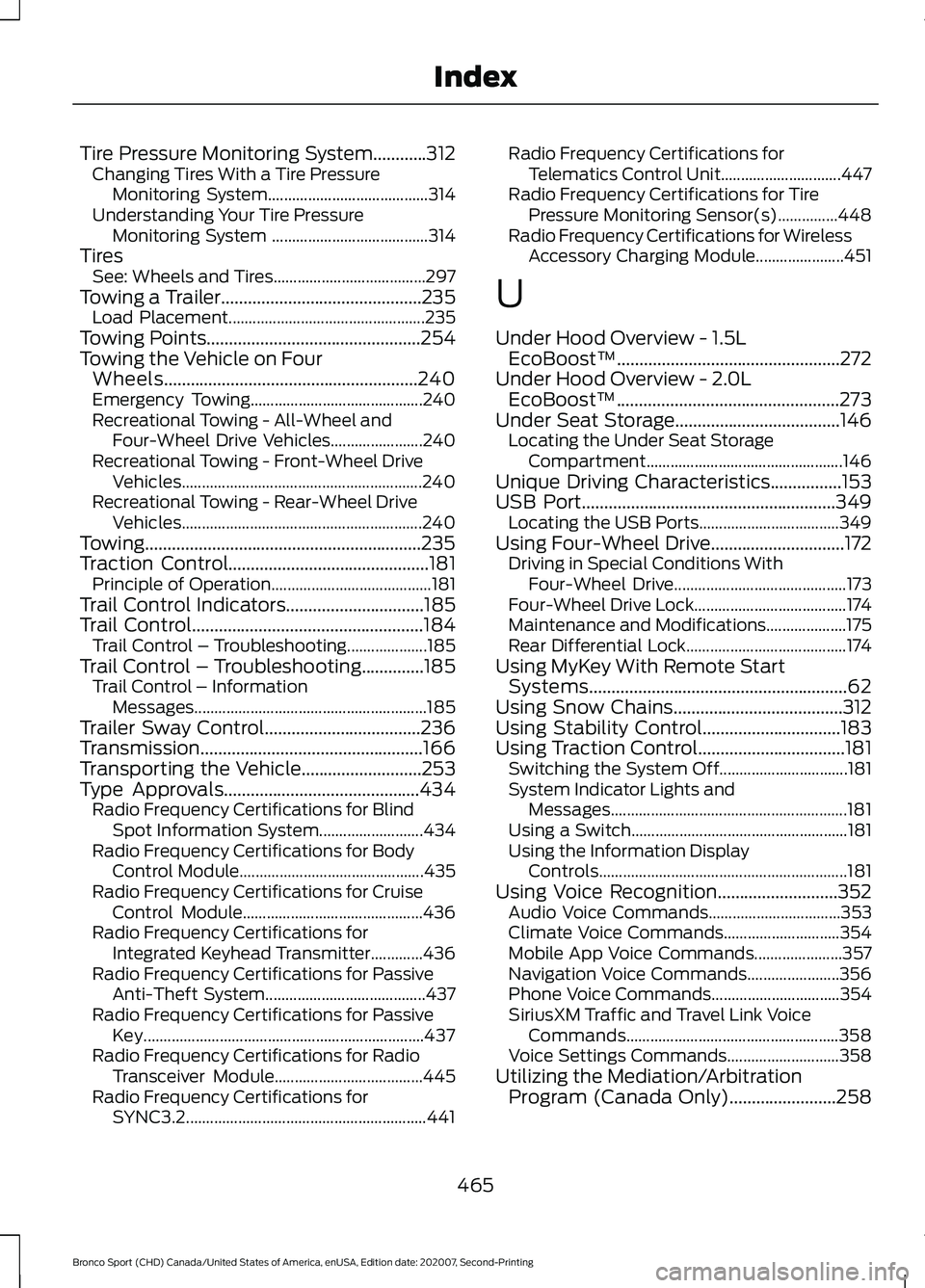
Tire Pressure Monitoring System............312
Changing Tires With a Tire Pressure
Monitoring System........................................ 314
Understanding Your Tire Pressure Monitoring System ....................................... 314
Tires See: Wheels and Tires...................................... 297
Towing a Trailer.............................................235
Load Placement................................................. 235
Towing Points
................................................254
Towing the Vehicle on Four Wheels.........................................................240
Emergency Towing........................................... 240
Recreational Towing - All-Wheel and Four-Wheel Drive Vehicles....................... 240
Recreational Towing - Front-Wheel Drive Vehicles............................................................ 240
Recreational Towing - Rear-Wheel Drive Vehicles............................................................ 240
Towing..............................................................235
Traction Control
.............................................181
Principle of Operation........................................ 181
Trail Control Indicators
...............................185
Trail Control....................................................184
Trail Control – Troubleshooting.................... 185
Trail Control – Troubleshooting..............185 Trail Control – Information
Messages.......................................................... 185
Trailer Sway Control
...................................236
Transmission..................................................166
Transporting the Vehicle
...........................253
Type Approvals............................................434 Radio Frequency Certifications for Blind
Spot Information System.......................... 434
Radio Frequency Certifications for Body Control Module.............................................. 435
Radio Frequency Certifications for Cruise Control Module............................................. 436
Radio Frequency Certifications for Integrated Keyhead Transmitter.............436
Radio Frequency Certifications for Passive Anti-Theft System........................................ 437
Radio Frequency Certifications for Passive Key...................................................................... 437
Radio Frequency Certifications for Radio Transceiver Module..................................... 445
Radio Frequency Certifications for SYNC3.2............................................................ 441Radio Frequency Certifications for
Telematics Control Unit.............................. 447
Radio Frequency Certifications for Tire Pressure Monitoring Sensor(s)...............448
Radio Frequency Certifications for Wireless Accessory Charging Module...................... 451
U
Under Hood Overview - 1.5L EcoBoost™..................................................272
Under Hood Overview - 2.0L EcoBoost™..................................................273
Under Seat Storage.....................................146 Locating the Under Seat Storage
Compartment................................................. 146
Unique Driving Characteristics................153
USB Port
.........................................................349
Locating the USB Ports................................... 349
Using Four-Wheel Drive
..............................172
Driving in Special Conditions With
Four-Wheel Drive........................................... 173
Four-Wheel Drive Lock...................................... 174
Maintenance and Modifications.................... 175
Rear Differential Lock........................................ 174
Using MyKey With Remote Start Systems..........................................................62
Using Snow Chains
......................................312
Using Stability Control...............................183
Using Traction Control
.................................181
Switching the System Off................................ 181
System Indicator Lights and Messages........................................................... 181
Using a Switch...................................................... 181
Using the Information Display Controls.............................................................. 181
Using Voice Recognition...........................352 Audio Voice Commands................................. 353
Climate Voice Commands............................. 354
Mobile App Voice Commands...................... 357
Navigation Voice Commands....................... 356
Phone Voice Commands................................ 354
SiriusXM Traffic and Travel Link Voice Commands..................................................... 358
Voice Settings Commands............................ 358
Utilizing the Mediation/Arbitration Program (Canada Only)........................258
465
Bronco Sport (CHD) Canada/United States of America, enUSA, Edition date: 202007, Second-Printing Index